
If you sell courses with LearnPress, you know that the built-in quizzes handle the basics well. Students take quizzes, see their scores, and move on. But most WordPress quizzes really only tell you one thing: what score did the student get? They don’t tell you whether or not your LearnPress course actually taught them anything, nor do they tell you whether questions are too easy, too hard, or confusing. And they definitely don’t give you insights into how to make quizzes better or improve knowledge transfer.
That’s where PressPrimer Quiz comes in. It’s a WordPress plugin built to offer enterprise-grade assessments, and it integrates natively with LearnPress. What makes it different from other quiz plugins is that it’s grounded in learning science and performance improvement. It offers many of the same capabilities to WordPress elearning sites that have traditionally been locked behind enterprise LMS platforms costing tens of thousands of dollars per year. Having robust assessment tools inside WordPress, working natively with LearnPress, changes what’s possible for smaller course creators.
How LearnPress Integration Works
PressPrimer Quiz auto-detects when LearnPress is active, and it adds a metabox to the LearnPress lesson editor. You select a PressPrimer Quiz, optionally require a passing score for lesson completion, and you’re done. The quiz gets automatically added beneath your existing lesson content, and when the passing criteria is met, it can automatically mark the lesson as complete. Here’s what it looks like:
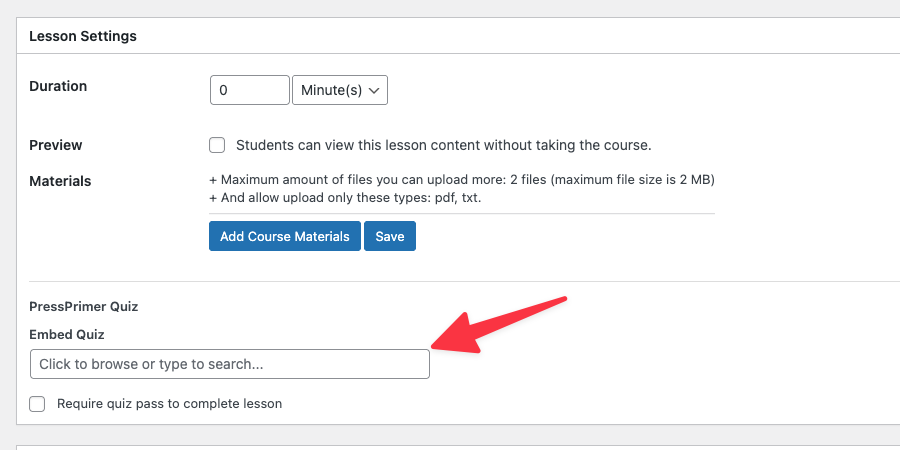
There are no shortcodes or block settings to worry about. Just pick your quiz, and PressPrimer Quiz handles the rest. The LearnPress integration is fully supported in the free version of PressPrimer Quiz.
AI-Powered Quizzes
Writing effective quiz questions takes a lot of time, especially if you’re trying to build large question banks and coming up with questions that add value and with distractors that properly evaluate someone’s knowledge. Other quiz plugins might offer basic AI quiz generation that allows you to paste in short snippets of text and generate simple questions based on the LLM’s own knowledge, but these simply aren’t effective ways to measure student performance and conduct meaningful assessment.
With PressPrimer Quiz (with the free version, mind you), you can paste in up to 250,000 characters of text, or even upload PDF books and Word documents as your source files. Choose difficulty levels for questions, the number of distractors, question categories, and even the models you want to use. Once generated, you get to decide which questions get added to your quiz, what edits are needed, and how they’re presented to users.
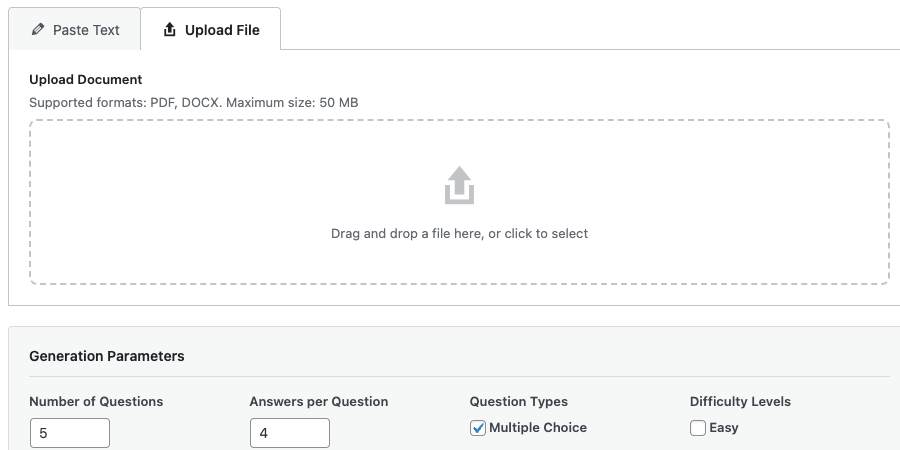
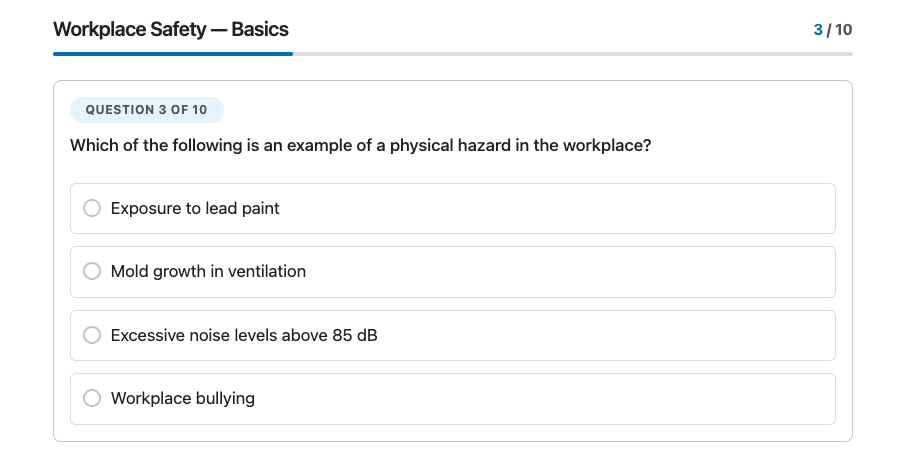
Like most PressPrimer Quiz features that are traditionally locked behind premium tiers, AI question generation is included in the free version. So are unlimited quizzes, anti-cheat features, six professional themes, detailed reports, and more. From full WCAG 2.1 Level AA accessibility to translation support and mobile-first design, the free PressPrimer Quiz plugin sets the standard for making WordPress quizzes accessible and easy to use.
Measuring Whether Courses Actually Work
All the features normally found in premium quiz plugins are bundled in the free version of PressPrimer Quiz. Where it goes well beyond what other quiz plugins offer is in its premium plugins, and that’s where the learning science foundation really shows.
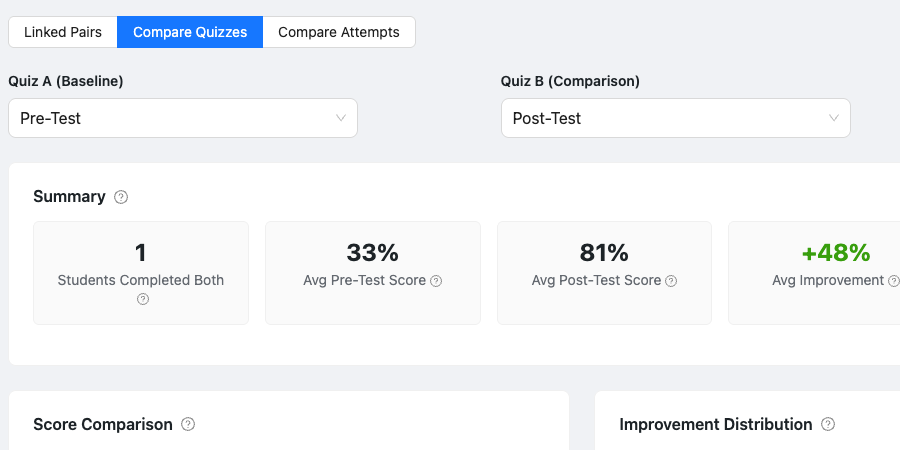
Most quizzes give you a final score and that’s it. If a student scores 78%, you know they passed. What you don’t know is whether or not they learned anything from the course. Did they already know 78% of the material before they started? Did they get quiz answers from someone else, brute-force a passing grade, or just get lucky on an easy quiz? Enter PressPrimer Quiz, which addresses all of those issues. Compare pre-test and post-test results, so you can see how performance changed by student and by group after completion of a LearnPress course. This shifts the entire conversation from “Did the student pass?” to “Did the student learn?”, which is exactly what you want—and gives you an actual metric to help sell your courses. What prospective customer wouldn’t be enticed by a “student performance improved by 50% after taking this 1-hour course” claim that you could back up with real data?
PressPrimer Quiz premium add-ons include dozens of interactive charts and reports. From score histograms to quiz question analysis (with actionable advice to actually improve your quizzes), the built-in suite of reporting tools help you build better programs. Trend lines track performance over time, and group comparisons help you benchmark cohorts against each other.
Instructor Access and Group Management
Speaking of group comparisons, PressPrimer Quiz offers robust quiz assignment and group oversight capabilities. Create groups, assign quizzes with due dates and availability windows, and track completion status over time. Instructors get scoped views, meaning they only see data for their groups and students. Students see assigned quizzes in the front end, including due dates and completion status.
This is a huge revenue opportunity for sites that sell course access. Every group can manage their cohort and see reports for their groups. For instructors in the same group, they can share question banks and use shared questions in their own quizzes. If an organization runs the same course for multiple departments, you can see at a glance which groups are keeping pace and which need attention.
Assessment Features You Won’t Find Elsewhere
Several premium features in PressPrimer Quiz simply don’t exist in other WordPress quiz plugins. They’re grounded in psychometric research and educational science, and include tools that universities and large organizations rely on daily, but have historically required large platforms with large budgets.
Question analysis measures the difficulty, distractor efficiency, and other metrics to help you classify your questions as good, in need of review, or problematic.
xAPI integration sends detailed learning data to an external Learning Record Store (LRS). If your organization uses an LRS for compliance reporting or learning analytics, PressPrimer Quiz allows you to choose the level of detail it sends and can send quiz attempts, completions, pass/fail events, and individual question responses. There’s also a queueing system that resends activities if the LRS can’t be reached.
Audit logging tracks every change to quizzes, questions, question banks, settings, and other details. For organizations that need accountability records and audit trails, every change is logged. Question history shows a side-by-side view of changes with the ability to restore old versions.
Import and export tools support CSV, JSON, and XML formats, making it easy to migrate existing question libraries or share content between sites.
Proctoring tools bring exam integrity to WordPress assessments. Fullscreen lockdown, idle time tracking, and tab change monitoring help to identify likely cheating instances. Combined with anti-cheat systems like server-side answer validation, dynamic question pools, randomization, and availability windows with autosubmission, PressPrimer Quiz offers a lot of systems to minimize cheating.
White-label branding lets organizations completely remove PressPrimer references and replace them with their own logos, colors, menu labels, and email templates.
Getting Started
PressPrimer Quiz is available free on WordPress.org, so just navigate to Plugins > Add New in /wp-admin/ on your WordPress site, search for “PressPrimer Quiz”, then install and activate the plugin. The LearnPress integration appears automatically in your lesson editor, so you can start incorporating PressPrimer quizzes into your lessons in minutes.
The free version is genuinely capable on its own. Unlimited quizzes, unlimited questions, question banks, AI generation, anti-cheat tools, six themes, full accessibility, and detailed reports are all included with no artificial restrictions. Premium add-ons support classroom management, xAPI integration, dozens of charts and reports, and other enterprise features for organizations that need them. You can even spin up your own private demo with premium add-ons so you can try everything out before purchase.
Learn more about PressPrimer Quiz and how it works with LearnPress at PressPrimer.com.
(This review was written using the latest available versions of PressPrimer Quiz and its premium add-ons, version 2.1).

