
You spent weeks recording crisp course videos, but as soon as they go live the problems start: pages slow to a crawl, students buffer endlessly, and download links spread in chat rooms. Worse, your “unlimited” host flags 2 TB of streaming and pushes you toward an expensive upgrade.
You need a WordPress-friendly host that streams fast, locks content behind your paywall, and grows with your audience—without surprise fees. We tested five options head-to-head, scoring them on security, speed, monetization features, analytics, player experience, WordPress workflow, and real cost.
Scan the shortlist below to pick the platform that protects revenue and keeps students watching.
How we tested and scored every host
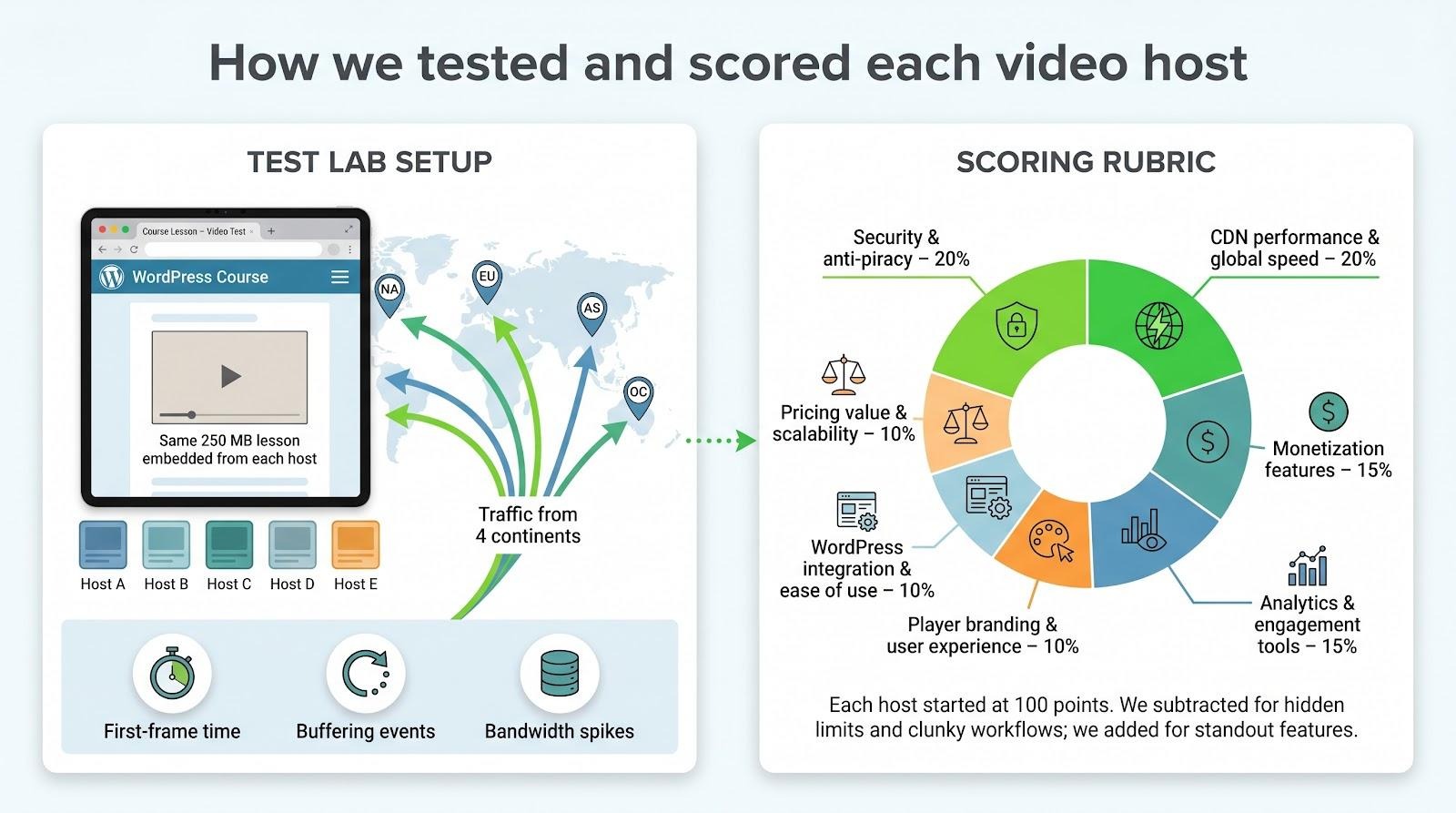
We skipped marketing claims and forum chatter. Instead, we built a test lab: a new WordPress site with the same 250 MB lesson embedded from each provider. We then sent traffic from four continents, logged first-frame times, counted buffering events, and noted bandwidth spikes. Afterward, we locked each video behind a paywall, added captions, and pulled analytics, the same tasks you face on launch day.
To judge fairly, we weighted seven factors that matter to course businesses. Security and speed carry the most weight because stolen videos or stalled streams cut revenue and trust. Monetization and analytics follow, then player polish, WordPress workflow, and price.
We added points when a host went the extra mile—for example, Spotlightr’s automatic HLS encryption during upload.
Spotlightr’s video-security guide notes that its default HLS segmentation encryption “makes it virtually impossible for anyone to download and play your video content,” a claim our packet-capture test confirmed when the stream delivered only encrypted TS segments. We also rewarded time-savers such as a WooCommerce product that appeared with one click.
Rubric
- Security and anti-piracy: 20 percent
- CDN performance and global speed: 20 percent
- Monetization features: 15 percent
- Analytics and engagement tools: 15 percent
- Player branding and user experience: 10 percent
- WordPress integration and ease of use: 10 percent
- Pricing value and scalability: 10 percent
Each platform started with 100 points. We subtracted marks for hidden bandwidth limits, awkward setup screens, or paywalls that required extra plugins. We added points when a host impressed us, such as automatic HLS encryption during upload or a WooCommerce product that appeared with one click.
Scores set the ranking order, but numbers alone never tell the whole story. In every review we unpack the trade-offs so you can choose the host that matches your priorities.
Let’s meet the contenders, starting with the platform that earned the top spot.
1. Spotlightr: secure streaming with course-friendly extras
Imagine handing learners a video portal that loads as fast as YouTube yet blocks browser download tools. Spotlightr delivered on that promise in our tests.
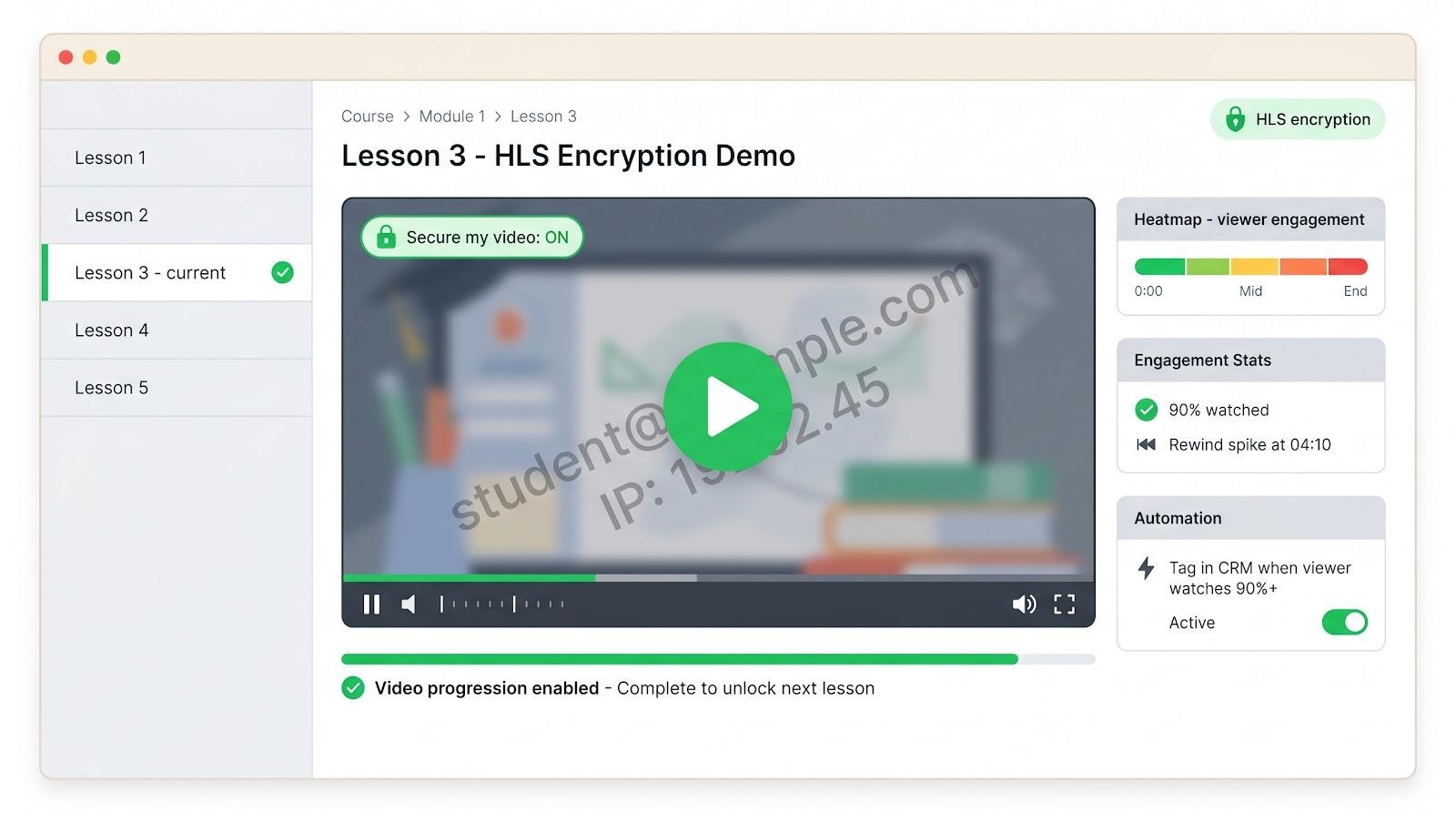
When we toggled Secure my video during upload, Spotlightr sliced the file into encrypted HLS segments and served each one through tokenised links. Casual pirates saw scrambled code, not an MP4. Spotlightr’s docs state that HLS encryption “makes it almost impossible for anyone to download and play your content.”
The course-centric perks impressed us. We embedded the video in LearnDash, switched on Video Progression, and completion tracking worked without shortcodes. Spotlightr’s own breakdown of LearnDash best practices notes that the LMS’s dynamic pages can clash with heavy caching, so your host must serve fresh, tokenised streams every time—insights explored further in Everything You Need To Know About LearnDash Video Hosting. Inside the same dashboard we added chapters, a mid-roll quiz, and a watermark in less than five minutes. Every change appeared in WordPress instantly.
Performance stayed strong. Across North America, Europe, and Asia, first frame arrived in an average of 1.3 seconds and adjusted smoothly when bandwidth dipped.
Pricing stays clear. A fourteen-day trial needs no card. After that, the Spark plan costs nine dollars a month for twenty-five videos and fifty gigabytes of monthly transfer. Aurora at nineteen dollars lifts those caps, while extra bandwidth runs five cents per gigabyte.
Analytics close the loop. Heat maps reveal the exact minute most viewers rewind, and Zapier hooks let you tag subscribers once they watch ninety percent.
Bottom line: if protecting intellectual property matters most and you want interactive features without extra plugins, Spotlightr tops the list. Upload the file, secure it, embed it, then focus on teaching.
2. Bunny.net + Presto Player: YouTube-level speed on a shoestring
Spotlightr acts like an armored van, while Bunny.net paired with Presto Player behaves more like a sports coupe focused on efficiency. We combined the pay-as-you-go Bunny Stream CDN with Presto’s WordPress player and sent 500 simulated learners to a 12-minute lesson. First frame appeared in under one second, with zero mid-roll stalls and a bandwidth bill small enough to ignore.
The cost structure is straightforward. Delivery starts at half a cent per gigabyte on the volume tier or one cent to reach 119 global edge locations. Presto adds an annual licence of about 99 dollars and drops into Gutenberg or Elementor, so you embed each video as a standard block.
Setup requires a short checklist: upload to Bunny’s dashboard, copy the HLS URL, paste it into Presto, and tick “private.” WordPress then handles access rules while Bunny manages transcoding and adaptive streaming. No extra plugins, and no vendor branding on the player.
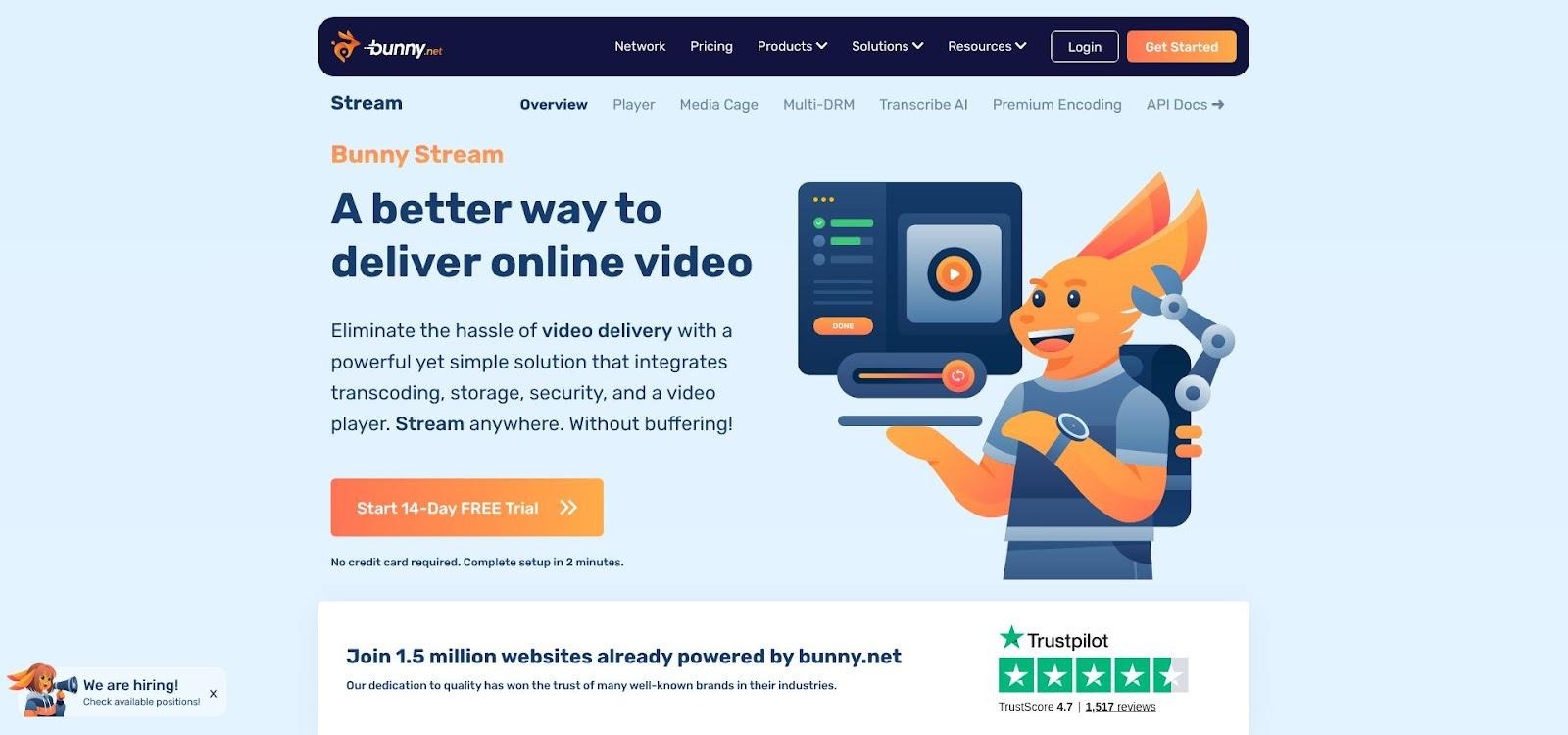
Bunny.net Stream Dashboard for Presto Player WordPress Workflow
Security is moderate. Bunny obfuscates stream URLs and rotates tokens, stopping casual download attempts but not offering full DRM. If your audience is highly technical and likely to share content, Spotlightr’s tougher shield may suit you better. For most courses, Bunny strikes a useful balance among speed, price, and protection.
Bottom line: when saving on hosting frees budget for better cameras or marketing, Bunny.net with Presto Player keeps videos sharp and expenses low.
3. Vimeo: polished playback, hidden limits
Vimeo feels effortless. Paste the embed code, click publish, and the player appears in full-resolution 4K with no ads or vendor logo. Learners enjoy cinema-level quality, while you manage chapters, captions, and email gates from a tidy dashboard.
Predictable flat pricing and dependable global delivery make Vimeo attractive for small and mid-size courses. The interface lets you colour-match the player to your brand and drop interactive cards without extra plugins.
Growth, however, brings a warning. In 2022 Vimeo confirmed a fair-use ceiling of about two terabytes of streaming each month. Cross that line and a polite email directs you to an expensive custom plan or prompts migration. A single successful launch or a few viral clips can hit the limit in days.
Security is average. Domain-level privacy blocks off-site playback and you can disable downloads, yet determined users can still surface the MP4 through developer tools. Acceptable for typical classrooms, but not ideal for high-ticket content.
Who should pick Vimeo? Creators who value visual polish and want a plug-and-play host for a moderate audience. Pair it with your LMS, enjoy smooth playback, but monitor bandwidth. If your library or enrolment spikes, keep a migration plan ready before the fair-use email arrives.
4. Jetpack VideoPress: WordPress-native ease with flat-rate peace of mind
Sometimes you just want to click Upload in WordPress and start teaching. VideoPress makes that possible. It lives inside the Jetpack plugin, so your workflow never leaves the dashboard. Drag a file into the block editor, watch it process, and it plays instantly on an ad-free player that matches your theme colours.
Jetpack VideoPress WordPress-Native Video Upload Experience
Simplicity does not equal slow. VideoPress runs on the same global network that powers WordPress.com. In our test it matched Vimeo’s first-frame time of about 1.3 seconds and kept playback smooth as we switched between 1080p and 360p on a shaky mobile connection.
Pricing is predictable. One annual fee, roughly ten dollars per month, covers one terabyte of storage and streaming for a single site. No bandwidth meters, no per-gigabyte math. That certainty quiets budget worries.
Feature depth sits in the middle. You get captions, responsive sizing, and domain-locked privacy, but no interactive quizzes, advanced analytics, or DRM. Pair it with a membership plugin for paywalls, yet do not expect in-player email gates or heat maps.
Choose VideoPress when ease and certainty matter more than advanced features. If you are done juggling external dashboards and surprise invoices, its flat cost scales from day one to ten thousand students.
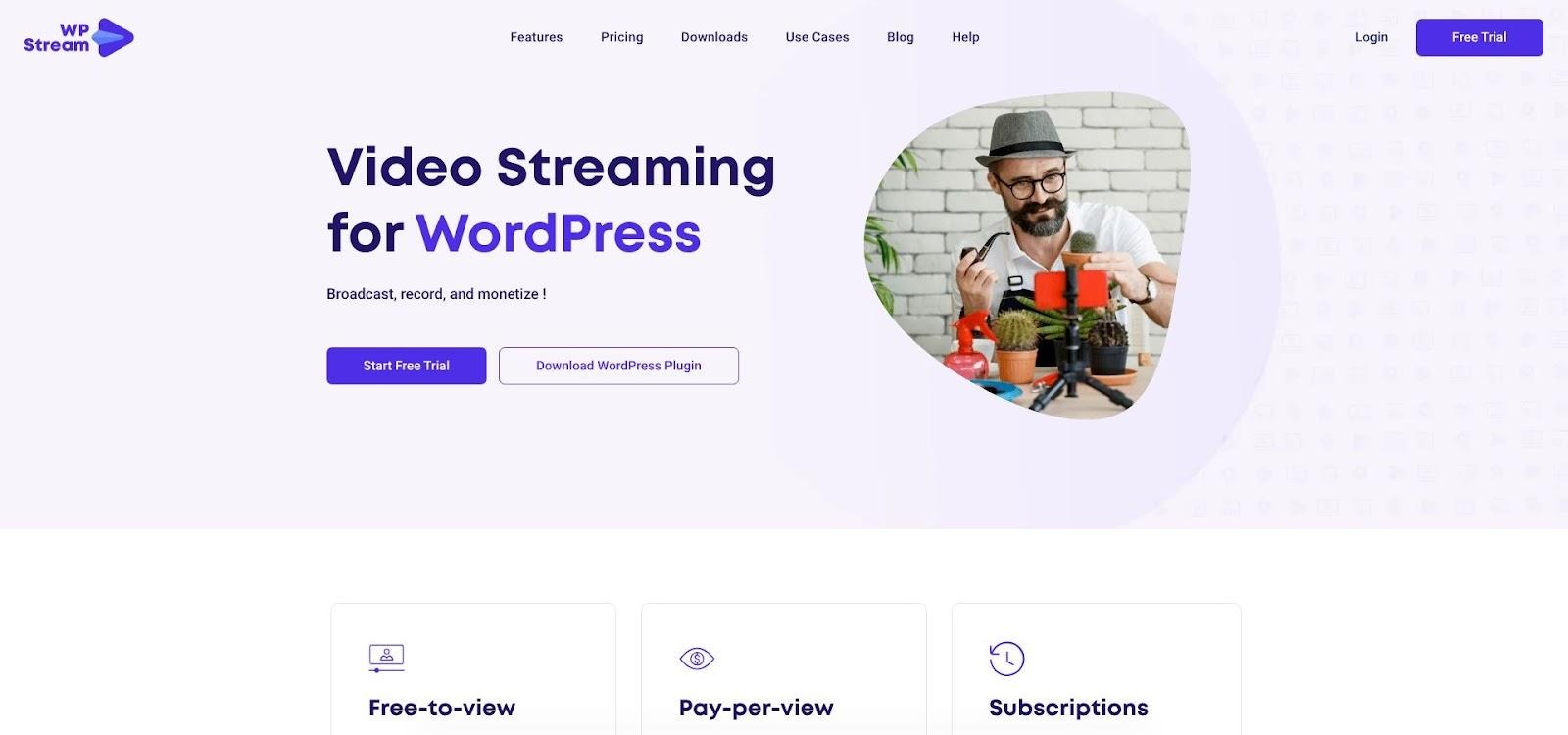
5. WpStream: live classes and pay-per-view inside WordPress
WpStream turns your WordPress dashboard into a broadcast booth. It hosts recorded lessons, but its standout feature is going live. Fitness instructors run daily classes, coaches hold weekly Q&A sessions, and educators sell virtual workshops without sending anyone to YouTube or Zoom.
We installed the free plugin, connected a test WooCommerce product, and clicked Go Live in the browser. Seconds later a private stream appeared on the product page. After purchasing the ticket with a sandbox card, the player unlocked for that user only. No shortcodes and no outside checkout tools. When the event ended, one click archived the stream to video on demand for late arrivals.
WpStream Live Class and Pay-Per-View Workflow Inside WordPress
Performance met expectations. WpStream transcodes to adaptive HLS and uses AWS edge locations, so our 1080p stream reached viewers on three continents with latency below two seconds. Chat and DVR controls kept participants active; students could pause, rewind, and post questions in real time.
Pricing is usage-based. The Lite plan, about 24 dollars a month, includes 100 GB of bandwidth and 2 GB of storage, enough for several live sessions and a small on-demand library. Heavy broadcasters can buy extra bandwidth credits or move to larger tiers. Quiet months cost little, while launch months scale with sales.
Security suits paid events. Only logged-in buyers receive a tokenised URL, and the stream ends when the browser tab closes. Screen recording remains a risk, but casual link sharing fails.
Pick WpStream when live interaction and built-in payments drive your business. It saves you from piecing together OBS, a generic CDN, and a membership plugin—upload, price, stream, and teach on WordPress.
At-a-glance comparison table
We have covered a lot of ground, so let’s set the five contenders side by side. Use the grid below to identify the best fit for your priorities, such as security, speed, monetization, WordPress workflow, or predictable cost. Scan, shortlist, and return to the detailed reviews if you need finer points.
| Platform | Security highlights | Performance and CDN | Monetization built-ins | WordPress fit | Cost snapshot |
| Spotlightr | HLS encryption with tokenised links that block browser downloaders | Global multi-region CDN; first frame about 1.3 s in our test | Interactive calls to action, quizzes, email gates | Official plugin; LearnDash Video Progression ready | Spark plan $9 per month, bandwidth $0.05 per GB |
| Bunny.net + Presto | Tokenised HLS; no DRM | 119 edge locations, first frame under 1 s; pay-as-you-go bandwidth | Relies on your LMS or paywall | Gutenberg and Elementor blocks via Presto | $0.005–$0.01 per GB plus $99 per-year plugin |
| Vimeo | Domain-level privacy; 2 TB fair-use ceiling triggers upgrade emails | Robust global delivery up to 4 K | Lead forms, end screens, OTT add-on | Native block, wide LMS support | $12–$65 per month, storage 100 GB–7 TB |
| Jetpack VideoPress | Private, unlisted embeds with basic token links | WordPress.com CDN; first frame about 1.3 s | None (pair with membership plugin) | Lives inside Jetpack block editor | Flat $10 per month for 1 TB storage |
| WpStream | Token-gated HLS for buyers; stream closes with session | AWS-backed adaptive live and VOD | WooCommerce pay-per-view and subscriptions | Plugin handles live and archive blocks | $24 per month Lite (100 GB) plus bandwidth credits |
Quick decision path: match the host to your top priority
Ask yourself one question: What matters most to you? Pick the statement that fits, and the matching platform earns the first test slot.
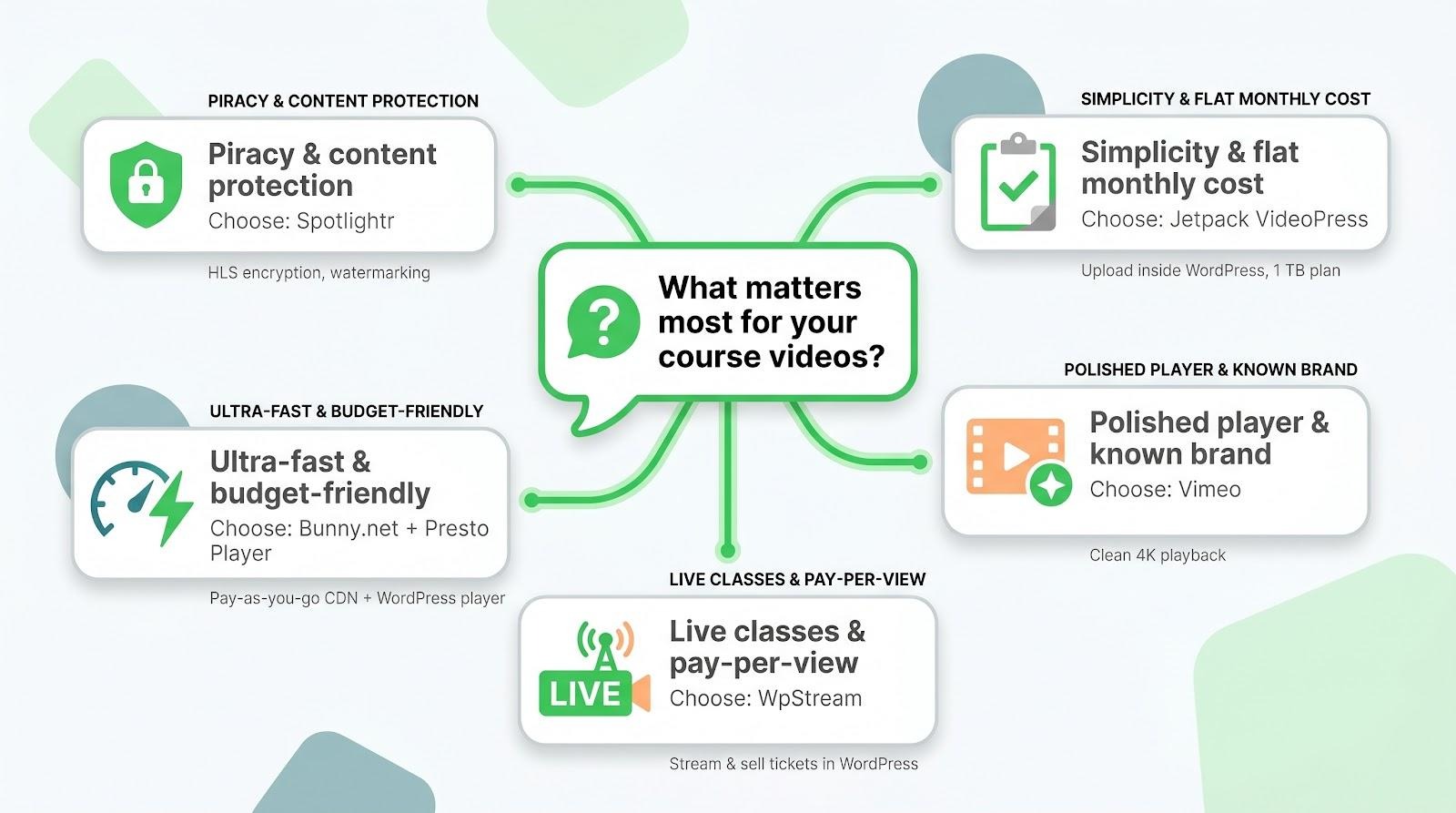
I lose sleep over piracy.
Choose Spotlightr. HLS encryption and watermarking stop casual downloads.
I need ultra-fast playback without draining the budget.
Select Bunny.net with Presto Player. At about half a cent per gigabyte, few services compete on cost.
I want a polished player and a brand everyone recognizes.
Go with Vimeo, but monitor bandwidth so you never cross the 2-terabyte fair-use line.
I dislike juggling dashboards and surprise invoices.
Pick Jetpack VideoPress. Upload inside WordPress, pay a flat fee, and move on.
Live events and pay-per-view drive my revenue.
Use WpStream. It sells tickets, streams live, and archives the replay in one step.
FAQ and buyer’s guide
Can I host videos on my shared web server?
Technically yes. In practice, large MP4 files slow page loads, spike bandwidth costs, and frustrate students. A dedicated video host off-loads that strain to a global CDN.
Is an unlisted YouTube video good enough for a paid course?
Unlisted keeps a video out of public search, but anyone with the link can share it. The YouTube logo also tempts students to click away. If you charge even a dollar, choose a privacy-focused host.
How secure is secure?
No stream is theft-proof; screen recorders exist. HLS encryption and tokenised URLs block easy downloads. Spotlightr adds viewer-specific watermarks, Bunny offers optional DRM, and WpStream ties access to logged-in buyers. According to industry estimates, online video piracy costs the media industry an estimated 75 billion dollars each year, so these protections are a smart baseline.
What video format should I upload?
Use MP4 (H.264) at 1080 p. Every platform here automatically creates multiple bitrates, so mobile viewers receive smaller files while desktops keep full HD.
Will these hosts integrate with my LMS?
Yes. LearnDash, LifterLMS, Tutor LMS, and MemberPress all accept standard embed codes or blocks. Spotlightr and Presto can also trigger LearnDash Video Progression when the video ends.
How hard is it to switch later?
Migration means re-uploading files and updating embed links. Keep originals backed up, then use your LMS’s search-replace tool to swap URLs in bulk. It is usually a one-day task.
What about students in China?
The Great Firewall can throttle global CDNs. Bunny offers a China Mainland add-on; others may need a separate regional host. If China traffic matters, test with local users before you commit.
Conclusion
Choose the video host that best fits your biggest priority today—whether that is airtight security, budget-friendly speed, polished branding, dashboard simplicity, or seamless live events. With the right platform in place, you can focus on creating and selling great courses instead of fighting buffering bars and bandwidth surprises.

