Building a successful online academy requires a robust foundation, and choosing the right learning management system template is a critical first step. While many educators begin with popular established options, exploring MasterStudy alternatives often reveals platforms that are better aligned with specific teaching methodologies, technical requirements, or budget constraints. Finding the perfect digital architecture ensures a seamless experience for administrators, instructors, and students alike.
By comparing these top-tier options, institutions can discover flexible designs and superior integrations. This comprehensive guide details the most effective themes similar to MasterStudy, highlighting exactly what makes them stand out in the crowded eLearning market. From high-end, feature-rich templates to accessible, cost-free frameworks, analyzing these WordPress LMS themes like MasterStudy will help clarify which software provides the optimal environment for a thriving digital campus.
Eduma – Education WordPress Theme
We provide an amazing WordPress theme with fast and responsive designs. Let’s find out!
Essential Features to Look for in an LMS Framework
Before diving into the specific templates, it is important to understand what makes an educational website function properly. A standard website merely displays information, but an eLearning platform must manage interactive data securely and efficiently.
When evaluating any system to replace your current setup, prioritize the following elements to ensure long-term stability:
- Deep LMS Integration: The design must integrate flawlessly with core infrastructure plugins. This ensures that managing courses, processing quizzes, and issuing certificates happens without technical glitches.
- Responsive Architecture: Content must adapt automatically and beautifully to smartphones, tablets, and desktop computers to accommodate the growing number of mobile learners.
- Payment Gateway Diversity: Secure and versatile payment options, such as PayPal, Stripe, and WooCommerce compatibility, are necessary for processing global tuition smoothly.
- Customization Capabilities: The inclusion of visual page builders allows administrators and marketers to modify landing page layouts quickly without writing a single line of code.
Quick Comparison of MasterStudy Alternatives
For a rapid overview, here is a summary comparing the top WordPress LMS themes like MasterStudy detailed in this guide:
| Theme Name | Type | Pricing | Best For | Standout Feature |
| Eduma | Premium | $69 | Universities & MOOCs | Complete LearnPress suite & companion mobile app |
| Coaching WP | Premium | $54 | Independent Coaches | Personal branding & event promotion integration |
| Course Builder | Premium | $39 | Mid-sized Academies | Highly stable infrastructure & community focus |
| WPLMS | Premium | $75 | Corporate Training | Social networking & BuddyPress integration |
| Divi | Premium | $89/year | Custom Brand Designs | Advanced visual page builder & global controls |
| EduPress | Free | Free | Solo Educators | Official LearnPress starter template & fast loading |
| Education Hub | Free | Free | Traditional Schools | High readability & notice board widgets |
Top Premium MasterStudy Alternatives
Investing in a premium layout provides advanced functionality, dedicated customer support, and regular security updates. These top-tier MasterStudy alternatives are engineered to deliver a highly professional and comprehensive learning experience for serious educational ventures.
1. Eduma – The Comprehensive Educational Framework
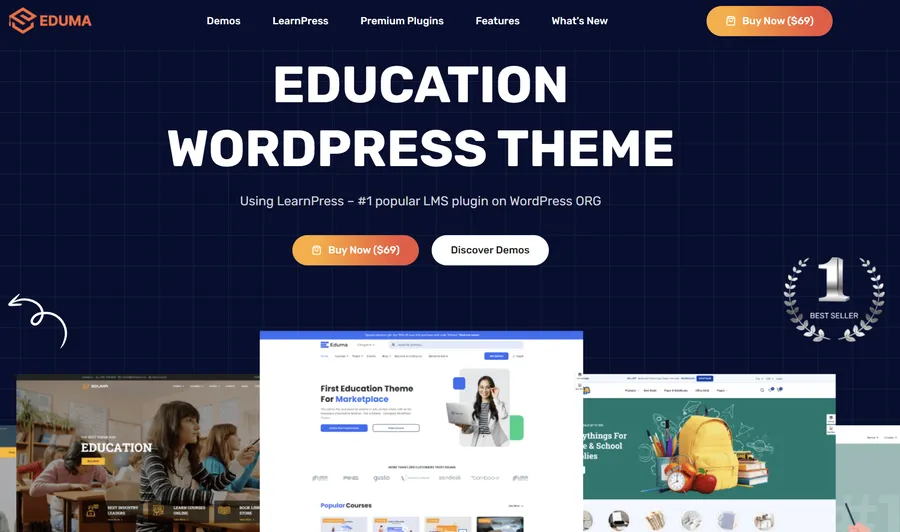
Eduma consistently ranks as a leading choice for educational platforms, serving as an all-in-one solution designed to scale from a single instructor’s website to a massive open online course (MOOC) portal. Developed with years of eLearning experience, this template functions exactly like a real digital school rather than just mimicking the appearance of one. It is highly optimized for speed and search engine visibility, ensuring that prospective learners can easily locate your courses online.
Key Features:
- Extensive Demo Library: Provides over 34 complete, pre-built website layouts that can be imported instantly, covering everything from kindergartens and language schools to corporate coaching.
- Complete LMS Suite: Built specifically for seamless compatibility with theLearnPress plugin, providing numerous premium add-ons for managing assignments, grade books, and co-instructors out of the box.
- Mobile App Solutions: Offers unique, ready-made companion mobile apps for iOS and Android, allowing the platform to extend directly to mobile users with push notifications and offline access.
- Advanced Event Management: Features a sophisticated system to organize open days, webinars, and academic schedules seamlessly.
Best For: Training centers, universities, and massive online academies that require a complete, all-inclusive solution with maximum scalability.
Pricing: $69 (One-time purchase license).
2. Coaching WP – Speaker & Life Coach Platform
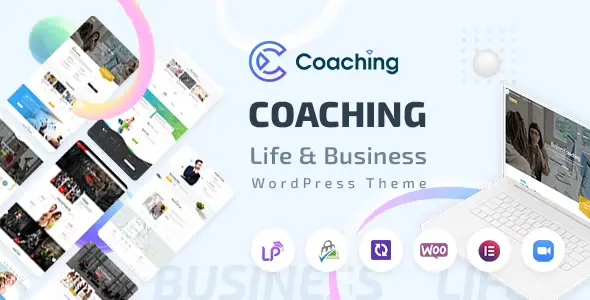
Coaching WP is a purpose-built architecture designed specifically for speakers, life coaches, business mentors, and independent consultants. While traditional university layouts focus heavily on massive course directories, this framework focuses on helping individuals build an inspirational and professional website that promotes a personal brand alongside their expertise. It is one of the most effective themes similar to MasterStudy for solo entrepreneurs.
Key Features:
- Personal Branding Focus: Includes eye-catching hero sections and strategically placed call-to-action buttons designed to secure one-on-one consultation bookings.
- Full Curriculum Integration: Effortlessly create, manage, and sell online courses, complete with quizzes and digital certificates, directly tied to the coach’s profile.
- Professional Event Promotion: Includes built-in features to schedule and promote physical seminars or virtual events, along with an integrated countdown timer to build anticipation.
- Visual Editing: Bundled with intuitive page builders for creating stunning, dynamic pages without touching backend code.
Best For: Independent educators, life coaches, fitness instructors, and public speakers focusing on personal branding alongside course sales.
Pricing: $54 (One-time purchase license).
3. Course Builder – The Community-Focused Platform
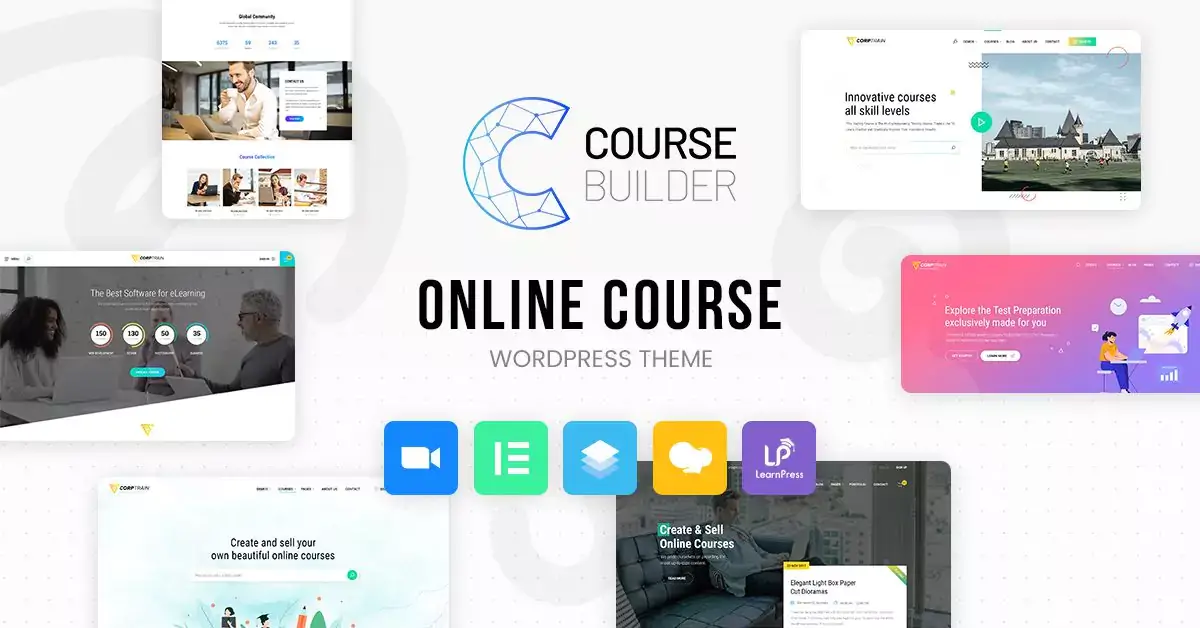
Course Builder is a highly versatile option designed to provide a stable, reliable foundation for any training or teaching business. Engineered by eLearning experts, it focuses on delivering essential features with maximum stability rather than overwhelming the user with unnecessary visual bloat. It offers a clean, fast-loading architecture that ensures a smooth, distraction-free learning experience for all users.
Key Features:
- Stable Infrastructure: Built for perfect, bug-free integration with core learning management plugins, ensuring uninterrupted performance during high-traffic enrollment periods.
- Community Integration: Integrates beautifully with community forums to facilitate private course discussions, study groups, and peer-to-peer engagement.
- Multi-Instructor Support: Allows multiple teachers or co-trainers to manage, update, and profit from a single course, automatically splitting commissions.
- Efficient eCommerce: Utilizes WooCommerce for secure, reliable payment gateways and streamlined checkout flows.
Best For: Professional instructors and mid-sized academies prioritizing platform stability, fast loading times, and active community engagement.
Pricing: $39 (One-time purchase license).
4. WPLMS – The Social E-Learning Powerhouse
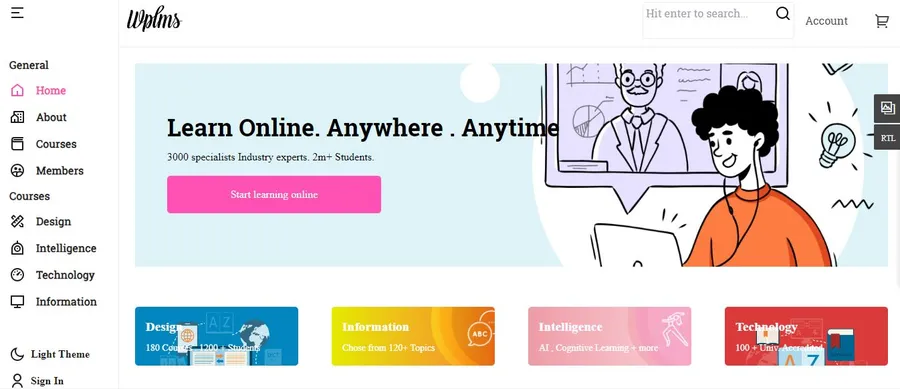
WPLMS is an enterprise-grade software that transforms a standard WordPress installation into a highly interactive social learning platform. It utilizes community plugins to add a deep social networking layer to the website. This structure allows students to maintain detailed profiles, interact within study groups, and message instructors directly, effectively simulating a vibrant physical campus. For those seeking a powerful framework with a strong emphasis on student interaction, WPLMS is unmatched.
Key Features:
- Front-End Course Creation: Instructors are able to build and manage course materials directly from the front-end interface, entirely bypassing the administrative dashboard.
- Personalized Student Dashboards: Dedicated private areas where learners can monitor their grades, track attendance, download certificates, and manage their schedules.
- Collaborative Tools: A strong focus on student interaction through integrated study groups, real-time activity feeds, and discussion forums.
- Drip Content Delivery: Administrators can schedule the release of course materials sequentially over time rather than providing everything at once.
Best For: Large educational startups and corporate training environments needing a sophisticated system that prioritizes social networking and community-driven learning.
Pricing: $75 (One-time purchase license).
5. Divi – The Ultimate Visual Builder Solution
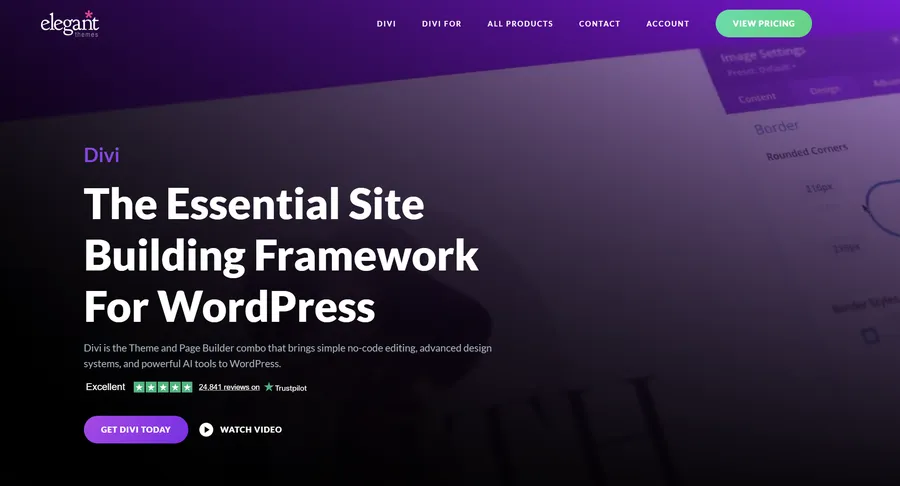
Divi is globally recognized as an exceptionally powerful multipurpose tool. While not exclusively dedicated to education out of the box, its sheer flexibility earns it a prominent spot on this list. For institutions that demand a completely unique brand identity, Divi provides a robust visual engine that replaces the standard editor. Users can design educational layouts from the ground up or utilize hundreds of pre-made templates specifically designed for educational projects.
Key Features:
- True Visual Editing: Design pages in real-time on the front end, seeing exactly what the students will see as layout adjustments are made.
- Global Design Controls: Update the institution’s core color scheme or typography in a single location, applying the changes instantly across hundreds of pages.
- Marketing Integration: Includes built-in split testing (A/B testing) to determine which course landing pages achieve the highest enrollment conversion rates.
- Broad Compatibility: Functions flawlessly alongside major learning plugins to handle complex curriculums. Furthermore, it serves as an excellent foundation for those looking into tutor lms theme alternatives orLearnDash setups.
Best For: Institutions, digital agencies, and designers who demand total creative control to construct a highly customized and unique educational environment.
Pricing: $89/year or $249 for a Lifetime Access license.
Best Free MasterStudy Alternatives
Launching an online academy does not always require a massive upfront financial investment. High-quality free education WordPress themes provide an excellent, no-cost way to establish a professional eLearning platform. These WordPress LMS themes like MasterStudy offer reliable foundations for educators operating under strict budgets.
6. EduPress – The Official Starter Template
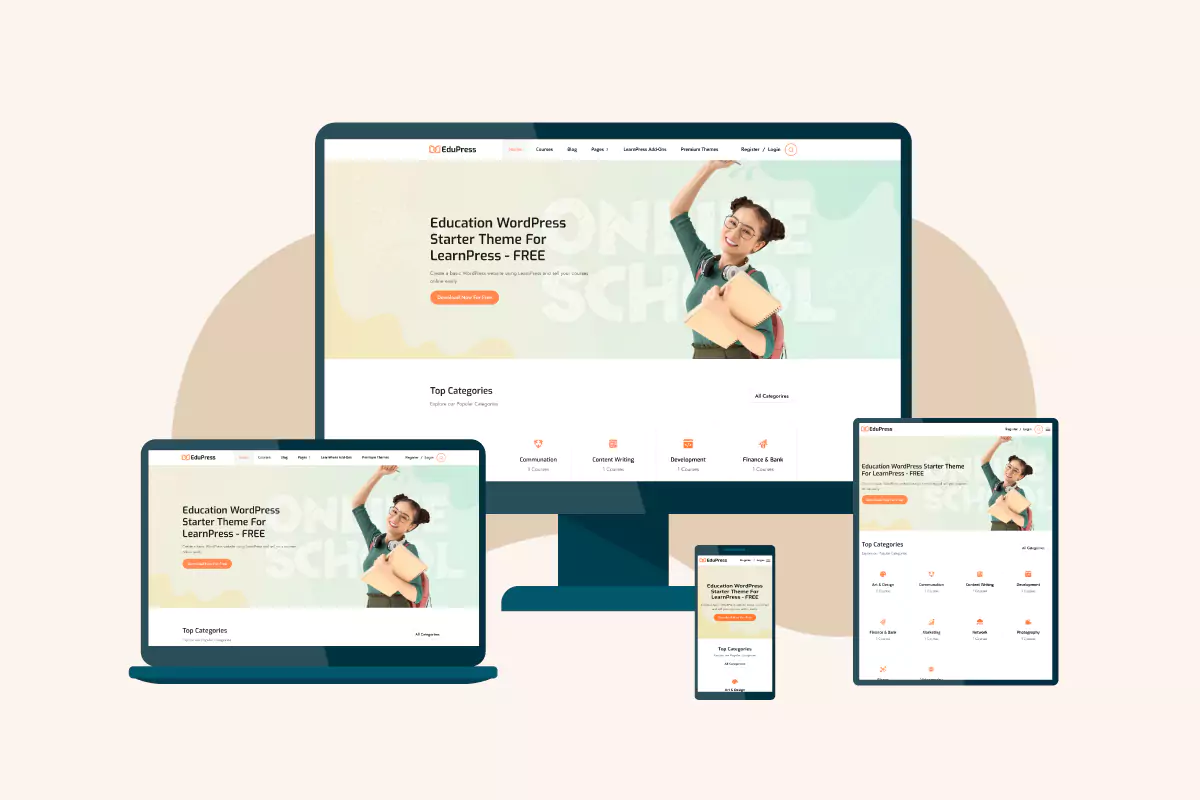
EduPress serves as an incredibly clean, powerful, and completely free MasterStudy alternatives. Developed specifically to support popular learning plugins, it provides a well-coded foundation guaranteed to maintain perfect compatibility with core educational features and add-ons. It strips away unnecessary visual bloat, focusing entirely on delivering educational content efficiently and clearly.
Key Features:
- Guaranteed Compatibility: Maintained directly by eLearning software developers, ensuring top-tier stability and zero conflicts with core course features after updates.
- Visual Builder Ready: Integrates smoothly with popular drag-and-drop page builders for easy layout adjustments without programming knowledge.
- Bundled Functionality: Often comes packaged with free essential add-ons to extend the site’s capabilities immediately upon installation.
- Lightweight Performance: Optimized for exceptionally fast loading speeds, improving both the student user experience and search engine rankings.
Best For: Solo educators and small startups looking for a highly stable, completely free starting point to launch their first digital courses.
Pricing: Free.
7. Education Hub – The Reliable Academic Solution
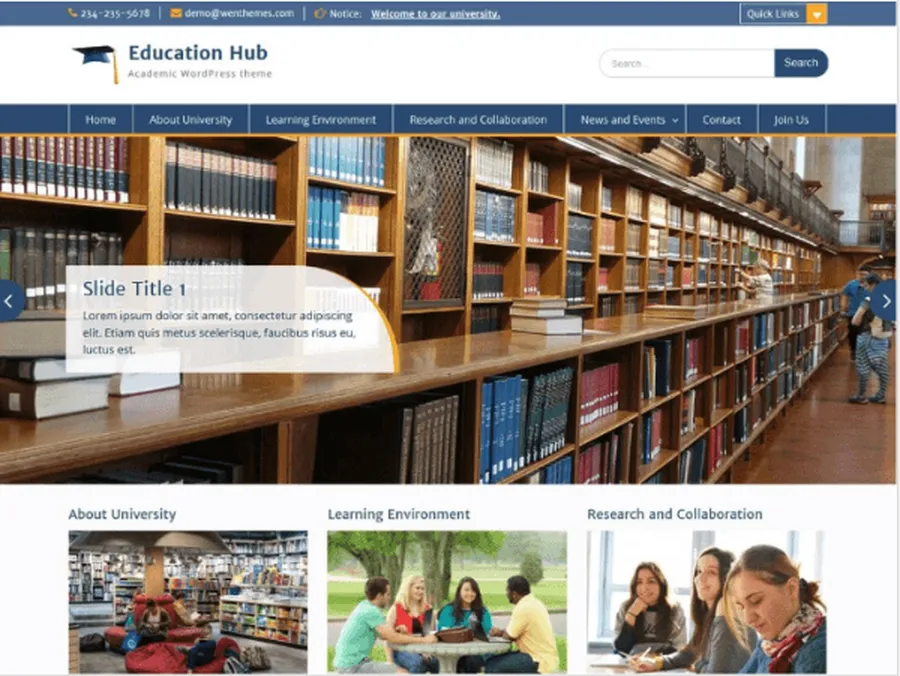
Education Hub is an elegant, responsive solution tailored specifically for traditional educational institutions rather than solely for commercial course selling. It provides a highly structured layout focused on clear information dissemination. Featuring prominent notice boards and clean typography, it is an excellent tool for communicating effectively with parents, students, and faculty members without requiring complex configurations.
Key Features:
- Intuitive Options Panel: Simple administrative controls to customize institutional logos, color schemes, and basic structural settings rapidly.
- Custom Informational Widgets: Specialized tools for displaying recent academic posts, upcoming campus events, and critical administrative notices.
- High Readability: Focuses heavily on professional typography and clean spacing to ensure school news and academic articles are easily digestible.
- Resource Efficiency: Lightweight coding ensures the website remains accessible and functional even for users on slower internet connections.
Best For: Primary schools, high schools, and local educational centers looking for a reliable, traditional academic layout on a strict budget.
Pricing: Free (Pro upgrades available).
Conclusion
Selecting the appropriate digital architecture is a critical milestone in establishing an authoritative educational presence. The right platform does much more than present a visually pleasing exterior; it fundamentally enhances administrative functionality, improves the student user experience, and securely manages the flow of knowledge and revenue.
From the highly scalable enterprise features of premium options to the accessible reliability of free frameworks, the ecosystem is rich with highly capable MasterStudy alternatives.
By carefully analyzing specific institutional needs—whether prioritizing community networking, visual customization, multi-instructor support, or budget constraints—administrators can confidently select a robust framework that will support their long-term educational goals.
Frequently Asked Questions about MasterStudy Alternatives
1. What is the difference between a standard WordPress theme and an LMS theme?
A standard layout is designed primarily for static information display, such as publishing blog posts, displaying contact information, or showing a company portfolio. An LMS (Learning Management System) theme is specifically engineered to handle dynamic educational architecture. It includes specialized templates and deep integrations required to create interactive courses, register students, track academic progress, process complex quizzes, and issue secure digital certificates directly within the website framework.
2. Is coding knowledge required to use these alternatives?
No programming knowledge is required. Modern educational templates utilize intuitive visual page builders. These integrated tools provide a user-friendly, drag-and-drop interface, allowing administrators to construct page layouts, modify color palettes, insert text, and organize multimedia elements entirely visually. The complex underlying code is generated and handled automatically by the software.
3. Can an educational website be translated into different languages?
Yes, the vast majority of professional educational layouts are developed to be fully “translation ready.” This means the core text strings within the software can be intercepted and translated using popular multilingual plugins. This functionality is crucial for institutions aiming to serve international students or those operating in non-English speaking regions.
4. Do these platforms support multiple instructors?
Yes, most of the premium themes listed above support multi-instructor functionality. This allows administrators to invite various teachers to build their own courses on the platform. The system can handle separate instructor profiles, manage independent course materials, and automatically calculate and distribute commission payouts based on individual course sales.
5. Can physical products be sold alongside digital online courses?
Absolutely. High-quality educational templates are fully compatible with WooCommerce, the premier eCommerce engine for WordPress. This integration allows administrators to manage a unified digital storefront. Institutions can easily process payments for digital course enrollments while simultaneously selling physical merchandise, such as textbooks, branded apparel, or physical classroom supplies, through the exact same secure checkout system.
Read more: Best LMS WordPress Theme for Certifications & Accreditations
Contact US | ThimPress:
Website: https://thimpress.com/
Fanpage: https://www.facebook.com/ThimPress
YouTube: https://www.youtube.com/c/ThimPressDesign
Twitter (X): https://x.com/thimpress_com