AI tools are no longer limited to simple chatbots or repetitive automation. Businesses now use AI agents to research competitors, answer customer questions, qualify leads, generate reports, and even make workflow decisions automatically.
But the problem is how to choose the right AI agent builder since there are many platforms launching every month.
Some tools focus on no-code automation for beginners. Others are built for developers who want complete control. A few platforms are designed specifically for enterprise security and large-scale operations.
In this guide, you’ll learn:
- What an AI agent builder is
- The difference between AI workflows and AI agents
- How to build AI agents for business automation
- The best AI agent builder tools in 2026
- Which platform works best for your business needs
Whether you are a startup founder, marketer, developer, or operations manager, the right platform can save hours of manual work every week.
Let’s get started!
Eduma – Education WordPress Theme
We provide an amazing WordPress theme with fast and responsive designs. Let’s find out!
What Is an AI Agent Builder?

An AI agent builder is a platform that helps users create AI-powered systems capable of completing tasks with minimal human involvement.
Unlike traditional automation tools that follow fixed instructions, AI agents can analyze context, make decisions, use external tools, and adjust their actions dynamically.
Businesses use these platforms to:
- Automate customer support
- Create AI research assistants
- Manage reporting workflows
- Handle lead qualification
- Improve internal operations
Modern AI agent builders usually include visual editors, integrations, APIs, memory systems, and access to large language models like GPT, Claude, Gemini, or Llama.
How AI Agents Work
Traditional automation follows a strict rule-based process:
“If X happens → do Y.”
AI agents work differently.
They can:
- Remember context
- Analyze data
- Choose actions dynamically
- Use APIs and tools
- Perform multi-step workflows
- Improve outputs over time
For example, a customer support AI agent can:
- Read a support ticket
- Search documentation
- Draft a response
- Escalate urgent cases
- Update the CRM software automatically
This makes AI agents far more flexible than simple automations.
Why Businesses Use AI Agent Builders
Businesses adopt AI agent builders because they reduce repetitive work and improve operational speed.
Common use cases include:
- AI-powered SEO reporting
- Customer support automation
- Sales outreach
- Internal knowledge assistants
- Marketing research
- Meeting summaries
- Workflow orchestration
Instead of hiring additional staff for repetitive tasks, companies can build AI agents that work continuously across multiple systems.
AI Agent vs AI Workflow: Comparison Table
Many people confuse AI workflows with AI agents, but they are not the same.
| Feature | AI Workflow | AI Agent |
|---|---|---|
| Logic | Fixed | Dynamic |
| Decision Making | Limited | Adaptive |
| Human Input | Often required | Minimal |
| Flexibility | Low | High |
| Best Use Cases | Simple automation | Complex processes |
If you are learning how to build an AI agent, start with simple workflows first. Once your processes are reliable, you can expand into more advanced agent systems.
What to Look for in the Best AI Agent Builder
Not every platform fits every business. Before you build AI agents, evaluate the platform carefully.
Multi-Model Support
The best platforms support multiple AI models, including:
- GPT
- Claude
- Gemini
- Llama
Different models perform better at different tasks. Some are stronger for coding, while others work better for writing or research.
Integrations
Strong integrations are essential.
Look for platforms that connect with:
- Slack
- Notion
- CRMs
- Google Workspace
- Databases
- APIs
- Email platforms
Without integrations, your AI agents cannot interact with your existing workflow.
Ease of Use
Some tools are fully no-code, while others require technical knowledge.
Features that improve usability include:
- Drag-and-drop builders
- Templates
- AI assistants
- Visual workflow editors
- Debugging tools
No-code platforms are ideal for beginners, while low-code tools offer more flexibility for developers.
Security and Scalability
Enterprise users should check for:
- Role permissions
- Compliance certifications
- Audit logs
- Self-hosting options
- Data encryption
Security becomes especially important when handling customer or financial data.
Pricing Flexibility
Pricing models vary widely.
Look for:
- Free plans
- Usage-based pricing
- Team plans
- Enterprise tiers
Some platforms become expensive quickly as automation volume grows.
7 Best AI Agent Builder Tools
These tools help businesses build AI agents faster with visual workflows, integrations, and automation features.
1. Gumloop
Best For: Enterprise teams and operations automation
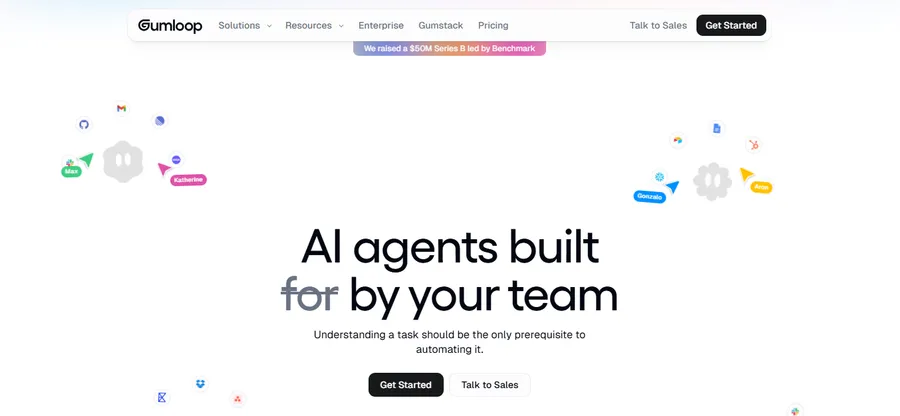
Gumloop is one of the fastest-growing AI automation platforms. It combines no-code workflow building with advanced AI agent orchestration, making it popular among operations, marketing, HR, and support teams.
The platform stands out because teams can collaboratively create and improve AI agents across an organization. Gumloop also includes AI assistants that help users debug workflows and build automations faster.
Key Features
- Visual AI workflow builder
- Multi-agent systems
- MCP integrations
- Team collaboration
- AI Slack agents
Pros
- Beginner-friendly
- Strong AI assistant
- Enterprise-ready
- Unlimited seats on paid plans
Cons
- Smaller ecosystem
- UI changes frequently
Pricing
- Free plan available
- Paid plans start around $37/month
Gumloop is one of the best AI agent builder platforms for non-technical teams that want advanced automation without coding.
2. n8n
Best For: Technical teams and self-hosting
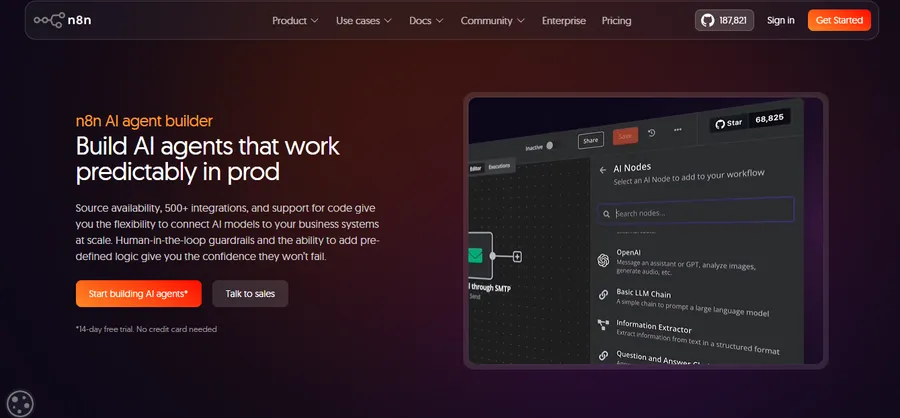
n8n is a powerful low-code automation platform with strong AI capabilities. Developers and automation agencies use it heavily because it offers flexibility, self-hosting, and advanced workflow customization.
The platform includes hundreds of integrations and a massive community template library. While the interface is not as beginner-friendly as Zapier, experienced users can create highly advanced workflows and AI agents.
Key Features
- Open-source workflows
- AI integrations
- Self-hosting
- Advanced automation logic
Pros
- Highly customizable
- Large community
- Affordable pricing
Cons
- Steeper learning curve
- Less beginner-friendly UI
Pricing
- Free self-hosted option
- Cloud plans available
3. Vertex AI Agent Builder
Best For: Google Cloud users and enterprise AI applications
Vertex AI Agent Builder is Google Cloud’s platform for creating conversational AI agents and enterprise workflows.
The platform integrates deeply with Google Cloud services, including Gemini, BigQuery, and Cloud Storage. It uses a playbook-based workflow system that helps businesses create structured AI workflows with minimal coding.
One major advantage of Vertex ai agent builder is scalability. Companies already using Google Cloud can deploy secure AI systems without rebuilding infrastructure.
Key Features
- Gemini integration
- Playbook-based workflows
- Google Cloud ecosystem
- API integrations
- Conversation previews
Pros
- Scalable infrastructure
- Strong security
- Good debugging tools
Cons
- Complex interface
- Mostly optimized for Google ecosystem
Pricing
- Pay-as-you-go via Google Cloud
A useful strategy when using Vertex AI is building agentic AI applications with a problem-first approach. Start with one operational bottleneck instead of trying to automate everything immediately.
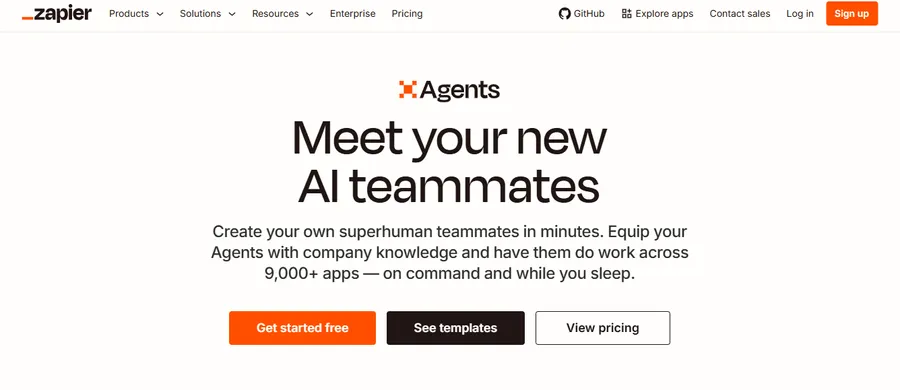
4. Zapier AI Agents
Best For: No-code business automation
Zapier remains one of the most beginner-friendly automation tools available.
Its AI agent features allow users to combine automation with decision-making workflows. Since Zapier already supports thousands of integrations, businesses can quickly connect AI agents to existing tools.
The platform is ideal for startups and small businesses that want easy automation without technical complexity.
Key Features
- Massive app integrations
- AI-powered workflows
- Easy setup
- No-code automation
Pros
- Beginner-friendly
- Reliable ecosystem
- Strong documentation
Cons
- Expensive at scale
- AI features still evolving
Pricing
- Free plan available
- AI plans start higher
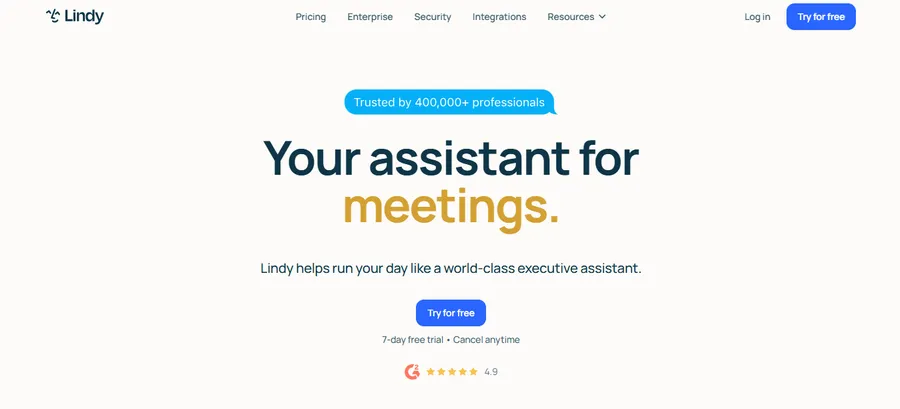
5. Lindy AI
Best For: Sales and customer support teams
Lindy AI focuses heavily on customer support and sales automation.
The platform markets its AI systems as “AI employees” capable of qualifying leads, sending outreach emails, summarizing calls, and managing support workflows.
Lindy AI is especially useful for startups that need sales automation quickly without building complex systems from scratch.
Key Features
- AI employees
- CRM integrations
- Outreach automation
- Knowledge bases
Pros
- Clean interface
- Sales-focused workflows
- Fast setup
Cons
- Higher pricing
- Limited flexibility outside support and sales
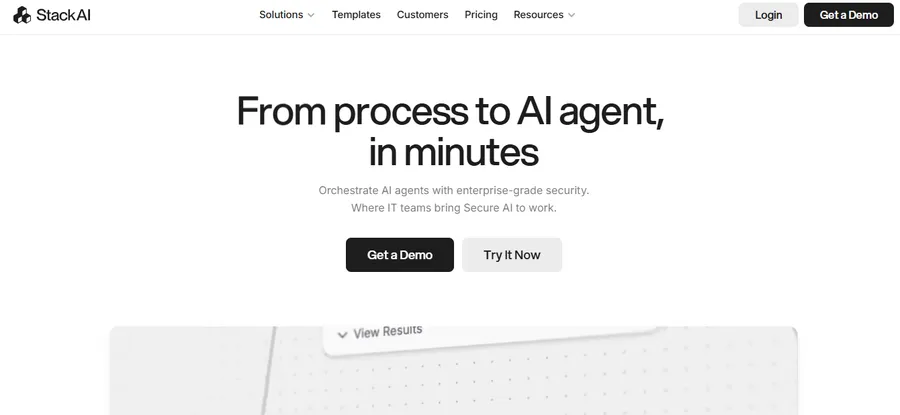
6. StackAI
Best For: Regulated industries and enterprise security
StackAI is designed for industries where security and compliance matter heavily, including finance, logistics, and healthcare.
The platform includes drag-and-drop workflows, enterprise-grade deployment, and secure AI orchestration tools.
Its modern interface also makes enterprise AI systems easier to manage compared to older legacy platforms.
Key Features
- Secure AI workflows
- Drag-and-drop interface
- Enterprise deployment
- Compliance support
Pros
- Strong compliance
- Modern UI
- Good templates
Cons
- Enterprise-focused pricing
- Smaller community ecosystem
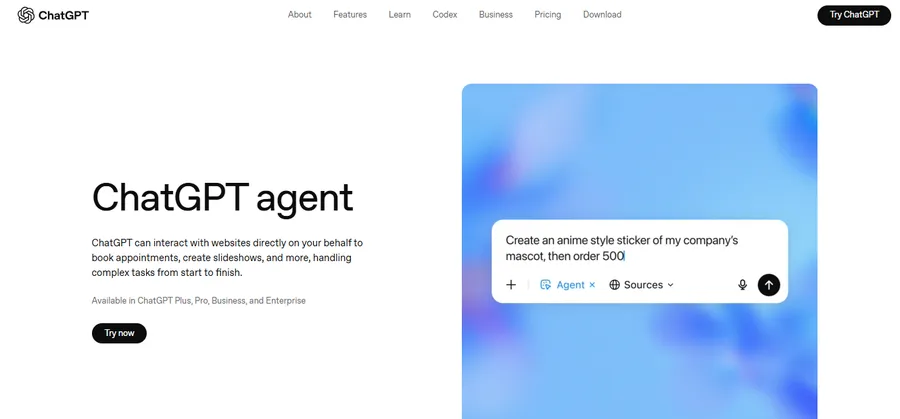
7. ChatGPT Agent
Best For: Personal productivity and lightweight automation
ChatGPT now includes agent capabilities that allow users to automate tasks, browse the web, perform research, and execute actions. If you want to extend these capabilities into education platforms, this guide on how to use ChatGPT in WordPress for student support shows practical ways to improve learning experiences and automate communication.
It works well for personal productivity, research workflows, and lightweight automation tasks. For users comparing modern AI platforms before choosing an AI agent builder, this detailed DeepSeek vs ChatGPT comparison explains the strengths and limitations of both models in real-world use cases.
However, the platform is still limited compared to enterprise AI orchestration tools because it mainly operates within the OpenAI ecosystem.
Key Features
- Web browsing
- Research automation
- Task execution
- Integrated ChatGPT workflows
Pros
- Easy to use
- Excellent for research
- Included in paid ChatGPT plans
Cons
- Limited integrations
- GPT-only ecosystem
Pricing
- Included in ChatGPT paid plans
How to Build an AI Agent?
Learning how to build an AI agent becomes much easier when you focus on solving a specific workflow problem first.
Step 1 — Identify a Real Workflow Problem
Start small.
Good examples include:
- Support ticket routing
- Weekly reporting
- Lead qualification
- Document summarization
Avoid trying to automate your entire business immediately.
Step 2 — Choose the Right AI Agent Builder
Different tools fit different users.
- Beginners → Zapier or Gumloop
- Developers → n8n
- Enterprises → Vertex AI or StackAI
Choose the platform that matches your technical skill level.
Step 3 — Connect Your Existing Tools
Most businesses already use tools like:
- Slack
- Gmail
- CRMs
- Databases
- Google Workspace
Your AI agents should integrate directly into those workflows.
Step 4 — Train the Agent With Context
Provide:
- Instructions
- Documentation
- APIs
- Workflow examples
- Company knowledge
The more context your AI agent has, the better its decisions become.
Step 5 — Test and Improve Performance
Monitor outputs carefully.
Review:
- Errors
- Failed workflows
- Incorrect responses
- Edge cases
Even advanced AI systems still require human review and optimization.
Building Agentic AI Applications With a Problem-First Approach
Many companies fail because they focus on AI complexity instead of business problems.
Why Most AI Agent Projects Fail
Common reasons include:
- Unclear workflows
- Poor process documentation
- No operational data
- Overcomplicated automation
AI cannot fix broken business systems automatically.
Start With One Business Bottleneck
A smarter strategy is focusing on one measurable workflow.
Examples include:
- SEO reporting
- Customer onboarding
- Lead routing
- Internal documentation
This is the core idea behind building agentic ai applications with a problem-first approach.
Focus on ROI Before Complexity
Instead of building large multi-agent systems immediately:
- Automate one workflow
- Measure results
- Improve reliability
- Expand gradually
This approach reduces risk while improving adoption.
Which AI Agent Builder Is Best?
| Tool | Best For | No-Code | Self-Hosting | Starting Price |
|---|---|---|---|---|
| Gumloop | Enterprise automation | Yes | No | $37/mo |
| n8n | Developers | Low-code | Yes | Free |
| Vertex AI | Google Cloud teams | Partial | Cloud | Usage-based |
| Zapier | Beginners | Yes | No | Free |
| Lindy AI | Sales teams | Yes | No | $49.99/mo |
| StackAI | Enterprises | Yes | Limited | Custom |
| ChatGPT Agent | Personal use | Yes | No | Included |
Final Verdict
The AI automation market is growing incredibly fast, but a few platforms clearly stand out in 2026.
Here are the strongest options by category:
- Best overall: Gumloop
- Best for developers: n8n
- Best enterprise ecosystem: Vertex AI Agent Builder
- Best beginner option: Zapier
- Best for research: ChatGPT Agent
The right AI agent builder depends on your workflow complexity, technical skill level, and integration requirements.
If you are new to AI automation, start with one small workflow first. Once that process works reliably, you can gradually scale into larger AI systems.
That approach usually delivers better ROI than trying to automate everything at once.
FAQs
What is the best AI agent builder?
Gumloop, n8n, and Vertex AI Agent Builder are among the strongest platforms in 2026. Gumloop is excellent for no-code teams, n8n is ideal for developers, and Vertex AI works well for enterprise Google Cloud environments.
Can beginners build AI agents without coding?
Yes. Many platforms like Gumloop, Zapier, and Lindy AI allow beginners to build AI agents using drag-and-drop interfaces and templates.
What is the difference between an AI workflow and an AI agent?
AI workflows follow fixed rules and predictable paths, while AI agents can make dynamic decisions based on context and available tools.
Is Vertex AI Agent Builder good for enterprises?
Yes. Vertex AI Agent Builder provides scalability, security, and deep integration with Google Cloud services, making it suitable for enterprise AI deployments.
How much does an AI agent builder cost?
Pricing varies widely. Some platforms offer free plans, while enterprise tools can cost hundreds or thousands of dollars monthly depending on usage and deployment size.
Read more: 6 Best WooCommerce Coupon Plugins Compared
Contact US | ThimPress:
Website: https://thimpress.com/
Fanpage: https://www.facebook.com/ThimPress
YouTube: https://www.youtube.com/c/ThimPressDesign
Twitter (X): https://x.com/thimpress_com