User experience design basics are the foundation of every successful website, application, and digital product. No matter how visually appealing a website looks, users will leave if it is difficult to navigate, confusing to use, or fails to solve their problems.
In this guide, you’ll learn the core principles of UX design, understand the difference between UX and UI, explore essential UX processes, and discover best practices in user experience UX design that can help create products users genuinely enjoy.
Eduma – Education WordPress Theme
We provide an amazing WordPress theme with fast and responsive designs. Let’s find out!
What Is User Experience Design?
User experience (UX) design is the process of creating products that provide meaningful, useful, and enjoyable experiences for users. It focuses on understanding user needs and designing solutions that help people accomplish their goals efficiently and effectively. According to widely accepted UX definitions from industry leaders such as Don Norman and Jakob Nielsen, UX encompasses all aspects of a user’s interaction with a company, its products, and its services.
UX design is not limited to websites. It applies to:
- Websites
- Mobile applications
- Desktop software
- E-commerce stores
- SaaS platforms
- Digital kiosks
- Smart devices
The goal is simple: make products easy, useful, and satisfying to use.
Why User Experience Design Matters
Poor user experiences can lead to:
- High bounce rates
- Low conversion rates
- Customer frustration
- Increased support requests
- Lost revenue
Good UX design delivers the opposite benefits:
- Higher engagement
- Better customer satisfaction
- Increased conversions
- Stronger brand loyalty
- Improved accessibility
Research and industry practice consistently show that users prefer products that are intuitive, predictable, and easy to navigate. Clear interactions reduce cognitive effort and improve task completion rates.
UX and UI: Understanding the Difference
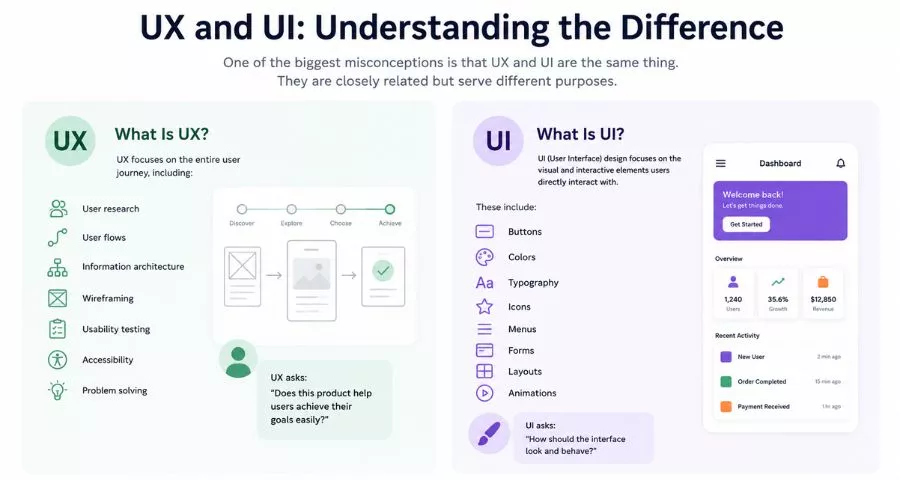
One of the biggest misconceptions is that UX and UI are the same thing. They are closely related but serve different purposes.
What Is UX?
UX focuses on the entire user journey, including: User research; User flows; Information architecture; Wireframing; Usability testing; Accessibility; Problem solving.
UX asks: “Does this product help users achieve their goals easily?”
What Is UI?
UI (User Interface) design focuses on the visual and interactive elements users directly interact with.
These include: Buttons; Colors; Typography; Icons; Menus; Forms; Layouts; Animations.
UI asks: “How should the interface look and behave?”
The Core Components of User Experience Design
Understanding user experience design basics starts with learning the major UX components.
1. User Research
User research helps designers understand:
- User goals
- Motivations
- Pain points
- Behaviors
- Expectations
Common research methods include:
- Interviews
- Surveys
- Observation
- Analytics reviews
- Competitive analysis
Without research, design decisions become assumptions.
2. Information Architecture
Information architecture (IA) focuses on organizing content logically. Examples include:
- Website navigation structures
- Product categories
- Menu hierarchies
- Content grouping
Good IA helps users find information quickly and reduces confusion. Information architecture is considered one of the fundamental UX disciplines.
3. User Flows
User flows map the path users take to complete tasks. Examples:
- Creating an account
- Making a purchase
- Booking an appointment
- Submitting a contact form
Effective user flows eliminate unnecessary steps and friction.
4. Wireframing
Wireframes are simplified layouts showing:
- Page structure
- Content placement
- Navigation
- Functionality
They focus on usability before visual design.
5. Interaction Design
Interaction design determines how users interact with elements such as:
- Buttons
- Forms
- Menus
- Popups
- Notifications
Good interaction design creates intuitive and predictable experiences.
6. Usability Testing
Usability testing evaluates how real users interact with a product. Testing reveals:
- Confusing navigation
- User frustrations
- Missing features
- Design errors
The earlier testing occurs, the easier problems are to fix.
7. Accessibility
Accessibility ensures products can be used by people with disabilities. Common accessibility considerations include:
- Keyboard navigation
- Screen reader compatibility
- Color contrast
- Alternative text for images
Accessibility is not optional. It is a fundamental part of modern UX design.
The UX Design Process
Although workflows vary between teams, most UX projects follow a similar process.
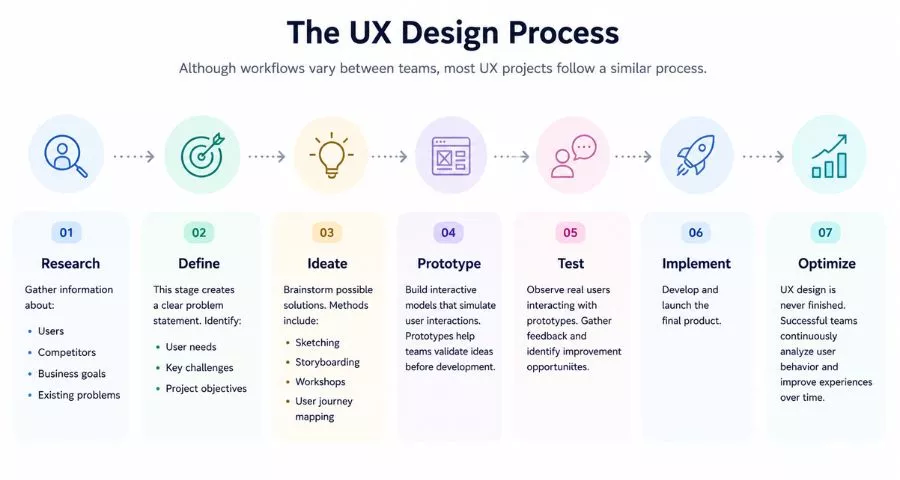
- Step 1: Research. Gather information about:
- Users
- Competitors
- Business goals
- Existing problems
- Step 2: Define. This stage creates a clear problem statement. Identify:
- User needs
- Key challenges
- Project objectives
- Step 3: Ideate. Brainstorm possible solutions. Methods include:
- Sketching
- Storyboarding
- Workshops
- User journey mapping
- Step 4: Prototype. Build interactive models that simulate user interactions. Prototypes help teams validate ideas before development.
- Step 5: Test. Observe real users interacting with prototypes. Gather feedback and identify improvement opportunities.
- Step 6: Implement. Develop and launch the final product.
- Step 7: Optimize. UX design is never finished. Successful teams continuously analyze user behavior and improve experiences over time.
Key Principles of UX Design
The best digital products are built around user needs. This approach, known as user-centered design, focuses on understanding what users want to achieve and creating experiences that help them reach those goals easily. Instead of relying on assumptions, designers use research, feedback, and testing to make informed decisions that improve usability and satisfaction.
Consistency and simplicity are also essential to a successful user experience. Users should encounter familiar patterns throughout a product, including navigation menus, buttons, colors, layouts, and terminology. When interfaces remain consistent and free from unnecessary complexity, users can learn how the product works more quickly and complete tasks with greater confidence.
Great UX design also provides clear feedback, improves efficiency, and prevents errors whenever possible. Users should receive immediate responses to their actions through loading indicators, success messages, error notifications, or hover states. At the same time, features such as form validation, confirmation dialogs, and clear instructions help users avoid mistakes and complete tasks with minimal effort, resulting in a smoother overall experience.
Best Practices in User Experience UX Design
Successful UX design starts with understanding how users interact with your product across different devices and situations.
- Mobile First: Since mobile traffic now accounts for a large portion of website visits, it’s important to prioritize mobile users with responsive layouts, touch-friendly controls, and fast-loading pages. A seamless mobile experience can improve engagement, reduce bounce rates, and increase conversions.
- Clean and Easy to Understand: Another important practice is reducing cognitive load by making interfaces simple and easy to understand. Users should not feel overwhelmed by too many choices, complicated navigation, or cluttered layouts.
- Create a Clear Visual Hierarchy: Users should be able to identify the most important information on a page immediately. Using size, contrast, spacing, and typography effectively helps guide attention and encourages users to take desired actions.
- Use Familiar Design Patterns: Good UX design often relies on interface elements that users already recognize. Features such as search bars, shopping carts, breadcrumbs, and standard navigation menus help users navigate a website without having to learn something new.
- Write Clear Microcopy: Small pieces of text can have a significant impact on usability. Clear button labels, instructions, tooltips, and error messages help users understand what to do next and reduce confusion throughout the experience.
- Design for Accessibility: Accessibility should be considered from the beginning of the design process, not added later. Improvements such as better color contrast, keyboard navigation, and readable text often make the experience better for all users, not just those with disabilities.
- Test Early and Often: Regular user testing helps identify usability issues before they become expensive problems. Gathering feedback throughout the design process allows teams to make improvements continuously and create a better final product.
Popular Software for Web Design and UX Design
Modern UX professionals use a variety of tools throughout the design process, from early brainstorming and wireframing to prototyping, user testing, and analytics. The right tool depends on your workflow, team size, and project requirements.
Figma
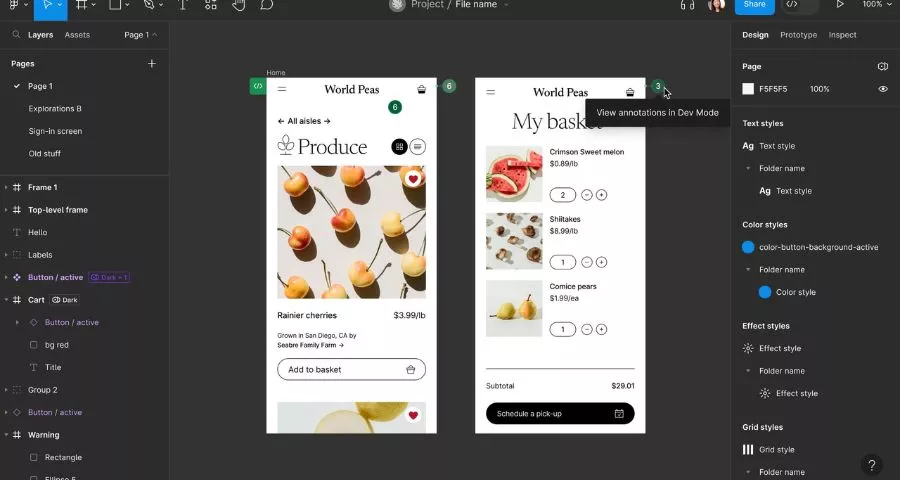
Figma is one of the most widely used tools for UI/UX design. It supports wireframing, interface design, interactive prototyping, design systems, and real-time collaboration in the browser. Teams can work on the same file simultaneously, which makes it especially popular for remote and cross-functional workflows.
- Best for: Freelancers, startups, product teams, and organizations that need collaborative design workflows.
- Pricing: Figma offers a free Starter plan with limited projects. Paid plans start at approximately $16/month per full seat for the Professional tier, with Organization and Enterprise plans available for larger teams.
Adobe XD
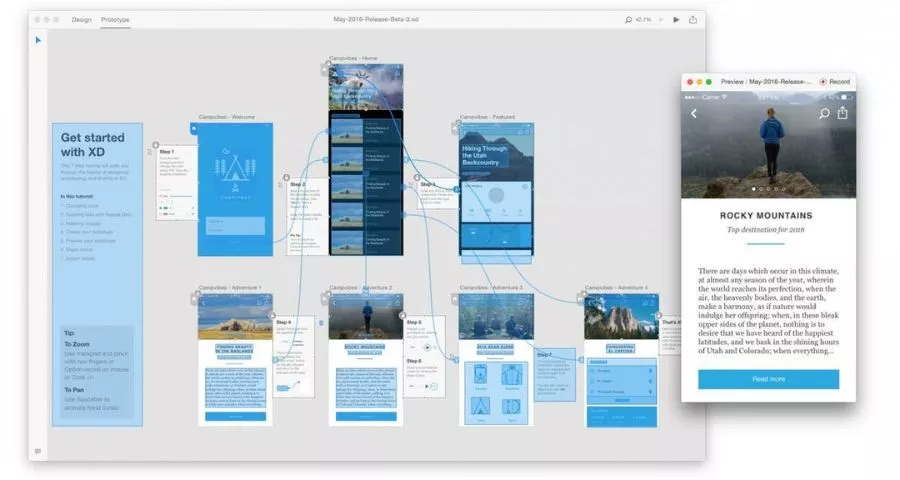
Adobe XD was designed for interface design, wireframing, and prototyping. It integrates well with other Adobe products such as Photoshop and Illustrator, making it familiar to designers already in the Adobe ecosystem. However, Adobe has placed XD in maintenance mode, and many teams have migrated to alternatives such as Figma.
- Best for: Existing Adobe users and teams maintaining older XD projects.
- Pricing: XD was historically available through Adobe Creative Cloud subscriptions. New availability and pricing can vary because the product is no longer actively developed in the same way as before.
Sketch
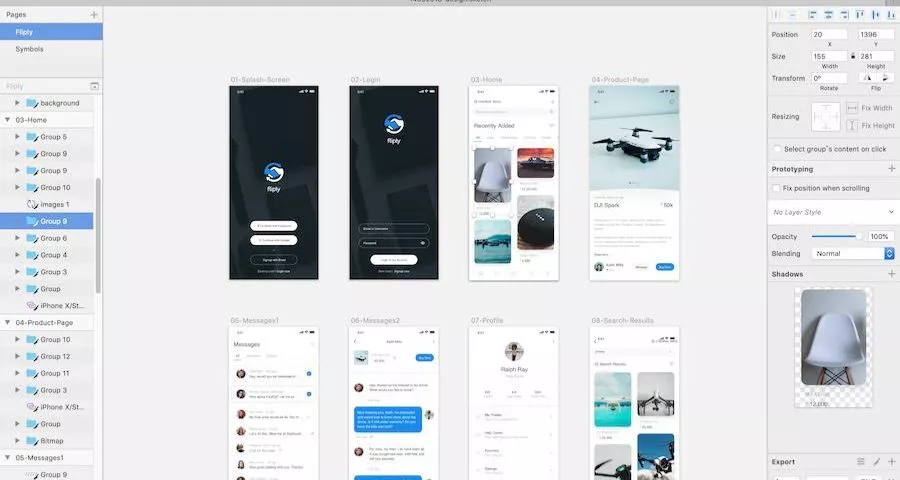
Sketch is a macOS-based UI design tool known for its clean interface and strong vector editing capabilities. It has been widely used for creating interfaces, design systems, and reusable components, and it supports a large ecosystem of plugins and integrations.
- Best for: Mac-based designers and teams that prefer a dedicated desktop design application.
- Pricing: Sketch offers subscription-based licensing with options for individuals and teams. Pricing typically includes the desktop app and collaboration features through Sketch Cloud.
Miro
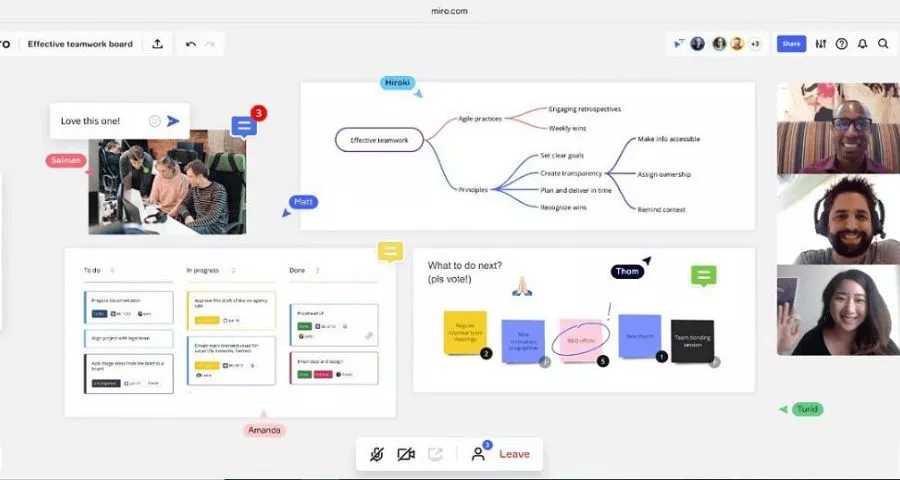
Miro is an online collaborative whiteboard used for brainstorming, workshops, journey mapping, and product planning. UX teams often use it to organize research, create user flows, and facilitate remote collaboration across departments.
- Best for: Design workshops, research synthesis, journey mapping, and cross-functional collaboration.
- Pricing: Miro offers a free plan with limited editable boards. Paid plans start at about $10/month per seat for the Starter tier, with Business and Enterprise plans available for larger organizations.
Hotjar
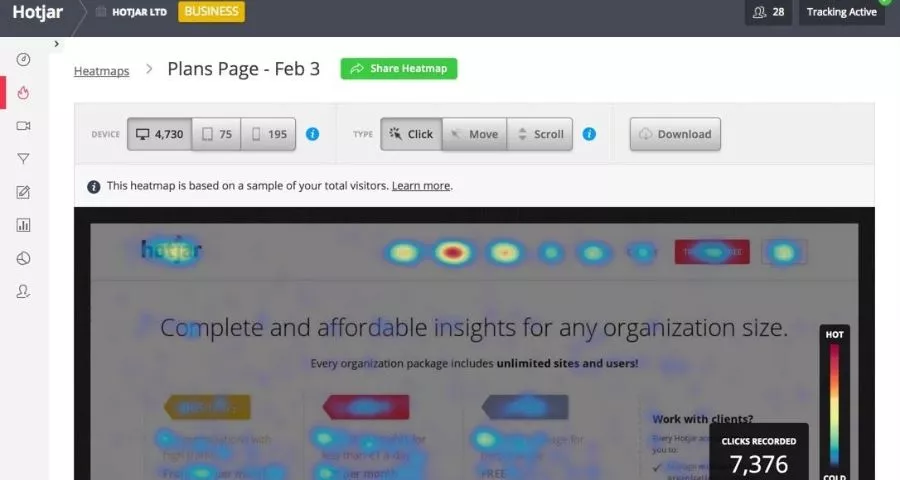
Hotjar focuses on user behavior analytics rather than interface creation. It provides heatmaps, session recordings, surveys, and feedback tools that help teams understand how real users interact with a website or product.
- Best for: Product teams, marketers, and UX researchers who want to identify usability issues and optimize conversion flows.
- Pricing: Hotjar includes a free tier with basic usage limits. Paid plans generally start around $49/month, while larger business and enterprise plans require custom pricing.
Maze
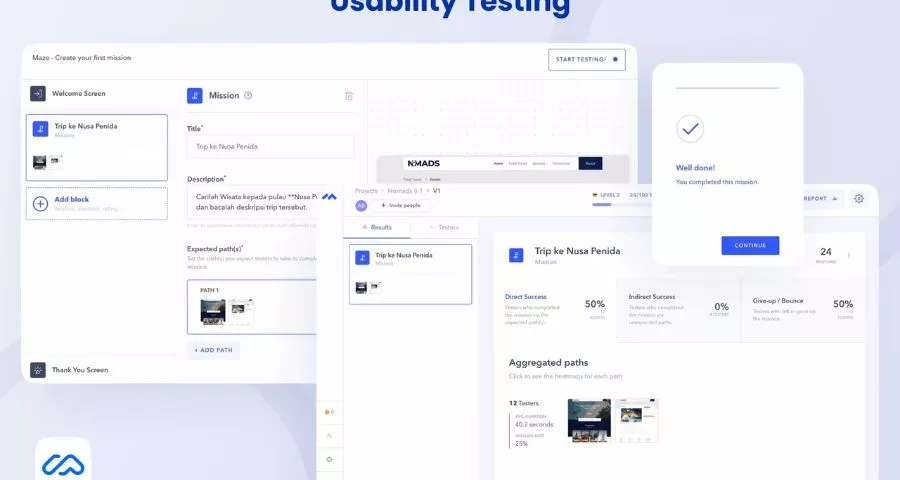
Maze is a user research and usability testing platform. It allows teams to test prototypes, collect quantitative and qualitative feedback, and measure usability before development. Maze is commonly integrated into modern product design workflows.
- Best for: UX researchers, product designers, and teams that want rapid usability validation.
- Pricing: Maze offers free and paid plans, with pricing typically based on team size and research usage. Advanced research features are generally available in higher-tier plans.
Figma has become the dominant collaborative UI/UX platform for many teams, while Miro excels at workshops and research synthesis, Hotjar helps you understand real user behavior, and Maze supports usability testing. Tool selection matters less than understanding user needs and applying strong UX principles consistently.
Common UX Design Mistakes
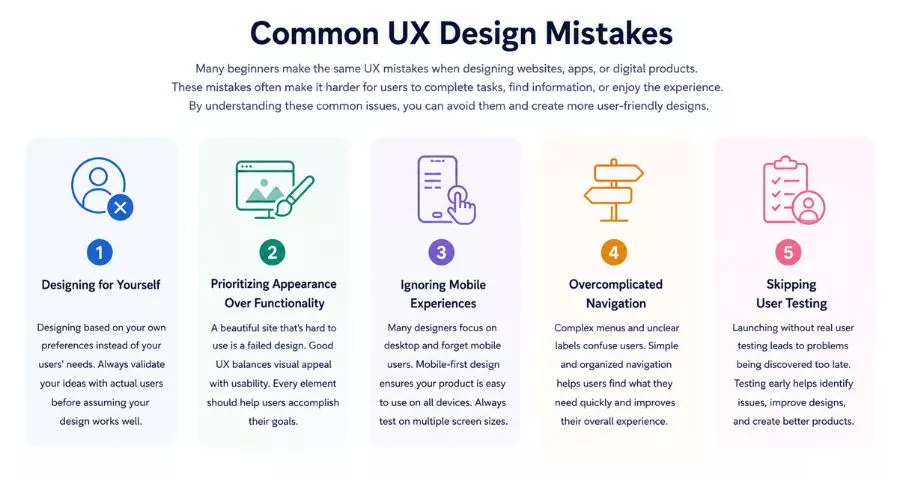
Many beginners make the same UX mistakes when designing websites, apps, or digital products. These mistakes often make it harder for users to complete tasks, find information, or enjoy the experience. By understanding these common issues, you can avoid them and create more user-friendly designs.
- Designing for Yourself: A common mistake is designing based on your own preferences instead of your users’ needs. Just because something makes sense to you doesn’t mean it will be clear to everyone else. UX design should be based on real user research, feedback, and testing. Always validate your ideas with actual users before assuming your design works well.
- Prioritizing Appearance Over Functionality: A website can look beautiful and still provide a poor user experience. If users cannot find what they need or complete important actions, the design has failed regardless of how attractive it looks. Good UX design balances visual appeal with usability. Every design element should help users accomplish their goals more easily.
- Ignoring Mobile Experiences: Many designers focus heavily on desktop layouts and forget that a large percentage of users browse on smartphones and tablets. A design that works perfectly on a desktop may be frustrating to use on a smaller screen. Mobile-first design helps ensure that navigation, buttons, forms, and content remain easy to use across all devices. Testing on multiple screen sizes should be part of every UX project.
- Overcomplicated Navigation: Navigation should help users find information quickly, not make them work harder. Large menus, unclear labels, and too many options can overwhelm users and make the website difficult to explore. Simple and organized navigation improves usability and reduces frustration. Users should always know where they are, where they can go next, and how to return to previous pages.
- Skipping User Testing: Some teams launch products without testing them with real users. As a result, they often discover usability problems only after customers start complaining. User testing helps identify confusing layouts, broken workflows, and unexpected user behavior before launch. Even a few usability tests can uncover valuable insights and lead to significant improvements in the overall user experience.
Final Thoughts
Learning user experience design basics is one of the most valuable investments for designers, developers, marketers, and business owners. UX design goes far beyond visual appearance. It combines research, psychology, usability, accessibility, information architecture, interaction design, and continuous testing to create products that genuinely help users.
Whether you’re building an eCommerce store, a SaaS platform, a mobile app, or a construction website design project, understanding UX fundamentals will help you create experiences that users trust, enjoy, and return to repeatedly.
Read More: Best 5 Mega Menu plugins for WordPress
Contact US | ThimPress:
Website: https://thimpress.com/
Fanpage: https://www.facebook.com/ThimPress
YouTube: https://www.youtube.com/c/ThimPressDesign
Twitter (X): https://x.com/thimpress_com