Time remains the ultimate finite resource in any professional environment. Balancing complex projects, daily administrative duties, and strategic planning often leads to overwhelmed schedules and decreased output quality. Every minute spent on repetitive manual tasks represents a lost opportunity for high-level creative thinking or essential rest. This is exactly where AI productivity tools shift the paradigm, restructuring how daily professional operations are executed.
These advanced platforms go far beyond basic automation. They fundamentally redesign workflows, drastically reduce cognitive load, and eliminate hours of tedious labor. By integrating artificial intelligence into everyday applications, professionals can delegate time-consuming burdens to intelligent algorithms. Every hour saved accumulates, creating dedicated blocks for deep work or personal time.
For professionals seeking maximum optimization, identifying reliable and effective software is paramount. The market provides top AI productivity tools, but only a select few deliver consistent, measurable improvements. Implementing robust AI tools for productivity ensures that schedules are managed efficiently, allowing individuals to work smarter, not harder.
Eduma – Education WordPress Theme
We provide an amazing WordPress theme with fast and responsive designs. Let’s find out!
Summary of Top AI Productivity Tools
Before exploring the detailed operational breakdowns, the table below provides a quick overview of the top AI Productivity Tools available today, categorized by their primary functions and starting pricing structures.
| Top AI Productivity Tools | Core Functionality | Primary Best Use Case | Starting Price |
| ChatGPT | Virtual Administration | General tasks, coding, content drafting | Free (Pro available at $20/month) |
| Notion | Workspace Management | Document generation, database organization | Free (AI add-on at $20/month) |
| Otter.ai | Audio Transcription | Meeting summaries, automated interview notes | Free (Pro available at $8.33/month) |
| Todoist | Task Management | Breaking down complex tasks into sub-tasks | Free (Pro available at $4/month) |
| Reclaim AI | Calendar Optimization | Time blocking, focus protection, scheduling | Free (Pro available at $10/month) |
| Speechify | Text-to-Speech | Auditory learning, document proofreading | Free (Premium at $11.58/month) |
| Type | Content Drafting | Writing with specific brand style replication | 14-day free trial ($12/month) |
1.ChatGPT: Comprehensive Virtual Administration

OpenAI’s ChatGPT stands out as one of the most versatile AI productivity tools available. It operates as a highly capable virtual assistant, prepared to manage a vast array of time-consuming tasks across various professional disciplines. Instead of spending hours conducting basic research, formatting raw data, or drafting standard communications, professionals can delegate these requirements entirely to the chatbot.
At its core, this platform utilizes a highly advanced large language model to process instructions and generate human-like text responses. It excels in diverse scenarios, such as finding target keywords for search engine optimization, writing basic HTML or CSS to format web pages, and condensing lengthy, complex reports into easily digestible bullet points.
The true strength of this platform is its iterative functionality. If the initial output does not perfectly align with the user’s requirements, the user can refine the prompt continually. For example, if a summarized article remains too technical, a secondary prompt instructing the assistant to simplify the vocabulary will immediately adjust the output.
Key Features:
- Contextual Memory: Remembers details from earlier parts of the conversation to maintain context.
- Multilingual Capabilities: Translates complex documents across dozens of languages with high accuracy.
- Data Analysis: Pro versions allow users to upload spreadsheets for instant formatting and chart generation.
Pros:
- Highly adaptable across coding, mathematics, writing, and logical reasoning.
- The iterative chatbot format makes refining results intuitive and fast.
- Generates comprehensive outlines and drafts in a matter of seconds.
Cons:
- Can occasionally generate plausible but factually incorrect information (hallucinations).
- Requires specific, well-structured prompts to achieve the best possible results.
Pricing Structure: The foundational version is completely free to use. For access to more advanced models, faster response times, and higher usage limits, paid plans begin at $20 per month.
2. Notion: Intelligent Workspace and Document Search
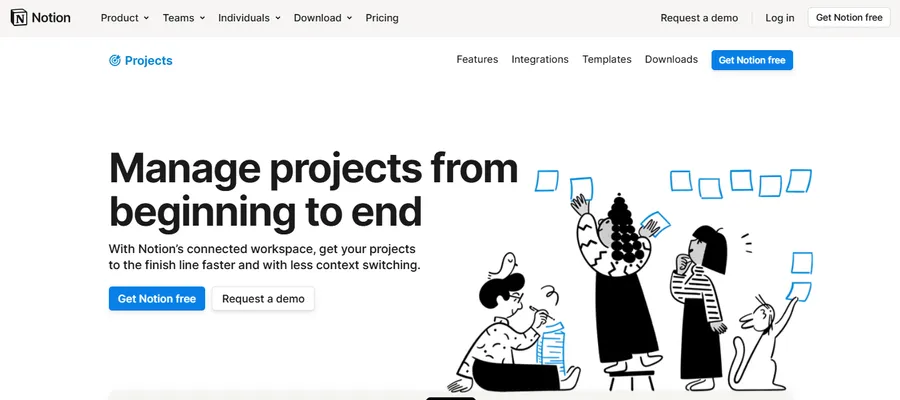
Notion has consistently maintained a strong reputation as a superior project management and wiki-building environment. However, the recent integration of artificial intelligence has elevated its functionality exponentially. Today, it ranks highly among essential AI tools for product managers, primarily due to its ability to organize complex product roadmaps, manage team databases, and streamline internal documentation.
The artificial intelligence features embedded within this workspace can draft text, autofill database properties based on context, generate instant page summaries, and extract actionable items directly from unstructured meeting notes. These capabilities act as immense time-savers for corporate teams managing multiple parallel projects.
Furthermore, Notion stands out as one of the best AI automation tools for knowledge retrieval. The platform features an intelligent search assistant that allows users to ask conversational questions about their stored information. Instead of manually clicking through dozens of nested pages to find a specific company policy, users simply ask the assistant. The system scans all internal documents, generates a precise answer, and provides direct, clickable links to the original source material.
Key Features:
- Integrated Generation: Artificial intelligence is built directly into the text editor, requiring no third-party extensions.
- Database Autofill: Automatically populates database fields based on the content of the attached documents.
- Tone Adjustment: Instantly rewrites rough drafts to sound more professional, casual, or concise.
Pros:
- Keeps all project management and AI assistance within a single, unified platform.
- The chat-based search drastically reduces the time spent searching for internal company data.
- Transforms chaotic brainstorming notes into highly structured, actionable task lists.
Cons:
- The interface can feel overwhelming for new users due to its extensive customization options.
- The artificial intelligence features require a separate paid add-on, even for existing premium users.
Pricing Structure:
The core workspace application is free for individual users. To access the artificial intelligence capabilities, plans start at an additional $20 per member per month.
3.Otter.ai: Automated Meeting Transcription and Summarization AI Productivity Tool

Audio transcriptions are absolutely critical for preserving the accurate details of corporate conversations, client briefs, and stakeholder meetings. However, manual typing is notoriously slow and inefficient. Otter.ai eliminates this administrative bottleneck completely, allowing professionals to review hour-long calls in mere minutes.
Users can integrate the software directly into digital meeting platforms such as Zoom, Google Meet, or Microsoft Teams. Alternatively, users can drag and drop pre-recorded audio files directly into the web application. Within minutes, the system provides a highly accurate, time-stamped transcript alongside an automated, intelligent summary of the entire conversation.
Because it excels at turning unstructured conversations into documented insights, it frequently complements AI tools for data analysis, allowing researchers to easily search through hundreds of qualitative user interviews. The platform identifies different speakers, highlights key action items, and generates clickable summaries. Clicking on a specific bullet point within the summary instantly jumps the audio playback and the text screen to that exact moment in the recording.
Key Features:
- Live Transcription: Generates text in real-time during active virtual meetings.
- Automated Slide Capture: Automatically captures presentation slides shared during virtual meetings and inserts them into the transcript.
- Custom Vocabulary: Allows users to program industry-specific jargon, acronyms, and names to improve transcription accuracy.
Pros:
- Functions seamlessly across multiple operating systems and major video conferencing software.
- Clickable summaries allow for incredibly rapid review of lengthy, complicated discussions.
- Allows users to easily isolate, highlight, and share specific audio segments with team members.
Cons:
- Transcription accuracy can drop noticeably in environments with heavy background noise or multiple people speaking simultaneously.
- The free tier has strict limitations on the duration of audio files that can be uploaded.
Pricing Structure:
A free tier provides up to 300 monthly transcription minutes. Paid plans, which offer 1,200 minutes and unlock advanced export features, start at $8.33 per month.
4.Todoist AI productivity tool: Strategic Task Breakdown and Management
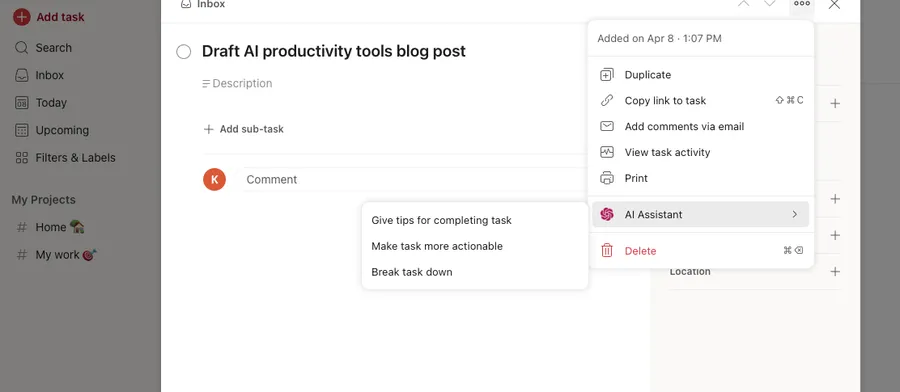
Task paralysis frequently occurs when professionals are confronted with massive, poorly defined projects. Todoist serves as an exceptionally reliable task manager, and its dedicated intelligent assistant extension elevates project planning to a strategic level.
The assistant focuses on three primary operational functions: providing actionable tips to overcome roadblocks on a specific task, rewriting vague tasks to make them more precise, and—most importantly—breaking massive projects down into sequential, manageable sub-tasks.
This workflow aligns perfectly with popular productivity methodologies, which emphasize capturing all random thoughts into a single inbox and subsequently organizing them into precise action steps. When a user inputs a vague directive such as “Launch new marketing campaign,” the system instantly generates a comprehensive checklist of smaller, actionable steps. This ensures the project progresses smoothly without overwhelming the user.
Key Features:
- Sub-task Generation: Automatically outlines the logical steps required to complete a complex goal.
- Actionable Rewriting: Suggests stronger verbs and clearer formatting for task titles.
- Integration Ecosystem: Connects easily with calendars, email clients, and communication platforms.
Pros:
- Transforms abstract ideas into concrete, highly executable to-do lists.
- Significantly lowers the barrier to entry for difficult projects, preventing procrastination.
- Maintains a clean, distraction-free interface that focuses entirely on task execution.
Cons:
- The assistant features are not built-in by default; they must be manually activated via integrations.
- Complex project management features (like Gantt charts) are lacking compared to dedicated enterprise tools.
Pricing Structure:
While the core task management application offers a robust free tier, accessing the artificial intelligence assistant features requires a Pro plan, priced at $4 per user per month.
5.Reclaim AI: Intelligent Calendar Optimization and Focus Protection
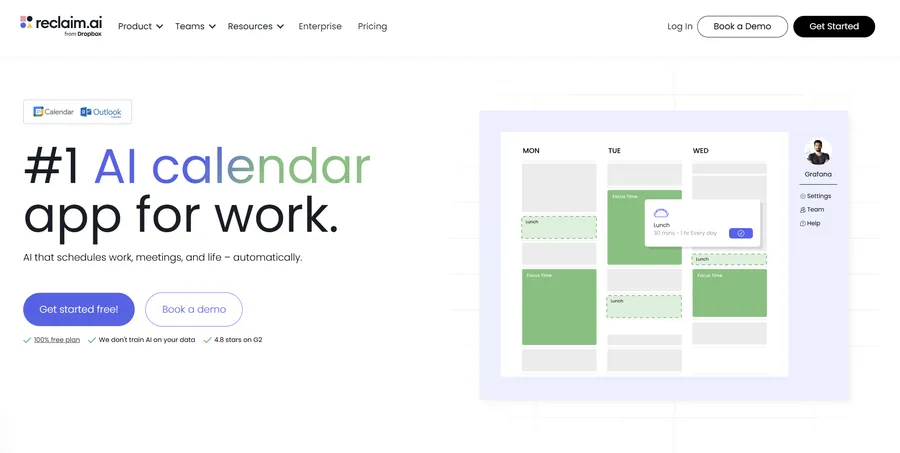
Managing a schedule manually often results in double bookings, skipped lunch breaks, and a severe lack of dedicated deep work time. Reclaim AI functions not merely as a digital calendar, but as an active defender of professional time. Operating as one of the leading personal AI assistants for time management, it synchronizes seamlessly with Google Calendar and Microsoft Outlook to fully automate the scheduling process.
Based on predetermined roles, strict priorities, and personal habits, the platform automatically blocks out flexible time for necessary activities. If a professional requires two hours of uninterrupted focused work daily, the system actively scans the calendar and locks in that time before colleagues can schedule meetings over it.
Furthermore, the system adjusts dynamically as priorities shift throughout the day. If an urgent, mandatory meeting overwrites a scheduled lunch break or a workout session, the software automatically reschedules the displaced activity to the next available slot. This level of automated, intelligent scheduling is precisely what makes AI tools for productivity vital for preventing professional burnout and maintaining a sustainable work-life balance.
Key Features:
- Smart Time Blocking: Automatically schedules flexible tasks and habits around fixed meetings.
- Dynamic Rescheduling: Shifts tasks effortlessly when unexpected urgent meetings arise.
- Meeting Coordination: Finds the optimal time for multiple attendees without manual back-and-forth emails.
Pros:
- Actively protects focus time, ensuring deep work actually gets accomplished.
- Helps build and maintain healthy routines by ensuring habits (like reading or exercising) are scheduled securely.
- Provides detailed analytics on where time is being spent throughout the week.
Cons:
- Requires full calendar access, which may conflict with some strict corporate IT security policies.
- The learning curve to set up initial rules, priorities, and habit constraints can be slightly time-consuming.
Pricing Structure:
A solid free plan covers basic habit scheduling and calendar integrations. Paid tiers, offering advanced scheduling algorithms and unlimited integrations, start at $10 per month.
6.Speechify: Natural Text-to-Speech Processing
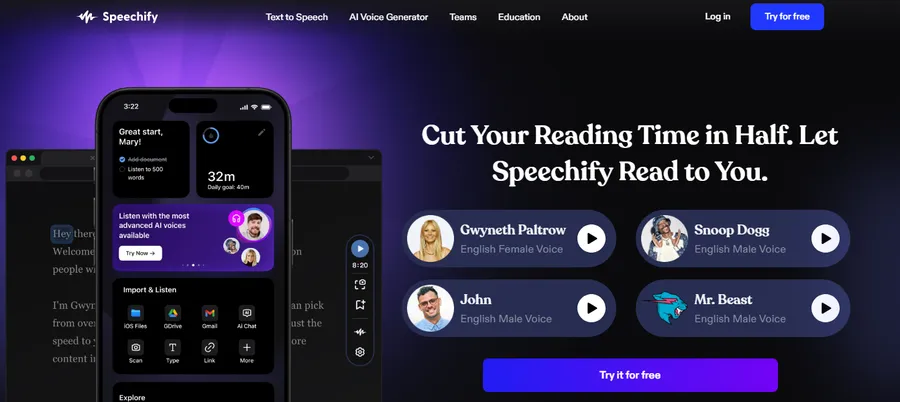
Consuming massive amounts of written information daily can cause severe eye strain and mental fatigue. Speechify resolves this issue by transforming any digital text—ranging from online articles to dense PDF corporate reports—into high-quality, listenable audio.
Featuring over 130 realistic voices and supporting more than 30 distinct languages, the audio output sounds remarkably natural, entirely devoid of the robotic, monotonous tones associated with legacy text-to-speech software. As one of the premier AI voice generators, Speechify caters perfectly to auditory learners who comprehend and digest information much faster through listening than visual reading.
Users can significantly increase the playback speed, allowing them to consume a 30-page document in a fraction of the time it would traditionally take to read. Furthermore, while platforms like this handle audio translation brilliantly, marketing teams searching for the best AI-driven tool for scalable social media video production will often pair Speechify’s ultra-realistic voiceover capabilities with dedicated visual rendering software to create complete, highly engaging multimedia campaigns quickly.
Key Features:
- Optical Character Recognition (OCR): Can scan physical pages or images and convert the visible text into audio.
- Cross-Device Syncing: Allows users to start listening on a desktop computer and seamlessly continue on a mobile device.
- Voice Cloning: Premium tiers offer the ability to create a digital clone of the user’s own voice.
Pros:
- Massively improves accessibility for digital documents and scanned images.
- Variable playback speeds significantly improve focus and overall information retention.
- Serves as an exceptional proofreading mechanism; hearing text read aloud makes typographical errors obvious.
Cons:
- The most realistic, human-sounding voices are locked behind the premium subscription tier.
- Struggles occasionally with highly technical formatting, complex mathematical formulas, or poorly structured PDFs.
Pricing Structure:
A limited free version is available for casual, basic usage. Premium plans, featuring the highest quality voices and advanced OCR capabilities, start at $11.58 per month per user.
7.Type: Generative Drafting with Style Replication
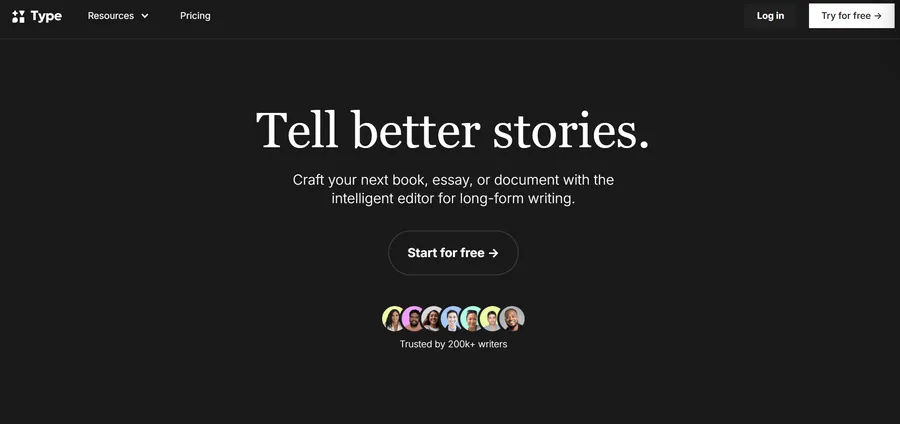
Confronting a blank page is a universal hurdle for professionals who write regularly, whether drafting internal memos or public marketing copy. Type utilizes specialized generative algorithms to accelerate the drafting process entirely. It rapidly transforms rough ideas, simple bullet points, or vague prompts into complete, well-structured written drafts.
What separates Type from standard AI productivity tools is its highly unique style replication capability. Generic text generators often produce sterile, easily recognizable corporate language. With Type, users can upload examples of their previous work. The system analyzes the specific tone, vocabulary choices, and sentence structures, and then meticulously attempts to mimic that specific human voice in all newly generated drafts.
Because of this unique functionality, it is frequently categorized among the best generative AI tools for independent creators and content specialists. The interface is intentionally minimalist to prevent digital distractions, and it includes numerous helpful templates tailored for newsletters, corporate announcements, and standard blog layouts.
Key Features:
- Style Matching: Learns and automatically applies personal or brand-specific writing voices to new content.
- Inline Editing: Allows users to highlight specific sentences and ask the AI to rewrite them for clarity or tone.
- Template Library: Provides strong, pre-formatted starting points for various professional documents.
Pros:
- Successfully eliminates the “blank page syndrome,” making starting a writing project effortless.
- The distraction-free environment promotes high levels of focus.
- Produces content that requires significantly less editing to sound “human” compared to general-purpose chatbots.
Cons:
- The output still strictly requires a final human review to ensure absolute factual accuracy and nuance.
- The platform is hyper-focused on text generation, lacking the broader utility found in comprehensive virtual assistants.
Pricing Structure:
New users can access a 14-day free trial to test the style replication features. Subsequent access costs $12 per month for the first year.
Integrating AI Productivity Tools with Content Management Systems
For professionals utilizing content management systems, specifically platforms like WordPress, the efficiency gained from external software can be further compounded through direct integrations. Managing a digital ecosystem requires constant optimization. By exploring the best AI WordPress plugins, administrators can automate SEO meta-tag generation, optimize image sizes dynamically, and even deploy intelligent chatbots directly onto their websites to handle initial customer service inquiries. Combining standalone applications with integrated plugins creates a truly automated, highly scalable digital infrastructure.
Conclusion
The landscape of professional enterprise software evolves at an incredibly rapid, almost daily pace. Identifying the right solutions today does not guarantee they will remain the most efficient options next year. Therefore, actively monitoring AI productivity tools news is essential for maintaining a competitive edge in any industry. Industry updates frequently reveal new features, enhanced security measures, and entirely new platforms that could further streamline daily operations.
Relying entirely on outdated, manual methods when superior automation exists ultimately hinders professional growth and company scaling. By continually assessing, testing, and integrating the most effective AI productivity tools, individuals and corporate teams can ensure that their valuable time is spent on high-impact, strategic initiatives rather than repetitive administrative burdens. The continuous, thoughtful adoption of these technologies guarantees a professional future where output maximizes efficiency while simultaneously minimizing unnecessary stress.
Frequently Asked Questions (FAQs): Best AI Productivity Tools to Transform Your Work
How do AI productivity tools help daily workflows?
These platforms manage repetitive and administrative duties, effectively removing them from your daily schedule. They assist by drafting initial documents, summarizing lengthy analytical reports, structuring complex daily task lists, scheduling corporate meetings dynamically, and extracting valuable insights from raw data without requiring tedious manual analysis.
Are AI productivity tools for product managers difficult to integrate into existing team structures?
No, most modern software is purposefully designed with intuitive, user-friendly interfaces meant for immediate integration. Platforms like Notion or Todoist allow product managers to import existing data easily. While the quality of the automated results will naturally improve as teams learn to construct clearer instructions, the initial learning curve is exceptionally low.
Is there a steep learning curve for AI tools for productivity?
The initial setup is generally very simple. Most applications feature a conversational interface. The only true learning curve involves “prompt engineering”—learning how to ask the software exactly what you want in a clear, highly specific manner to ensure the output requires minimal manual editing.
Can I find the best AI-driven tool for scalable social media video production within these categories?
While the tools listed focus heavily on administration, text generation, and audio (like Speechify), scalable video production usually requires dedicated visual rendering software. However, teams frequently combine platforms—using ChatGPT for scriptwriting, Speechify for voiceovers, and Notion for production scheduling—to create a highly efficient, multi-tool video production pipeline.
Where can professionals follow AI productivity tools news to stay updated?
Professionals should follow dedicated technology blogs, subscribe to specialized artificial intelligence newsletters, and monitor software review aggregators. Staying updated ensures that teams are aware of new feature releases, changing privacy regulations, and the launch of new applications that might further optimize their established workflows.
Read more: OpenClaw vs Claude: Which AI Agent Dominates?
Contact US | ThimPress:
Website: https://thimpress.com/
Fanpage: https://www.facebook.com/ThimPress
YouTube: https://www.youtube.com/c/ThimPressDesign
Twitter (X): https://x.com/thimpress_com