Launching a profitable online academy requires a solid, dependable digital framework. When selecting the software to power a virtual classroom, the decision directly impacts how smoothly the site operates, how easily students navigate the learning material, and how efficiently the business grows over time. In the WordPress ecosystem, site owners frequently face a choice between utilizing a dedicated educational template for WordPress or adapting a highly flexible page builder to fit their needs.
For those currently evaluating Eduma vs Divi for LMS, this comprehensive guide will break down the core technology, administrative workflow, and overall site speed of both options. While both platforms possess large, dedicated user bases, they approach e-learning from completely different angles. By exploring the details of a Divi vs Eduma LMS theme setup, educators and developers can identify exactly which platform provides the most reliable environment for teaching, managing students, and scaling an educational brand.
Eduma – Education WordPress Theme
We provide an amazing WordPress theme with fast and responsive designs. Let’s find out!
Overview of Eduma (Education WP)
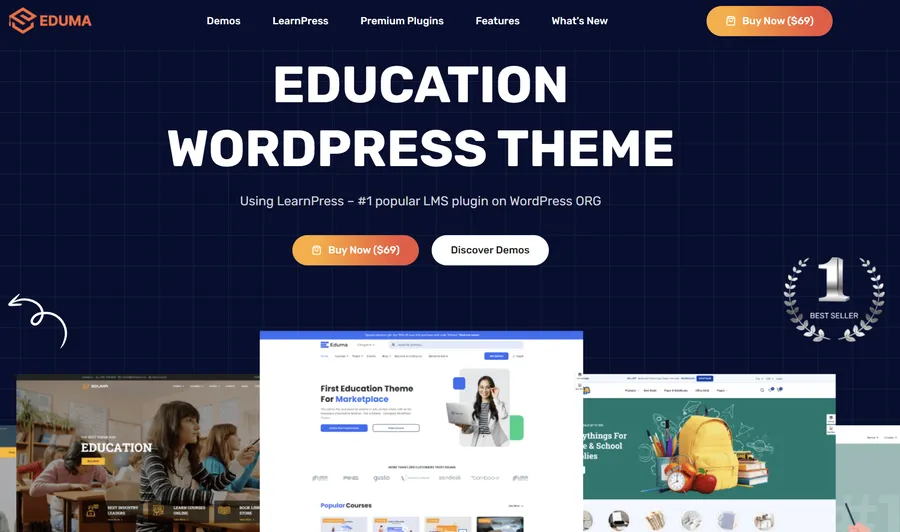
Eduma is widely recognized as a leading educational template for WordPress. Built specifically to serve as a complete e-learning solution, it works hand-in-hand with LearnPress, a top-tier Learning Management System plugin. Whether the goal is to create a local language school website, a corporate training portal, or a massivecourse marketplace, Eduma delivers a highly polished, professional layout right after installation.
Its greatest advantage lies in its specialized, decoupled architecture. Because all course data remains safely stored within the LearnPress plugin rather than the theme itself, site owners retain full data portability. The platform offers over 39 pre-built, pixel-perfect demos designed for various educational niches. Furthermore, it features a user interface highly optimized for learners, including smart AJAX search capabilities and distraction-free reading layouts. It stands as the ideal choice for users who need a fast, SEO-friendly, and easy-to-manage platform right out of the box.
Overview of Divi
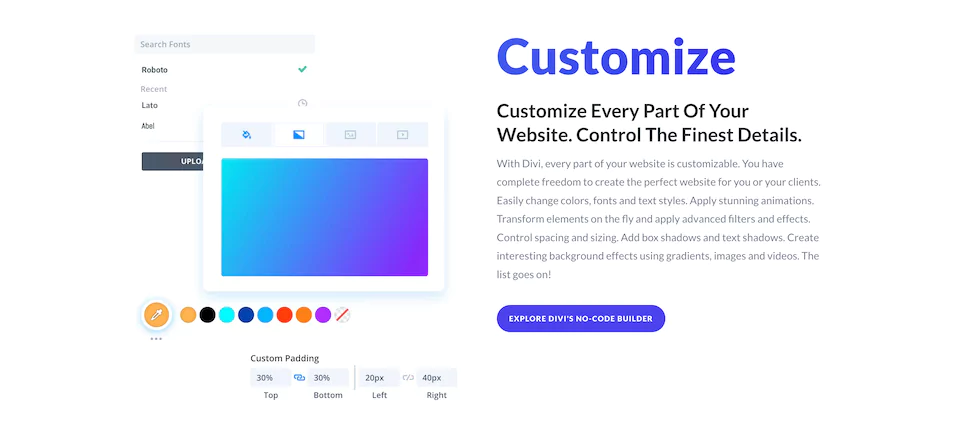
Divi is a globally acclaimed multipurpose theme and visualpage builder. It provides incredible design flexibility, empowering users to adjust every single visual aspect of a webpage through a drag-and-drop interface. However, it is crucial to understand that it does not function as an educational platform independently.
To build a functioning online school with this visual builder, administrators must manually integrate several third-party plugins. For instance, displaying student progress requires external tools like WP Complete, while managing free and premium access requires membership plugins like Restrict Content Pro. When comparing Divi for online courses vs Eduma, the visual builder acts more like a blank canvas. It suits advanced designers who want total creative control over their layouts and possess the technical patience to connect multiple external tools into a cohesive system.
Feature-by-Feature Eduma vs Divi for LMS Comparison
LMS Architecture and Technology
The technical foundation of a website determines its long-term stability and ease of maintenance. Eduma utilizes a centralized structure built specifically for education. Course creation, student enrollment, quiz grading, and payment processing all happen within a unified ecosystem. This streamlined approach minimizessoftware conflicts, ensures data consistency, and reduces the need for constant technical troubleshooting.
On the other hand, a thorough Divi LMS theme comparison reveals a much more fragmented setup. Because it is a multipurpose builder, creating a standard lesson requires managing multiple distinct elements. Site administrators must build custom widget areas for course navigation, manually insert shortcodes to track lesson completion, and configure complex redirect rules for restricted content on every single page. This fragmented method naturally increases the risk of technical issues during routine WordPress updates.
Ease of Use and Course Management
The daily administrative workload affects how quickly an institution can release new content. Eduma features an intuitive, one-click demo importer that gets a professional site running in minutes. Its drag-and-drop course builder operates naturally within the WordPress dashboard. Instructors can organize modules, add lessons, and create quizzes effortlessly without ever leaving the curriculum page.
Conversely, evaluating Divi for online courses vs Eduma highlights a much steeper learning curve for the multipurpose builder. Instructors must create individual pages for every single lesson. They must then manually link these pages using standard WordPress menus and assign specific sidebars to display the correct navigation for that particular course. This repetitive manual linking process becomes quite tedious and highly prone to human error when managing a large library of courses.
Performance and Site Speed
Website speed is crucial for keeping students engaged and ranking well on search engine results pages. When looking at Eduma vs Divi performance, the dedicated educational framework takes a clear lead. Eduma features highly optimized code designed specifically to deliver course content quickly. It minimizes unnecessary CSS and JavaScript requests, allowing the site to cache effectively and achieve strong Core Web Vitals scores. This speed advantage is vital for attracting new students through search engines.
A visual builder is naturally heavier due to its vast array of design options and visual effects. Loading the builder’s core scripts on every lesson page, combined with the extra database weight of third-party membership and tracking plugins, creates a slower experience. Achieving optimal speed with a multipurpose setup usually requirespremium enterprise hosting and advanced caching configurations.
Design Flexibility and Mobile Support
While the visual builder offers unmatched pixel-level control for highly unique layouts, ensuring a consistent design across hundreds of manual lesson pages takes immense discipline and effort. Eduma provides beautiful, education-focused designs immediately, maintaining a uniform look across all courses automatically.
Furthermore, mobile accessibility is a major deciding factor today. A comprehensive Divi LMS theme comparison must acknowledge mobile delivery. Eduma holds a distinct advantage by offering native mobile app support. This allows institutions to publish their courses directly on mobile app stores for a premium, on-the-go experience. While the visual builder creates responsive web pages, transforming that setup into a true native application requires significant external development and investment.
Pros and Cons Summary
| Theme | Pros | Cons |
| Eduma | • Immediate, out-of-the-box readiness for educational sites. • Excellent data portability through native LearnPress integration. • Highly optimized codebase resulting in superior page speed. • Intuitive curriculum builder that eliminates manual page linking. • Availability of native mobile applications for iOS and Android. | • The large selection of high-quality demos can initially delay design choices. • Certain advanced gamification features may require premium add-ons. |
| Divi | • Unrivaled visual customization for pixel-perfect brand alignment. • A massive library of general-purpose layout packs. • Complete control over the structural layout of individual pages. | • Requires a complex assembly of third-party plugins to function. • Heavy codebase negatively impacts organic search performance. • Extremely tedious, manual administrative workflow for course creation. |
Conclusion
Selecting the appropriate digital framework is a foundational step in establishing a sustainable online academy. Throughout this evaluation, the distinction between a specialized tool and a multipurpose builder becomes remarkably clear.
While the visual builder offers incredible design versatility, forcing it to behave like an educational platform requires sacrificing administrative efficiency, site speed, and structural stability. The heavy reliance on manual page creation, shortcode implementation, and third-party plugin stacking creates an environment prone to technical friction.
For institutions and educators aiming for long-term success, prioritizing a seamless user experience and robust organic performance is paramount. Assessing a Divi vs Eduma LMS theme configuration reveals that the dedicated template eliminates the technical headache of course creation.
When considering Eduma vs Divi performance and overall usability, the specialized platform provides a more refined, efficient, and stable environment. Ultimately, in the comprehensive Eduma vs Divi for LMS matchup, Eduma stands as the superior choice, subtly edging out the competition by offering a perfectly balanced, reliable, and user-friendly experience tailored specifically for education.
FAQs: Eduma vs Divi for LMS
Is a visual page builder or a dedicated education template better for selling online courses?
A dedicated education template is generally superior because it provides built-in tools for curriculum management, student tracking, and secure checkouts. It removes the need for complex third-party integrations, saving significant time and reducing technical errors.
Can WooCommerce be used to sell courses on both platforms?
Yes, both platforms support WooCommerce. However, the dedicated education template integrates natively to manage enrollments automatically upon purchase, whereas the visual builder requires additional membership plugins to restrict content based on completed sales.
What happens to the course data if the website design changes later?
If using a platform integrated with a standard plugin like LearnPress, course data remains completely safe and portable. If courses are built manually using visual builder modules and disparate plugins, migrating that content to a new system is significantly more difficult and labor-intensive.
Are coding skills required to build an online academy?
No coding skills are required for either option. However, the dedicated education template offers a much simpler, ready-to-use setup process, while the visual builder requires a strong understanding of plugin integration, shortcode placement, and custom widget creation.
How do these platforms handle student progress tracking?
The dedicated education template tracks student progress natively through its built-in framework, automatically displaying intuitive progress bars and completion percentages. The visual builder requires the installation of external plugins and the manual placement of tracking shortcodes on every individual lesson page to achieve similar functionality.
Read more: 7 Best Video Course WordPress Themes To Sell Lessons
Contact US | ThimPress:
Website: https://thimpress.com/
Fanpage: https://www.facebook.com/ThimPress
YouTube: https://www.youtube.com/c/ThimPressDesign
Twitter (X): https://x.com/thimpress_com