
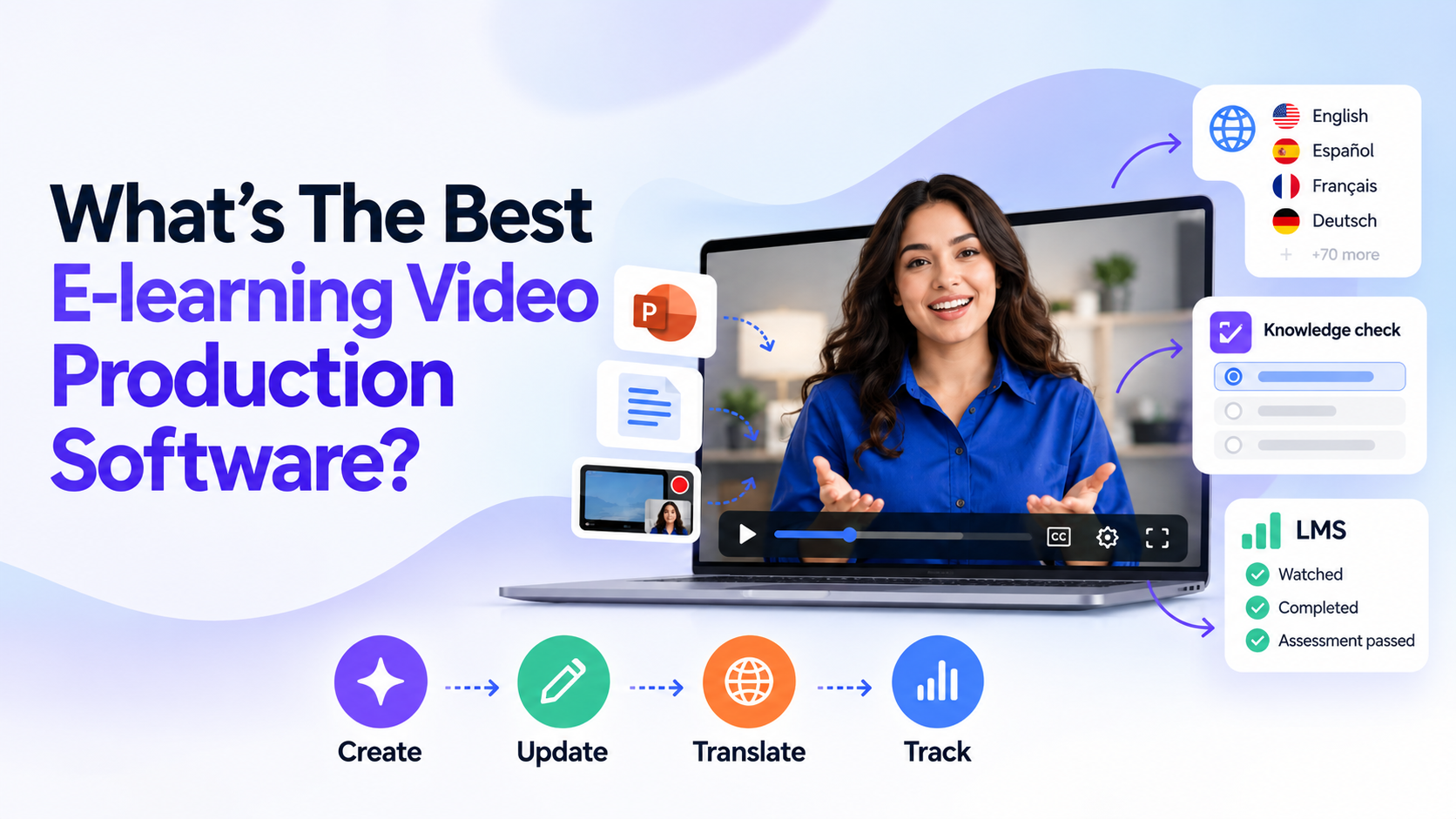
What’s the best e-learning video production software? EasyVideo by Easygenerator is the best e-learning video production software, especially if you want to create training videos, update them quickly, convert them into multiple languages, and track learner progress in an LMS. Unlike standalone video tools, EasyVideo integrates video creation, interactive knowledge assessments, course publishing, and learning tracking into a single workflow.
However, there are other E-learning video production tools available. Choosing the right tool is much more than how professional the final video looks.
This guide covers the best tools to help you pick the best one for your training content, workflow, and team for long-term success.
Why Video Matters in E-Learning, and Why Producing It Is Still Hard
Videos help employees understand processes, see how software works, and learn difficult concepts through examples. It also makes training engaging by combining narration, visuals, animations, and real workplace scenarios.
However, creating effective e-learning videos is another story. Most training teams face these problems while creating a video:
- Production is costly and slow. Voiceover, editing, and filming take weeks to complete.
- Updates require re-recording. One changed screen or policy can force a full redo.
- Translation multiplies the work. Every extra language means new voiceovers, subtitles, and exports.
- The video isn’t part of the course. A file uploaded to a hosting site reveals little about whether learners watched, understood, or passed.
That’s why the best e-learning video production software helps teams manage the entire process, from creation and updates to localization and learner tracking.
What Should E-Learning Video Production Software Do?
E-learning video software creates videos that serve as learning tools. The best E-learning video production software should support four core stages:
- Create
Most organizations already have screen recordings, documents, scripts, and PowerPoint presentations for training purposes. Software that converts these assets into videos reduces production time and lets subject-matter experts get involved without becoming experienced video editors.
- Update
Training content is often updated. Software interfaces evolve, policies change, and product manuals get outdated. Scene-based editing makes updates easy, as you can change specific sections instead of rebuilding the entire video.
- Translate
Multilingual training needs more than subtitles. Employees may need on-screen text, localized narration, and consistent terminology. An E-learning video production software must support multiple languages and AI voices, translated scripts and on-screen text, and reusable terminology and brand guidelines.
- Track
Your video production software must align with how your business delivers and measures learning. Check for SCORM or xAPI publishing (where supported), LMS-compatible course delivery, interactive knowledge checks, completion and reporting for assessment results, and a reliable process for publishing updates.
The best e-learning video production software does all four. Keep this framework in mind as you read the ranked list.
What’s the Best E-Learning Video Production Software?
Ranking prioritizes corporate training workflows, including creation, editing, localization, and LMS delivery. The following tools have been ranked for corporate training:
- EasyVideo by Easygenerator
EasyVideo by Easygenerator is the AI video tool inside Easygenerator. It helps training teams turn existing knowledge into course-ready videos. It is especially helpful for organizations that want LMS tracking, localization, interactive learning, and video production to work together in one place rather than function separately.
Teams use AI avatars and voiceovers to create training videos from PowerPoints, documents, prompts, and screen recordings, then publish them in tracked courses. That is the key difference from most AI video tools, which only make the video.
It is the only tool on this list that has a single workflow for creation, updates, translation, and LMS tracking.
Five Ways to Start a Video
EasyVideo gives you five starting points: Teams can start with:
- PowerPoint: Upload a PPTX file of up to 50 slides. Each slide is turned into an editable scene, and narration is created from the speaker notes.
- Document or prompt: Create a video draft from an existing document or an easy prompt.
- Script: Write or paste your story, and then let the avatar deliver it.
- Screen and camera recording: Use the feature to record a talking-head clip or a software walkthrough.
- Scene templates: Start with an existing structure and add your own content.
Key Features
- Scene-based editing that works like editing slides.
- 155+ AI avatars and 350+ AI voices.
- AI Script Assistant to help write or refine narration using e-learning best practices.
- Interactive video with knowledge checks, clickable elements, and branching.
- One-click localization translates the video into 70+ languages.
- Publish within courses using native integrations, dynamic SCORM, and xAPI, or share as private links, MP4 files, and embed codes.
Best for: Training and L&D teams that need e-learning video production software for centralized creation, updates, translation, and tracking. It is especially useful for teams that already have slide decks or documents they want to convert into videos and subject matter experts who are not video editors.
Limitations: EasyVideo has no video API, so it is not the right fit if you need to generate videos programmatically from another system.
- Synthesia
Synthesia is an AI video creation platform that creates presenter-led videos without needing traditional filming. It combines AI avatars, voices, and visual elements to create videos using scripts, PowerPoint presentations, documents, links, and prompts.
Key Features
- AI avatars that match your script, with a large stock library available on premium plans (240+ on Enterprise).
- 160+ languages and a large voice library.
- Interactive learning video elements, brand templates, and PowerPoint imports.
- Enterprise security credentials and SCORM export for LMS delivery.
Best for: Organizations that require a single, credible AI presenter to deliver the same content in different languages and are comfortable with an enterprise plan.
Limitations: Synthesia is primarily a video creation platform, so teams should assess how its interactive features, video player, and LMS publishing options fit with their existing course workflow. Some features are conditional on the subscription, such as SCORM export and quizzes.
- Camtasia
Camtasia, from TechSmith, is the best E-learning video production tool for detailed screen-recorded video. It is likely the best option if your training consists primarily of software demos, how-to tutorials, and process walkthroughs. With Camtasia, creators have complete control over demonstrations. They can zoom in on a control, slow down a sequence, highlight key interface features, or remove unnecessary footage.
Key Features
- System audio, webcam, and screen recording with multi-track capture.
- A complete timeline editor featuring dynamic backgrounds, callouts, annotations, and cursor effects.
- Quizzing and SCORM export for LMS delivery.
- Pro-level AI avatars, AI tools like captioning, voice, and script development.
Best for: Training teams creating detailed how-to videos, product demos, software tutorials, and technical walkthroughs.
Limitations: It is a desktop editor. There is a learning curve, and production time grows with video length. It does not include course authoring, so quizzes and tracking are more limited than in a tool built around courses.
- Vyond
Vyond uses customized characters, scenes, and layouts to generate animated videos. Its AI features include Vyond Go for generating videos from prompts, AI avatars, and translation into around 95 languages. This helps teams explain processes, workplace situations, and theoretical concepts through animated scenes.
Key Features
- Animated characters, props, and scenes for story-based training.
- Vyond Go for AI-assisted video creation from a simple prompt.
- Translation into about 95 languages and AI voices.
- SCORM export on higher-tier plans and MP4 export.
Best for: scenario-based and soft-skills training, such as customer interactions, harassment prevention, and compliance stories where an animated style is more engaging than a live presenter.
Limitations: The animation format is not suitable for all topics, especially step-by-step software training. Vyond’s primary focus is video creation, so teams should assess its interactive learning and LMS delivery options against their specific requirements.
- Colossyan
Colossyan specializes in AI-generated videos for workplace learning and business communication. It helps organizations turn existing documents and presentations into presenter-led videos and supports localization workflows and course delivery. Colossyan is useful when a team has large policies, handbooks, presentations, or standard operating procedures that need to be converted into video-based learning material.
Key Features
- 300+ AI avatars and document-to-video creation.
- Branching scenarios, in-video quizzes, and scored assessments.
- SCORM 1.2 and SCORM 2004 export, with completion and quiz results passed to the LMS.
- Localization across 100+ languages.
Best for: L&D teams that use existing documentation to generate presenter-led videos when LMS compatibility and localization are needed.
Limitations: Plan restrictions for interactive videos, SCORM exports, and avatars vary per tier, so volume needs to be checked against pricing.
- Descript
Descript is a text-based video editor. You edit the transcript and the video follows, which makes cleaning up a recorded explanation as easy as editing a document. Additionally, it also offers AI voice tools, screen recording, and AI avatars. A creator can remove an unnecessary sentence from the transcript and edit the corresponding footage.
Key Features
- Text-based editing of video and audio.
- Built-in screen and camera recording.
- Filler word removal, studio-quality audio cleanup, and captions.
- AI avatars and translation or dubbing in 20+ languages.
Best for: Organizations that regularly record subject-matter experts, internal presentations, interviews, and screen-based demonstrations.
Limitations: Descript is more of a recording and editing tool than a full-featured e-learning authoring platform. Teams that need course-level assessments, structured learning discussions, and LMS progress reporting might require a different learning platform.
E-Learning Video Production Software Comparison Table
| Tool | Video Type | AI avatars | Screen Recording | Interactivity | LMS/SCORM Publishing |
| EasyVideo by Easygenerator | AI-presenter, slide-based, document-led, and screen-recorded | 155+ avatars, 350+ voices, branded avatars | Yes, screen and camera recording | Knowledge checks, clickable elements, branching | Dynamic SCORM, xAPI, native integrations, embed codes, MP4, private links |
| Synthesia | AI-presenter and script-based | Yes, 240+ stock avatars on Enterprise | Yes, in-editor recorder | Buttons, branching, and plan-dependent quizzes | SCORM export (Enterprise) |
| Camtasia | Screen-recorded and demonstration-based | Yes, in Pro. Not a core feature | Yes, multi-track, best-in-class | Primarily video-level editing and annotations | Requires a separate course or LMS workflow |
| Vyond | Animated and character-based | AI and animated character options | Supported as a format | Primarily video storytelling; verify specific interactive needs | SCORM on higher-tier plans, MP4 |
| Colossyan | AI-presenter and document-to-video | Yes, 300+ avatars | Yes | Branching, quizzes, scored assessments | SCORM 1.2 and 2004 (limits vary by plan) |
| Descript | Recorded, screen-based, and transcript-edited video | Yes, but not its core strength | Yes | Primarily editing and presentation features | No native SCORM; MP4 and hosted links |
How to Choose the Right E-Learning Video Production Software?
The right tool will depend on your content, team capabilities, and delivery needs. Use the following parameters to simplify your options:
- EasyVideo is the best option if your training consists of slides, documentation, and SOPs. PPTX upload, scene-based editing, and course publishing turn existing material into tracked training with the least effort.
- Camtasia is best for its screen recording and editor’s polish and control. Consider integrating it with a course platform or using EasyVideo’s screen and camera recording if you also require updates, translation, and large-scale tracking.
- Synthesia is a great option if you have an enterprise budget and require a single presenter in multiple languages.
- Vyond’s animated characters are the best fit for scenario-based training. You can teach soft skills through stories.
- Colossyan is worth watching if you want an avatar video that includes quizzes and branching.
- Descript is the fastest route to polished recordings. However, you will need another tool for tracking. Your experts record themselves and need clean edits.
FAQs
What’s the best e-learning video production software?
EasyVideo by Easygenerator is the best e-learning video production software for most training teams. It builds AI avatar videos inside the course, so the video, the quiz after it, and LMS tracking live in one place.
What’s the difference between a video editor and E-learning video software?
A video editor produces a video file. E-learning video software produces video designed for learning, with quizzes, interactions, easy updates, translation, and publishing to an LMS through SCORM or xAPI.
Can E-learning videos track learner progress in an LMS?
Yes, if the video is published through a standard such as SCORM or xAPI. Tools like EasyVideo use native integrations, dynamic SCORM, and xAPI to publish videos within courses, allowing quiz results and completion to be sent to the LMS. A plain MP4 or hosted link cannot report learner progress on its own.
How to keep training videos up to date?
Use a tool with scene-based editing so you can change a single scene instead of re-recording. In EasyVideo, each slide or step is an editable scene, narration comes from editable text, and one-click localization updates other languages.
Conclusion
The best e-learning video production software isn’t just about making the most professional video; it’s also about making training easy to create, maintain, distribute, and measure. EasyVideo by Easygenerator is the top pick because it builds the video inside the course. You get five ways to start, scene-based editing that works like editing slides, interactive knowledge checks and branching, 155+ AI avatars, 350+ AI voices, 70+ languages, and SCORM or xAPI publishing, all in one workflow.

