Routine tasks and busywork often get in the way of real productivity. Balancing daily responsibilities—like planning SEO strategies, writing WordPress blog posts, and reviewing email marketing data—can easily lead to burnout. Finding a reliable personal AI assistant helps turn this daily chaos into a smooth, manageable workflow.
Professionals do not just need another app to check; they need tools that actively help them work faster and smarter. The following guide explores the top solutions available right now. It covers their main features, strengths, and ideal use cases to help users find the best AI personal assistant for their specific daily needs.
Eduma – Education WordPress Theme
We provide an amazing WordPress theme with fast and responsive designs. Let’s find out!
Summary: Top Personal AI Assistants
The table below provides a quick overview of the best tools currently available on the market.
| AI Assistant | Primary Strength | Best For |
| ChatGPT | General conversational AI | Writing, brainstorming, and complex problem-solving. |
| Gemini | Deep Google ecosystem integration | Google Workspace users and data organization. |
| Claude | Deep reasoning and long-text focus | Technical writing and summarizing long documents. |
| OpenClaw | Open-source, local execution | Tech-savvy users wanting ultimate privacy. |
| Pi | Supportive, conversational AI | Reflection and conversational daily planning. |
| Motion | Algorithmic auto-scheduling | Busy professionals managing complex workflows. |
| Akiflow | Unified task inbox and time blocking | Centralizing tasks from multiple different apps. |
| Reclaim | Calendar automation and habits | Protecting focus time and building routines. |
| Perplexity | Real-time, cited research answers | Deep research and factual verification. |
What is an AI personal assistant?
A smart assistant is a software tool designed to help organize tasks, manage information, and make daily decisions easier. These applications act like digital administrative support. They handle scheduling, help draft emails, and pull together research so professionals can focus on higher-level work.
These tools generally fall into two main categories:
- Work-Focused Assistants: These applications connect directly to existing software, like calendars, email platforms, and project management boards. They offer a real workspace where the software automatically schedules and organizes tasks.
- Chat-Focused Assistants: These models work mostly through a chat interface. Users type in prompts, and the AI generates text, outlines, or research. They are highly flexible but usually require the user to provide context manually.
Benefits of an AI assistant for personal use
Using smart tools for daily work offers clear, practical advantages:
- Boosted Productivity: Automating repetitive tasks frees up valuable hours every week.
- Reduced Stress: Proactive reminders and automatic calendar updates prevent missed deadlines.
- Enhanced Creativity: These tools are excellent for brainstorming content ideas, generating outlines for WordPress articles, or structuring a new email marketing campaign.
- Data-Driven Focus: Certain assistants can look at data, such as A/B test results from platforms like Brevo, and provide a clear summary instantly.
I. Work-Focused Personal AI Assistants
Work-focused tools are built to execute tasks directly within a professional environment, keeping users from constantly switching between different tabs and apps.
1. Reclaim
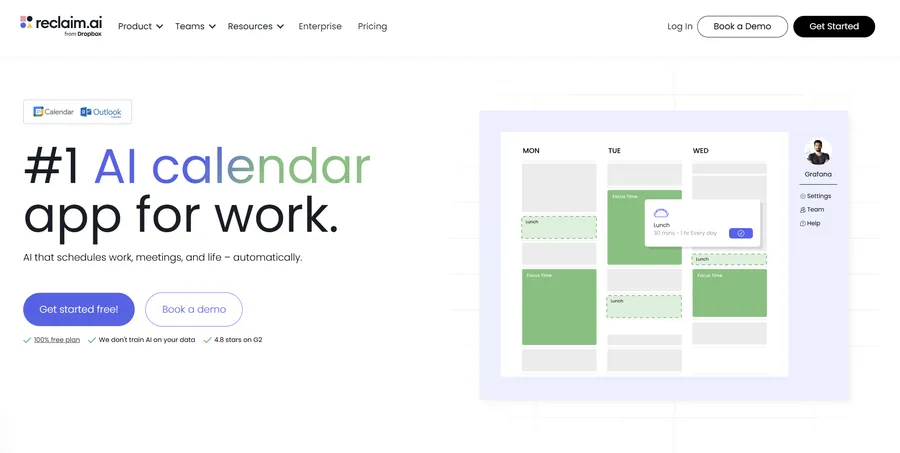
Reclaim is a smart calendar management tool. It optimizes daily schedules by automatically finding the best time for tasks, meetings, daily habits, and breaks. It looks at existing calendar events and intelligently blocks out time for deep work.
- Key Features: It automatically protects time for high-priority projects. The “Smart Meetings” feature schedules team calls at the best time for everyone involved. It also lets users set up recurring daily habits and connect smoothly with task managers like Asana or Todoist.
- Pros: It is excellent at protecting focus time without manual effort. The calendar adapts easily to last-minute changes and connects well with popular productivity tools.
- Cons: There is currently no dedicated mobile app. Full features require the use of Google Calendar. It is not built for managing complex, multi-step team projects.
- Pricing: Offers a free “Lite” plan. Paid options start at $10 per user per month.
2. OpenClaw
OpenClaw takes a different approach as an open-source, self-hosted personal assistant AI. It runs directly on the user’s computer and communicates through familiar messaging apps like Telegram, Slack, or WhatsApp.
- Key Features: It runs locally on Mac, Linux, or Windows, which ensures complete data privacy. It can execute real system commands, manage local files, search the web, and start custom automations. It also remembers context across different chat sessions.
- Pros: It actually performs tasks rather than just giving advice. Local hosting means sensitive business data is never sent to external cloud servers. Users can interact with it through the messaging apps they already use daily.
- Cons: Setting it up requires technical skills, including knowing how to use command-line interfaces and API keys. While the base software is free, using powerful language models will cost money through API usage fees.
- Pricing: Free and open-source under the MIT License, though third-party API costs will apply.
3. Akiflow
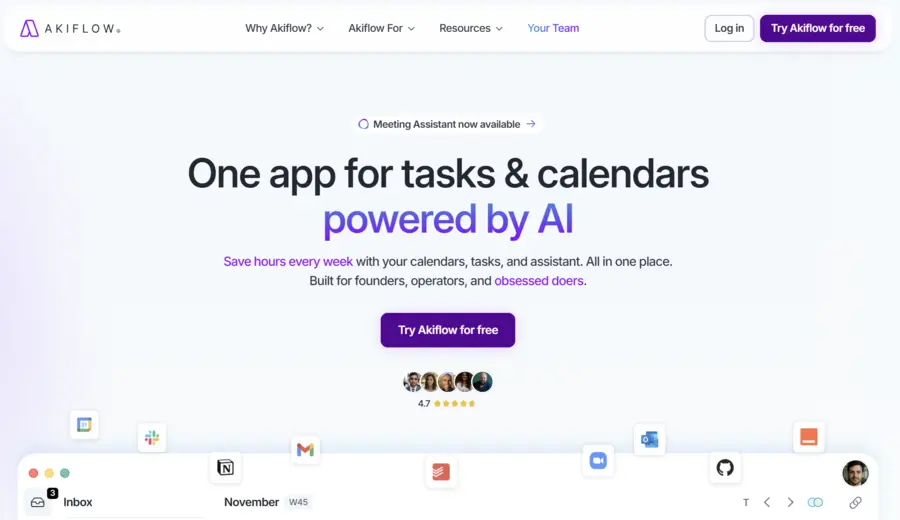
Akiflow is a central workspace that pulls tasks from various apps into one clean calendar view. It is built for professionals who need to see all their responsibilities in one place to plan their day accurately.
- Key Features: It provides a combined view of tasks and calendar events. Users can drag and drop tasks to block out time easily. It quickly captures action items from apps like Gmail, Slack, and standard project management software.
- Pros: The interface is extremely fast and removes distractions. An AI personal assistant like this is highly beneficial for professionals managing different projects—such as writing SEO content while also overseeing technical website updates—because it keeps everything on one dashboard.
- Cons: There is no permanent free tier after the trial ends. The platform also does not have a built-in place to take long notes.
- Pricing: $34 per month, but an annual plan reduces the cost to $19 per month.
4. Motion
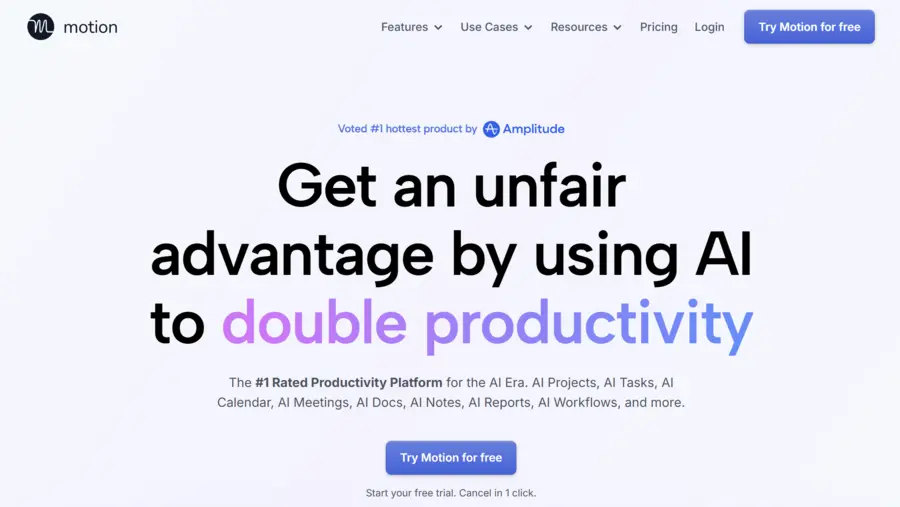
Motion uses complex algorithms to auto-schedule tasks, meetings, and project steps based on strict deadlines and priority levels. It acts almost like an automated project manager.
- Key Features: It features automatic daily scheduling that shifts when priorities change. It includes Kanban boards and standard list views. The calendar syncs perfectly across Google, Outlook, and Apple.
- Pros: It brings multiple productivity tools into one central hub. It actively stops users from overbooking their time. This makes it a great choice for managing a strict content publication schedule.
- Cons: The price is relatively high compared to other options. The design can feel a bit overwhelming for single users who only have simple task lists.
- Pricing: Individual plans start at $34 per month (or $19 per month if billed annually).
II. Chat-Focused Personal AI Assistants
Chat-focused models use natural language processing to help with writing, brainstorming, and research. They serve as excellent digital partners for creative and analytical thinking.
5. ChatGPT

ChatGPT remains a top choice for conversational artificial intelligence. It fits easily into many different workflows, helping with everything from writing emails to solving logic problems.
- Key Features: It offers deep document analysis, email drafting, and meeting summaries. It also has strong research abilities because it can browse the web for current information.
- Pros: It provides accurate, context-aware answers. A personal assistant AI like ChatGPT is perfect for generating SEO-optimized titles, analyzing keywords, or creating outlines for educational blog posts.
- Cons: It lacks a dedicated space to manage a calendar or a daily to-do list. Users must constantly provide background context when starting a new project.
- Pricing: Free basic access. “Plus” plans start at $20 per month.
6. Pi
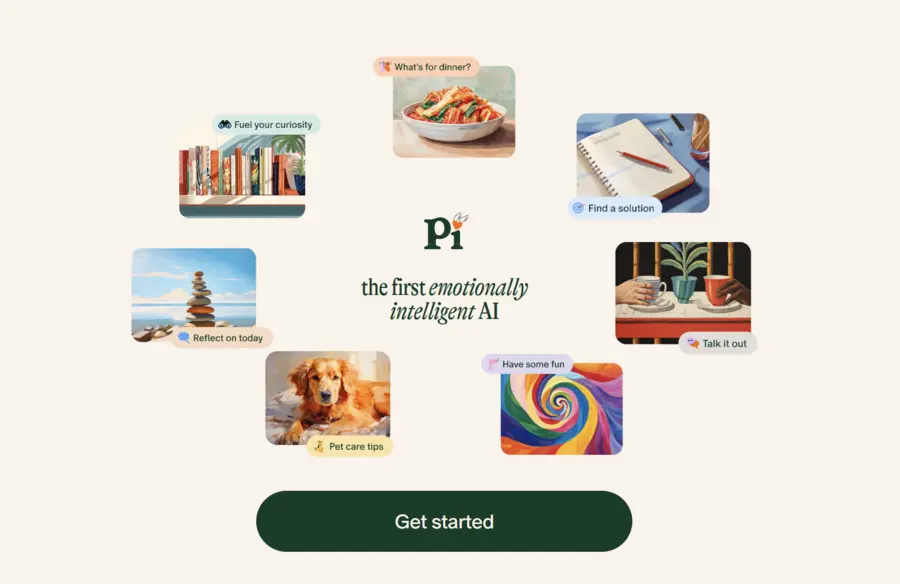
Pi is built differently, focusing heavily on emotional intelligence and supportive conversation. It mixes light productivity tools with a friendly interface to help reduce daily stress.
- Key Features: It provides a highly adaptive, conversational interface. It helps manage simple to-do lists and offers gentle reminders. It has a strict privacy policy and does not store user data long-term.
- Pros: The interactions feel warm and highly personalized. It is ideal for users who want a calm, low-pressure space to talk through complex decisions or plan their day without feeling rushed.
- Cons: It offers very few connections to third-party software. It is not suitable for automating heavy, complex administrative workflows.
- Pricing: Currently available completely for free.
7. Claude
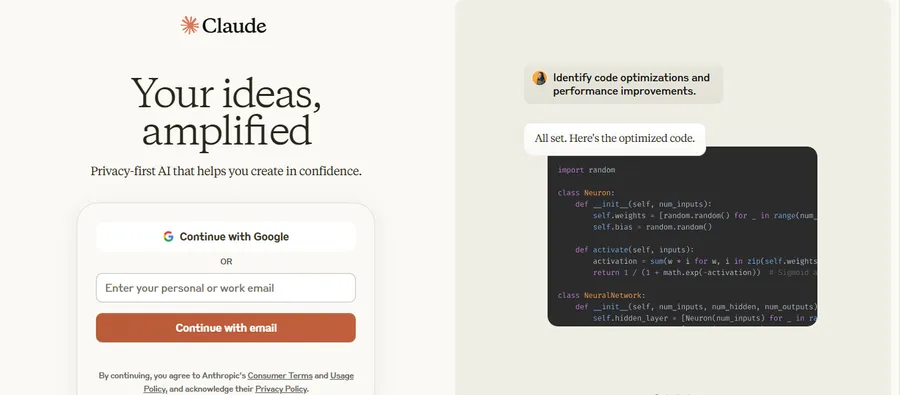
Created by Anthropic,Claude is known for its excellent writing style and its ability to process huge amounts of text at once. This makes it perfect for reading through long reports or entire books.
- Key Features: It is exceptional at following complex instructions over long conversations. It handles detailed writing, technical research, and data review easily.
- Pros: Its deep reasoning makes it perfect for structuring long-form WordPress articles or writing technical comparisons. It is also very good at matching a specific brand tone of voice.
- Cons: In the past, it had less access to live internet data compared to other tools, though this feature is actively improving.
- Pricing: Free basic tier available. The “Pro” tier costs $20 per month.
8. Gemini
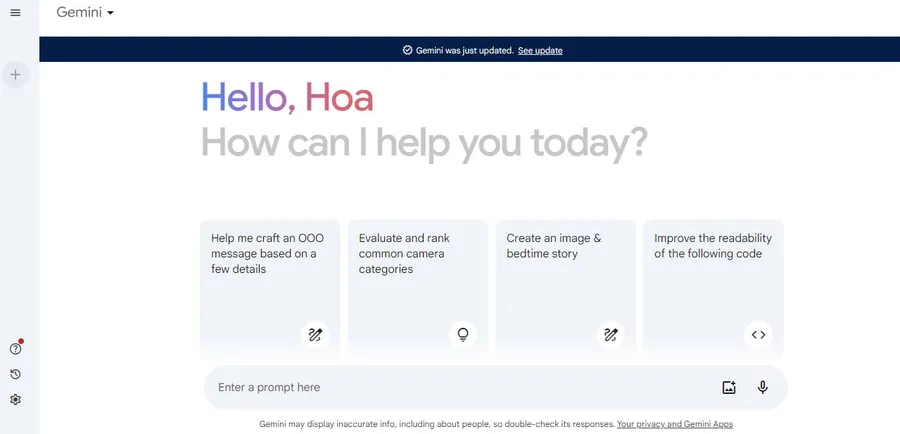
Gemini is Google’s top model, built to work smoothly right inside the Google Workspace ecosystem.
- Key Features: It functions directly inside Google Docs, Sheets, and Gmail. It offers strong data analysis features and lets users create custom “Gems” for specific, repeated tasks.
- Pros: It is highly effective for organizing audience segments, planning email marketing campaigns, or setting up A/B testing grids right inside Google Sheets.
- Cons: Its best features only work within the Google ecosystem, which makes it less useful for professionals who rely on Microsoft or Apple products.
- Pricing: Free basic access, while the advanced versions are bundled into Google One subscriptions.
9. Perplexity
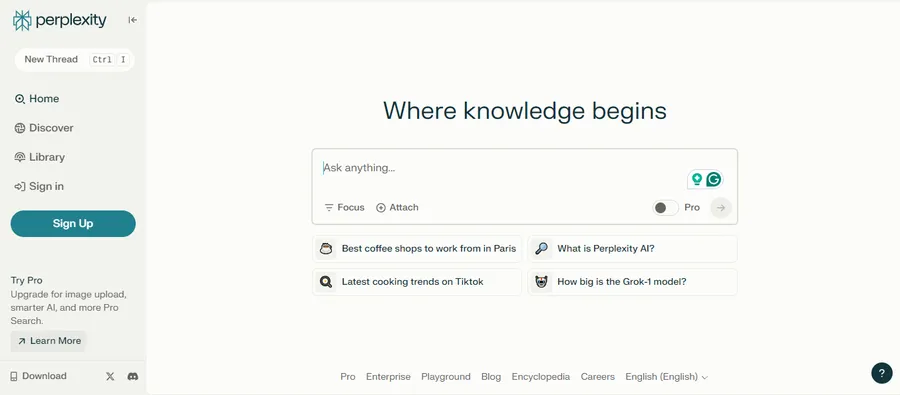
Perplexity acts more like an advanced answer engine than a standard chatbot. It searches the web in real-time to provide detailed, heavily cited answers.
- Key Features: Every response includes direct links to the original sources. Users can easily tell the AI to only search specific areas, like academic journals or video platforms.
- Pros: It saves hours of clicking through search engine results. It is essential for checking facts and doing reliable, deep research on new topics.
- Cons: It is not built to write creative blog posts or manage a calendar. The most advanced research features are limited on the free plan.
- Pricing: Free basic usage. “Pro” plans are available for $20 per month.
How to Choose the Right AI Assistant for Personal Use
Finding the best tool requires looking closely at daily bottlenecks.
- Identify the Main Problem: If managing a chaotic schedule is the main issue, work-focused tools like Reclaim or Motion are the best fit. If the struggle is writer’s block or complex research, chat-focused tools like Claude or Perplexity will be much more helpful.
- Check System Compatibility: Make sure the chosen software actually connects with current workflows. A tool only helps if it can talk to the email clients and content platforms already in use.
- Review the Interface: The best tool is one that is easy to use. If a platform feels too complicated or requires too much manual typing, it will slow work down rather than speed it up.
Conclusion
The market for artificial intelligence tools is wide, and no single app works perfectly for everyone. The best setup acts as a natural extension of a professional’s workflow, cutting down on app-switching and automating routine tasks. Whether using an algorithm to block out focus time or using a language model to draft clear copy, finding the right personal AI assistant is a vital step toward better daily focus and long-term success.
FAQs: Best Personal AI Assistants for Task Automation
1. What makes a tool the best AI personal assistant for workplace use?
The best workplace tools integrate smoothly into existing daily routines. They should connect easily with calendars, task managers, and email platforms to handle scheduling, summarize long documents, and reduce the time spent jumping between different software.
2. Can an AI assistant for personal use replace a human assistant?
No, these tools are meant to support human work, not replace it. While they are great at automating simple tasks, organizing data, and writing first drafts, they do not have human judgment, strategic thinking, or the ability to manage complex relationships.
3. Are there secure personal assistant AI apps that protect private data?
Yes. For professionals who need absolute privacy, open-source models that run directly on a local computer ensure data never goes to the cloud. Also, paid enterprise plans for commercial models usually include strict data agreements that stop user inputs from training future models.
4. How does a personal AI assistant manage a complex calendar?
Work-focused apps use algorithms to look at deadlines, how long tasks take, and meeting priorities. They automatically reserve time on the calendar for focused work. If a vital meeting is added at the last minute, the tool reshuffles the remaining tasks so deadlines are still met.
5. Which type of AI tool is best for content professionals?
Models known for natural language processing are best for writers and creators. Tools with large context windows and strong reasoning skills are excellent for brainstorming, creating article outlines, and writing specific, SEO-friendly text while keeping a natural tone.
Read more: OpenClaw vs ChatGPT: Is The Switch Really Worth It?
Contact US | ThimPress:
Website: https://thimpress.com/
Fanpage: https://www.facebook.com/ThimPress
YouTube: https://www.youtube.com/c/ThimPressDesign
Twitter (X): https://x.com/thimpress_com