Launching an educational platform requires significantly more than just purchasing software subscriptions and uploading video content. A truly effective digital academy acts as a dynamic environment that fosters skill development, encourages active participation, and tracks professional growth accurately.
However, many organizations rush the initial setup phase without proper planning. This leads to frustrating user experiences and wasted financial resources. Recognizing and addressing the common mistakes when building an LMS website early in the planning stage saves both time and capital. By understanding what usually goes wrong during development, administrators can construct a streamlined, highly engaging portal that genuinely supports student success.
Eduma – Education WordPress Theme
We provide an amazing WordPress theme with fast and responsive designs. Let’s find out!
Why Do You Need An LMS?
Being the leader of a company, you must be curious before investing your money in any software or IT management system. Low maintenance costs must not be the only goal of implementing an LMS. Buying new software is considered one of the most serious decisions an entrepreneur has to take.
One of the basic goals of implementing an LMS is to make your life easier and streamline training for your staff. Let’s find out some of the core goals behind the installation of an LMS:
- Administration: This system provides you with the opportunity to manage course catalogs easily. You can handle classroom enrollment, coordinate instructors, and organize materials effortlessly from a single dashboard.
- Anytime, Anywhere Access: An LMS allows you to grant access to learners at any location and at any point in time. A web-based or cloud-based system ensures that participants can reach their eLearning or training courses from anywhere. This functions as a 24/7 support system.
- Company-Wide Solution: The LMS can be used by the entire company rather than being restricted to a single department, providing a unified educational hub.
- Compliance: You can configure this software according to your specific needs. For example, if you just need to educate your employees regarding company rules and policies, you can use it for minimal usage by curtailing other complex features.
- Onboarding: An LMS is the perfect solution if you are looking to onboard your new employees efficiently and reduce their initial learning curve.
- Ongoing Skill Building: Many organizations consider certification and ongoing training to be very important. In these cases, the use of an LMS is incredibly handy for tracking long-term professional development.
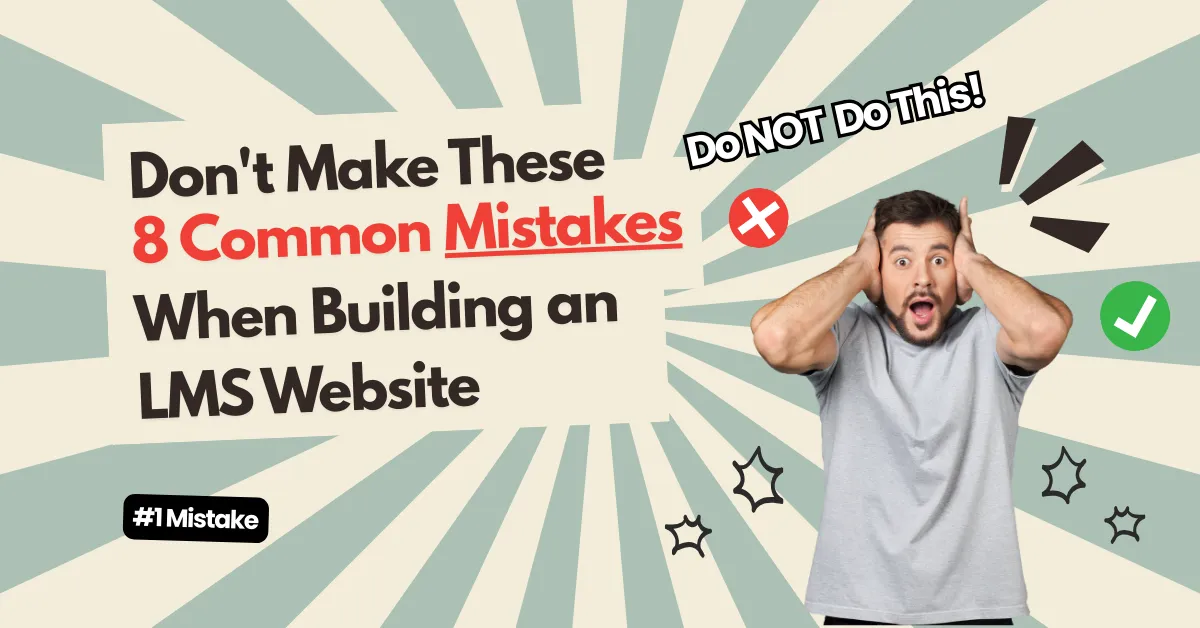
8 Common Mistakes When Building an LMS Website to Avoid
With a clear understanding of why this technology is necessary, developers must focus on execution. The following guide details eight major missteps to avoid during deployment.
1. Failing to Define Clear Training Objectives

Setting up a platform without establishing clear, measurable training goals results in a system that lacks direction. This scenario leads to frequent online course website errors long before technical development begins. Organizations must carefully outline exactly what the system needs to accomplish. Do your learners need short microlearning sessions, or extensive certification tracks?
Establishing specific objectives ensures every technical decision aligns perfectly with your broader educational mission.
2. Neglecting User Experience and Interface Design

Students will quickly abandon a digital portal if it proves overly difficult to navigate. A cluttered interface and poorly organized course catalogs actively disrupt the educational process. Prioritizing a clean layout is essential.
When exploring eLearning WordPress themes, look for designs that remain highly intuitive, allowing participants to easily locate their enrolled classes and check their grades without unnecessary clicks.
3. Overlooking Mobile Device Optimization

A massive segment of today’s learners access training materials exclusively through smartphones and tablets. Designing a system solely for wide desktop screens ranks among the most damaging LMS website mistakes an organization can make.
If a site lacks responsive design, mobile users will face unreadable text blocks and inaccessible quizzes. Utilizing mobile responsive LearnPress themes allows busy professionals to study conveniently while commuting or traveling, directly driving higher course completion rates.
4. Treating the Platform as a Static File Repository

Simply uploading static text documents into a digital folder does not create a comprehensive learning environment. Modern students expect highly interactive and stimulating content. When a site functions merely as a digital storage drive, student engagement drops drastically.
Developers should incorporate dynamic elements like automated assessments and peer discussion boards. Utilizing a powerful tool like the LearnPress plugin easily transforms a basic website installation into a highly interactive educational hub.
5. Ignoring Essential Third-Party Integrations

Operating an isolated system creates tedious administrative work. A robust educational platform must connect seamlessly with external software tools to function at peak efficiency. This includes integrating reliable video conferencing software for live lectures, automated email services, and secure payment gateways. Establishing these connections early simplifies complex tasks and significantly reduces manual data entry.
6. Choosing Incompatible Technology Stacks
Selecting the right underlying technology requires meticulous research. Many administrators encounter severe issues because they install poorly coded extensions that conflict directly with their core software. These incompatibilities inevitably cause slow page loading speeds and unexpected site crashes.
To avoid this, read professional reviews to find thebest LMS plugin for WordPress and ensure your chosen tools receive regular security updates.
7. Overwhelming Learners with Excessive Content

Presenting students with an overwhelming amount of information immediately upon their first login causes severe cognitive overload. Dumping an entire year’s worth of curriculum onto a single dashboard is highly detrimental. Instead, logically organize content into manageable sections. Implementing a strict drip-feed schedule—where lessons unlock gradually—helps maintain student focus and prevents academic burnout.
8. Underutilizing Data Analytics and Feedback

Successfully launching the site represents only the first phase. Failing to monitor how students interact with the courses is a significant missed opportunity.
Tracking module completion rates and average quiz scores highlights specific areas where learners struggle. Furthermore, regularly distributing short surveys allows administrators to measure user satisfaction and resolve underlying problems quickly based on concrete behavioral data.
Conclusion
Developing a highly effective online academy requires strategic foresight and a strict dedication to usability. By actively anticipating and avoiding common mistakes when building an LMS website, organizations can successfully build an empowering digital environment.
Whether you are commissioning a custom build or looking for the best LMS WordPress themes to get started, prioritizing a clean interface and reliable technical performance always yields the best results.
Frequently Asked Questions: Common Mistakes When Building an LMS Website
1. How does an LMS enhance the overall functionality of an educational portal?
An LMS provides essential features such as structured curriculum management, automated grading systems, and integrated payment gateways. This converts a standard website into a fully operational academy with minimal technical friction.
2. What are the most typical technical problems encountered after launch?
Administrators frequently deal with unexpected plugin conflicts, sluggish page loading times, and formatting issues on mobile devices. Keeping all software components updated helps prevent these disruptions.
3. Why is mobile responsiveness critical for an LMS?
A large percentage of modern students access their coursework via smartphones. Without a highly responsive design, the platform becomes exceedingly difficult to navigate, leading to user frustration and lower engagement.
4. How does a poor user experience affect learning?
Complicated navigation menus distract students from the actual study materials. A clean, intuitive design ensures learners can easily find their assignments without facing unnecessary confusion.
5. What is the absolute best strategy to avoid common mistakes when building an LMS website?
Thorough, early planning remains the most effective strategy. Defining clear educational objectives, prioritizing mobile accessibility from day one, integrating robust data analytics, and actively listening to student feedback will ensure a successful and sustainable platform launch.
Read more: Eduma vs Divi for LMS Websites: Pros, Cons & Verdict
Contact US | ThimPress:
Website: https://thimpress.com/
Fanpage: https://www.facebook.com/ThimPress
YouTube: https://www.youtube.com/c/ThimPressDesign
Twitter (X): https://x.com/thimpress_com