





















Random Quiz Add-on for LearnPress

  • Create dynamic quizzes by pulling a random selection of questions from your established question bank for any test.

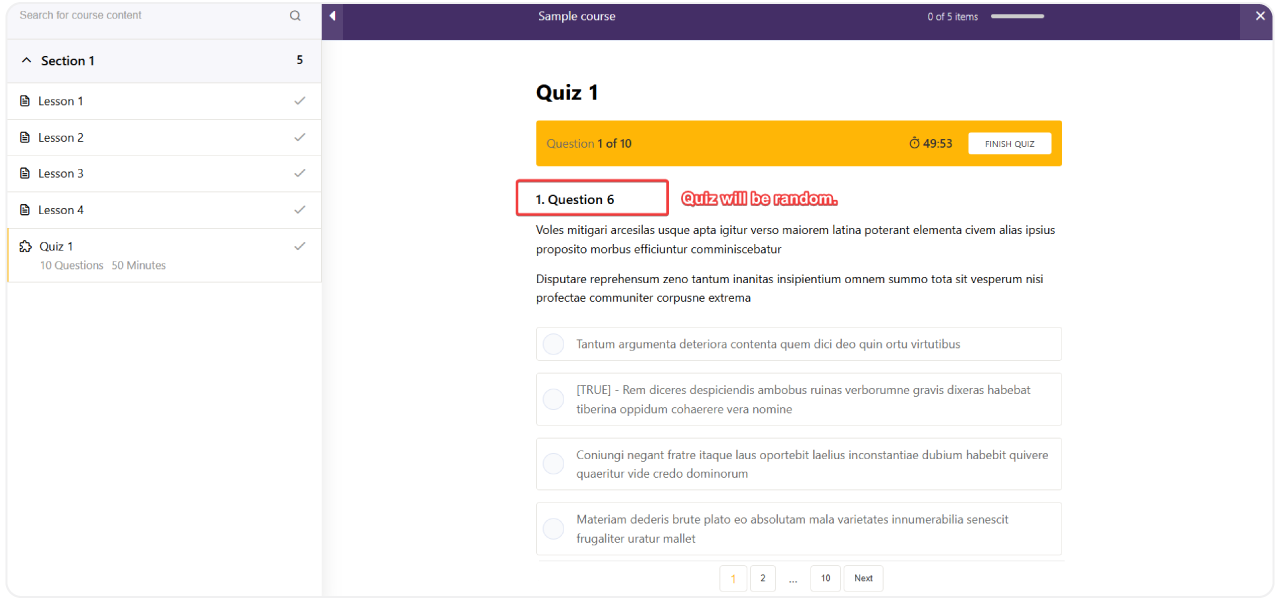
  • Automatically shuffle the order of questions, presenting a unique quiz experience to every individual student.

  • Deter academic dishonesty and improve assessment integrity by ensuring students cannot share questions or answers.

  • Increase the reliability and accuracy of your knowledge assessments in any online course environment.

Configure Random Question Count

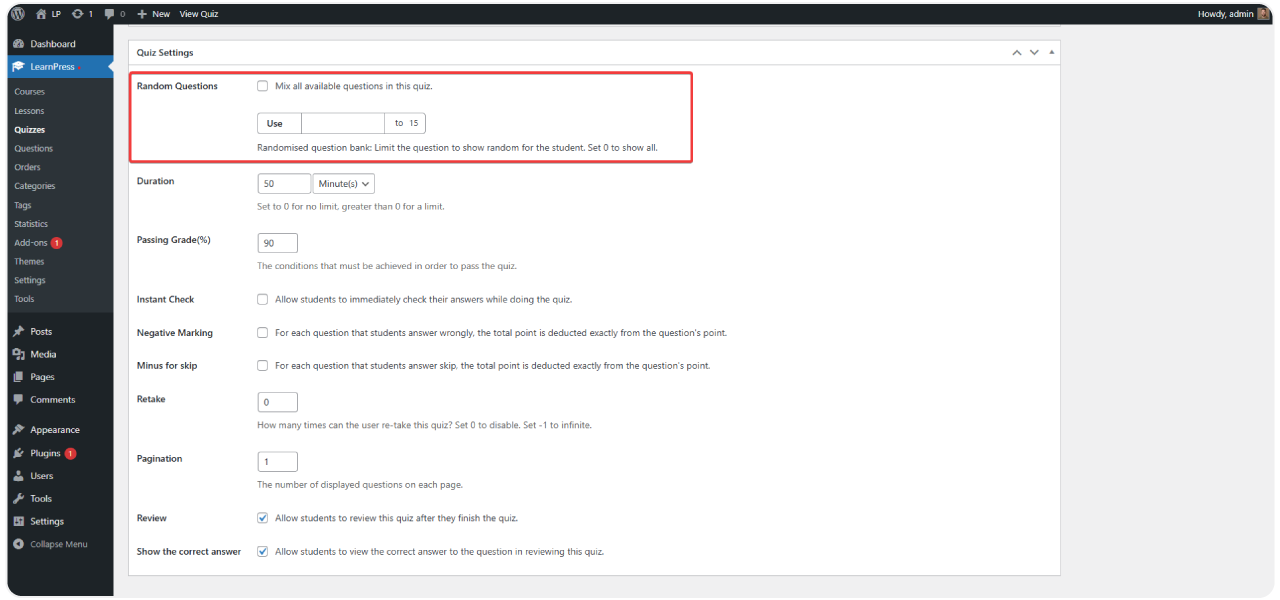
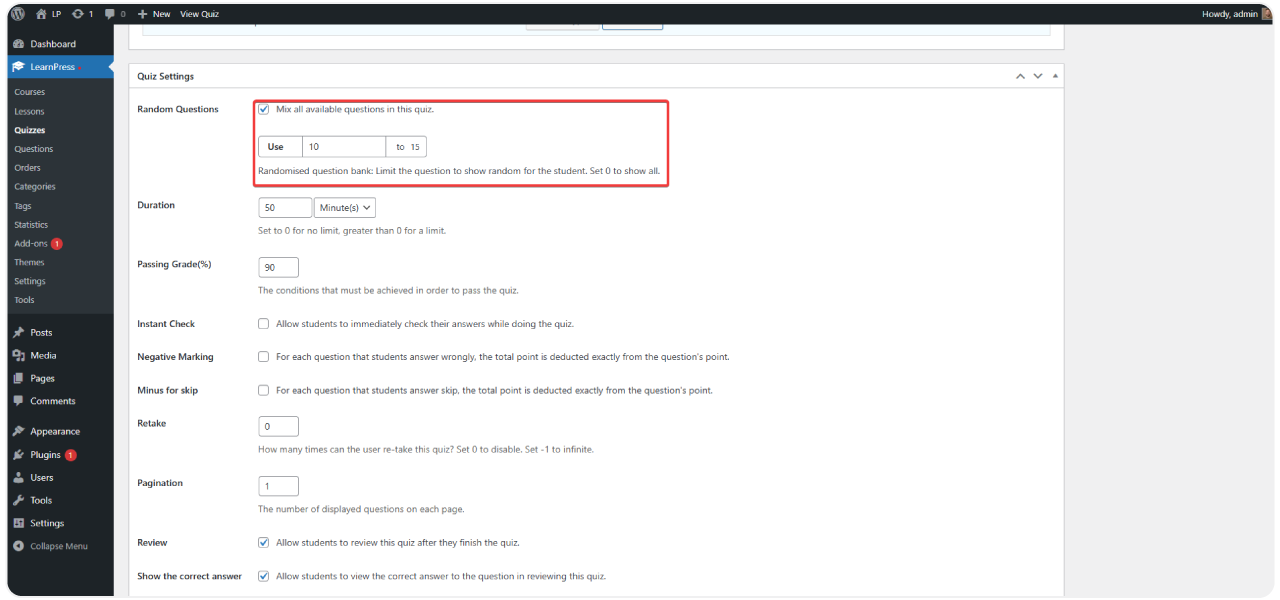
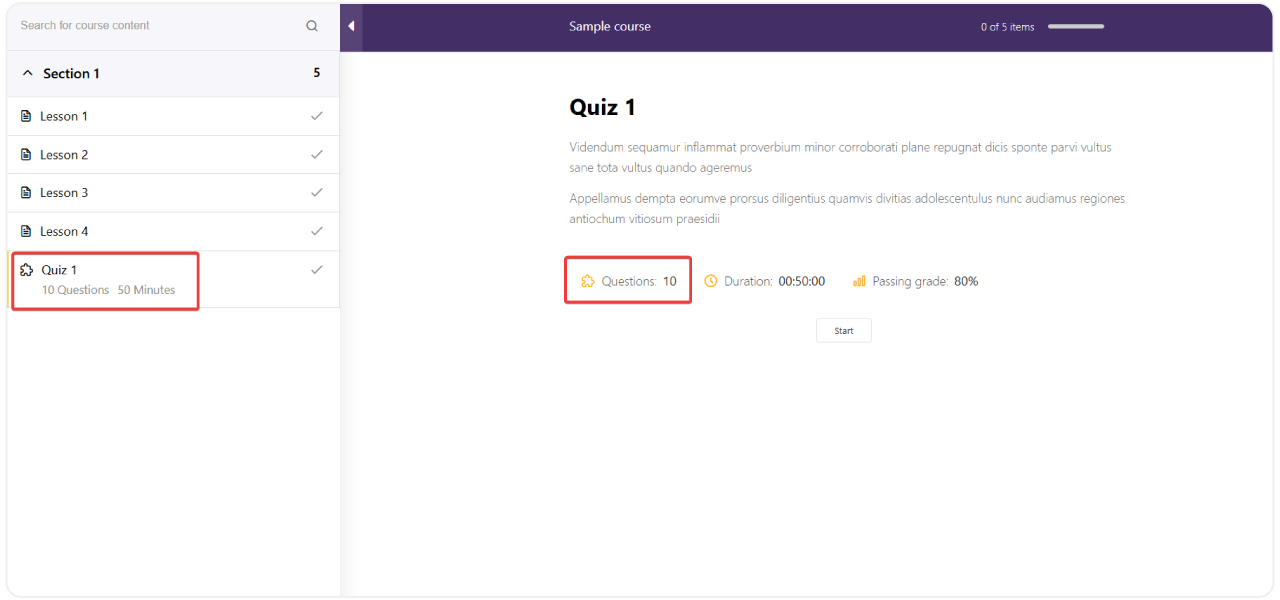
Set a specific number of questions to be randomly selected from your larger question bank. The system automatically pulls the exact amount you define for each quiz attempt.

Connects with the Question Bank
Maintains Automatic Grading
Detailed Student Reporting
20 reviews

Active Users: 394

Price: $29

  • Lifetime license for 1 site License Info:Includes lifetime usage on 1 site. You can switch between environments as needed by deactivating/reactivating the key. Only one active installation can receive updates and support at a time.Learn More
  • 12 months Update & Support Updates & Support Info:Purchase includes 12 months of updates and support. After expiry, the add-on remains functional, but you must renew the license to access future updates and support services.Learn More
I would like to extend Update & Support
Total $29
Version
Version: 4.0.3
Last Updated: A week ago
Compatible to WordPress Version: 5.8 or higher
Change Logs

= 4.0.4 (2023-10-18) =
~ Fixed: case Evaluate by total questions pass.
~ Fixed: random questions with option load all questions (set value = 0).

= 4.0.3 (2023-01-17) =
~ Fixed: error if set "Random Questions" > 16.
~ Fixed: error if set "Random Questions" question = 0.

= 4.0.2 =
~ Added: feature questions bank.

= 4.0.1 =
~ Fixed: error random question when option "random question" turn off

= 4.0.0 =
~ Fixed compatible LP4

Screenshots

random-quiz-1
random-quiz-2
random-quiz-3
random-quiz-4
random-quiz-5

All Your Questions
Answered

You have questions.
We have answers.

What is the Random Quiz Add-on for LearnPress?

The Random Quiz add-on for LearnPress is an extension for the LearnPress LMS plugin on WordPress. It gives instructors the ability to create quizzes where questions are randomly selected from a larger pool of questions, providing a different test for each student.

What is the step-by-step process for using this add-on?

The process is straightforward:
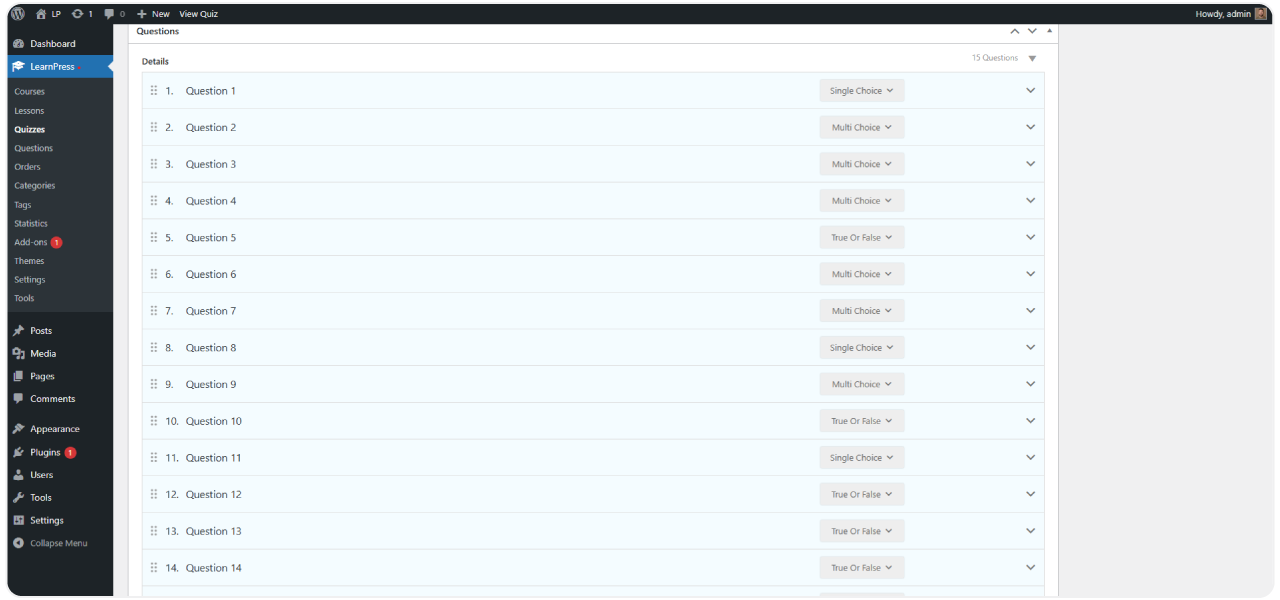
Create a Question Bank: First, populate the LearnPress Question Bank with a large number of questions for a specific topic.
Create a New Quiz: When creating your quiz, enable the option to select questions randomly and specify the number of questions you want to appear on the test.
Configure Settings: Set the quiz duration, limit the number of attempts, define the passing score, and adjust other options as needed.
Publish: Once published, the system will automatically present a random set of questions to each student who takes the quiz and will grade their submission instantly.

How exactly does the Random Quiz add-on for LearnPress prevent cheating?

This add-on enhances anti-cheating measures by making it impractical for students to “share the test”. Because each student receives a different, randomly selected set of questions in a shuffled order, they cannot copy from a classmate or use a pre-shared list of answers. This ensures that the work submitted is their own.

How does the add-on improve the quality of assessments?

The add-on enhances the entire assessment process by focusing on three core objectives:
Increased Security: By generating unique tests for every user, it secures the testing process against common forms of cheating.
Improved Accuracy: The results more accurately reflect each student’s individual knowledge, as they are based on their work.
Enhanced Transparency: While students receive different questions, instructors have a transparent view of every student’s specific test, their answers, and the final grade, all recorded systematically in the LearnPress backend.

How do the features translate into practical benefits?

Certainly. Here is how the features translate into real-world benefits:
Feature: Random Questions -> Benefit: Each student gets a different test, which significantly limits cheating and makes assessments fairer.
Feature: Automatic Grading -> Benefit: Instructors save a great deal of time on grading and compiling reports, allowing them to focus on teaching.
Feature: Test Diversification -> Benefit: You no longer need to manually create multiple versions of a single quiz to prevent cheating, saving valuable preparation time.
Benefit of All Features Combined: The overall assessment process becomes more reliable, providing a true reflection of each student’s knowledge.

What are the system requirements?

To use this product, you must have the main LearnPress plugin installed and activated on your WordPress website.

Go to our Forum and explore more than 2000 support topics
Feel free to contact us for support anytime

Reviews

Total Reviews
20
Average Rating
5 out of 5
5
20
4
0
3
0
2
0
1
0
  1. ryan_teaches

    Happy with this addon
    No complain, randomization is consistent and quiz loads fast even with a large question bank.

  2. Thabo Nkosi

    Works great for our academy
    Instructors love that they can build one big question bank and let the system pick different question each time student attempt the quiz, saves them time creating multiple quiz version manually.

  3. katie_edu

    Setup was quick and question pool management is intuitive, randomize feature works exactly as described.

  4. dan_admin

    Does the job well
    Simple addon, does what it say, question randomization applies correctly across all our course.

  5. Lucia Fernandez

    Really helped with our exam prep courses
    We run certification prep courses so having a large question bank with random selection each attempt is exactly what we needed. Students can practice multiple times without seeing the exact same quiz twice, which keeps the practice more useful and realistic.

We're Here to Assist!
Click to Chat on Messenger.

×