


































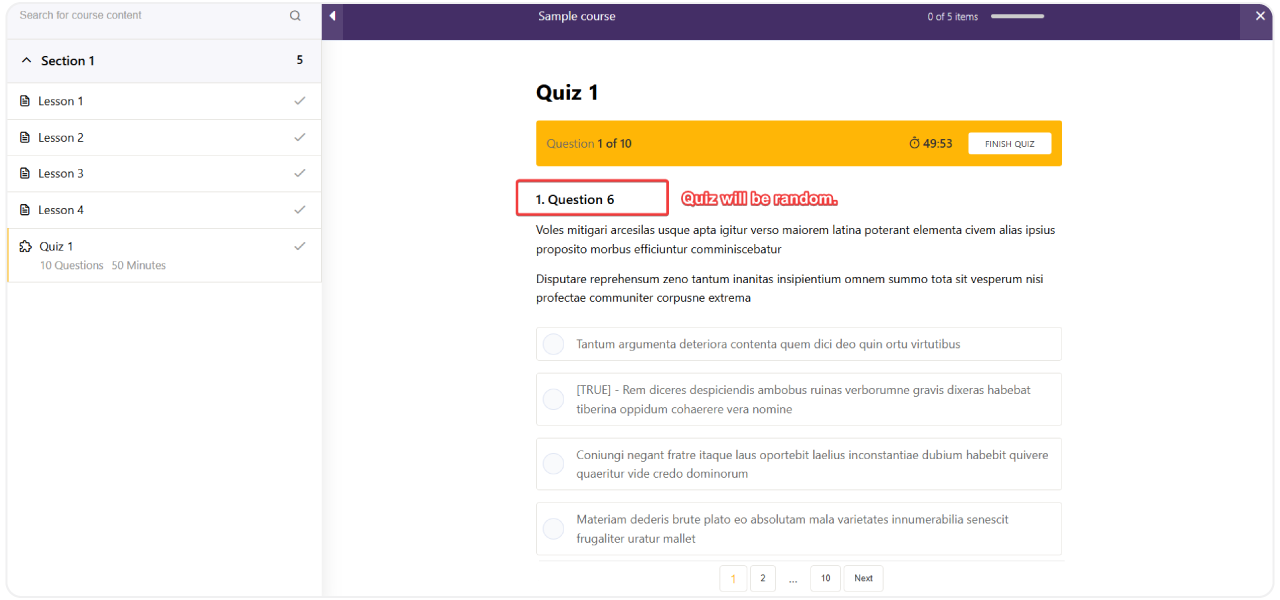

Random Quiz Add-on for LearnPress

  • Create dynamic quizzes by pulling a random selection of questions from your established question bank for any test.

  • Automatically shuffle the order of questions, presenting a unique quiz experience to every individual student.

  • Deter academic dishonesty and improve assessment integrity by ensuring students cannot share questions or answers.

  • Increase the reliability and accuracy of your knowledge assessments in any online course environment.

Configure Random Question Count

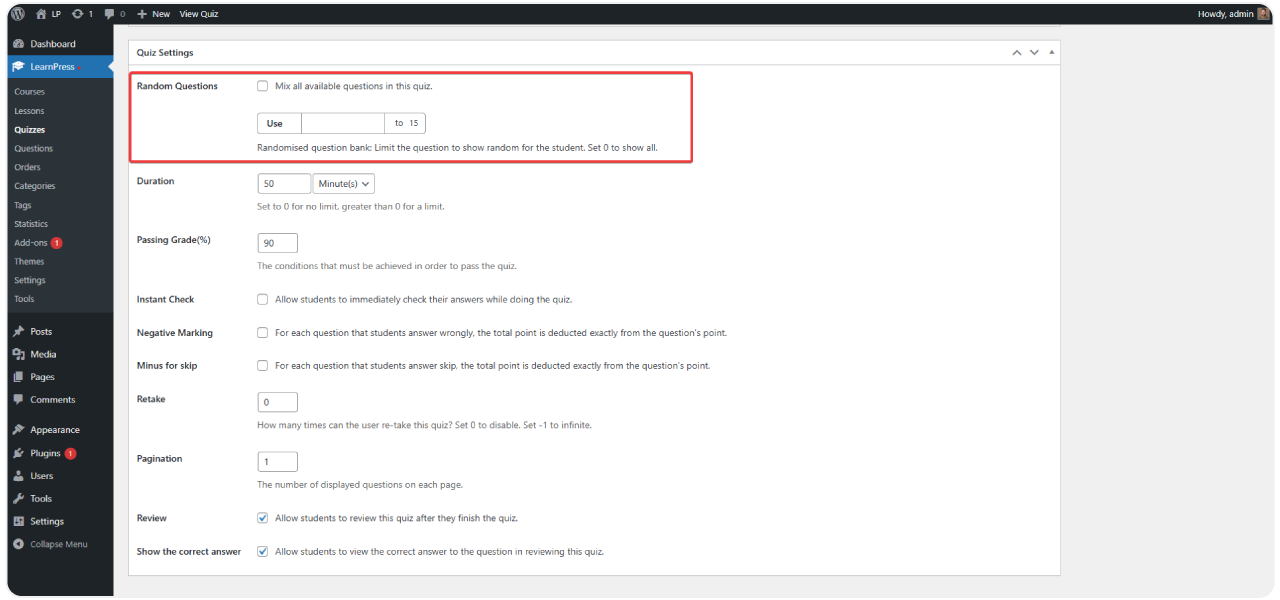
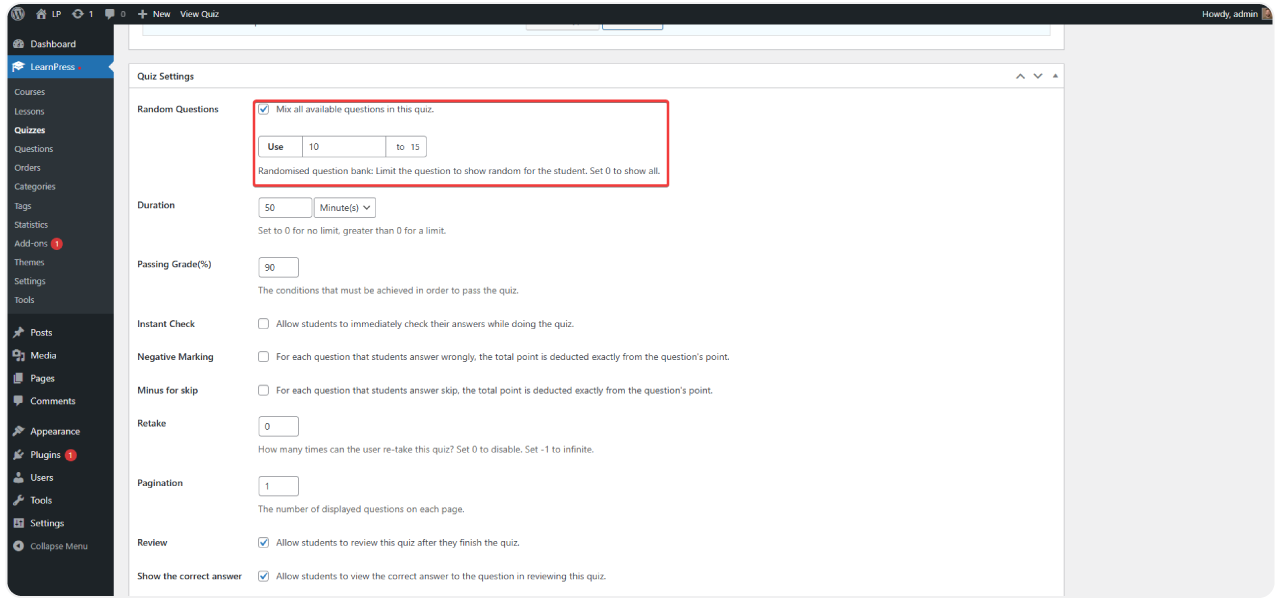
Set a specific number of questions to be randomly selected from your larger question bank. The system automatically pulls the exact amount you define for each quiz attempt.

Connects with the Question Bank
Maintains Automatic Grading
Detailed Student Reporting
21 reviews

Active Users: 394

Price: $29

  • Lifetime license for 1 site License Info:Includes lifetime usage on 1 site. You can switch between environments as needed by deactivating/reactivating the key. Only one active installation can receive updates and support at a time.Learn More
  • 12 months Update & Support Updates & Support Info:Purchase includes 12 months of updates and support. After expiry, the add-on remains functional, but you must renew the license to access future updates and support services.Learn More
I would like to extend Update & Support
Total $29
25% OFF SALE
Discount 25%
Get
BFW2026
Version
Version: 4.0.5
Last Updated: 17 November 2026
Compatible to WordPress Version: 7.1
Change Logs

= 4.0.5 (2026-11-17)

Refactor, optimize
= 4.0.4 (2023-10-18) =

~ Fixed: case Evaluate by total questions pass.
~ Fixed: random questions with option load all questions (set value = 0).

= 4.0.3 (2023-01-17) =
~ Fixed: error if set "Random Questions" > 16.
~ Fixed: error if set "Random Questions" question = 0.

= 4.0.2 =
~ Added: feature questions bank.

= 4.0.1 =
~ Fixed: error random question when option "random question" turn off

= 4.0.0 =
~ Fixed compatible LP4

= 3.1.2 =
~ Fixed check null variable

= 3.1.1 =
~ Fixed bug: not start the quiz with the first question after randomizing.

= 3.1 =
~ Compatible with frontend editor addon

= 3.0.0 =

Initial released.

Screenshots

random-quiz-1
random-quiz-2
random-quiz-3
random-quiz-4
random-quiz-5
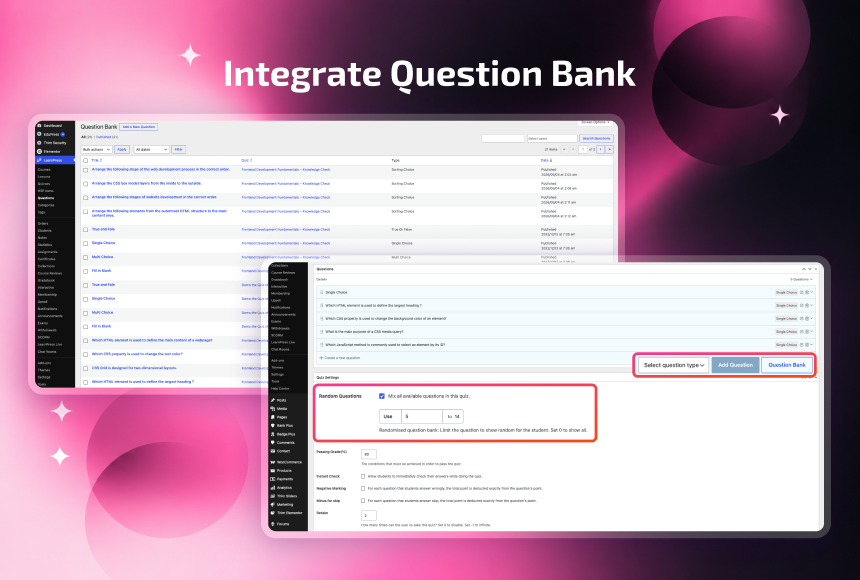
integrate question bank

Build Quizzes From Reusable Questions

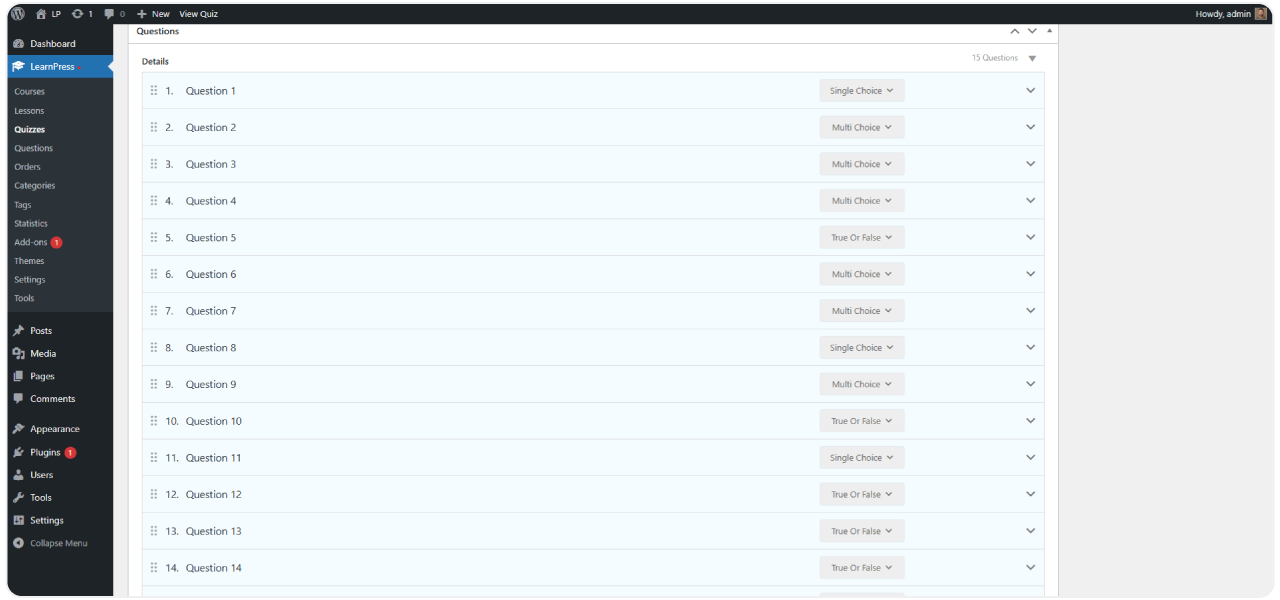
  • Select existing questions from the LearnPress Question Bank and add them directly to your quiz.
  • Combine question bank content with newly created questions within the same assessment.
  • Choose a question type and add questions efficiently through the integrated quiz builder.
  • Reuse a centralized question pool to simplify quiz creation and maintain consistent assessment content.

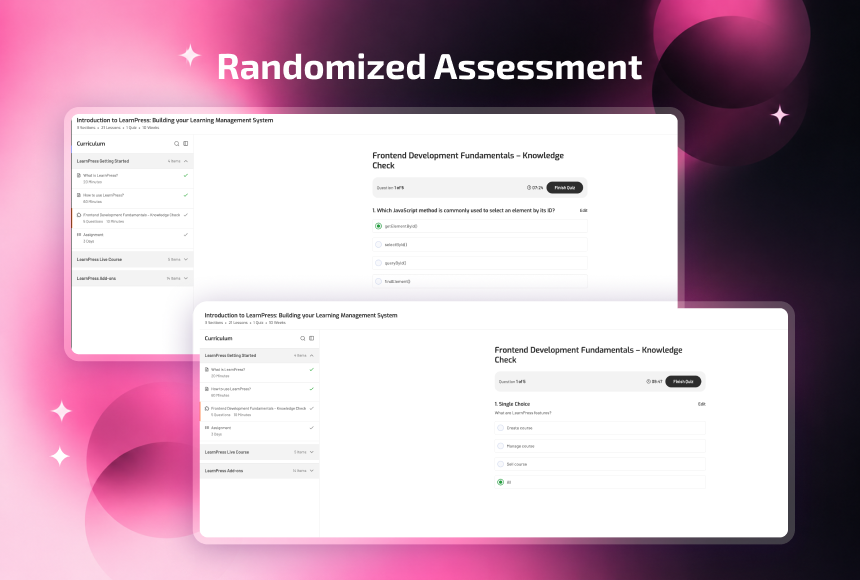
Generate Unique Quizzes For Every Student

  • Randomly select questions from your question bank to create different quiz sets for each attempt.
  • Define the number of questions students receive from the available question pool.
  • Mix available questions and deliver varied assessments without manually creating multiple quiz versions.
  • Reduce answer sharing and improve assessment fairness with randomized question selection.
Randomized Assessment
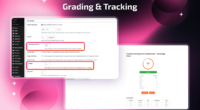
Grading Tracking

Configure Grading And Retake Rules

  • Set a passing grade to determine the minimum score required for students to pass the quiz.
  • Configure the number of retakes students are allowed to complete for additional practice.
  • Automatically grade randomized quizzes and display student results based on configured grading rules.
  • Track quiz scores, completion time, correct answers, and individual attempts through LearnPress.

All Your Questions
Answered

You have questions.
We have answers.

What is the Random Quiz Add-on for LearnPress?

The Random Quiz add-on for LearnPress is an extension for the LearnPress LMS plugin on WordPress. It gives instructors the ability to create quizzes where questions are randomly selected from a larger pool of questions, providing a different test for each student.

What is the step-by-step process for using this add-on?

The process is straightforward:
– Create a Question Bank: First, populate the LearnPress Question Bank with a large number of questions for a specific topic.
– Create a New Quiz: When creating your quiz, enable the option to select questions randomly and specify the number of questions you want to appear on the test.
– Configure Settings: Set the quiz duration, limit the number of attempts, define the passing score, and adjust other options as needed.
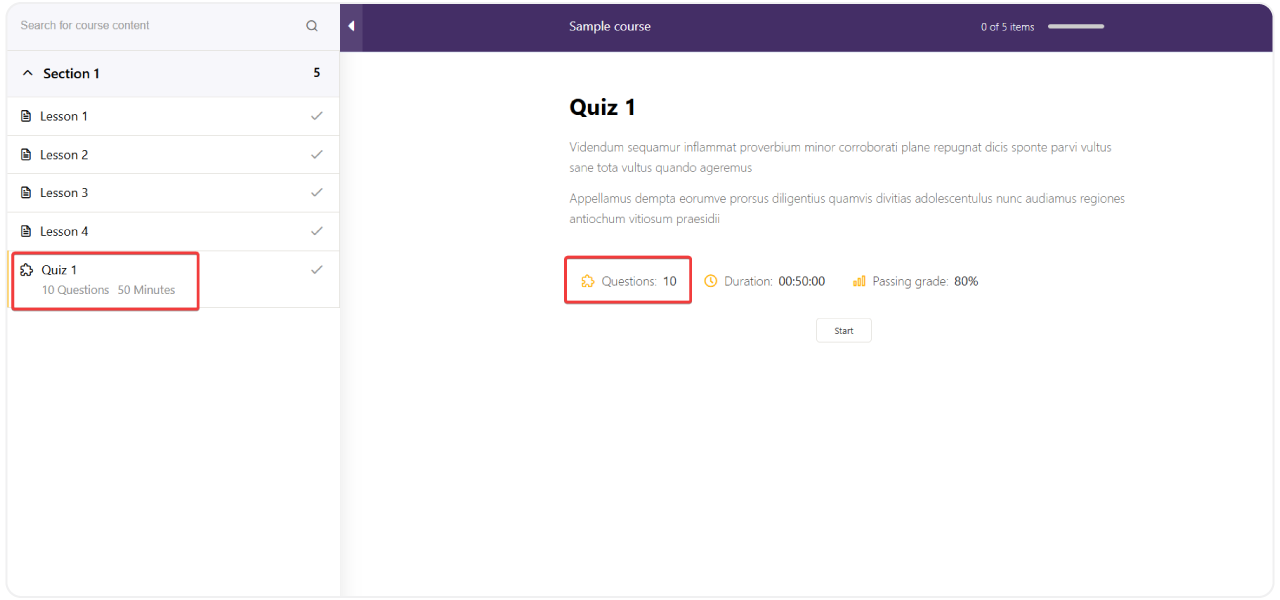
– Publish: Once published, the system will automatically present a random set of questions to each student who takes the quiz and will grade their submission instantly.

How exactly does the Random Quiz add-on for LearnPress prevent cheating?

This add-on enhances anti-cheating measures by making it impractical for students to “share the test”. Because each student receives a different, randomly selected set of questions in a shuffled order, they cannot copy from a classmate or use a pre-shared list of answers. This ensures that the work submitted is their own.

How does the add-on improve the quality of assessments?

The add-on enhances the entire assessment process by focusing on three core objectives:
– Increased Security: By generating unique tests for every user, it secures the testing process against common forms of cheating.
– Improved Accuracy: The results more accurately reflect each student’s individual knowledge, as they are based on their work.
– Enhanced Transparency: While students receive different questions, instructors have a transparent view of every student’s specific test, their answers, and the final grade, all recorded systematically in the LearnPress backend.

How do the features translate into practical benefits?

Certainly. Here is how the features translate into real-world benefits:
– Feature: Random Questions -> Benefit: Each student gets a different test, which significantly limits cheating and makes assessments fairer.
– Feature: Automatic Grading -> Benefit: Instructors save a great deal of time on grading and compiling reports, allowing them to focus on teaching.
– Feature: Test Diversification -> Benefit: You no longer need to manually create multiple versions of a single quiz to prevent cheating, saving valuable preparation time.
– Benefit of All Features Combined: The overall assessment process becomes more reliable, providing a true reflection of each student’s knowledge.

What are the system requirements?

To use this product, you must have the main LearnPress plugin installed and activated on your WordPress website.

Go to our Forum and explore more than 2000 support topics
Feel free to contact us for support anytime

Reviews

Total Reviews
21
Average Rating
4.8 out of 5
5
20
4
0
3
0
2
0
1
1
  1. ryan_teaches –

    Happy with this addon
    No complain, randomization is consistent and quiz loads fast even with a large question bank.

We're Here to Assist!
Click to Chat on Messenger.

×

Order Summary

0 items

Your cart is currently empty.

Start Shopping