Typing study cards by hand takes hours and often leaves learners too tired to actually review the material. Choosing the right flashcard maker solves this problem immediately. Whether preparing for medical board exams, learning a new language, or studying lecture slides, modern tools can create flashcards from PDFs, notes, and videos in seconds.
Active recall is proven to build stronger memory than passive rereading. With the right software and educational apps, students and working professionals can make flashcards online or on desktop programs without wasting valuable study time.
Below is a complete comparison of the 8 best platforms available, including their free plan limits, pricing, and core strengths.
Eduma – Education WordPress Theme
We provide an amazing WordPress theme with fast and responsive designs. Let’s find out!
Quick Summary: Top 8 Tools Compared
| Tool Name | Best For | Free Plan Details | Paid Pricing | Supported Inputs |
| Quizlet | Searching a massive library of shared sets | Free plan with limits on practice tests and modes | Plus: $7.99/mo; Plus Unlimited: $9.99/mo | Manual entry, text, documents, photos |
| Anki | Full control and advanced spaced repetition | Free on Windows, Mac, Linux, and Android | iOS app (AnkiMobile): $24.99 one-time fee | Manual entry, shared decks, .apkg imports |
| Knowt | Free Quizlet alternative with AI study tools | Free Basic plan (includes ads and learn mode) | Ultra: 19.99-24.99/mo (or $149.99/year) | PDFs, PowerPoints, Word, videos, audio |
| RemNote | Combining notes and flashcards in one workspace | Free forever (caps on AI credits and file uploads) | Pro: 8-10/mo; Pro with AI: 18-20/mo | Text, notes, PDFs, diagrams |
| StudyPDF | Generating cards cited directly to uploaded files | Free account (capped at 4 materials per week) | Pro (35 materials/week) and Ultra plans | PDFs, slides, scanned notes, YouTube videos |
| AnkiDecks | Fast AI card creation for Anki users | Free plan (limited to 4 decks per month) | Pro: $7.99/mo; Ultimate: $20.00/mo | PDF, Word, Excel, Epub, YouTube, images, audio |
| Brainscape | Short, confidence-based review sessions | Free Basic plan with core study features | Pro: starts at $7.99/mo (billed yearly) | Manual entry, AI prompts (Pro only) |
| Revisely | Turning handwritten notes into printable cards | Free Basic plan (non-AI cards only) | Paid with AI: $6.99/mo | Handwritten notes, text, documents |
What Is an AI Flashcard Maker and How Does It Work?
A modern flashcard maker does much more than provide blank digital cards for manual typing.
Many platforms now use artificial intelligence and natural language processing to scan study materials—such as lecture recordings, textbook photos, and PDF documents—to identify key concepts, definitions, and relationships automatically. It is one of the most practical ways to use AI in eLearning for everyday exam preparation.
Instead of spending an entire evening copying definitions, learners upload a file and let the software generate question-and-answer pairs. High-quality generators also build advanced card formats, including:
- Cloze deletions: Fill-in-the-blank sentences that test context and specific terminology.
- Multiple-choice questions: Quick checks for concept recognition before exam day.
- Image occlusion: Cards that hide labels on anatomical charts, maps, or technical diagrams so the user has to recall the hidden part.
These digital flashcards are not limited to school or university courses. Working professionals use them to pass certification exams, medical specialists use them to keep clinical knowledge sharp, and career switchers rely on them to master technical skills.
While automation handles the heavy work of building the deck, actual learning still requires consistent daily practice.
How These Tools Were Evaluated
To give an accurate comparison, every platform in this guide was checked against three practical criteria:
- Input Flexibility: The software should accept multiple file formats, such as PDFs, slides, and video links. Support for handwritten notes is an added advantage.
- Automation and Card Variety: A reliable tool must handle complex topics accurately and generate multiple card styles—not just simple one-line definitions.
- Learning Support: Creating decks is only the first step. The platform needs built-in spaced repetition scheduling to show difficult cards more often and easy cards less frequently. Extra tools like concept explanations and progress statistics add even more value.
Detailed Review of the 8 Best Platforms
1. Quizlet: Best for a Massive Library of Shared Sets
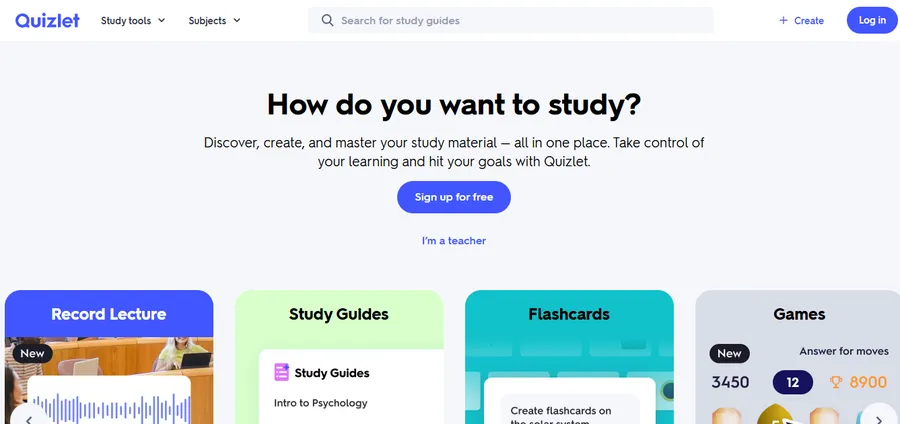
Operating since 2005, Quizlet is one of the oldest and most recognized names in digital flashcards. According to platform data, users have published over 900 million study sets covering almost every school course, textbook, and standardized exam.
For common classes, students often do not need to make flashcards online from scratch because dozens of community decks already exist.
When users do want to build custom sets, Quizlet provides both traditional manual entry and an AI generator that converts pasted text, uploaded files, or photos of handwritten notes into study sets, working much like specialized image-to-text converters built directly into your study dashboard.
Key Features:
- Unmatched public library: Searchable by school, course code, or textbook title.
- Polished mobile apps: Smooth animations and offline access for downloaded sets on iOS and Android.
- Multiple study modes: Includes standard flips, matching games, and practice tests.
- Visual cards: Easy support for adding pictures and diagrams to definitions.
Pros and Cons:
- Pros: Saves hours of work when studying popular subjects; very simple interface; reliable mobile apps.
- Cons: Public decks are made by other users and can contain factual errors; the free plan limits access to practice tests and advanced study modes; basic spaced repetition compared to Anki or RemNote.
Pricing:
- Free Plan: Free to browse sets and create basic decks (with ads and study mode caps).
- Paid Plans: Quizlet Plus costs around $7.99 per month, and Plus Unlimited is $9.99 per month (prices vary by region and billing cycle).
2. Anki: Best Free Software for Full Control
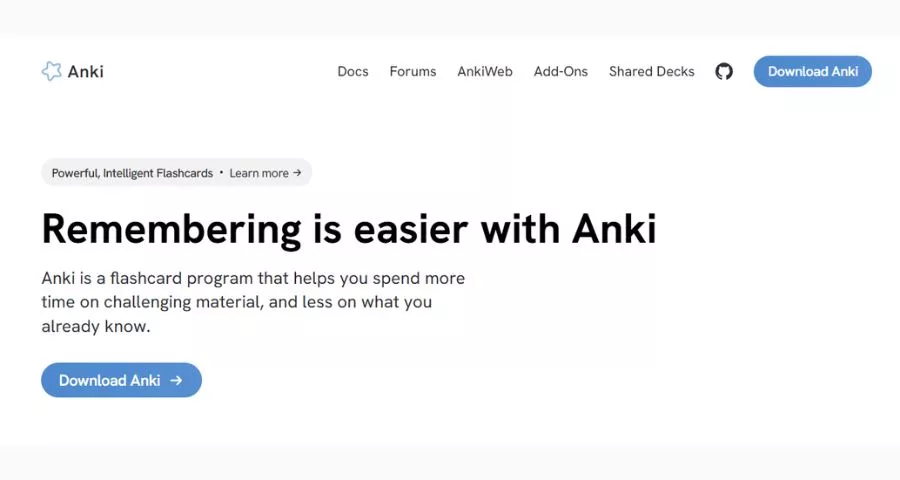
Anki is the gold standard for medical students and language learners who review large volumes of facts every day. It is an open-source program known for having the most customizable spaced repetition scheduler available.
Unlike automated web tools, Anki requires users to type cards manually, import decks from other tools, or download shared sets from AnkiWeb. In exchange for that manual effort, users get total control over review intervals, card templates, and hundreds of community add-ons.
Key Features:
- Advanced scheduling: Users can fine-tune every detail of how and when cards reappear.
- Offline desktop access: Runs locally on Windows, Mac, and Linux without needing an internet connection.
- Free cloud sync: AnkiWeb syncs study progress across desktop and mobile devices at no cost.
- Custom templates: Supports audio clips, mathematical formulas, custom styling, and complex cloze cards.
Pros and Cons:
- Pros: Completely free on desktop and Android; unmatched control over spaced repetition; massive community library for medical and language decks.
- Cons: Steep learning curve for beginners; manual card creation takes significant time; the iPhone and iPad app is a paid purchase.
Pricing:
- Free Plan: 100% free on Windows, Mac, Linux, and Android (via AnkiDroid).
- Paid Plans: AnkiMobile for iPhone and iPad costs a one-time fee of $24.99 on the App Store.
3. Knowt: Best Free Quizlet Alternative
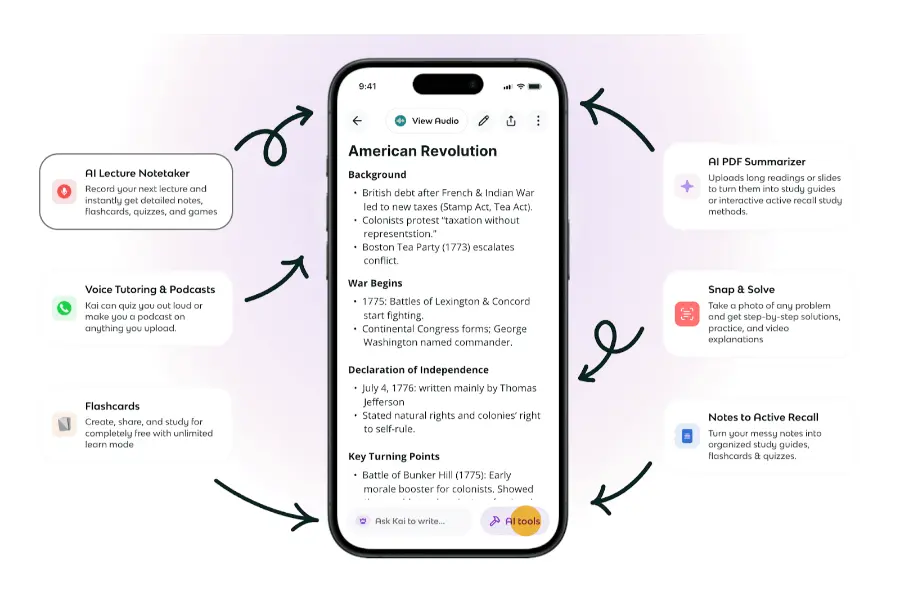
Knowt has grown popular among students and teachers looking for a free platform that includes learn modes and practice tests without strict paywalls. It focuses on helping users create flashcards quickly from existing class materials or live lectures.
Users can build decks in two main ways: recording lectures directly with the built-in AI audio recorder or uploading documents and videos. Knowt also features an in-app AI assistant named Kai, which works like a dedicated AI chatbot that lets learners chat to specify how many cards they need, which topics to emphasize, and what format to follow.
Key Features:
- Broad file support: Processes PDFs, PowerPoint slides, Word files, images, and YouTube links.
- One-click Quizlet import: A browser extension allows students to move existing Quizlet decks into Knowt effortlessly.
- Free AP study hub: Provides exam guides, practice tests, and card sets built by students who passed Advanced Placement exams.
- Teacher tools: Educators can use the free plan to assign decks and monitor student progress.
Pros and Cons:
- Pros: Generous free tier with learn mode included; beginner-friendly layout; built-in lecture recording; easy import from Quizlet.
- Cons: The free version displays advertisements; AI generation mostly produces simple question-and-answer pairs rather than complex card formats; the paid tier is expensive compared to competitors.
Pricing:
- Free Plan: Basic plan is free forever (ad-supported).
- Paid Plans: Ultra plan costs $19.99 to $24.99 per month, or $149.99 billed yearly, adding ad-free study and unlimited AI video/PDF summaries.
4. RemNote: Best for Notes and Flashcards in One Place
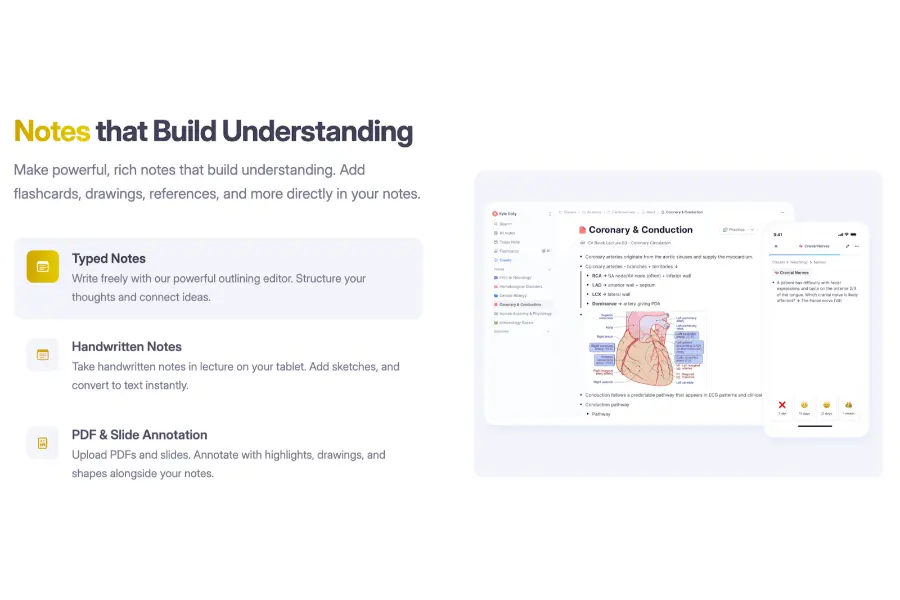
RemNote is an all-in-one learning workspace built around active recall and spaced repetition. As users type class notes or paste study material into the app, the system can turn any line of text into a study card or automatically generate a preview of potential cards using AI.
A split-screen layout makes reviewing generated content simple. Users can check the suggested cards on the left panel, uncheck unhelpful items, and use the right panel to select card types, change languages, or set the exact number of cards. If the initial output needs adjustment, custom instructions can be added in the advanced settings.
Key Features:
- Multiple card styles: Supports basic questions, multi-line lists, descriptors, definitions, cloze deletions, and image occlusion.
- In-card AI explanations: Users can request a deeper explanation of a difficult concept or ask follow-up questions directly on a card without leaving the practice screen.
- Priority organization: Documents are sorted into Active (shown first in the daily queue), Maintaining (for long-term retention), Paused, and No Priority.
- Detailed analytics: Includes daily practice charts, study streaks, cards-added graphs, and a retention simulator based on past answers.
Pros and Cons:
- Pros: Combines note-taking and card review in one app; allows full editing before saving AI cards; works across all devices; offers a 25% student discount and lifetime pricing options.
- Cons: Takes time to learn the interface; heavy AI usage requires a paid subscription.
Pricing:
- Free Plan: $0 forever, with monthly limits on AI actions and file uploads.
- Paid Plans: Pro costs $8 to 10permonth(96 billed yearly). Pro with AI costs $18 to 20permonth(216 billed yearly).
5. StudyPDF: Best for Cards Cited to Your Own Material
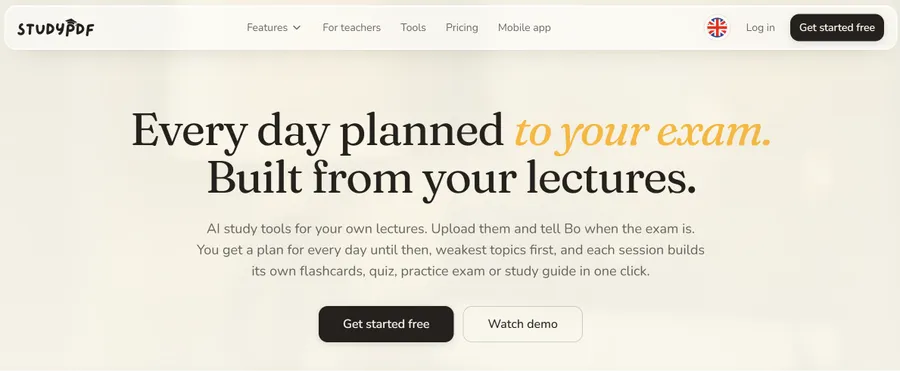
StudyPDF is designed for students who study primarily from lecture PDFs, slide decks, scanned notes, or YouTube lectures. When a user uploads a file and selects the flashcard option, the software builds a deck and attaches a direct source citation—such as the exact page number or video timestamp—to every single card.
During review sessions, learners rate each card as Again, Hard, Good, or Easy. Those ratings feed into a concept mastery tracker so students can see which topics need more attention before exam day.
Key Features:
- Exact source citations: Every generated card links back to the specific page or video second it came from, making fact-checking fast.
- Diagram occlusion: Labeled charts and diagrams inside PDFs can be converted into image-occlusion decks.
- Flexible export options: Users can export decks as printable fold-over PDF sheets on all plans, or export to Word and Anki (.apkg) on paid tiers.
- Cross-platform access: Available on the web, iPhone, iPad, and Android.
Pros and Cons:
- Pros: Eliminates guesswork by showing the exact source page for every answer; no credit card required for the free tier; supports printable PDF exports.
- Cons: No public library of ready-made community decks; all plans have weekly upload caps (about 4 materials per week on the free tier).
Pricing:
- Free Plan: Free account with no time limit, capped at roughly 4 materials per week, 2 courses, and 3 files per upload.
- Paid Plans: Pro (about 35 materials per week) and Ultra tiers are available on the platform’s pricing page.
6. AnkiDecks: Best for Fast Creation of Anki Cards
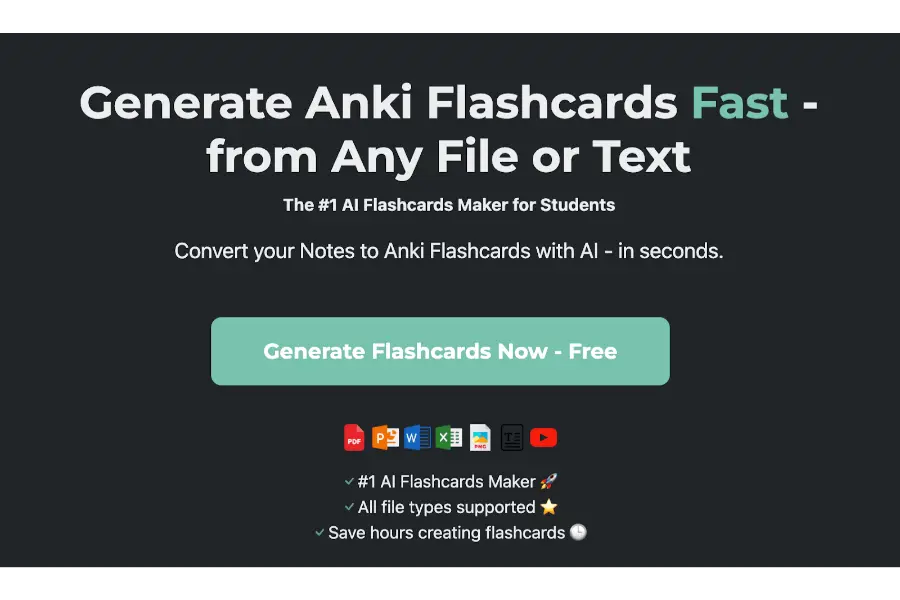
Many students love Anki’s scheduling algorithm but dislike spending hours building cards inside its dated interface. AnkiDecks solves this by acting as a dedicated AI flashcard maker built specifically to export cleanly into Anki.
The platform accepts a wide variety of file types—including PDF, Word, Excel, PowerPoint, Epub, YouTube links, audio files, and images—and turns them into four distinct card styles: Question-Answer, Cloze, Multiple Choice, and Image Occlusion.
Key Features:
- Automated image occlusion: Unlike tools where users must draw boxes over labels by hand, AnkiDecks uses AI to detect diagram text and cover it automatically.
- FSRS algorithm support: Users can export decks directly to Anki with formatting intact or practice inside AnkiDecks using the modern Free Spaced Repetition Scheduler (FSRS).
- Multilingual support: Generates study cards in more than 50 languages.
Pros and Cons:
- Pros: Fully automated image occlusion saves massive time for anatomy and biology students; broad file format support; clean export to Anki.
- Cons: Generation limits apply even on paid plans; the web interface is basic compared to Quizlet or RemNote.
Pricing:
- Free Plan: $0, limited to 4 deck generations per month.
- Paid Plans: Pro costs $7.99 per month; Ultimate costs $20.00 per month.
7. Brainscape: Best for Quick Confidence-Based Reviews
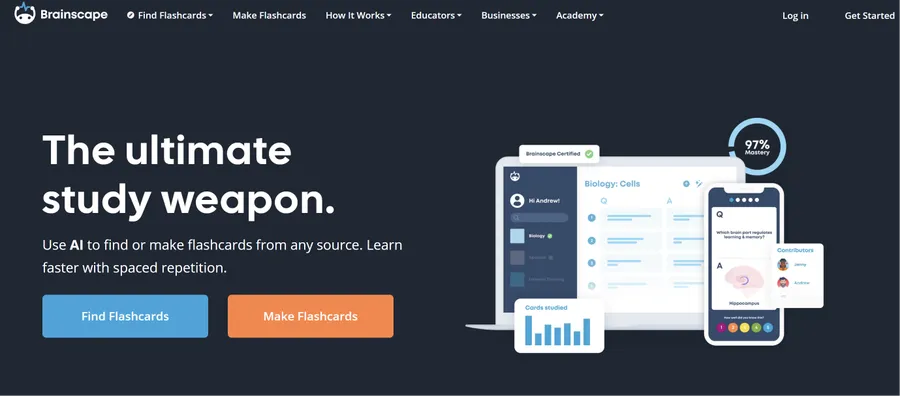
Brainscape focuses on short, efficient study sessions using Confidence-Based Repetition. Instead of complex settings, users flip a card and rate how well they knew the answer on a scale from 1 to 5. Cards rated 1 return very quickly, while cards rated 5 appear rarely.
Key Features:
- Confidence-Based Repetition: Simple 1-to-5 rating system that adapts immediately to user weaknesses.
- Public deck marketplace: Offers free user-made sets alongside certified premium classes.
- Mobile-first design: Ideal for studying during five-minute breaks on a phone.
Pros and Cons:
- Pros: Zero setup required for spaced repetition; clean mobile experience; free Basic plan for manual cards.
- Cons: AI card generation, adding images/audio to cards, and many certified decks require a paid Pro subscription.
Pricing:
- Free Plan: Basic plan is free for creating and studying standard text decks.
- Paid Plans: Pro starts at $7.99 per month when billed annually.
8. Revisely: Best for Handwritten Notes and Printing
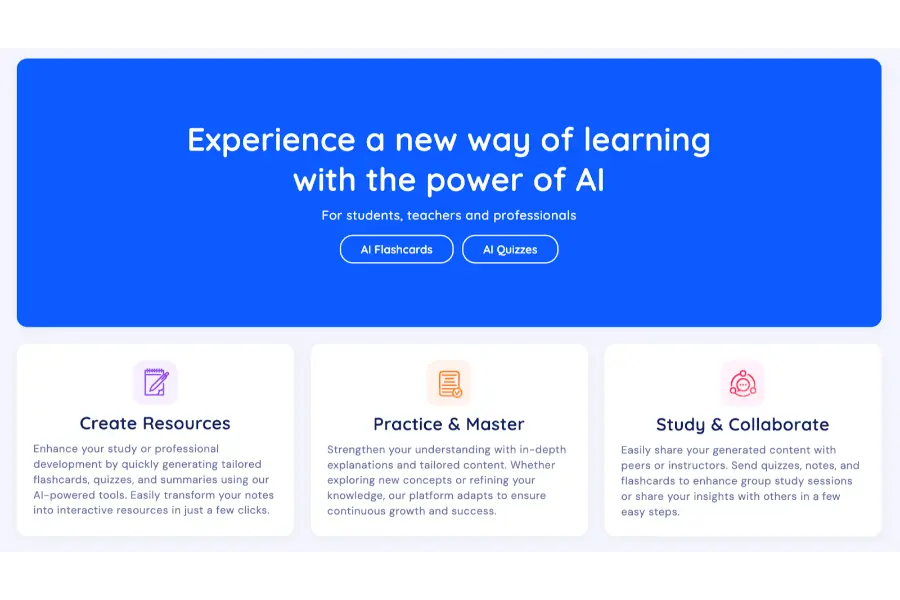
Revisely combines a quiz builder, notes generator, and card creator into one simple web tool. It stands out for two specific groups: students who take handwritten notes in class and learners who prefer holding physical paper cards.
Key Features:
- Handwritten note recognition: Converts photos of notebook pages directly into study decks.
- Auto-aligned printing: Exports cards for single-sided cut-and-paste printing or auto-aligned double-sided printing.
- Exam mode with AI feedback: Quizzes the user and explains both what was answered correctly and what details were missed.
- Anki export: Allows moving generated sets over to Anki.
Pros and Cons:
- Pros: Great support for handwritten notes; built-in double-sided print alignment; low monthly price for AI access; helpful exam feedback mode.
- Cons: The free plan does not include AI generation; customization settings are very basic.
Pricing:
- Free Plan: Basic plan is free for unlimited manual cards (no AI tools).
- Paid Plans: Paid plan with AI features costs $6.99 per month.
Where to Find Free Ready-Made Decks vs. Desktop Software
Not every student wants to generate new cards from scratch, and some prefer offline software over browser tabs.
Websites with Free Shared Decks
If studying for a standard course, check whether another student has already built the deck:
- Quizlet: The largest pool of community sets, easily searched by textbook name.
- Knowt: Free access to shared decks and AP guides, plus easy importing from Quizlet.
- AnkiWeb: Thousands of free, downloadable decks tailored for medical school and languages.
- Brainscape: A mix of free public decks and paid certified courses.
Tip: Always verify shared decks against personal class syllabi. Anyone can publish a public set, and another student’s deck may contain mistakes or skip exam topics.
How to Pick the Right Tool in 4 Simple Steps
Because no single flashcard maker fits every workflow or matches all individual learning styles, use these four steps to narrow down the list:
- Check where study materials come from:
- Uploaded PDFs, lecture slides, and videos point to StudyPDF, Knowt, or AnkiDecks.
- Typed class notes point to RemNote.
- Handwritten notebooks point to Revisely or Quizlet.
- Common introductory classes point to shared sets on Quizlet or Knowt.
- Identify subject needs: Visual classes like anatomy, geography, or biology require image occlusion. AnkiDecks, RemNote, and StudyPDF handle diagrams best.
- Check device compatibility and budget: Remember that Anki costs $24.99 on iPhones, while Knowt, Brainscape, and StudyPDF offer free mobile apps to start.
- Test with one real chapter: Sign up for a free plan and build one deck from this week’s class material. Keep the software only if the daily review habit feels natural.
Choosing the Right Flashcard Maker Tools for Your Study Routine
Selecting the right flashcard maker comes down to matching the tool with existing study materials and personal habits.
For students who want to turn lecture PDFs and slides into cited cards immediately, StudyPDF and Knowt offer fast, beginner-friendly workflows, while Quizlet, Brainscape, and Revisely remain reliable choices for shared community decks, quick mobile reviews, and printable cards.
The most effective study tool is ultimately the one used consistently. Pick one platform from the comparison table above, upload a single chapter or lecture file on its free plan today, and spend twenty minutes practicing active recall instead of hours typing out cards by hand.
Frequently Asked Questions (FAQs): Best Flashcard Maker Tools
1. What is the best free flashcard maker today?
There is no single winner for everyone, as the best choice depends on study habits. Anki is the best completely free software for desktop and Android users who want total control over spaced repetition. Knowt is the best free web option for students who want AI features and practice modes without paying. StudyPDF and RemNote also offer strong free tiers with weekly or monthly caps on AI uploads.
2. How can students make flashcards online from a PDF for free?
To make flashcards online from a PDF without typing, upload the document to an AI-supported platform like StudyPDF, Knowt, RemNote, or AnkiDecks. The software scans the text, extracts key concepts, and builds question-and-answer pairs automatically. StudyPDF also cites the exact PDF page number on every generated card.
3. What is the difference between manual cards and AI digital flashcards?
Writing cards manually forces the learner to read the material closely, decide what is important, and summarize concepts in their own words—which starts the memory process before reviewing even begins. The downside is that manual creation takes hours. AI digital flashcards are created in minutes and cover documents thoroughly, but learners must put extra focus into active recall and card editing to make up for skipping the writing step.
4. What is the difference between rule-based and AI-powered card generators?
Older rule-based generators follow rigid formatting formulas (such as only turning bolded words or bullet points into questions) and often fail when given messy notes. Modern AI-powered generators use Large Language Models (LLMs) to understand context, allowing them to process disorganized lecture transcripts, summarize complex paragraphs, and write varied comprehension questions.
Read more: 10+ Best eLearning Authoring Tools in 2026: Features, Pros and Cons
Contact US | ThimPress:
Website: https://thimpress.com/
Fanpage: https://www.facebook.com/ThimPress
YouTube: https://www.youtube.com/c/ThimPressDesign
Twitter (X): https://x.com/thimpress_com