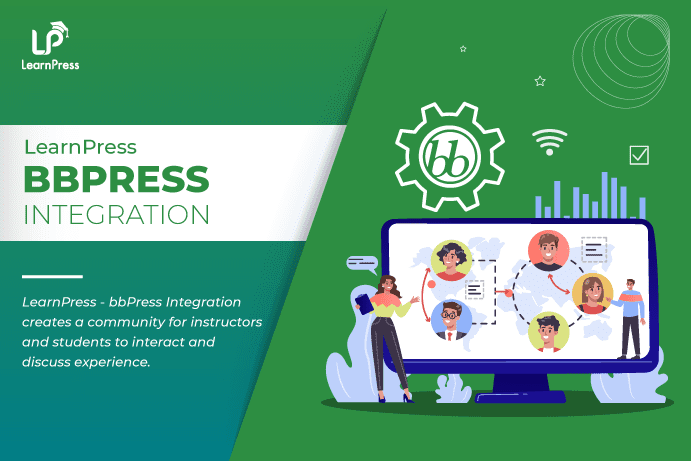


LearnPress – bbPress Integration

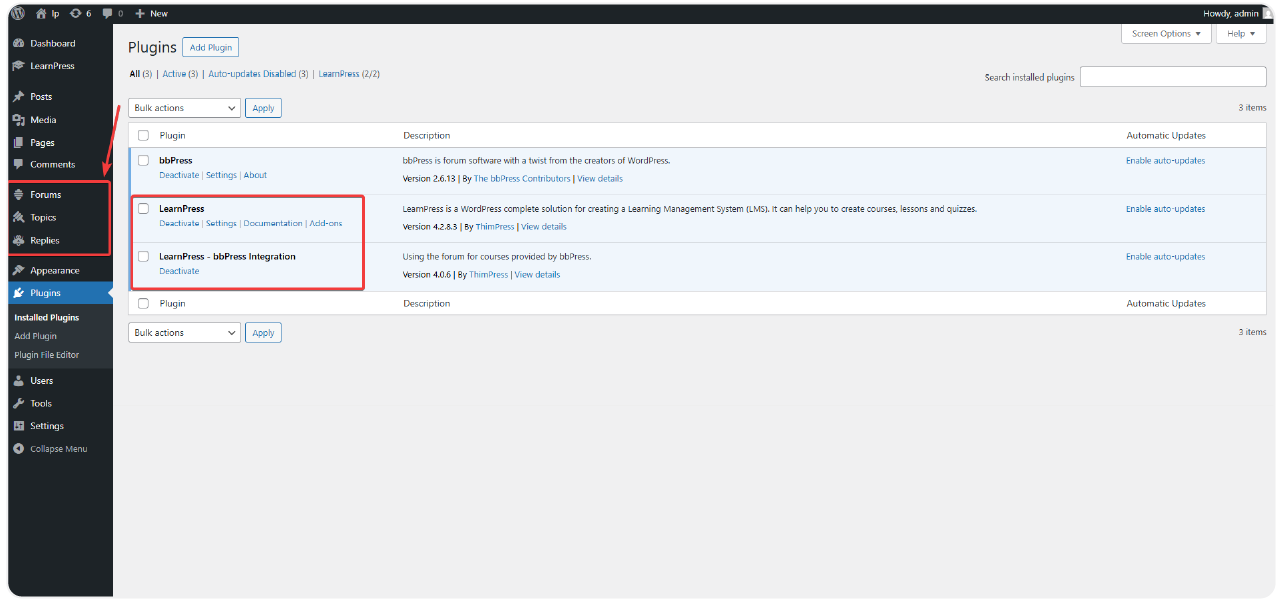
  • Effortlessly integrate dedicated bbPress forums directly into your LearnPress courses, fostering a vibrant community learning experience.
  • Enable seamless student interaction, discussion, and peer support within each specific course environment.
  • Control forum access, linking discussions exclusively to enrolled students for focused and relevant conversations.
  • Enhance course engagement with the LearnPress – bbPress integration, keeping learners connected and supported throughout their educational journey.
Per-Course Forum Creation & Linking

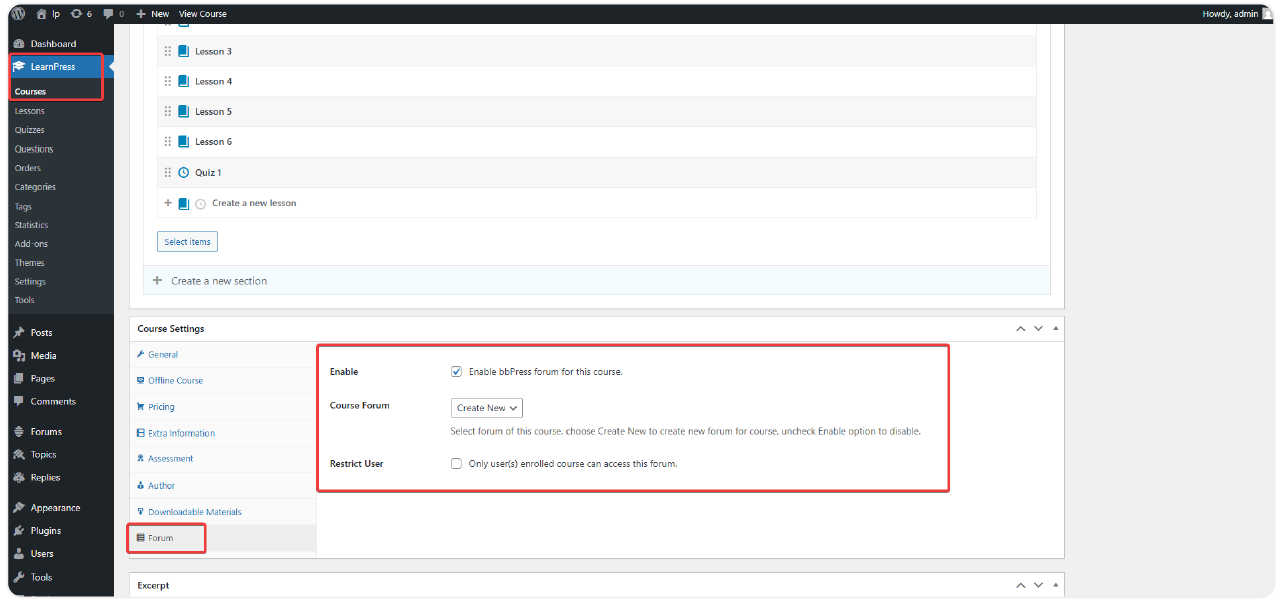
Instantly create new forums directly from the course editing screen or link existing bbPress forums to your LearnPress courses. This flexibility, offered by the LearnPress – bbPress integration, allows for tailored discussion spaces for each subject.

Course-Based Forum Access Control
Seamless In-Course Forum Management
Multi-Forum Support & Easy Configuration
8 reviews

Active Users: 4652

Price: FREE

  • Lifetime license for 1 site License Info:Includes lifetime usage on 1 site. You can switch between environments as needed by deactivating/reactivating the key. Only one active installation can receive updates and support at a time.Learn More
  • 12 months Update & Support Updates & Support Info:Purchase includes 12 months of updates and support. After expiry, the add-on remains functional, but you must renew the license to access future updates and support services.Learn More
Version
Version: 4.0.3
Last Updated: A week ago
Compatible to WordPress Version: 5.8 or higher

Screenshots

bbpress-6
bbpress-7
bbpress-8

All Your Questions
Answered

You have questions.
We have answers.

What is LearnPress – bbPress Integration?

The LearnPress – bbPress integration is an add-on for the LearnPress LMS plugin that allows you to seamlessly incorporate bbPress forums into your online courses, creating dedicated discussion areas for your students.

Can I restrict forum access only to students enrolled in a specific course?

Yes, a key feature of this integration is the ability to limit forum access to only those students who are registered for the associated course, ensuring discussions remain relevant and private.

Is it possible to link an existing bbPress forum to a LearnPress course?

Absolutely! You can either create a new forum directly from the course settings or link any of your pre-existing bbPress forums to your LearnPress courses using the LearnPress – bbPress integration.

How do students access the course forum?

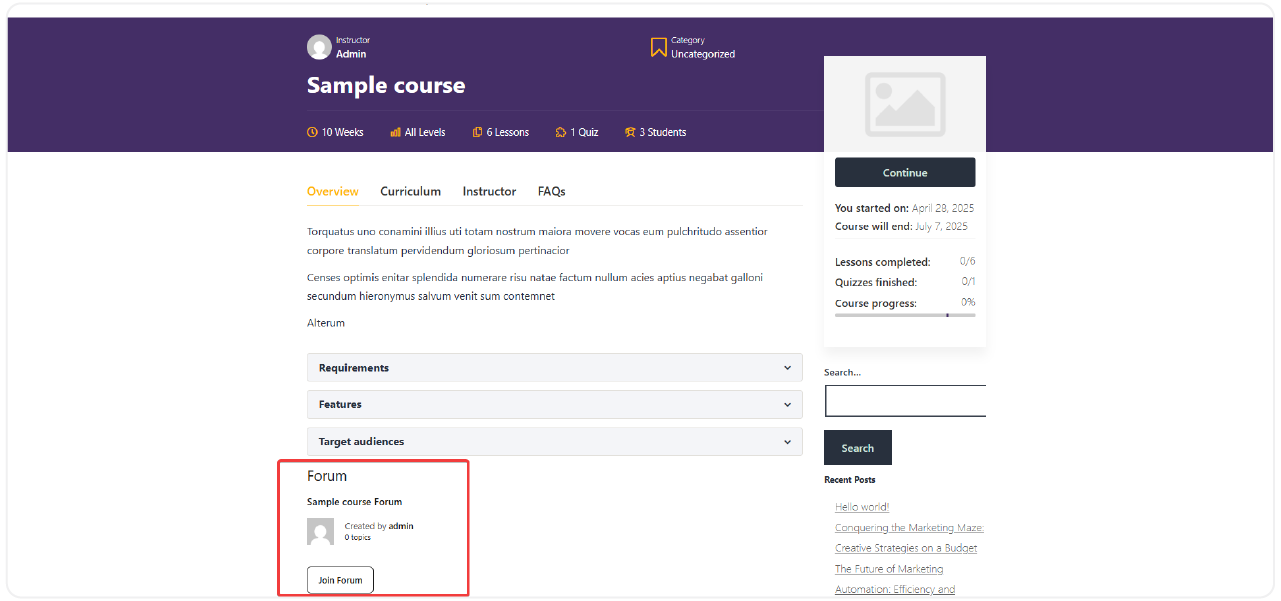
Students can access the linked forum(s) directly from the course page. They can view discussions, post new topics, and reply to existing ones without needing to leave the course interface.

Can I link more than one forum to a single course?

Yes, the add-on supports linking multiple bbPress forums to one LearnPress course. This allows you to create separate discussion areas for different purposes, such as general Q&A, assignment discussions, or group collaborations.

Will students receive notifications for new forum activity?

Yes, students can receive notifications for new topics and replies in their course forums. If you use a bbPress notification extension (like bbPress Notify), email notifications can also be enabled.

How easy is it to set up the LearnPress – bbPress Integration?

The setup is straightforward. A “Forum Settings” section is added to your LearnPress course editing page, allowing you to easily link forums, set access permissions, and configure other options with just a few clicks.

Go to our Forum and explore more than 2000 support topics
Feel free to contact us for support anytime

Reviews

Total Reviews
8
Average Rating
5 out of 5
5
8
4
0
3
0
2
0
1
0
  1. Kiara

    The post and reply management features in this addon are very convenient. I can moderate the content easily.

  2. Reyna

    This addon not only makes the learning website more dynamic but also helps create a strong learning community.

  3. Solon

    The LearnPress – bbPress Integration is a powerful tool to promote interaction and discussion between students. I truly believe it has improved my students’ learning experience.

We're Here to Assist!
Click to Chat on Messenger.

×