Stripe vs PayPal WordPress is the ultimate decision that determines whether your visitors become loyal customers or lost leads.
Imagine a potential student landing on your site, adding a course to their cart, but abandoning the purchase because the checkout felt slow or lacked their preferred payment method. Choosing the wrong WordPress payment gateway can result in high cart abandonment rates and unnecessary transaction costs.
Setting up an online store or a membership platform requires a solution that is secure, affordable, and global. Whether you are building a boutique shop or using professional e-commerce themes to sell digital products, your payment partner is the backbone of your revenue.
In this comprehensive guide, we will break down the differences between these two industry giants to help you pick the perfect solution for your specific business model.
Eduma – Education WordPress Theme
We provide an amazing WordPress theme with fast and responsive designs. Let’s find out!
Overview: Stripe vs PayPal WordPress Comparison
Before diving into the technical details, here is a summary of how these two leaders compare in the current market.
| Feature | Stripe | PayPal |
| Best For | Scalable businesses and developers | Beginners and global brand trust |
| Ease of Use | Modern dashboard with a small learning curve | Simple, “plug-and-play” interface |
| Standard Fees | 2.9% + $0.30 per charge | Starting at 2.9% + $0.30 (Standard) |
| Global Reach | 45+ countries / 135+ currencies | 200+ countries / 25 currencies |
| LMS Support | Excellent for recurring subscriptions | Trusted by students worldwide |
| Checkout Flow | Seamless on-site experience | Often involves a redirect to PayPal |
1. Introduction to Stripe and PayPal
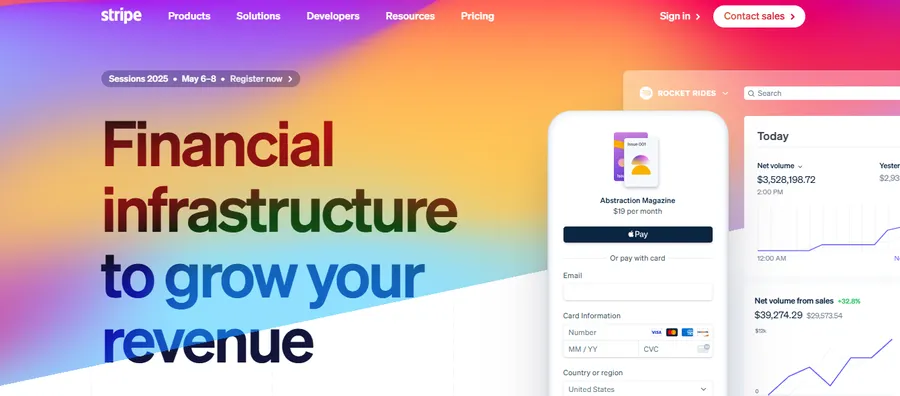
Stripe is a highly flexible payment processor currently powering over 1.5 million websites worldwide. It is designed for those who want a professional, seamless checkout experience that keeps users on their site. It accepts credit cards, digital wallets, and various local payment methods, making it a powerful choice for modern eCommerce. Many high-converting sites using best education themes for WordPress choose Stripe for its ability to blend perfectly with the site’s design.
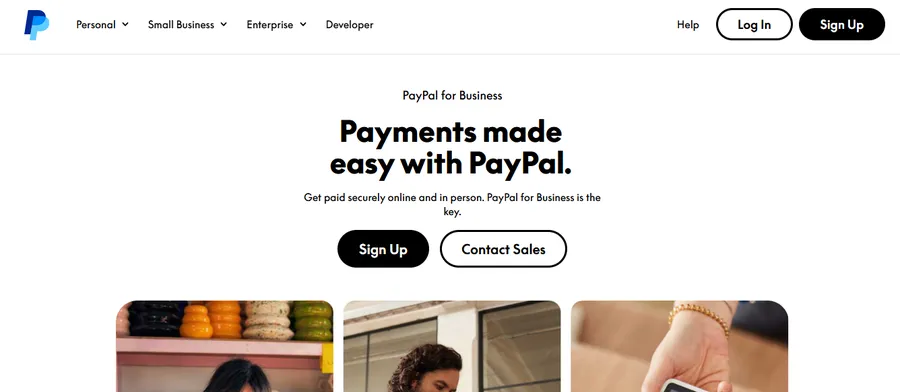
PayPal, conversely, is a household name that billions of people trust. It has dominated the online payment space for decades. Its primary advantage is familiarity; many customers feel safer when they see the gold PayPal button. It is a fantastic choice for those who want to start selling immediately without worrying about complex configurations. If you are using afree education WordPress theme for a quick launch, PayPal is often the easiest gateway to activate.
2. Ease of Use and Setup
A reliable WordPress payment gateway should be easy to manage so that you can focus on growing your brand instead of troubleshooting technical errors.
The PayPal Experience:
PayPal is widely considered the most beginner-friendly option. Most people already have a personal account, and upgrading to a business account is fast. The dashboard is straightforward, allowing you to manage transactions, issue refunds, and send invoices with minimal clicks. Because it is a global standard, almost every plugin on WordPress.org supports it natively.
The Stripe Experience:
Stripe provides a more modern and data-rich dashboard. While the setup requires more business documentation compared to PayPal, the rewards are worth it. You get access to detailed reporting, customer lifetime value metrics, and automated billing tools. Stripe is built to scale with your growth. If you encounter issues such as WordPress execution time errors during a busy sale period, Stripe’s robust API ensures that payment data remains synchronized.
3. Analyzing PayPal vs Stripe Fees
Understanding the cost of each transaction is vital for your profit margins. When comparing PayPal vs Stripe fees, the small percentages can add up to thousands of dollars over time.
Domestic Transaction Costs:
In the United States, Stripe typically charges 2.9% + $0.30 per transaction. This is a flat, predictable rate. PayPal’s fees vary depending on the product, but they often start at 2.9% + $0.30 for standard credit and debit card payments.
International Costs and Conversions:
This is where the differences in PayPal vs Stripe fees become clear. Stripe is generally more affordable for global sales. It adds a 1.5% fee for international cards and only a 1% fee for currency conversion. PayPal, however, can be much more expensive for international merchants. They often add a 1.5% international transaction fee and a currency conversion spread that can reach up to 4%. For a business selling to a global audience, Stripe is usually the more economical choice.
4. Exploring WooCommerce Payment Options
For store owners, your choice of gateway directly impacts the “Checkout Flow.” Choosing between different WooCommerce payment options determines whether a customer stays on your site or is redirected elsewhere.
- Stripe Integration: Stripe is the gold standard for “on-site” payments. This means customers enter their credit card details directly on your website. They never feel like they are leaving your brand, which significantly boosts trust and conversion rates.
- PayPal Integration: While PayPal also offers on-site options, many standard setups redirect the user to PayPal’s website to log in. While this is secure, every extra step in the checkout process is a chance for the customer to change their mind.
By offering a mix of WooCommerce payment options, including both Stripe and PayPal, you provide the most flexibility for your buyers. This is especially true if you are using a specialized Starter Theme for LearnPress, where a smooth checkout is key to enrolling students quickly.
5. The Best Online Payment for LMS
If you are building an online school using LearnPress, your payment needs are unique. You are not just selling a product; you are managing student access and recurring memberships. Finding the best online payment for LMS is crucial for automation.
Stripe is widely considered the best online payment for LMS platforms. It handles subscriptions perfectly, automatically retrying failed payments and updating expired credit card information. This ensures that your students never lose access to their lessons. You can read more about how it compares to other tools in various LMS plugin reviews.
PayPal is also a strong contender for the best online payment for LMS because of its global reach. In many countries, students may not have access to credit cards but do have a PayPal balance. For users of the LearnPress LMS, having PayPal as an alternative ensures that no student is turned away due to their location.
6. Global Reach and Currency Support
Your WordPress payment gateway should allow you to sell to anyone, anywhere.
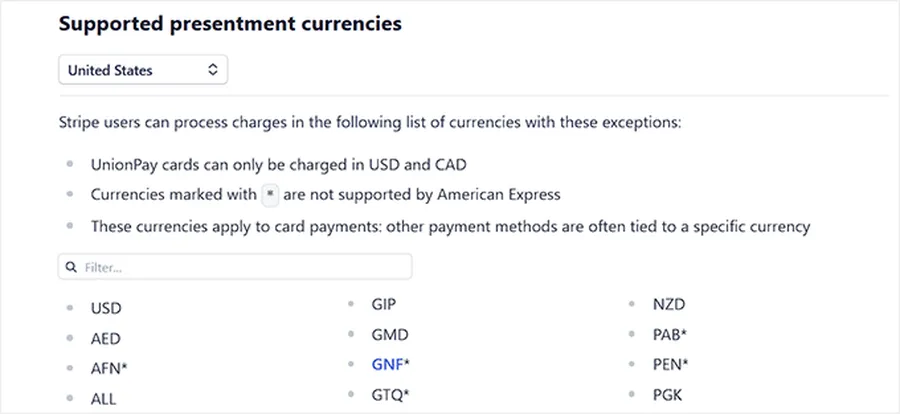
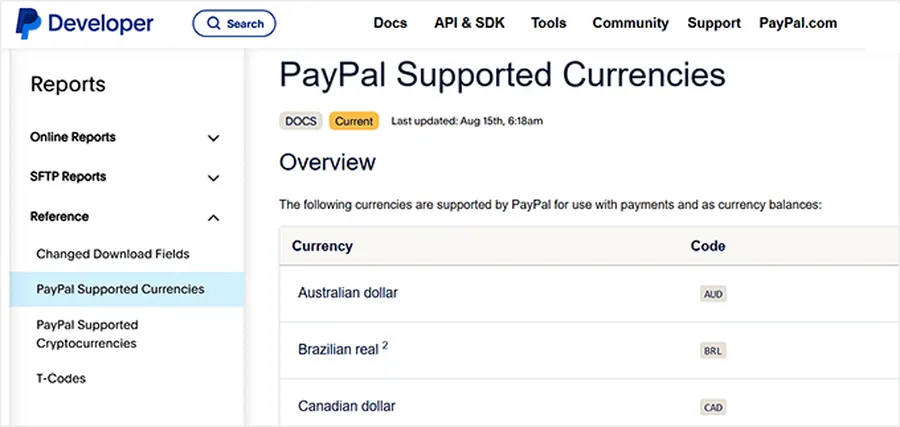
- Currency Handling: Stripe supports over 135 currencies. It allows you to present prices in a customer’s local currency, which makes them much more likely to buy.
- Country Availability: PayPal is available in 200+ countries, making it the most accessible platform in the world. Stripe is currently available in about 45 countries. If your business is based in a country not yet supported by Stripe, PayPal is your most reliable solution.
7. Security and Data Protection
Security is the backbone of any online business. You must protect your customers’ data and your own revenue from fraud.
Stripe uses a powerful system called Stripe Radar. This tool uses machine learning to identify and block fraudulent payments before they occur. It also uses “tokenization,” which ensures that sensitive card data is never stored on your WordPress server.
PayPal provides excellent security through its Buyer and Seller Protection programs. If a customer claims they did not receive their digital course, PayPal has a structured process to help resolve the issue. Both platforms prioritizes safety, making them trusted choices for any Stripe vs PayPal WordPress setup.
Summary Table of Key Aspects
| Aspect | Stripe | PayPal |
| Transaction Fees | More competitive (2.9% + $0.30) | Higher (Can reach 3.49% + $0.49) |
| Checkout Experience | On-site (Professional) | Often redirects (Standard) |
| LMS Performance | High (Excellent for LearnPress) | Moderate (Good for global reach) |
| Mobile Wallets | Apple Pay and Google Pay included | Venmo and PayPal Credit included |
| Fraud Protection | AI-powered (Stripe Radar) | Traditional (Protection Programs) |
| Currency Support | 135+ Currencies | 25 Currencies |
Conclusion
In the final assessment of Stripe vs PayPal WordPress gateways, Stripe is the superior choice for most professional businesses. Its lower international fees, seamless on-site checkout, and advanced subscription management make it the best online payment for LMS users and high-volume WooCommerce stores.
However, PayPal remains an essential secondary option. Its global footprint and the trust it inspires in customers are unmatched. For many beginners, the simplicity of PayPal is the fastest way to start generating revenue. If you want to build a truly successful academy, we recommend using a comprehensive LMS theme that supports both.
The most successful WordPress sites do not choose just one; they offer both. By providing a wide range of WooCommerce payment options, you cater to every customer’s preference, ensuring that your checkout process is a bridge to a sale rather than a barrier. Start building your site today and choose the Stripe vs PayPal WordPress strategy that fits your vision.
Frequently Asked Questions About Stripe vs PayPal
1. Can I use both Stripe and PayPal on my WordPress site?
Yes, most businesses use both Stripe vs PayPal WordPress integrations. This provides customers with more choices and helps reduce cart abandonment rates.
2. Is Stripe or PayPal better for international customers?
Stripe is generally better for handling many currencies (over 135), while PayPal has a wider geographical reach. For lower conversion fees, Stripe is usually the winner.
3. Which is the best online payment for LMS like LearnPress?
Stripe is often considered the best online payment for LMS because it handles recurring subscriptions and automated billing more efficiently than most other gateways.
4. How do PayPal vs Stripe fees compare for small transactions?
Both have a fixed fee component, which can make small transactions expensive. However, Stripe's slightly lower percentage often makes it cheaper over time.
5. Do I need to be a developer to set up a WordPress payment gateway?
No. Most modern plugins allow you to connect your accounts using a simple setup wizard without any coding.
Read more: 10 Best Payment Gateways for eLearning & Online Coaching Websites
Contact US | ThimPress:
Website: https://thimpress.com/
Fanpage: https://www.facebook.com/ThimPress
YouTube: https://www.youtube.com/c/ThimPressDesign
Twitter (X): https://x.com/thimpress_com