The education industry has shifted dramatically toward the digital realm. Authors, educators, and experts are no longer restricted to physical books or seminars; they are building a profitable online course business directly from their websites.
While hosted platforms exist, they often limit your control over revenue and data. This is why many creators choose WordPress. It offers complete ownership of your content and the flexibility to scale. Whether you are looking to WordPress sell digital products or build a full-scale university, the right tools make all the difference.
In this guide, we will explore three distinct methods to sell courses on WordPress, helping you choose the best fit for your goals.
Eduma – Education WordPress Theme
We provide an amazing WordPress theme with fast and responsive designs. Let’s find out!
1. Sell Online Courses with WooCommerce
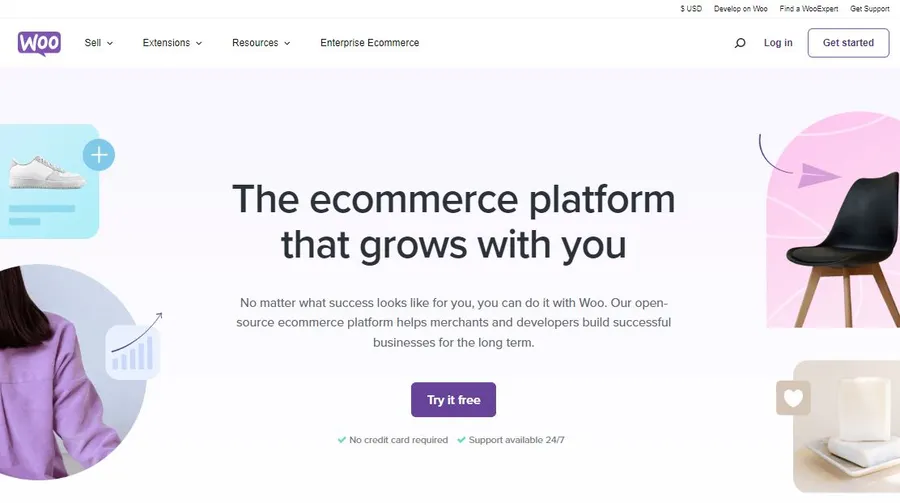
WooCommerce is the most popular e-commerce platform in the world. While it is famous for selling physical goods, it is also a powerful tool for those asking how to use WooCommerce for courses. This method gives you robust control over the checkout process, taxes, and payment gateways.
Why Use WooCommerce?
Using WooCommerce for courses allows you to treat your educational content like any other product. You can utilize the vast ecosystem of WooCommerce extensions to handle marketing, bundles, and coupons.
Steps to Setup:
- Hosting and Domain: Ensure you have a reliable host (like Bluehost) and a domain name.
- Install Plugins: Install WordPress and the WooCommerce plugin.
- Product Creation:
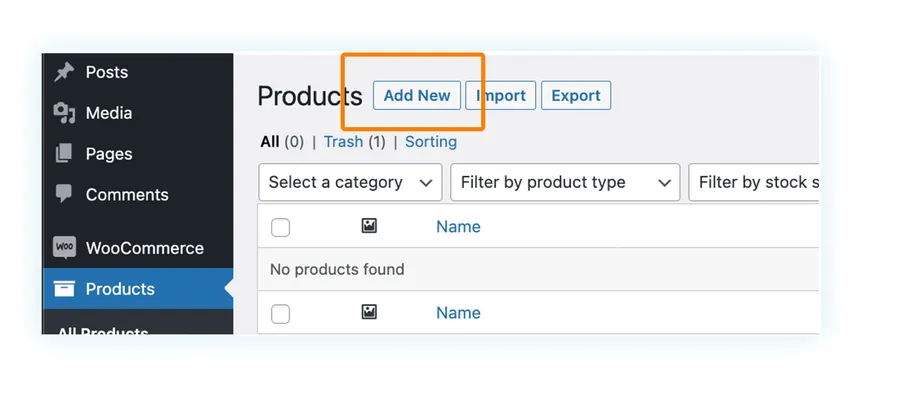
- Navigate to Products > Add New.
- Enter your course title and description.
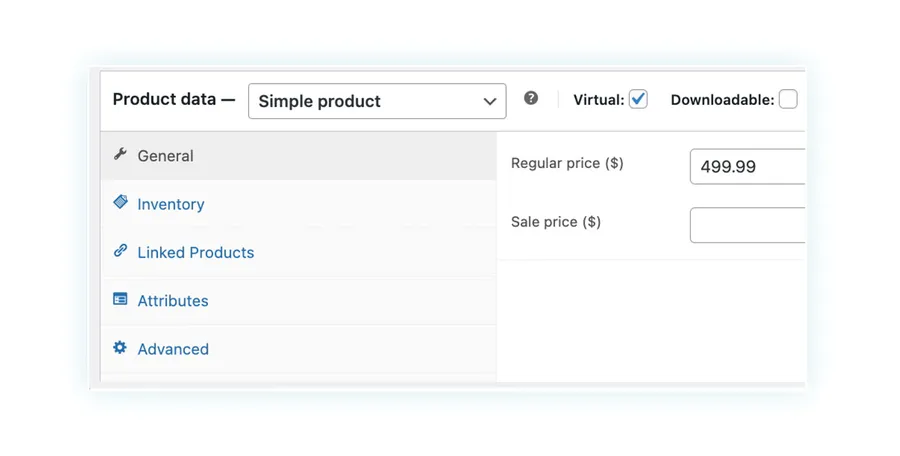
- Crucial Step: Scroll to the “Product Data” section and check the Virtual box. This removes shipping requirements, which is essential when you sell courses on WordPress.
The Subscription Model
To maximize revenue, you might want to move beyond one-time payments. By using extensions like WooCommerce Subscriptions, you can charge students a recurring fee (monthly or annually) to access your content. This ensures a steady cash flow for your online course business.
2. Use a Dedicated LMS Plugin (The Best Method)
While WooCommerce handles payments well, it lacks pedagogical features like quizzes and progress tracking. To truly succeed, you need a dedicated LMS plugin WordPress.
We highly recommend LearnPress. It is a comprehensive Learning Management System that allows you to create, manage, and sell courses on WordPress with ease.
Why LearnPress?
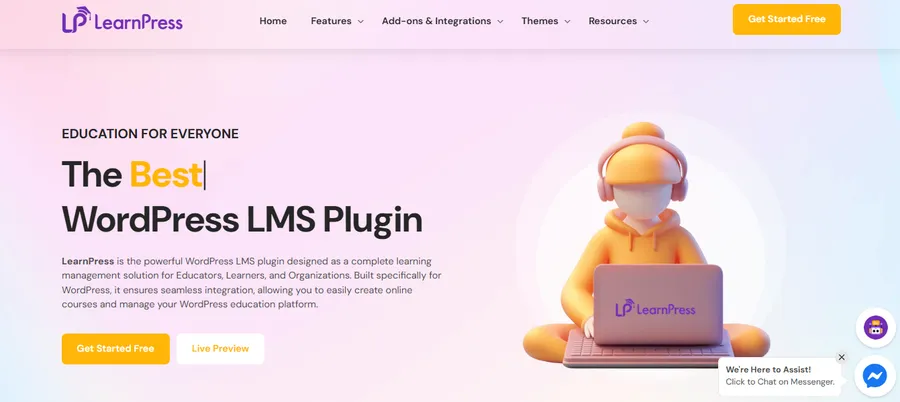
LearnPress is designed specifically for education. Unlike generic e-commerce tools, it understands the hierarchy of learning—lessons, quizzes, and curriculum. It is lightweight, free to start, and offers a premium experience for your students.
Key Features of LearnPress
- Course Builder: You can build a curriculum with an intuitive drag-and-drop interface. You can organize content into sections and lessons.
- Quizzes and Questions:
- Quizzes: Test your students to ensure they are retaining information. You can set passing grades, time limits, and retake options.
- Question Bank: Create a database of questions (True/False, Multiple Choice) that can be reused across different quizzes.
- Statistics: LearnPress provides detailed data on student enrollment and course popularity, helping you refine your strategy.
- Payment Integration: LearnPress supports PayPal right out of the box, allowing you to start selling immediately.
By using an LMS plugin WordPress like LearnPress, you provide a professional learning environment that encourages students to complete their education and return for more.
If you’re ready to get started, follow this step-by-step guide on how to create a course in LearnPress and launch your first online course with confidence.
3. Sell Courses on WordPress with Membership
The third method involves “gating” your content. This means you create posts or pages containing your course material and restrict access to paying members.
While there are many plugins available for this (such as MemberPress, WishList Member, or MemberMouse), we will focus on using Paid Memberships Pro for this method.
To better understand how it compares with other popular membership solutions, you can read this detailed comparison of Paid Memberships Pro vs MemberPress before making your final decision.

Using Paid Memberships Pro
Paid Memberships Pro is a robust solution that allows you to WordPress sell digital products by restricting access based on membership levels. It is ideal if you want to sell access to a library of content rather than individual courses.
How to Configure Membership Access:
- Create Levels: Set up different tiers (e.g., Bronze, Silver, Gold). You can charge a one-time fee or a recurring subscription.
- Restrict Content:
- Create your course content using standard WordPress Pages or Posts.
- Use the “Require Membership” meta box on the editing screen to select which membership level is required to view the content.
- User Experience: When a non-member tries to view the course, they are redirected to a pricing page or checkout.
This method gives you 100% ownership of your platform. Unlike hosted course platforms where you rent the land, using Paid Memberships Pro ensures you own the land you build on.
Conclusion
Deciding to sell courses on WordPress is a smart investment in your future. You avoid the fees of third-party platforms and gain full creative control.
- If you need a simple transaction for a digital file, use WooCommerce.
- If you want to build a content library behind a paywall, use Paid Memberships Pro.
- However, if you want to build a professional online course business with quizzes, lessons, and certificates, the LMS plugin WordPress solution, specifically LearnPress, is the superior choice.
LearnPress combines flexibility with powerful educational tools, making it the ideal engine for your teaching platform.
FAQ About The Best Way to Sell Courses on WordPress
Q: Why should I choose WordPress over hosted platforms like Teachable?
A: When you sell courses on WordPress, you avoid monthly platform fees and retain full ownership of your data and student list. It offers more flexibility to customize your design and features.
Q: Can I use WooCommerce to sell LearnPress courses?
A: Yes. LearnPress integrates well with WooCommerce. You can use WooCommerce for courses to handle the payment processing while LearnPress handles the lesson delivery.
Q: What is the best plugin to start with for free?
A: LearnPress is an excellent starting point. The core plugin is free and offers essential features like course creation, quizzes, and PayPal integration, making it easy to launch your online course business without high upfront costs.
Q: Do I need a membership plugin if I have an LMS?
A: Not necessarily. An LMS plugin WordPress like LearnPress has built-in features to restrict content to enrolled students. However, you can use them together if you want to sell a “All-Access Pass” membership that unlocks all courses at once.
Q: Is it difficult to WordPress sell digital products like courses?
A: No. With tools like LearnPress or WooCommerce, the technical side is handled for you. Your main focus should be on creating high-quality educational content.
Read more: LearnPress Pro Bundle Review: What’s Included & Is It Worth It?
Contact US | ThimPress:
Website: https://thimpress.com/
Fanpage: https://www.facebook.com/ThimPress
YouTube: https://www.youtube.com/c/ThimPressDesign
Twitter (X): https://x.com/thimpress_com