You landed on a page, and instead of the content you expected, you got a message that says something like “451 Unavailable For Legal Reasons.” No explanation. No redirect. Just a dead end. Whether you’re a visitor trying to reach a page or a site owner who needs to implement this response correctly, error HTTP 451 is one of the most misunderstood status codes on the web.
This guide explains exactly what causes it, what you can do about it from both sides of the request, and how to configure it correctly on WordPress and Shopify.
Eduma – Education WordPress Theme
We provide an amazing WordPress theme with fast and responsive designs. Let’s find out!
What is error HTTP 451?
Error HTTP 451 is an official HTTP status code that means the server is refusing to serve the requested resource for legal reasons. The number 451 is a deliberate reference to Ray Bradbury’s novel Fahrenheit 451, in which books are burned. The code was formally standardized in RFC 7725 by the Internet Engineering Task Force (IETF) in 2015 and is part of the 4xx client error class, meaning the problem is tied to the nature of the request itself rather than a server failure.
When a server returns a 451 response, it is telling the browser that the content exists but cannot be legally delivered to you in your current context. The important distinction is transparency: a site that uses code 451 correctly is at least telling you that the block is legal in origin, which is more informative than a generic 403 Forbidden.
What “unavailable for legal reasons” means in practice
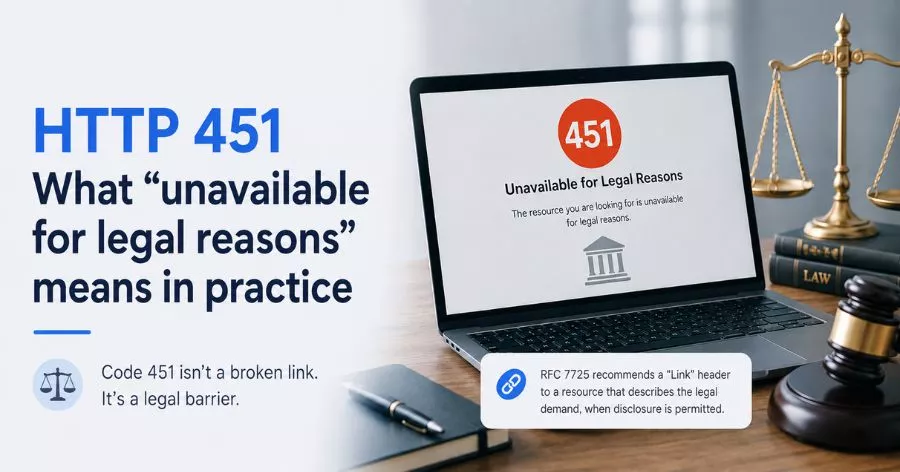
“Unavailable for legal reasons” is the official reason phrase attached to the 451 status code. In practice, it covers a wide range of situations. A government authority may have ordered the removal of certain content within a specific jurisdiction. A rights holder may have filed a DMCA takedown. A court may have issued an injunction. The site cannot serve the content legally, so it returns 451 instead.
The RFC 7725 specification also recommends that the 451 response include a “Link” header pointing to a resource that describes the legal demand, when that information is permitted to be disclosed. Not all implementations follow this recommendation, but well-configured servers should.
How code 451 differs from other 4xx errors
The four client error codes most people confuse with each other are 400, 403, 404, and 451. A 400 Bad Request means the server could not understand the request itself. A 403 Forbidden means the server understood the request but is refusing it, often because the user lacks the right credentials. A 404 Not Found means the resource does not exist at that URL. Code 451, by contrast, means the resource exists and the server could technically serve it, but is prohibited from doing so by a legal requirement. That is a meaningfully different situation, and understanding that distinction shapes how you troubleshoot it.
Why you’re seeing error HTTP 451
The 451 cod appears in several distinct scenarios. Knowing which one applies to your situation determines whether there is anything you can do about it.
Government or court-ordered content restrictions
Some countries require internet service providers and hosting platforms to block specific websites, pages, or content categories entirely. If you are browsing from a country where certain content has been legally restricted, your request hits a geo-fenced block before it even reaches the origin server. The response you receive may come from the ISP level, the CDN layer (such as Cloudflare), or the hosting provider itself, not from the website’s own code.
This is common with news sites, political content, and social media platforms in countries with active internet censorship laws. The 451 status code in these cases is the technically correct response to return, though not all implementations use it consistently. Many still return a 403 or simply time out without explanation.
DMCA, copyright takedowns, and IP disputes
In the United States and many other countries, the DMCA gives rights holders the ability to demand that hosting providers remove infringing content. When a DMCA notice is filed and the host acts on it, the affected URL is taken down. If the host serves a 451 response instead of a 404, it is being transparent about the fact that the content was removed for legal reasons rather than simply disappeared.
The same applies to trademark disputes and court-ordered injunctions targeting specific URLs or entire domains. If you run a site and receive a valid legal notice, the correct HTTP response is 451, not 404. Returning a 404 when content was actually removed on legal grounds is technically misleading, though it is still a common practice.
Regional content blocking and geo-restrictions
Some site owners proactively restrict access to users from certain countries due to regulatory requirements. GDPR compliance is the most common example: some US-based publishers chose to block EU visitors entirely after GDPR came into force in 2018 because they did not want to invest in compliance infrastructure. Returning a 451 response to blocked regions is the semantically correct choice in these cases, because the block is a direct result of legal regulation.
Streaming platforms and digital distribution services also use geo-blocking extensively due to licensing agreements that restrict where specific content can be played. A user in one country trying to access a title licensed only for another region may see a 451 or a custom geo-block page that does not identify the status code at all.
How to fix error HTTP 451 as a visitor
From the visitor side, error HTTP 451 is often not fixable in the traditional sense because the block is legally mandated. However, there are practical steps worth trying depending on what is actually causing the response.
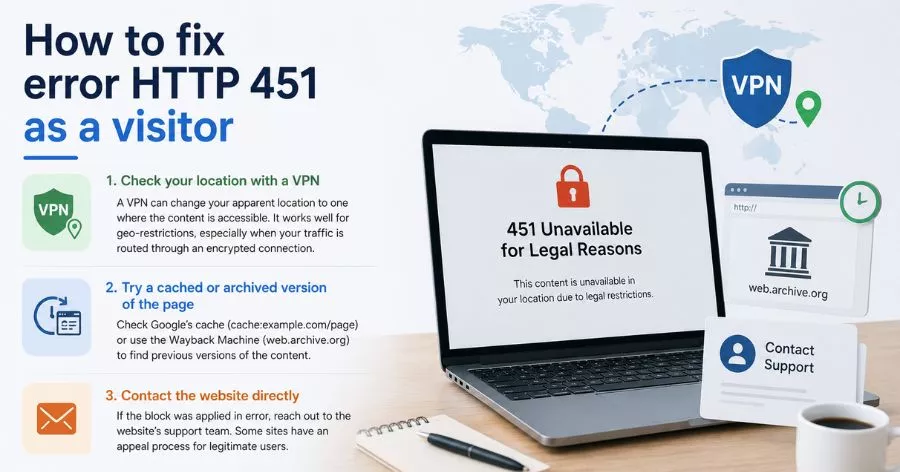
Check your location with a VPN
If the 451 error is geo-based, a VPN can change your apparent location to one where the content is accessible. For example, if a news article is blocked in your country but accessible in the United States, connecting to a US VPN server before loading the page will route your request through a US IP address. The content restriction applies to your geographic location, not to you as an individual user.
This approach works reliably for geo-restrictions driven by licensing or regulatory compliance. It is less effective when the block is enforced at the DNS or ISP level, because the ISP intercepts the request before it leaves the country’s network. In that case, using a VPN that tunnels all your traffic through an encrypted connection to a foreign exit node is the more effective solution.
Try a cached or archived version of the page
If the legal restriction was applied recently, cached versions of the content may still be available. Google’s cache of a page can sometimes be accessed by typing cache:example.com/page into the Google search bar, though Google has been phasing out its cache links in 2024 and 2025. The Wayback Machine at web.archive.org is a more reliable option for finding archived versions of pages that have been taken down.
This is not a workaround in the technical sense, you are accessing a snapshot of the content rather than the live page. Whether that is useful depends on how time-sensitive the information is and how recently the page was archived.
Contact the website directly
If you believe the block was applied in error, for example if you are a legitimate user being caught by an overly aggressive geo-filter, contacting the website’s support team is the most direct path to resolution. Some sites have an exception or appeal process for users who can verify their identity or location.
This step rarely works for government-ordered blocks but is worth attempting for GDPR geo-blocks and DMCA disputes where the takedown may have targeted the wrong URL.
How to fix error HTTP 451 as a website owner
If you are a site owner and your content is being blocked with a 451, or if you need to return a 451 response yourself, the process is more specific. The first step is always to understand exactly what legal instrument is driving the block.
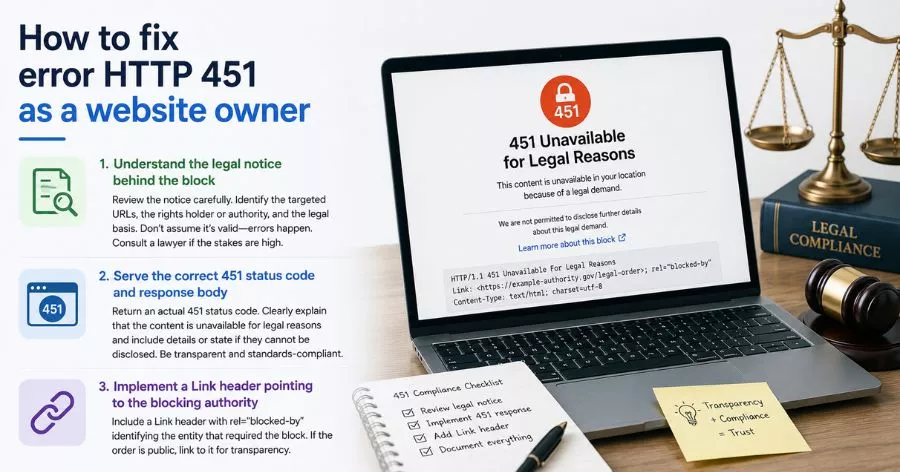
Understand the legal notice behind the block
Before you touch any code, get a clear picture of what you received. If it was a DMCA notice, it should identify the specific URLs being targeted, the rights holder making the claim, and the legal basis. If it came from a hosting provider or law enforcement, the notice will specify the scope and any deadlines.
Do not assume the notice is valid without reviewing it carefully. DMCA notices can be sent in error, and responding incorrectly, either by removing content that was not actually infringing or by ignoring a valid notice, has different consequences. If the legal notice is complex or the stakes are significant, consult a lawyer before taking action.
Serve the correct 451 status code and response body
If you are required to restrict access to content, return an actual 451 HTTP status code rather than simply hiding the page or redirecting to your homepage. This matters for two reasons. First, it is transparent: users know their request was refused for legal reasons rather than assuming the content never existed. Second, it is correct from a technical standards perspective, which matters if the restriction is ever challenged or audited.
Per RFC 7725, the 451 response body should ideally include a description of the legal demand and a link to more information. If you are not permitted to disclose the details of the legal demand, say so directly on the error page. The format of the response is not strictly defined, but a clear, human-readable explanation is better than a blank page.
Implement a Link header pointing to the blocking authority
RFC 7725 specifies that a 451 response should include a Link HTTP header with a rel="blocked-by" attribute identifying the entity that required the block. In practice, this looks like:
Link: <https://example-authority.gov/legal-order>; rel="blocked-by"
If you are unable to link to the order publicly, you can omit this header. But if the order is a matter of public record, including the link adds transparency and helps users understand why the block is in place.
Setting up a 451 error page in WordPress
WordPress does not natively support returning a 451 HTTP status code for blocked content. By default, WordPress handles custom error pages for 404s through the 404.php template in your theme, but there is no built-in equivalent for a 451. You have two main options: returning the 451 status via PHP or using .htaccess to intercept specific requests.
These steps are based on WordPress 6.5+ running on Apache or Nginx. If you are on a managed WordPress host such as WP Engine, Kinsta, or Flywheel, the .htaccess approach may be limited depending on your plan.
Return a 451 status code using PHP in WordPress
The most direct way to send a 451 response in WordPress is with the status_header() function and wp_die(), or by using header() directly in a custom template or plugin.
Create a custom page template in your active theme (or child theme, so your changes survive theme updates) and add the following at the top of the template file:
<?php
/**
 * Template Name: 451 Legal Block
 */

status_header( 451 );
get_header();
?>

<main>
  <h1>Unavailable for legal reasons</h1>
  <p>This content is not available in your region due to a legal requirement. For more information, visit <a href="https://example.com/legal-notice">our legal notice page</a>.</p>
</main>

<?php get_footer(); ?>
Assign this template to the WordPress page that corresponds to the blocked URL. The status_header( 451 ) call ensures the server returns the correct HTTP status code before outputting any HTML, which is important for crawlers and automated tools that inspect the raw response headers.
Use .htaccess to return a 451 for specific URLs
If you need to block multiple URLs at the server level rather than through WordPress page templates, an Apache .htaccess rule is more efficient:
<IfModule mod_rewrite.c>
  RewriteEngine On
  RewriteRule ^blocked-content/?$ - [R=451,L]
</IfModule>
Replace blocked-content with the actual path you need to block. The R=451 flag tells Apache to return a 451 status code instead of processing the request further. The L flag stops the ruleset at this point.
For Nginx, the equivalent configuration in your server block is:
location /blocked-content {
  return 451 "Unavailable for legal reasons.";
}
After making changes to .htaccess or Nginx configuration, always verify the result using a tool like cURL or your browser’s developer tools to confirm the server is returning 451 and not a 200 or 301.
Handling 451 errors in Shopify
Shopify’s architecture is more closed than WordPress, which means your options for customizing HTTP response codes are more limited. Shopify handles a portion of its geo-blocking at the infrastructure level through Shopify Payments and Markets settings rather than through custom HTTP responses.
Shopify’s built-in geo-blocking via Markets
If you need to restrict your Shopify store to specific countries for legal or regulatory reasons, the Shopify Markets feature (available on Basic and above) lets you configure country-specific availability. You can deactivate markets or restrict which products are visible in certain regions. However, Shopify does not natively return a 451 status code for blocked regions. Users who are blocked at the market level will typically see a redirect or a custom message rather than a proper 451 header.
For stores that need to serve a technically correct 451 response, the most reliable approach is to use a third-party Shopify app or a custom Shopify Plus script. Apps like GeoBlocker or Locksmith allow you to configure country-level access rules, though the HTTP status code returned depends on how the app is implemented.
Customizing the 451 response page in Shopify
Shopify allows you to edit a limited set of error pages through the theme editor. For a custom 451-style message, the most practical approach for standard Shopify plans is to create a dedicated page (Pages > Add page) with your legal block message and then redirect blocked users to that page using a URL redirect rule or an app.
If you are on Shopify Plus, you can use Shopify Scripts or Checkout Extensibility to intercept requests from specific regions and return custom responses, giving you more control over the HTTP response code at the checkout level.
FAQs About Error HTTP 451
What is the difference between HTTP 403 and HTTP 451?
A 403 Forbidden response means the server understood the request but is refusing it, typically because the user lacks the necessary permissions or credentials. A 451 Unavailable For Legal Reasons means the server is refusing the request specifically because of a legal requirement such as a court order, government mandate, or copyright takedown. The distinction matters because a 403 suggests the user could potentially gain access with the right credentials, while a 451 tells the user that access is blocked regardless of authentication status.
Can a VPN bypass an HTTP 451 error?
A VPN can bypass a 451 error if the block is applied based on geographic location, for example a geo-restriction driven by GDPR compliance or a regional licensing agreement. The VPN changes your apparent IP address, so the server no longer identifies you as being in the restricted region. A VPN will not help if the block is applied at the DNS or ISP level within a country that actively censors traffic, or if the restriction is tied to your user account rather than your location.
Is HTTP 451 the same as a website being banned?
No. A 451 status code does not mean the website itself is banned. It means a specific resource or page on that site is unavailable in your jurisdiction for legal reasons. The rest of the website may be fully accessible. If an entire domain is blocked, the mechanism is typically a DNS-level block or an ISP-level firewall rule, and the server may not return any HTTP response at all rather than returning a 451.
Conclusion
Error HTTP 451 means the content exists, but it cannot be shown because of a legal restriction. Unlike a 404 or 403 error, a 451 response clearly tells users that access has been blocked due to laws, court orders, copyright claims, or regional regulations.
For visitors, the issue may be resolved by changing location or contacting the website. For site owners, the key is to understand the legal requirement and return a proper 451 response with a clear explanation. Using the correct status code improves transparency, helps users understand what happened, and follows web standards.
Read More: 11+ Best GoDaddy Alternatives for Domain Registration
Contact US | ThimPress:
Website: https://thimpress.com/
Fanpage: https://www.facebook.com/ThimPress
YouTube: https://www.youtube.com/c/ThimPressDesign
Twitter (X): https://x.com/thimpress_com