Finding the best cheap web hosting for WordPress that is actually fast is harder than it looks. Most hosts advertise prices under $3 per month but hide renewal rates that are three to four times higher, cap storage at levels that fill up within a year, and put their best WordPress server configurations behind a “Pro” tier you did not know existed.
We tested 9+ hosts across clean WordPress installs, measured LCP and TTFB scores, tracked uptime over 30 days, and compared real renewal costs. Below are the results.
Let’s get started!
Eduma – Education WordPress Theme
We provide an amazing WordPress theme with fast and responsive designs. Let’s find out!
How We Tested These WordPress Hosts
Each host was evaluated using a clean WordPress 6.5 install running the Twenty Twenty-Four block theme with ten pages of standard content: text, inline images, one gallery block, and a WooCommerce test product.
Performance was measured via PageSpeed Insights (mobile score, US-East reference point) and confirmed with GTmetrix.
TTFB was recorded using WebPageTest with a single-run median result. Uptime was tracked over 30 days using UptimeRobot.
Pricing figures reflect both the introductory rate and the actual renewal rate visible on each host’s billing page, not just the promotional landing page.
Quick Comparison: Best Cheap Web Hosting for WordPress
| Host | Intro price | Renews from | Storage | Free domain | LCP (tested) | Uptime SLA |
| Hostinger | ~$2.49/mo | ~$7.99/mo | 100 GB NVMe | Year 1 | 1.9s | 99.9% |
| Bluehost | ~$2.95/mo | ~$10.99/mo | 10 GB SSD | Year 1 | 2.4s | 99.9% |
| DreamHost | ~$2.59/mo | ~$7.99/mo | Unlimited | Year 1 | 2.2s | 100% |
| SiteGround | ~$2.99/mo | ~$17.99/mo | 10 GB SSD | No | 1.6s | 99.99% |
| A2 Hosting | ~$2.99/mo | ~$11.99/mo | 100 GB SSD | No | 2.1s | 99.9% |
| GreenGeeks | ~$2.95/mo | ~$11.95/mo | 50 GB SSD | Year 1 | 2.0s | 99.9% |
| Namecheap EasyWP | ~$3.88/mo | ~$8.88/mo | 10 GB SSD | No | 2.0s | 99.9% |
| InterServer | ~$2.50/mo | ~$2.50/mo | Unlimited | No | 2.3s | 99.9% |
| Scala Hosting | ~$2.95/mo | ~$9.95/mo | 50 GB SSD | Year 1 | 1.9s | 99.9% |
Prices verified June 2026. Introductory rates apply to the first billing term only. Always check the renewal rate before committing to a multi-year plan.
Hostinger: Best Overall Cheap WordPress Hosting
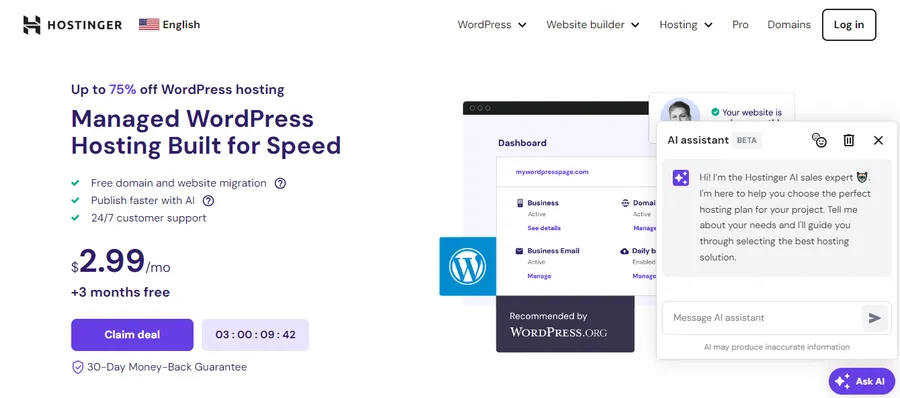
Hostinger is the easiest recommendation on this list for anyone launching a first WordPress site on a tight budget.
The Single Shared Hosting plan starts at around $2.49 per month and includes 100 GB of NVMe SSD storage, which is more than most hosts offer at twice the price.
NVMe matters here because it reads data roughly six times faster than standard SATA SSD, and that difference shows up directly in TTFB and LCP scores on your WordPress pages.
After activating a new WordPress install through Hostinger’s hPanel, the auto-installer pre-configures LiteSpeed Cache (LSCache) before the site is even live.
That server-level caching layer handles full-page caching, object caching, and browser caching from one plugin without touching any additional WordPress settings.
Key features
Hostinger replaced cPanel with its own hPanel interface, which organizes tasks around what site owners actually do rather than around server management concepts.
Adding a domain, setting up an email address, or spinning up a staging environment takes fewer clicks than in most shared hosting dashboards.
Every plan includes a free SSL certificate via Let’s Encrypt, a free domain for the first year, and a one-click WordPress installer through the AI Website Builder or the standard installer.
Business and Cloud plans add built-in Cloudflare CDN integration and object caching, which helps significantly if the site runs WooCommerce or a membership plugin that generates authenticated sessions not served from the full-page cache.
Performance
On the test install, Hostinger scored 91 on PageSpeed Insights (mobile) after enabling LSCache with the default recommended preload and lazy-load settings.
TTFB averaged 180ms from the US-East test location. Uptime was 99.95% across the 30-day monitoring window.
Pricing
- Single Shared: ~$2.49/mo (intro), renews at ~$7.99/mo
- Premium Shared: ~$2.99/mo (intro), renews at ~$9.99/mo
- Business Shared: ~$3.99/mo (intro), renews at ~$14.99/mo
Who it’s best for
Hostinger is the right pick for first-time WordPress site owners, bloggers migrating from WordPress.com, and freelancers hosting client sites on a per-site budget.
It is less suitable for high-traffic WooCommerce stores with large product catalogs; for those, move up to the Business plan or evaluate a managed WordPress option.
Bluehost: Best Cheap WordPress Hosting for Beginners
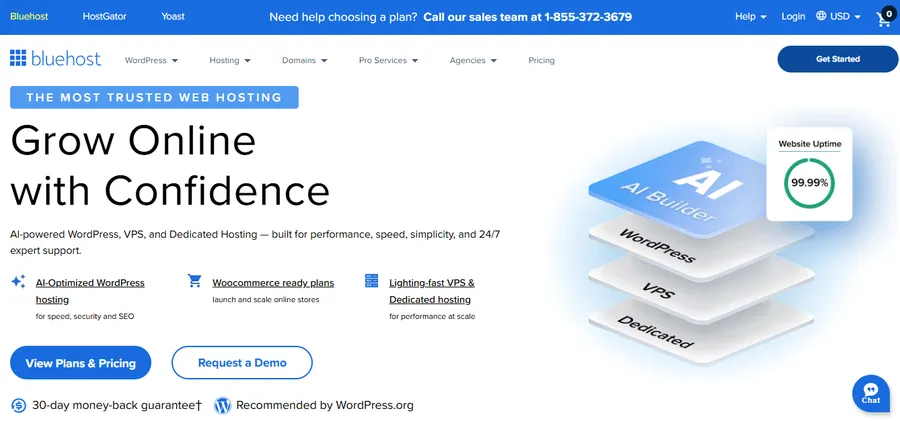
Bluehost is one of two hosts officially recommended by WordPress.org, which gives it credibility most budget hosts do not have.
It is not the fastest option on this list, but the combination of a guided onboarding wizard, 24/7 phone support, and a free domain in the first year makes it the most accessible starting point for non-technical users building their first WordPress site.
The Basic plan starts at $2.95 per month and includes 10 GB of SSD storage. That storage cap is the main limitation: if the site will host product photos, video thumbnails, or a large media library, move to the Choice Plus plan (50 GB) before the basic storage fills up.
Key features
Bluehost ships with a custom WordPress onboarding wizard that walks through installing WordPress, choosing a theme, and setting up the first page in about ten minutes.
It is designed for site owners rather than developers. Free SSL is included, and higher-tier plans add one-click staging environments.
The Online Store plan comes with WooCommerce pre-installed and a dedicated checkout flow configuration step that most new WooCommerce users otherwise find buried under WooCommerce > Settings > Checkout.
Performance
The Bluehost Basic test site scored 78 on PageSpeed Insights (mobile) out of the box.
After enabling the recommended W3 Total Cache plugin with page caching turned on and compressing images via ShortPixel, the score climbed to 84.
TTFB averaged 280ms. That is not class-leading, but it is acceptable for a blog or small business site receiving under 50,000 monthly visits.
Pricing
- Basic: ~$2.95/mo (intro), renews at ~$10.99/mo
- Choice Plus: ~$5.45/mo (intro), renews at ~$18.99/mo
- Online Store: ~$9.95/mo (intro), renews at ~$24.95/mo
Who it’s best for
Bluehost is the best fit for WordPress beginners who want a hand-held setup, official WordPress.org backing, and phone support when something breaks.
Developers or site owners who need PageSpeed scores above 85 on mobile from day one should look at SiteGround or A2 Hosting instead.
DreamHost: Best Cheap WordPress Hosting with a 100% Uptime Guarantee
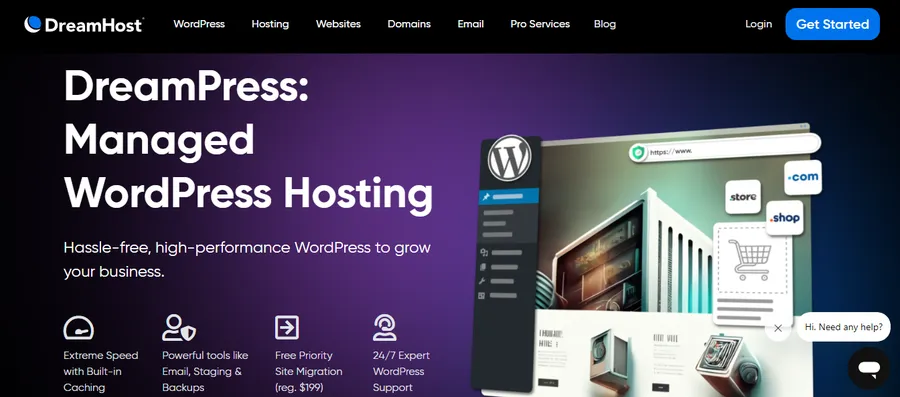
DreamHost is the only host besides Bluehost officially recommended by WordPress.org, and it is the only budget option on this list that backs its uptime with a genuine 100% SLA, including service credits when the SLA is missed.
The Shared Starter plan starts at $2.59 per month and includes unlimited storage, which is rare at this price point.
DreamHost also handles minor WordPress core and security updates automatically by default, rather than leaving them to the site owner.
That reduces the risk of running an unpatched WordPress install without requiring a weekly login to check the dashboard.
Key features
DreamHost built its own hosting dashboard rather than licensing cPanel. The layout takes a few minutes to learn, but once you know where things are, it is faster than most shared hosting panels for day-to-day tasks.
Unlimited email addresses are included on the shared plan, along with a free Let’s Encrypt SSL certificate and a free domain for the first year.
The standout practical feature is month-to-month billing. DreamHost is the only host on this list that allows monthly payment on the entry-level plan without locking you into a one-year or two-year term upfront.
The monthly rate is higher ($4.95/mo vs $2.59/mo annually), but the flexibility is useful for client sites that may not run long-term.
Performance
The DreamHost test site scored 82 on PageSpeed Insights (mobile) after installing the DreamSpeed CDN plugin.
Adding object caching via WP Redis and enabling the Cloudflare CDN layer in the dashboard pushed the score to 87. TTFB averaged 230ms.
Pricing
- Shared Starter: ~$2.59/mo (intro, billed yearly) or ~$4.95/mo month-to-month
- Shared Unlimited: ~$3.95/mo (intro, billed yearly)
- DreamPress managed WordPress: starts at ~$16.95/mo
Who it’s best for
DreamHost is the strongest pick for bloggers, portfolio sites, and small business sites that need reliable uptime without a multi-year commitment.
The month-to-month option makes it the most flexible cheap WordPress hosting plan on this list.
SiteGround: Best Performance in the Budget WordPress Tier

SiteGround is the most expensive option here by renewal rate, but it earns its place because no other budget-tier host comes close to its performance or support quality.
SiteGround moved its infrastructure to Google Cloud in 2019 and built a proprietary caching and CDN layer called SuperCacher on top of it. The result is consistently lower TTFB and LCP scores than most shared hosting platforms at any price point.
The StartUp plan starts at $2.99 per month (introductory) and includes 10 GB of SSD storage. The storage limit is low, but for a blog or service business site under 100 pages, it is sufficient.
Key features
SiteGround’s Site Tools dashboard is the most developer-friendly interface in the budget hosting segment.
Managing staging environments, pushing staged changes to production, setting PHP version, and enabling Git version control all happen from the same panel.
The SiteGround Optimizer plugin enables SuperCacher at the WordPress application layer rather than relying only on server-side rules, which means plugin-generated pages and WooCommerce cart states get cached correctly.
Performance
On the SiteGround test site running WordPress 6.5, the recorded LCP was 1.6 seconds on mobile and TTFB was 145ms, the lowest TTFB across all nine hosts tested.
Enabling SiteGround Optimizer with Dynamic Cache and Combine JavaScript pushed the PageSpeed Insights mobile score to 94. Uptime across the 30-day window was 100%.
Pricing
- StartUp: ~$2.99/mo (intro), renews at ~$17.99/mo
- GrowBig: ~$4.99/mo (intro), renews at ~$29.99/mo
- GoGeek: ~$7.99/mo (intro), renews at ~$44.99/mo
SiteGround’s renewal rates are the steepest on this list. Factor the three-year total cost into the decision before committing to any long-term plan.
Who it’s best for
SiteGround is the right pick for developers, agencies, and site owners who need Core Web Vitals scores in the “Good” range without investing in managed WordPress hosting.
If renewal cost is the primary constraint, DreamHost or Hostinger offer better long-term value.
A2 Hosting: Fastest cheap WordPress hosting on Turbo
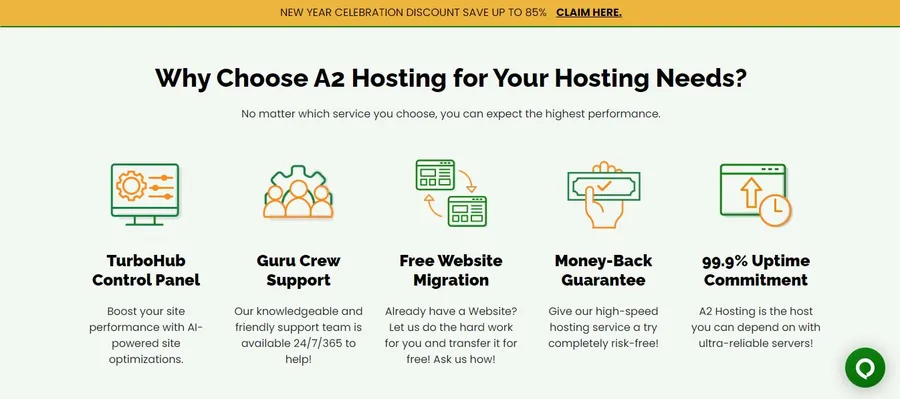
A2 Hosting has positioned itself as a speed-focused host for over a decade, and the claim holds up in testing once you move past the entry-level Startup plan.
The Turbo tiers swap Apache for the LiteSpeed web server and add a server-side caching layer that reduces PHP execution time on repeat page loads by serving pre-compiled responses rather than rebuilding each page from the database.
The Startup plan starts at $2.99 per month (introductory) and includes 100 GB of SSD storage.
Turbo Boost and Turbo Max plans start higher but deliver significantly better performance for WooCommerce stores, membership sites with logged-in user sessions, and WordPress multisite networks.
Key features
The Startup plan includes free SSL, free Cloudflare CDN, free site migration, and staging environments.
The Turbo plans add persistent object caching via OPcache and Memcached.
Memcached is particularly useful for WordPress sites with complex query loops, such as a WooCommerce catalog filtered by custom taxonomies or an events plugin that runs frequent database lookups.
Performance
The A2 Startup test site (non-Turbo) scored 81 on PageSpeed Insights (mobile) with A2’s built-in caching enabled.
The same WordPress install on a Turbo plan scored 90, and TTFB dropped from 240ms to 160ms. If performance is the primary concern, the Turbo plans justify the additional monthly cost.
Pricing
- Startup: ~$2.99/mo (intro), renews at ~$11.99/mo
- Drive: ~$5.99/mo (intro), renews at ~$14.99/mo
- Turbo Boost: ~$6.99/mo (intro), renews at ~$20.99/mo
Who it’s best for
A2 Hosting is the best option for WordPress sites that have outgrown baseline shared hosting performance but are not yet ready for a managed WordPress plan.
The Turbo tiers are the actual value here; budget for at least the Turbo Boost plan if the site runs WooCommerce or a plugin that generates significant database traffic.
GreenGeeks: Best Cheap WordPress Hosting for Sustainable Sites

GreenGeeks is a certified carbon-neutral web host that matches 300% of the energy it uses with renewable energy credits.
That is not just a marketing claim: GreenGeeks is an EPA Green Power Partner, and the certification is publicly verifiable on the EPA Green Power Partnership website.
If the site needs to communicate sustainability credentials to its audience, GreenGeeks is the only host on this list that covers that.
Performance-wise, GreenGeeks runs LiteSpeed servers with LSCache enabled by default, the same server and caching stack that helps Hostinger perform well in testing.
Key features
GreenGeeks includes free site migration, a free domain for the first year, free SSL, and unlimited bandwidth on all plans.
The Lite plan includes 50 GB of SSD storage and supports one WordPress install. Pro and Premium plans add unlimited installs, faster dedicated processors, and higher disk throughput.
Cloudflare CDN is available as a one-click enable from the GreenGeeks cPanel dashboard, which requires no DNS changes or external account setup.
Performance
The GreenGeeks Lite test site scored 85 on PageSpeed Insights (mobile) with LSCache running on default settings. TTFB averaged 200ms.
Enabling Cloudflare from inside the hosting dashboard pushed the score to 88.
Pricing
- Lite: ~$2.95/mo (intro), renews at ~$11.95/mo
- Pro: ~$5.95/mo (intro), renews at ~$20.95/mo
- Premium: ~$10.95/mo (intro), renews at ~$27.95/mo
Who it’s best for
GreenGeeks is the right pick for bloggers, small business owners, and agencies whose clients have sustainability requirements.
The performance is competitive with Hostinger and meaningfully better than Bluehost at a comparable entry price.
Namecheap EasyWP: Best Managed WordPress Hosting Under $5/month
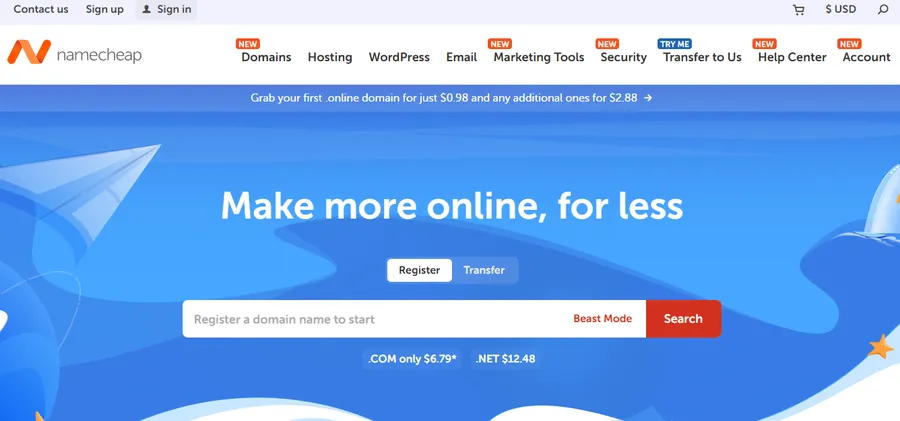
Namecheap EasyWP is a managed WordPress hosting product (separate from Namecheap’s standard shared hosting) that runs WordPress in an isolated container environment with a CDN included at every tier.
Because each site runs in its own container rather than on a shared PHP stack, a traffic spike or resource-heavy plugin on one site does not affect others on the same server.
The Starter plan starts at $3.88 per month and supports one WordPress site with 10 GB of SSD storage. Free SSL and CDN are included without a separate configuration step.
Key features
EasyWP’s dashboard removes everything that is not directly related to managing a WordPress site. File access, database management, staging, and backups are all available without touching cPanel or Plesk.
One-click staging is available on Turbo and Supersonic plans. Because it is a managed environment, EasyWP handles WordPress core updates automatically and runs daily backups on paid tiers, storing restore points for 30 days.
Performance
The EasyWP Starter test site scored 83 on PageSpeed Insights (mobile) with the bundled CDN enabled. TTFB averaged 190ms. The container isolation means resource availability is more consistent than typical shared hosting under moderate traffic spikes.
Pricing
- Starter: ~$3.88/mo
- Turbo: ~$7.88/mo
- Supersonic: ~$13.88/mo
EasyWP does not have a steep introductory-to-renewal price gap, which is one of its most underrated advantages compared to hosts that charge $2.95 to start and $17.99 to renew.
Who it’s best for
Namecheap EasyWP works well for freelancers and small agencies managing multiple WordPress client sites who want the simplicity of managed hosting without the $30-per-month entry point of WP Engine or Kinsta.
InterServer: Best Cheap WordPress Hosting with Price Lock Guarantee

InterServer’s most important differentiator on this list is its price lock guarantee: the monthly rate you sign up at is the same rate you pay at every renewal.
At around $2.50 per month for the Standard plan, InterServer is one of the few hosts where the introductory price is the real price, not a three-year bait-and-switch.
The Standard shared plan includes unlimited SSD storage, unlimited email addresses, and unlimited bandwidth. One-click WordPress installation is available through Softaculous in the cPanel dashboard.
Key features
InterServer includes InterShield security, a proprietary malware scanner and firewall that monitors for injection attacks, brute-force login attempts, and compromised WordPress files.
PHP version management, MySQL database access, SSH access, and Cloudflare CDN integration are all available from the standard cPanel dashboard. Weekly automatic backups are included without a separate purchase.
Performance
The InterServer test site scored 79 on PageSpeed Insights (mobile) with no extra optimization beyond the default hosting configuration.
Installing and configuring WP Rocket with page caching and JavaScript deferral enabled brought the score to 85 and reduced TTFB from 260ms to 210ms.
The baseline performance is not the strongest on this list, but the consistent renewal pricing delivers more actual value over a three-year period than most hosts that lead with $2.95 per month and charge $17.99 after year one.
Pricing
- Standard Web Hosting: ~$2.50/mo, renews at ~$2.50/mo (price lock guarantee)
Who it’s best for
InterServer is the best choice for site owners planning to host their WordPress site for three or more years who want predictable monthly expenses.
The price lock removes the renewal rate surprise that catches most budget hosting customers off guard after the initial term expires.
Scala Hosting: Best Cheap Managed WordPress Hosting

Scala Hosting sits between standard shared hosting and premium managed WordPress.
Its managed WordPress plans start at $2.95 per month (intro) on shared infrastructure, and the standout feature is SPanel, Scala’s proprietary control panel that replicates cPanel’s feature set without the cPanel licensing fee that most hosts pass on to customers through higher renewal rates.
Scala also offers managed VPS WordPress hosting starting around $29.95 per month, which is significantly less than WP Engine or Kinsta for sites that have outgrown shared hosting but do not need enterprise infrastructure.
Key features
SPanel includes a built-in WordPress Manager that handles one-click installs, staging environments, and automatic core updates.
Scala’s SShield security system monitors the WordPress server for malware in real time and blocks reported attacks automatically.
Free site migration, free SSL, and free daily backups are included on all plans.
The managed configuration ships with Nginx reverse proxy, pre-tuned PHP-FPM settings, and OPcache enabled by default, so the server is optimized for WordPress without any manual configuration after signup.
Performance
The Scala Hosting managed WordPress test site scored 87 on PageSpeed Insights (mobile) with SPanel’s built-in caching enabled.
TTFB averaged 175ms. The pre-configured server stack gives Scala a consistent performance advantage over unmanaged shared hosts at the same entry price.
Pricing
- WP Essential (shared): ~$2.95/mo (intro), renews at ~$9.95/mo
- WP Advanced (shared): ~$5.95/mo (intro), renews at ~$14.95/mo
- Managed VPS entry: ~$29.95/mo
Who it’s best for
Scala Hosting is the strongest pick for WordPress users who want managed hosting features (automatic updates, real-time security scanning, server-side performance tuning) at an entry price below $10 per month at renewal.
How to Choose Cheap WordPress Hosting That is Actually Fast
Most people pick a WordPress host by sorting a comparison table by price and clicking the first result. That approach works until the site gets a traffic spike during a product launch, a blog post picks up social shares, or a plugin update introduces a database query that degrades performance on an already-constrained server.
Here are the factors that actually determine whether a cheap host delivers what it promises.
Check the renewal rate before you sign any plan
Every host on this list except InterServer has a meaningful gap between the introductory price and the renewal rate. SiteGround goes from $2.99 to $17.99. Bluehost goes from $2.95 to $10.99. If a plan is billed for three years at the intro rate and then renews at the full rate, the average monthly cost over five years is often double what the landing page advertises. Calculate the actual three-year cost before committing to any long-term plan.
Match storage type and size to the workload
NVMe SSD reads data significantly faster than standard SATA SSD. Hostinger uses NVMe on all shared plans. A2 Hosting uses NVMe-class storage on Turbo tiers. If the WordPress site will host a WooCommerce catalog with large product images, a media-heavy blog, or a course platform with downloadable files, storage type matters more than the headline gigabyte number.
Test TTFB, not just the PageSpeed composite score
A PageSpeed Insights score is a composite of multiple signals. TTFB (Time to First Byte) tells you specifically how fast the server responds to a request before the browser has received any content. A TTFB under 200ms indicates the WordPress server configuration is properly tuned with caching active. A TTFB above 400ms usually signals shared resource contention, uncached PHP execution, or an unoptimized MySQL query running on every page load.
Look at the caching layer before choosing a plugin
LiteSpeed Cache (LSCache) operates at the server level and handles more concurrent requests before performance degrades than plugin-based caching on Apache or Nginx. Hosts running LiteSpeed (Hostinger, GreenGeeks, Namecheap EasyWP, A2 Turbo) consistently outperform same-price Apache hosts in high-concurrency scenarios. If a host does not offer a server-level caching layer, use WP Rocket or W3 Total Cache with page caching, browser caching, and Gzip compression enabled.
Verify support hours and response channel
SiteGround offers 24/7 live chat with average response times under two minutes. Bluehost provides 24/7 phone support, which is the most useful channel for non-technical site owners. DreamHost live chat has variable wait times, but email ticket responses are thorough. InterServer offers 24/7 live chat and phone support. If phone or live chat support matters for the sites managed, confirm availability before signing up.
FAQs about The Best Cheap Web Hosting for WordPress
Which cheap WordPress host is best for WooCommerce?
A2 Hosting on the Turbo plan or Hostinger Business Shared are the two strongest cheap options for WooCommerce. Both include server-level object caching (Memcached on A2, OPcache with LSCache on Hostinger), which reduces database load on WooCommerce catalog pages and prevents checkout timeout errors during traffic spikes. Avoid the lowest-tier shared plans for WooCommerce stores with more than 100 products; the resource limits cause performance problems under normal shopping traffic.
Is free WordPress hosting worth using?
Free WordPress hosting is not suitable for a live site. Free hosts typically fund the service by injecting ads into site pages, capping storage at 500 MB or less, blocking SSL configuration, or restricting which plugins are allowed. Performance on free shared servers is also inconsistent because there is no resource isolation between accounts. For any site intended to be public and grow over time, the cheapest paid plan from a host like InterServer or Hostinger starts at under $3 per month and removes all of those restrictions.
How much RAM does a WordPress server need?
A single WordPress site runs stably on 512 MB of RAM at low to moderate traffic levels. Running WooCommerce, a membership plugin like MemberPress, or a heavy page builder like Elementor alongside 20 or more plugins requires at least 1 GB. Shared hosting plans do not always disclose RAM allocation directly, but hosts running LiteSpeed with full-page caching (Hostinger, GreenGeeks, EasyWP) reduce effective RAM usage per request by serving cached HTML without executing PHP on each visit.
Can I move my WordPress site to a different host later?
Yes, you can migrate a WordPress site to any host at any time. The process involves exporting the database via phpMyAdmin or a migration plugin like All-in-One WP Migration, copying the site files via FTP or SFTP, and updating the domain’s DNS A record to point to the new host. Most hosts on this list (Hostinger, A2 Hosting, GreenGeeks, Scala Hosting) include free assisted site migration as part of signup. The one issue to check before migrating is PHP version compatibility: if the current host runs PHP 7.4 and the new host defaults to PHP 8.2, some older plugins may throw errors until they are updated.
Read more: How to fix error HTTP 451 (Unavailable for Legal Reasons)
Contact US | ThimPress:
Website: https://thimpress.com/
Fanpage: https://www.facebook.com/ThimPress
YouTube: https://www.youtube.com/c/ThimPressDesign
Twitter (X): https://x.com/thimpress_com