If you want to launch online courses or staff training without paying per-user fees, an open source LMS is usually the first place to look. A good free LMS gives you full control of your content, your learner data, and your budget. The hard part is that “free” means different things across tools, so the wrong pick can cost you months of setup time.
This guide compares seven of the best open source learning management system options, explains where each one fits, and shows how to choose for your team.
Eduma – Education WordPress Theme
We provide an amazing WordPress theme with fast and responsive designs. Let’s find out!
What is an open source learning management system?
An open source learning management system is software for creating, delivering, and tracking online courses, where the source code is public and you can download, modify, and host it yourself under an open license such as GPL or AGPL. You get the core features without a license fee, and you are free to change the code if you have a developer.
That definition sounds simple, but it hides a few details that matter when you compare tools.
Free LMS vs open source LMS
A free LMS is any learning platform that costs nothing to start. An open source LMS is one where the code is open. The two overlap, but they are not the same thing.
Some free LMS tools are closed. They give you a free tier on their own servers, then charge when you add learners or unlock features. An open source LMS platform, on the other hand, lets you install it on your own hosting and keep your data. The trade-off is that you handle hosting, updates, backups, and security yourself.
Why businesses choose open source
Companies pick open source LMS systems for three practical reasons: cost control, data ownership, and flexibility. You avoid per-seat pricing that grows every time you hire. You keep employee and customer data on infrastructure you choose. You can also connect the LMS to your HR system, CRM, or payment gateway through a plugin or API instead of waiting for a vendor roadmap.
The downside is honest and worth stating: open source does not mean zero cost. You pay in hosting, developer time, and maintenance. We cover this in the hidden costs section below.
How we compared these platforms
We compared each open source LMS on the same six points, so the list is easy to scan and the trade-offs are clear.
- Cost of the core product: Is the main platform free, and which features sit behind paid add-ons?
- Ease of setup: How much technical skill does installation and daily management need?
- Course features: Quizzes, certificates, progress tracking, drip content, and reports.
- Selling courses: Whether you can charge for access without heavy custom work.
- Scalability and hosting: How well it handles growth, and what servers it needs.
- Community and updates: Whether the project is actively maintained and documented.
The information comes from each project’s official documentation, its public repository or plugin page, and widely published product details. We did not invent benchmark numbers. Before you choose, install two or three finalists on a staging site and test them with your own sample course. That single test tells you more than any review.
Comparison table of the best open source LMS platforms
The table below compares all seven platforms side by side, so you can shortlist quickly before reading the details.
| Platform | Built with | Best for | Setup difficulty | Selling courses |
|---|---|---|---|---|
| LearnPress | WordPress plugin (PHP) | WordPress course sites, small business, creators | Easy | Yes, through add-ons |
| Moodle | PHP | Schools, universities, large training programs | Medium to hard | Possible with plugins |
| Open edX | Python, Django | Large MOOC-style programs | Hard | Yes, with ecommerce setup |
| Canvas LMS | Ruby on Rails | Institutions with technical teams | Hard | Not a core focus |
| Chamilo | PHP | Small schools and corporate training | Medium | Basic options |
| ILIAS | PHP | Universities and structured curricula | Medium to hard | Limited |
| Frappe LMS | Python, Frappe framework | Startups and modern, lightweight course sites | Medium | Yes, with payment setup |
The 7 best open source LMS platforms
Each platform below serves a different type of team. Read the “best for” line first, then check the limits, since those are what usually cause regret later.
1. LearnPress: best free LMS for WordPress
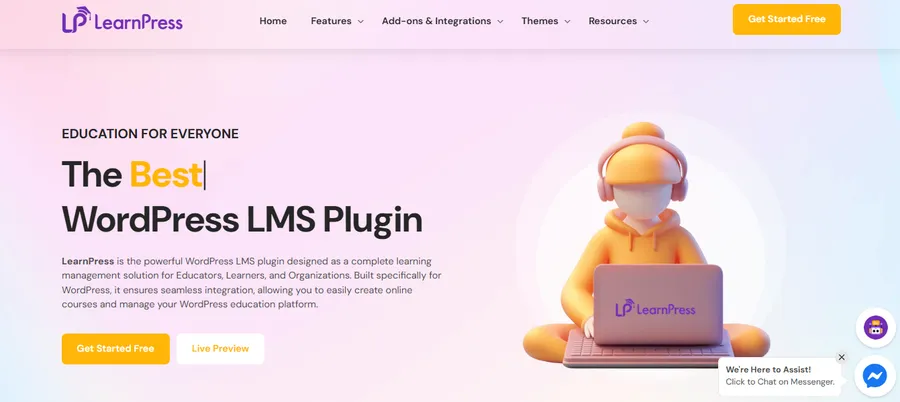
LearnPress is a free WordPress LMS plugin developed by ThimPress and listed on WordPress.org. If your site already runs on WordPress, it is the fastest way to add courses, lessons, and quizzes without moving to a separate system.
What it does well:
- You create courses, sections, lessons, and quizzes from the WordPress dashboard, using the same editor you already know.
- The core plugin is free, and you extend it with add-ons for features such as certificates, assignments, and payment gateways.
- It works with WooCommerce, so you can sell courses with the checkout flow many store owners already use.
Limits to know: Because it lives inside WordPress, your performance depends on your hosting and your theme. A heavy page builder plus many plugins can slow lessons down, so keep the stack lean. Some advanced features need paid add-ons, which is normal for this model.
Best for: Bloggers, coaches, small businesses, and training providers who want a free LMS software option inside a site they already manage. If you want a ready-made design, an education theme such as Eduma from ThimPress is built to work with LearnPress, so the course pages, instructor profiles, and layouts fit together from day one.
2. Moodle: best open source LMS for schools and universities
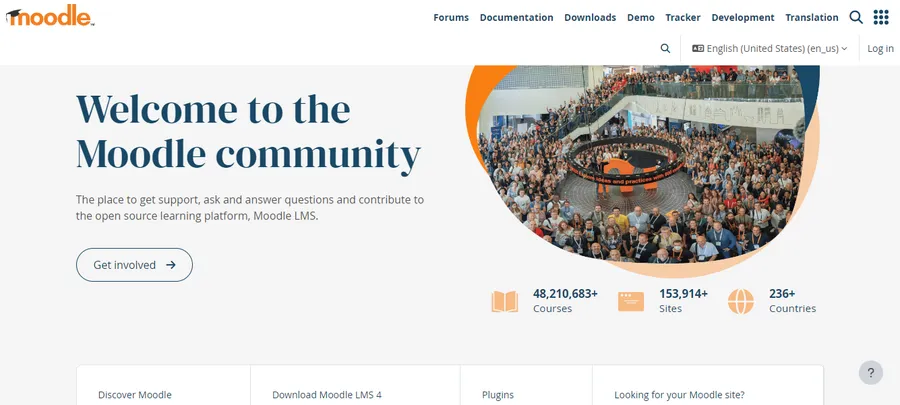
Moodle is one of the most widely used open source learning management systems in the world. It is written in PHP, released under the GNU General Public License, and has been developed since 2002. That long history shows in its depth: it supports quizzes, assignments, forums, workshops, gradebooks, and detailed roles and permissions.
What it does well:
- A very large plugin directory covers reporting, plagiarism checks, video conferencing, and more.
- It supports complex course structures, competency tracking, and completion rules.
- Community documentation and translations are extensive.
Limits to know: Moodle can feel heavy to a new admin. The admin menu is deep, and a first-time user often needs time to find the setting they want. User reviews on Capterra also mention a dated interface as a common complaint. Plan for hosting that can handle traffic, because a small shared server can struggle at busy times.
Best for: Institutions and larger organizations that need formal assessment, detailed reporting, and a mature ecosystem. If you are comparing the best open source LMS options for a school, start here.
3. Open edX: best for large, MOOC-style programs
Open edX is the open source platform behind large online course catalogs. It is built with Python and Django, and it focuses on video-driven courses delivered to many learners at once.
What it does well:
- It is designed for scale, with a course authoring tool called Studio and a separate learner experience.
- It supports certificates, discussion forums, and course cohorts.
- The official Tutor distribution makes Docker-based installation more manageable than it used to be.
Limits to know: This is not a weekend project. You need real DevOps skill or a managed hosting partner, because the architecture has many moving parts. For a small team with a handful of courses, it is often more than you need.
Best for: Universities, nonprofits, and companies planning a large public course catalog with a technical team to support it.
4. Canvas LMS: best for teams with strong technical support
Canvas LMS is developed by Instructure and offers an open source edition built on Ruby on Rails. It is known for a clean interface and strong integration options in education.
What it does well:
- The interface is more modern than many older platforms.
- It has a solid assignment and grading workflow, plus API access for integrations.
Limits to know: Self-hosting the open source edition takes technical effort, and some features found in the commercial cloud product may not be included. Selling courses is not its main purpose, so it suits internal or institutional use better than a public course shop.
Best for: Organizations with developers who want an education-focused platform and are comfortable running their own infrastructure.
5. Chamilo: best simple open source LMS platform for small teams
Chamilo is a PHP-based open source LMS maintained by the Chamilo Association. It aims to be easier to learn than heavier systems, which makes it a fair fit for small schools and company training.
What it does well:
- The interface is straightforward, so teachers can build a course without long onboarding.
- It includes tests, learning paths, certificates, and reporting.
- Installation is easier than Open edX or Canvas.
Limits to know: The plugin ecosystem and community are smaller than Moodle’s. If you need a very specific integration, you may write it yourself.
Best for: Small to mid-size organizations that want a lighter open source learning management system without a steep learning curve.
6. ILIAS: best for structured academic curricula
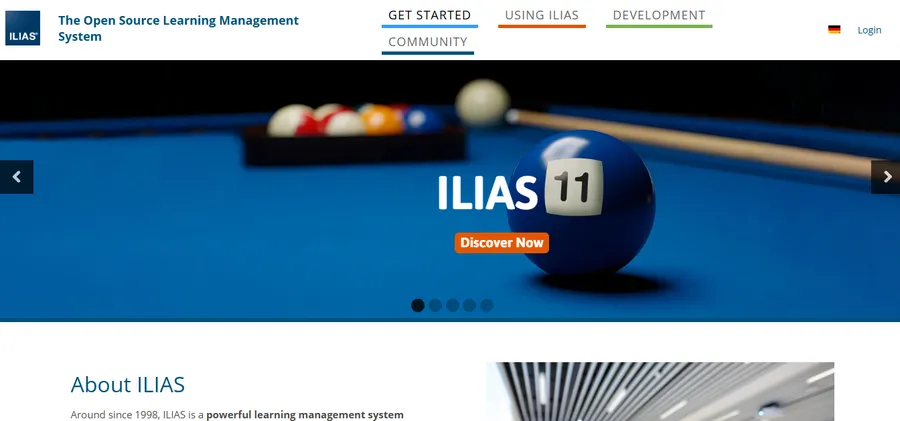
ILIAS is a long-running open source LMS written in PHP and released under the GPL. It is common in universities, especially in German-speaking regions, and it is strong on structure and learning objects.
What it does well:
- It supports learning modules, tests, surveys, and SCORM content.
- Its object-based design suits institutions that need consistent course structures.
Limits to know: The interface can feel formal and dense. Documentation and community help are strongest in some regions and thinner in others, so check for support in your language before you commit.
Best for: Universities and public-sector training bodies that value structure over a flashy interface.
7. Frappe LMS: best modern lightweight option
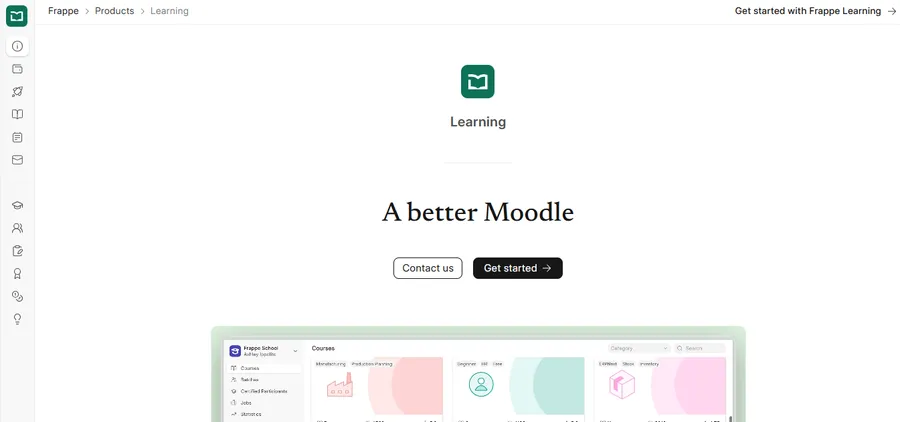
Frappe LMS is an open source learning platform built on the Frappe framework, the same base used by ERPNext. It has a cleaner, more modern interface than many older tools and focuses on course creation, batches, and certification.
What it does well:
- The interface is simple and quick to learn.
- It fits well if you already use other Frappe-based tools.
- It is lighter to work with than the largest platforms.
Limits to know: It is newer than Moodle or ILIAS, so the plugin library and community resources are smaller. Hosting a Frappe app also needs a different setup than a typical PHP or WordPress stack.
Best for: Startups and small teams that want a modern free LMS and can handle a Python-based deployment.
Best open source LMS for business
The best open source LMS for business depends on your training goal: employee onboarding, compliance training, customer education, or selling courses. Each goal puts different pressure on the platform.
Employee onboarding and internal training
For onboarding, you need clear progress tracking, completion certificates, and easy course updates. Moodle and Chamilo handle this well. LearnPress also works if your company site already runs on WordPress and you want to keep everything in one place.
Compliance and reporting
For regulated training, you need detailed reports, audit trails, and reliable role controls. Moodle is the strongest choice here because of its gradebook, roles system, and reporting plugins. Whichever tool you pick, test the export of completion records before you rely on it for audits.
Customer education and selling courses
If courses are part of your product or revenue, ease of payment matters. An open source LMS for business that runs on WordPress can be a practical route, because WooCommerce and payment gateway plugins are mature. With LearnPress and a matching theme, you can build a course store and a learning area on one domain, which keeps branding consistent.
How to choose the right free LMS software
Pick your free LMS software by working through four questions, in this order. This keeps you from choosing on features you will never use.
Start with your team’s technical skill
If nobody on your team can manage a server, avoid Open edX and Canvas. A WordPress-based solution or a managed Moodle host is far safer. If you have developers, the field opens up.
Match the platform to the number of learners
A few hundred learners run comfortably on most platforms with decent hosting. Tens of thousands of concurrent learners call for a platform built for scale, plus proper caching and database tuning. Ask for real capacity information from the project’s documentation, not marketing pages.
Decide how you will sell or share courses
If you plan to charge for courses, confirm the payment flow before you build anything. Check for supported gateways, coupons, refunds, and access rules for expired memberships. A tool that requires heavy custom code to take a payment will cost you more than a paid plan elsewhere.
Check the update history and community
An abandoned project is a security risk. Look at the release history, the support forum, and the number of recent commits or plugin updates. An active project fixes vulnerabilities quickly, which matters for any system that stores learner data.
Hidden costs of a free LMS
A free LMS is rarely free in total cost. Knowing the real cost helps you compare an open source LMS against a paid SaaS product fairly.
Hosting and performance
You pay for a server that can handle your traffic. Video-heavy courses add bandwidth costs, so many teams host videos on a separate video service and embed them. A slow server also hurts learner completion, so avoid the cheapest hosting plan for anything beyond a small test.
Developer time and maintenance
Updates, backups, and security patches are your job. Set a schedule: update on a staging copy first, back up the database and files, then update production. Skipping this routine is the most common reason open source LMS sites break after an update.
Premium add-ons and support
Many open source projects earn money through paid add-ons or support plans. That is a fair model, and it often gives you better value than a full enterprise license. Just list which features you need before you decide whether the free core is enough.
How to launch a course site with LearnPress
If you choose the WordPress route, you can have a working free LMS in a short session. These steps assume a fresh WordPress install, and the menu names may differ slightly in newer versions.
- Set up hosting and WordPress. Choose hosting with PHP 8.x support and enough memory for your traffic. Install WordPress and set your permalink structure under Settings > Permalinks.
- Install a lean theme. Use an education theme built for LMS layouts, or a lightweight theme if you prefer a custom design. If you plan to edit theme files, create a child theme first so your changes survive updates.
- Install LearnPress. Go to Plugins > Add New, search for LearnPress, then install and activate it. The setup wizard walks you through basic pages and currency settings.
- Create your first course. Open LearnPress > Courses > Add New. Add sections, lessons, and a short quiz, then set a price or mark the course free.
- Add payments and extras. Install the add-ons you need for payment gateways, certificates, or assignments. Test a full purchase and enrollment as a new student account.
- Test on mobile. Open a lesson on your phone and check load time and readability. Fix any slow pages before you invite real learners.
If you prefer a ready-made design, the Eduma education theme from ThimPress pairs with LearnPress and includes demo layouts for course listings, instructor pages, and event pages. That saves the design work many new course sites spend the most time on.
Security and compliance basics for any LMS
Whichever open source LMS platform you choose, treat security as a core feature. Learner accounts hold names, emails, and sometimes payment or performance data.
- Keep the LMS, plugins, and server software updated.
- Use HTTPS on every page and strong passwords for admin accounts.
- Turn on two-factor authentication for admins where the platform supports it.
- Limit admin roles, and give teachers only the permissions they need.
- Schedule automatic backups and test a restore at least once.
- Review privacy rules that apply to you, such as GDPR if you serve learners in Europe, and add a clear privacy policy.
FAQs about the best open source LMS
Is there a completely free LMS?
Yes, several platforms are free to download and use, including Moodle, Chamilo, ILIAS, and Frappe LMS, and the LearnPress core plugin is free too. You still pay for hosting, and sometimes for add-ons or support. Free here means no license fee, not no cost.
Which open source LMS is easiest to set up?
For most beginners, a WordPress-based option such as LearnPress is the easiest, because you install it like any other plugin and manage courses from the familiar dashboard. Moodle and Chamilo need more server knowledge. Open edX and Canvas are the hardest to self-host.
Can I sell courses with an open source LMS?
Yes, but the effort differs by platform. On WordPress, you can connect LearnPress to WooCommerce or a supported payment add-on and sell courses with coupons and access rules. On larger platforms like Moodle or Open edX, you usually need plugins or custom ecommerce work.
Is an open source LMS secure enough for business use?
It can be, if you maintain it properly. Open code allows many people to review and report problems, and active projects release security fixes regularly. The risk comes from neglected updates, weak passwords, and cheap hosting, so follow a strict update and backup routine.
Can an open source LMS handle a large number of learners?
Yes, but scalability depends on the platform, hosting environment, and how well the system is configured. Platforms such as Moodle and Open edX can support larger learning programs, while WordPress-based LMS sites may need stronger hosting and performance optimization as traffic grows.
Do I need technical skills to manage an open source LMS?
Not necessarily. Platforms such as LearnPress can be managed through a familiar WordPress dashboard, so basic course creation does not require coding. However, tasks such as server configuration, custom development, security, and troubleshooting may require technical knowledge or developer support.
What should I consider before choosing an open source LMS?
Start by checking your technical skills, number of learners, course features, payment requirements, hosting needs, and available support. Also consider ongoing costs such as hosting, maintenance, premium add-ons, and security updates rather than looking only at the initial license cost.
Conclusion
The best free LMS is the one your team can actually run and keep updated. Moodle leads for schools and formal reporting. Open edX and Canvas suit large programs with technical teams. Chamilo, ILIAS, and Frappe LMS serve smaller or specialized needs. For business owners, creators, and trainers who already use WordPress, LearnPress is a practical open source LMS that keeps courses, payments, and content on one site.
Start small: shortlist two platforms from the table, install both on a test site, build one sample course, and enroll a test learner. That short trial will show you which open source learning management system fits your workflow. If WordPress is your home base, try LearnPress with the Eduma theme from ThimPress and see how quickly you can publish your first course.
Read more: LMS Pricing: Select the perfect cost model
Contact US | ThimPress:
Website: https://thimpress.com/
Fanpage: https://www.facebook.com/ThimPress
YouTube: https://www.youtube.com/c/ThimPressDesign
Twitter (X): https://x.com/thimpress_com