Building a profitable eLearning website requires two essential components: a robust Learning Management System (LMS) and a reliable method to manage subscriptions. For WordPress users, the debate often comes down to Paid Membership Pro vs MemberPress.
Both plugins are industry leaders in content restriction, but they approach online courses differently. Paid Memberships Pro (PMPro) offers a flexible, modular architecture with a free entry point, while MemberPress provides a polished, all-in-one premium experience.
This guide analyzes both plugins specifically through the lens of an online course creator. Whether you are using a dedicated LMS like LearnPress or looking for a simple content-locking solution, this comparison will help you decide.
Eduma – Education WordPress Theme
We provide an amazing WordPress theme with fast and responsive designs. Let’s find out!
Quick Comparison Overview: Paid Membership Pro vs MemberPress for Online Course
If you are short on time, here is a high-level look at how these two powerhouses (Paid Membership Pro vs MemberPress) stack up for education-based websites.
| Feature | Paid Memberships Pro | MemberPress |
| Primary Use Case | Flexible membership & developer-friendly customization. | All-in-one membership sites with built-in features. |
| LMS Compatibility | Excellent (Deep integration with LearnPress, LearnDash, etc.). | Good (Includes built-in “Courses” add-on). |
| Pricing Model | Freemium (Free core plugin available). | Premium Only (Starts at ~$179/year). |
| Payment Gateways | Extensive (Stripe, PayPal, Braintree, 2Checkout, etc.). | Limited (Stripe & PayPal; Authorize.net on Pro plans). |
| Ease of Use | Moderate (Settings are spread out). | High (Centralized “Rules” dashboard). |
Paid Memberships Pro Overview (PMPro Review)

Paid Memberships Pro is often favored by developers and budget-conscious creators because of its “freemium” model. It allows you to build a fully functional membership site without upfront costs, utilizing a vast library of free add-ons.
Strengths for Course Creators
- Unrestricted Access Levels: Unlike many competitors, PMPro allows you to create unlimited membership tiers (e.g., Gold, Silver, Free Trial) even in the free version.
- LMS Integration: PMPro acts as a powerful gatekeeper. It integrates seamlessly with dedicated LMS plugins. For example, if you are using the Eduma theme with LearnPress, specific Paid Memberships Pro Add-on for LearnPress allows PMPro to handle the billing while LearnPress handles the curriculum.
- Payment Flexibility: It supports a wider range of payment gateways out of the box, which is vital for international course sellers who cannot use Stripe.
Weaknesses
- Steeper Learning Curve: The interface is functional but can feel cluttered. Settings are distributed across multiple tabs, which may overwhelm beginners.
- Add-on Reliance: Features like content dripping or specific integrations often require installing separate add-ons, making site management slightly more complex.
MemberPress Overview (MemberPress Review)
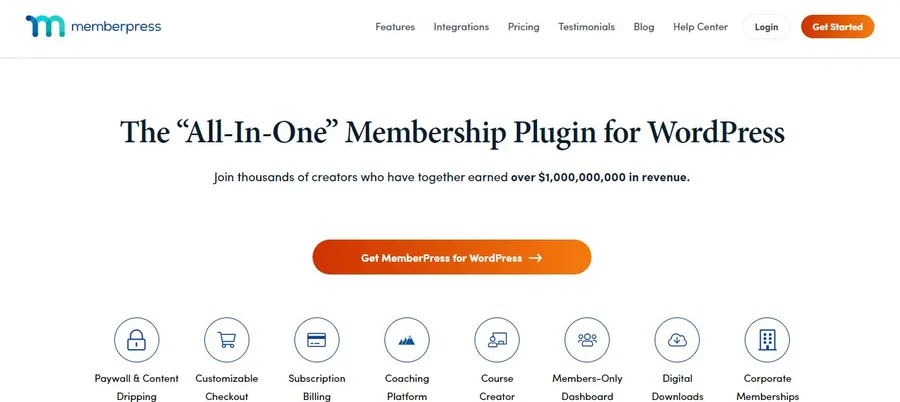
MemberPress is widely considered the premium standard for WordPress membership sites. It focuses on providing a streamlined, “it just works” experience.
Strengths for Course Creators
- MemberPress Courses: The plugin comes with a built-in visual course builder. If you have simple course requirements and do not wish to install a separate LMS plugin, this is a major advantage.
- Centralized “Rules” System: Content protection is managed through a powerful dashboard. You can restrict access to all pages, posts, or course categories with a single rule.
- Polished UI: The interface is intuitive. Beginners can set up a payment gateway and restrict a course page in minutes without touching code.
Weaknesses
- Cost: There is no free version. The price increases significantly upon renewal (often double the introductory price).
- Walled Garden: While it integrates with many tools, it is less flexible than PMPro if you want to customize the code or use niche payment processors.
Feature Comparison: Paid Membership Pro vs MemberPress for Online Course
To determine the winner of the Paid Membership Pro vs MemberPress debate, we must look at how they handle the specific needs of an educational website.
1. Course Protection and Content Locking
MemberPress excels in ease of use here. Its “Rules” menu allows you to lock content based on categories, tags, or URL snippets. You can set up a rule that says “All content tagged Advanced Course requires Gold Membership,” and it applies instantly.
Paid Memberships Pro offers protection at the page/post level (via a meta box in the editor) or via category settings. While effective, it lacks the centralized visual management that MemberPress offers. However, PMPro includes a specific block for the Gutenberg editor, allowing you to hide specific paragraphs within a public lesson—a great feature for “teaser” content.
2. LMS Integration and Scalability
This is the deciding factor for most educators.
If you want an all-in-one solution and your courses are simple (text and video only), MemberPress with its built-in Courses add-on is sufficient.
However, if you are building a professional academy using LearnPress (the best WordPress LMS plugin) and a theme like Eduma, Paid Memberships Pro is often the superior choice. Through the specialized Paid Memberships Pro Add-on for LearnPress, you can:
- Link specific membership levels to LearnPress courses.
- Auto-enroll students upon payment.
- Remove students if their subscription expires.
This modular approach prevents “plugin bloat” and lets the LMS handle learning logic (quizzes, certificates, gradebooks) while the membership plugin handles billing.
3. Payment Gateways and Subscriptions
Paid Memberships Pro is the clear winner for global accessibility. It supports Stripe, PayPal, Authorize.net, Braintree, CyberSource, and 2Checkout natively.
MemberPress restricts you to Stripe and PayPal on the Basic plan. If you require Authorize.net, you must upgrade to the Pro plan, significantly increasing your costs. Both plugins handle recurring subscriptions and free trials effectively.
4. Pricing and Scalability
Paid Memberships Pro offers a free core plugin that is robust enough for many businesses to launch. Their paid plans (starting around $247/year) are primarily for premium support and advanced “Plus” add-ons.
MemberPress starts at ~$179 for the first year but renews at ~$359. For a startup course creator, the initial investment and high renewal rate of MemberPress can be a barrier compared to PMPro’s free entry point.
Paid Membership Pro vs MemberPress for Online Course Use-Case Analysis
Best for Creators Selling Simple Courses
If your model is simple—uploading videos and protecting them behind a paywall—MemberPress is the better option. Its built-in course creator eliminates the need for complex LMS configurations. The “Rules” engine makes managing access across your site incredibly fast.
Best for WooCommerce and Dedicated LMS Sites
If you are building a scalable education platform using WooCommerce membership vs LMS logic, Paid Memberships Pro is the recommendation.
When paired with LearnPress, PMPro allows you to sell courses as products or subscriptions with granular control. The integration ensures that when a user buys a membership via PMPro, the LearnPress course content unlocks automatically. This setup is favored by users of the Eduma theme, as it maintains the professional structure of an LMS while leveraging the flexible billing of PMPro.
The Verdict: Paid Membership Pro vs MemberPress for Online Course
The choice between Paid Membership Pro vs MemberPress depends entirely on your tech stack.
Choose MemberPress if:
- You want a “set it and forget it” solution.
- You do not want to install a separate LMS plugin.
- You are comfortable with higher annual fees for a premium user experience.
Choose Paid Memberships Pro if:
- You use a dedicated LMS like LearnPress.
- You need flexibility in payment gateways (beyond Stripe/PayPal).
- You want to start for free and scale up as your student base grows.
- You prefer a modular approach where you only install the features you need.
FAQs About Paid Membership Pro vs MemberPress for Online Course
1. Can I use Paid Memberships Pro with LearnPress?
Yes. ThimPress offers a dedicated “Paid Memberships Pro Add-on for LearnPress” which seamlessly connects the two. This allows you to restrict LearnPress courses to specific PMPro membership levels.
2. Is the MemberPress course builder better than an LMS?
MemberPress Courses is excellent for basic needs, but it lacks the advanced features of a dedicated LMS like LearnPress (such as advanced quizzing, gradebooks, certificates, and multi-instructor support).
3. Which plugin is cheaper in the long run?
Paid Memberships Pro is generally more affordable. The core version is free, and the renewal rates for premium plans are consistent. MemberPress offers a discount for the first year, but the renewal price is significantly higher.
4. Do these plugins work with the Eduma theme?
Yes, both plugins are compatible with Eduma. However, because Eduma is optimized for LearnPress, using Paid Memberships Pro (with its LearnPress integration) often provides a smoother workflow for education sites.
Final Thoughts About Paid Membership Pro vs MemberPress for Online Course
For a dedicated online school, separating your content delivery (LMS) from your payment processing (Membership) is often the smartest architectural decision.
We recommend using Paid Memberships Pro if you are building a serious eLearning platform with LearnPress. The ability to start for free, combined with deep LMS integration, provides the flexibility required to grow a successful course business.
Are you ready to integrate your membership plugin with your courses? Check out the Paid Memberships Pro Add-on for LearnPress to synchronize your subscriptions and content today.
Read more: 10 Best Payment Gateways for eLearning & Online Coaching Websites
Contact US | ThimPress:
Website: https://thimpress.com/
Fanpage: https://www.facebook.com/ThimPress
YouTube: https://www.youtube.com/c/ThimPressDesign
Twitter (X): https://x.com/thimpress_com