Picking the best WordPress calendar plugin usually comes down to one question: are you displaying events, or are you taking bookings? The two jobs look similar on the surface, but the plugins built for them work in completely different ways. An events plugin like The Events Calendar shows a schedule. An appointment plugin like Amelia or Bookly reserves a specific time slot with a specific person and stops anyone else from grabbing it.
We installed and tested eight of the most-used options in this space, from full event management systems to lightweight appointment schedulers, and we cover WordPress calendar plugins, WordPress booking calendar plugins, and WP appointment booking plugin options in one place so you don’t have to piece the research together yourself.
Most site owners land on this decision after outgrowing a shared Google Calendar embed or a static “call us to book” page. That’s usually the moment a dedicated plugin appointment WordPress setup starts paying for itself, since it removes the back-and-forth emails and lets a client claim a slot the second it’s open. Below, each entry covers an overview, key features, pros, cons, and who it’s actually built for, so you can match the plugin to your workflow instead of your workflow to the plugin.
Let’s get started!
Eduma – Education WordPress Theme
We provide an amazing WordPress theme with fast and responsive designs. Let’s find out!
How we tested these best WordPress calendar plugin options
Each plugin was installed on a site running the latest version of WordPress with a standard theme, then pushed through a real booking or event-creation flow rather than just reviewing the settings screen.
- For appointment plugins, that meant walking the front-end widget from service selection through to a confirmed time slot.
- For calendar and event plugins, it meant creating a recurring event, checking how it displayed in month, list, and day views, and confirming the shortcode or block worked without console errors.
We also checked plugin size, admin menu clutter, and how each one behaved once a second browser tab tried to book the same slot at the same time, since double-booking is where a lot of budget booking calendar plugins quietly fail.
Pricing was pulled from each vendor’s live pricing page rather than older cached figures, since several plugins in this list changed their pricing tiers within the past year. Where a plugin offers both an annual license and a one-time lifetime option, we noted the annual price for easier comparison, since that’s the number most buyers compare first.
The Events Calendar

The Events Calendar, built by StellarWP, is the plugin most WordPress users mean when they search for the WordPress the events calendar solution. It’s a dedicated event management plugin rather than an appointment scheduler, and with over 600,000 active installs, it’s the closest thing to a default choice in this category.
Key features
- Month, list, day, and map views out of the box
- Google Maps venue integration and organizer profiles
- iCal and Google Calendar subscription links for attendees
- JSON-LD structured data, so events can surface in Google’s event rich results
- Pro add-on unlocks recurring events, extra calendar views, and custom fields
Pros
- Handles recurring conferences, meetups, and webinars without extra plugins
- Free version already covers most small organizations’ needs
- Large ecosystem of add-ons for tickets, community submissions, and virtual events
Cons
- Pro pricing jumped from $259 to $599 per year for a single site as of July 2026, which stings for small sites
- Not built for time-slot appointment booking; you’ll need a separate plugin for that
- Interface can feel dense once you activate several add-ons at once
Best for
Organizations that run recurring public events: conferences, workshops, community meetups, and nonprofit fundraisers where attendees need to see a schedule, not book a private slot.
Amelia
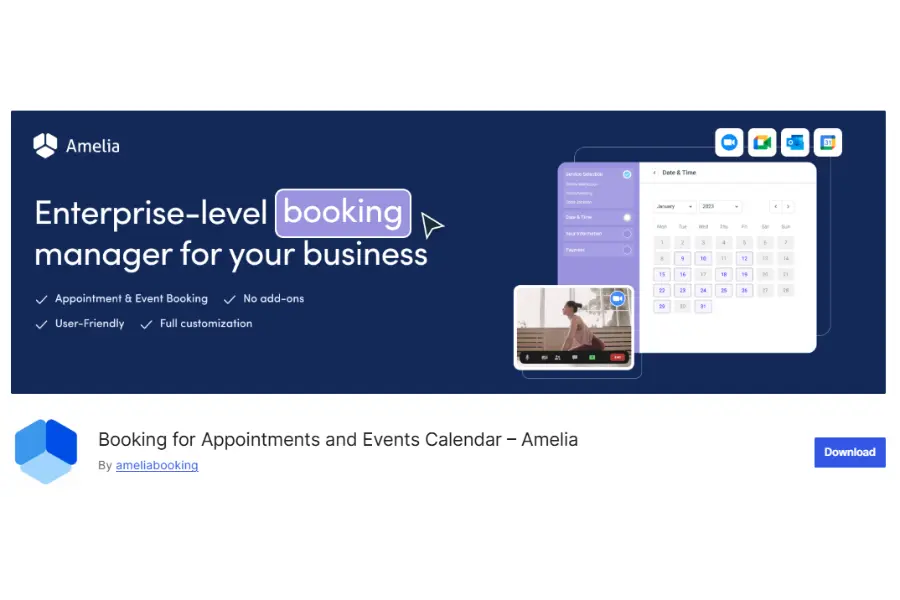
Amelia is one of the most polished appointment booking plugin WordPress options available, built around a step-by-step booking wizard that walks the customer from service to staff member to payment. It also includes an events module, which puts it in an odd but useful middle ground between pure appointment software and an events calendar.
Key features
- Google, Outlook, and Apple Calendar sync included from the Standard plan
- Employee management with individual schedules, days off, and service assignments
- Multiple gateway payments through Stripe, PayPal, and Razorpay
- SMS and email reminders with customizable templates
- Events module with QR-coded e-tickets for group bookings
Pros
- One of the cleanest booking widgets we tested, both on desktop and mobile
- Lifetime license option avoids recurring fees if you buy Pro or Elite outright
- Deep feature set even at the Standard tier compared to plugins that gate calendar sync behind higher plans
Cons
- Ownership recently moved from TMS to Suspended Networks, which has left some users unsure about the plugin’s long-term support roadmap
- WordPress-only, so there’s no path to take your booking data with you if you ever switch platforms
- A rocky version 9.0 release in December 2025 caused calendar display bugs for some users before the fix landed
Best for
Service businesses such as clinics, salons, and consultants that want a single WP appointment booking plugin covering staff scheduling, payments, and reminders without stitching together add-ons.
Bookly
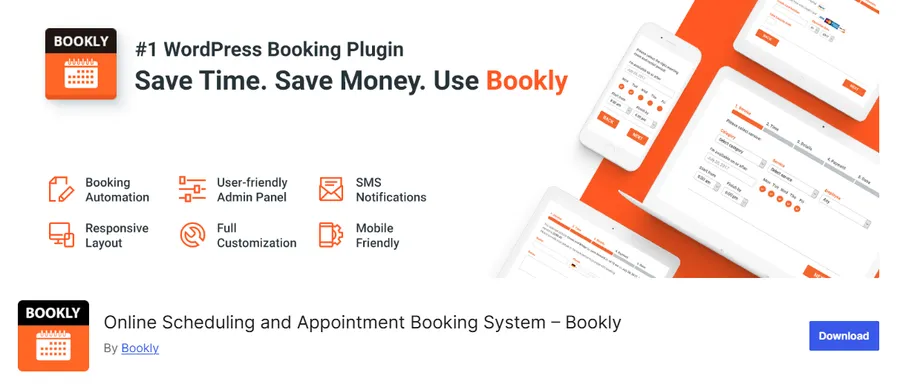
Bookly takes the opposite approach from Amelia: instead of bundling everything into tiered plans, it ships a lean core plugin and lets you buy only the add-ons your business actually needs. It has been on WordPress.org since 2014 and currently sits around 70,000 active installs, so it’s a mature, well-tested plugin appointment WordPress option.
Key features
- Modular add-on system covering Google Calendar sync, Zoom, recurring appointments, and SMS
- Multi-step booking form builder with custom fields
- Staff-based scheduling with individual working hours
- CSV export of the appointments log
- One-time purchase option ($129 lifetime for Pro on a single site) alongside annual plans
Pros
- Pay-for-what-you-use pricing keeps costs down for simple, single-service setups
- No monthly subscription is required for the core Pro license
- Large add-on catalog, over 40 at last count, for teams that outgrow the basics
Cons
- Essential features like two-way Google Calendar sync and Zoom are separate paid add-ons, so the real cost is higher than the $49 headline price
- No native slot-hold mechanism, meaning two customers can occasionally complete the same time slot before the system catches the conflict
- No walk-in queue option, which matters for salons or clinics that also serve people who show up unannounced
Best for
Budget-conscious, single-provider businesses that want to add only the specific booking features they need instead of paying for a bundle.
Simply Schedule Appointments
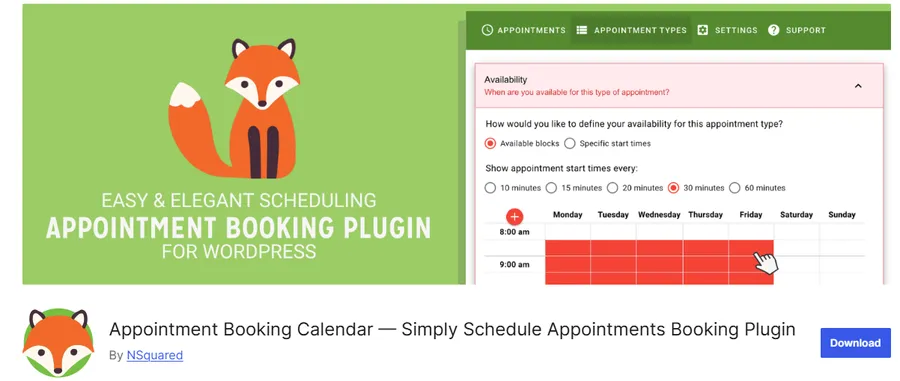
Simply Schedule Appointments (SSA) is built for teams that want scheduling to work correctly out of the box without a long configuration process. The free version is genuinely usable, not a crippled trial, which makes it one of the more approachable booking calendar for WordPress options for beginners.
Key features
- Unlimited appointment types on the free plan
- Google Calendar two-way sync included free
- Team scheduling and round-robin assignment on paid tiers
- Zoom integration for virtual consultations
- Clean booking calendar with real-time availability
Pros
- The free plan alone covers most solo consultants and coaches
- Setup takes under an hour even for non-technical site owners
- Straightforward interface with far less admin clutter than Amelia or Bookly
Cons
- Paid plans range from $99 to $399 per year, which climbs quickly once you need payments or team features
- Fewer built-in integrations than Amelia at the same price point
- Not designed for multi-day or per-night bookings, only time-slot appointments
Best for
Solo consultants, coaches, and small teams who want a free WordPress booking calendar plugin that doesn’t require a steep learning curve.
WP Simple Booking Calendar
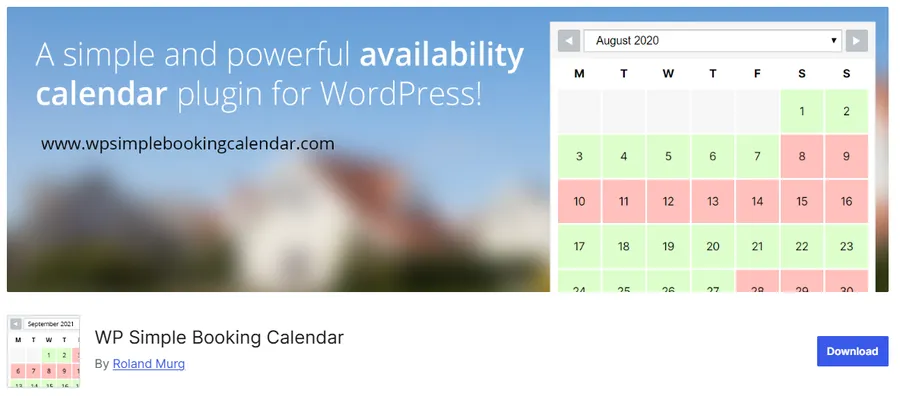
WP Simple Booking Calendar is not an appointment system. It’s an availability calendar, and it’s worth including precisely because that distinction matters. If your visitors only need to see which dates are open, not book a specific hour, this plugin does the job with almost none of the setup overhead of a full booking calendar plugin.
Key features
- Color-coded calendar showing available, booked, and pending dates
- Export and import availability data to sync with Airbnb, FlipKey, and Google Calendar
- Works as a rental calendar, shift calendar, or resource availability display
- Shortcode-based embedding, no page builder required
Pros
- Free version covers the core use case completely
- Extremely lightweight, with almost no impact on page load
- Long track record; the developer has supported it for years with responsive customer service
Cons
- No time-slot booking, service selection, or payment processing
- Premium version ($49 to $159 per year, scaled by site count) is required for multiple calendars or advanced editing
- Not a fit for businesses that need a checkout flow, only availability display
Best for
Vacation rentals, holiday homes, and single-resource bookings like a meeting room or piece of equipment where showing availability is the whole job.
Booking Calendar by wpdevelop
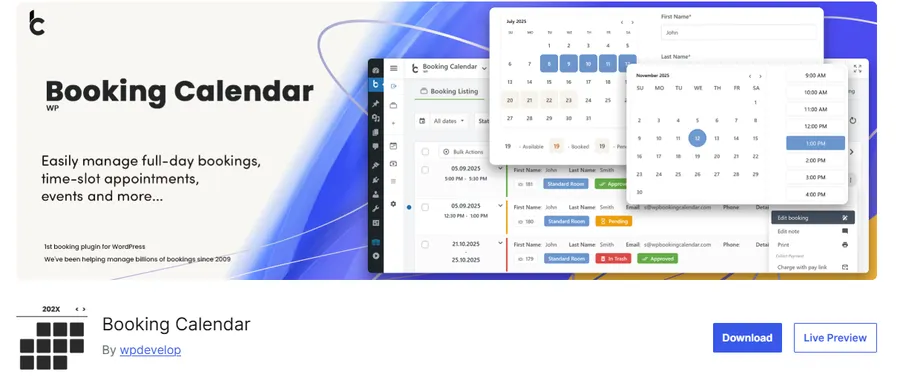
Booking Calendar (sometimes called WP Booking Calendar) sits between a simple availability display and a full appointment system. It handles full-day bookings, time-slot appointments, and event registration through one flexible booking form builder, which makes it one of the more adaptable booking calendar for WordPress choices when your use case doesn’t fit neatly into “event” or “appointment.”
Key features
- Drag-and-drop Booking Form Builder for custom fields without code
- Supports full-day, multi-day, and time-slot bookings in the same plugin
- Email templates with dynamic shortcodes for nights, dates, and booking totals
- Works for rentals, consultations, classes, and simple request forms
Pros
- One plugin covers several booking styles instead of forcing you to choose
- Frequent updates and an active changelog show ongoing development
- Free core version is capable enough for small operations to launch on
Cons
- Interface feels more utilitarian than Amelia or Bookly’s polished widgets
- Business-tier features require the paid version, and pricing structure takes some reading to understand
- Steeper initial learning curve for the form builder compared to plug-and-play alternatives
Best for
Property rentals, consultation businesses, and class or workshop providers who need both date-range and time-slot bookings from a single WordPress booking calendar plugin.
WP Event Manager
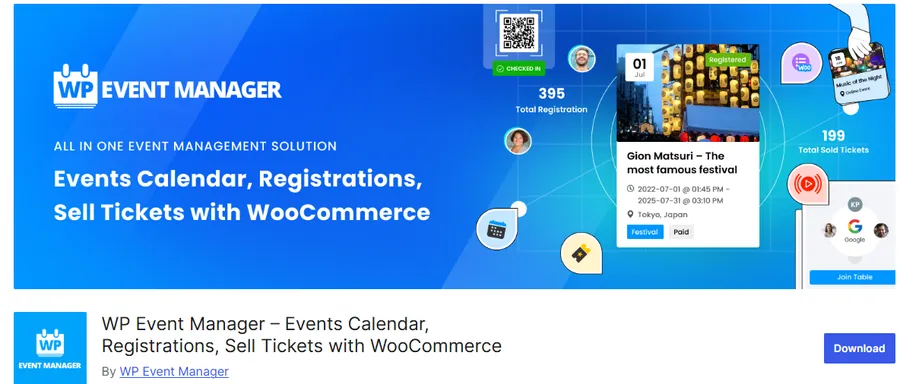
WP Event Manager is a free-first alternative to The Events Calendar, with a lightweight core plugin and a menu of optional paid add-ons for calendar views, ticketing, and marketing. It’s a solid pick if you want to start free and only pay once you actually need a specific feature.
Key features
- AJAX-powered event search and filtering on the front end
- Fully responsive listings without extra configuration
- Organizer app for tracking check-ins from a mobile device
- Add-on marketplace covering WooCommerce ticket sales, registrations, and event alerts
Pros
- Core plugin is genuinely free with no artificial feature caps on basic listings
- Lightweight codebase keeps page speed impact low
- Responsive developer support, even for users on the free tier
Cons
- Calendar view itself is a separate add-on rather than a built-in feature
- Smaller community and fewer third-party tutorials than The Events Calendar
- Add-on costs can add up if you need several premium modules
Best for
Job boards, community sites, and organizations that want an event listing system built the same way as a classifieds or directory plugin, with add-ons purchased individually.
WooCommerce Bookings
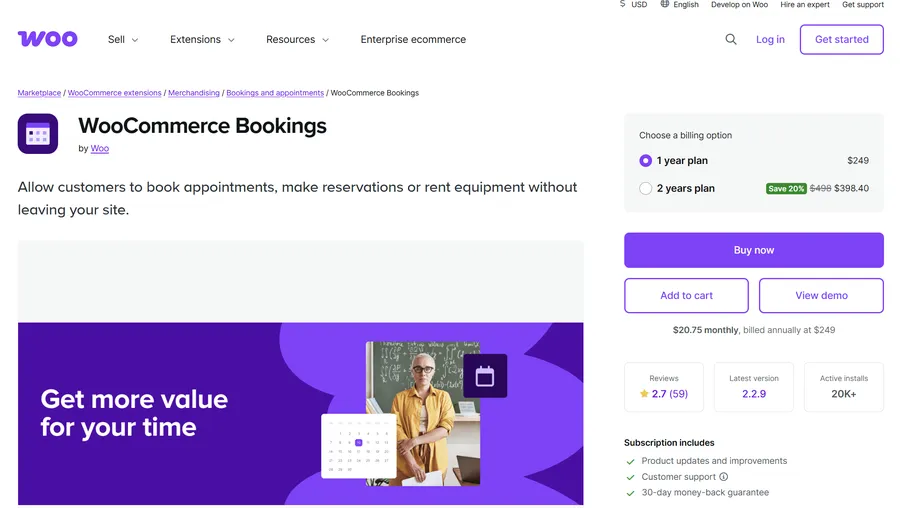
If your site already runs on WooCommerce, WooCommerce Bookings turns bookable services and rentals into products inside your existing store. Instead of running a separate scheduling system alongside your shop, appointments and reservations go through the same cart and checkout your customers already use.
Key features
- Bookable products for time-slot appointments, day-based rentals, or fixed-duration blocks
- Buffer time, minimum notice, and maximum booking window controls
- Resource assignment, so one product can pull from multiple staff members or units
- Google Calendar sync for keeping availability current
Pros
- No separate payment system to configure since it uses WooCommerce checkout
- Fits naturally into stores that already sell physical products alongside services
- Reporting lives inside the WooCommerce dashboard you already check
Cons
- Requires an active WooCommerce install, so it’s overkill if you don’t already sell products
- Interface leans toward store owners, not the simplest option for a pure appointment plugin WordPress use case
- Customization beyond the standard booking product type usually needs a developer
Best for
WooCommerce stores that want to sell services, rentals, or class seats using the same product and checkout system as everything else in the shop.
Comparison table
| Plugin | Type | Free version | Starting price (paid) | Best for |
|---|---|---|---|---|
| The Events Calendar | Event calendar | Yes | $259/year | Public events and conferences |
| Amelia | Appointment booking | Yes (Lite) | $49/year | Full-service appointment management |
| Bookly | Appointment booking | Yes | $49/year (Pro) | Modular, pay-as-you-go booking |
| Simply Schedule Appointments | Appointment booking | Yes | $99/year | Solo consultants and coaches |
| WP Simple Booking Calendar | Availability calendar | Yes | $49/year | Vacation rentals and single resources |
| Booking Calendar (wpdevelop) | Hybrid booking calendar | Yes | Varies by tier | Rentals, consultations, and classes |
| WP Event Manager | Event listings | Yes | Add-on based | Event directories and listings |
| WooCommerce Bookings | Store-based booking | No | Paid extension | WooCommerce stores selling services |
Common mistakes when picking a calendar or booking plugin
A few patterns show up again and again in support forums and plugin reviews, and most of them are avoidable if you know what to check before installing.
Installing an events plugin when you needed appointment booking
This is the most frequent mistake we see. A plugin like The Events Calendar is excellent at listing a schedule, but it was never built to reserve one time slot for one customer and lock everyone else out. If your site needs to take individual bookings, start with Amelia, Bookly, Simply Schedule Appointments, or WooCommerce Bookings instead, and save the events plugin for public listings.
Ignoring add-on costs at checkout
Several plugins on this list, Bookly especially, advertise a low headline price and then gate essential features like two-way calendar sync or SMS reminders behind separate paid add-ons. Read the full feature list on the plan you’re actually buying, not the free version’s marketing page, before you commit.
Skipping the double-booking test
Not every plugin holds a time slot the moment a customer starts checkout. Open the booking widget in two browser tabs and try to book the same slot in both before you launch, especially if you’re running a single-provider service where a double-booked appointment means an awkward phone call later.
Forgetting time zone handling
If your customers book from outside your local time zone, confirm the plugin displays availability in the visitor’s time zone, not just the site’s. This is a common source of missed appointments and one-star reviews that has nothing to do with the plugin’s actual feature set.
How to choose the right plugin for your site
Start with what you’re actually trying to do, not the feature list. If people need to see a schedule of upcoming events, you want an events calendar plugin like The Events Calendar or WP Event Manager. If people need to claim a specific hour with a specific person or resource, you want an appointment or booking calendar plugin instead, and mixing the two up is the single most common reason site owners end up reinstalling a different plugin three months in. Budget and technical comfort matter almost as much as the use case itself, since a plugin with more configuration screens isn’t automatically the better choice if a leaner option already covers what your site needs.
For event-based content
Choose The Events Calendar if you’re running recurring public events and want Google-searchable event listings with minimal setup; it’s still the plugin most people mean when they mention WordPress the events calendar by name. Choose WP Event Manager if you’d rather start on a free core plugin and add ticketing or calendar views only when you need them.
For appointment and service booking
Choose Amelia if you want a single WP appointment booking plugin that handles staff, payments, and reminders without hunting for add-ons. Choose Bookly if you’d rather pay only for the specific pieces your business uses. Choose Simply Schedule Appointments if you’re a solo operator who wants something functional within the hour, free. Any of the three qualify as a solid appointment booking plugin WordPress users can set up without hiring a developer.
For education and course-based sites
If you’re running an online academy or a tutoring business, the calendar plugin only handles half the job. You also need a site structure built around courses, instructors, and student accounts. This is where a dedicated Education WordPress theme like Eduma from ThimPress helps, since it’s built specifically for course marketplaces and pairs cleanly with a plugin appointment WordPress setup for one-on-one tutoring sessions or office hours, without you having to hand-code the instructor booking pages yourself.
For rentals and resource availability
Choose WP Simple Booking Calendar if you only need to show open dates for a holiday home or single resource; it remains one of the simplest booking calendar for WordPress tools available for that narrow job. Choose Booking Calendar by wpdevelop if you need both date-range and time-slot bookings from one plugin, or WooCommerce Bookings if the rental should be sold as a product inside an existing WooCommerce store.
FAQs
What is the best free WordPress calendar plugin?
The Events Calendar and Simply Schedule Appointments both offer free versions capable enough to run a real site without upgrading. The Events Calendar’s free tier covers month, list, and day views with venue management, while Simply Schedule Appointments’ free plan includes unlimited appointment types and Google Calendar sync.
Can I use a booking calendar plugin without WooCommerce?
Yes. Plugins like Amelia, Bookly, Simply Schedule Appointments, and Booking Calendar by wpdevelop run as standalone systems with their own checkout and payment gateway connections. WooCommerce Bookings is the exception, since it’s built as a WooCommerce extension and requires the store plugin to function.
What’s the difference between an events calendar plugin and an appointment booking plugin?
An events calendar plugin displays a public schedule that anyone can view, like a conference agenda. An appointment booking plugin reserves a private time slot for one customer and blocks that slot from being taken again, which is the core function behind any WP appointment booking plugin.
Do WordPress calendar plugins slow down a site?
Well-coded ones have a minimal impact, but heavier plugins with multiple bundled modules can add noticeable load time if you activate every add-on at once. Test with a tool like GTmetrix or PageSpeed Insights after installation, and only activate the specific modules your site actually uses.
Conclusion
There isn’t a single best WordPress calendar plugin for every site, only the right plugin for what you’re building. Pick The Events Calendar or WP Event Manager for public schedules, Amelia or Bookly for full-service appointment booking, Simply Schedule Appointments for a fast free setup, and WP Simple Booking Calendar, Booking Calendar, or WooCommerce Bookings for rentals and resource availability. Match the plugin to the booking flow your visitors actually need, and the rest of the setup tends to fall into place quickly.
Read more: TOP 5 Website To Find WordPress Coupon Codes & Deals
Contact US | ThimPress:
Website: https://thimpress.com/
Fanpage: https://www.facebook.com/ThimPress
YouTube: https://www.youtube.com/c/ThimPressDesign
Twitter (X): https://x.com/thimpress_com