Looking for a working WordPress coupon before starting your website? The first thing to understand is that most legitimate WordPress.com savings are offered through discounted annual or multi-year pricing rather than a permanent public coupon code.
WordPress.com occasionally distributes flash-sale coupons by email, but these codes have limited availability and expiration dates. Therefore, a website claiming to provide dozens of permanent WordPress coupons may be showing expired, restricted, or unverified codes.
The good news is that you do not always need a WordPress promo code to reduce your costs. WordPress.com currently provides substantial built-in savings when you choose a longer subscription term. Depending on the plan, the three-year option can reduce the monthly equivalent price by up to 56% compared with paying month to month.
This guide covers the five best WordPress.com deals currently available, explains how official coupons work, and helps you select the right plan without paying for features you do not need.
Eduma – Education WordPress Theme
We provide an amazing WordPress theme with fast and responsive designs. Let’s find out!
Best WordPress Coupon Deals at a Glance
| WordPress.com deal | Discount | Starting price | Best for |
|---|---|---|---|
| Personal three-year plan | Save 56% | $2.75/month | Personal sites and blogs |
| Premium three-year plan | Save 56% | $5.50/month | Creators and payment collection |
| Business three-year plan | Save 38% | $17.50/month | Business and professional websites |
| Commerce three-year plan | Save 36% | $31.50/month | WooCommerce stores |
| Official flash-sale coupon | Varies | Depends on promotion | New purchases and eligible upgrades |
The prices above are monthly equivalents and require upfront billing for the selected subscription period. Renewals may be charged at the regular price shown in your WordPress.com account.
Is There a Working WordPress Promo Code Right Now?
WordPress.com does not maintain one permanent, publicly advertised coupon that works for every customer, plan, and billing period.
Instead, the company sometimes sends limited-time promotion codes through official marketing emails. WordPress.com confirms that these flash-sale coupons may have product restrictions and fixed expiration dates. Customers can subscribe to promotional notifications through their WordPress.com account settings.
This means that the best WordPress website coupon code available to one customer may not work for another. A promotion may be restricted by:
- Plan type
- Billing period
- New or existing customer status
- Website or account
- Country or currency
- Promotion expiration date
- First purchase or upgrade eligibility
Before entering a code from a third-party coupon website, compare the final checkout price with WordPress.com’s standard annual and multi-year discounts. A code that claims to provide a large percentage off may still produce a higher total than the official three-year price.
1. WordPress Personal Plan: Save 56%
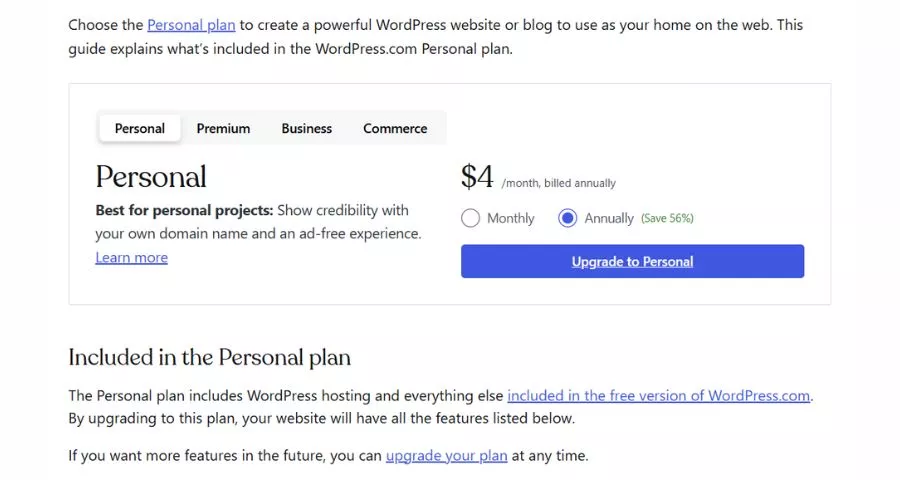
The Personal plan is currently one of the strongest WordPress coupon alternatives for users building a blog, portfolio, resume, informational website, or basic small-business presence.
The official US pricing page lists the following monthly equivalent prices:
- $9 with monthly billing
- $4 per month with annual billing
- $3.25 per month with two-year billing
- $2.75 per month with three-year billing
The three-year subscription represents a stated saving of 56% compared with the monthly option. It includes 6 GB of storage and a free domain for the first year.
WordPress.com also states that plugin installation is available on every paid plan, including Personal. This makes the lowest paid tier considerably more flexible than older WordPress.com plans that restricted plugins to higher subscription levels.
Who should choose the Personal plan?
The Personal plan is suitable for:
- Personal blogs
- Online resumes
- Freelancer portfolios
- Small informational websites
- Community projects
- Simple local-business websites
- Users who want a custom domain
- Users who need WordPress plugins on a limited budget
Choose this option when you mainly need a professional domain, an ad-free visitor experience, managed hosting, and access to the WordPress plugin ecosystem.
How much can you save?
At the listed monthly rates, paying month to month would cost $324 over three years. The three-year option has a monthly equivalent of $2.75, producing a total of approximately $99 for the same period before taxes, optional products, or later renewals. That difference makes the three-year Personal plan more valuable than many unverified offers advertised as a coupon code for WordPress.
However, only choose the longest term when you reasonably expect to maintain the website for several years. The lower monthly figure is not a month-to-month payment arrangement. The subscription is billed upfront.
2. WordPress Premium Plan: Save 56%
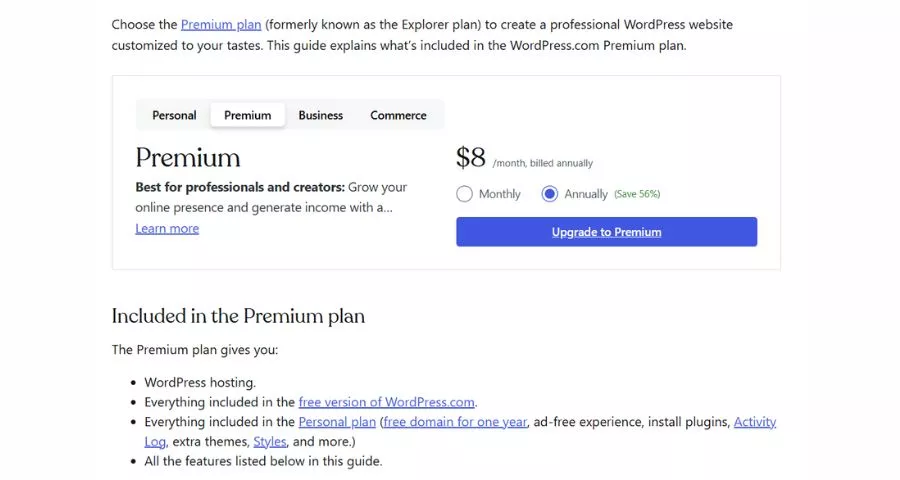
The Premium plan is designed for creators, publishers, service providers, and organizations that want more design options, analytics, media capabilities, and built-in payment tools.
The current US prices are:
- $18 with monthly billing
- $8 per month with annual billing
- $6.50 per month with two-year billing
- $5.50 per month with three-year billing
WordPress.com lists a 56% saving for the three-year Premium subscription. The plan includes 13 GB of storage, premium themes, advanced statistics, video uploads, payment buttons, plugin installation, and a free domain for the first year.
Who should choose Premium?
Premium is a better choice than Personal for:
- Professional bloggers
- Content creators
- Photographers and videographers
- Nonprofit campaign websites
- Membership or community projects
- Consultants accepting online payments
- Websites requiring premium themes
- Publishers that need more detailed traffic data
The built-in payment feature can be useful for donations, service payments, subscriptions, or simple digital transactions. However, Premium is not positioned as the complete WordPress.com ecommerce package. Businesses that need a full WooCommerce store should compare the Business and Commerce plans.
Is a WordPress coupon needed?
At $5.50 per month on the three-year term, Premium already includes a substantial long-term discount. A third-party WordPress promo code must reduce the final checkout total below this official price to provide additional value.
Pay attention to the billing period when comparing deals. A website might advertise an attractive monthly price while requiring a long upfront commitment. Always compare:
- The total amount charged today
- The subscription duration
- The effective monthly price
- The renewal price
- Any excluded features or add-ons
This approach is more reliable than selecting the WordPress coupon with the largest advertised percentage.
3. WordPress Business Plan: Save 38%
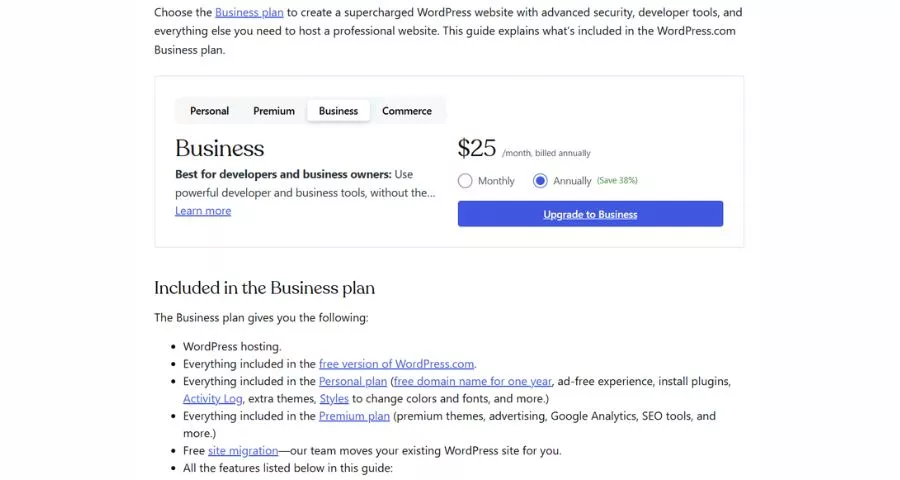
The Business plan is intended for professional websites that require stronger development, marketing, security, backup, and support capabilities.
Its current US pricing is:
- $40 with monthly billing
- $25 per month with annual billing
- $20 per month with two-year billing
- $17.50 per month with three-year billing
The three-year option is advertised as saving 38% compared with monthly billing. The plan includes 50 GB of storage, real-time backups, one-click restores, priority support, developer tools, premium themes, plugins, and a free domain for the first year.
Additional listed benefits include a free business email account for one year, email marketing features, advertising credits, SFTP and SSH access, WP-CLI, Git commands, and GitHub deployment support.
Who should choose Business?
Business is appropriate for:
- Established company websites
- High-value lead-generation websites
- Professional service providers
- Marketing teams
- Developers managing custom functionality
- Publishers requiring backups and advanced tools
- Organizations needing priority support
- Businesses that plan to install complex plugins
The plan is also worth considering when website downtime, failed updates, or data loss could directly affect revenue. Real-time backups and restoration tools can reduce the operational risk associated with maintaining a business website.
Business plan coupon considerations
An official WordPress.com flash-sale code may sometimes apply to a new Business plan or an upgrade from a lower tier. WordPress.com permits upgrade credit to be combined with an eligible coupon. The remaining value of the current subscription is then applied toward the higher-tier plan. However, a promotional discount normally applies only to the first subscription period. It does not permanently reduce future renewal costs.
Before using a WordPress com promo code for Business, confirm:
- Whether the code applies to Business
- Whether annual and multi-year terms are eligible
- Whether an upgrade qualifies
- The amount charged at renewal
- Whether the promotion includes email or domains
- The expiration date stated in the offer
4. WordPress Commerce Plan: Save 36%
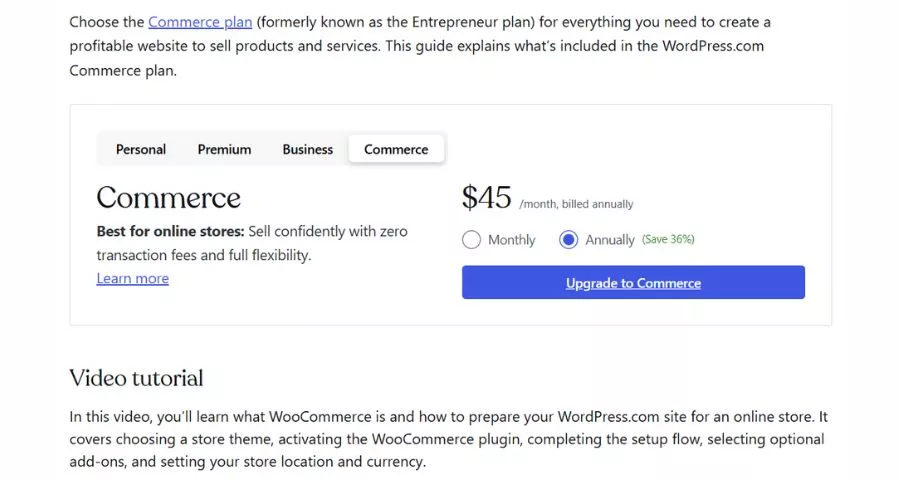
The Commerce plan is WordPress.com’s dedicated option for building and running a WooCommerce store.
Its current US prices are:
- $70 with monthly billing
- $45 per month with annual billing
- $36 per month with two-year billing
- $31.50 per month with three-year billing
The longest term provides a stated saving of 36%. The plan includes 50 GB of storage and a free custom domain for the first year.
Commerce includes the core capabilities of the Business plan while adding features designed for online selling. It is generally the most relevant WordPress.com option for businesses that need product management, checkout, payments, shipping, order management, and the wider WooCommerce ecosystem.
Who should choose Commerce?
Consider Commerce for:
- New WooCommerce stores
- Established retailers moving to WordPress
- Subscription businesses
- Digital product stores
- Brands selling physical products
- Businesses needing ecommerce plugins
- Merchants requiring advanced store customization
Do not choose Commerce only because it is the highest plan. A content website with a few payment buttons may work on Premium, while a company website without a complete online store may be better suited to Business.
Calculate the total cost
The three-year Commerce price has a monthly equivalent of $31.50. That equals approximately $1,134 paid for the full three-year period before taxes or optional services.
By comparison, paying $70 month to month for 36 months would total $2,520. The listed long-term difference is therefore considerable, but the upfront commitment is also much larger.
Before applying any WordPress website coupon code, calculate whether it reduces the total below the standard three-year price. You should also check the future renewal amount and budget for premium extensions that are not included in the base subscription.
5. Official WordPress.com Flash-Sale Coupons
Official flash-sale promotions are the closest match to a traditional WordPress promo code.
WordPress.com occasionally sends these coupons through email. To receive promotional communications, users can open their account notification settings, select Updates, and enable Promotions.
When a coupon is available, you can normally apply it during checkout by selecting the “Have a coupon?” link below the payment details and entering the code. WordPress.com states that its coupon codes are not case-sensitive.
Important restrictions
Official WordPress coupons generally follow these conditions:
- They are available for a limited time.
- They may apply only to specific products.
- Plan promotions are normally for new purchases.
- Eligible upgrades may qualify.
- The discount applies only to the first subscription period.
- The subscription renews at the regular rate.
- A used coupon cannot normally be reused for the same website.
- Coupons cannot be applied retroactively unless support approves a refund during an active campaign.
WordPress.com specifically states that plan sale coupons cannot be applied to renew an existing paid plan. Customers who upgrade with a coupon will also renew at the normal price after the discounted subscription period ends.
These limitations are important because many coupon websites promote a WordPress com promo code without clearly explaining that the discount is introductory.
How to Apply a Coupon Code for WordPress
Follow these steps to redeem an official coupon:
- Step 1: Sign in to your WordPress.com account.
- Step 2: Select the website you want to upgrade.
- Step 3: Open the plan or upgrade page.
- Step 4: Choose the appropriate subscription and billing period.
- Step 5: Continue to checkout.
- Step 6: Find “Have a coupon?” below the payment details.
- Step 7: Enter the promotion code.
- Step 8: Confirm that the total changes before submitting payment.
- Step 9: Review the renewal date and renewal amount.
- Step 10: Complete the purchase.
Do not complete payment when the discount is missing. First check the code, selected plan, billing term, and expiration date.
WordPress.com recommends contacting support when a code appears correct and unexpired but still does not work.
Why Is My WordPress Coupon Code Not Working?
Several issues can prevent a coupon from being accepted.
- The coupon has expired. Flash-sale codes are valid only until the expiration date stated in the promotional email. An old code copied from a coupon directory may no longer be active.
- You selected an ineligible plan. Some promotions apply only to a specific plan, product, or subscription duration. A Business code, for example, may not work on Commerce or Premium.
- The coupon is for new purchases. WordPress.com does not generally allow plan sale coupons to be used for existing renewals. An upgrade to a higher plan may qualify, but renewing the current plan normally will not.
- The code was already used. A coupon previously redeemed for a website may not be available for that same site again, even if the original purchase was canceled.
- You are using WordPress.org. WordPress.org does not sell website plans and does not issue a universal coupon code WordPress users can enter. It provides free open-source software that must be installed on a separate hosting service.
Coupons for Bluehost, Hostinger, SiteGround, Kinsta, plugins, themes, or other hosting providers are not WordPress.com coupons. They are promotions issued by independent companies in the WordPress ecosystem.
The discount is already activated
Some partner offers use a special landing page that applies the promotion automatically. In that situation, there may be no code to enter manually. Confirm the final price rather than assuming the offer failed.
WordPress.com vs. WordPress.org Coupons
WordPress.com and WordPress.org are related but separate options.
WordPress.com is a fully hosted service. Hosting, security, updates, and infrastructure management are included with the plan. Paid plans currently start at $2.75 per month on a three-year Personal subscription or $4 per month when billed annually.
WordPress.org is free software. You download or install it through a hosting provider and remain responsible for hosting, security, maintenance, backups, and updates.
Therefore:
- Search for a WordPress.com coupon when purchasing a WordPress.com plan.
- Search for a WordPress hosting coupon when purchasing hosting for WordPress.org.
- Search for a plugin or theme’s brand name when buying a separate premium product.
This distinction helps prevent users from entering an unrelated hosting coupon at the WordPress.com checkout.
Additional Ways to Save on WordPress.com
Choose annual billing at minimum
WordPress.com recommends selecting the longest subscription period that matches how long you expect to operate the site. Monthly billing costs more than paying annually or purchasing a multi-year term.
Claim the free domain
Every new annual or multi-year paid plan includes a free domain credit for the first year. It can be used to register a new domain or transfer an existing domain from another provider. Monthly subscriptions do not include the credit.
The domain renews separately at its standard price after the free year. The credit cannot be used to renew a domain already registered through WordPress.com.
Start with the lowest suitable plan
Every paid WordPress.com plan currently supports plugin installation. Many users may therefore be able to begin with Personal instead of immediately selecting Business.
Upgrade only when you need features such as advanced backups, developer access, priority support, business marketing tools, or complete ecommerce capabilities.
Review the refund period
Annual, two-year, and three-year WordPress.com plans are refundable within 14 days of purchase or renewal. Monthly plans have a seven-day refund period. Refunds are not prorated after the eligible window.
A domain has a shorter 96-hour refund period. If you keep a free domain after canceling the plan, its registration cost may be deducted from your plan refund.
Check the renewal price
A promotion may make the first term affordable while creating a significant increase at renewal. Record the regular renewal amount when budgeting for the website.
WordPress Coupon: FAQs
What is the best WordPress coupon available?
For most users, the best consistently available saving is the three-year subscription discount. Personal and Premium currently provide up to 56% off compared with monthly billing, while Business offers up to 38% and Commerce up to 36%.
Does WordPress.com have promo codes?
Yes. WordPress.com occasionally sends limited-time flash-sale promo codes. These coupons may apply only to selected plans, products, customers, or subscription periods.
Can I use a WordPress promo code for renewal?
Generally, no. WordPress.com states that plan sale coupons apply to new purchases and eligible higher-tier upgrades, not the renewal of an existing paid plan.
Can I combine two WordPress coupons?
Do not assume that multiple promotional codes can be stacked. WordPress.com confirms that eligible upgrade credit can be used with a coupon, but the conditions of each promotion determine whether other discounts or products qualify.
Are WordPress coupon codes case-sensitive?
No. Official WordPress.com coupon codes are not case-sensitive. However, the spelling, product eligibility, and expiration date must still be correct.
Does WordPress offer a free domain?
New annual and multi-year WordPress.com plans include a free custom domain for the first year. Monthly plans and the free WordPress.com plan do not include this credit.
Is there a nonprofit WordPress coupon?
WordPress.com states that it does not currently provide a special standard discount for nonprofit or charity organizations. Eligible organizations can still use public plan discounts or promotional coupons when available.
Is WordPress free?
WordPress.com has a free plan with no expiration date, but it uses a WordPress.com subdomain and does not include features such as a custom domain, plugin installation, or ad-free browsing. WordPress.org software is free to use, but separate hosting and domain costs normally apply.
Conclusion
There is no single permanent WordPress website coupon code that is guaranteed to work for every user. Official flash-sale coupons exist, but their availability, eligible products, and expiration dates vary. For predictable savings, compare the official annual and multi-year prices first. The Personal and Premium three-year plans currently provide the largest stated percentage reduction at 69%, while Business and Commerce offer substantial savings for professional websites and online stores.
Always evaluate the total upfront payment, included features, subscription duration, and renewal price rather than choosing a WordPress coupon based only on its advertised percentage. Most importantly, verify the discount at checkout before completing your purchase.
Read More: 5 Best Tools to Find Backlinks for Site
Contact US | ThimPress:
Website: https://thimpress.com/
Fanpage: https://www.facebook.com/ThimPress
YouTube: https://www.youtube.com/c/ThimPressDesign
Twitter (X): https://x.com/thimpress_com