If you have ever refreshed Google Search Console at midnight wondering why a product page dropped four spots, you already know why SERP tracking matters. Manually searching your keywords in an incognito window tells you almost nothing: Google personalizes results by location, device, and search history, so what you see rarely matches what your customers see.
A dedicated SERP tracking tool checks your keyword positions on a schedule, from the right locations and devices, and tells you the moment something moves.
This guide walks through the six best SERP tracking tools for WordPress blogs and Shopify stores in 2026, what each one costs, and which one fits your site.
Eduma – Education WordPress Theme
We provide an amazing WordPress theme with fast and responsive designs. Let’s find out!
What SERP tracking actually measures
A SERP tracking tool logs where your site sits in search results for a list of keywords, then repeats the check daily (or on demand) so you can see the trend line instead of a single snapshot. The best tools go beyond the plain position number. They also record which SERP features sit above your listing: featured snippets, People Also Ask boxes, image packs, local packs, and now AI Overviews. Ranking first means less if an AI summary or a snippet box pushes your listing below the fold, so a good keyword SERP tracking setup shows you the whole page, not just a rank number.
For WordPress and Shopify site owners specifically, three things matter more than they do for a generic SEO agency: how the tool handles product and category pages at scale, whether it supports local SERP tracking for stores with physical locations, and whether the reporting is simple enough to check in five minutes between everything else you’re doing to run a site.
Update frequency is worth paying attention to before you sign up for anything. Some cheaper tools still update weekly, which is fine for a slow-moving content site but too slow if you’re actively testing title tags or watching how a Google core update affects a Shopify collection page. Daily checks are the current baseline for any tool worth paying for, and a few, like AccuRanker, let you trigger an extra check on demand when you need an answer right now instead of tomorrow morning.
1. AccuRanker
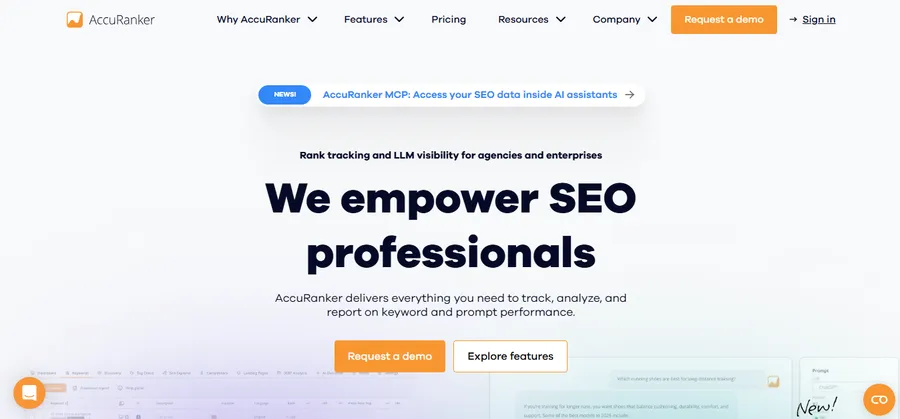
AccuRanker is built around one idea: speed. Most rank trackers refresh your positions once a day on a fixed schedule. AccuRanker lets you manually trigger an on-demand refresh, so if you just published a new blog post or fixed a title tag, you can check the new position within minutes instead of waiting until the next morning. AccuRanker comes from Denmark and positions itself as the fastest, most accurate rank tracker on the market, supporting Google, Bing, YouTube, Yandex, and Baidu.
The keyword-level data exports cleanly, the SERP feature tracking covers featured snippets, PAA boxes, image packs, and local packs, and white-label reporting comes on every tier, which matters if you manage SEO for client sites built on WordPress or Shopify. The tradeoff is cost. Entry pricing starts at $224 per month for 2,000 tracked keywords as of 2026. That is steep for a solo blogger or a small store, but if you are running an agency managing fifty WordPress or Shopify client accounts and a client needs a ranking drop confirmed before a call, the on-demand refresh earns its price.
Best for: agencies and larger stores that need fast, accurate keyword SERP tracking and can absorb the higher monthly cost.
2. Semrush rank tracking
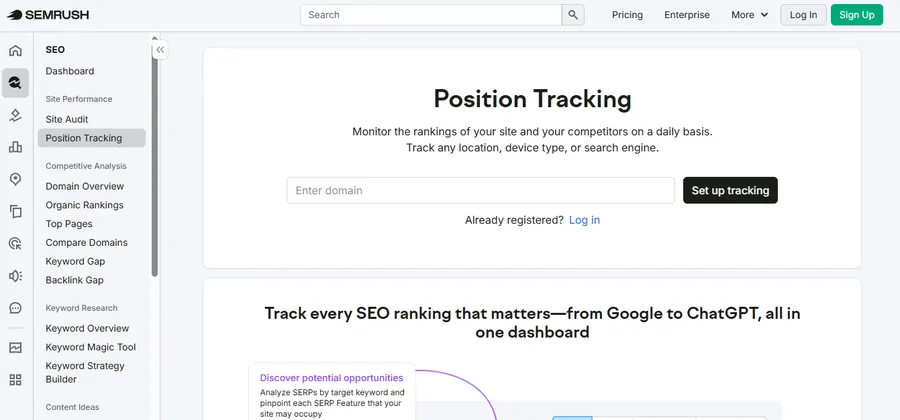
Semrush is less a dedicated SERP tracker and more a full SEO suite with rank tracking built in, which is exactly why so many WordPress and Shopify teams already have it open in another tab. Position Tracking sits alongside keyword research, site audits, backlink analysis, and content tools, so if you are already using Semrush to plan blog posts or audit product pages, adding SERP tracking costs you nothing in workflow switching.
Semrush Pro starts at $139.95 per month as of 2026, with position tracking limits that get tight on the lower tiers. The rank tracker updates daily rather than continuously, and there are no real-time alerts when a competitor’s SERP listing changes shape, so if you need instant notification the moment a featured snippet appears, this is not the tool for that. What you do get is context: when a keyword drops, you can pivot straight into the Keyword Magic Tool or a site audit without exporting data anywhere else.
Best for: WordPress and Shopify teams who want SERP tracking bundled with keyword research and content planning in one login.
3. Ahrefs rank tracker
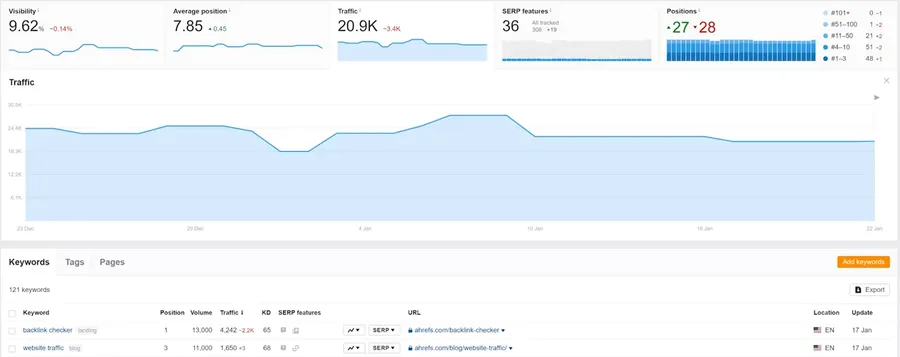
Ahrefs built its reputation on backlink data, and its rank tracker inherits that infrastructure. Ahrefs indexes more than 35 billion referring links, one of the largest live backlink databases on the web, and pulls that same data into its Site Explorer. When a competitor’s product page suddenly outranks yours, you can jump straight from the rank tracker into their backlink profile and see what changed, without leaving the platform.
Position tracking includes historical rankings, SERP feature data per keyword, share of voice across a keyword group, and side-by-side competitor comparisons, all genuinely useful when you’re deciding whether to rewrite a Shopify collection page or a WordPress cornerstone post. Daily rank checks are standard, though granular local SERP tracking is less developed than in tools built specifically for local SEO. If your store serves a national or global audience rather than a single storefront, that gap won’t matter much.
Best for: sites that want rank tracking tied directly to backlink and competitor research in the same dashboard.
4. SE Ranking
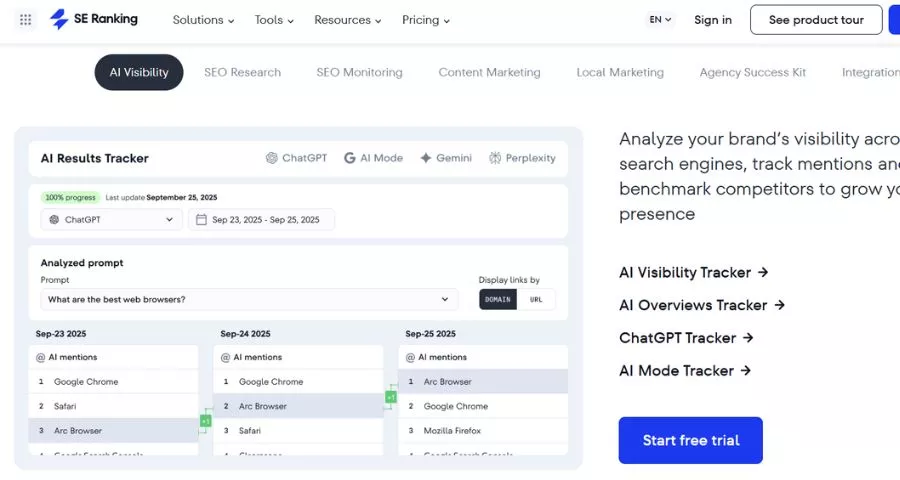
SE Ranking has become the default recommendation for WordPress and Shopify owners who want daily rank tracking without paying enterprise-suite prices. The Core plan tracks keywords daily across Google, Bing, and YouTube, includes local and mobile position data, and connects to Google Search Console and Google Analytics so your rank data sits next to your actual traffic numbers.
The Core plan runs $103.20 per month on annual billing and covers 10 projects, one manager seat, and 2,000 keywords tracked daily, along with rank tracking across major search engines and native Looker Studio, Matomo, GA, and GSC integrations. Per tracked keyword, that undercuts both Semrush and Ahrefs by a wide margin, which is why so many freelancers and small agencies running WordPress and Shopify accounts default to it. The Growth plan adds historical data across the full project lifetime, page-change monitoring, and guest collaboration links for clients who want to check their own rankings without a full login.
Best for: the best cheap rank tracker for daily SERP tracking on a WordPress or Shopify budget.
5. Wincher
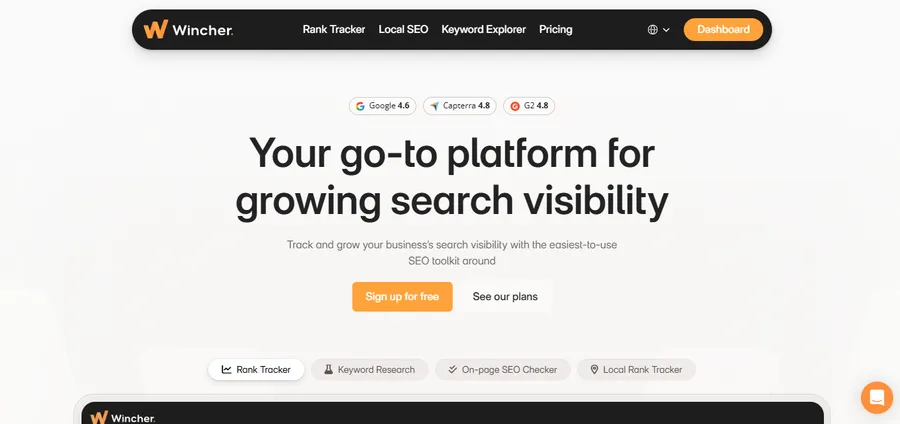
Wincher strips SERP tracking down to the essentials: keyword positions, daily updates, and a clean dashboard, without the keyword research, site audit, and backlink tools bundled into the bigger suites. That focus makes it one of the more approachable entry points for a solo blogger or a small Shopify store tracking a few hundred keywords rather than a few thousand.
The tradeoff for that simplicity is fewer SERP feature details and a smaller footprint outside pure rank tracking, so once your store grows past a handful of product categories you may outgrow it. For a WordPress blog just starting to take SEO seriously, or a Shopify store owner who wants a local SERP tracker for a single physical location without committing to an agency-grade platform, Wincher is a reasonable middle step between a free rank checker and a full SEO suite.
Best for: small sites and solo WordPress or Shopify owners who want straightforward keyword SERP tracking without extra tools they won’t use.
6. Google Search Console (free SERP rank checker)
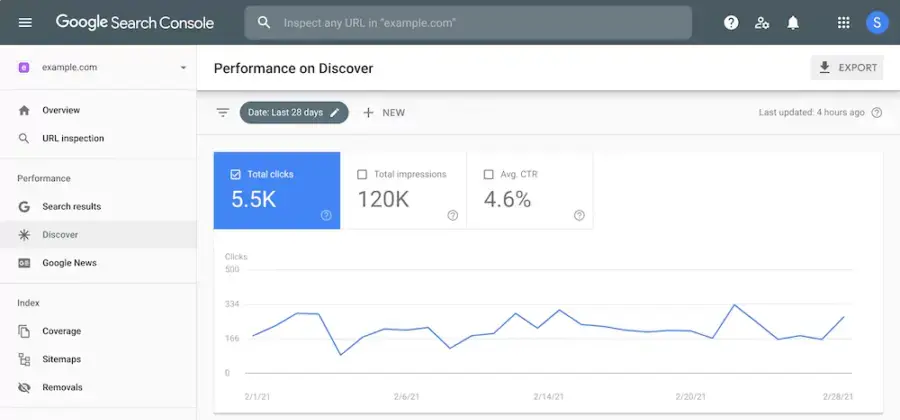
Google Search Console is the free SERP rank checker every WordPress and Shopify site should already have connected, and it is the baseline every paid tool gets compared against. It shows the average position for every query your pages actually received impressions for, straight from Google’s own data, which no third-party tool can claim.
The catch is that Search Console reports averages over a rolling date range rather than a single daily snapshot, it doesn’t show competitor positions, and it only tells you about keywords that already generated an impression, so brand-new content with zero visibility won’t show up until it starts getting served. It also has no alerting: nobody messages you when a ranking drops, you have to go check. For a small WordPress blog or a Shopify store just getting started, pairing Search Console with a plugin like Rank Math or Yoast for on-page SEO covers the basics before you pay for a dedicated tracker.
Best for: anyone who wants free SERP tracking data straight from Google before paying for a dedicated tool.
Comparison table about the best SERP tracking
| Tool | Starting price | Update frequency | Local tracking | Best for |
|---|---|---|---|---|
| AccuRanker | $224/mo (2,000 keywords) | Daily, on-demand refresh | Strong | Agencies, fast reporting |
| Semrush | $139.95/mo | Daily | Moderate | Suite users |
| Ahrefs | From $108/mo (annual) | Daily | Moderate | Backlink-driven research |
| SE Ranking | $103.20/mo (2,000 keywords) | Daily | Strong | Cheap daily rank tracker |
| Wincher | From ~$39/mo | Daily | Basic | Small sites, solo owners |
| Google Search Console | Free | Rolling average | N/A | Free baseline data |
How to choose a rank tracker for SERP tracking on WordPress or Shopify
Start with how many keywords you actually need tracked, not how many a plan advertises. A single-location Shopify store with thirty product pages does not need 5,000 daily keyword slots. Count your real target keywords, add room to grow, and match that to a plan instead of buying headroom you’ll never use.
Next, decide whether you need local SERP tracking. If your Shopify store has a physical location or your WordPress site serves a specific city or region, ZIP-code level tracking matters more than raw keyword volume. If you sell nationally or run a content site with no geographic focus, that feature matters less.
Finally, check whether the tool tracks SERP features, not just the position number. A keyword sitting at position one means less than it used to if a featured snippet, a People Also Ask box, or an AI Overview sits above it. The tools on this list that show the full SERP, not just a number, give you a much clearer picture of what a first-place ranking is actually worth.
It’s also worth thinking about how the tool fits into your existing workflow. If your WordPress site already runs on Rank Math or Yoast, look for a tracker that exports data cleanly so you can cross-check on-page changes against ranking movement without juggling two dashboards. On Shopify, where meta titles and descriptions are set manually under Search engine listing on each product and page, a rank tracker with white-label or shareable reports makes it easier to show a client or a business partner exactly what changed and why, without walking them through the tool itself.
FAQs
What is the best free SERP rank checker?
Google Search Console is the best free SERP rank checker because the position data comes straight from Google rather than a third-party estimate. It won’t show competitor rankings or send alerts, but for a WordPress blog or small Shopify store checking a handful of keywords, it covers the basics without a subscription.
How often should a rank tracker for SERP tracking update?
Daily updates are the current standard among paid SERP tracking tools, with on-demand refreshes available on tools like AccuRanker for confirming sudden movement. Weekly updates, common on cheaper or older tools, are too slow to catch algorithm updates or a competitor’s page redesign before it costs you traffic.
Do I need a local SERP tracker for a Shopify store?
You need a local SERP tracker only if your store has a physical location, serves a specific city or region, or relies on local search intent such as “near me” queries. A national or global ecommerce store gets more value from broader keyword coverage than from ZIP-code level local tracking.
Can I track SERP rankings without a paid tool?
Yes, Google Search Console gives you free, first-party SERP ranking data for any WordPress or Shopify site connected to it, though it only reports on keywords already generating impressions and doesn’t include competitor data. Most sites start there and add a paid SERP tracking tool once they need daily alerts, SERP feature tracking, or competitor comparisons.
Conclusion
There’s no single best SERP tracking tool for every WordPress or Shopify site. Agencies managing dozens of client accounts get the most out of AccuRanker’s on-demand refresh and white-label reports. Teams already living inside Semrush or Ahrefs for keyword research gain more from adding rank tracking to a suite they already pay for. Solo bloggers and small stores get the best value from SE Ranking or Wincher, and every site, regardless of budget, should have Google Search Console connected as the free baseline. Match the tool to how many keywords you actually track and whether local rankings matter to your business, and the rest of the decision gets a lot simpler.
Read more: How to Choose the Best Coaching Website Templates?
Contact US | ThimPress:
Website: https://thimpress.com/
Fanpage: https://www.facebook.com/ThimPress
YouTube: https://www.youtube.com/c/ThimPressDesign
Twitter (X): https://x.com/thimpress_com