Every site owner hits a point where the content looks fine but rankings stall. That is usually when you start asking who links to you and who links to the sites ranking above you. A free inbound link checker answers both questions in a few seconds, without a paid plan.
In this guide, we compare nine free tools you can use to track backlinks, run a quick backlink lookup, and pick the one that matches your budget and workflow.
Let’s get started!
Eduma – Education WordPress Theme
We provide an amazing WordPress theme with fast and responsive designs. Let’s find out!
What a free inbound link checker does
A free inbound link checker is an online tool that shows which external websites link to a domain or page, at no cost. Most tools also show anchor text, link type (follow or nofollow), and an authority score for the linking site. You enter a URL, and the tool returns a sample of its backlink data.
Think of it as the free preview of a full backlink database. It will not show everything, but it is enough to spot your strongest links, see what your competitors have, and catch problems early.
Key metrics you will see
Most tools return the same core data. Knowing what each metric means helps you read the results without guessing.
- Referring domains: the number of unique websites linking to you. This matters more than the raw backlink count, because 500 links from one site are worth far less than 50 links from 50 different sites.
- Authority score: a number such as Domain Rating (Ahrefs), Domain Authority (Moz), or Authority Score (Semrush). Each company calculates it differently, so never compare scores across tools.
- Anchor text: the clickable words of a link. A natural profile mixes branded anchors, URLs, and descriptive phrases.
- Follow and nofollow: nofollow links carry a rel attribute that tells search engines not to pass full credit. A healthy profile has both types.
- New and lost links: links gained or removed over time. Not every free tool shows these.
Why free tools have limits
Crawling the web is expensive, so vendors cap what you can see for free. Some show only the top 100 links. Some limit how many checks you can run per day or month. Others only show full data for sites you own and verify.
That is why many SEO professionals use two or three free tools together. Each one crawls a different slice of the web, so combining them gives you a fuller picture than any single report.
Why backlinks still matter for SEO
Backlinks are still one of the main signals search engines use to judge trust and relevance. A link from a respected site works like a recommendation, and pages with strong recommendations tend to rank above pages with none. Google’s own documentation on how Search works names links as a way it discovers pages and understands their value.
What a backlinks analysis tells you
A regular backlinks analysis shows three things. It shows which pages earn links naturally, so you know what content to repeat. It shows where your competitors get links, so you can build a target list for outreach. It also shows risks, such as a sudden spike of strange links or a loss of links from a major source.
Why you should track backlinks over time
One report is a snapshot. When you track backlinks every month, you see trends: which campaigns worked, which links vanished, and whether a new page is gaining attention. Even a free tool can do this if you save the numbers in a simple sheet.
How we compared these tools
We judged each free inbound link checker on the same six points, so the reviews stay fair and easy to compare.
First, the data you get without paying, including row limits and metrics. Second, whether you need to register. Third, whether the tool works on competitor sites or only on your own. Fourth, ease of use for beginners. Fifth, the quality of the link index behind the tool. Sixth, the next step up if you outgrow the free version.
We rely on each vendor’s own documentation and public pricing pages for limits, and we flag anything that tends to change. If you publish your own results, add screenshots from your own checks. First-hand data builds trust with readers and with search engines.
Best free inbound link checker tools
The tools below range from no-login instant checkers to full platforms with a free tier. Each review covers what you get, where the tool falls short, and who should use it.
1. Ahrefs free backlink checker
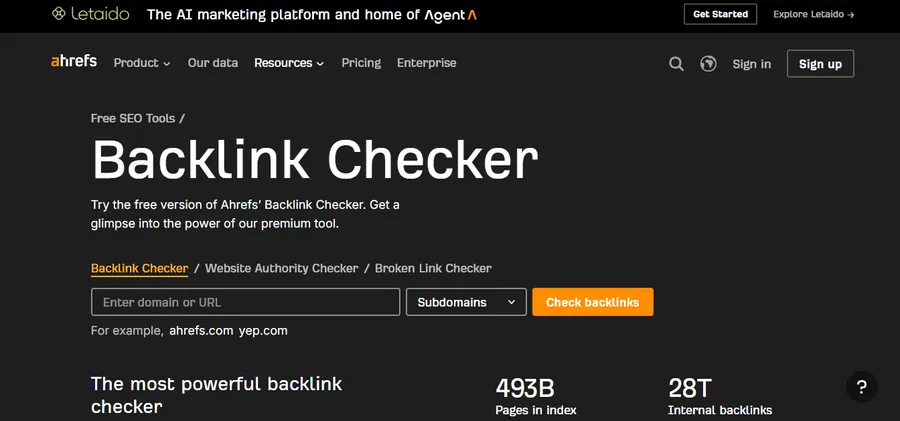
The Ahrefs backlink checker is the first stop for most people. You paste in a domain or URL, and it shows the top 100 backlinks along with Domain Rating, referring domains, and anchor text. There is no account needed for this quick view. Ahrefs also runs one of the largest live link indexes, so even a small sample is usually high quality.
The limit is the sample size. A site with thousands of referring domains will not be covered by 100 rows. Filters and lost-link alerts also sit behind the paid plans. For your own site, the free Ahrefs Webmaster Tools account is worth setting up, because it shows far more data after you verify ownership.
Best for: quick competitor spot checks and anyone who wants reliable data with zero setup.
2. Semrush free backlink checker
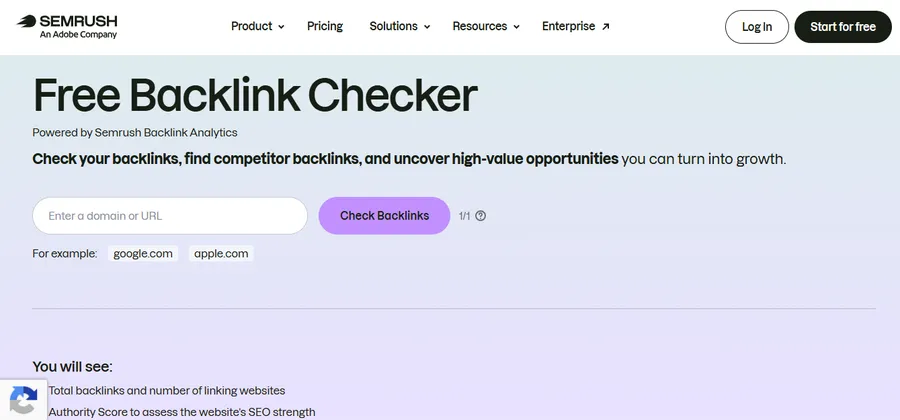
Semrush offers a free backlink checker that sits on top of its large link database. It gives you an Authority Score, total backlinks, referring domains, and a short list of the strongest links. The report is clean, and the Authority Score is a handy quick read on how strong a domain looks.
The free version is deliberately thin. The number of links shown is small, and past that point the tool asks you to create an account or upgrade. Semrush has changed these caps over the years, so check the current limit on the page. If you like the interface, the paid Backlink Analytics tool adds toxicity checks and a gap tool for competitor research.
Best for: a fast, high-level read on any domain’s link strength.
3. Moz Link Explorer
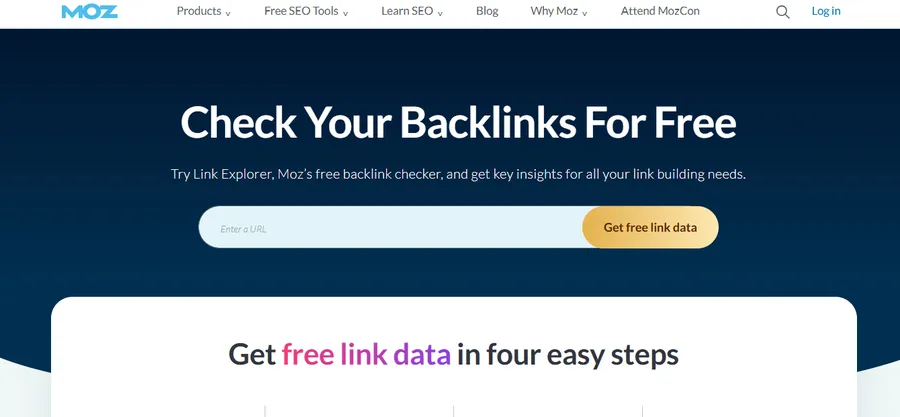
Moz Link Explorer is the home of Domain Authority, the metric many clients and editors still ask about. With a free Moz Community account, you get 10 Link Explorer queries per month. Each report includes Domain Authority, Page Authority, Spam Score, linking domains, and anchor text.
The monthly cap is the catch. Ten queries disappear quickly if you check several competitors, so spend them on pages that matter. Moz’s index is also generally considered smaller than Ahrefs or Semrush, so you may see fewer links. Still, Spam Score is a useful early warning signal when you audit a site you plan to buy or partner with.
Best for: beginners and anyone who needs Domain Authority and Spam Score for occasional checks.
4. Google Search Console
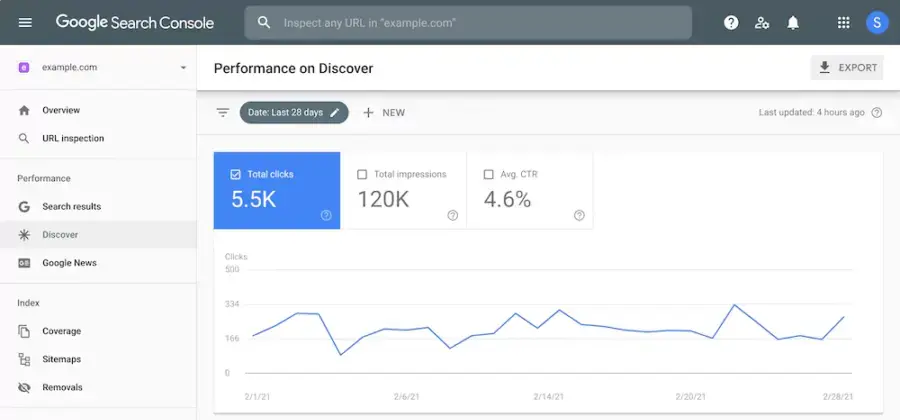
Google Search Console is the only source that shows links straight from Google. Open the Links report, and you see top linking sites, top linked pages, and top anchor text for your own property. It is free, it has no query cap, and it needs no extra tool.
The trade-off is access. You can only see data for sites you have verified, so it is no use for competitor research. The report also shows a sample, and tables stop at 1,000 rows. It does not give authority scores or link quality grades. Treat it as the baseline for your own site, then use another tool for context.
Best for: monitoring your own site’s links with first-party Google data.
5. Ubersuggest backlink checker
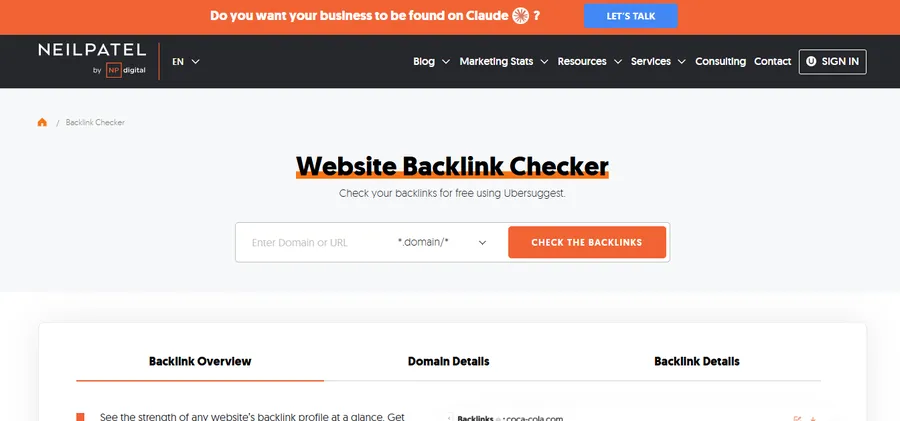
Ubersuggest, built by Neil Patel’s team, is friendly for beginners. The free account allows a few searches per day and shows around 100 backlinks per site, with Domain Score and anchor text. The report is easy to read, and the same account gives you basic keyword and site audit tools.
The daily search cap is tight, and the data depth is lower than the bigger platforms. Some metrics are drawn from a smaller index. It works well for small business owners and bloggers who want one dashboard for several SEO jobs. Serious link builders will outgrow it fast.
Best for: small sites and beginners who want backlinks, keywords, and audits in one place.
6. Majestic backlink checker
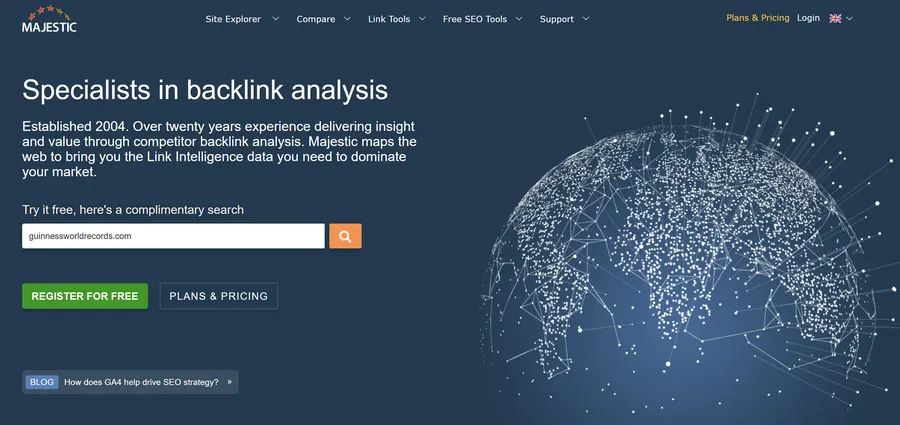
Majestic focuses only on links, and it has done so for years. Its Trust Flow and Citation Flow metrics measure link quality and link volume, which gives you a different angle from Domain Authority or Domain Rating. The free tool lets you run a basic backlink lookup on a domain and see headline numbers, and verifying your own site unlocks more.
Majestic’s interface feels dated, and the free view is limited. The metrics also take some learning. Once you understand them, though, a high Citation Flow with a low Trust Flow is a quick way to spot a profile padded with weak links.
Best for: SEOs who want a second opinion on link quality, using Trust Flow.
7. SEO Review Tools backlink checker

SEO Review Tools offers a free backlink checker that needs no signup and no login. You type a domain or page, solve a quick captcha if asked, and get a list of top backlinks with anchor text and authority data. This makes it one of the simplest options if you want a free backlink analysis tool without registration.
Because it is a free, ad-supported tool, you should expect rate limits and a capped list. Results are best used as a quick snapshot and then cross-checked. It is also handy for a fast competitor check, or a quick backlink profile checker run, when you do not want to create yet another account.
Best for: instant checks with no account and no card.
8. OpenLinkProfiler
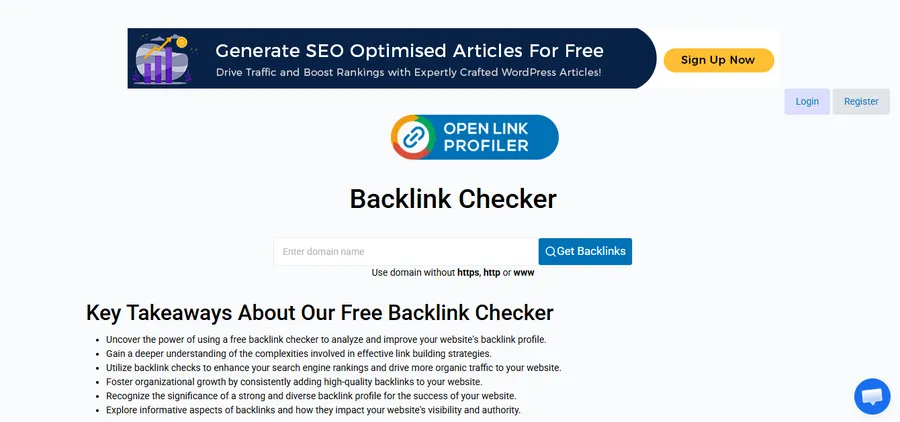
OpenLinkProfiler is a free, no-cost link tool from the team behind SEO PowerSuite. It lets you look up links to a domain, filter them by type, and see link trends. The filters are a real strength. You can narrow results by follow status, link age, or source country, which is rare in free tools.
The index is smaller than the big commercial databases, and the interface looks older. New links may also take longer to appear. Still, it is useful for a second opinion and for learning how link filters work before you pay for a bigger platform.
Best for: filtering and sorting links without paying for a full suite.
9. Seobility backlink checker

Seobility’s free backlink checker lets you run a limited number of checks per day and shows a sample of backlinks with anchor text and follow status. It is part of a wider free account that includes a basic site audit, so you can review technical SEO and links in the same place.
The daily limits are small, and the sample is capped. It does not replace a full platform. It does fit well in a simple weekly routine for a small site, where you want to track backlinks and check basic on-page health without paying.
Best for: small sites that want links and a basic audit in one free account.
Comparison table of free backlink checker tools
The table summarizes what each tool gives you for free. Limits come from vendor pages and change over time, so treat the numbers as a guide and verify them before you plan a project around them.
| Tool | Free data you get | Registration | Competitor checks | Best for |
|---|---|---|---|---|
| Ahrefs | Top 100 backlinks, DR, anchors | Not needed for quick view | Yes | Reliable spot checks |
| Semrush | Authority Score and a short link list | Optional, then limited | Yes | High-level domain reads |
| Moz Link Explorer | DA, PA, Spam Score, 10 queries a month | Free account needed | Yes | Occasional checks |
| Google Search Console | Top linking sites and pages, 1,000 row tables | Verification needed | No, own site only | First-party data |
| Ubersuggest | About 100 backlinks, a few searches a day | Free account for more | Yes | Beginners |
| Majestic | Trust Flow, Citation Flow, basic list | Optional | Yes | Link quality checks |
| SEO Review Tools | Top backlinks with anchors | Not needed | Yes | No-signup checks |
| OpenLinkProfiler | Filterable link list and trends | Not needed | Yes | Link filtering |
| Seobility | Limited daily checks, sample links | Free account | Yes | Links plus a basic audit |
How to run a website backlink analysis
A good website backlink analysis follows the same steps every time. The process below works with any tool in this list and takes about 20 minutes for a small site.
Step 1: Start with your own data
Open Google Search Console and review the Links report. Note your top linked pages and your most common anchor text. This is your baseline, and it comes straight from Google.
Step 2: Run a backlink lookup on your domain
Enter your domain in two free tools, such as Ahrefs and Moz. Compare the referring domains each one finds. The overlap shows your confirmed links, and the differences show what each index missed.
Step 3: Study your competitors
Use competitor backlink analysis tools from this list, such as Ahrefs and Semrush, to check the top three sites ranking for your target keyword. Look for links from resource pages, news sites, and directories that you do not have. These are your outreach targets.
Step 4: Review quality, not just quantity
Scan the referring domains for obvious problems, such as unrelated foreign sites, link farms, or pages stuffed with outbound links. Spam Score in Moz and Trust Flow in Majestic can help flag them. A few odd links are normal, but a pattern deserves attention.
Step 5: Save and repeat
To track backlinks well, export or copy the results into a spreadsheet, and repeat the check each month. A simple record shows which outreach work produced links and which did not. Many free tools do not store history, so your own sheet is the only way to see change over time.
How to choose the right free inbound link checker
The best free inbound link checker depends on what you need to do, not on which brand is biggest. Match the tool to the job.
If you only need a quick answer
Use Ahrefs or SEO Review Tools. Both give you instant results, and neither needs a long setup.
If you want to monitor your own site
Use Google Search Console with Ahrefs Webmaster Tools. Together they give you verified data from two different sources, and neither has a query cap.
If you do regular competitor research
Rotate between Ahrefs, Moz, Semrush, and Majestic so you do not burn through one tool’s limits. These also work as competitor backlink analysis tools on a free budget. A free competitor check is only as good as its index, so a second source reduces blind spots.
If you run a course or learning site
Link building matters just as much for online education sites. If you teach online with an LMS plugin such as LearnPress or a ready-made education theme such as Eduma, check which blogs, university pages, and resource lists link to rival course sites. Those same sources are often open to guest posts, tool mentions, and course listings. Your free tools can build that outreach list at no cost.
Common mistakes when using a free inbound link checker
Free tools are easy to misread. These are the mistakes that waste the most time.
Treating the sample as the full profile
A report that shows 100 links is a sample, not your whole profile. If the tool says you have 4,000 backlinks but lists only 100, the other 3,900 exist but are hidden. Use the totals for scale, and the list for examples.
Comparing scores across different tools
A Domain Rating of 40 in Ahrefs and a Domain Authority of 40 in Moz are not the same thing. Each vendor uses its own index and formula. Compare a site against others inside the same tool, never across tools.
Chasing quantity over relevance
A link from a small, relevant blog in your niche often beats a link from a large, unrelated site. When you review a competitor’s links, ask whether the linking page is about the same topic, and whether a real visitor could click through.
Ignoring lost links
Many people only look for new links. Lost links matter just as much. A page that quietly drops a link to you may have been redesigned, moved, or deleted. A short friendly email can often win the link back.
FAQs
How often should I check my backlinks?
Check your backlinks once a month for most sites. Weekly checks make sense during an active link building campaign or after a large publicity push. More frequent checks rarely show anything new, because most tools refresh their data on a schedule of days rather than hours.
What is a toxic backlink, and should I disavow it?
A toxic backlink is a link from a spammy or manipulative site that could look like an attempt to game rankings. Google says it ignores most low-quality links, so you rarely need to act. Use the disavow tool in Google Search Console only if you have a manual action or a clear pattern of paid or spam links you cannot remove.
How long does it take for a new backlink to show up in a checker?
A new backlink can appear in a checker within a few days, but it can also take several weeks. It depends on how often the tool crawls the linking page and how popular that page is. If a link does not show up, test it in a second tool before you assume it is missing.
How many backlinks do I need to rank on Google?
There is no fixed number. Rankings depend on the quality and relevance of links, the competition for your keyword, and your content. Compare your referring domains with the sites ranking on page one, and aim to close that gap with relevant, earned links.
Conclusion
A free inbound link checker will not replace a paid platform, but it gives you enough to understand your link profile and spy on competitors at no cost. Start with Google Search Console for your own links, add Ahrefs for a fast external view, and use Moz or Majestic to double-check link quality. If you want a free backlink analysis tool without registration, SEO Review Tools and the Ahrefs quick checker are the easiest picks.
Keep the process simple. Run a monthly check, record the numbers, and act on one or two clear findings each time. Over a few months, that habit will tell you more about your links than any single report. Pick two tools from this list today and run your first backlink profile checker report this week.
Read more: How To Do Backlink Building: A Practical Guide
Contact US | ThimPress:
Website: https://thimpress.com/
Fanpage: https://www.facebook.com/ThimPress
YouTube: https://www.youtube.com/c/ThimPressDesign
Twitter (X): https://x.com/thimpress_com