To define SaaS accurately, it is necessary to look at how software reaches the end user. Software as a Service (SaaS) is a software distribution model in which a service provider hosts applications in a central location and makes them available to customers over the internet. Instead of buying a physical disk or downloading a heavy program onto a single computer, users subscribe to the software and access it directly through a standard web browser.
This delivery method shifts software from a product purchased through a one-time transaction to an ongoing service paid for via subscription, making it a cornerstone for any modern B2B business. According to Fortune Business Insights, the global market for this delivery model is projected to exceed $1.1 trillion by 2032.
This projection demonstrates how deeply modern organizations rely on web-hosted programs to run daily operations without maintaining complex local hardware.
Eduma – Education WordPress Theme
We provide an amazing WordPress theme with fast and responsive designs. Let’s find out!
Key Points: Define SaaS
| Core Topic | Key Takeaway |
| Core Definition | Software hosted centrally by a vendor and accessed over the internet via a recurring subscription. |
| Delivery Mechanics | Multi-tenant architecture where users share underlying infrastructure while data remains isolated. |
| Cloud Models | SaaS delivers ready-to-use applications, PaaS offers developer tools, and IaaS supplies raw computing power. |
| Main Benefits | Lower initial expenses, automatic updates, remote access, and rapid user scaling. |
| Primary Challenges | Dependence on internet stability, vendor lock-in risks, and recurring long-term costs. |
| Migration Timeline | An eight-week process covering assessment, data preparation, staged testing, and final optimization. |
SaaS Means? How Does It Work?
When business leaders ask what SaaS means in practical day-to-day operations, the answer centers on shifting technical responsibility.
In a traditional software setup, the buyer is responsible for purchasing perpetual licenses, setting up local servers, installing programs on individual machines, and hiring information technology staff to run updates.
In a subscription software model, the external provider manages all underlying hardware, software code, security patches, and system maintenance. Customers simply log in with an account and use the features.
Core Characteristics of Subscription Software
Several fundamental traits separate web-delivered software from legacy, locally installed programs:
- Web-Based Access: Users open the software through a standard internet browser or lightweight mobile app, removing the need for complex local installations.
- Subscription Pricing: Organizations pay a predictable monthly or annual fee rather than a massive upfront licensing cost. You can explore various SaaS pricing models and examples to see how providers structure these recurring plans.
- Automatic Updates: The vendor rolls out feature upgrades, bug fixes, and security patches centrally without interrupting the user’s workflow.
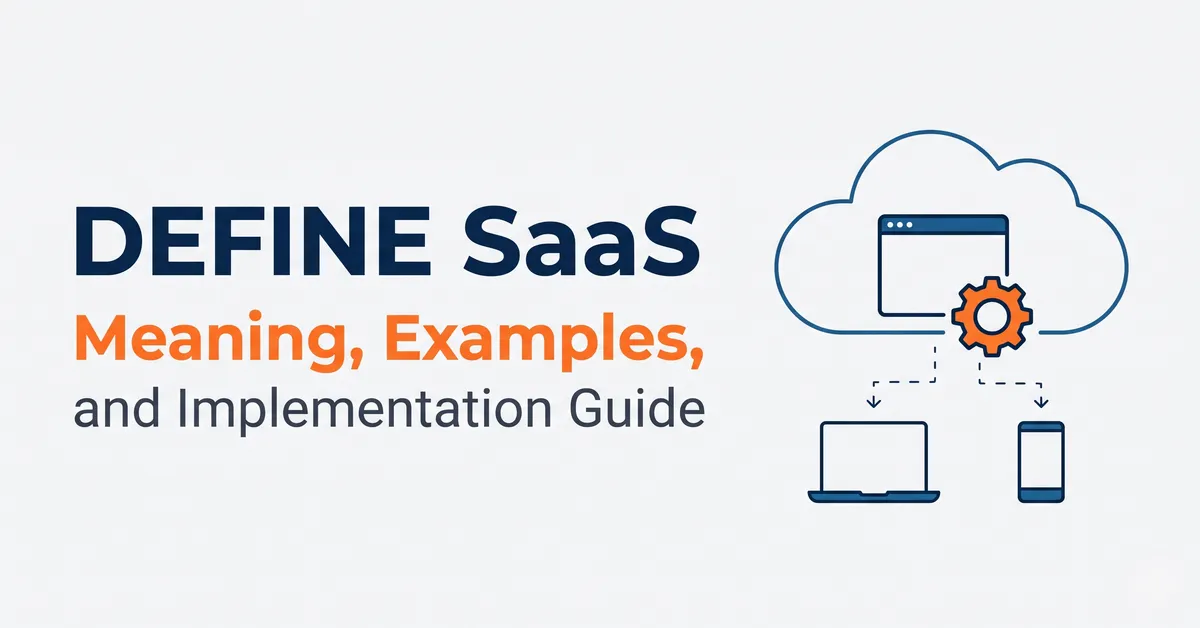
- Multi-Tenancy: Multiple client organizations share the same foundational computing infrastructure and codebase, while strict digital boundaries keep every customer’s data completely private.
- Elastic Scalability: Administrators can add or remove user seats, storage capacity, and feature modules on demand as business needs fluctuate.
How Web Software vs. Traditional Software Operates
The operational gap between web-hosted programs and traditional on-premise software comes down to technical architecture.
Understanding what is SaaS application architecture helps technology buyers evaluate performance and reliability, especially for teams learning how to build a SaaS application from the ground up.
A standard subscription platform operates on a multi-tenant structure built around four pillars:
- Centralized Hosting: The application code and databases run on servers managed by the software provider or their chosen cloud hosting services.
- Internet Delivery: Data travels between the central server and the user’s device over encrypted internet connections, rendering inside a web browser.
- Shared Resources: Rather than building a separate software copy for every buyer, thousands of customers run on a single shared application instance. This efficiency allows the provider to optimize speed and server maintenance at scale.
- Isolated Customer Data: Even though the underlying code is shared, logical separation guarantees that one organization cannot view or access another organization’s records.
Is SaaS the Same as the Cloud?
Although people frequently use the terms interchangeably, subscription software and “the cloud” are not identical concepts. The cloud refers to the broader network of remote servers accessed over the internet to store data and run computing processes.
Subscription software is simply one specific category of service delivered through that cloud network. Every subscription web application runs on the cloud, but not every cloud service is an end-user software application.
Where Company Data Resides
Because information does not sit on an office server down the hall, buyers naturally want to know where their business records live. Currently, 94% of enterprises utilize cloud services, placing high priority on data protection and accessibility. In a well-structured platform, customer records reside in:
- Geographically Distributed Data Centers: Information is stored across multiple physical locations to maintain fast loading speeds and provide redundancy if one facility experiences an outage.
- Encrypted Storage Systems: Databases use strict encryption protocols aligned with international compliance standards to protect information from unauthorized access.
- Automated Backup Locations: Providers continuously copy data to secondary storage sites to guarantee rapid recovery in the event of hardware failure.
Most reputable vendors also build data export tools directly into their settings, allowing administrators to download their records in universal file formats such as CSV or JSON at any time.
PaaS vs SaaS vs IaaS: Breaking Down Cloud Models
Evaluating cloud computing requires looking at the three main service tiers: Infrastructure as a Service (IaaS), Platform as a Service (PaaS), and Software as a Service. Reviewing a direct PaaS vs SaaS and IaaS comparison clarifies which model fits a specific business requirement.
| Cloud Model | Full Name | What It Delivers | Typical User | Real-World Examples |
| SaaS | Software as a Service | Complete, ready-to-use software applications accessed via web browsers. | Everyday business users, teams, and consumers. | Salesforce, Slack, Google Workspace |
| PaaS | Platform as a Service | Hardware and software tools needed to build and deploy custom applications. | Software developers and engineering teams. | Google App Engine, Microsoft Azure |
| IaaS | Infrastructure as a Service | Raw virtualized computing resources, storage, and networking capacity. | System administrators and IT architects. | Amazon EC2, Google Compute Engine |
When comparing PaaS vs SaaS, the primary distinction is creation versus consumption. PaaS gives developers the framework, databases, and operating systems to build a new program from scratch without buying physical servers.
Conversely, to define SaaS in this hierarchy, it is the finished product ready for immediate use by non-technical staff. Meanwhile, IaaS sits at the base layer, renting out the raw virtual servers and storage drives that power both development platforms and finished software.
What Is a SaaS Company? Definition and Industry Examples
To establish a clear SaaS company definition, look at the vendor’s core business model: it is an organization that develops, hosts, maintains, and updates cloud software, generating revenue by selling recurring access subscriptions to customers.
Understanding what is a SaaS company also means recognizing that these vendors act as ongoing service partners rather than one-time product merchants. Because customers can cancel their subscriptions if the tool fails to perform, the provider must continuously invest in server reliability, customer support, and feature improvements, while closely tracking recurring revenue metrics through a structured SaaS financials guide.
Common SaaS Company Examples Across Industries
Today, organizations rely on subscription software to manage almost every department. Below are prominent SaaS company examples categorized by business function:
- Customer Relationship Management (CRM): Salesforce, HubSpot CRM (discover more options in our guide to the best CRM software)
- Team Communication: Slack, Zoom, Microsoft Teams, and other leading video conferencing software
- Workplace Productivity: Google Workspace, Microsoft 365
- Financial Accounting: Xero, QuickBooks Online
- Digital Marketing: Mailchimp, HubSpot Marketing Hub, and specialized email marketing platforms
- Project Management: Asana, Monday.com, and dedicated apps for task management
Whether a team is tracking sales leads, running payroll, or hosting video meetings, these tools operate entirely through browser logins and monthly or annual billing cycles.
Benefits and Disadvantages of Subscription Software
Before transitioning away from legacy programs, decision-makers must weigh the operational advantages against the structural limitations of web-hosted tools.
Key Advantages
Adopting SaaS based solutions delivers measurable improvements across three core business areas:
Financial Benefits
- Lower Initial Costs: Eliminates large upfront capital expenditures for software licenses, replacing them with predictable monthly or annual operating expenses.
- Zero Hardware Overhead: Removes the need to buy, cool, and maintain physical on-site servers.
- Reduced IT Staffing Needs: Frees internal technical staff from routine software patching and server troubleshooting.
Operational Benefits
- Rapid Deployment: Teams can start using the platform immediately after creating an account, avoiding weeks of installation delays.
- Seamless Updates: Users automatically receive the newest tools and security defenses the moment they log in.
- Remote Accessibility: Employees can complete tasks from any location with a stable internet connection.
- Cross-Team Collaboration: Multiple users can view and edit shared records simultaneously without version control conflicts.
Scalability Benefits
- Instant Seat Adjustments: Administrators can add new hires or remove departed staff with a few clicks.
- Flexible Plan Tiers: Organizations can upgrade or downgrade feature packages as operational demands shift.
- Frictionless Growth: The vendor’s infrastructure absorbs increased data volume and user traffic without requiring hardware upgrades from the buyer.
Potential Disadvantages
Despite the convenience, subscription platforms introduce specific challenges that require careful management:
- Internet Dependency: If an office loses its internet connection, teams cannot access their cloud tools until service returns.
- Limited Deep Customization: Because all customers share the same core codebase, buyers cannot rewrite the underlying software architecture to fit highly unusual workflows.
- External Data Control: Sensitive company records sit on third-party servers, requiring complete trust in the vendor’s security practices.
- Cumulative Long-Term Costs: Over a span of many years, ongoing subscription payments may eventually exceed the cost of a one-time legacy software license.
- Vendor Lock-In: Moving massive datasets and ingrained workflows from one provider to another can be technically complex and time-consuming.
Security and Data Protection in Cloud Environments
A major question for leadership teams is whether external web applications can protect confidential corporate records. In practice, established software vendors invest far more capital into cybersecurity staff, monitoring tools, and physical server protection than an individual small or mid-sized business could afford on its own.
To protect client information, enterprise-grade providers implement strict safeguards:
- End-to-End Encryption: Data is scrambled using advanced cryptographic standards and an SSL certificate both while traveling across the internet (in transit) and while sitting in storage drives (at rest).
- Independent Security Certifications: Reputable vendors undergo third-party audits to maintain credentials such as SOC 2 Type II and ISO 27001, proving their internal security controls work properly.
- Routine Penetration Testing: Dedicated security engineers regularly simulate cyberattacks to locate and fix system vulnerabilities before malicious actors find them.
- Regulatory Compliance: Major platforms structure their data handling to obey strict legal frameworks, including GDPR for European privacy, CCPA for California residents, HIPAA for healthcare records, and PCI-DSS for payment processing.
- Active Threat Monitoring: Round-the-clock security operations centers use automated detection tools and incident response teams to block suspicious login attempts and help organizations avoid common cybersecurity mistakes.
How to Evaluate and Implement the Right Platform
Selecting and launching a new software platform requires thorough vetting to avoid unexpected expenses and operational disruption. Following proven SaaS best practices during the selection phase helps teams avoid costly contract mismatches.
Questions to Ask a Vendor Before Buying
Before signing a subscription agreement, procurement teams should ask prospective vendors targeted questions across three categories:
Security and Compliance
- What active security certifications and audit reports does the organization hold?
- How are customer databases encrypted, and how frequently do automated backups run?
- Can administrators export all company data independently at any point?
- Does the platform meet the specific legal compliance standards of our industry?
Service and Support
- What exact uptime percentage is guaranteed in the Service Level Agreement (SLA)?
- Which customer support channels (phone, live chat, email) are included in our plan?
- What is the guaranteed response time for critical, system-halting issues?
- Does the subscription include onboarding training for our staff?
Pricing and Contracts
- Which exact features are included in each subscription tier?
- Are there extra fees for adding users, exceeding storage caps, or making frequent API calls?
- What happens to our stored records if we decide to cancel the contract?
- Can we upgrade or downgrade our subscription tier in the middle of a billing cycle?
Expected Uptime and Support Standards
When reviewing contracts, buyers should look for established industry benchmarks. A reliable vendor typically provides a 99.9% uptime SLA, which equates to no more than 8.76 hours of unscheduled downtime across an entire year. High-performing enterprise platforms often achieve 99.95% historical uptime or better.
Additionally, expect 24/7 automated server monitoring, a public status web page displaying real-time system health, tiered support channels, and documented response times of one to four hours for severe technical emergencies.
Watching Out for Hidden Costs
While subscription pricing is generally transparent, total expenses can climb if buyers overlook secondary fee structures. Watch closely for:
- User Overages: Penalties or automatic tier upgrades triggered when adding extra team members.
- Data Storage Limits: Monthly charges for storing large files, contact lists, or historical records beyond the base allowance.
- API Usage Fees: Extra billing when external connected programs transfer high volumes of data back and forth.
- Premium Support Packages: Mandatory surcharges for faster response times or a dedicated account manager.
- Add-On Modules: Locking essential reporting or automation capabilities behind expensive feature upgrades.
- Implementation Services: One-time consulting fees for initial account setup, custom configurations, and data migration.
Customization Capabilities
While users cannot alter the core source code of a multi-tenant program, modern platforms provide wide-ranging configuration options to fit individual business workflows:
- System Configuration: Adjusting user permissions, data fields, pipeline stages, and automated task rules.
- Visual Branding: Uploading company logos, custom color palettes, and domain names to customer-facing portals and emails.
- API Integrations: Connecting the software with existing accounting, communication, or analytics tools so data flows automatically between programs.
- Custom Reporting: Building tailored analytics dashboards to track specific departmental goals, or connecting with dedicated SaaS business intelligence tools for deeper data analysis.
- Scripting Extensions: Using built-in developer sandboxes or low-code tools to run custom scripts for specialized calculations.
All-in-One Platforms vs. Point Solutions
When assembling a technology stack, organizations must choose between buying separate single-purpose apps (point solutions) or adopting an integrated, all-in-one platform that combines multiple departments—such as customer relationship management, marketing automation tools, sales tracking, customer service ticketing, a content management system, data synchronization, and commerce payments—under one roof.
An integrated platform provides distinct operational advantages:
- Unified Records: Customer details, communication histories, and payment records sit in a single database rather than fragmented silos.
- Connected Workflows: Teams avoid the technical headaches of building and maintaining brittle connections between separate tools.
- Consistent Interface: Employees only need to learn one navigation layout, speeding up training and daily work.
- Stronger Return on Investment: Paying for one bundled platform often costs less than maintaining half a dozen separate vendor contracts.
Many established providers also offer free introductory tiers—frequently including basic contact management, email tools, form builders, deal tracking, and reporting dashboards—allowing businesses to test the workflow before committing budget to paid upgrades.
8-Week Migration Roadmap: Moving from On-Premise to the Cloud
Transitioning from legacy local software to SaaS based solutions without breaking daily operations requires a structured rollout. Organizations can follow this eight-week framework to manage the transition safely:
| Implementation Phase | Timeline | Key Actions |
| Phase 1: Assessment | Weeks 1–2 | Document existing workflows, audit current database structures, list required software integrations, and map out user permission levels. |
| Phase 2: Preparation | Weeks 3–4 | Clean and remove duplicate records, standardize data formatting, set up a safe testing environment, and train department leaders. |
| Phase 3: Migration | Weeks 5–6 | Run the old and new systems side by side temporarily, move a small pilot group of users over first, and verify that all imported records are accurate. |
| Phase 4: Optimization | Weeks 7–8 | Collect feedback from daily users, adjust automated workflows for efficiency, move the remaining staff over, and safely shut down the legacy servers. |
Measuring Return on Investment (ROI)
After launching the software, leadership should track five Key Performance Indicators (KPIs) to verify the investment is delivering value:
- User Adoption Rate: The percentage of licensed employees who log in and use the tool actively every week.
- Time Savings: The total number of staff hours saved by automating manual data entry and routine tasks.
- Cost Reduction: The drop in spending on physical server maintenance, local hardware upgrades, and legacy software licenses.
- Productivity Gains: Measurable increases in completed projects, resolved support tickets, or processed orders per employee.
- Revenue Impact: Improvements in sales cycle speed, lead conversion rates, or long-term customer retention.
Conclusion
Transitioning from traditional locally installed programs to cloud-delivered software reshapes how modern organizations manage budgets, security, and daily workflows.
By removing the burden of physical server maintenance and upfront licensing fees, subscription applications allow teams to focus resources on core business growth rather than information technology upkeep.
Whether selecting a specialized point tool or an integrated all-in-one platform, success depends on vetting vendor security standards, understanding total contract costs, and following a structured migration plan. Evaluating user adoption and operational return on investment ensures that the chosen software stack continues to support organizational goals long after initial deployment.
Frequently Asked Questions (FAQs): Define SaaS
1. How do IT experts define SaaS in simple terms?
Technology professionals define SaaS (Software as a Service) as a method of delivering software over the internet via a subscription. Instead of installing programs on your own computer or office servers, a third-party provider hosts the software in the cloud, and you access it through a web browser.
2. What is a SaaS application compared to a locally installed program?
When looking at what is SaaS application structure versus a local program, the main difference is hosting and maintenance. A locally installed program runs entirely on your device’s hard drive and requires you to manage updates and data storage. A cloud application runs on the vendor’s remote servers, saves your work automatically online, and updates itself without any action required from you.
3. Can a company export its data if it cancels a software subscription?
Yes. Reputable cloud software providers include data export features within their administrative settings. Before canceling an account, businesses can download their contacts, financial records, and historical files in standard formats like CSV or JSON to transfer into a new system.
4. How long does it typically take to migrate from legacy software to a cloud platform?
For most small to mid-sized organizations, a structured migration takes approximately eight weeks. This timeline covers two weeks of system assessment, two weeks of data cleaning and staff training, two weeks of staged migration and parallel testing, and two final weeks of workflow optimization before shutting down the old system.
5. What should a business budget for beyond the base subscription price?
Beyond the monthly or annual subscription fee, companies should budget for potential add-on expenses. These often include one-time onboarding and data migration fees, charges for extra data storage, costs for adding new user seats, higher pricing tiers for priority customer support, and fees for high-volume API connections with other software tools.
Read more: Enterprise SaaS Pricing Models: Complete B2B Strategy Guide
Contact US | ThimPress:
Website: https://thimpress.com/
Fanpage: https://www.facebook.com/ThimPress
YouTube: https://www.youtube.com/c/ThimPressDesign
Twitter (X): https://x.com/thimpress_com