Managing tasks becomes harder when reminders, deadlines, meetings, and project work are spread across different places. The right apps for task management solve this problem by giving each task a clear place, due date, priority, or time slot.
However, the most complex tool is not always the best choice. Some people only need a fast daily checklist. Others need calendar planning, while teams may require shared projects, comments, and different task views.
This guide compares 15 popular options across three main styles: simple task lists, calendar-focused planners, and feature-rich platforms. It also explains how to choose the best app for task management based on the way tasks are actually handled. Readers who want to explore more ways to improve their workflow can also compare these AI productivity tools for planning, scheduling, and everyday work.
Eduma – Education WordPress Theme
We provide an amazing WordPress theme with fast and responsive designs. Let’s find out!
Quick Summary: Best Apps for Task Management
| App | Type | Main Strength | Best For |
| Todoist | Minimal | Clear task organization | Personal and work tasks |
| Microsoft To Do | Minimal | Simple daily planning | Microsoft users |
| Any.do | Minimal | Easy task and reminder system | Everyday planning |
| Google Tasks | Minimal | Simple Google integration | Google Workspace users |
| Google Keep | Minimal | Notes and basic checklists | Quick personal tasks |
| TickTick | Calendar-focused | Tasks with calendar planning | Time-based planning |
| Akiflow | Calendar-focused | Time blocking and task planning | Busy professionals |
| Sunsama | Calendar-focused | Structured daily planning | Focused workdays |
| Google Calendar | Calendar-focused | Visual time scheduling | Time blocking |
| Sorted 3 | Calendar-focused | Schedule-based task planning | Personal productivity |
| ClickUp | Feature-rich | Tasks, projects, and collaboration | Teams and complex work |
| Taskade | Feature-rich | Collaborative task organization | Small teams |
| Things 3 | Feature-rich | Clean personal organization | Apple-focused workflows |
| OmniFocus | Feature-rich | Detailed personal task control | Advanced task systems |
| Zenkit To Do | Feature-rich | Flexible lists and organization | Personal and team tasks |
Note: Features, pricing, and platform availability can change. Check each product’s official information before making a long-term choice.
What Are Productivity Apps?
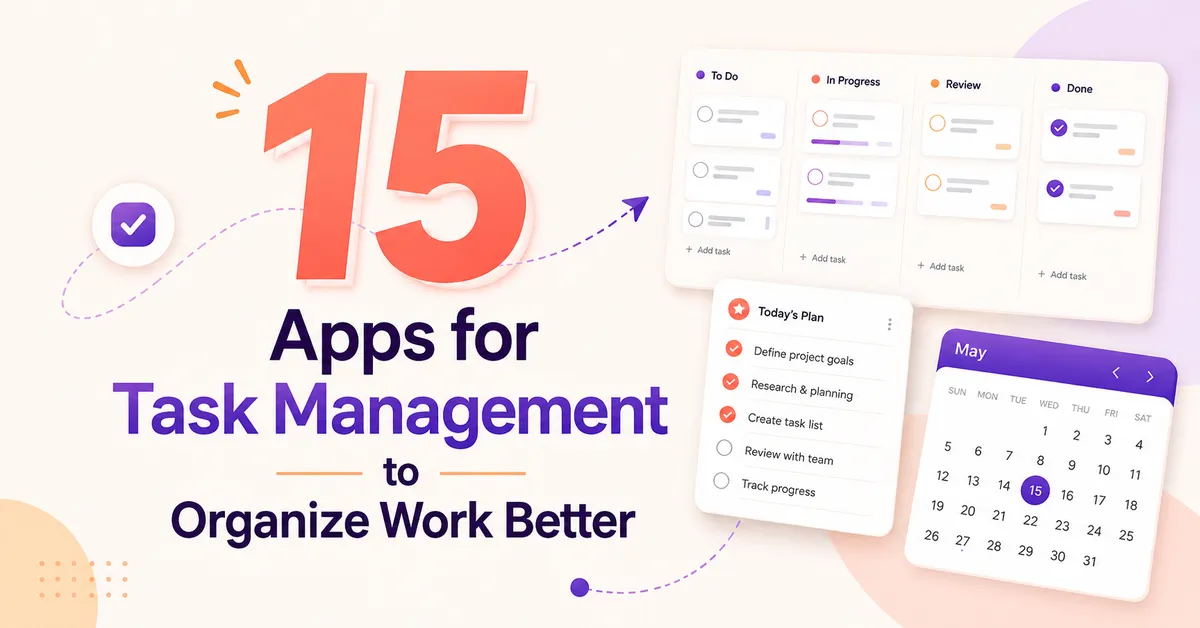
People searching what are productivity apps usually want a simple answer: they are tools designed to help organize work, manage time, store information, reduce repeated effort, or complete tasks more efficiently.
Task managers are only one group within this larger category.
Common productive apps include:
- Task and to-do list apps
- Calendar apps
- Note-taking tools
- Project management platforms
- Focus timers
- Habit trackers
- Team collaboration tools
- Automation software
The main goal is not to use as many tools as possible. A good productivity system should reduce the amount of work required to remember and organize tasks.
For that reason, choosing between different apps for task management should start with the workflow, not the number of features an app offers.
Three Main Types of Task Management Apps
Most task managers can be placed into three broad groups. Understanding these groups makes it much easier to compare the best apps for task management.
1. Minimal Task Management Apps
Minimal tools focus mainly on one question:
What needs to be done next?
They usually provide:
- Task lists
- Checkboxes
- Due dates
- Reminders
- Recurring tasks
- Tags or simple categories
These tools work well for people who want to open an app, add a task quickly, and complete it later.
Too many dashboards, reports, project spaces, or custom fields can create unnecessary work for this type of user.
2. Calendar-Focused Task Managers
Some users do not only need to know what to do. They also need to decide when to do it.
Calendar-based apps for task management help turn a task list into a daily or weekly schedule.
For example, instead of creating a task called “Prepare presentation,” the task can be assigned to a specific period such as Tuesday from 2:00 PM to 3:30 PM.
This approach is often called time blocking.
These tools can be useful productivity apps for time management because they connect workload with the actual number of hours available during the day. Users who want more automated support for planning and routine tasks can also explore personal AI assistants.
3. Feature-Rich Task Management Platforms
The third group goes beyond basic to-do lists.
These platforms may include:
- Multiple projects
- Team workspaces
- Task assignments
- Comments
- Different task views
- Calendar views
- Kanban boards
- Dependencies
- Documents
- Collaboration features
They can be powerful, but more features also mean more setup.
A feature-rich platform may be the best app for task management for a team, while the same tool could be excessive for someone managing five personal tasks per day.
15 Best Apps for Task Management
1. Todoist
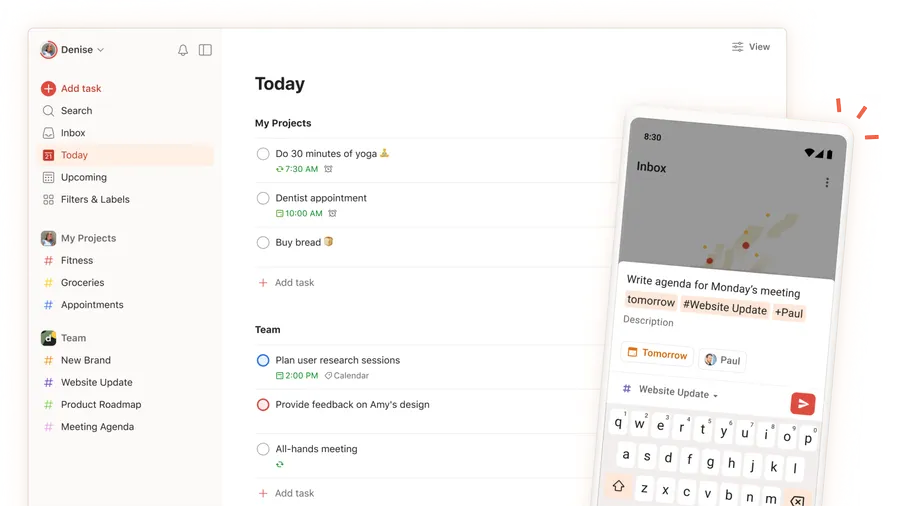
Todoist is one of the most recognizable apps for task management because it keeps the basic task creation process simple while still allowing more detailed organization.
Tasks can be arranged into projects and supported by priorities, labels, due dates, and recurring schedules.
Key strengths
- Fast task creation
- Clear project structure
- Priority management
- Recurring tasks
- Suitable for personal and professional work
Best for
Todoist is a strong choice for users who want more control than a basic checklist but do not want a full project management platform.
It is especially useful when personal tasks and work tasks need to remain organized without creating a complicated workspace.
2. Microsoft To Do
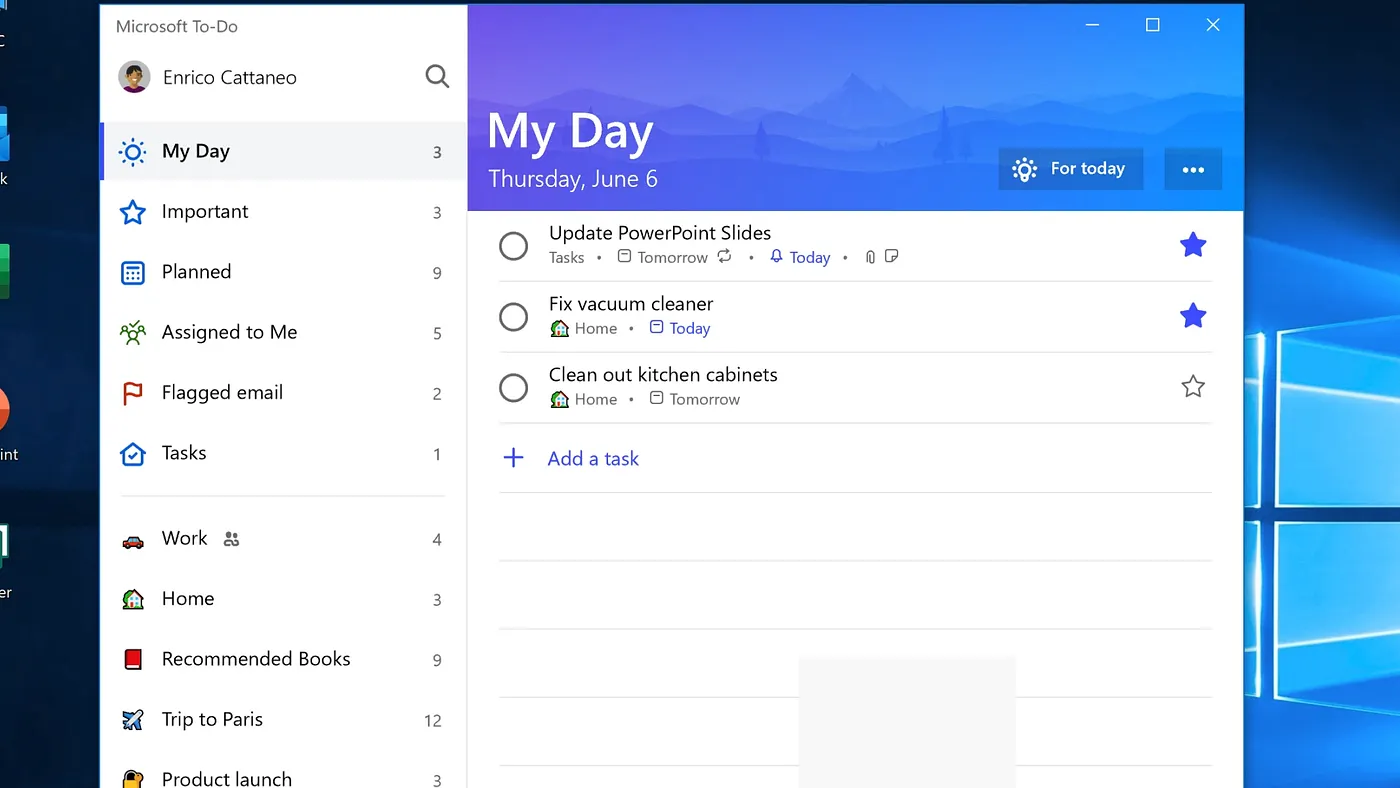
Microsoft To Do focuses on simple daily task management.
Its clean structure makes it suitable for users who prefer a traditional checklist instead of a complex project dashboard.
Tasks can be organized into lists and planned around what needs attention during the day.
Key strengths
- Simple interface
- Clear lists
- Daily planning
- Useful for personal tasks
- Fits naturally into Microsoft-based workflows
Best for
It is suitable for students, office workers, or anyone who wants one of the simpler apps for task management without spending much time configuring the system.
3. Any.do
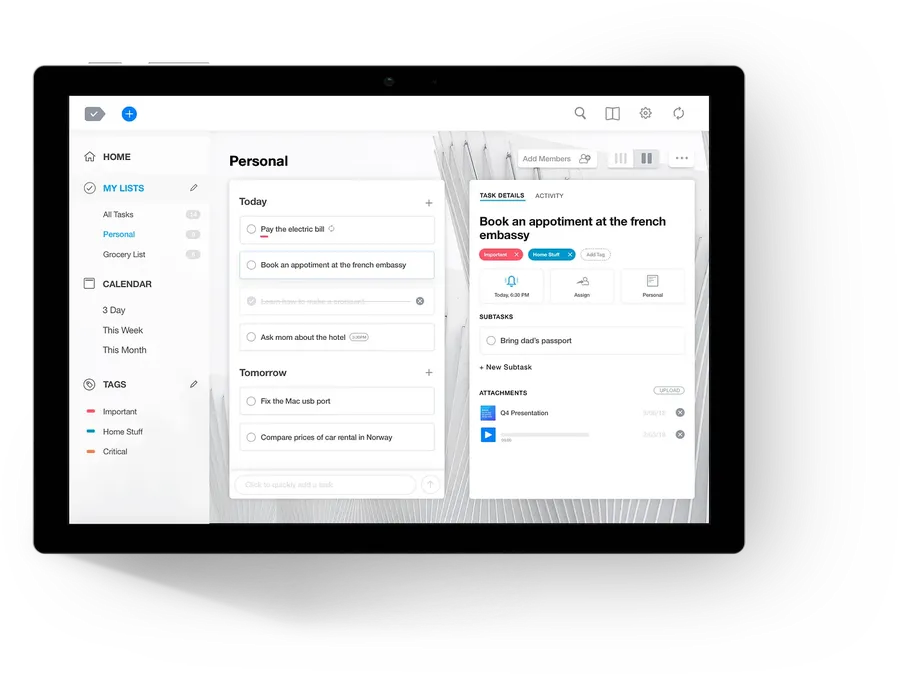
Any.do combines lists, reminders, and daily organization in an interface designed around everyday planning.
It is useful when tasks include both work responsibilities and personal activities.
Key strengths
- Easy task creation
- Reminders
- List organization
- Daily planning
- Simple learning curve
Best for
Any.do works well for people who want one place for daily errands, appointments, and regular work tasks.
Among cool productivity apps, its main attraction is not unusual complexity but a straightforward approach to staying organized.
4. Google Tasks
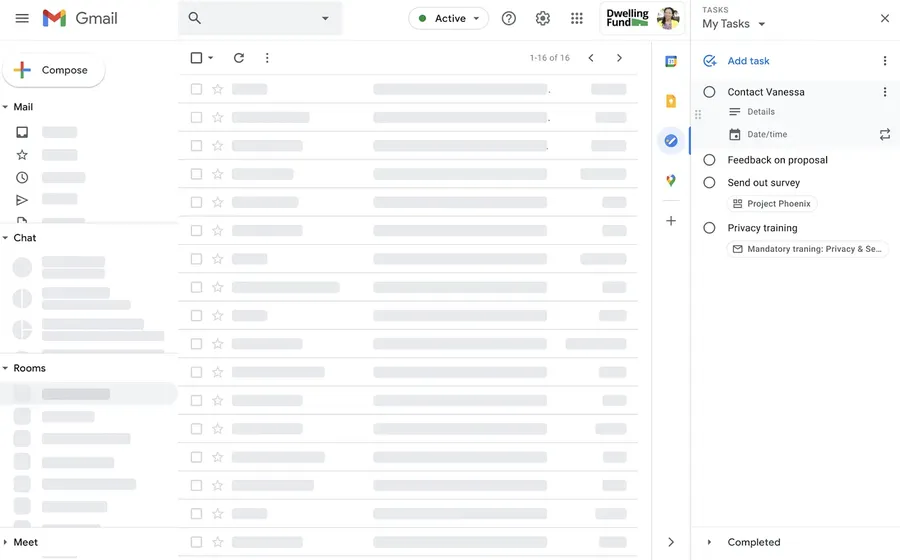
Google Tasks offers a simple way to create lists and manage basic tasks within the Google ecosystem.
It does not try to replace a complete project management platform.
That limitation can actually be useful.
Key strengths
- Simple lists
- Fast task entry
- Due-date support
- Low learning curve
- Useful with other Google services
Best for
Google Tasks is suitable for people who already use Google services and mainly need a basic personal task list.
For large team projects, a more advanced platform will normally provide better control.
5. Google Keep
Google Keep is primarily a note and information-capture tool rather than a dedicated task manager. However, its checklist feature can still work for simple tasks.
It is useful for:
- Shopping lists
- Short reminders
- Small checklists
- Quick ideas
- Temporary task lists
Google Keep should therefore be considered an alternative for light task management rather than a direct replacement for specialized apps for task management.
Best for
Choose it when notes and small checklists matter more than project structure, detailed scheduling, or task reporting.
Calendar and Time Management Apps
6. TickTick
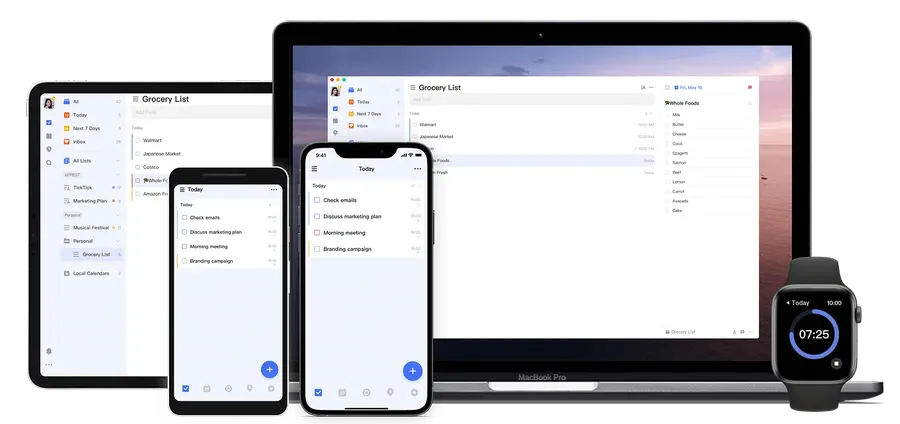
TickTick combines traditional to-do lists with stronger planning features.
This makes it useful for people who like task lists but also want to see how work fits into a schedule.
Key strengths
- Task lists
- Calendar-style planning
- Recurring tasks
- Priority organization
- Personal planning features
Best for
TickTick suits users who have outgrown basic checklists and want productivity apps for time management without moving directly to a large project management system.
7. Akiflow
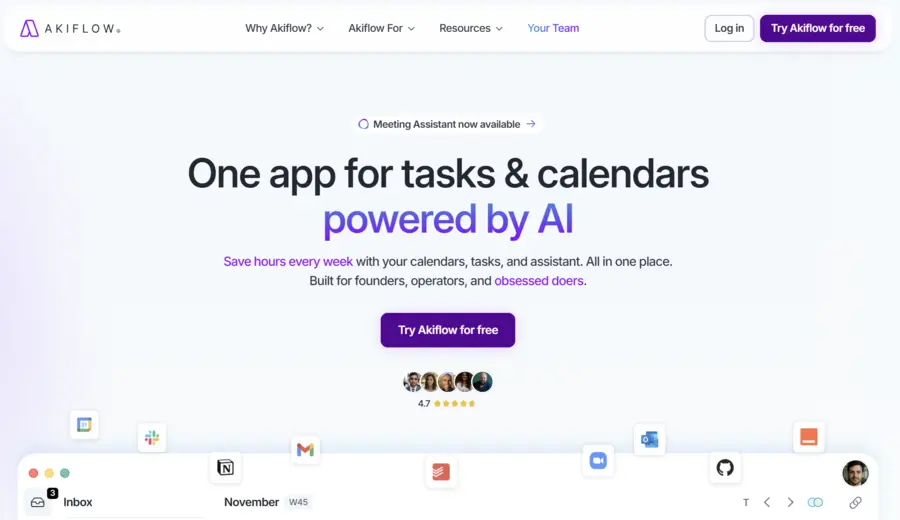
Akiflow takes a schedule-first approach.
Rather than keeping tasks separate from the calendar, the workflow encourages users to decide when tasks will actually be completed.
This addresses a common weakness of ordinary task lists: a list may contain 20 tasks even when there is only enough time to finish five.
Key strengths
- Time-blocking workflow
- Calendar-based planning
- Central task organization
- Daily schedule management
Best for
Akiflow may suit professionals who receive tasks from several places and want to convert them into a structured daily schedule.
It is one of the more specialized apps for task management for users who think in terms of time rather than only priorities.
8. Sunsama
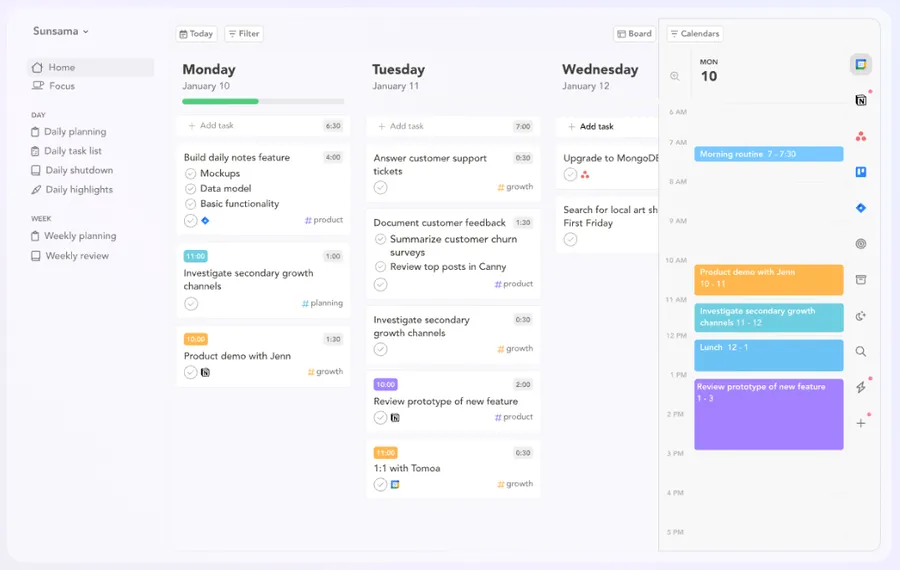
Sunsama also focuses strongly on daily planning and scheduling.
Instead of encouraging an endless backlog, this type of tool helps users choose a realistic amount of work for each day.
Key strengths
- Daily planning
- Time allocation
- Calendar-oriented workflow
- Focus on manageable workloads
- Useful for structured routines
Best for
Sunsama can work well for people whose main problem is not forgetting tasks but trying to complete too many tasks at the same time.
It may also appeal to users looking for productive apps that encourage more deliberate planning.
9. Google Calendar
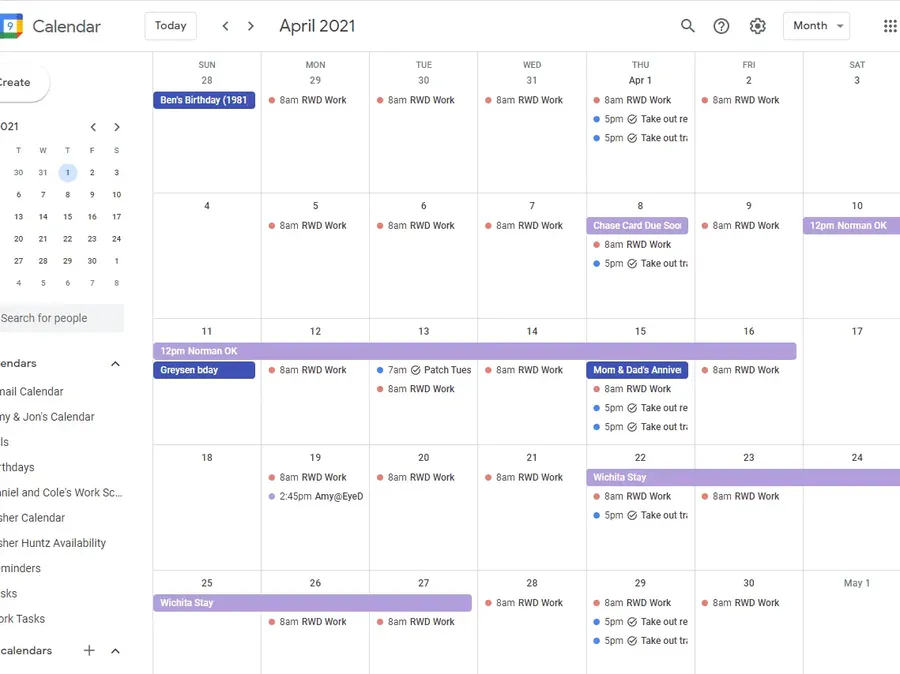
Google Calendar is not a traditional task manager, but it can become an effective task planning tool when used for time blocking.
For example:
| Task | Calendar Block |
| Write report | 9:00–10:30 |
| Check campaigns | 11:00–11:30 |
| Team meeting | 2:00–3:00 |
| Research competitors | 3:30–4:30 |
This system forces each task to compete for actual calendar space.
Best for
Google Calendar is useful for people who already know what needs to be done but struggle to reserve enough time to complete it.
However, complex task dependencies and detailed project tracking usually require a dedicated task manager.
10. Sorted 3
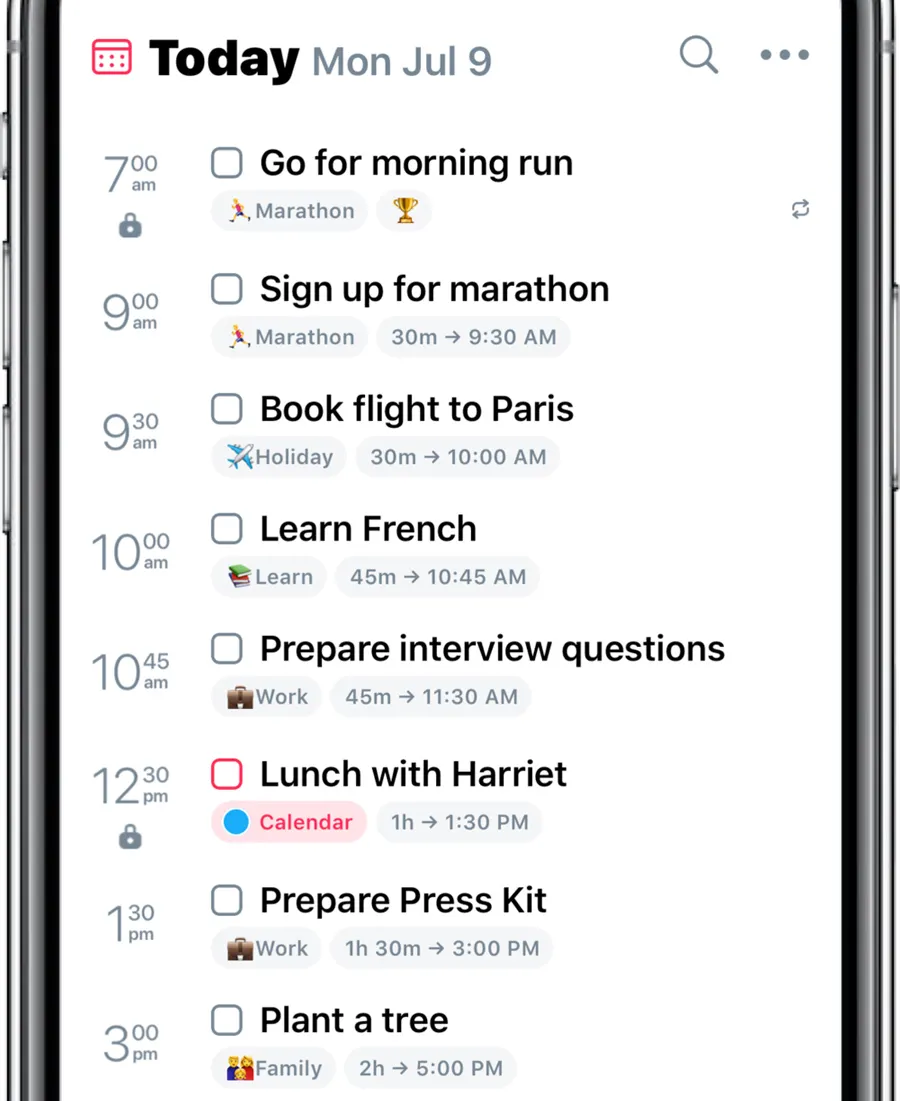
Sorted 3 combines task planning with schedule management.
The main idea is to organize activities around the available time in a day instead of treating tasks as an isolated checklist.
Key strengths
- Schedule-oriented planning
- Personal task organization
- Time-based workflow
- Clean structure
Best for
Sorted 3 is worth considering when searching for cool productivity apps that place stronger emphasis on the relationship between tasks and time.
Feature-Rich Apps for Task Management
11. ClickUp
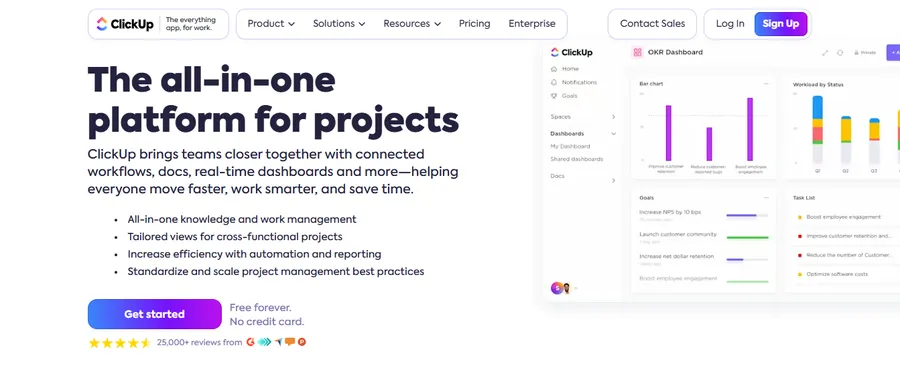
ClickUp moves much closer to project management than a basic to-do list.
It can organize work across projects, tasks, teams, and different views.
Key strengths
- Project organization
- Task assignments
- Collaboration
- Multiple ways to view work
- Suitable for larger workflows
Best for
ClickUp is better suited to teams or users managing complex projects.
For a person who only needs a daily grocery list and a few reminders, its wider feature set may create more work than value.
For companies, however, it can be one of the best apps for task management when task tracking and project collaboration need to exist in one system.
12. Taskade
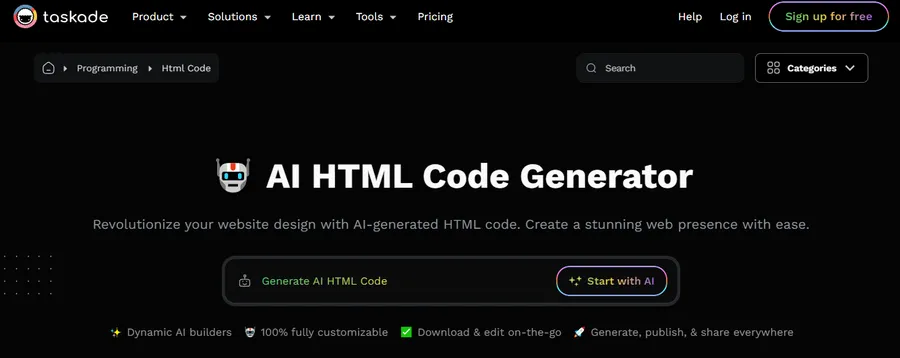
Taskade combines task organization with collaborative workspace features.
It can be useful when a project involves more than individual checkboxes and requires information to be shared between several people.
Key strengths
- Collaborative task lists
- Project organization
- Shared workspaces
- Flexible structures
- Team-focused workflows
Best for
Taskade can suit small teams, remote collaboration, or people who want tasks and project information closer together.
It may be a better option than minimalist apps for task management when work regularly involves other people.
13. Things 3
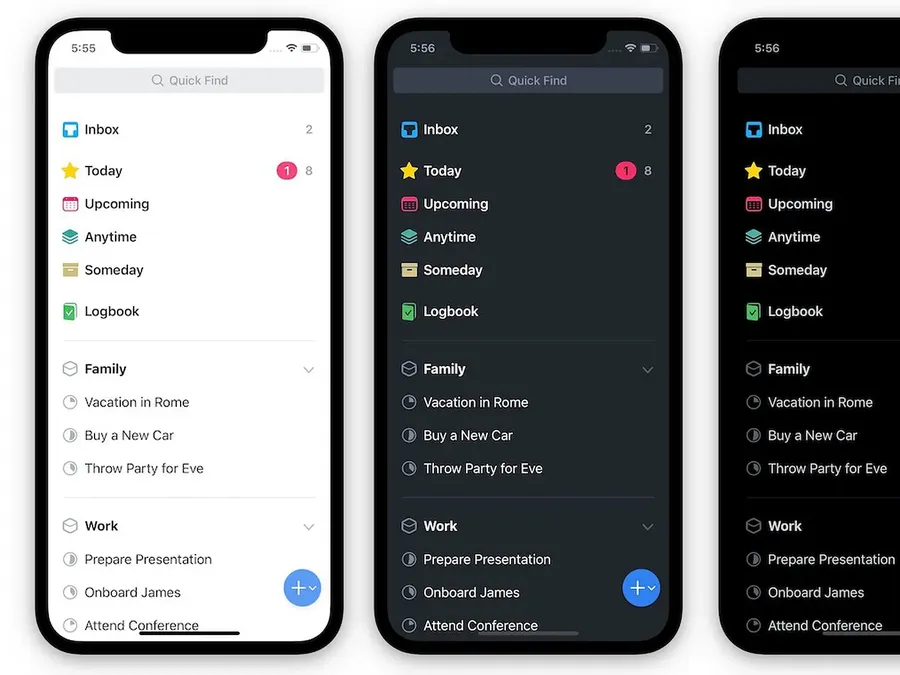
Things 3 is built around organized personal task management with a strong focus on a clean workflow.
Instead of presenting users with a large business dashboard, it emphasizes projects, areas, and individual actions.
Key strengths
- Clean task structure
- Project organization
- Personal planning
- Clear daily workflow
Best for
Things 3 is mainly suited to personal productivity rather than large team collaboration.
It can be attractive to users who want a polished task system without the complexity of enterprise project software.
14. OmniFocus
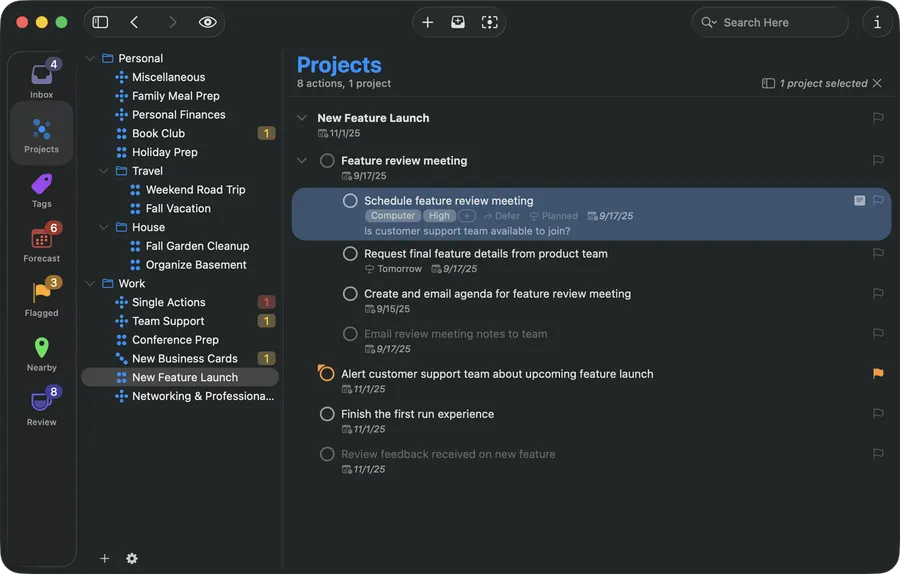
OmniFocus is designed for users who want detailed control over personal tasks and projects.
It supports a more structured approach than ordinary checklist apps and can fit advanced personal productivity systems.
Key strengths
- Detailed task organization
- Project structure
- Strong personal workflow
- Useful for large task collections
Best for
OmniFocus is more appropriate for users who are willing to maintain a detailed task system.
It may not be the best app for task management for beginners because additional structure only helps when users are prepared to manage it consistently.
15. Zenkit To Do
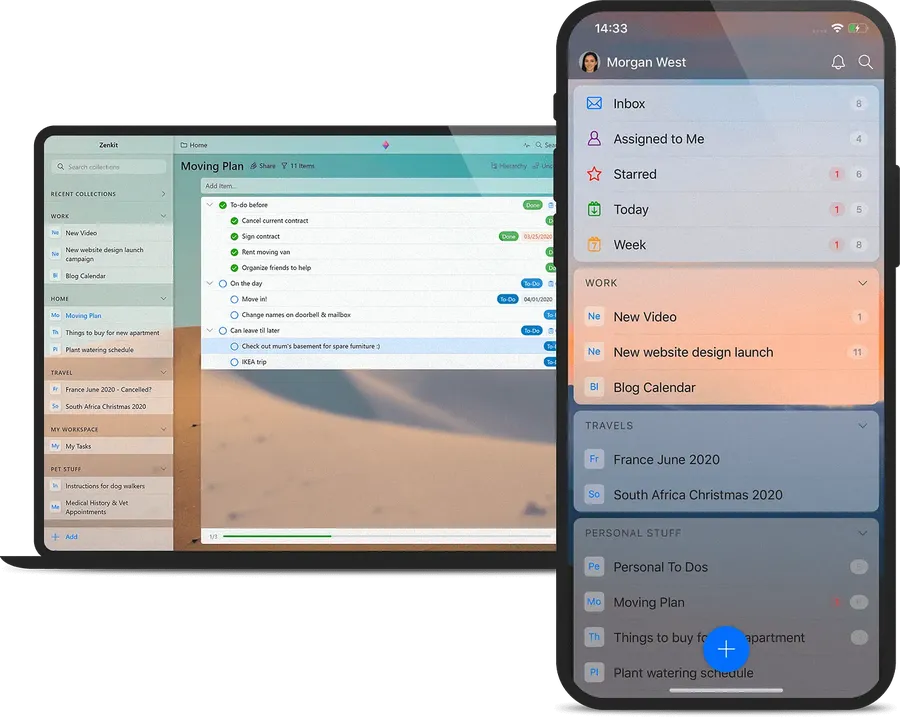
Zenkit To Do offers a list-based approach with enough organization to support more than simple reminders.
It can bridge the gap between a lightweight checklist and a broader productivity system.
Key strengths
- Organized task lists
- Flexible planning
- Personal task management
- Shared task possibilities
Best for
Zenkit To Do can suit users looking for structured apps for task management without immediately moving to a large project platform.
Which Task Management App Should You Choose?
The best apps for task management are not necessarily the tools with the longest feature lists.
Start by identifying the main problem.
| Main Problem | Better Type of App |
| Forgetting daily tasks | Minimal task manager |
| Too many tasks in one list | Priority-based task manager |
| Running out of time | Calendar-focused planner |
| Managing multiple projects | Feature-rich platform |
| Coordinating team members | Collaborative task manager |
| Managing only simple checklists | Lightweight list app |
A useful decision process is to ask four questions.
1. Are tasks personal or collaborative?
Personal tasks rarely need complex permissions, dashboards, or team reporting.
Team tasks often require:
- Assignees
- Deadlines
- Comments
- Shared projects
- Status tracking
This difference can quickly remove many unsuitable tools from consideration.
2. Is the main problem task organization or time management?
A person may have a perfectly organized task list and still miss deadlines.
Why?
Because tasks require time.
When this is the main problem, productivity apps for time management or calendar-based tools may be more useful than another traditional to-do list.
3. How much setup is acceptable?
Feature-rich tools often require more configuration.
Projects, tags, statuses, spaces, dashboards, automations, and custom fields can help complex workflows. They can also become a second job if the workflow is simple.
The better system is often the one that requires the least effort to maintain while still solving the main problem.
4. Will the app actually be opened every day?
This question is often ignored.
A powerful productivity system has little value if using it feels slow or difficult.
For personal use, speed and simplicity may matter more than advanced reporting.
For teams, structure and visibility may be worth the extra effort.
Should Notes and Tasks Be Kept in the Same App?
It is technically possible to keep notes, projects, and tasks in one application.
That does not always mean it is the best approach.
A large all-in-one workspace can become difficult to maintain because temporary reminders, project documents, meeting notes, and daily tasks compete for attention.
A simpler setup may use:
- One tool for notes and project information.
- One of the dedicated apps for task management for actionable work.
However, separating tools is not automatically better either. Too many productive apps can create another problem: information becomes fragmented across several systems.
The goal should therefore be to use the smallest number of tools that can support the workflow clearly.
Common Mistakes When Choosing Productivity Apps
Choosing based on features instead of problems
More features do not guarantee better productivity.
If tasks only require a title and a due date, a platform with ten different task views may add unnecessary complexity.
Changing apps too often
Testing new cool productivity apps can be useful, but constant switching has a cost.
Every migration requires time to:
- Learn a new interface
- Rebuild projects
- Move existing tasks
- Adjust habits
- Recreate integrations
Changing tools makes sense when the current system has a clear limitation, not simply because another app looks more interesting.
Using the task list as storage
A task manager should mainly contain actions.
Compare:
Poor task:
Marketing project
Better tasks:
- Review campaign results
- Prepare three new creatives
- Update performance sheet
- Send weekly report
Specific tasks reduce uncertainty and make the next action easier to start.
Planning more work than the day can hold
A list of 25 important tasks does not create a 25-hour workday.
This is where calendar-based apps for task management can provide an advantage. Assigning time to tasks shows quickly whether a daily plan is realistic.
Final Thoughts
There is no single task management app that is perfect for every workflow.
For simple personal lists, tools such as Todoist, Microsoft To Do, Any.do, or Google Tasks may be enough. Users who organize work around time may prefer TickTick, Akiflow, Sunsama, Sorted 3, or a calendar-based system. More complex projects may benefit from platforms such as ClickUp, Taskade, OmniFocus, Things 3, or Zenkit To Do.
The key is to choose apps for task management according to the problem being solved.
A simple checklist is often better than an advanced platform that is never maintained. At the same time, a basic list can become limiting when projects involve many deadlines, team members, or scheduled work.
Test a small number of options, keep the system easy to maintain, and select the tool that makes the next task clearer. The best app for task management is ultimately the one that helps work get completed with less friction.
FAQs
1. What are the best apps for task management?
The best apps for task management depend on the workflow. Todoist and Microsoft To Do are suitable for simple lists, calendar-focused tools help with scheduling, while ClickUp and similar platforms are better suited to complex projects and teamwork.
2. What is the best app for task management for personal use?
There is no universal best app for task management. Users who prefer simple lists may choose Todoist, Microsoft To Do, Any.do, or Google Tasks. Those who plan tasks around specific times may prefer calendar-focused tools.
3. What are productivity apps used for?
For anyone asking what are productivity apps, they are software tools that help organize tasks, time, information, projects, or routines. Task managers, calendars, note apps, focus tools, and project platforms all fall within this broad category.
4. Are task management apps better than a calendar?
They solve different problems. Task apps answer what needs to be done, while calendars show when time is available. Combining a task manager with one of the productivity apps for time management can be useful when deadlines and workload need to be planned together.
5. How many productivity apps should be used?
There is no fixed number. Using too many productive apps can split information across different systems. For many people, one main task manager plus a calendar or note tool is enough. Add another application only when it solves a clear problem that the existing setup cannot handle.
Read more: How to Advertise Your Business Online: 8 Effective Ways
Contact US | ThimPress:
Website: https://thimpress.com/
Fanpage: https://www.facebook.com/ThimPress
YouTube: https://www.youtube.com/c/ThimPressDesign
Twitter (X): https://x.com/thimpress_com