A schema validator checks the structured data on your page for syntax errors, missing properties, and wrong values before search engines read it.
If you add JSON-LD by hand or through a WordPress plugin, one missing comma or required field can quietly switch off a rich result.
This guide compares six tools, explains which one fits each job, and gives you a simple testing workflow you can repeat after every update.
Eduma – Education WordPress Theme
We provide an amazing WordPress theme with fast and responsive designs. Let’s find out!
What a schema validator does and why it matters
Structured data is code that tells search engines what a page is about, such as an article, a product, or a course. A schema validator reads that code and tells you whether it is written correctly. This section explains what the tool checks and why two validators can give you different answers.
What a schema validator checks
A validator looks at three things. First, syntax: is the JSON-LD valid, with matching brackets, quotes, and commas? Second, vocabulary: do the types and properties exist on Schema.org? Third, completeness: are the required and recommended fields filled in?
Most validators accept either a live URL or a pasted code snippet. The snippet option is useful because you can test a page before it goes live.
Generic validation vs Google eligibility
A generic schema test and a Google eligibility test are not the same thing. Google recommends starting with the Rich Results Test, and using the Schema Markup Validator for generic checks that carry no Google-specific rules.
Google’s Martin Splitt has explained the gap. Schema.org is vendor-neutral, so it allows more flexibility, while Google can require extra properties before it uses the data in a search feature. Search Engine Journal covered his answer after a site owner saw errors in Google’s tool but none in the Schema.org tool. In practice, you should run both.
Quick comparison of the best schema testing tools
Each tool below solves a slightly different problem. Use this table to pick the right one, then read the detailed notes in the next section.
| Tool | Best for | Checks Google rules | Input | Cost |
|---|---|---|---|---|
| Rich Results Test | Checking rich result eligibility | Yes | URL or code | Free |
| Schema Markup Validator | Generic Schema.org validation | No | URL or code | Free |
| Google Search Console | Monitoring a whole site | Yes | Your verified site | Free |
| Merkle schema markup generator | Creating JSON-LD quickly | No | Form fields | Free |
| Rank Math | Generating and editing schema in WordPress | Partly | WordPress editor | Free and paid plans |
| Screaming Frog SEO Spider | Bulk checks across many URLs | Yes | Site crawl | Free up to 500 URLs, paid beyond |
The 6 best schema validator tools
These six tools cover the full workflow: create markup, validate it, check eligibility, and monitor it after launch. You do not need all of them on every project, but most teams end up using three or four.
1. Google Rich Results Test
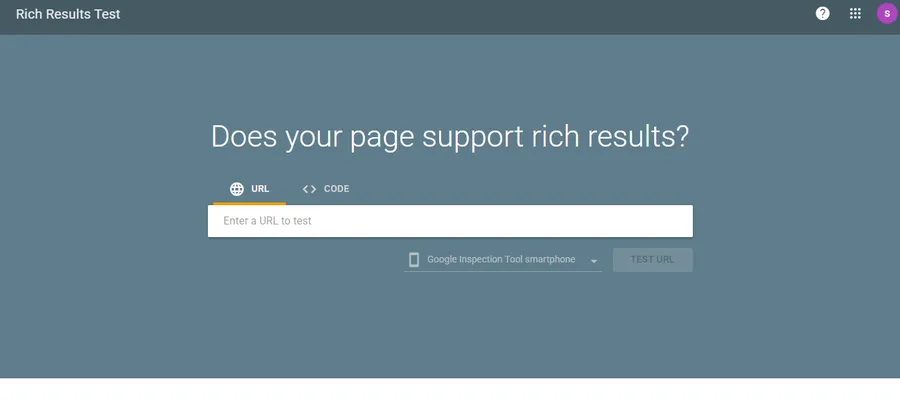
The Rich Results Test is the official rich snippets testing tool from Google. It tells you which rich results a page can generate and shows errors and warnings for each detected item. You can also preview how a result may look in search.
When you paste a URL, the tool renders the page the way Googlebot does. That means it picks up markup injected by JavaScript. This is the first place to look when a plugin says schema is active but nothing appears in the tool.
Limits: It only tests types Google supports for rich results. If your markup uses a valid Schema.org type that Google does not use, it will not appear here. Google has also been trimming the tool, and FAQ support is being dropped from it in June 2026.
2. Schema Markup Validator
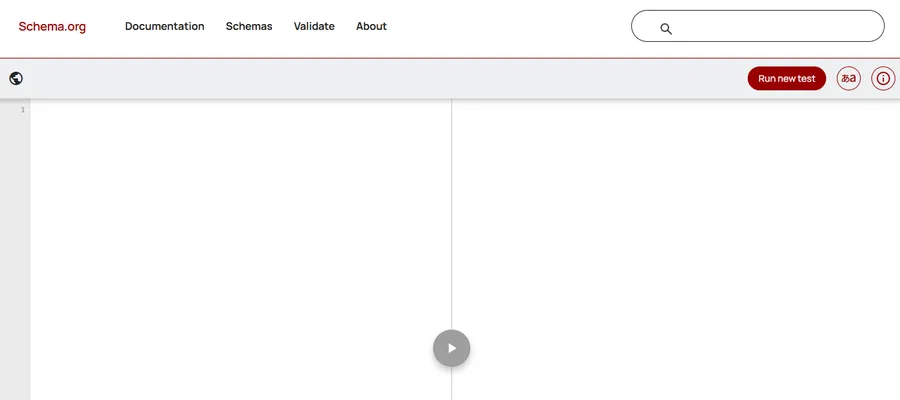
The Schema Markup Validator replaced Google’s old Structured Data Testing Tool. Google moved the tool to a new domain and removed the Google-specific checks. It now validates any Schema.org markup, including JSON-LD, Microdata, and RDFa.
Use it when you want to confirm that your markup is clean and complete, regardless of whether Google shows a feature for it. It is also the right choice for types outside Google’s gallery, such as LearningResource or SoftwareApplication.
Limits: It can occasionally flag valid code as invalid. If the Rich Results Test passes the same snippet, read the warning, but do not panic.
3. Google Search Console
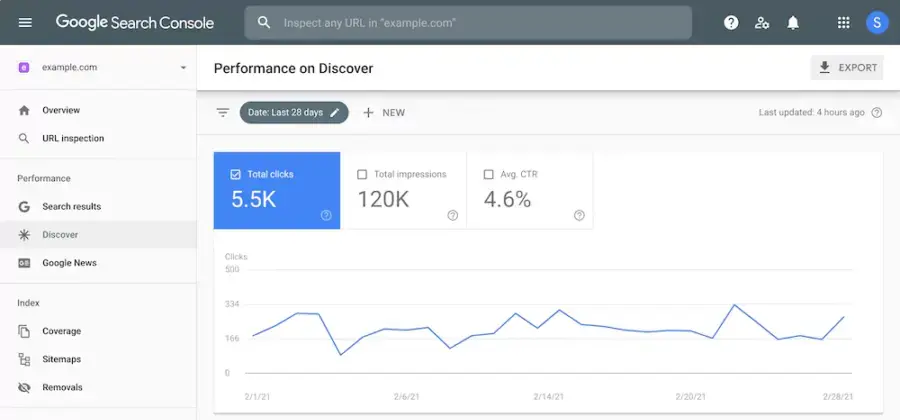
Search Console is less of a one-off schema testing tool and more of a monitor. The Enhancements section reports valid items, warnings, and errors across your whole site, grouped by schema type. Its URL Inspection tool also shows what Google found on a specific page.
The big advantage is scale. A single template change in your theme can break schema on hundreds of pages, and Search Console will show the trend within days. The downside is delay, because it reports on pages Google has already crawled.
4. Merkle schema markup generator
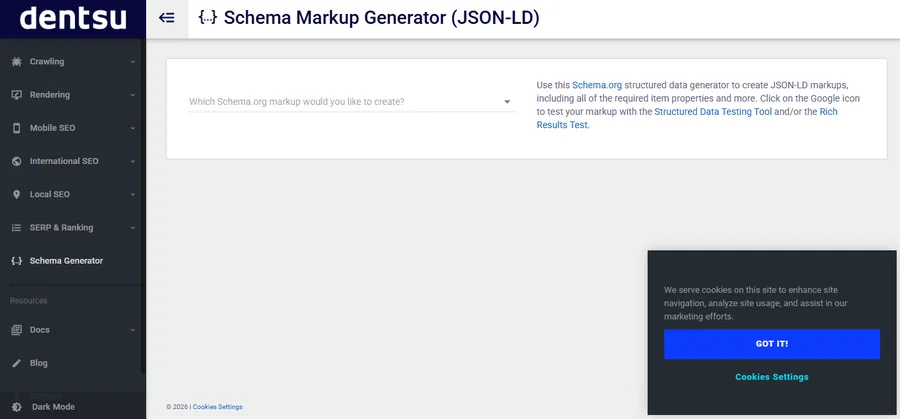
A schema markup generator saves you from writing JSON-LD from scratch. The Merkle tool by Technical SEO lets you pick a type, fill in a form, and copy the generated code. It covers common types such as Article, FAQPage, LocalBusiness, Product, and Event.
Always run the output through a validator afterward. A generator produces tidy code, but it cannot know whether your values match what is visible on the page.
5. Rank Math schema generator
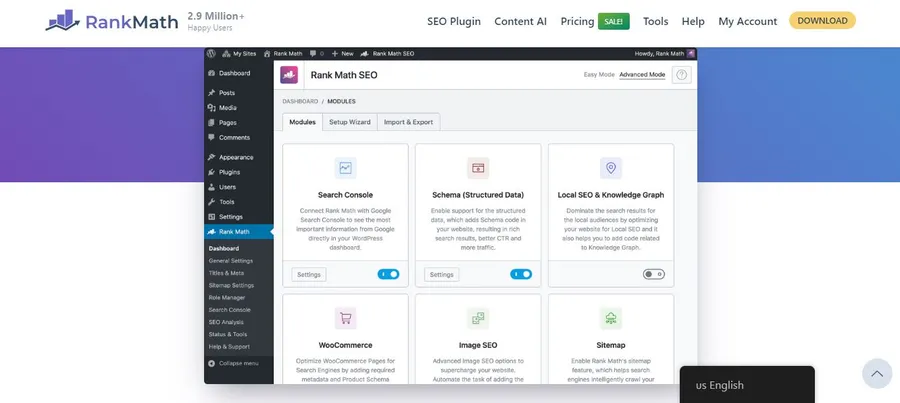
If you run WordPress, a plugin is often the easiest schema markup generator. Rank Math includes a schema builder in the post editor, so you choose a type per post and fill in the fields. Yoast SEO takes a different approach and outputs a connected schema graph automatically.
Whichever plugin you use, avoid running two schema sources at once. Duplicate Article or Organization markup is a common cause of conflicting warnings. After saving, copy the page URL into the Rich Results Test to confirm the plugin output is what you expect.
6. Screaming Frog SEO Spider
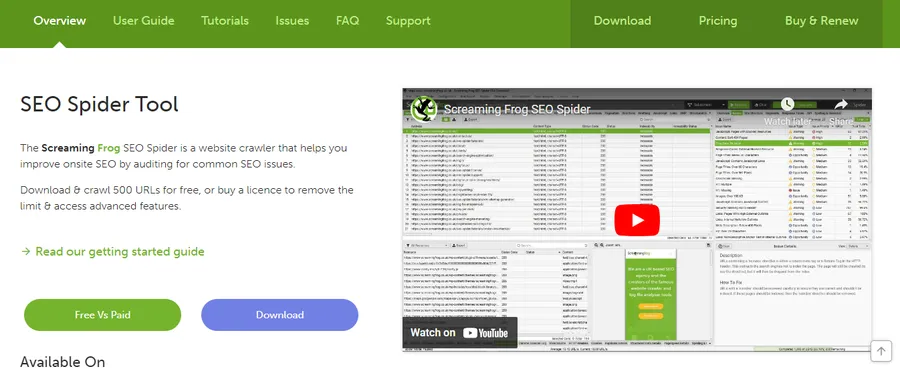
Screaming Frog works as a bulk schema markup checker. You enable structured data extraction in the crawl settings, run the crawl, and review validation results for every URL. It is the fastest way to find which templates are missing schema or throwing errors.
The free version crawls up to 500 URLs, which is enough for many small sites. Larger sites need the paid license.
How to test schema markup step by step
A reliable schema test follows the same order every time. Run through these steps whenever you publish a new template or change a plugin.
- Generate or locate your markup. Use a plugin, a generator, or view the page source and search for
application/ld+json. - Run the Schema Markup Validator. Paste the URL or code and fix any syntax errors first. Broken JSON stops everything else from working.
- Run the Rich Results Test. Check whether your page type is eligible and fix required property errors. Then review warnings for recommended fields.
- Compare markup with visible content. Prices, ratings, authors, and dates in the schema must match what readers see on the page.
- Publish and request indexing. Use URL Inspection in Search Console to ask Google to recrawl the page.
- Monitor the reports. Check the Enhancements reports after a few days, and run a Screaming Frog crawl after any theme update.
If you are building on WordPress, back up your site and use a child theme before you edit any template files that output schema. A direct edit to a parent theme is lost the next time the theme updates.
Common errors a schema test catches
Most failures come from a short list of mistakes. Knowing them makes the validator output much easier to read.
- Missing required property. The tool names the field, such as
imageoroffers. Add it and test again. - Invalid JSON. A trailing comma or an unescaped quote breaks the whole block. Paste the code into the Schema Markup Validator to locate the line.
- Duplicate schema. A theme and an SEO plugin both output Article markup. Disable one source.
- Markup that does not match the page. Marking up a rating that readers cannot see violates Google’s guidelines and can lead to a manual action.
- Wrong type for the page. Using Product schema on a blog post, or Course schema on a general category page, confuses search engines about the content.
Warnings are different from errors. An error blocks eligibility, while a warning flags an optional field. Fix errors first, then add recommended fields where you have honest data to fill them.
Which schema types still earn rich results in 2026
Not every schema type produces a visible result anymore, and this matters when you decide where to spend time. Google has been simplifying its search results page for several years.
FAQ rich results were limited to well-known government and health sites in August 2023, and they stopped appearing in Google Search on May 7, 2026. Google has said FAQ markup can stay on your pages without causing problems, but it will no longer produce a visible result. HowTo rich results were deprecated earlier, in 2023.
In June 2025, Google also announced it would phase out Course Info, Claim Review, Estimated Salary, Learning Video, Special Announcement, and Vehicle Listing. The markup remains valid Schema.org vocabulary, but those Google features are gone.
Types that still drive visible features for eligible content include Product, Review, Recipe, Event, JobPosting, Article, Breadcrumb, LocalBusiness, and Video. Check Google’s structured data gallery before you invest in a new type.
The lesson is simple. Test your schema for accuracy and clarity, not only for a visual reward. Clean structured data still helps search engines understand your content, even when the rich result disappears.
Schema testing for LearnPress course sites
If you sell or publish online courses on WordPress, schema testing is worth building into your launch checklist. Course pages, instructor pages, and course archives are the templates most likely to carry structured data, and they are also the ones that change most often when you update your LMS.
LearnPress is a free WordPress LMS plugin from ThimPress for building courses, lessons, and quizzes. Whether your course schema comes from your theme, an SEO plugin, or a dedicated schema plugin, run a sample course page and your course archive through the Schema Markup Validator and the Rich Results Test after every LMS or theme update. Because Google has retired its Course Info feature, treat the results as a check on accuracy rather than a promise of a special search listing.
For a wider setup guide, read ThimPress’s article on WordPress schema markup setup.
Frequently asked questions
Is schema markup a ranking factor?
No, Google has said structured data does not directly raise rankings. It makes a page eligible for rich results and helps search engines understand the content. Better click-through rates from a rich result can still bring more traffic.
Can invalid schema hurt my rankings?
Broken markup is usually ignored rather than punished, so you lose the rich result but not your position. Misleading markup is a different case. Marking up content that users cannot see can trigger a manual action under Google’s structured data spam policy.
How often should I run a schema test?
Test whenever you change a theme, update an SEO plugin, or publish a new page template. For active sites, a monthly Screaming Frog crawl and a weekly glance at the Search Console Enhancements reports catch most problems early.
Can I test schema before publishing a page?
Yes. Both the Rich Results Test and the Schema Markup Validator accept pasted code, so you can check JSON-LD before it goes live. For WordPress drafts, a staging site with a public URL also works.
Conclusion
A good schema validator workflow is short and repeatable. Generate your markup, validate it with the Schema Markup Validator, confirm eligibility with the Rich Results Test, and monitor the results in Search Console. Add Screaming Frog when you need to check many pages at once.
Remember that rich results change. FAQ and HowTo features are gone, and Google keeps trimming others, so focus on accurate markup that matches your visible content. Pick one tool from this list today, test your most important page, and fix the first error it finds.
Read more: How to Build a Link Building Strategy