Whether you run an ecommerce store, a blog, or a SaaS landing page, knowing how many people visit your site and your competitors’ shapes every decision you make about content, SEO, and marketing spend. A website traffic check gives you that baseline. It tells you what is working, what is declining, and where a competitor is quietly pulling ahead.
This guide walks through how to check traffic for your own site, how to analyze competitor domains (sometimes called analyse trafic site web in French-speaking markets, but the methods are identical), which tools fit each scenario, and how to turn raw traffic numbers into decisions you can act on.
The main content of this guide includes:
- What website traffic data actually tells you
- How to check traffic on your own website
- How to check a competitor’s website traffic
- How to compare website traffic across domains
- Website traffic analysis tools compared
- How to use traffic insights to improve your strategy
Eduma – Education WordPress Theme
We provide an amazing WordPress theme with fast and responsive designs. Let’s find out!
What website traffic data actually tells you
Before picking a tool, it helps to know what you are actually measuring. Traffic data covers several distinct metrics, and confusing them leads to poor decisions.
Sessions, users, and pageviews
Sessions are individual visits. Every time someone arrives at your site and starts browsing, that counts as one session. One person visiting your site three times in a week generates three sessions but registers as one user (or unique visitor). Pageviews count every individual page load, so a single session can produce 10 pageviews if someone browses through 10 articles.
These three numbers tell different stories. A high pageview count with a low user count usually means your regular readers go deep into your content. A high user count with a low pages-per-session figure often means your top-of-funnel landing pages are not converting browsers into explorers.
Traffic sources
Most website analytics tools break traffic into channels: organic search (from Google and Bing), direct (someone typing your URL), referral (clicks from other websites), social (clicks from social platforms), and paid (clicks from ads). Understanding which channel drives the most traffic and which drives the highest-quality traffic is where website visitor analysis gets genuinely useful.
Engagement metrics
Bounce rate, average session duration, and pages per session all signal whether visitors are engaging with your content or leaving right away. Raw traffic numbers alone do not tell you whether that traffic is valuable. A site with 10,000 monthly visitors who spend four minutes reading and click through to three pages is in a stronger position than one with 40,000 visitors who bounce after 10 seconds.
How to check traffic on your own website
The most accurate traffic data for your own site comes from first-party tools installed directly on it. Third-party estimators can only approximate what internal tools measure precisely.
Google Analytics 4 (GA4)
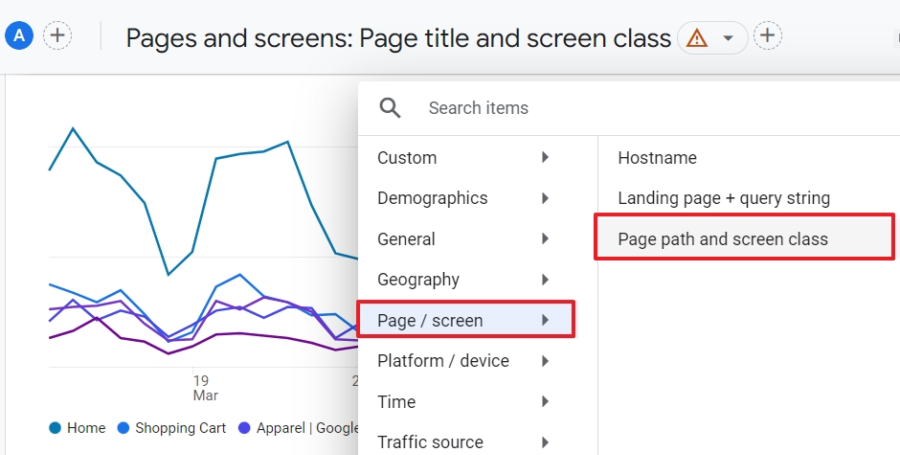
Google Analytics 4 (GA4) is the standard for first-party website traffic analysis. It is free, integrates directly with Google Ads, and tracks every session, user, and event on your site with near-perfect accuracy.
- After logging in, go to Reports > Acquisition > Traffic Acquisition to see a full breakdown of where your visitors come from.
- For page-level data, go to Reports > Engagement > Pages and Screens.
GA4 uses an event-based tracking model, which is a shift from the session-based model in Universal Analytics. The first time you set it up, configure key events like purchases, sign-ups, or form submissions under Configure > Events. Without those conversion events in place, you will know how many people visited but not what any of them did.
One thing to be aware of: GA4 applies data thresholds on smaller properties, which means some reports show aggregated ranges rather than exact numbers. For very granular data on a high-volume site, you can link GA4 to Google BigQuery and run direct queries on the raw event data.
Google Search Console
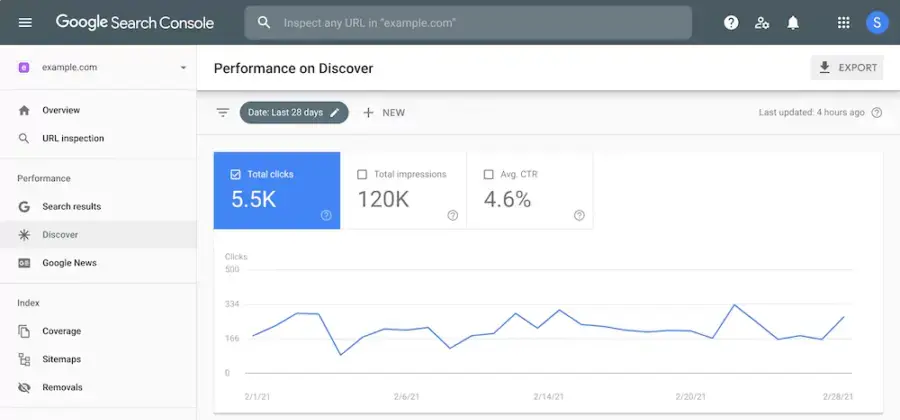
Google Search Console (GSC) is the best free tool specifically for organic search traffic. While GA4 shows all traffic sources, GSC focuses on how your pages perform in Google Search. Go to Performance > Search Results to see which queries bring in clicks, your average CTR per query, and which pages earn the most impressions.
GSC is particularly useful for spotting low-hanging keyword opportunities. If a page earns 5,000 impressions but only 50 clicks at an average position of 11, it sits just outside the first page. A focused content update tightening the title tag, adding a relevant subheading, or improving the introduction could push it into the top 10 and multiply those clicks without building a single new link.
How to check a competitor’s website traffic
For competitors’ sites, you do not have access to first-party data. That is where third-party traffic estimation tools come in. They use a combination of clickstream panels, search ranking data, and machine learning models to estimate how much traffic a domain receives. No third-party tool will match internal analytics exactly, but the directional data is reliable enough for competitive research and website traffic comparisons.
Here are the main tools worth using.
Similarweb
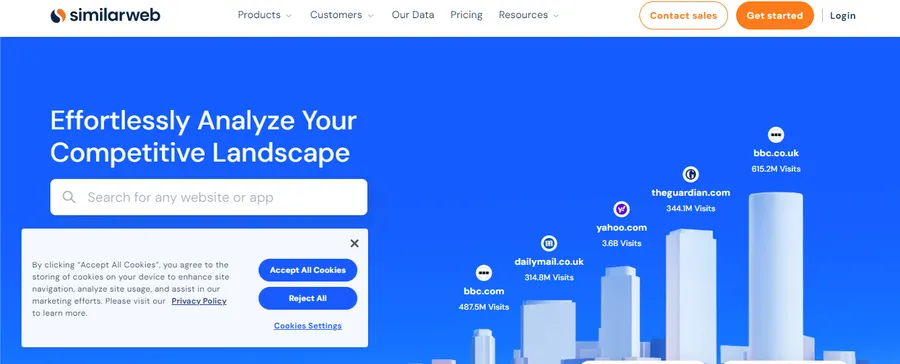
Similarweb is one of the most widely cited tools for competitor traffic analysis and web traffic rankings. Enter any domain and you get an estimate of total monthly visits, traffic sources broken down by channel, top referring sites, and audience geography. Its side-by-side comparison feature lets you put up to five domains against each other to see which site leads in visits, engagement, and traffic source mix.
A SparkToro study found that Similarweb’s estimates correlate most closely to actual GA data among third-party tools, particularly for sites receiving between 5,000 and 100,000 monthly users. For very small or new sites, estimates become less reliable because the clickstream panel has fewer data points to model from.
Similarweb’s free plan shows a restricted date range and limited metric depth. Paid plans unlock historical data and deeper audience demographics, which are useful for tracking traffic trends over a full year or more.
Semrush
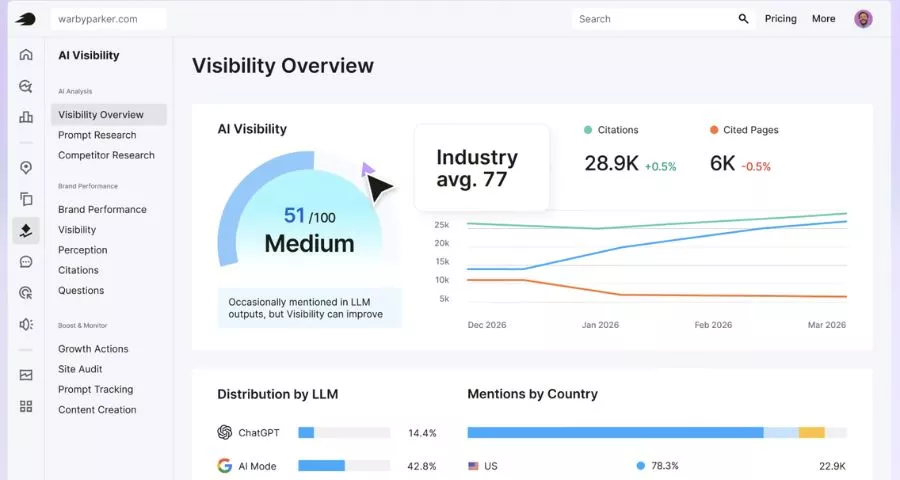
Semrush’s Traffic Analytics report estimates monthly visits, unique visitors, bounce rate, and average visit duration for any domain. It processes anonymized clickstream data through machine learning models to produce traffic estimates. The free account allows up to 10 traffic reports per day, which is usually enough for spot-checking a handful of competitors.
What makes Semrush particularly useful for website traffic comparisons is its bulk analysis feature, which lets you compare up to five websites simultaneously across traffic, engagement, and channel data. Paid plans unlock historical data going back several years, which is valuable for spotting seasonal patterns or long-term growth trajectories in your niche.
Semrush also now shows AI visibility data alongside traditional traffic estimates. You can see whether a competitor’s pages appear in Google AI Overviews, ChatGPT, or Perplexity answers, which is a useful signal as AI-mediated search accounts for more of total search activity.
Ahrefs
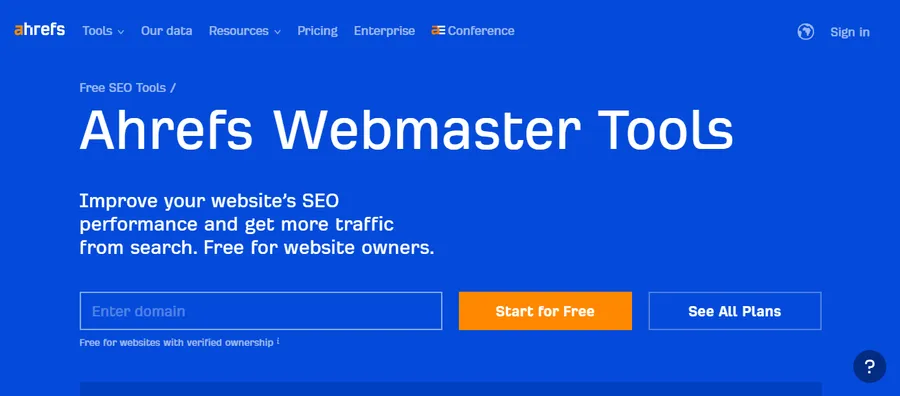
Ahrefs is primarily known as a link building tool, but its Site Explorer includes an organic traffic estimator that models search traffic based on keyword rankings and CTR data. Enter any domain and you get estimated monthly organic traffic, top-ranking pages, the keywords driving the most visits, and which content earns the most backlinks.
Ahrefs crawls over 200 million websites and 6 billion pages daily, giving it a large index for estimating search traffic. Its estimates are reliable for sites with a significant organic search footprint. For sites that rely heavily on direct or social traffic, Ahrefs will undercount total visits because it only models the search channel.
Ahrefs Webmaster Tools is free for your own verified domain and covers organic keywords, backlinks, and technical SEO issues.
SE Ranking
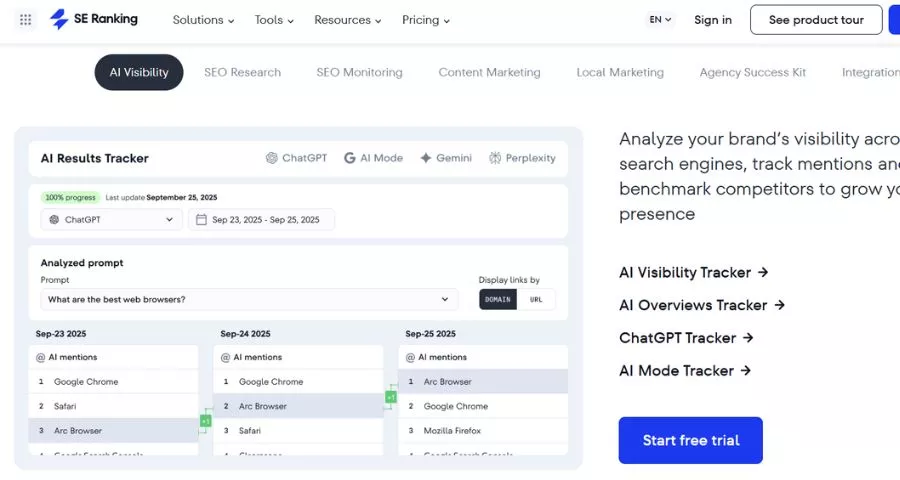
SE Ranking’s website traffic checker uses an AI-powered algorithm that adjusts CTR estimates based on SERP features and search intent, which makes it more nuanced than simple rank-times-volume calculations. It separates organic and paid traffic, shows top-performing pages and their keywords, breaks down traffic by geography, and displays trend data over time.
SE Ranking also connects directly to GA4, so you can pull first-party data for your own site alongside third-party estimates for competitors in the same interface. The free version allows you to check traffic for up to 10 websites per day, which covers most routine competitive monitoring needs.
SpyFu
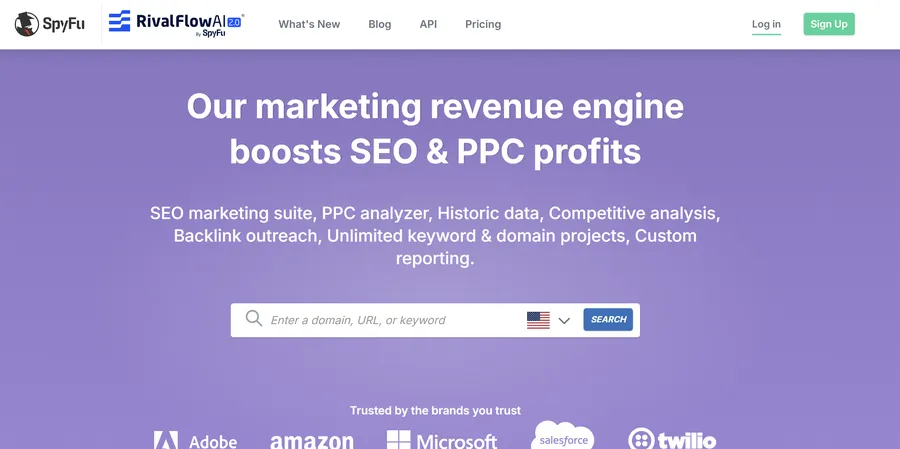
SpyFu focuses on competitive intelligence for both organic and paid search. Enter a competitor’s domain and you get estimated organic clicks, the number of keywords they rank for, their Google Ads history, and which search terms they have been bidding on and for how long. SpyFu lets you compare multiple domains directly and view traffic share across a competitive set.
Unlike several other tools, SpyFu has no daily search limits on its free plan, which makes it a useful competitor monitoring tool for doing quick web traffic rankings comparisons without hitting a paywall immediately.
How to compare website traffic across domains
Comparing your traffic against competitors is where traffic data becomes genuinely strategic. A website traffic comparison tells you whether you are gaining or losing market share, which competitors are growing fastest, and which content categories your rivals dominate.
Most tools with comparison features work the same way: open the traffic analysis or competitive research section, enter two to five domains, and the tool renders a side-by-side view of visits, traffic sources, top keywords, and engagement data.
When running website traffic comparisons, keep these principles in mind.
- Compare within the same tool. Traffic estimates vary between tools because each uses different data sources and models. Comparing your Ahrefs estimate against a competitor’s Similarweb number produces a misleading result. Always use the same tool for all domains in a single comparison.
- Focus on trends, not absolute numbers. If a tool estimates your competitor gets 80,000 visits per month and you get 60,000, the exact figures matter less than the trajectory. Is your competitor growing 15% month over month while yours is flat? That gap is more important than the 20,000-visit difference.
- Check channel mix, not just totals. A competitor with lower total traffic but 80% coming from organic search has a fundamentally more durable position than one where 80% is paid. Traffic source distribution reveals strategic priorities and dependency risks.
- Cross-reference with SERP data. Use GSC for your own organic data and compare it against keyword ranking data in Ahrefs or Semrush for the same queries. This combination gives you a more grounded picture than either source alone.
Website traffic analysis tools compared
Here is a quick reference across the main tools for website traffic analysis:
| Tool | Best for | Free tier | Competitor analysis |
|---|---|---|---|
| Google Analytics 4 | Your own site, all channels | Yes, full access | No |
| Google Search Console | Your own organic search traffic | Yes, full access | No |
| Similarweb | Total traffic and audience data | Limited date range | Yes, up to 5 domains |
| Semrush | All-in-one SEO and traffic | 10 reports per day | Yes, up to 5 domains |
| Ahrefs | Organic search traffic and backlinks | Own site only (AWT) | Paid plans only |
| SE Ranking | Organic and paid, GA4 integration | 10 checks per day | Yes |
| SpyFu | Paid search history and organic | Unlimited searches | Yes |
| Ubersuggest | Quick estimates and keyword data | 3 searches per day | Yes, limited |
Each tool works from a different data foundation, which is why no two tools produce identical numbers. For your own site, GA4 is the authoritative source. For competitor research, pick one third-party tool and stay consistent with it so your comparisons remain meaningful over time.
How to use traffic insights to improve your strategy
Running a website traffic check only pays off if you act on what you find. Here are the most productive things to do with the data.
- Find content gaps. If a competitor’s top-performing page targets a keyword you have not covered, that is a direct content opportunity. Export their top pages by estimated traffic in Ahrefs or Semrush, then filter for topics that match your audience but do not exist on your site yet.
- Reverse-engineer traffic sources. If a competitor is pulling significant referral traffic from a site you do not appear on, that is a link-building lead. Semrush’s Backlink Analytics or Ahrefs’ Referring Domains report will show you exactly where their inbound links are coming from.
- Benchmark engagement, not just volume. If a competitor’s average session duration consistently runs higher than yours, look at their content format and depth. Longer, better-structured content often keeps visitors on the page longer, which correlates with stronger rankings over time.
- Monitor for algorithm impact. If your organic traffic drops sharply after a Google core update, check whether competitors in the same niche saw the same drop. If they held steady while yours fell, the problem is likely specific to your site rather than a category-wide penalty.
- Track AI visibility alongside search traffic. As Google AI Overviews, Perplexity, and ChatGPT handle more queries, some organic click traffic is shifting to zero-click results. Tools like Semrush now surface AI visibility data alongside traditional traffic estimates, so you can monitor whether your pages appear as cited sources in AI-generated answers, not just in the standard blue-link results.
FAQs About Website Traffic Check
How accurate are website traffic checker tools?
Third-party traffic checkers provide estimates, not exact counts. They model traffic from clickstream panel data, keyword rankings, and click-through rate assumptions. The estimates are directionally accurate for most established sites but can diverge significantly for small or new sites with limited data footprints. For your own site, GA4 and Google Search Console give exact numbers. For competitor research, treat third-party estimates as relative indicators rather than precise counts, and focus on trends across multiple months rather than individual data points.
Can I check a competitor’s website traffic for free?
Yes. Semrush allows 10 traffic reports per day on a free account, Similarweb shows traffic estimates with a restricted date range on its free tier, SE Ranking allows 10 checks per day for free, and SpyFu offers unlimited domain searches without a paid plan. The free tiers restrict historical data and some advanced filters, but they are sufficient for getting a solid overview of a competitor’s traffic volume, top pages, and primary keywords.
Why do different traffic tools show different numbers for the same site?
Each tool uses its own data sources, clickstream panel size, and estimation algorithm. One might weight keyword-based CTR modeling more heavily; another might rely more on a direct user panel. They also differ in how they define sessions, which geographic markets they include, and whether they apply data smoothing. For reliable comparisons, always use the same tool when benchmarking your site against competitors, and focus on trends over time rather than single monthly figures.
What counts as good website traffic?
Good traffic is relative to your goals, your industry, and the size of your market. A local service business generating 2,000 visits per month from its city could be in a stronger position than a broad content site with 50,000 monthly visits but no conversions. Rather than chasing a traffic number, focus on whether your traffic is growing consistently, coming from stable sources like organic search, and converting at a rate that supports your business objectives. Comparing your growth rate against direct competitors in the same niche gives you a more useful benchmark than any absolute figure.
Conclution
A website traffic check is most valuable when you use it consistently rather than as a one-off audit. Start with GA4 and Google Search Console for your own site, pick one third-party tool for competitor research, and review the data on a monthly cadence so you can spot shifts before they become problems. The numbers matter less than what you do with them.
Read More: 11+ Best Keyword Position Checker Tools
Contact US | ThimPress:
Website: https://thimpress.com/
Fanpage: https://www.facebook.com/ThimPress
YouTube: https://www.youtube.com/c/ThimPressDesign
Twitter (X): https://x.com/thimpress_com