You cannot fix what you cannot measure.
If you do not know where your pages rank for the keywords you care about, every content decision you make is a guess.
A reliable keyword position checker removes that guesswork by showing you exactly where you stand in Google, what direction your rankings are moving, and which competitors are gaining ground on the same queries.
This guide covers 11 tools that working SEOs and content teams actually use in 2026, from free options that cover the basics to full-stack platforms built for agencies managing hundreds of tracked keywords.
Each one is evaluated on data accuracy, update frequency, ease of use, and value at its price point.
Let’s get started!
Eduma – Education WordPress Theme
We provide an amazing WordPress theme with fast and responsive designs. Let’s find out!
Reasons To Track Keyword Positions
Most SEO teams know they should track rankings, but fewer use that data in a structured way. Positions are not just a vanity metric for Monday morning reports. When you monitor them consistently, you catch algorithm updates the moment they hit specific pages, identify content that is gaining traction without additional link building, and spot competitors overtaking your featured snippets before the traffic loss shows up in your analytics.
A rank tracking tool is, in practical terms, an early-warning system for your organic channel.
The difference between ranking data and a decision
A weekly ranking report is useful. Knowing what to do with that report is what separates growth teams from teams that just collect data. The highest-performing SEO teams track position trends over 30 to 90 day windows rather than reacting to daily fluctuations. They segment data by device (desktop vs. mobile), compare position changes against publishing dates and link acquisition, and flag SERP feature wins and losses as separate events from raw position movement.
That level of context does not come from a single screenshot. It requires a dedicated tracking setup running continuously in the background.
Why Google Search Console alone is not enough
Google Search Console is the right starting point for anyone learning how to check website ranking without spending money. The Performance report shows average position, total impressions, and click-through rate for every keyword that has driven at least one click to your site. That is genuinely useful data.
But GSC rounds position numbers, averages them across the date range you select, and only shows keywords that have already earned clicks. It tells you nothing about keywords you are targeting but not yet ranking for, nothing about how do you search for keywords your competitors rank for but you do not, and nothing about local or mobile-specific position differences. That is why a dedicated rank tracking tool belongs in every active SEO workflow alongside Search Console.
How We Evaluated These Tools
Every tool in this list was tested against five criteria:
- accuracy of position data confirmed against manual SERP checks
- update frequency (daily vs. weekly)
- keyword volume per plan tier
- quality of local and mobile tracking
- reporting functionality for agency or team use
Tools with inconsistent data or meaningful accuracy gaps were removed from consideration regardless of price.
Keyword Position Checker Tools Comparison
| Tool | Starting Price | Update Frequency | Keyword Research | Local Tracking | White-Label Reports | Best For |
|---|---|---|---|---|---|---|
| SEMrush Position Tracking | $139.95/mo | Daily | Yes | Yes | Yes | SEO agencies and multi-client management |
| Ahrefs Rank Tracker | $29/mo (tracker only) | Daily | Yes | Yes | No | Content teams needing research and tracking |
| SERPWatcher (Mangools) | $30.50/mo | Daily | Yes (KWFinder) | Yes | No | Freelancers and small businesses |
| AccuRanker | $224/mo | Daily + On-demand | Limited | Yes | Yes | Enterprise SEO and large agencies |
| SE Ranking | $129/mo | Daily (higher plans) | Yes | Yes | Yes | Agencies requiring branded reports |
| Moz Pro Rank Tracker | $99/mo | Weekly | Yes | Limited | No | Teams using the Moz ecosystem |
| Google Search Console | Free | Google data updates automatically | No | Yes | No | Beginners and performance monitoring |
| Wincher | $49/mo | Daily | Basic | Yes | No | Solo SEOs and small teams |
| Serpstat | $69/mo | Daily | Yes | Yes | Yes | Competitor keyword analysis |
| ProRankTracker | $99/mo | Daily | Limited | Excellent | Yes | Local SEO agencies |
| Nightwatch | $39/mo | Daily | Limited | Yes | Yes | Growth teams and advanced segmentation |
10+ Best Keyword Position Checker Tools for 2026
Here are the tools worth your time this year, spanning free options, budget-friendly trackers, and enterprise-grade platforms.
1. SEMrush Position Tracking
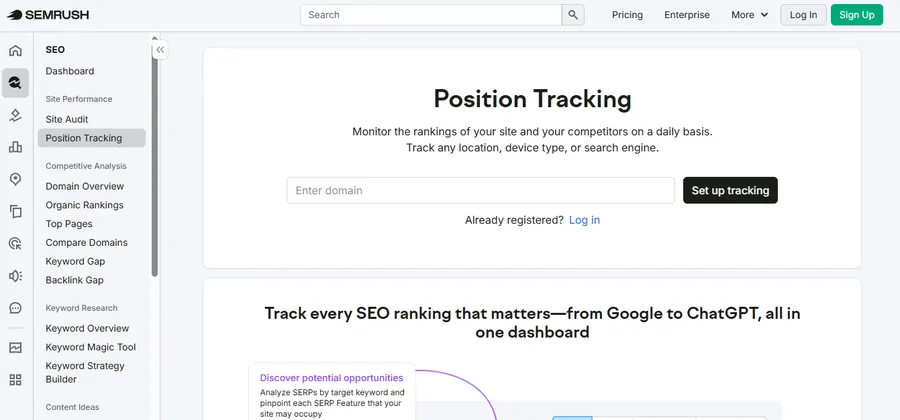
SEMrush is the most widely deployed platform in agency SEO, and its Position Tracking module is one of the strongest rank tracking setups available. Rankings update daily, and you can segment data by device type, target location, and keyword tag. The Competitors Discovery feature automatically identifies domains competing for the same keywords you are tracking, without requiring manual input.
The SERP Features report is what makes SEMrush especially valuable for content teams. When a tracked keyword gains or loses a featured snippet, a People Also Ask entry, or a local pack result, SEMrush logs it automatically. You can see exactly when a competitor moved into a position you used to hold and plan a content response before the traffic impact compounds.
Pricing starts at $139.95 per month on the Pro plan, with up to 500 tracked keywords included.
Best for: SEO agencies managing multiple client sites who need daily updates, competitor tracking, and SERP feature monitoring in one place.
2. Ahrefs Rank Tracker
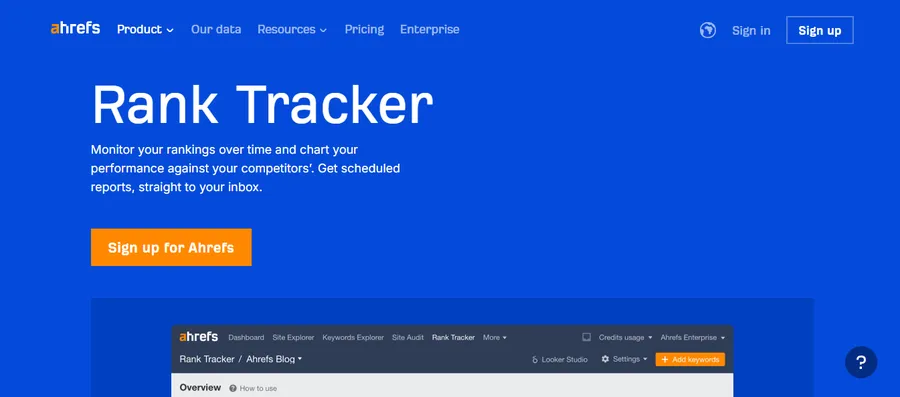
Ahrefs Rank Tracker updates daily and covers rankings across Google, Bing, and YouTube. The interface is fast and minimal: add your domain, paste in your target keywords, and data typically appears within a few hours. The Share of Voice metric is one of the more useful additions in recent updates, showing what percentage of available search clicks your tracked keywords are capturing over time rather than just reporting a position number.
Ahrefs also functions as a website keyword generator through its Keywords Explorer tool. You can enter a seed topic, filter results by traffic potential, click-based metrics, and keyword difficulty, then push those terms directly into Rank Tracker to monitor from the moment you publish. If you want best keyword rank tracker software that also handles keyword research without switching platforms, Ahrefs is the strongest single-tool solution.
Pricing for Rank Tracker starts at $29 per month as a standalone product. Full access to Keywords Explorer requires the Lite plan at $129 per month.
Best for: Content teams that want rank tracking and keyword research under one login.
3. SERPWatcher by Mangools
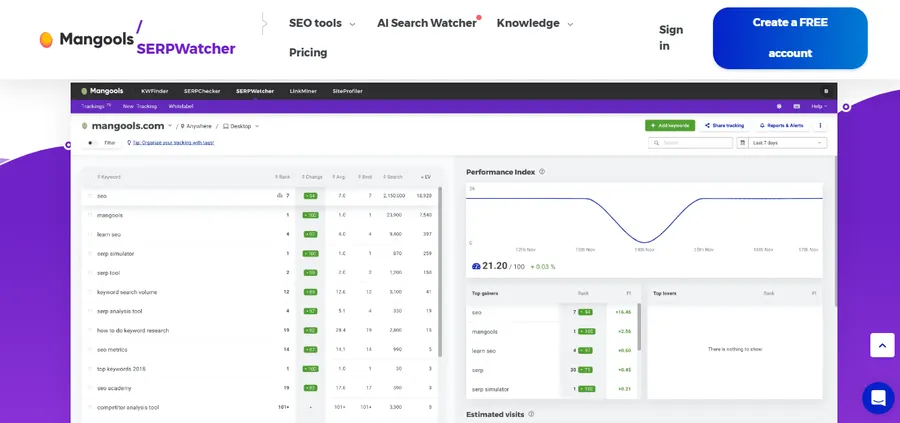
Mangools is a suite built for users who find tools like Ahrefs and SEMrush too complex for their workflow. SERPWatcher is the ranking component. It updates daily and introduces a Dominance Index: a single composite score that reflects both your average position and the search volume of each tracked keyword. This means you can tell at a glance whether your organic visibility is improving, even if individual keyword positions are mixed.
For teams asking how do you search for keywords that match what their audience actually types into Google, KWFinder (the keyword research module in Mangools) integrates directly with SERPWatcher and feeds new keyword suggestions into your tracking list without manual CSV exports.
Pricing starts at $30.50 per month on the Basic plan, with a 10-day free trial.
Best for: Freelancers, bloggers, and small business owners who want clean, straightforward tracking without a steep learning curve.
4. AccuRanker
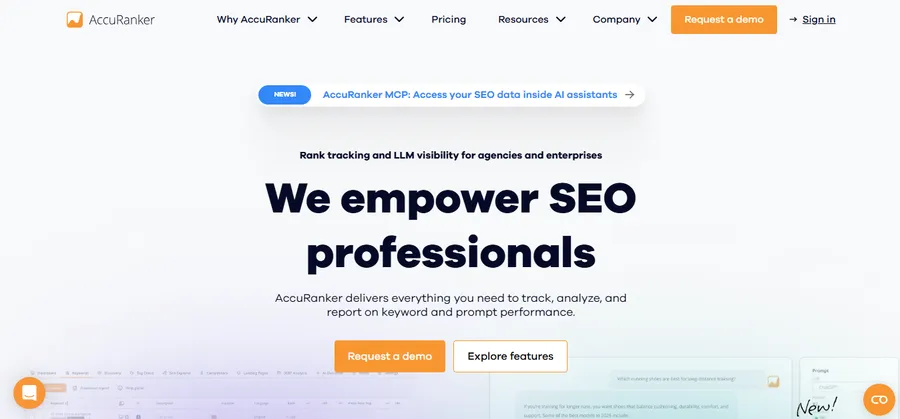
AccuRanker is designed for scale. If you track tens of thousands of keywords across dozens of domains, it handles that volume without slowing down or delivering stale data. The platform operates as a dedicated SERP ranker rather than a bundled all-in-one tool, and that focus shows in the data quality. Rankings refresh on a set daily schedule, but the on-demand refresh option is what sets AccuRanker apart: you can pull a fresh ranking snapshot at any point in the day, which matters when a client calls asking whether their site recovered from a manual action or an algorithm update applied overnight.
The reporting and API access are enterprise-grade. You can push ranking data into a custom dashboard, trigger Slack notifications when a keyword crosses a threshold, and export full datasets for import into third-party analytics systems.
Pricing is keyword-based and starts at $224 per month for 2,000 keywords.
Best for: Large agencies and in-house enterprise teams that need real-time, high-volume keyword position tracking.
5. SE Ranking
SE Ranking is one of the best keyword rank tracker software platforms for agencies that need white-label reporting as part of their service delivery. Every report can be branded with your agency’s name and logo, scheduled for automatic delivery to clients by email, and configured with custom alerting so clients (or your internal team) receive a notification any time a keyword drops below a defined rank threshold.
Beyond rank tracking, SE Ranking includes a website keyword generator module that pulls suggestions from Google Ads keyword data, a backlink monitor, and an on-page SEO auditing tool. Position tracking updates daily on higher plans or every three days on the entry plan.
Pricing starts at $129 per month
Best for: Digital marketing agencies that want branded reporting, automated alerts, and keyword research in one platform.
6. Moz Pro Rank Tracker
Moz Pro is a mature platform that many in-house SEO teams adopted years ago and continue to use because of its integration across rank tracking, link data, and site health monitoring. The Rank Tracker module defaults to weekly updates, which is less frequent than the daily cadence most competitors now offer. However, Moz compensates with reliable SERP feature tracking, a deep link index, and a Domain Authority metric that remains useful as a benchmarking signal when comparing your site’s competitive position.
If you want to learn how to check website ranking as part of a broader workflow that also covers technical SEO issues and backlink growth, Moz Pro connects those dots in a way that requires fewer tool integrations. The rank tracking piece is solid, even if it is not the fastest on the market.
Pricing starts at $99 per month on the Starter plan.
Best for: Teams already invested in Moz’s ecosystem who want rankings, links, and site audit data in a single dashboard.
7. Google Search Console (free)
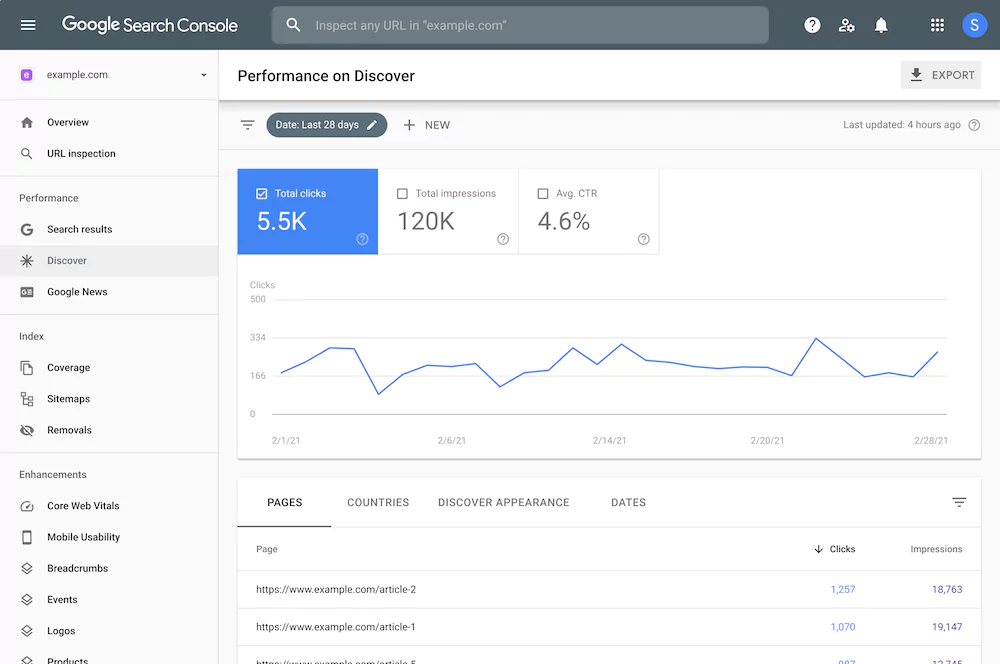
Google Search Console is the most important free ranking tool available. The Performance report shows average position, impressions, clicks, and click-through rate for every query your site has appeared for over the past 16 months. You can filter by page, date range, country, device type, and search type (web, image, video), which provides a level of segmentation that most standalone tools do not replicate for branded vs. non-branded queries.
The limitations are real and worth understanding clearly. GSC rounds position to the nearest whole number and averages it across the selected date range. It only surfaces keywords that have already driven at least one click, which means it has no value as a SERP ranker for discovering new targets or checking positions for keywords you are not yet ranking for.
Cost: free.
Best for: Anyone starting out with SEO, validating indexation status, or cross-referencing paid rank tracker data against first-party Google data.
8. Wincher
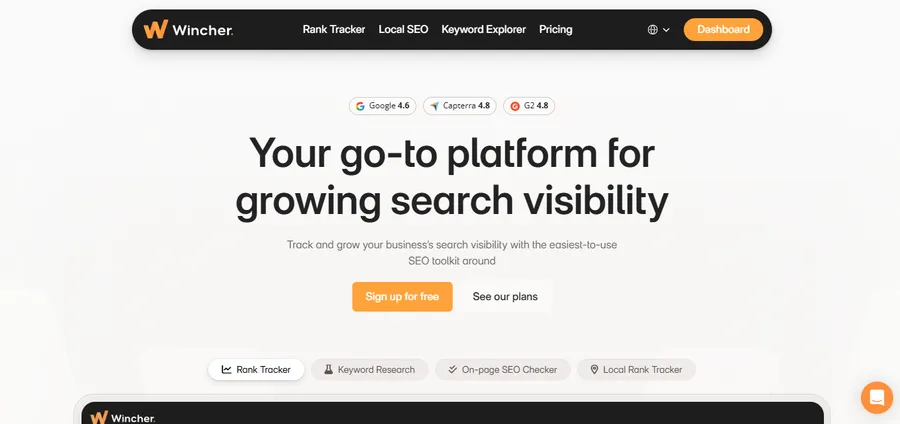
Wincher does one thing and does it well: accurate daily rank tracking with a clean interface that takes less than five minutes to set up. You add your domain, paste in keywords, and configure your target search engine and location. Results arrive the next morning and update every 24 hours. Keyword grouping lets you organize tracked terms by topic or content cluster and view performance by group rather than scrolling through a flat keyword list.
Wincher also includes a lightweight keyword research feature. The built-in panel lets you type in a topic, see volume and difficulty estimates, and add promising terms to tracking in two clicks. For a solo SEO or a small in-house team, that workflow covers both the planning and monitoring stages without switching between tools.
Pricing starts at $49 per month for up to 500 keywords.
Best for: Small business owners and solo SEOs who want a straightforward, accurate rank tracker at a reasonable price.
9. Serpstat
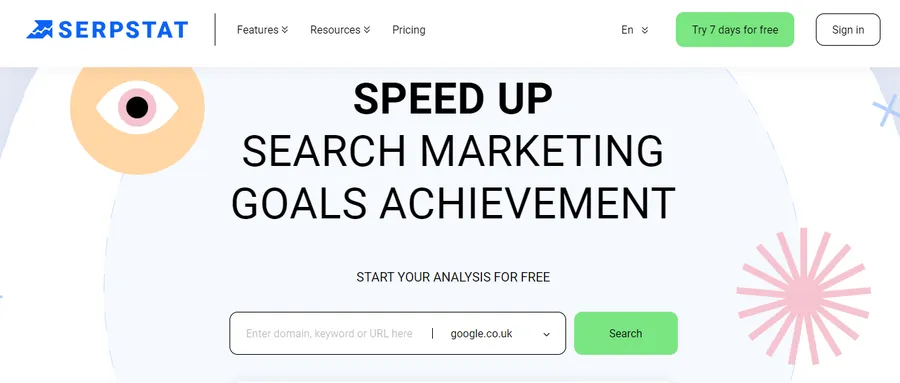
Serpstat is a full SEO platform with one of the strongest competitor-focused rank tracking workflows available. Enter any competing domain and Serpstat surfaces every keyword it ranks for, alongside position history, estimated traffic, and a difficulty score. This is particularly useful when you are trying to understand how do you search for keywords that are already generating results for competing sites but that you have not yet built content around.
The keyword research module clusters suggestions by topic, which makes content planning at the cluster level more practical than it is in tools that return a flat alphabetical keyword list. For teams planning pillar pages and supporting content, that structure saves significant planning time.
Pricing starts at $69 per month on the Individual plan.
Best for: Teams focused on competitive keyword gap analysis and content cluster planning.
10. ProRankTracker
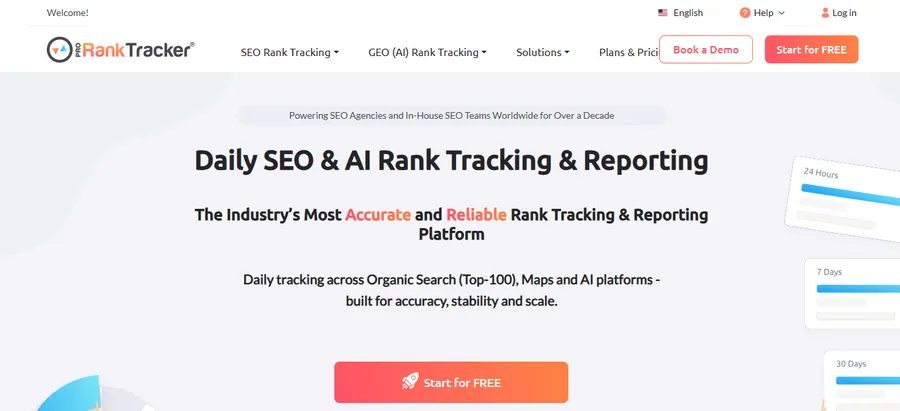
ProRankTracker is the best keyword rank tracker software for local SEO agencies. It tracks standard Google web rankings but also covers local pack positions, Google Maps rankings, and YouTube video rankings in the same dashboard. For an agency managing local clients across multiple cities, the ability to configure position tracking by ZIP code or city for each client and report on those results separately is a practical advantage that general-purpose tools rarely match.
The reporting system is detailed: white-label reports, scheduled delivery, custom note annotations tied to specific dates (so you can mark when a client launched a new page or earned a featured local citation), and position tracking at the sub-URL level rather than just the domain.
Pricing starts at $99 per month on the Starter plan, making it one of the most accessible entry points on this list.
Best for: Local SEO agencies tracking rankings across multiple geographic locations for multiple clients.
11. Nightwatch
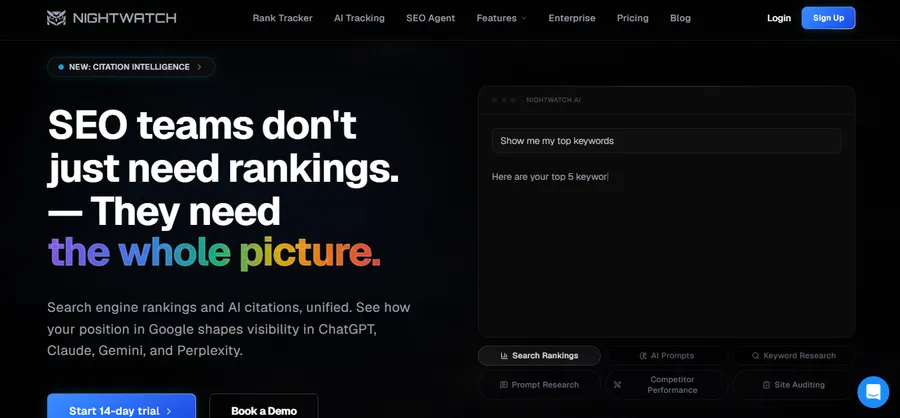
Nightwatch is built for SEO teams that need data segmentation at a granular level. Keywords can be organized by tag, campaign, site section, content type, or funnel stage, and each group has its own performance dashboard. This makes it straightforward to report on, for example, how content targeting mid-funnel product keywords is performing independently from top-of-funnel informational content, without manually filtering a shared keyword list every time.
The SERP analysis feature breaks down which result types (featured snippets, image packs, video carousels, local packs) appear for each tracked keyword, so you can identify SERP features worth targeting before you spend time on content restructuring. Native integrations with Google Analytics 4 and Google Search Console let you connect position changes directly to traffic and conversion data.
Pricing starts at $39 per month for 250 keywords.
Best for: Growth teams and in-house SEOs who need detailed keyword segmentation, SERP feature tracking, and GA4 integration in one platform.
How to Check Website Ranking: A Step-By-Step Workflow
Understanding how to check website ranking is not just about signing up for a tool. The following four-step workflow produces ranking data you can actually act on.
Step 1: Build your tracked keyword list
Start in Google Search Console. Export the top 150 to 200 queries from the Performance report, filter out branded terms (your company name and variations) into a separate tracked segment, and paste the non-branded terms into your chosen keyword position checker. Then run a keyword gap analysis in Ahrefs or Serpstat to identify high-value competitor keywords you are not yet tracking.
Step 2: Configure device and location settings
Mobile and desktop rankings differ, sometimes by several positions for the same query. Configure separate tracking for both. If your business serves a specific metro area or region, set up local tracking so your SERP ranker pulls actual local results rather than a national average position that does not reflect what your target customers see when they search.
Step 3: Review trends, not daily numbers
Individual position numbers fluctuate constantly due to personalization, query interpretation changes, and test-group variation in Google’s algorithm. What matters is the direction of movement over 30 to 90 days. Set your rank tracker dashboard to show trend graphs rather than a single current position. Pages moving up steadily deserve more internal links and updated content. Pages drifting down need an audit before the decline compounds.
Step 4: Connect rankings to real traffic outcomes
A position 1 ranking for a keyword that drives zero clicks is not a win. Always cross-reference rank data with organic sessions in Google Analytics 4. Pages that rank in the top three but generate less traffic than expected usually have a keyword-intent mismatch, a competing SERP feature absorbing most clicks, or a title tag that does not match what users actually want to find.
What to Look for in a SERP Ranker Tool
Every SERP ranker on the market claims to be the most accurate. The real differences show up in these specific areas.
- Update frequency: Daily updates matter when you are responding to algorithm changes, running title tag tests, or reporting to paying clients. Weekly tracking is acceptable for stable, long-term monitoring but insufficient when fast decisions are required.
- Local and mobile tracking support: If your site serves a local market or your analytics show that more than 60% of users are on mobile, you need a tool that separates those results. National desktop-only tracking will give you numbers that do not match what your actual audience sees.
- Keyword capacity per plan: Most entry-level plans cap tracked keywords at 200 to 500. Calculate how many keywords your site realistically needs to track before committing to a plan tier. Hitting the cap in your first month and having to upgrade immediately is a common and easily avoidable mistake.
- SERP feature visibility: Modern search results include featured snippets, People Also Ask boxes, image packs, video carousels, and local packs. A capable keyword position checker surfaces which features appear for your tracked keywords and whether your content currently occupies any of them.
- White-label reporting: Agencies need clean, branded reports that go directly to clients on a schedule. If you manage SEO for multiple clients, treat this as a non-negotiable feature rather than a nice-to-have.
How to Use a Website Keyword Generator Alongside Rank Tracking
A keyword research module and a rank tracker solve different problems.
- The first identifies what you should target next.
- The second tells you whether what you have already published is working.
Running both together in a structured cycle is how consistent organic growth happens.
Start by identifying your 20 top-performing pages using your rank tracker. Pull the primary keyword for each page and run it through a website keyword generator such as:
- KWFinder
- Ahrefs Keywords Explorer
- the keyword research module in SE Ranking
Filter results to show related terms with:
- 300 to 2,000 monthly search volume
- moderate keyword difficulty
These are the queries your site has a realistic chance of ranking for without building significant additional backlinks.
When thinking about how do you search for keywords worth adding to your content calendar, intent is the most important filter.
- An informational query with 800 monthly searches is almost always more attainable than
- a commercial query with 8,000 searches and a SERP dominated by established review sites, affiliate aggregators, and major brand domains.
Add each new keyword you identify into your rank tracker, tagged as a new target. Check positions monthly. Over six to twelve months, you will see:
- which content formats your site builds authority in most naturally
- which topic areas your site builds authority in most naturally
Then you can focus new content investment there instead of spreading effort across unrelated verticals.
Understanding how to check website ranking for these new targets early also gives you baseline data. When you eventually rank on page two or page three:
- you have the trend data to show the upward trajectory
- rather than presenting a single number without context.
FAQs
Which keyword position checker is the most accurate?
AccuRanker and Ahrefs Rank Tracker are consistently rated highest for accuracy among working SEO practitioners. Both update daily and support on-demand refreshes. That said, accuracy depends heavily on whether the tool is configured with the correct target location and device type for your audience. A tool set to track desktop rankings nationally will return different numbers than the same keyword tracked on mobile in a specific city.
Can I check keyword rankings for free?
Yes. Google Search Console is the most reliable free option. The Performance report shows average position data for every keyword that has earned at least one click to your site over the past 16 months. Most paid tools also offer free trials of 7 to 14 days, which is enough time to run a full audit of your current rankings and identify priority opportunities before committing to a paid plan.
How often should I review my ranking data?
For sites running active campaigns (publishing new content, building links, or testing title tag changes), a weekly review gives you enough resolution to respond to meaningful changes. For stable, established sites with mature rankings, monthly reporting is sufficient. Checking rankings daily creates noise rather than insight: short-term fluctuations are normal and rarely require an immediate response.
What is the difference between a keyword position checker and a website keyword generator?
A keyword position checker monitors where your existing pages rank for keywords you are already targeting. A keyword research tool surfaces new opportunities you have not yet created content around. These are different stages of the same workflow: keyword generation happens during planning, and position tracking runs continuously after content goes live. Most full-featured SEO platforms include both, but the tools handle distinct problems.
Read more: 8+ Best Marketing Automation Tools
Contact US | ThimPress:
Website: https://thimpress.com/
Fanpage: https://www.facebook.com/ThimPress
YouTube: https://www.youtube.com/c/ThimPressDesign
Twitter (X): https://x.com/thimpress_com