A Magento extension adds or changes functionality in a Magento Open Source or Adobe Commerce store. Merchants use extensions for tasks such as product filtering, search, checkout, payment processing, blogging, and SEO management. The right choice depends on the problem, your exact store environment, and the work required to maintain the integration.
Searching for a Magento extension often produces long “must-have” lists. That can encourage stores to buy overlapping modules before identifying what is actually missing. A more useful approach is to define the requirement, check native capabilities, and compare a short list against measurable acceptance criteria.
This guide explains Magento add ons, reviews six options for different needs, and provides a practical selection and rollout process. It focuses on Magento 2-based Magento Open Source and Adobe Commerce deployments. Feature availability, compatibility, licensing, and service eligibility must be confirmed for the specific product and version you select.
Eduma – Education WordPress Theme
We provide an amazing WordPress theme with fast and responsive designs. Let’s find out!
What Is a Magento Extension?
In everyday merchant usage, a Magento store extension usually means an installable module that introduces a feature or connects another service. One commercial product can contain multiple modules and dependencies.
Adobe also uses “extension” more broadly for code packages that extend or customize the platform, including themes and language packages. In this article, the product shortlist focuses on functionality modules and integrations, rather than visual themes.
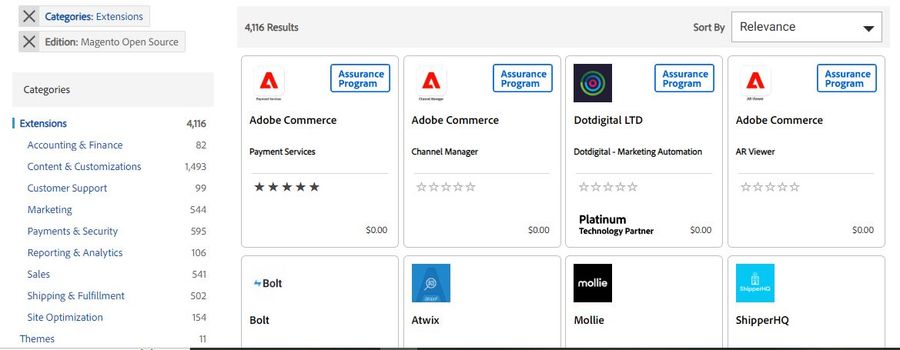
For example, a navigation module can add more filtering controls to category pages. A payment integration can connect checkout with a processor. A theme mainly handles presentation, although a purchased theme package can bundle additional modules.
Our introduction to Magento eCommerce provides platform context. When reviewing Magento themes, inspect the bundled functionality before purchasing an extension that duplicates it.
Magento Open Source and Adobe Commerce Are Different Products
Confirm your edition before comparing extensions. Magento Open Source and Adobe Commerce share an ecosystem, but capabilities, licensing, and supported deployment models differ. A module’s compatibility statement should identify the products and releases it supports.
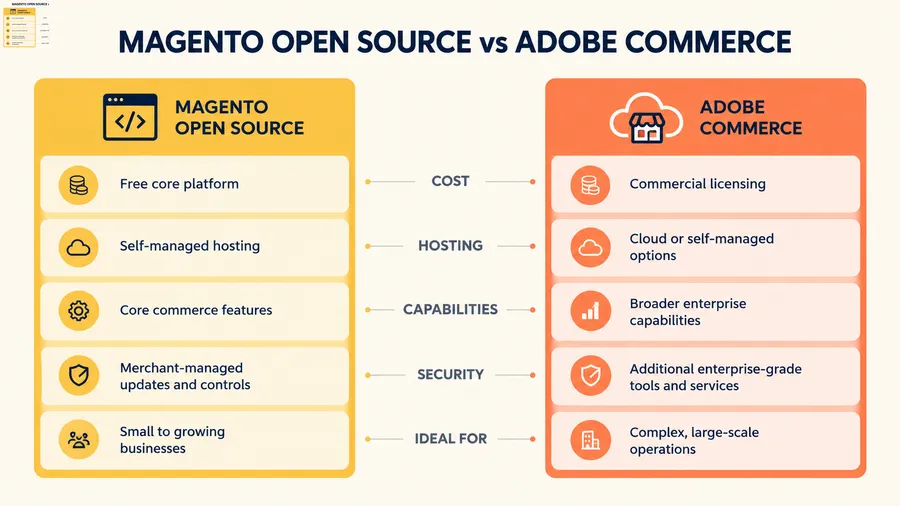
Older articles may use names such as Community, Enterprise, or Magento Commerce. Our explanations of Magento Community versus Enterprise and Magento Commerce and Adobe Commerce terminology can help you interpret that language. Confirm technical requirements using current vendor and Adobe documentation.
Adobe Commerce as a Cloud Service has its own extensibility model. Do not assume that instructions for installing PHP modules in a self-managed Magento 2 codebase apply unchanged to a SaaS deployment.
Which Magento Extensions for eCommerce Should You Prioritize?
Start with a failure or opportunity you can observe. If shoppers cannot find products using common queries, investigate search quality. If orders fail during payment, examine gateway configuration, errors, and checkout behavior before adding another promotional feature.
| Store need | Extension category | What to verify |
|---|---|---|
| Products are difficult to narrow down | Layered navigation | Attribute quality, mobile filters, and URL behavior |
| Relevant searches return weak results | Search enhancement | Relevance, supported engine, and indexing |
| Checkout has documented usability problems | Checkout customization | Payment, shipping, tax, and frontend compatibility |
| SEO changes are difficult to manage | SEO management | Feature ownership, rendered output, and conflicts |
| The team needs integrated articles | Blogging | Editorial workflow, URLs, and migration options |
| Payment options do not fit the business | Payment integration | Eligibility, settlement, refunds, and transaction costs |
A shortlist should reflect those priorities. Our broader collections of Magento extensions and Magento 2 extension categories offer additional options to investigate. Treat collections as discovery resources, then check the current product documentation yourself.
Six Magento Extensions and Integrations to Evaluate
These options address different store requirements; they are not a universal installation list. The descriptions are based on published vendor information, not a claim of hands-on benchmarking. Use each recommended test to decide whether a product fits your store.
1. Amasty Improved Layered Navigation
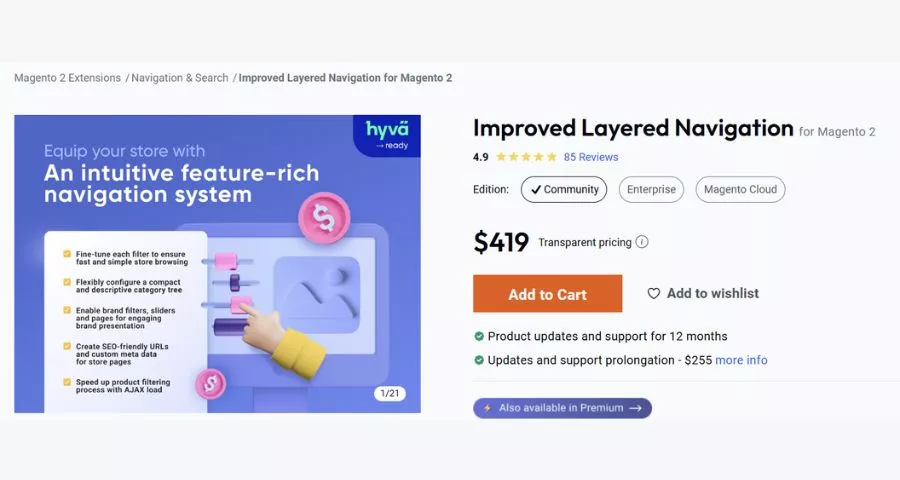
Amasty Improved Layered Navigation extends catalog filtering with capabilities such as multi-select filters, AJAX updates, and controls for filtered pages. It is worth evaluating when shoppers need to narrow a substantial catalog by several attributes.
- Best fit: catalogs where attributes such as size, color, brand, or technical specifications are complete and consistently maintained. More filter controls will not repair missing or unreliable product data.
- Check before buying: the selected plan, exact platform release, storefront technology, and any required compatibility packages. Review how filtered URLs, canonical tags, and robots directives behave with your existing SEO configuration.
- Suggested acceptance test: select multiple attributes on mobile, reload the page, use browser back navigation, and inspect a shareable filtered URL. Confirm that product counts, available values, and selected states remain understandable. Evaluate the result on a representative category, not only a polished vendor demo.
2. Mirasvit Search Ultimate
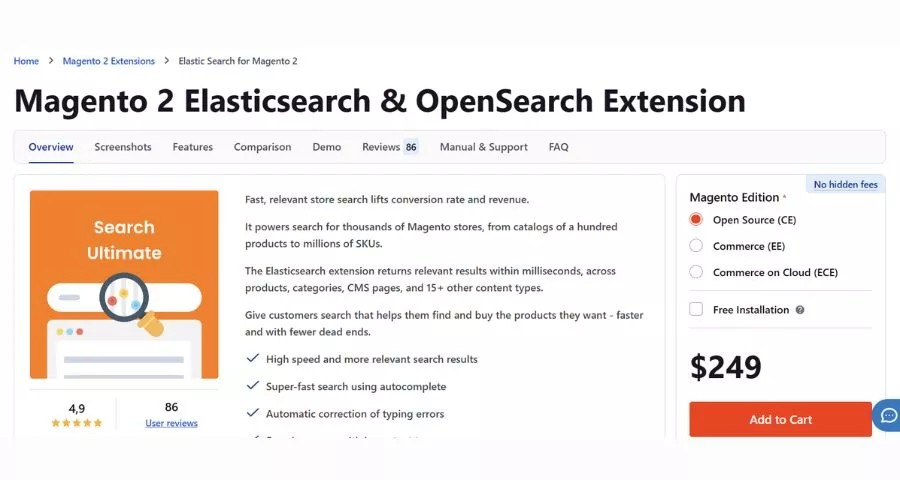
Mirasvit’s Search Ultimate offering focuses on enhanced storefront search, including Elasticsearch and OpenSearch-based functionality. It is a candidate when default search behavior does not match the way customers describe your products.
- Best fit: stores with evidence of weak relevance, unsuccessful searches, or a need to tune the search experience. Build a query set containing product names, SKUs, common spelling variations, and customer terminology.
- Check before buying: supported search-engine versions, infrastructure requirements, indexing behavior, and storefront integration. Confirm the features included in the license you are evaluating rather than assuming every feature shown across the vendor’s catalog is included.
- Suggested acceptance test: record results for your query set before and after configuration. Check relevance, response time, and what happens after stock or product information changes. Search quality depends on your catalog and configuration, so a demo cannot establish performance on your dataset.
3. Aheadworks Smart One Step Checkout
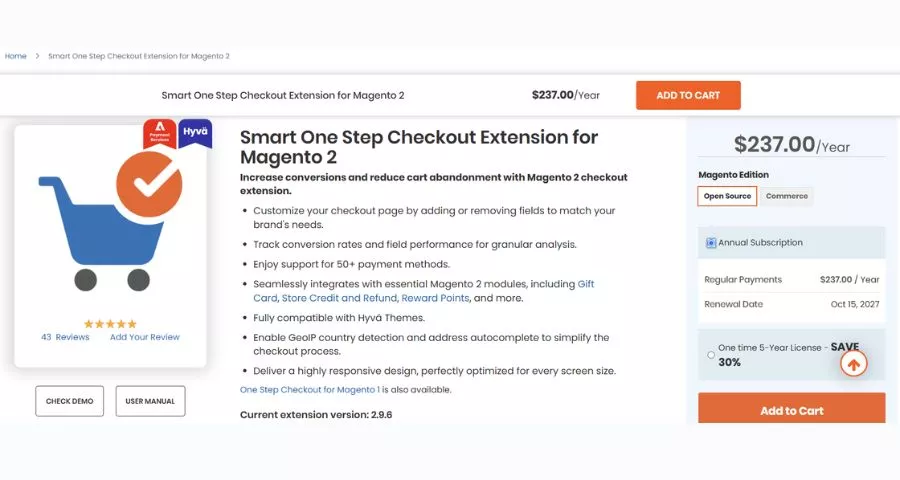
Aheadworks offers Smart One Step Checkout for reorganizing the checkout experience. It is worth investigating when you have identified a checkout layout or interaction problem that the product’s current capabilities address.
- Best fit: teams that can test the entire buying journey and maintain a customized checkout. A shorter-looking page does not automatically increase completed orders or resolve failed payment requests.
- Check before buying: your payment gateways, shipping rules, address validation, tax setup, discount modules, and frontend stack. Ask about known integrations and the support boundary for custom checkout modifications.
- Suggested acceptance test: cover guest and registered customers, different addresses, shipping methods, coupons, taxes, successful payments, and declined payments. Confirm that the correct order reaches the admin and customer emails. Compare behavior on actual mobile devices and include accessibility checks. Approve the feature only after it handles your important scenarios reliably.
4. Mageplaza SEO
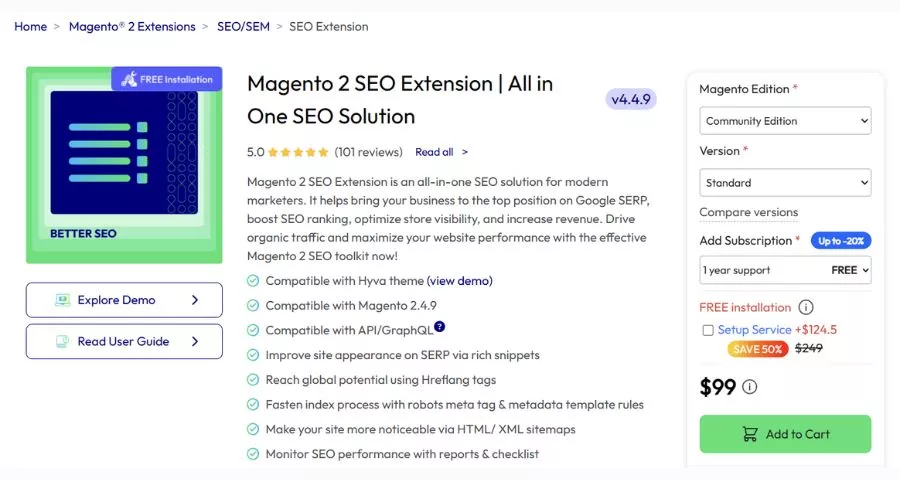
Mageplaza SEO provides SEO-management functionality across different editions of its extension. Review the current feature comparison to determine which metadata, structured-data, sitemap, or other controls are included in the package you need.
- Best fit: teams with a documented SEO-management gap that is not already covered adequately by the platform, theme, or another module. Define the required output before selecting the tool.
- Check before buying: overlapping canonical rules, robots directives, metadata templates, and structured data. Decide which component owns each output. Two modules generating similar markup can create confusing or contradictory results.
- Suggested acceptance test: inspect rendered output on product, category, filtered, and paginated pages. Check multiple store views and validate relevant structured data. A feature being enabled in the admin does not establish that the storefront output is correct. Our Magento SEO extension comparison provides other candidates for the same requirements.
5. Magefan Blog

Magefan Blog adds article-management functionality within Magento, including posts, categories, authors, and related-content capabilities. Feature availability varies by plan, so compare the exact package against your editorial workflow.
- Best fit: stores that want to manage an integrated blog alongside their catalog. Before purchasing, ask the people writing and approving content to try the editing experience and preview process.
- Check before buying: URL structure, image handling, multi-store requirements, redirects, and any import path you need. Preserve the relationships between content and relevant products without turning every article into a sales listing.
- Suggested acceptance test: create a complete draft, preview it on mobile, publish it, edit its URL, and confirm the expected redirect behavior. Compare alternatives in our Magento blog extension guide. If your content team already depends on WordPress, consider the architecture discussed in our Magento–WordPress integration guide before introducing another editorial system.
6. Payment Services for Adobe Commerce and Magento Open Source
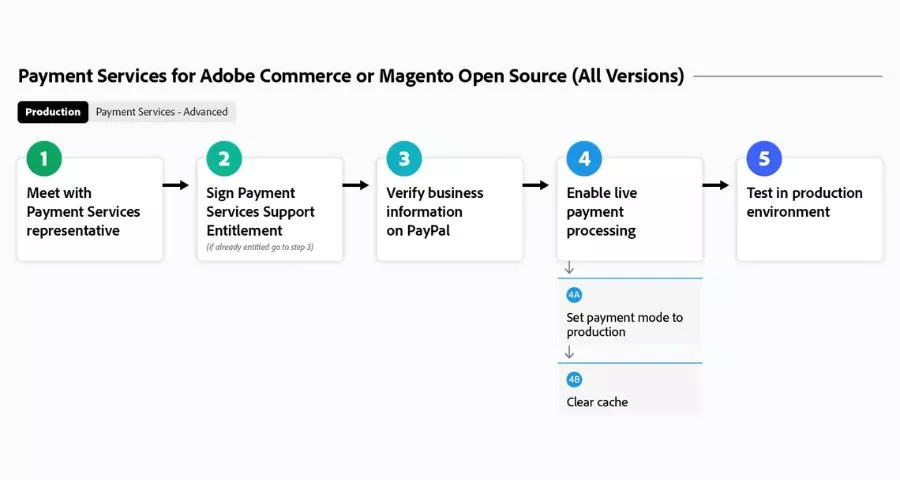
Adobe’s Payment Services combines a payment integration with connected service capabilities. It is an option to evaluate for supported stores, rather than a standalone feature that works without onboarding or an eligible payment setup.
- Best fit: businesses whose location, payment requirements, and platform environment match the current service offering. Review available methods and operational reporting alongside commercial conditions.
- Check before enabling: eligibility, account approval, transaction fees, settlement, refunds, currencies, and the supported integration path. Installation and availability differ by deployment and release, so follow Adobe’s current guidance for your environment.
- Suggested acceptance test: use the sandbox to complete authorization, capture, cancellation, and refund scenarios relevant to your business. Verify how payment status maps to order status and how staff investigate a failed transaction. Our Magento payment gateway overview can help you compare broader payment choices before committing.
How to Choose a Magento Extension Step by Step
Step 1: Describe the Gap Before Naming a Product
Write down the current behavior, desired behavior, affected users, and acceptance test. “We need better search” becomes “Customers searching these 20 common terms should see relevant in-stock products near the top.”
Check the store’s existing settings and licensed features. A configuration change, cleaner catalog data, or a theme adjustment might solve the problem without an additional module. Ask your developer to identify dependencies and existing customizations in the affected area.
For specialized needs, define the full workflow. A wholesale store considering hidden-price functionality may also need customer-group rules, quote requests, and different access behavior. Hiding a price visually is not the same as enforcing a complete pricing policy.
Step 2: Verify Edition, Version, and Frontend Compatibility
Record your Magento edition, patch release, PHP version, search engine, theme, and major integrations. Send that information to the vendor with your requirement and ask about the exact supported combination.
“Magento 2 compatible” is too broad. A product can support one release while requiring a separate package for a storefront framework. Confirm whether that compatibility work is included, separately licensed, or dependent on an active subscription.
Headless storefronts need particular attention because frontend rendering happens outside the traditional theme. Our guide to headless Magento explains the architectural context. An admin feature can work while its storefront interface still needs an API integration or custom implementation.
Step 3: Review Maintenance and Support Evidence
Read release notes for recent fixes and compatibility work. Check documentation quality, response expectations, support duration, and the procedure for reporting a reproducible bug.
A product with many features can still be a poor fit if no one owns the integration. Clarify whether the vendor supports custom themes, third-party conflicts, deployment assistance, and emergency issues. Those are separate questions from whether you can submit a ticket.
Our Magento support and maintenance overview can help you consider who will handle ongoing work. Keep an internal owner even when an external provider maintains the code.
Step 4: Calculate the Total Cost
Budget for the extension license, renewal terms, implementation, theme adjustments, testing, support, and future upgrades. Add service subscriptions or usage charges when an integration depends on an external platform.
Our Magento cost breakdown identifies broader expense categories. Request current quotes rather than treating an old price in a comparison article as a binding offer.
Include infrastructure impact. An extension that adds indexing, scheduled processing, or external calls may require additional resources. Review your Magento hosting options around the actual workload; installing another module cannot compensate for every server or configuration problem.
Use a Small Comparison Scorecard
Compare candidates against the same requirement instead of comparing the length of their marketing pages. Record whether each product meets the essential workflow, supports your environment, fits the maintenance budget, and provides enough documentation to test it.
Separate mandatory requirements from preferences. If your store needs a particular payment method or a headless interface, a missing implementation is not offset by attractive features elsewhere. Mark that requirement as unresolved and ask the vendor for a specific answer before purchasing.
Include a place for evidence. A vendor demonstration, a written compatibility response, and a successful test on your staging store offer different levels of confidence. Note which one supports each conclusion so the team can see what still needs verification.
For example, compare two search extensions using the same catalog and query list. Have staff review whether the results answer the customer’s likely need, then check response time and indexing behavior. Keep the outcome of those tests beside the commercial quote. This produces a decision another team member can understand later, even if the original buyer has left the project.
What a Magento Marketplace Extension Listing Can Tell You
The official Adobe Commerce Marketplace provides a central place to discover extensions. A Magento marketplace extension listing can help you identify the publisher, product version, supported environment, documentation, and commercial terms.
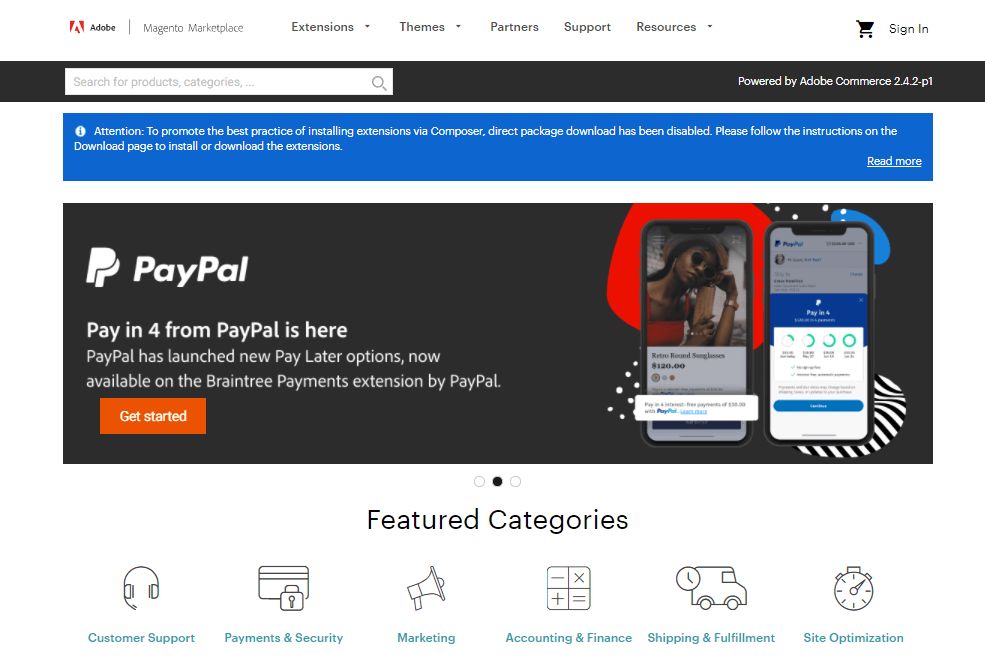
Adobe describes its Extension Quality Program and technical review process in its Marketplace overview. Review is useful evidence, but it does not test every combination of your custom code, theme, data, and third-party modules.
Read the version-specific details rather than relying solely on reviews or a familiar brand name. Ask whether you receive the same package, support, and update access when purchasing through the Marketplace or directly from the developer.
Finally, keep a record of the purchase account, license, Composer package, installed version, and support contact. That information matters when someone else needs to upgrade the store months later.
How to Install and Test Magento Add Ons
Prepare a Representative Staging Store
Test in a staging environment that reflects production’s important configuration. Use appropriately protected or sanitized data and isolate email, payment, and integration side effects so test actions do not reach real customers.
Capture a baseline for the affected workflow before installation. Record errors, page timings, and expected behavior. Prepare a recoverable backup and an agreed rollback plan, especially if installation introduces database changes.
Adobe’s third-party extension management guide describes the Composer-based workflow for relevant deployments. Use the actual vendor package and supported version; do not copy an unrelated example package into your store. Cloud infrastructure projects should follow their deployment workflow.
Install One Change and Test the Complete Workflow
Follow the vendor’s installation and configuration instructions. Enabling a module, applying setup changes, compilation, static assets, cache handling, and indexing requirements depend on the deployment and product. Have a developer manage those steps through your release process.
Run the acceptance tests you wrote before purchase. Also check adjacent behavior: category navigation can affect search, a checkout change can affect payment, and a content module can affect sitemaps or redirects.
If you import customer-facing content, validate mappings and ownership. Our guide to importing and exporting Magento product reviews illustrates why data relationships need attention. A successful import message alone does not confirm that reviews appear against the correct products.
Release With Monitoring and a Named Owner
Deploy through a controlled release and verify the critical workflow again. Watch application logs, payment outcomes, scheduled jobs, indexing, and relevant performance measures. Compare comparable periods and account for promotions or traffic changes.
Maintain a module register with its business purpose and update responsibility. Apply security updates through a tested process and periodically identify unused functionality. Our Magento security checklist provides wider operational topics to review alongside extension maintenance.
Removing a module also needs planning. Disabling code does not necessarily remove stored data, reverse schema changes, or disconnect external billing. Confirm the vendor’s removal instructions and decide which data must be retained.
Choose Integrations Around Your Store’s Operating Model
A store selling online and in person needs clear ownership of inventory, customer records, and order status. Our guide to Magento omnichannel operations provides context, while the Magento POS comparison introduces systems to investigate. Confirm how stock changes and returns synchronize before selecting a connector.
Dropshipping introduces another set of responsibilities. A product feed, supplier connection, and fulfillment process must agree on SKU mapping, stock freshness, shipping, and returns. Our Magento dropshipping guide explains the operating model. Select extensions around those responsibilities instead of assuming one integration manages the entire business.
For every integration, define which system is authoritative for each data field. Test delayed updates, duplicate notifications, and temporary service failures. Reliable synchronization is about handling those cases as well as transferring a normal order.
Common Magento Extension Buying Mistakes
Buying before defining a requirement makes feature comparisons misleading. A store can end up paying for several modules that all manage similar metadata or checkout elements while leaving the original problem unresolved.
Treating “free” as “no cost” is another mistake. A free license can still require setup, troubleshooting, external services, and ongoing testing. Conversely, a higher license price can be reasonable if the product fits the workflow and reduces custom maintenance.
Do not assume a security extension replaces patching, an SEO extension guarantees rankings, or a one-step checkout guarantees more sales. Each product should be evaluated against a specific capability and measured outcome.
Avoid installing many changes together. If behavior breaks, isolating the cause becomes harder. A smaller, documented extension stack is generally easier to understand than one assembled through repeated impulse purchases.
FAQs About Magento Extensions
Are Magento Extensions and Magento Add Ons the Same?
In merchant conversations, these terms usually refer to modules that add functionality. Adobe’s broader extension terminology can also include themes and language packages. Check what the actual package contains, which dependencies it adds, and what part of the store it changes.
Can I Use Any Magento Extension With Adobe Commerce?
No. Compatibility depends on the edition, release, deployment, PHP environment, storefront, and other integrations. Confirm support for the exact combination you run. Instructions for installing PHP modules do not apply automatically to every Adobe Commerce deployment model.
Are Free Magento Extensions Safe to Use?
A zero price does not establish quality or security. Review the publisher, maintenance history, code and documentation where available, permissions, and compatibility. Test the product on staging and plan updates just as you would for a paid module.
Will Installing More Extensions Slow My Store?
The impact depends on what the code does and how it interacts with your infrastructure. A single poorly implemented module can cause problems, while several focused modules may run acceptably. Measure relevant frontend and backend behavior instead of using module count as a performance diagnosis.
Should I Buy Through the Marketplace or Directly?
Compare package availability, license terms, update access, support, and your purchasing process. Marketplace review adds useful information, but neither channel guarantees compatibility with your custom store. Keep purchase and installation records wherever you buy.
Conclusion
The most useful Magento extension solves a defined store problem and fits the environment you can maintain. Start with native capabilities, compare a short list, verify current compatibility, and calculate the full cost before purchasing.
Write the acceptance test first, prove the integration on staging, and assign an owner for updates and monitoring. That process helps you choose Magento extensions for eCommerce based on their practical value to your store rather than the length of a feature list.
Read More: Machine Learning Meaning: Basics and a Python Example
Contact US | ThimPress:
Website: https://thimpress.com/
Fanpage: https://www.facebook.com/ThimPress
YouTube: https://www.youtube.com/c/ThimPressDesign
Twitter (X): https://x.com/thimpress_com