


WPML Add-on for LearnPress

  • Transform your LearnPress platform into a fully multilingual online education website, reaching students across the globe.
  • Enables complete translation of every course element, including course titles, descriptions, lessons, quizzes, questions, and the entire purchasing flow.
  • Delivers a localized and user-friendly learning experience by displaying all content in the student’s chosen language.
  • Expand your educational market, attract international learners, and directly increase your course sales by breaking language barriers.
Complete WPML Integration

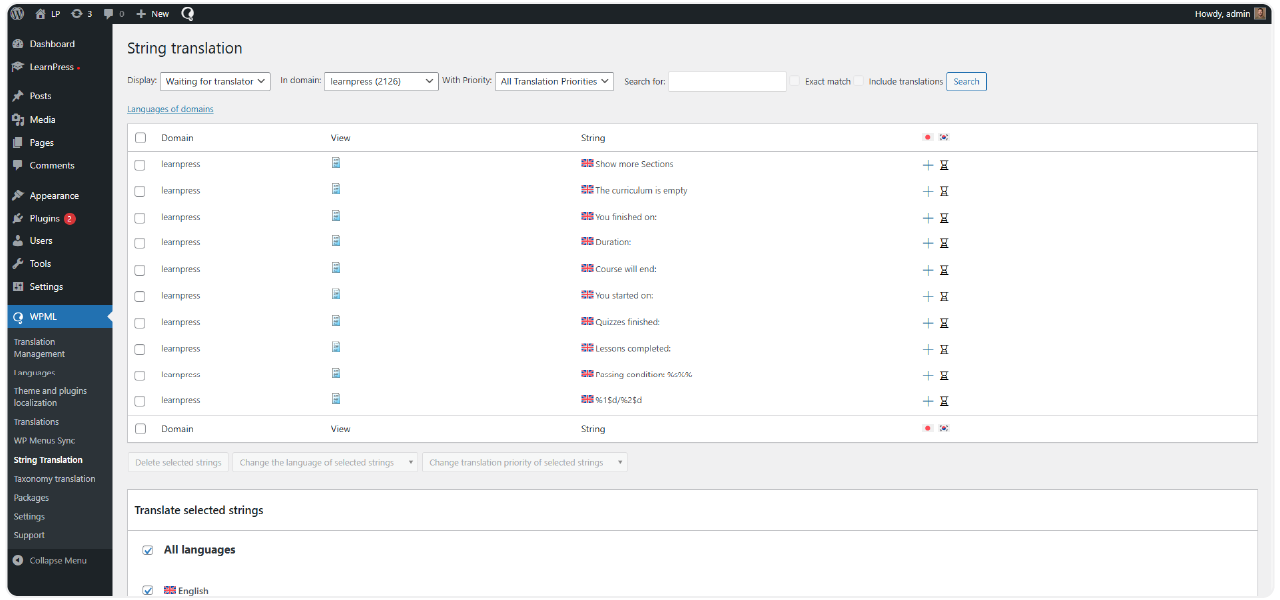
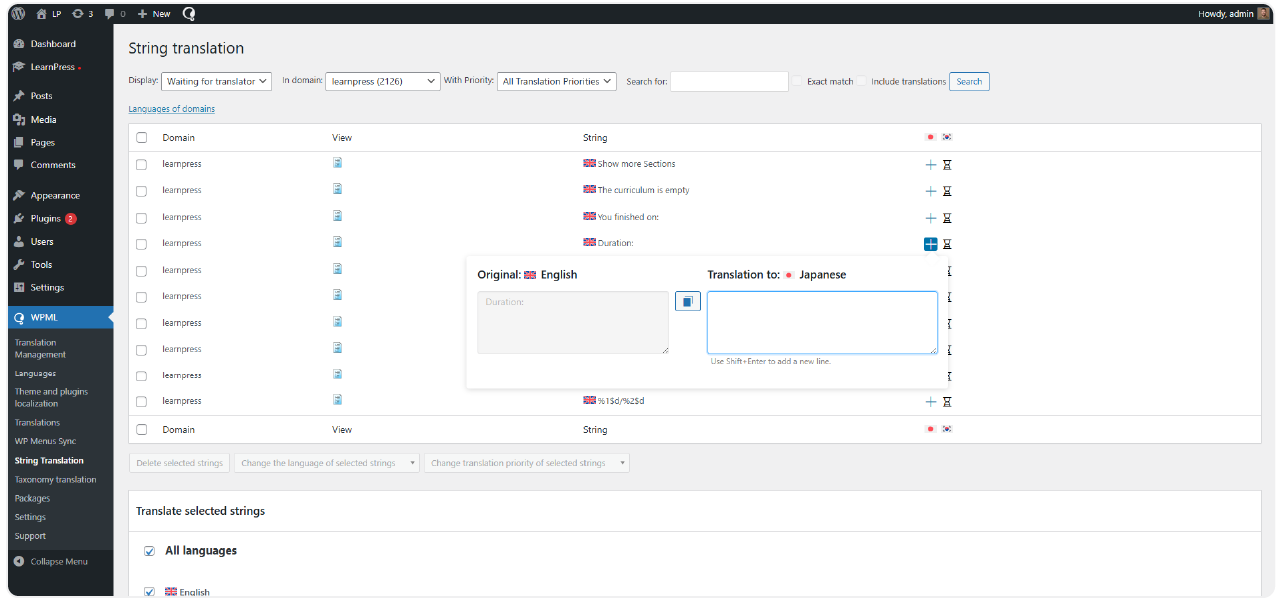
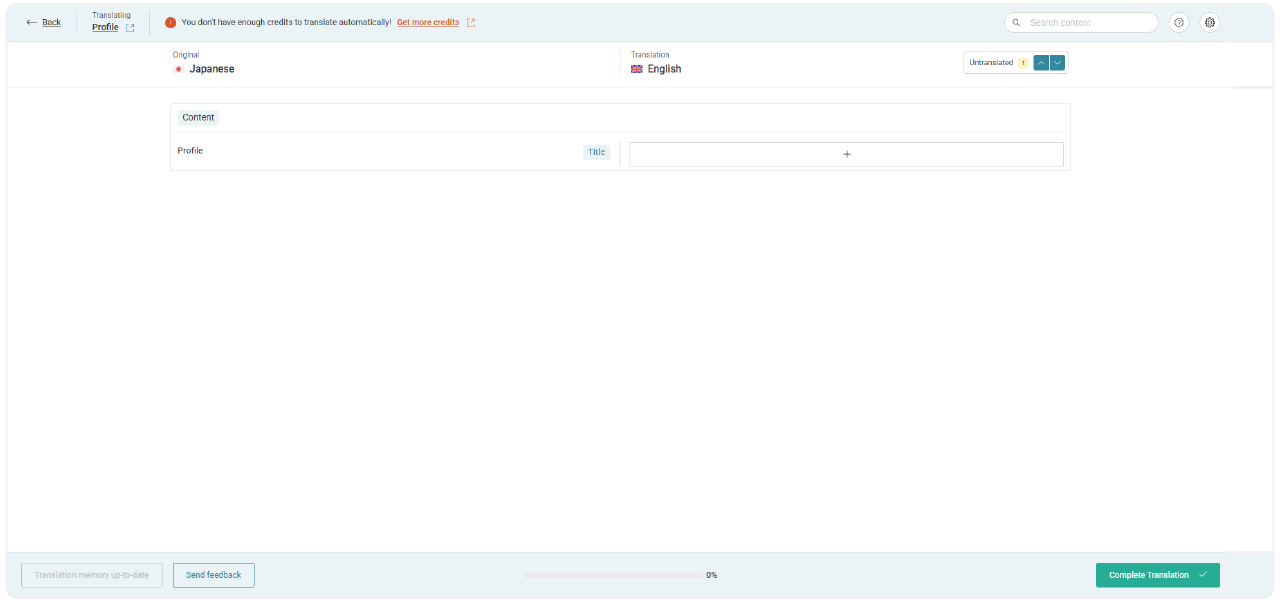
The add-on works directly with the WPML plugin, allowing for the translation of all LearnPress post types like Courses, Lessons, Quizzes, and Questions. It also covers the entire purchasing process, including Order, Cart, and Checkout pages. It functions correctly with the WPML String Translation and WPML Translation Editor for a comprehensive translation workflow.

Independent Language Version Management
Localized Learning Experience for Users
Extensive Compatibility
16 reviews

Active Users: 437

Price: $29

  • Lifetime license for 1 site License Info:Includes lifetime usage on 1 site. You can switch between environments as needed by deactivating/reactivating the key. Only one active installation can receive updates and support at a time.Learn More
  • 12 months Update & Support Updates & Support Info:Purchase includes 12 months of updates and support. After expiry, the add-on remains functional, but you must renew the license to access future updates and support services.Learn More
I would like to extend Update & Support
Total $29
Version
Version: 4.0.7
Last Updated: 4 August 2026
Compatible to WordPress Version: 7.0.2
Change Logs

= 4.0.2 (2024-07-25) =
~ Added: method handle wpml for list courses of instructor.
~ Fixed: get courses has translated, if not get course by default lang.

= 4.0.1 (2024-05-24) =
~ Added: async single question.
~ Fixed: minor bugs.

= 4.0.0 =
~ Sync translation course, sections, items of course.

Screenshots

wpml-1
wpml-2
wpml-3
wpml-4
wpml-5

All Your Questions
Answered

You have questions.
We have answers.

What is the WPML Add-on for LearnPress?

It is the official extension from ThimPress that connects the LearnPress LMS plugin with the WPML (WordPress Multilingual) plugin. Its primary function is to allow you to translate your entire e-learning website, including all courses and related content, into multiple languages.

Who is this add-on for?

This tool is perfect for any educational institution with an international focus, training centers aiming to expand their market reach, and individual instructors who want to build a professional, multilingual e-learning website to attract students from other countries.

What are the system requirements to use this add-on?

You will need the LearnPress plugin installed on your WordPress site. Additionally, you must have the following WPML plugins: WPML Multilingual CMS, WPML String Translation, and WPML Translation Management.

Can I translate interface elements like buttons and system notifications?

Yes. All front-end components created by LearnPress can be translated. This includes buttons like “Start Learning” or “Buy Now”, progress statuses like “Completed”, and critical system messages such as quiz results, assignment submission instructions, and course completion alerts. All can be translated using WPML’s String Translation feature.

How does this add-on simplify translation management?

It provides a centralized translation management system directly through the WPML interface. Instead of handling translations in separate, disconnected places, you can manage, assign, and review all language content for your courses from a single, intuitive dashboard, ensuring a consistent and organized workflow.

How does making my site multilingual benefit my site’s SEO?

By creating fully translated and indexable versions of your course pages, you significantly improve your website’s search engine optimization for each language. This helps attract more organic traffic from different regions and improves your search rankings in those countries.

What is the basic process to translate a course?

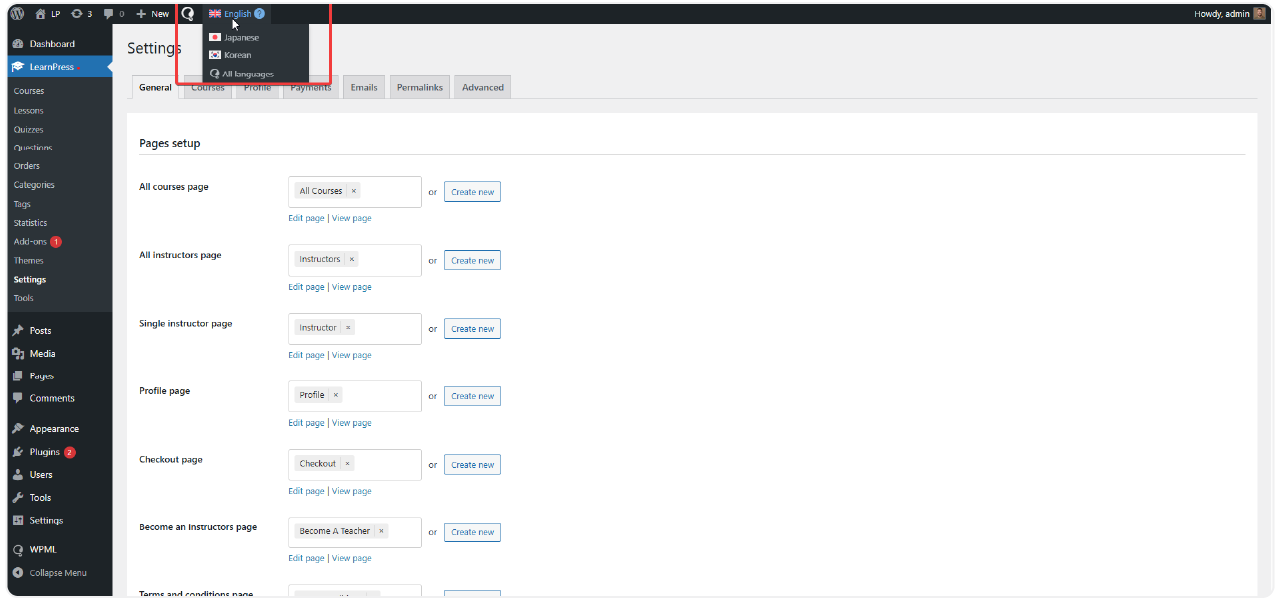
First, install and set up the required WPML plugins and configure your target languages. Then, install the WPML Add-on for LearnPress. After that, navigate to any Course, Lesson, or Quiz in your admin dashboard. You will see the WPML language panel, where you can add and manage translations using the WPML Translation Editor.

What are the benefits of using the WPML Add-on for LearnPress?

Expand your international student base with fully translated courses
Improve user experience with localized learning interfaces
Boost SEO rankings in multiple languages
Increase course revenue by selling to a global audience
Simplify content translation with centralized WPML management tools

Go to our Forum and explore more than 2000 support topics
Feel free to contact us for support anytime

Reviews

Total Reviews
16
Average Rating
5 out of 5
5
16
4
0
3
0
2
0
1
0
  1. marco_teaches

    Reliable tool
    Been using for several months on our site with 4 languages, no bug and translations stay in sync after update.

  2. Ingrid Larsson

    Good addon overall
    Setup with WPML was straightforward, our translator team picked it up fast without much guidance needed.

  3. raj_dev

    Works well
    No major issue, translation sync between course and its lesson works as expected.

  4. Camille Dubois

    Perfect for our international academy
    We run courses in three languages and before this addon managing translation was a mess with content getting out of sync. Now course, lesson, and quiz all connect properly across language versions and students automaticaly see content in their selected language.

  5. hans_mueller

    Great for multilingual site
    Realy happy with this addon, we translate our courses into German and French and everything syncs correctly between language version.

We're Here to Assist!
Click to Chat on Messenger.

×