Finding the exact phrases audiences type into search engines dictates the success of any digital marketing strategy. Without the right data, content simply disappears into the vast expanse of search results. Securing top rankings requires utilizing the best free keyword research tool to uncover profitable, low-competition phrases that drive targeted traffic. Understanding user psychology and search behavior is the only way to outrank established competitors and build a sustainable online presence.
This comprehensive guide details exactly how to evaluate top software, understand search intent, and build an airtight optimization strategy without exhausting the marketing budget. Whether operating a custom HTML site or a self-hosted WordPress blog, having access to accurate search metrics is non-negotiable for long-term growth.
Eduma – Education WordPress Theme
We provide an amazing WordPress theme with fast and responsive designs. Let’s find out!
9 Best Free Keyword Research Tools at a Glance
Before diving into the detailed methodology, reviewing the top platforms available is essential. Below is a summary table outlining the top tools available for digital marketers and content creators.
| Tool Name | Primary Use Case | Best Feature |
| Google Search Console | Optimizing existing content | Real-world ranking data |
| Google Keyword Planner | Brainstorming broad topics | Search volume ranges |
| Google Trends | Analyzing topic seasonality | Trend comparison |
| Google Autocomplete | Uncovering instant insights | Live user search predictions |
| AnswerSocrates | Finding user questions | People Also Ask aggregator |
| Ahrefs Keyword Generator | Quick keyword metrics | Keyword Difficulty (KD) scores |
| Ubersuggest | Beginner-friendly data | All-in-one dashboard |
| AnswerThePublic | Visualizing question data | Search query relationship wheels |
| Keywords Everywhere | On-the-fly SERP analysis | Browser extension integration |
The Core Foundation of SEO: Why Keyword Data Matters
Before writing a single sentence of content, a website owner must establish exactly what the topic covers and who the target audience is. This foundational step is the blueprint for a successful content strategy.
Gathering data using the best keyword research tools is about much more than identifying popular search terms; it involves deeply analyzing the minds of potential customers.
Here is why relying on accurate search data is absolutely critical for digital success:
- Utilizing Audience Language: Search phrases act as the bridge between a business and its audience. By researching these terms, marketers learn the exact vocabulary customers use, enabling the creation of content that speaks directly to specific pain points.
- Deciphering Search Intent: Not all Google searches carry the same weight or meaning. A robust strategy helps decipher why someone is initiating a search. Are they looking to learn (informational intent), compare products (commercial intent), or make an immediate purchase (transactional intent)? Aligning website content with these specific intents is the primary method for providing a helpful user experience.
- Discovering Untapped Opportunities: The most valuable phrases are rarely the most obvious ones with the highest search volumes. Thorough investigation uncovers long-tail phrases and niche topics that feature significantly lower competition.
- Capturing Competitor Traffic: By analyzing which topics competitors currently rank for, marketers can identify content gaps. Creating more comprehensive, visually appealing, and better-structured content allows newer sites to siphon organic traffic away from industry rivals.
A Strategic Guide: How to Perform Keyword Research
Understanding How to Perform Keyword Research is only the first step. Executing a flawless strategy requires a systematic approach. For those wondering how to perform keyword research efficiently, following a structured, step-by-step methodology guarantees better content performance.
Step 1: Establish Seed Topics
Start by listing broad categories related to the website’s niche. For a website selling digital marketing courses, seed topics might include “SEO training,” “email marketing,” or “social media growth.” These broad buckets will serve as the foundation for more specific queries later on.
Step 2: Utilize the Best Keyword Analysis Tool
Take the broad seed topics and plug them into a dedicated software platform. The goal here is to expand a single broad idea into hundreds of highly specific, long-tail variations. A reliable platform will provide estimated monthly search volumes and competition metrics, allowing for proper prioritization.
Finding the best keyword analysis tool depends heavily on whether the project requires global volume data, localized metrics, or specific question-based formats.
Step 3: Analyze Keyword Metrics and Difficulty
When choosing keywords for SEO, evaluating the metrics correctly dictates the likelihood of ranking. Look at two primary factors:
- Search Volume: The estimated number of times users search for the exact phrase per month.
- Keyword Difficulty (KD): A metric estimating how hard it will be to rank in the top 10 results.
High volume and low difficulty is the gold standard, though these opportunities are rare. Usually, targeting lower volume, lower difficulty phrases (long-tail keywords) yields the highest return on investment for newer domains.
Step 4: Map Search Intent
Once a list of viable phrases is established, type each one into Google manually. Look at the top ranking pages. Are they blog posts, product pages, or YouTube videos? If Google is ranking listicles, the new content must also be a listicle. If Google ranks ultimate guides, a comprehensive guide is required. Never try to force a product page to rank for an informational query.
Step 5: Finalize the Content Plan
This systematic process is exactly how to do keyword analysis properly. Once the data is refined, group related phrases together into content clusters. Plan to write one comprehensive pillar page targeting a main topic, supported by multiple specific blog posts targeting the long-tail variations.
9 Options for the Best Free Keyword Research Tool
With the methodology established, it is time to explore the software that makes this process possible.
The following list breaks down the most effective platforms available, starting with native Google products and transitioning into powerful third-party solutions. To provide deep practical value, each tool section now includes detailed, actionable operational steps, advanced tactics, and internal use cases.
1. Google Search Console
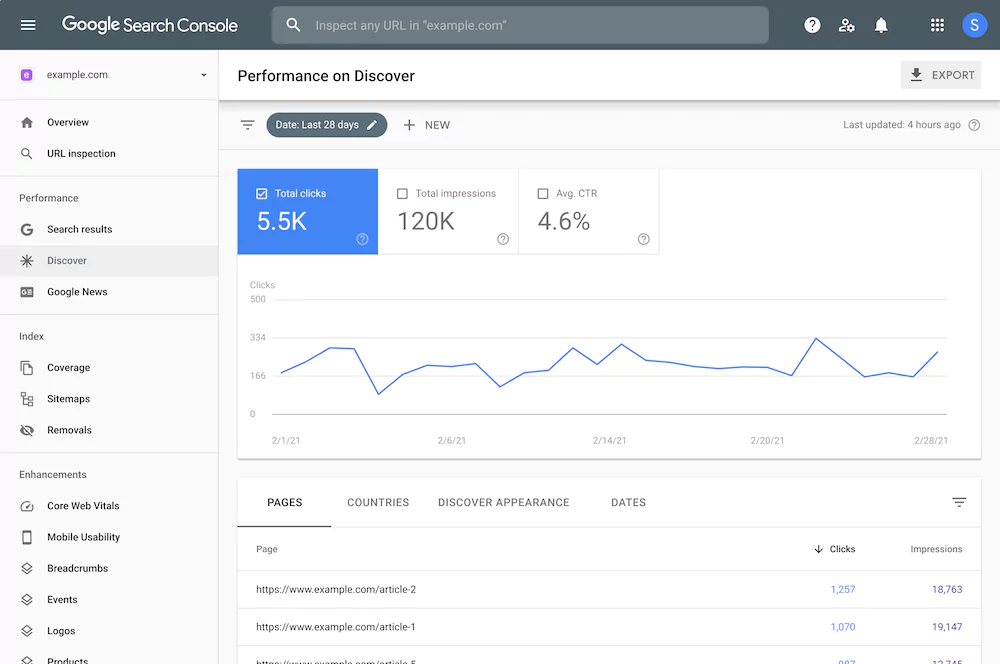
Google Search Console (GSC) remains the absolute foundation for technical website management. It is arguably the best free keyword research tool for finding phrases a website is already naturally ranking for. GSC provides real-world, verified data straight from Google regarding organic performance.
For website administrators wondering how their pages are performing, GSC is the definitive answer. The Performance report houses a “Queries” tab detailing every exact phrase driving impressions and clicks.
How to Use it Step-by-Step:
- Log into your Google Search Console dashboard and select your verified property.
- Click on Performance in the left-hand sidebar menu.
- Set your date filter to the last three months to capture recent user search patterns.
- Scroll down to the table and look at the Queries tab to see your ranking data.
Advanced Optimization Tactics:
Export this dataset into a spreadsheet tool like Google Sheets. Calculate the click-through rate relative to average positions. If a page ranks in position three but shows a CTR well below standard benchmarks, your meta elements are failing to attract attention. Additionally, utilize regular expressions (Regex) within the query filter. For instance, filtering for custom questions using question words allows you to isolate informational intent instantly, providing a clear map of what problems your audience needs solved.
Key Metrics Provided:
- Impressions: How many times the site appeared in search results.
- Clicks: How many users actually clicked through to the site.
- Position: The average ranking spot on the search engine results page (SERP).
- Click-Through Rate (CTR): The percentage of impressions that resulted in a click.
Optimization Strategy:
Filter the Performance report to show phrases ranking in positions 11 through 20 (page two of Google). These are terms the website is on the cusp of ranking highly for. By updating title tags, adding secondary terms to header tags, or expanding the content length, these pages can easily be pushed onto page one, creating rapid organic traffic increases.
2. Google Keyword Planner
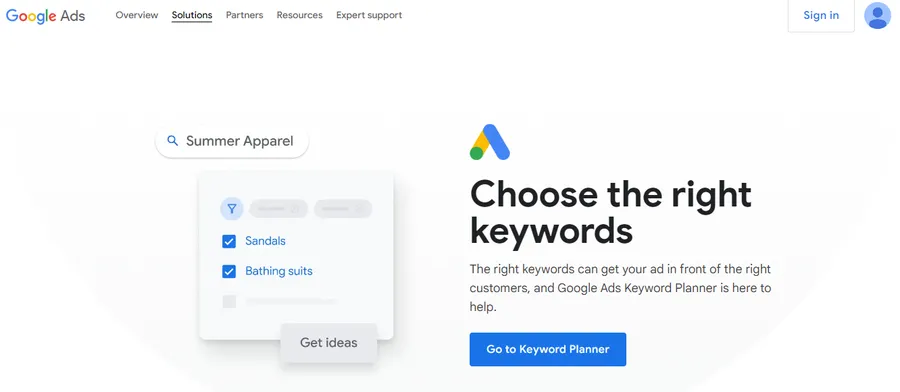
Google Keyword Planner is engineered primarily for Google Ads campaigns, but it functions perfectly as an organic discovery engine. It is highly effective for brainstorming massive lists of related topics and gauging historical search volume trends.
While the difficulty metrics shown in the dashboard relate specifically to paid advertising competition (not organic SEO difficulty), the sheer volume of ideas generated makes it an invaluable asset for initial niche research.
How to Perform Keyword Research:
- Navigate to your Google Ads account, click on Tools and Settings, and choose Keyword Planner.
- Select Discover new keywords from the dual layout options.
- Input a broad seed concept or paste a competitor’s URL directly into the search field.
- Choose your target geographic location and language parameters, then click Get Results.
Advanced Optimization Tactics:
To unlock maximum value without running an active paid campaign, leverage the Refine Keywords column on the right side of the results dashboard. This allows you to filter suggestions based on specific brand names, products, or service categories. If your content strategy focuses purely on generic tutorials, unchecking prominent brand names cleans your dataset instantly. Furthermore, paste individual page URLs from competitors to dissect their semantic architecture; Keyword Planner will extract the exact core themes Google associates with that specific live page.
Top Features:
- Discover New Keywords: Input a seed phrase or a competitor’s URL to generate hundreds of semantically related ideas.
- Volume Forecasts: View broad monthly search volume ranges to assess the viability of a topic.
- Topic Grouping: The system automatically categorizes related phrases, which drastically speeds up the process of building content clusters.
3. Google Trends
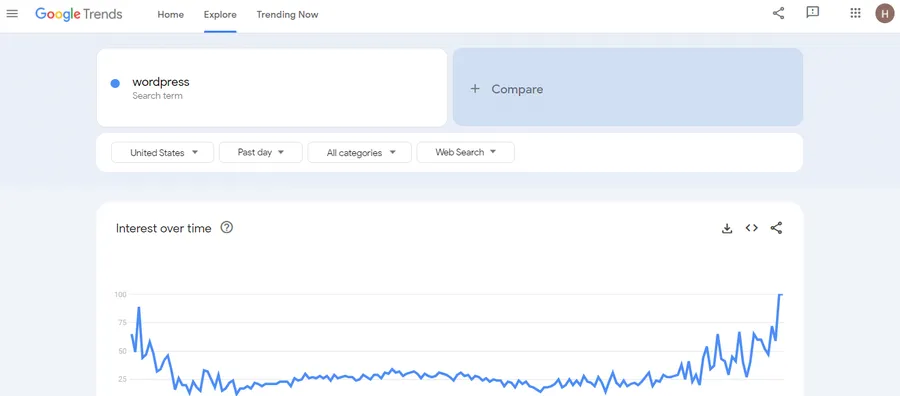
Timing is everything in content marketing. Google Trends visualizes how search interest fluctuates over time. This data is critical for preventing wasted resources on declining topics and optimizing the publication schedule for seasonal spikes.
For instance, if planning content around specific holiday sales, Google Trends will reveal the exact week search volume historically begins to rise. Publishing content just before this spike ensures maximum visibility.
How to Perform Keyword Research:
- Open the Google Trends homepage and input a core phrase into the main search box.
- Adjust the location filter to your primary target market (e.g., worldwide or a specific country).
- Set the time range parameter to Past 5 years to review long-term cyclical patterns.
- Hit enter to analyze the trajectory of the interest over time chart.
Advanced Optimization Tactics:
Do not limit your analysis to standard web search data. Use the specialized platform dropdown menu to change your data feed from Web Search to YouTube Search or Google Shopping. This provides hyper-targeted insights if you are building an accompanying video resource or commercial collection. Additionally, scroll down to the Related Queries box and change the sorting filter from “Top” to “Rising.” This uncovers “Breakout” queries—terms experiencing explosive growth that your traditional keyword tools have not yet fully processed.
Top Features:
- Interest Over Time: Graphically displays the historical popularity trajectory of any given phrase.
- Geographic Filtering: Identifies specific countries, states, or cities where a topic is trending the most.
- Comparison Function: Allows marketers to stack up to five different phrases against each other to identify the undisputed winner in public interest.
4. Google Autocomplete

Autocomplete is often overlooked because of its simplicity, yet it remains one of the most direct methods for understanding human search behavior. When a user types a query into the search bar, the immediate dropdown suggestions are based on real, frequent historical searches.
This built-in feature serves as an outstanding method for structuring blog posts and outlining subheadings. Because Autocomplete naturally populates longer phrases, it is incredibly effective for discovering highly specific, high-converting queries.
How to Perform Keyword Research:
- Open a clean, private incognito browser window to prevent personal history bias.
- Head to the standard Google search box and begin typing your core topic slowly.
- Observe the live predictions that appear underneath your text cursor before pressing enter.
- Take a snapshot or write down the long-tail phrases that mirror user intent.
Advanced Optimization Tactics:
To turn this into a scalable research engine, employ the alphabet soup technique systematically. Type your core topic followed by the letter “a”, document the unique recommendations, then erase it and type “b”. Repeat this sequence through the entire alphabet to harvest hundreds of real-time search queries. You can also insert the underscore character (_) as a wildcard modifier before or between words. For example, typing “how to _ wordpress theme” forces Google to fill in the blank with popular actions, highlighting underlying user pain points perfectly.
Optimization Strategy:
Start typing a seed topic into the search bar and document the suggestions. These long-tail variations should be naturally woven into your copy as subheadings (H2 or H3 tags). This method guarantees you are answering secondary questions that searchers naturally look for right after making their initial query.
5. AnswerSocrates

Understanding the exact questions a target audience has is a cornerstone of modern content creation. AnswerSocrates aggregates data directly from Google’s “People Also Ask” SERP feature and organizes it into a highly visual, easy-to-read format. This platform is perfect for building comprehensive content briefs and constructing FAQ sections designed to capture Featured Snippets and AI Overviews.
AnswerSocrates adds significant value by automatically tagging questions with their corresponding sales funnel stage:
- Top of the Funnel (TOFU): The awareness stage. Users know they have a problem but are unaware of specific solutions.
- Middle of the Funnel (MOFU): The consideration stage. Users are actively comparing different methodologies or software options.
- Bottom of the Funnel (BOFU): The conversion stage. Users have high commercial intent and are ready to make a purchase.
How to Perform Keyword Research:
- Navigate to the AnswerSocrates platform in your web browser.
- Enter your main topic phrase into the central query input box.
- Select your target country and language profile from the simple dropdown menus.
- Click the search button to generate your structured question categories.
Advanced Optimization Tactics:
Do not treat the generated list as a simple list of isolated entries. Analyze the distinct linguistic patterns users employ at different levels of the funnel. Take the highly specific “Middle of the Funnel” questions and use them to construct detailed comparison modules within your blog post. Group similar questions together to form comprehensive answer sections. When formatting these questions, wrap them in clean HTML header markup and provide immediate answers beneath them to maximize your chances of winning rich snippets.
6. Ahrefs Keyword Generator
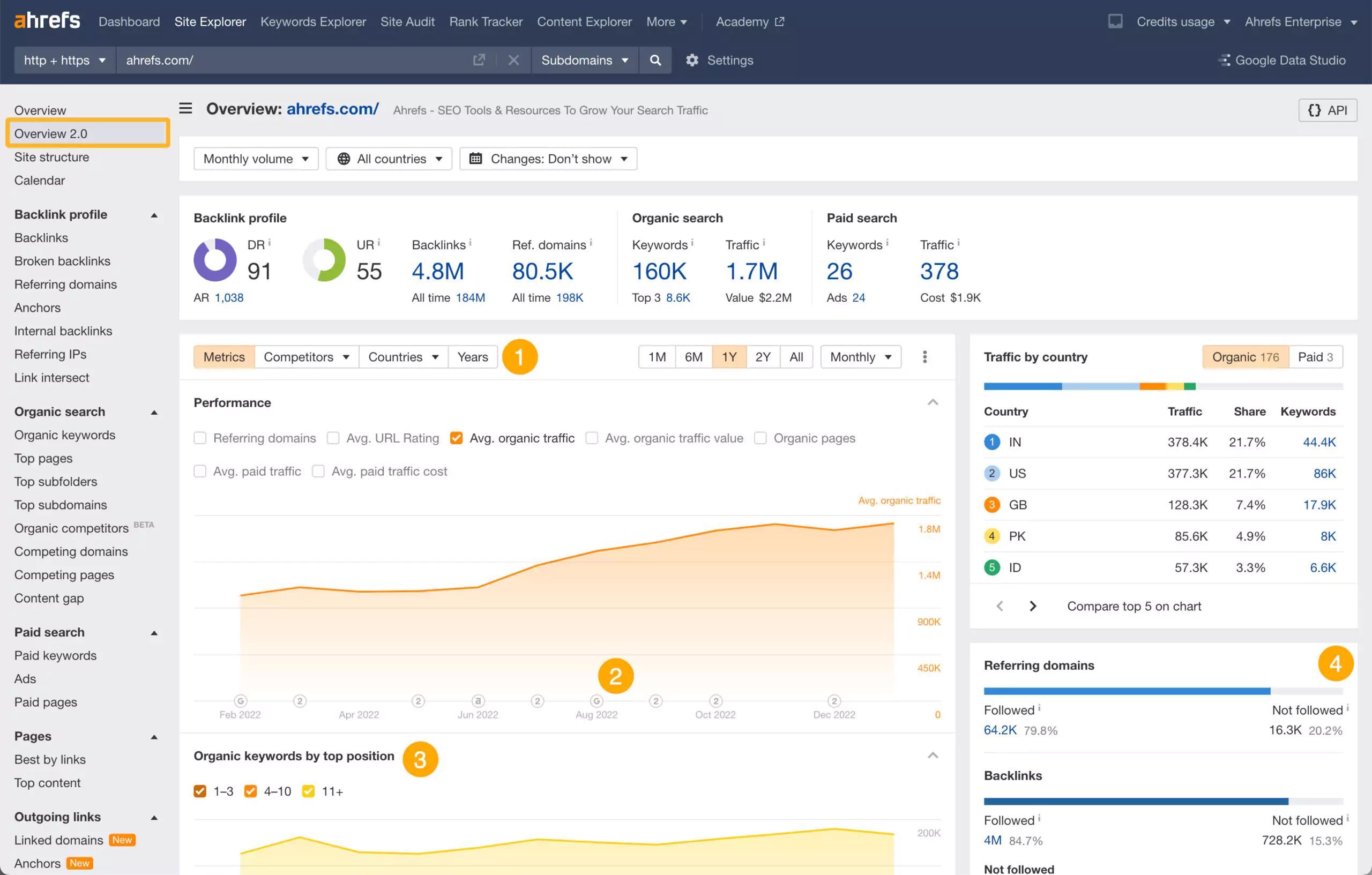
Ahrefs is widely recognized as an industry-leading enterprise software suite. While full access requires a premium subscription, the company offers a robust, free Keyword Generator.
When questioning how to determine best keywords for SEO, having access to an accurate Keyword Difficulty (KD) score is vital. The Ahrefs free generator provides up to 100 phrase ideas per search, displaying the KD score for the top 10 results. This allows marketers to rapidly assess whether a topic is too competitive or ripe for the taking without needing to provide credit card information.
How to Perform Keyword Research:
- Go to the free tools section on the Ahrefs website and select the Keyword Generator.
- Pick your desired search engine provider (Google is set as the standard default option).
- Type your target search term into the query bar and click Find keywords.
- Review the dual data columns displaying estimated metric trends.
Advanced Optimization Tactics:
The tool layout provides two prominent viewing tabs: Phrase match and Questions. Toggle directly to the Questions section immediately. These terms typically carry a lower difficulty rating compared to standard phrase variants, making them accessible targets for newer websites. Pay close attention to the specific update timestamp in the final column; if a term has not been updated in over a month, paste that exact phrase back into Google Trends to verify that seasonal changes have not altered the metrics since the last Ahrefs system update.
Top Features:
- Keyword Difficulty: Provides a numeric score estimating ranking difficulty.
- Volume Estimation: Shows broad monthly search estimates.
- Global Database: Allows users to toggle data by specific countries to localize content strategies.
7. Ubersuggest
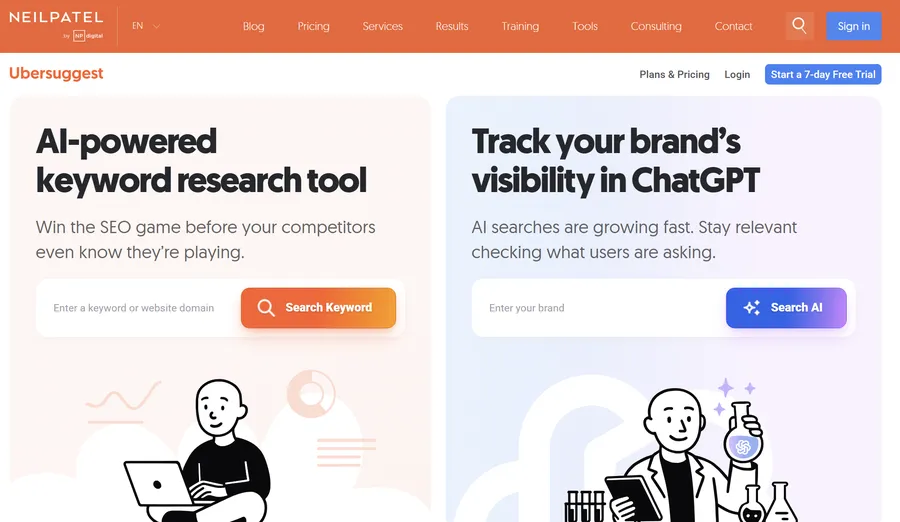
For individuals who find complex data dashboards overwhelming, Ubersuggest offers a highly streamlined, user-friendly interface. It stands out as one of the best keyword research tools for beginners who need a clean snapshot of both organic and paid metrics.
When a query is entered, Ubersuggest displays the estimated search volume, SEO difficulty, paid difficulty, and average Cost Per Click (CPC). This comprehensive view is particularly helpful for businesses running synchronized organic content and paid ad campaigns.
How to Perform Keyword Research:
- Access the main Ubersuggest platform dashboard through your browser.
- Enter your chosen phrase into the central search interface.
- Pick your specific geographic and language preferences, then click the search button.
- Navigate through the left-hand sidebar menu to look at Keyword Ideas.
Advanced Optimization Tactics:
Move past the standard volume summary and click directly into the Content Ideas tab. This interface shows you exact competitor URLs that currently rank for your term, alongside data on their estimated social shares. Analyze these successful layout templates. If the highest-performing pieces are long comprehensive tutorials, adjusting your word count to match that depth is critical. You can also paste a primary competitor’s domain name directly into the search bar to see a clean list of their top organic search phrases.
Top Features:
- Content Ideas: Suggests specific blog post titles that are currently generating traffic in the designated niche.
- Basic Site Auditing: Provides a rudimentary overview of a website’s technical SEO health.
- Backlink Snapshots: Offers basic data regarding the domain authority of top-ranking competitors.
8. AnswerThePublic

AnswerThePublic operates similarly to AnswerSocrates but differentiates itself through striking data visualization. By inputting a seed phrase, the platform generates a massive “wheel” of data categorized by question modifiers (who, what, where, when, why, how) and prepositions (can, is, near, with).
This visual format is unparalleled for massive brainstorming sessions. Extracting these questions and dedicating specific heading tags (H2s and H3s) to answering them ensures that the resulting article is incredibly comprehensive.
How to Perform Keyword Research:
- Open the AnswerThePublic website and enter a short, one-or-two-word topic phrase.
- Select your targeted country region and language settings before proceeding.
- Click the search button to generate the interactive semantic data wheels.
- Click on any section of the graphic map to zoom in on specific sub-questions.
Advanced Optimization Tactics:
The graphical wheel layouts are great for presentations, but they can be cumbersome for deep analysis. Click the Data toggle switch to convert the visual circle into clean tabular lists, then export the file as a CSV spreadsheet. Use your spreadsheet program to group related queries into thematic buckets. If you uncover numerous “versus” or “comparison” variations, you have found an ideal template for an evaluation matrix. Use these insights to build structured content clusters around your main topic page.
9. Keywords Everywhere

Constantly toggling between a browser tab and a separate software dashboard disrupts the research workflow. Keywords Everywhere solves this by operating as a lightweight browser extension. It overlays critical metric data directly onto the live Google search results page.
Whenever a search is performed, the extension populates the right-hand sidebar with estimated search volumes, CPC, and competition metrics for both the primary query and dozens of related long-tail variations.
How to Perform Keyword Research:
- Download and install the Keywords Everywhere extension for Chrome, Firefox, or Edge.
- Activate your free user setup configuration through the extension options menu.
- Perform a standard search directly on Google as you normally would.
- Look at the right-hand sidebar panels on the live search results page to see the automated widgets.
Advanced Optimization Tactics:
This tool is exceptionally powerful when used outside of standard Google search pages. Navigate to YouTube or Amazon with the extension enabled to see localized search metrics directly inside those platform search bars. Additionally, use the built-in Analyze Page tool feature by right-clicking on a competitor’s live blog post. The extension will read the entire webpage text and deliver a detailed report showing every prominent term used along with its exact keyword density, letting you reverse-engineer their layout strategy easily.
The Limitations of Free Software
While leveraging the best keyword analysis tool available for free is a great starting point, these platforms inherently come with restrictive limitations. Relying exclusively on unpaid software presents several roadblocks for scaling a professional content operation.
Common limitations include hidden data rows, restricted daily search caps, inaccurate difficulty scoring for niche topics, and a lack of historical ranking tracking.
When a website grows to a point where these limitations actively hinder content production, it is time to consider upgrading to a premium enterprise platform. A specialized paid platform will offer granular data that free tools intentionally gatekeep, allowing for faster scaling of a digital marketing footprint.
How to Evaluate and Select the Best Free Keyword Research Tool
To ensure content succeeds, one must master the art of choosing keywords for SEO by filtering out vanity metrics and focusing strictly on intent-aligned data. A high search volume number means nothing if the traffic does not convert into readers, subscribers, or customers.
- Relevance over Volume: Always prioritize how closely a term relates to the core business offer. Bringing 100 highly targeted users to a page is vastly superior to bringing 10,000 completely random visitors who leave immediately.
- Analyze the SERP Real Estate: Before finalizing a target term, review the search results carefully. If the page is crowded with map packs, shopping ads, and video panels, the actual organic click-through rate will be low. Look for cleaner result pages where standard articles still hold high visibility.
- Identify Content Gaps: Look at the specific subtopics competitors failed to explain thoroughly. If they skipped crucial step-by-step instructions or missed answering basic user questions, use that omission as an angle to build a superior resource.
Final Thoughts on Search Strategy
Building an effective organic traffic pipeline requires patience, precision, and reliable data. Utilizing free software options allows digital marketers, small business owners, and solo publishers to establish a strong structural foundation without massive overhead costs.
By combining the strengths of multiple platforms—using Google Keyword Planner for broad ideas, Ahrefs for difficulty metrics, and AnswerThePublic for user intent formatting—it is entirely possible to craft an elite content strategy. As traffic scales and revenue increases, shifting focus toward deep manual SERP evaluation and specialized analytics will further refine the process, ensuring long-term dominance in the digital landscape.
FAQs About Best Keyword Research Tools
1. What is the absolute best free keyword research tool available?
The definitive choice depends entirely on the current objective. For optimizing content that already exists on a website, Google Search Console is unmatched due to its precise, real-world data. For generating completely new content ideas and assessing ranking difficulty, combining the Ahrefs Keyword Generator with Google Autocomplete yields the most actionable results for unpaid users.
2. How to do keyword analysis for a brand-new website with zero authority?
New websites must strictly avoid high-volume, highly competitive head terms. Instead, focus entirely on hyper-specific, long-tail phrases that established competitors ignore. Use forums, Google Autocomplete, and platforms like AnswerSocrates to find detailed questions. Creating high-quality, comprehensive answers to these obscure questions is the fastest way to build initial topical authority.
3. What metrics matter most when choosing keywords for SEO?
While Search Volume indicates potential traffic, Search Intent and Keyword Difficulty are vastly more important. Targeting a phrase with 10,000 monthly searches is useless if the website lacks the authority to rank on the first page, or if the intent of the page does not match what the user is looking for. Prioritize low difficulty and precise intent alignment over raw search volume.
4. How to determine the best keywords for SEO when looking at competitor data?
When analyzing a competitor, look for phrases where they are ranking well but their content is objectively poor, outdated, or thin. If a competitor holds a top-three position with a 500-word article lacking modern formatting or media, that is a prime opportunity to create a 2,000-word comprehensive guide and overtake their position.
5. Can a website achieve page-one rankings without paying for premium SEO software?
Absolutely. Premium software merely speeds up the data aggregation process; it does not replace the necessity for high-quality writing and proper HTML structuring. By mastering free platforms, manually analyzing the top 10 search results for search intent, and ensuring superior content quality, any website owner can achieve top rankings without paying monthly subscription fees.
Read more: How to Check Competitor Website: Traffic & SEO Wins
Contact US | ThimPress:
Website: https://thimpress.com/
Fanpage: https://www.facebook.com/ThimPress
YouTube: https://www.youtube.com/c/ThimPressDesign
Twitter (X): https://x.com/thimpress_com