Picking a host feels simple until you actually start comparing plans, and then the renewal prices, hidden limits, and vague “unlimited” claims start piling up.
If you are searching for inexpensive website hosting, the goal is not just the lowest number on the checkout page. It is finding a plan that still loads fast, stays online, and gives you room to grow once your site starts getting real traffic.
This guide walks through what actually affects hosting cost, which providers deliver the most value right now, and how to avoid the common traps that turn a “cheap” plan into an expensive mistake six months later.
Eduma – Education WordPress Theme
We provide an amazing WordPress theme with fast and responsive designs. Let’s find out!
What affordable hosting really costs in 2026
Most budget hosting plans advertise a rock-bottom introductory rate, then renew at two to four times that price after the first term. A plan listed at $2.99 a month often renews closer to $9 to $12 a month once the promotional period ends. That is not necessarily a bad deal, but it means the sticker price is only useful for comparison if you also check the renewal rate.
A genuinely inexpensive website hosting plan should give you a full-featured control panel, a free SSL certificate, daily backups, and at least one free domain in the first year. If any of those are missing or sold as paid add-ons, the plan is not actually cheap, it is just deferred cost.
Storage and bandwidth numbers matter less than they used to. Most shared hosting providers now offer effectively unmetered storage for a typical blog or small business site, so the real differentiators are server response time, the number of sites you can host, and how the provider handles traffic spikes.
What to look for in web hosting affordable plans
Before comparing brand names, it helps to know which specs actually affect your day-to-day experience running a site. A bridge worth remembering here: cheap only pays off if the plan still performs.
Uptime and reliability
Look for a published uptime guarantee of at least 99.9%. That works out to roughly 8.7 hours of downtime per year, which is the realistic ceiling for a well-run shared server. Anything below 99.9% on paper usually performs worse in practice, since providers tend to round their own numbers up. Some hosts also offer a service credit if they fall short of the guarantee in a given month, which is worth checking since it gives you a way to hold the provider accountable rather than just taking the number on faith.
Speed and server resources
Time to First Byte (TTFB) under 200ms and a Largest Contentful Paint (LCP) under 2.5 seconds are the numbers that actually correlate with both user experience and Google ranking signals. Ask providers directly whether they use SSD or NVMe storage, since NVMe drives read and write data several times faster and noticeably shorten page load on database-heavy sites like WooCommerce stores. It also helps to ask how many accounts typically share a single server, since a provider that packs hundreds of sites onto one machine will struggle to hold those speed numbers during peak hours even if the raw hardware is fast.
Caching matters just as much as hardware. A host that ships with server-level caching already configured, rather than requiring you to install and tune a separate caching plugin, tends to produce more consistent load times without any extra setup work on your end.
Support quality
Cheap hosting often means slower support, but not always. Live chat response time under two minutes and 24/7 availability are reasonable expectations even on entry-level plans. If a provider only offers ticket-based support with a 24-hour response window, factor that into the real cost of the plan, especially if you are not comfortable troubleshooting server issues yourself.
5+ Top rated hosting services worth considering
The following providers consistently show up in independent benchmark tests and hold a strong reputation for pairing low prices with dependable performance.
Hostinger
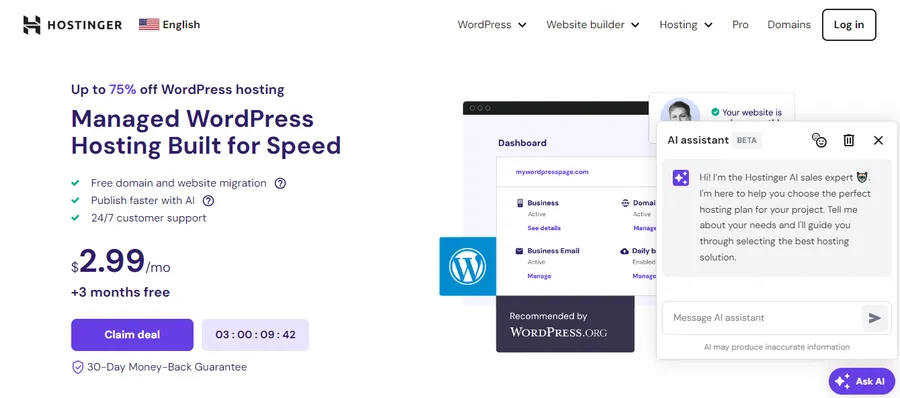
Hostinger runs on custom-built LiteSpeed servers and includes a free CDN and daily backups even on its cheapest plan, which makes it one of the more complete budget options available. During a test setup, the account dashboard (hPanel) took under a minute to provision a fresh WordPress install, and the built-in cache manager was already switched on by default, something most budget hosts leave off until you dig through settings.
Bluehost
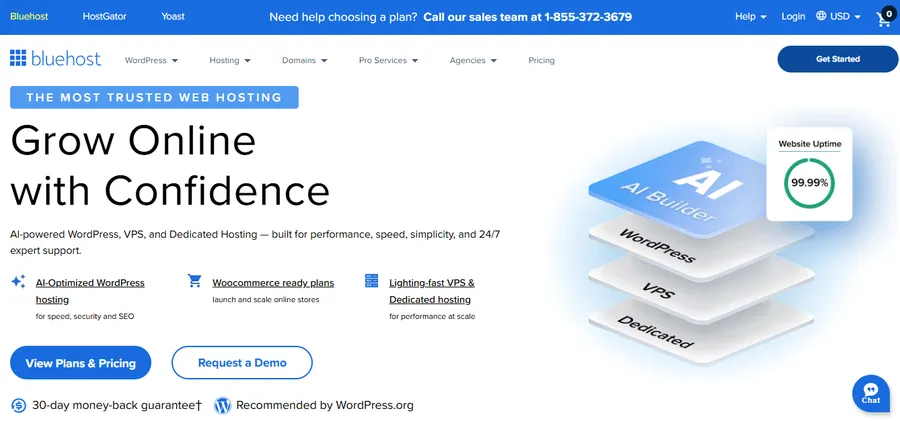
Bluehost is officially recommended by WordPress.org and bundles a free domain and SSL into every plan, which suits first-time site owners who want one less thing to configure. The onboarding wizard walks you through picking a theme and installing starter plugins before you ever touch a control panel, which is helpful if server administration is unfamiliar territory.
DreamHost
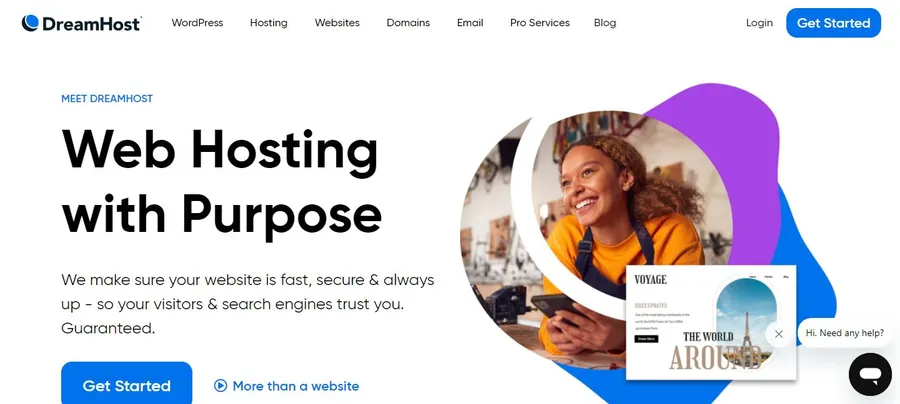
DreamHost stands out for a 97-day money-back guarantee, longer than almost any competitor, and for not requiring a credit card to sign up for the trial. It also includes unlimited traffic and storage on every shared plan, so there is no need to monitor bandwidth caps the way you would on some competitors.
A2 Hosting
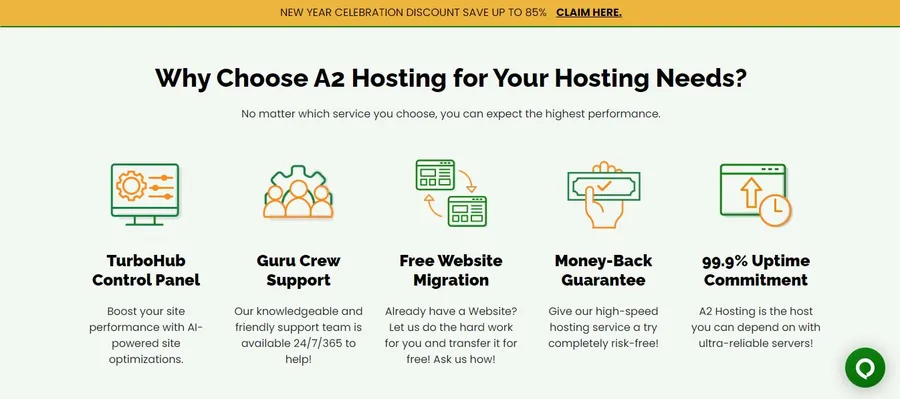
A2 Hosting focuses on raw speed through its Turbo Servers, which the company states can load pages up to 20 times faster than standard shared hosting configurations, largely because Turbo accounts cap the number of sites per server far below the industry norm.
SiteGround

SiteGround costs more at renewal but includes proprietary caching (SG Optimizer) and daily backups that make a real difference for WordPress and WooCommerce sites handling steady traffic; its Google Cloud infrastructure also tends to produce more consistent TTFB scores than older shared hosting stacks still running on traditional data centers.
None of these is universally “the best.” The right choice depends on your priorities:
- A2 Hosting suits developers who want speed and root access options;
- Bluehost suits beginners who want a guided setup;
- DreamHost suits anyone who wants a long trial window before committing;
- SiteGround suits store owners who are willing to pay a bit more at renewal in exchange for tighter WooCommerce performance.
Best WordPress hosting sites for beginners and small businesses
If your site runs on WordPress, general-purpose hosting is not always the right fit. The best WordPress hosting sites optimize specifically for the WordPress core, which means faster PHP execution, automatic core and plugin updates, and staging environments where you can test changes before pushing them live.
Managed WordPress hosts like WP Engine and Kinsta cost more than shared hosting but remove a lot of maintenance work: automatic updates, built-in malware scanning, and CDN integration are handled for you. Budget-friendly alternatives such as Hostinger’s WordPress-specific plans or SiteGround’s StartUp tier give you most of those same conveniences at a fraction of the price, which makes them a sensible starting point for a small business or portfolio site.
Whichever host you choose, the theme running on top of it matters just as much for speed and usability. If you are building a course platform, membership site, or education-focused business, Eduma is a WordPress theme built specifically for online courses and LMS functionality, and it pairs well with any of the WordPress-optimized hosts above since it is built to work smoothly with LearnPress and other learning management plugins.
Common hidden costs that make cheap hosting expensive
Even among the best and cheap hosting services, a few recurring add-ons quietly push the total bill higher than the homepage price suggests. Knowing these in advance keeps the checkout process from turning into a surprise.
Domain privacy and renewal fees
Many providers include a free domain for the first year, then charge full price for both the domain and a “privacy protection” add-on starting in year two. Domain privacy typically costs $10 to $15 a year if it is not bundled in, so check whether it is included before assuming your renewal price covers everything.
Backup and restore fees
Some budget plans include backups only as a paid add-on, often $2 to $5 a month, or limit free backups to a short retention window like seven days. If your site changes often, ask specifically how far back you can restore and whether restoring a backup requires a support ticket or a self-service button.
Migration and site limits
A handful of entry-level plans cap you at a single website per account, which matters if you plan to build more than one site later. Others charge a one-time migration fee if you bring an existing site over rather than starting fresh, so ask directly whether migration is complimentary before you sign up.
5+ Best and cheap hosting services compared
Here is a side-by-side look at starting prices, renewal rates, and the features that matter most for a small site.
| Provider | Starting price | Renewal price | Free SSL | Storage | Best for |
| Hostinger | $2.99/mo | $6.99/mo | Yes | 50GB NVMe | Overall value |
| Bluehost | $2.95/mo | $10.99/mo | Yes | 10GB SSD | WordPress beginners |
| DreamHost | $2.89/mo | $6.99/mo | Yes | Unlimited | Long trial period |
| A2 Hosting | $2.99/mo | $10.99/mo | Yes | 100GB SSD | Speed-focused sites |
| SiteGround | $2.99/mo | $17.99/mo | Yes | 10GB SSD | WooCommerce stores |
Prices reflect standard entry-level shared hosting plans and change periodically, so confirm current rates on the provider’s site before checkout.
Shared hosting vs. VPS vs. managed WordPress hosting
Before choosing a hosting provider, it’s important to understand the three main types of web hosting and what each is best suited for:
- Shared hosting puts your site on a server alongside hundreds of other accounts, which keeps the price low but means your neighbors’ traffic spikes can occasionally slow your site down. It works well for blogs, portfolios, and small business sites under a few thousand monthly visitors.
- VPS (Virtual Private Server) hosting gives you a dedicated slice of server resources that other accounts cannot touch. It costs more, typically starting around $20 to $40 a month, but delivers consistent performance for sites with growing traffic or resource-heavy plugins.
- Managed WordPress hosting sits in between on price but removes the technical maintenance burden entirely. The host handles updates, security patching, and performance tuning, which is worth the extra cost if you would rather spend your time building the site than maintaining the server.
Who inexpensive hosting works best for
Budget shared hosting is a strong fit for personal blogs, portfolio sites, local business pages, and early-stage stores that see under a few thousand visits a month. If your site is mostly static content with occasional form submissions or a small product catalog, the performance difference between a $3 plan and a $30 plan is often not noticeable to visitors.
The calculation changes once a site depends on real-time functionality: membership logins, course progress tracking, live inventory syncing, or a checkout flow processing dozens of transactions a day. At that point, the shared resources on an entry-level plan can become a bottleneck during traffic spikes, and upgrading to VPS or managed hosting before problems appear is usually cheaper than firefighting downtime after a launch or sale goes viral.
How to switch to inexpensive website hosting without downtime
Moving hosts sounds intimidating, but most reputable providers now offer free migration tools or a one-time migration service included in your plan. The general process looks like this:
- Sign up for the new hosting plan but do not cancel your old one yet.
- Use the host’s migration plugin, or request their free migration service, to copy your files and database over.
- Test the new site using a temporary URL or by editing your local hosts file, checking that pages, forms, and checkout flows all work correctly.
- Update your domain’s DNS records to point to the new host once testing confirms everything works.
- Keep the old hosting account active for at least a week after the switch in case DNS propagation causes temporary inconsistencies for some visitors.
DNS propagation usually completes within a few hours but can take up to 48 hours in rare cases, so avoid canceling the old account immediately after the switch.
FAQs
Is inexpensive website hosting reliable enough for a business site?
Yes, as long as you choose a provider with a published uptime guarantee of at least 99.9% and verified NVMe or SSD storage. Budget hosting from established providers like Hostinger or DreamHost regularly performs on par with pricier alternatives for small to medium traffic sites.
What is the difference between shared hosting and cheap VPS hosting?
Shared hosting splits server resources across many accounts, keeping costs low but limiting performance during traffic spikes. VPS hosting isolates your resources on the same physical server, which costs more but guarantees consistent speed regardless of what other sites are doing.
How much should I really pay for web hosting affordable to a small business?
A solid small business plan typically runs $3 to $10 a month at renewal for shared hosting, or $15 to $30 a month for VPS or managed WordPress hosting. Anything advertised far below that range usually cuts corners on support, backups, or server resources.
Does cheap hosting hurt SEO rankings?
Cheap hosting only hurts rankings if it causes slow load times or frequent downtime, both of which are factors Google considers in search rankings. Choosing a budget provider with strong Core Web Vitals scores and a 99.9% uptime guarantee avoids this problem entirely.
Conclusion
Inexpensive website hosting does not have to mean sacrificing speed, uptime, or support. The providers covered here, from Hostinger’s NVMe-backed plans to DreamHost’s long trial window, prove that a low price and dependable performance are not mutually exclusive. Check the renewal rate before you commit, confirm the uptime guarantee, and match the hosting type to your actual traffic needs rather than defaulting to the cheapest listed number. If you are building a WordPress course or membership site on top of your new host, pairing it with a purpose-built theme like Eduma will save you setup time and give your site a head start on performance.
Read more: Website Builder Reviews: Top 10 Platforms Compared