Building a successful education WordPress website involves more than just content creation; it requires selecting the right technological infrastructure on WordPress. Two primary solutions dominate this space: the Learning Management System (LMS) and the membership plugin. While they often overlap in functionality—specifically in their ability to restrict content and manage users—they serve fundamentally different purposes.
To make the best decision, one must evaluate the unique strengths of both LMS vs Membership WordPress solutions. This guide provides a fair assessment of each, explains why an LMS like LearnPress might be the specialist tool needed for teaching, and explores how combining both can yield powerful results.
Eduma – Education WordPress Theme
We provide an amazing WordPress theme with fast and responsive designs. Let’s find out!

The Case for Membership Plugins: The Master of Access
Membership plugins are incredibly robust tools designed to manage access rights and recurring revenue. They are not merely “gatekeepers”; they are the engine behind many successful community-driven websites.

Strength 1: Versatility of Content
The primary advantage of a membership plugin is its flexibility. It does not strictly define what “content” is. Whether the site offers premium blog posts, downloadable stock photography, industry reports, or exclusive video interviews, a membership plugin handles it all with ease. For site owners who want to monetize a diverse library of resources rather than a structured class, this versatility is unmatched.
Strength 2: Community Building
Membership plugins excel at fostering exclusivity. By creating tiers (e.g., VIP, Gold, Silver), they build a sense of belonging among users. They are often better equipped to handle community aspects, often integrating seamlessly with specialized forum software like bbPress or BuddyPress, which keeps users engaged over the long term.
Strength 3: Sophisticated Subscription Management
While many tools handle payments, membership plugins are often specialized for complex recurring billing models, free trials, and prorated upgrades/downgrades. For a business model aimed at long-term subscriber retention rather than a one-time educational transaction, these features are essential.
The Case for LMS Plugins: The Specialist in Education
While membership plugins handle access beautifully, an online learning WordPress platform requires specific pedagogical tools. This is where the LMS distinguishes itself as a specialized solution for educators.
Strength 1: Structured Learning Paths
An LMS is designed to guide a user from point A to point B. Unlike the broad access provided by membership tools, an LMS organizes content into a curriculum: Courses, Sections, and Lessons.
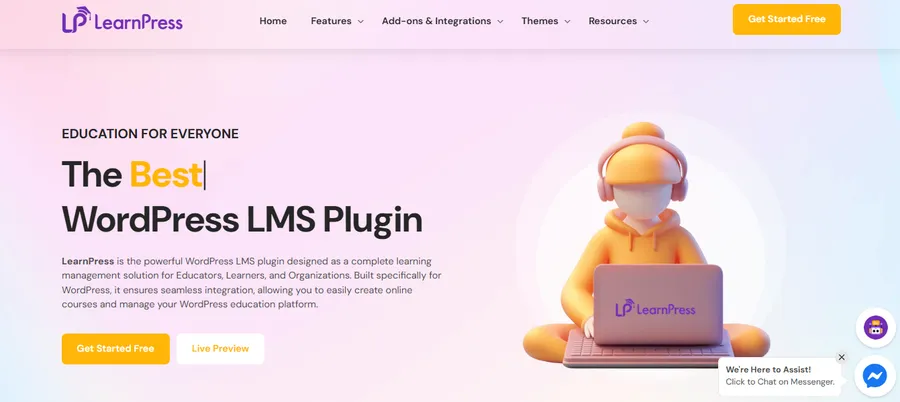
For example, a WordPress education plugin like LearnPress allows instructors to enforce a learning sequence. A student cannot skip to the final exam without completing the prerequisite lessons. This drip-feed logic in an LMS is often tied to user progress, whereas membership drip content is usually tied strictly to dates.
Strength 2: Assessment and Verification
For those looking to Sell Courses WordPress users can rely on for professional development, assessment is key. Membership plugins generally lack native testing capabilities. An LMS, however, comes equipped with powerful quizzing engines.
LearnPress, for instance, offers various question types (multiple choice, true/false) and automated grading. Furthermore, it can generate certificates of completion. This feature transforms the website from a simple content repository into an accredited academy where student effort is recognized and rewarded.
Strength 3: Student Progress Tracking
In an Education WordPress Website, data is power. An LMS provides granular insights into student behavior. Instructors can see exactly how far a student has progressed, which quizzes failed, and how much time was spent on a lesson. This level of detail is rarely available in standard membership plugins, which typically track account status rather than learning progress.
LMS vs Membership WordPress: The Comparative Analysis
To choose the right path, one must look at the core objective of the website.
1. The Focus of the User Experience
- Membership: The experience is about access. The user pays to enter a VIP area where they can explore content at their own pace and in any order. The value proposition is the availability of the content.
- LMS: The experience is about achievement. The user enrolls to create an online course journey and acquire a specific skill. The value proposition is the transformation of the learner through a structured process.
2. Content Drip vs. Content Flow
Both systems can “drip” content (release it over time). However, membership plugins usually drip content based on time (e.g., “Day 30 of membership”). An LMS drips content based on performance (e.g., “After passing Quiz 1”). For an online learning WordPress site, the performance-based drip found in tools like LearnPress is often more effective for ensuring competency.
3. Monetization Models
Membership plugins are the gold standard for recurring monthly or yearly subscriptions covering the entire site. Conversely, LMS plugins are often optimized to sell courses WordPress style—meaning individual transactions for specific courses, or bundles of courses. It is also common to integrate with WooCommerce to utilize familiar cart functionality for selling these courses.
Why the LMS Often Has the Edge for Educators
If the primary goal is education, the LMS naturally takes the lead. While a membership plugin is excellent for managing a business, an LMS is essential for managing a classroom.
Using a dedicated best LMS plugin for WordPress like LearnPress ensures that the pedagogical needs of the students are met. It provides the interactive elements—quizzes, progress bars, and grade books—that keep learners motivated. A membership plugin alone can leave students feeling unsupported, as they have access to the material but no roadmap to master it.
Therefore, for anyone serious about teaching, starting with a robust LMS is the logical choice. LearnPress is particularly attractive here because it offers a lightweight, user-friendly entry point that can scale up with add-ons as the school grows.
The Power of the Hybrid Model
The debate of LMS vs Membership WordPress does not have to be a zero-sum game. In fact, the most professional online learning WordPress platforms often utilize a hybrid approach, leveraging the strengths of both.
By integrating a powerful membership plugin with a flexible LMS like LearnPress, a site owner can achieve the best of both worlds:
- From the Membership Side: You get robust control over recurring billing, tiered access levels (e.g., specific bundles for corporate clients), and community management.
- From the LMS Side: You get the curriculum builder, the quizzes, the progress tracking, and the certification system.
In this scenario, the membership plugin acts as the “front office,” handling the sales and checking ID cards at the door, while the LMS acts as the “professors and classrooms,” delivering the actual education inside. Many LMSs also include built-in payment gateways for eLearning (like Stripe or PayPal) to simplify this process. This combination provides a seamless, professional experience that maximizes both revenue and student success.
Conclusion
In summary, both LMS vs Membership WordPress plugins are powerful tools, each dominating its specific domain.
Membership plugins are impartial leaders in content protection and community management, making them ideal for resource libraries and subscription-based media sites. However, for a dedicated education WordPress website, the specialized features of an LMS are indispensable.
To effectively sell courses WordPress users will complete and recommend, the structure provided by an LMS like LearnPress is crucial. It elevates the content from simple information to actionable education. For the ultimate platform, consider starting with a strong LMS foundation and potentially integrating a membership layer as the business model evolves, ensuring a scalable and professional learning environment.
Frequently Asked Questions (FAQs)
Q1: Can I use a membership plugin to sell courses without an LMS?
Yes, you can. If your course consists only of video files and PDFs and does not require quizzes, grading, or certificates, a membership plugin is sufficient. However, for a true online learning WordPress experience with student tracking, an LMS is recommended.
Q2: Does LearnPress work with popular membership plugins?
Absolutely. LearnPress is a highly compatible WordPress education plugin that integrates well with many major membership solutions. This allows you to restrict access to LearnPress courses based on membership levels.
Q3: Which is better for a digital library: LMS or Membership?
For a digital library (e.g., stock assets, ebooks), a membership plugin is the better choice. An LMS is designed for linear progression, which is unnecessary for a library where users pick and choose random files.
Q4: Is LearnPress difficult to set up for a beginner?
No, LearnPress is known for its intuitive setup wizard. It is designed to help users sell courses WordPress quickly without needing advanced coding knowledge, making it a great starting point for new educators.
Q5: Can I offer free courses with these plugins?
Yes, both plugin types allow for free content. An LMS can offer a “free course” to attract students, while a membership plugin can offer a “free tier” to capture leads. Using LearnPress, you can easily mark specific courses as free while keeping others premium.
Read more: 10 Best WordPress Quiz Plugins to Boost Engagement (Expert Review)
Contact US | ThimPress:
Website: https://thimpress.com/
Fanpage: https://www.facebook.com/ThimPress
YouTube: https://www.youtube.com/c/ThimPressDesign
Twitter (X): https://x.com/thimpress_com