Are you searching for the best WordPress poll plugin to elevate your website?
Online polls function as a robust instrument for connecting with an audience, accumulating significant insights, and enhancing overall website engagement. Whether the objective is to gauge product preferences, collect feedback on specific content, or simply initiate a constructive dialogue, these digital tools provide the necessary solution.
This article provides a comprehensive comparison of the superior options available, assisting site owners in gathering actionable data. While many administrators look for must-have WordPress plugins to solve general technical problems, the market offers specific solutions for voting needs. The following analysis explores these tools to help identify the optimal choice for your specific requirements.
Eduma – Education WordPress Theme
We provide an amazing WordPress theme with fast and responsive designs. Let’s find out!
Criteria for Selecting a Superior Poll Tool
Online polls provide an entertaining and straightforward method to maintain audience interest. Major media outlets frequently utilize them to generate popular content and extend the duration users spend on their pages. However, selecting the right tool requires an evaluation of several key factors, specifically regarding UX design.
When evaluating the market for the best WordPress poll plugin, certain criteria distinguish the exceptional from the average. A high-quality plugin must offer ease of use, featuring a simple interface that allows for the quick creation and publication of polls. Flexible placement is also essential; the poll should appear professional whether placed within posts, pages, or sidebar widgets.
Furthermore, performance is critical. The chosen software must be lightweight to ensure it does not impede page loading times. Finally, the ability to display visual results is paramount. A top-tier tool should function effectively as a real-time poll results plugin, automatically converting data into accessible graphs and charts for visitors to view immediately.
1. Formidable Forms

Formidable Forms currently stands as the best WordPress poll plugin on the market due to its advanced data handling and visual customization capabilities. While it operates as a comprehensive form builder—often compared to other best free and paid WordPress survey plugins—its specialized features for polls are unmatched for professionals.
This plugin features a drag-and-drop interface that simplifies the creation process. However, its primary strength lies in its visual styling. Users can utilize the visual poll styler to customize designs that align perfectly with their brand identity. It supports the creation of a WordPress poll with images and videos, allowing administrators to replace standard text answers with visual media. This significantly increases user interaction rates.
Formidable Forms allows for complex conditional logic, known as “smart branching,” where the poll adapts based on previous answers. Upon submission, the plugin generates beautiful, professional reports and graphs. For those seeking a powerful real-time poll results plugin that can handle complex data and look exceptional on any device, this is the primary recommendation.
Pricing: The Business plan is required to unlock advanced poll features, costing $199.50 per year.
2. LearnPress

While primarily known as the best LMS plugin for WordPress, LearnPress is arguably the best poll plugin for student engagement within an educational context. Although the Core (default) version of LearnPress does not feature a dedicated “Poll” post type, administrators can effectively utilize its robust “Quiz” features to function as polls or surveys.
To create a poll using LearnPress, users can leverage the diverse question types available in the quiz module. By selecting “Multiple Choice,” “Single Choice,” or “True/False” formats and removing the grading capability (or setting the passing grade to zero), an instructor can create an effective opinion poll. This allows educators to gather feedback on course difficulty or student preferences instantly.
Additionally, LearnPress offers distinct advantages for engagement that standard poll plugins lack:
- Interactive Video Quizzes: This feature allows creators to embed questions directly within a video.
- Course Review: By using the LearnPress Course Review add-on, you can create a feedback loop similar to a satisfaction survey, allowing students to rate their experience.
- Mobile Accessibility: Interaction is seamless if you utilize the LearnPress mobile app, ensuring students can vote from anywhere.
For educational websites, LearnPress serves as a unique and powerful alternative to the standard poll tools.
Pricing: The core plugin is free. Specific add-ons for extended functionality may require a bundle purchase or individual subscription.
3. WPForms

WPForms remains a strong contender for the title of best WordPress poll plugin due to its balance of power and simplicity. It is widely recognized as one of the best contact form plugins for WordPress, and its Pro plan includes a powerful Survey and Polls addon.
The interface utilizes a drag-and-drop mechanism for multiple form fields. Like Formidable Forms, WPForms allows for the creation of a WordPress poll with images and videos, enhancing the visual appeal of questions. A distinct advantage is its capability to display real-time results on the same page immediately after a user submits their vote.
WPForms also facilitates the export of data for offline presentations, such as PowerPoint. With over 6 million websites utilizing it, WPForms is a reliable choice for general-purpose polling needs.
Pricing: Access to the Survey and Polls addon requires the WPForms Pro plan, priced at $199.50 per year.
4. UserFeedback

UserFeedback offers a distinct approach to data collection compared to the other plugins on this list. It functions primarily as a widget to capture immediate input. It enables site owners to create popup polls that interact with visitors in real-time as they browse the website.
This tool is excellent for assessing immediate user sentiment regarding the website experience. It includes necessary fields for multiple-choice questions, open text responses, and star ratings. Its unobtrusive design—typically appearing as a small slide-in window—ensures high response rates without disrupting the content.
For analytics, UserFeedback provides concise reporting directly within the WordPress dashboard. If the goal is to find a real-time poll results plugin that focuses on User Experience (UX) feedback rather than content voting, this is the optimal choice.
Pricing: A free version is available. The premium version starts at $49.50 per year.
5. YOP Poll

For administrators operating with a limited budget, YOP Poll serves as an excellent free poll plugin. It is simple to install and offers a significant range of features for a non-paid tool. Users can schedule polls to remain active for specific periods, making it ideal for time-sensitive competitions.
YOP Poll allows for the display of polls across multiple pages and presents results in both numerical and percentage formats. It includes security features often reserved for premium tools, such as the ability to limit voting to guest or registered users and to block participants based on cookies or IP addresses.
While it may lack the refined interface of premium competitors, its functionality makes it a strong choice for those utilizing the best free WordPress themes who need a cost-effective solution.
Pricing: The plugin is entirely free to utilize.
6. WP-Polls
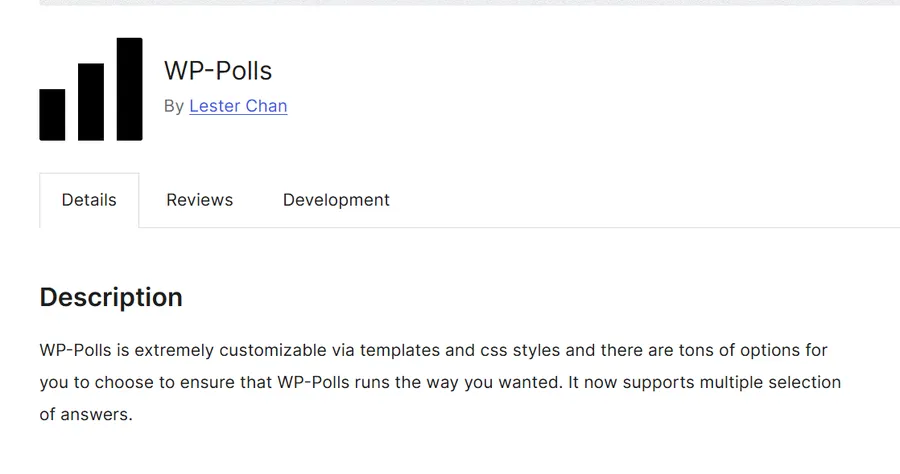
WP-Polls represents another reliable free poll plugin option for WordPress websites. It is known for its simplicity and open-source nature. This solution allows administrators to add online polls to pages, posts, and widget areas with minimal difficulty.
Participants may select multiple options, and the system automatically displays results immediately after selection. While the default design is basic, WP-Polls allows for extensive customization via CSS. This makes it an attractive option for developers or users with knowledge of custom CSS support who wish to style the poll to match specific theme requirements.
Although it lacks the drag-and-drop convenience of the premium options, its lightweight nature ensures it does not decrease website speed. For simple, text-based voting requirements, WP-Polls is a standard choice.
Pricing: This plugin is open-source and free.
Conclusion: Selecting the Appropriate Tool
Choosing the correct plugin depends entirely on the specific objectives of the website.
- For Advanced Features: Formidable Forms is the best WordPress poll plugin for customization and supports a WordPress poll with images and videos.
- For Education: LearnPress is the best poll plugin for student engagement, utilizing its Quiz and Course Review features to function as effective polling tools.
- For General Use: WPForms provides a user-friendly experience with strong reporting.
- For Budget Constraints: YOP Poll and WP-Polls are excellent choices for anyone seeking a functional free poll plugin.
By integrating one of these tools, website owners can transform passive visitors into active participants, fostering a vibrant and engaged community. Furthermore, using these interactive elements is one of the most effective WordPress SEO tips to improve search engine ranking because it increases the time users spend on your site.
FAQs about Best WordPress Poll Plugins
1. Is it possible to use LearnPress solely for polls?
While LearnPress is an LMS, you can install it to use the Quiz feature as a standalone polling mechanism. However, it is most effective when used within a course structure.
2. Can I display poll results to users immediately after they vote?
Yes, most modern plugins provide this functionality. Tools such as Formidable Forms and YOP Poll allow administrators to configure the settings to show a graph or percentage breakdown of the current standings the moment a visitor submits their answer. This creates a real-time poll results plugin experience.
3. Do these plugins support mobile devices?
All the plugins listed in this comparison function as responsive software. This means the polls will automatically adjust their layout to fit screens of all dimensions, including smartphones and tablets, ensuring a seamless experience for mobile visitors.
4. How do I create a poll with images?
To create a WordPress poll with images and videos, you should select a plugin like Formidable Forms or WPForms. These tools have built-in fields that allow you to upload media files to represent the answer choices instead of using plain text.
5. How does a poll affect SEO?
Polls increase time-on-site, which is a positive signal to search engines. When users interact with a poll, they stay on the page longer to read the question and view the results, which lowers your bounce rate.
Read more: LMS vs Membership WordPress Plugin: Which Is Better for Education Sites?
Contact US | ThimPress:
Website: https://thimpress.com/
Fanpage: https://www.facebook.com/ThimPress
YouTube: https://www.youtube.com/c/ThimPressDesign
Twitter (X): https://x.com/thimpress_com