The font you read code in for eight or more hours a day matters more than most developers admit.
A bad choice leads to misread characters, faster eye fatigue, and tiny friction costs that compound across thousands of lines.
A good programming font keeps 0 and O visually distinct, holds up at 13px on a high-DPI screen, and makes scanning a 200-line function feel less like work.
This guide covers the best programming fonts available right now — free and paid — with specific notes on where each one performs best, whether that is VS Code, a terminal, or a JetBrains IDE.
If you’re building developer portfolios, blogs, or documentation sites, it’s also worth learning how to change fonts in WordPress and add custom fonts to WordPress so your site’s typography matches the same attention to readability you apply to your code.
Eduma – Education WordPress Theme
We provide an amazing WordPress theme with fast and responsive designs. Let’s find out!
What Makes a Good Coding Font?
Not every monospace font is a good programmer font. The best coding fonts share a few specific traits that matter when you’re staring at nested functions and long variable names all day.
Monospacing And Character Width Consistency
Every character in a coding font occupies the same horizontal space. This keeps code columns aligned and makes indentation readable at a glance. The moment you add a proportional font to a code editor, vertical alignment breaks and diff views become unreadable.
Zero Ambiguity Between Similar Characters
The most important technical requirement is clear differentiation between: 0 (zero) and O (capital O), 1 (one), l (lowercase L), and I (capital i), and : (colon) versus ; (semicolon). After testing multiple fonts in real codebases, fonts that fail this test cause small misreads that add up to real time wasted.
Ligature Support
Programming ligatures replace common character sequences like !=, =>, <=, and -> with a single connected glyph. They do not change the underlying characters; the file still stores two separate characters.
Ligatures only affect how the editor renders them. Some developers love them, some find them confusing. The font list below notes which ones include ligature support so you can decide.
As a web developer, choosing a font that improves readability can significantly impact coding efficiency.
Rendering on your operating system
macOS and Windows render fonts differently. macOS uses subpixel rendering with slight anti-aliasing that makes thin strokes look smooth.
Windows ClearType rendering can make the same font look heavier or blurrier at small sizes. If a font looks great in screenshots but feels wrong on your machine, this is usually why.
Test at the point sizes you actually use: 12px, 14px, and 16px are the most common for VS Code.
Comparing The Best Programming Fonts At a Glance
| Font | Free | Ligatures | Best for |
| JetBrains Mono | Yes | Optional | Overall best pick, long sessions |
| Fira Code | Yes | Yes | Best free ligature selection |
| Cascadia Code | Yes | Optional | Windows Terminal, VS Code |
| Monaspace | Yes | Optional | Texture healing, customization |
| Source Code Pro | Yes | No | Clean, minimal, multi-weight |
| Hack | Yes | No | Terminal, low-res screens |
| Inconsolata | Yes | No | Small sizes, narrow layouts |
| Victor Mono | Yes | Yes | Cursive italic for comments |
| MonoLisa | $49 | Optional | Premium humanist feel |
| Operator Mono | $199+ | No | Premium cursive italic |
The Best Coding Fonts in 2026
Here are the top programmer fonts available today, ranked by overall quality and developer adoption. Each entry includes download information, ligature status, and specific editor recommendations.
1. JetBrains Mono
License: Free, open-source | Ligatures: Optional (138 included) | Best for: JetBrains IDEs, VS Code, long sessions
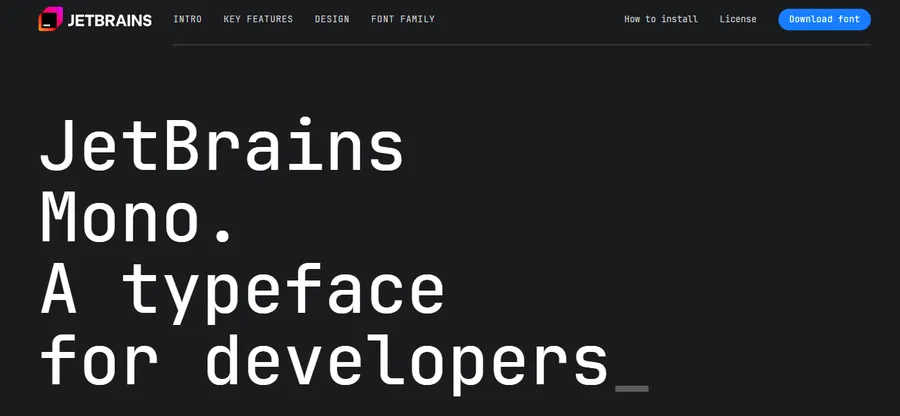
JetBrains Mono is the strongest all-around choice for most developers right now. It was built from scratch by the team at JetBrains specifically for reading code, and that origin shows in every design decision. The x-height is taller than most competitors, letter spacing is slightly wider than typical, and the letterforms themselves are tuned to reduce the micro-movements your eyes make when scanning code.
The font ships as the default in all JetBrains products (IntelliJ, PyCharm, WebStorm, GoLand, and the rest), which means if you have not changed your IDE font, you may already be using it. It works exceptionally well in VS Code too. After switching from Consolas to JetBrains Mono on a large TypeScript project, the difference in scanning speed across long files becomes noticeable within a few days.
To set it in VS Code, open settings.json and add:
json
“editor.fontFamily”: “JetBrains Mono”,
“editor.fontLigatures”: true
2. Fira Code
License: Free, open-source | Ligatures: Yes (extensive) | Best for: Ligature enthusiasts, web developers, modern editors
Fira Code is the font that put programming ligatures on the map for most developers. It has topped developer font polls for years, and while JetBrains Mono has overtaken it in overall adoption, Fira Code still has the most extensive and thoughtfully designed ligature library of any free font.
The base letterforms are clean and readable. Character disambiguation is solid. Where it stands out is in how operators render: -> becomes a proper arrow, === becomes a unified triple-bar, and != reads as a crossed-out equals sign. If you spend a lot of time reading JavaScript, TypeScript, or Rust, these visual shortcuts add up. Fira Code is free and open-source.
3. Cascadia Code
License: Free, open-source | Ligatures: Optional | Best for: Windows Terminal, VS Code, PowerShell users
Cascadia Code is Microsoft’s official coding font, and it ships bundled with Windows Terminal and as a default option in Visual Studio. If you are on a Windows machine and have not changed your terminal font, there is a good chance you are already reading it.
What makes Cascadia Code worth choosing intentionally is its combination of strong ligature support, a clean cursive italic variant (accessible via the ss01 stylistic set), and Powerline symbol support built in. That last point matters for developers who use prompt frameworks like Oh My Zsh or Starship; Cascadia Code renders the branch icons and decorators in your terminal prompt without a separate Nerd Font install.
There is also a companion variant called Cascadia Mono, which is identical but with ligatures stripped out. If you like the letterforms but find ligatures distracting, Cascadia Mono gives you the best of both.
Enable the cursive italic style in VS Code:
json
“editor.fontFamily”: “Cascadia Code”,
“editor.fontLigatures”: “‘ss01′”
4. Monaspace
License: Free, open-source | Ligatures: Optional | Best for: Developers who want fine-grained customization, long coding sessions
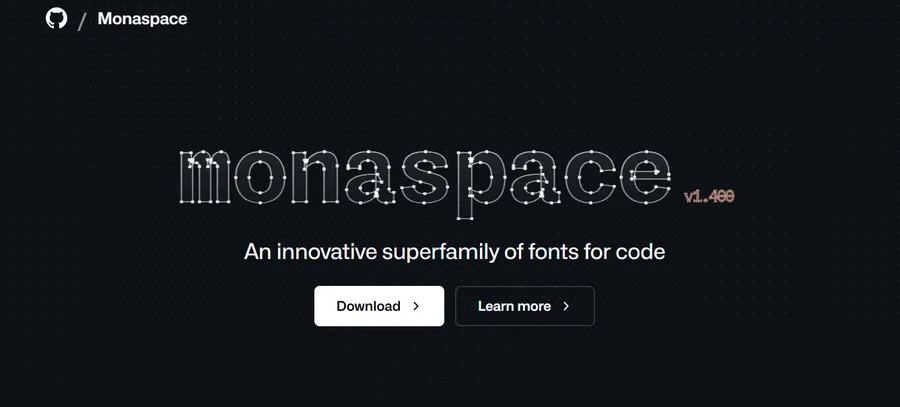
Monaspace is GitHub’s entry into the programming fonts space, released in collaboration with type design studio Lettermatic, and it is the most technically ambitious font on this list. It ships as a superfamily of five styles: Neon, Argon, Xenon, Radon, and Krypton. Each has a distinct visual character but shares the same proportions, which means you can mix them in the same file to apply different styles to comments, strings, and code.
The headline feature is what GitHub calls texture healing. Standard monospaced fonts allocate the same width to every character, so a narrow character like i takes the same space as a wide one like m. This creates uneven visual density across a line. Monaspace subtly adjusts the spacing of adjacent characters to smooth out that density without breaking alignment. The result is a more natural reading rhythm, especially in longer functions.
Monaspace also ships “Frozen Fonts,” which are pre-configured variants for editors that do not expose OpenType feature controls. This makes ligatures and stylistic sets work consistently across tools that do not support editor.fontLigatures settings.
5. Source Code Pro
License: Free, open-source | Ligatures: No | Best for: Developers who prefer no ligatures, clean and neutral aesthetic
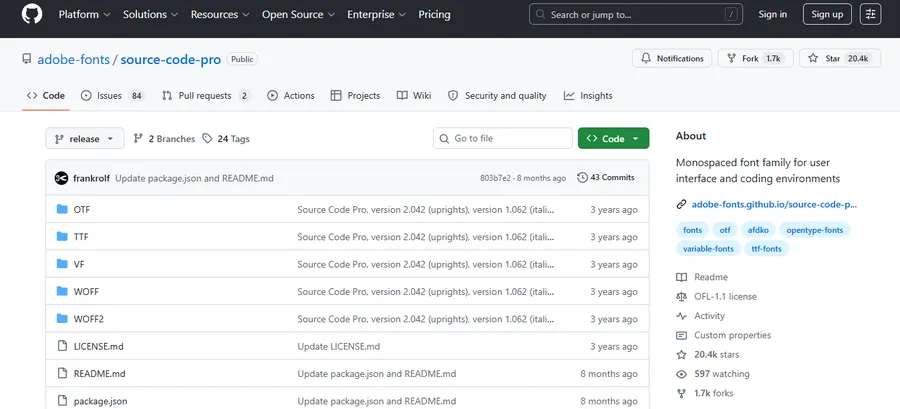
Source Code Pro is Adobe’s open-source monospaced font, available through Google Fonts, and it is one of the cleanest no-ligature options available. It comes in seven weights with matching italics, which gives more typographic flexibility than most coding fonts. The design is neutral and slightly humanist, which makes it easier on the eyes during long documentation reading sessions alongside code.
Character disambiguation is very good. The zero uses a dot rather than a slash, lowercase l has a small curve at the bottom that separates it from 1 and I, and the overall spacing feels balanced without being wide. If you find ligatures distracting and want a professional font that does not call attention to itself, Source Code Pro is the right pick.
6. Hack
License: Free, open-source | Ligatures: No | Best for: Terminal use, low-resolution screens, Linux developers
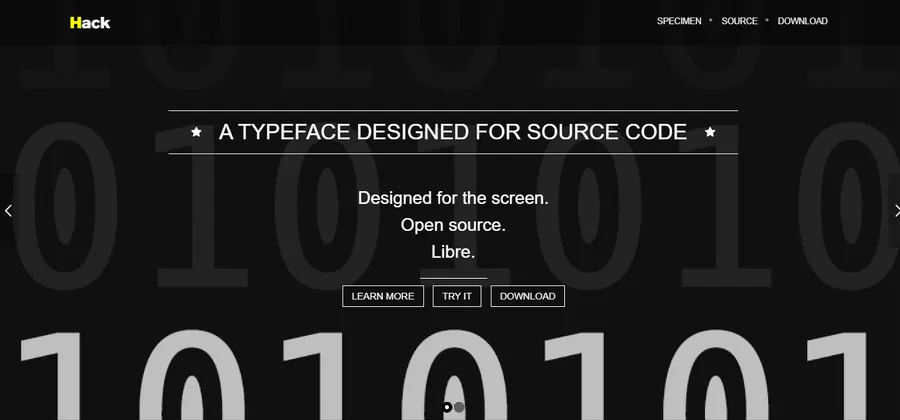
Hack is a workhorse font with a focused purpose: maximum readability in terminals and editors at small sizes and on screens without high-DPI displays. It has been around since 2015, is pre-installed on many Linux distributions, and has a loyal following among backend and systems developers who spend most of their time in a terminal rather than a GUI editor.
The design prioritizes functional clarity over aesthetics. There are no ligatures. The letterforms are slightly wider than average, which helps on lower-resolution screens where thin fonts can become blurry. If you run code in a terminal on a standard 1080p monitor and find that JetBrains Mono or Fira Code feel thin at your preferred size, Hack is worth trying.
7. Inconsolata
License: Free, open-source | Ligatures: No | Best for: Minimal setups, narrow layouts, small sizes
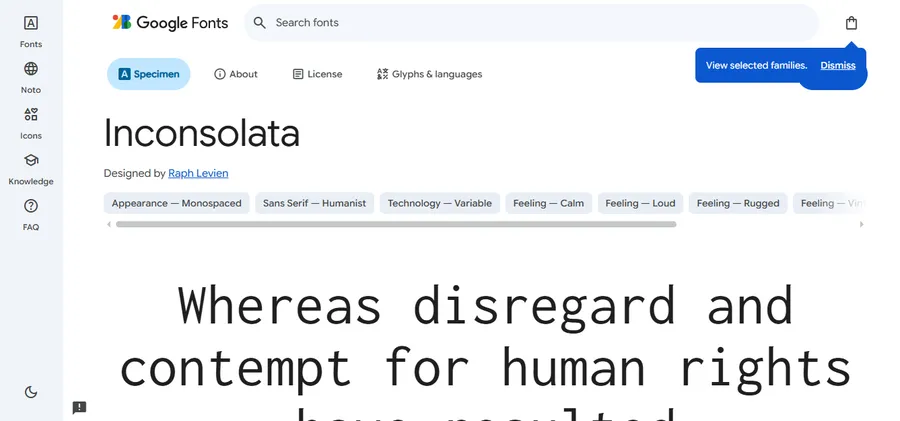
Inconsolata is a narrower monospaced font with a slightly old-school aesthetic inspired by Consolas and classic terminal typefaces. It is celebrated for staying legible at very small sizes and for having clean, uncluttered letterforms that do not compete with syntax highlighting.
If you use a split-pane editor setup with three or four columns open and need a font that works at 11 or 12px without becoming unreadable, Inconsolata handles small sizes better than most options on this list. It is not the most distinctive font visually, but that is part of its appeal: the font gets out of the way and lets you focus on the code.
8. Victor Mono
License: Free, open-source | Ligatures: Yes | Best for: Developers who want a distinctive cursive italic for comments
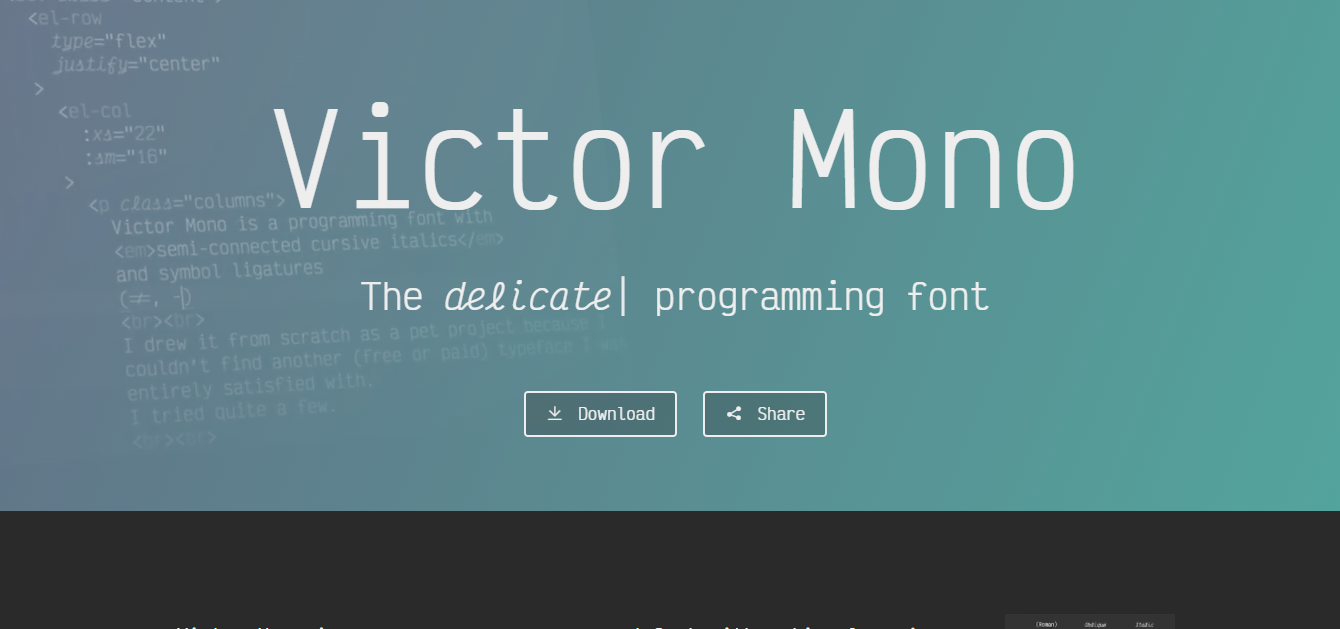
Victor Mono is a narrower monospaced font with one notable feature: a full cursive italic style. Unlike Cascadia Code, where the cursive italic is an optional variant, Victor Mono’s italics are always cursive. This makes it a popular choice for developers who want their code comments to look visually distinct from everything else in the editor.
Pairing Victor Mono’s cursive italics with a theme that italicizes comments, such as One Dark Pro or Night Owl in VS Code, creates a clear visual separation between executable code and explanatory text. The base roman weight is clean and narrow, which suits widescreen setups well.
9. MonoLisa
License: Paid ($49 personal) | Ligatures: Optional | Best for: Developers who want a premium, humanist feel
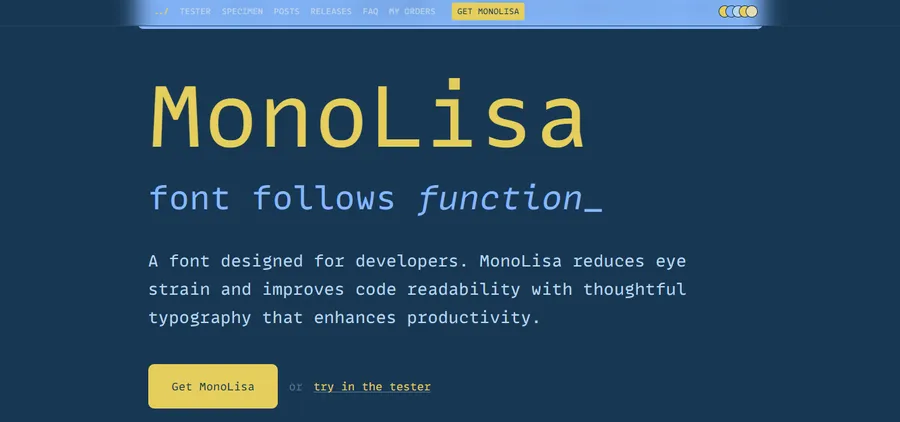
MonoLisa is the most frequently cited premium coding font among professional developers and coding educators. Its design introduces subtle humanist characteristics into a monospaced typeface: slight stroke contrast, open apertures, and letterforms that lean toward the shapes you would find in a high-quality text font rather than a geometric grid.
The result is a font that feels warmer and more natural to read than most programming fonts. MonoLisa is popular with developers who spend significant time reading and writing documentation alongside code, and with coding streamers and instructors where screen aesthetics matter. At $49 for a personal license, it is a one-time purchase and a free trial is available at monolisa.dev.
10. Operator Mono
License: Paid ($199+) | Ligatures: No | Best for: Developers who want a premium cursive italic for comments and strings
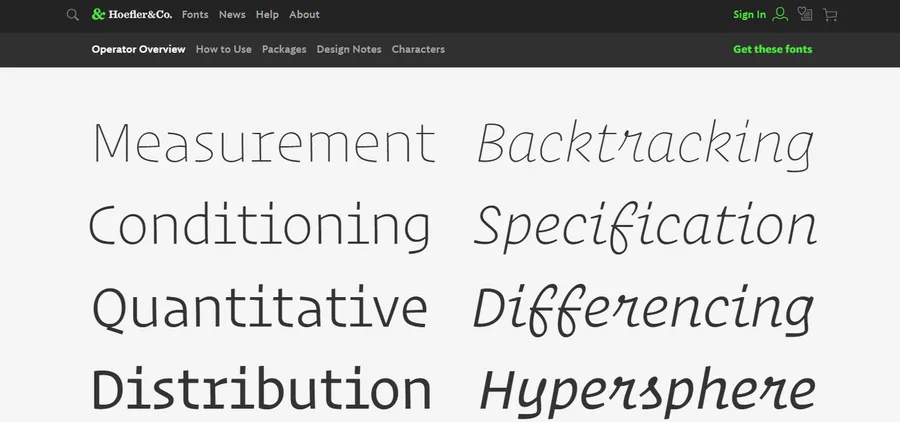
Operator Mono is the original premium cursive italic coding font, released by Hoefler&Co. It became famous after several popular VS Code themes were built specifically to showcase its italic style in comments, keywords, and strings. The letterforms are heavier and more distinctive than most coding fonts, with a strong personality that divides opinion.
It is expensive at over $199 and does not include ligatures, which makes it harder to justify against free alternatives like Victor Mono. But for developers who want the original and are willing to pay for the craftsmanship, it remains a benchmark.
How to Install and Set Fonts in VS Code
Installing a new font is the same process as any system font: download the .ttf or .otf file, double-click it, and click Install (Windows and macOS). Restart VS Code after installation.
To apply the font, open VS Code and press Ctrl + , on Windows or Cmd + , on macOS to open Settings. Search for “font family” and replace the existing value with your chosen font name. For full control, open settings.json via Ctrl + Shift + P, search “Open User Settings JSON,” and add:
json
“editor.fontFamily”: “JetBrains Mono”,
“editor.fontLigatures”: true,
“editor.fontSize”: 14,
“editor.lineHeight”: 1.6
For Monaspace with variable font weight control:
json
“editor.fontFamily”: “Monaspace Neon”,
“editor.fontLigatures”: true,
“editor.fontVariations”: “‘wght’ 400”
If a font is not rendering after installation, check that the font name in settings.json matches the installed font name exactly, including capitalization and spaces.
FAQs About Best Programming Fonts for Coders
What is the best font for VS Code?
JetBrains Mono and Fira Code are the two most-used fonts in VS Code right now. JetBrains Mono works well if you want strong readability with optional ligatures; Fira Code is the better pick if you want the widest ligature selection in a free font. To set either, open settings.json and add the font name to editor.fontFamily, then set editor.fontLigatures: true if the font supports them.
Are programming ligatures actually useful?
Ligatures are a personal preference, not an objective improvement. Many developers find that symbols like =>, ->, and != are easier to recognize at a glance when rendered as unified glyphs; others find them confusing when switching between fonts or editors. The safest approach is to try a ligature font for two to three weeks, then disable ligatures and compare. Most ligature fonts let you turn them off entirely without switching fonts.
What is the difference between Cascadia Code and Cascadia Mono?
Cascadia Code and Cascadia Mono are identical fonts with one difference: Cascadia Code includes programming ligatures and Cascadia Mono does not. Both ship with Windows Terminal and both include the optional cursive italic style via the ss01 stylistic set. If you like the Cascadia letterforms but find ligatures distracting, switch to Cascadia Mono in your editor settings.
Do I need to pay for a good programming font?
No. JetBrains Mono, Fira Code, Cascadia Code, and Monaspace are all free, open-source, and genuinely excellent. The paid options like MonoLisa and Operator Mono offer distinctive aesthetics and premium craftsmanship, but they do not read more clearly than the best free alternatives. Start with JetBrains Mono or Fira Code, give each one at least a week, and only consider a paid font if the free options do not suit your taste after a fair trial.
Read more: 8+ Best Free HTML Editor Tools
Contact US | ThimPress:
Website: https://thimpress.com/
Fanpage: https://www.facebook.com/ThimPress
YouTube: https://www.youtube.com/c/ThimPressDesign
Twitter (X): https://x.com/thimpress_com