If you have ever typed how to create a game site into Google at midnight with fifteen browser tabs open, you already know the problem. There is no shortage of advice, but most of it either assumes you can code or skips straight past the boring parts that actually make a gaming website work, like hosting, plugin choice, and page speed. This guide walks through the real steps, the tools that hold up under traffic, and the mistakes that quietly kill a lot of first attempts.
The main content of this article:
- What to figure out before you start building a game site
- Choose a platform for your game website
- How to create a game site with WordPress, step by step
- How to make a gaming website for free
- Must-have features on a game website that keeps people coming back
- How to keep a game site fast (this matters more than the design)
Eduma – Education WordPress Theme
We provide an amazing WordPress theme with fast and responsive designs. Let’s find out!
What to figure out before you start building a game site
Before you touch a page builder, decide what kind of game website you are actually running. A site that hosts hundreds of free browser games works completely differently from a site that showcases three original games you built yourself, and a site built around a gaming community forum has different priorities than either of those.
Answer three questions first:
- Will you host other developers’ HTML5 games, your own games, or a mix of both?
- Do you want ads and affiliate links to pay for hosting, or are you selling something (merchandise, a Patreon, premium levels)?
- And how much ongoing time can you give the site, since a library of 500 embedded games needs more maintenance than a five-page portfolio site ever will.
The answers change almost every decision that follows, including which platform makes sense.
Also settle on a name and domain name before you start building anything else. A lot of first-time game site owners pick a theme and start uploading games, then realize halfway through that their domain name does not match the brand they have actually built. Keep the name short, easy to say out loud, and free of numbers or hyphens if you can manage it, since those get mistyped constantly when players try to come back to a site they only half remember.
Choose a platform for your game website
There is no single right platform for a gaming website. The right one depends on how much control you want and how fast you need to launch.
WordPress (self-hosted): full control
Self-hosted WordPress.org is the most common choice for game websites that plan to grow past a handful of pages, and it is the option this guide focuses on.
WordPress powers 41.9% of all websites as of June 2026, according to W3Techs, which means the plugin and theme ecosystem behind it is enormous and well maintained. That matters for a game site specifically, because game embedding, leaderboards, and community forums are all solved problems in the WordPress plugin directory, so you are not building any of that from scratch.
The tradeoff is that you manage your own hosting, updates, and backups. That is not difficult once it is set up, but it is a real responsibility, not a one-time task.
No-code builders: fastest way to launch
If you just want a single page listing your own games with links out to itch.io or Steam, a no-code builder like Wix or Squarespace will get you there in an afternoon. The catch is that these platforms are not built for hosting dozens of embedded HTML5 games, they add file size and app limits, and customizing anything beyond the template gets restrictive fast.
For a portfolio of two or three games, that limitation barely matters. For a library-style game site, it becomes a wall you hit within a few months.
How to create a game site with WordPress, step by step
Here is the workflow I use when setting up a new gaming website on WordPress, from an empty domain to a working site with games embedded and playable.
Step 1: Get hosting and install WordPress
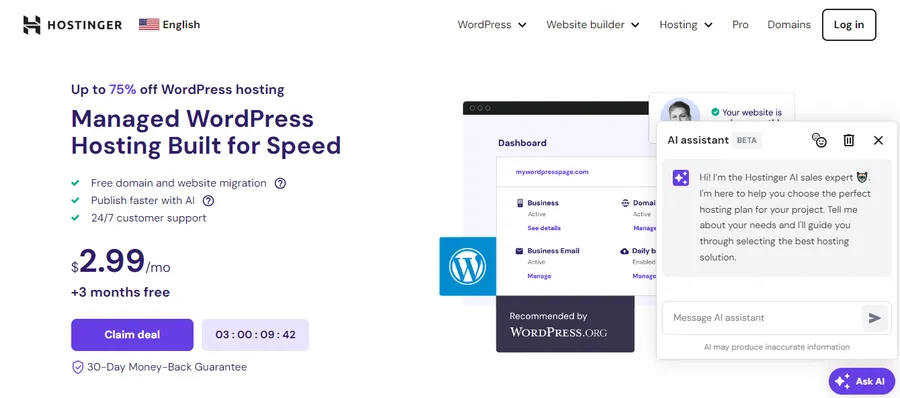
Pick a hosting provider with SSD storage and at least 1 GB of RAM if you plan to embed more than a dozen games, since game files and thumbnails add up in storage and memory use faster than typical blog content. Most hosts, including SiteGround, Hostinger, and Bluehost, offer a one-click WordPress installer, so this step usually takes about ten minutes once you have picked a plan.
Once WordPress is live, go to Settings > General and set your site title and tagline before doing anything else. It sounds small, but it is the first thing Google indexes, and it is easy to forget once you get into theme setup.
Step 2: Choose a theme built for gaming content
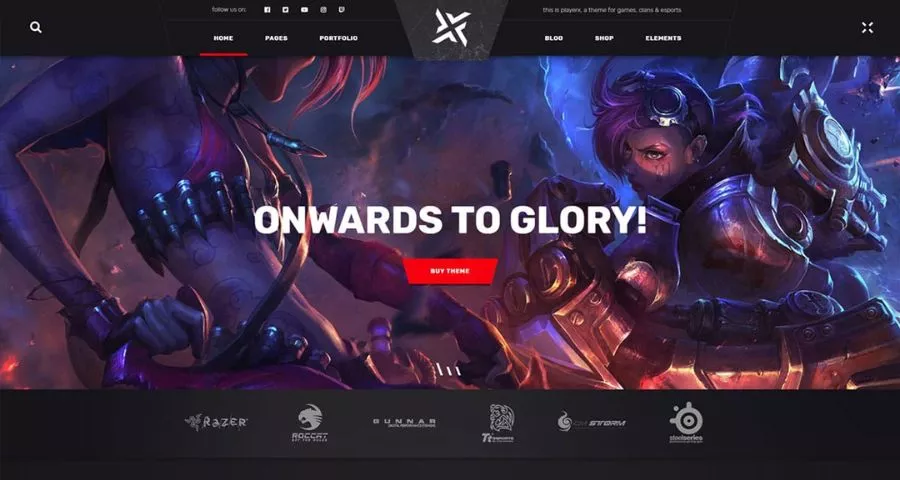
Look for a theme with a full-width layout option, built-in support for custom post types, and fast load times out of the box. Astra and GeneratePress are both good starting points because they are lightweight and pair cleanly with Elementor if you want a visual page builder, and there are also dedicated gaming themes on ThemeForest with pre-built layouts for game grids, review pages, and leaderboards.
Whatever you pick, check the theme’s demo on Google PageSpeed Insights before committing. A visually impressive gaming theme that scores under 50 on mobile performance will cost you rankings later, and retrofitting speed onto a heavy theme is far more work than choosing a lighter one up front.
Step 3: Install plugins to host, embed, and monetize games
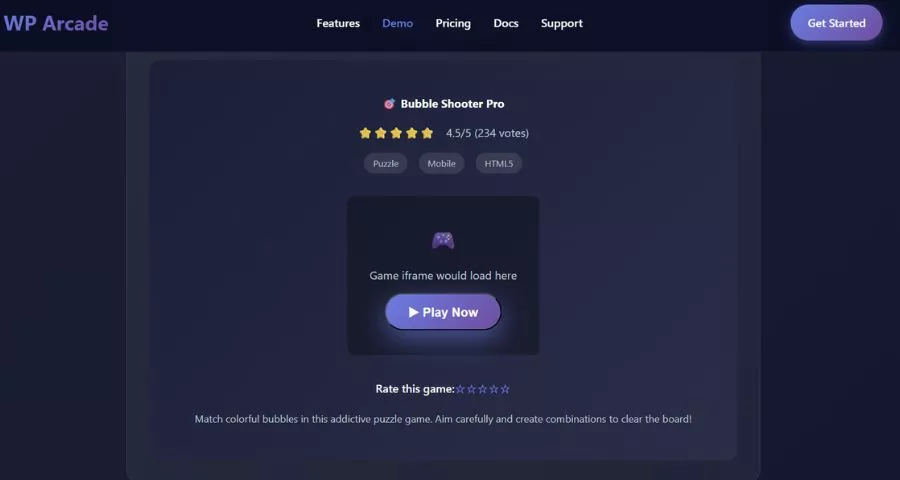
This is the step that actually turns a WordPress site into a game website. A few plugins do most of the work:
A game embedding plugin such as WP Arcade lets you pull in ready-made HTML5 games and organize them into a searchable, filterable game grid, complete with play counts and categories. If you would rather not manage individual game files yourself, syndication networks like GameDistribution and Poki for Publishers give you a script tag that embeds thousands of licensed HTML5 games on your site and shares ad revenue with you, which is how a lot of game sites fill out their library without building anything from scratch.
For community/social features, bbPress adds a free, native forum so players can discuss games and report bugs without leaving your site. If you want points, badges, and leaderboards to reward returning players, GamiPress handles that gamification layer and connects to most game embed plugins.
Install a caching plugin (WP Rocket or the free LiteSpeed Cache if your host supports it) before you add a lot of embedded games, since game iframes and scripts are exactly the kind of heavy content that caching is built to offset.
If ad revenue is part of the plan, apply to a network built for game content rather than a generic display ad network. Networks like AdSense work fine for blog content, but a page with a dozen game iframes competing for load priority against ad scripts needs placements designed with that in mind, which is exactly what game-focused ad partners like GameDistribution’s monetization program are built to handle. Test ad placement on a few game pages before rolling it out site-wide, since a poorly placed ad above a game embed can push the actual game below the fold on mobile, which does more damage to retention than the ad revenue is worth.
Step 4: Upload your first games and organize categories
Start with categories before you start uploading, not after. Genre-based categories (arcade, puzzle, racing, multiplayer) work better for browser games than the tag-heavy approach a lot of new sites default to, because genre is how players actually search and filter.
When you add each game, write a real description instead of copying the developer’s blurb. A sentence or two about what makes the game worth playing, plus the controls, does more for both SEO and player retention than a generic one-liner, and it gives you something unique to index when the exact same game is embedded on dozens of other sites.
Step 5: Add community and gamification features
Once the core game library is live, layer in the features that keep people coming back: user accounts so players can track favorites, a comment section on each game page, and a simple leaderboard if your games support score submission. None of this needs to launch on day one, but plan for it early, because retrofitting user accounts onto a site with an established game library is more disruptive than building it in from the start.
How to make a gaming website for free
You can build a real game website for close to nothing, though “free” comes with some tradeoffs depending on the route you take.
On self-hosted WordPress, the software itself is free, and you can get by on a free theme (Astra’s free tier is a solid default) and free plugins for your first few months. The one cost you cannot avoid is hosting, though budget hosts run $3 to $5 a month, and some offer a free trial period to test things out.
If you want to skip hosting entirely, WordPress.com’s free plan will get a basic site online at no cost, but it blocks custom plugins, which rules out most of the game embedding tools mentioned above. That makes it workable for a simple page linking to your games hosted elsewhere, but not for a full game library site.
The other free route is skipping WordPress altogether and using a game-hosting platform like itch.io, which lets you upload and showcase your own games with zero setup and no hosting bill. The limitation is that you are working inside itch.io’s page design and domain, not building an independent brand, so it works best as a starting point rather than a long-term home for a growing site.
Must-have features on a game website that keeps people coming back
A handful of features separate game sites that build a returning audience from ones that get a single visit and never see that player again.
- Fast search and filtering matter more on a game site than almost any other content type, because visitors usually know roughly what they want (a two-player game, a racing game, something under five minutes) and will bounce if they cannot find it in a few clicks. Genre and mechanic-based filters solve this better than a single search bar alone.
- Mobile play support is not optional. A large share of casual game traffic comes from phones, and any game embed that does not adapt to a mobile viewport, or that requires a mouse to play, will lose a meaningful chunk of visitors before they even load a second page.
- Clear game instructions, shown before the game loads rather than buried in a description underneath it, reduce the number of people who click away confused within the first ten seconds. And a related games section under every game page, pulling from the same genre or tag, keeps players clicking through your site instead of leaving after one round.
A visible favorites or bookmarks feature also pays off more than most first-time site owners expect. Once a visitor has to hunt back through categories to find a game they played last week, a lot of them just leave instead, and adding even a simple “save this game” button tied to a free account can turn a one-time visitor into someone who checks back regularly.
How to keep a game site fast (this matters more than the design)
Game sites are some of the heaviest pages on the web, since every embedded game brings its own scripts, assets, and iframes along with it. A site that looks polished but takes eight seconds to load its first game will lose visitors before that game ever finishes rendering.
A few things make the biggest difference. Lazy load every game embed below the fold so the browser only fetches a game’s assets when a visitor scrolls to it, rather than loading every embedded game on the page at once. Compress and serve thumbnails in WebP format using a plugin like Smush or ShortPixel, since game thumbnails are usually the single biggest image weight on a game listing page. And keep your plugin count lean. It is tempting to add a plugin for every feature, but each one adds its own scripts, and a gaming site with fifteen plugins running on top of dozens of embedded games is a slow site no matter how good the hosting is.
Run your homepage and a busy game listing page through Google PageSpeed Insights after any major change, and treat a mobile score under 70 as a problem worth fixing before you add more content.
FAQs About How to Create a Game Site
Do you need to know how to code to make a game site?
No. Platforms like WordPress, combined with plugins such as WP Arcade or a syndication network like GameDistribution, let you build and run a full game website without writing any code. Coding becomes useful later if you want a custom design or want to build your own games rather than embed existing ones, but it is not a requirement to get started.
How long does it take to build a gaming website?
A basic WordPress game site with hosting, a theme, and a first batch of embedded games can be live within a day or two. Building out a full library with categories, a community forum, and gamification features typically takes a few weeks of steady work, since organizing content well takes longer than the technical setup does.
Do you need special hosting for a website full of games?
You do not need specialized game hosting, but you do need enough resources to handle the extra load that embedded games bring. Look for a host with SSD storage and at least 1 GB of RAM once your library grows past a dozen games, and add a caching plugin early rather than waiting until the site slows down.
Can you turn an existing WordPress site into a game website?
Yes. Installing a game embedding plugin like WP Arcade or connecting to a syndication network such as Poki for Publishers can add a game library to an existing WordPress site without rebuilding it. The main thing to check first is whether your current theme and hosting plan can handle the added load, since game embeds are heavier than typical blog or business content. Run a speed test before and after adding the first few games, and upgrade your hosting plan early if the difference is noticeable, rather than waiting until the whole library is live to deal with it.
Conclusion
Building a game site comes down to a few decisions that matter more than the rest: picking a platform that can handle embedded games without slowing down, choosing plugins that do the heavy lifting instead of building features from scratch, and keeping speed in mind from day one instead of fixing it later. Start small with a handful of games in a few categories, get the site fast and working well, then expand the library once you know what your visitors actually play.
Read More: Making a Website for a Small Business: 6+ Simple Steps
Contact US | ThimPress:
Website: https://thimpress.com/
Fanpage: https://www.facebook.com/ThimPress
YouTube: https://www.youtube.com/c/ThimPressDesign
Twitter (X): https://x.com/thimpress_com