You have valuable content, and people are willing to pay for it. The only thing standing between your current website and a profitable subscription business is choosing the right membership plugin WordPress solution.
This guide cuts through the noise. It compares the top WordPress membership plugin options on the market based on pricing, ease of setup, and essential features like content dripping and payment integrations. Whether the goal is selling online courses, building a gated community, or offering premium digital downloads, here is the exact technical foundation needed to launch a successful platform.
If you want to sell digital products online, setting up a secure subscription model is one of the most sustainable strategies available today.
Eduma – Education WordPress Theme
We provide an amazing WordPress theme with fast and responsive designs. Let’s find out!
10 Best WordPress Membership Plugins
The table below provides a quick side-by-side comparison of the top tools reviewed in this article.
| Plugin Name | Primary Use Case | Key Feature | Pricing Tier |
| 1. Memberships & Subscriptions for LearnPress | E-learning platforms | Webhook automated access sync | $49 (Currently $29) |
| 2. MemberPress | Content restriction & courses | Built-in access rules & paywalls | From $179 / year |
| 3. ProfilePress | Profile management & digital sales | Custom frontend registration forms | From $129 / year |
| 4. ARMember | Budget-friendly multi-tier sites | 50+ built-in modules & pay-per-post | From $69 / year |
| 5. ProfileGrid | Community groups & directories | Group-based user organization | Free / From $79 |
| 6. LearnDash | Advanced LMS & course bundles | Drag-and-drop builder & quizzes | From $159 / year |
| 7. Kadence Memberships | Lightweight content locking | Clean developer code & exports | From $99 / year |
| 8. WooCommerce Memberships | E-commerce stores | Product-tied subscription perks | From $119 / year |
| 9. Paid Memberships Pro | Highly custom membership models | Open-source flexibility & add-ons | Free / From $297 |
| 10. s2Member | Basic file & page protection | Brute-force protection & custom buttons | Free / From $89 |
Essential Criteria for Selecting a WordPress Member Plugin
Before committing to a specific solution, site owners should review several functional areas. A quality WordPress member plugin must support core operational requirements without adding unnecessary technical complexity.
1. Granular Content Restriction
The primary job of any access control software is restricting content based on user roles or subscription tiers. Look for WordPress membership plugins that allow locking whole categories, single pages, custom post types, downloadable files, or specific blocks of text inside an article.
2. Flexible Payment Processing
Smooth payment transactions are vital for subscriber retention. The software should integrate seamlessly with major financial processors. You can explore a variety of major payment processors like Stripe and PayPal to ensure smooth international transactions. Features like automated recurring payments, trial periods, and coupon creation help drive conversion rates higher.
3. Content Dripping Capabilities
Drip feeding enables creators to release lesson modules or posts on a predetermined schedule (for instance, releasing one lesson every seven days after sign-up). This prevents content theft and keeps members coming back consistently over time.
4. System Compatibility & Advanced Tech
A subscription system must coexist perfectly with existing themes, page builders (such as Elementor or Gutenberg), reliable WordPress hosting, and security plugins. Running a trial run on a local or staging environment ensures smooth installation before going live. Furthermore, as the digital landscape evolves, some advanced platforms utilize machine learning to track user behavior and recommend personalized courses. It is also crucial that your public-facing sales pages remain optimized so that any top search engine can index them easily for better visibility.
Common Types of Membership Platforms
Different business strategies require distinct toolsets. Evaluating site requirements helps narrow down which WordPress membership plugins offer the precise feature set required.
- E-Learning Hubs: Focus on structured course delivery, progress tracking, downloadable assets, and course completion certificates.
- Private Community Networks: Depend on user directories, messaging systems, custom user profiles, and forum software integration.
- Digital Product Stores: Offer recurring downloads, software licenses, or exclusive digital asset libraries to active subscribers.
- Subscription-Based Publications: Gate news articles, premium analysis, or specialized newsletter archives behind a paywall.
Detailed Analysis of Top WordPress Membership Plugins
1. Memberships & Subscriptions Add-on for LearnPress

For e-learning creators using LearnPress, the Memberships & Subscriptions Add-on turns a WordPress LMS website into a full-scale subscription engine. It bridges course management with recurring billing, allowing school managers to bundle courses into tiered access packages seamlessly. It serves as the ultimate membership plugin WordPress choice for educators.
Key Capabilities
- Flexible Access Plans: Offers lifetime memberships, fixed-term plans, free trial offers, and recurring billing schedules tailored to student preferences.
- Centralized Operations: Site managers can monitor user enrollment, manage active subscriptions, and review transaction logs from a single control panel.
- Optimized Payment Processing: Integrates directly with the LearnPress shopping cart, ensuring reliable checkout handling through native PayPal and Stripe pathways.
- Automated Access Checks: Utilizes real-time webhooks to check membership status continuously, handling renewals, expirations, cancellations, and pauses automatically.
- Custom Page Building: Features shortcodes, Gutenberg blocks, and Elementor widgets to embed attractive pricing tables anywhere on the site.
Pricing: The regular price is $49, but it is currently available at a discounted rate of $29.
2. MemberPress
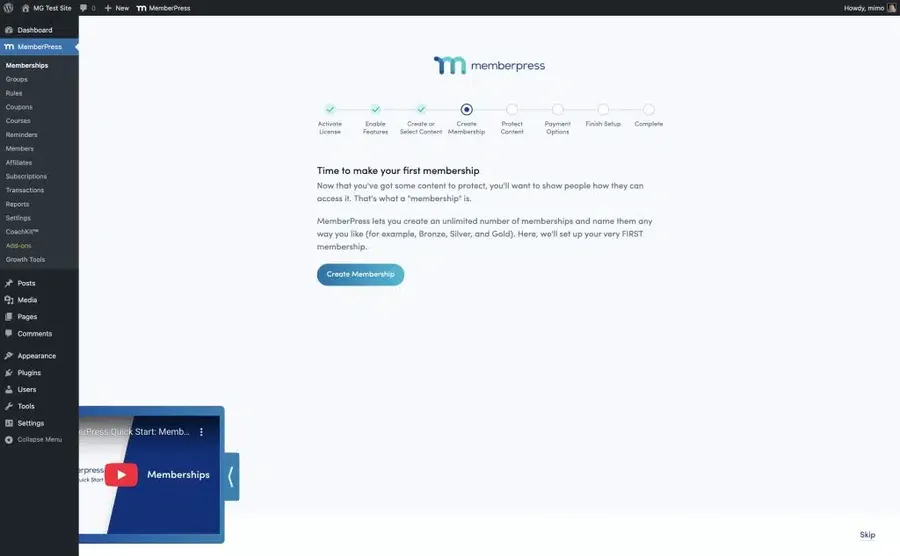
MemberPress is widely recognized as a comprehensive paywall and content management suite. It is built for business owners who need immediate access control without complex initial configuration. It stands out as an excellent WordPress members plugin that automates backend tasks.
Key Capabilities
- Automated Portal Creation: Automatically generates functional login, account editing, pricing, and sign-up pages during setup.
- Comprehensive Access Rules: Allows administrators to restrict individual pages, categories, tags, or media files with custom conditions.
- Built-in Course Manager: Includes course creation tools directly inside the core software, eliminating the need for external learning extensions.
- Third-Party Connections: Connects smoothly with popular marketing services like Mailchimp, ActiveCampaign, and ConvertKit.
For more information, you can discover Memberpress plugin review.
Pricing: Starts at $179 per year for a single site license.
3. ProfilePress

Operating as an effective WordPress member profile plugin, ProfilePress specializes in frontend user registration forms, user profile creation, and gated access controls. It provides a clean environment for both administrators and end users who want a professional interface.
Key Capabilities
- Frontend User Management: Replaces default WordPress screens with branded login forms, password reset pages, and profile management dashboards.
- Targeted Content Locking: Locks posts, pages, or WooCommerce products based on active subscription packages.
- WooCommerce Integration: Enables creators to sell subscription plans directly as standard WooCommerce store products.
- Custom Form Building: Includes intuitive tools to build custom registration fields and gather user details upon sign-up.
Pricing: Annual plans start at $129 for a single site.
4. ARMember

ARMember offers a feature-heavy solution at a competitive price point. It works well for platforms requiring complex membership tiers without buying multiple extra add-ons. If you need a reliable WordPress member plugin on a budget, this is a very strong contender.
Key Capabilities
- Unlimited Membership Levels: Supports free, finite, lifetime, and automated recurring billing models without arbitrary plan caps.
- Pay-Per-Post Selling: Enables creators to sell individual articles, videos, or downloadable resources without forcing a full monthly subscription.
- Extensive Add-on Suite: Comes bundled with over 50 add-ons covering affiliate marketing, email segmentation, and community badges.
- Visual Form Designer: Offers built-in templates to create registration cards, user profile layouts, and directory listings.
Pricing: A free lite version is available; the full premium plan costs $69 per year.
5. ProfileGrid
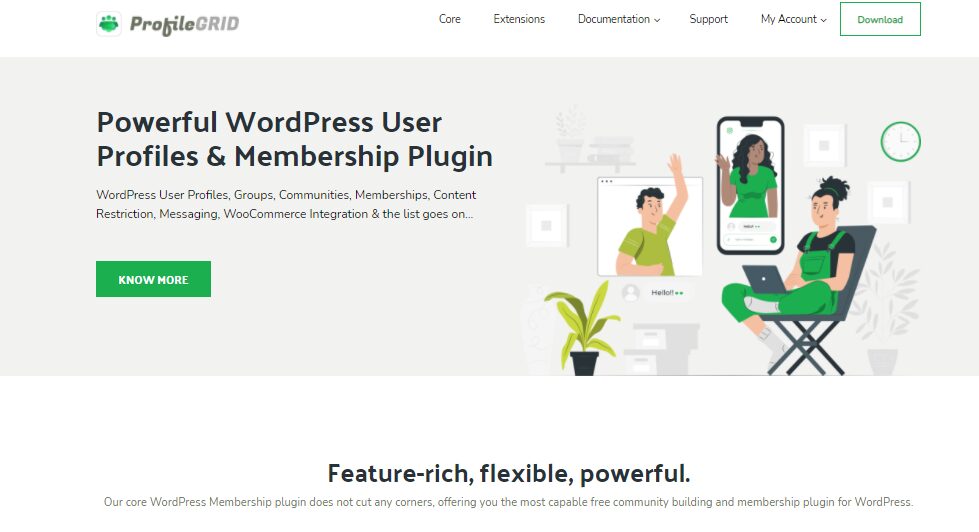
ProfileGrid focuses heavily on community building, user group structures, and social networking features. It organizes users into distinct groups with specialized access rights, making it a great membership WordPress solution for corporate intranets.
Key Capabilities
- Group-Based Architecture: Group administrators can create isolated member communities, complete with group-specific messaging and restricted blogs.
- Directory Displays: Features sleek member directories with search, filter, and location-mapping capabilities.
- Private User Messaging: Allows community members to interact through private chat channels and notification feeds.
- Content Dripping Controls: Delivers scheduled content updates based on user registration timing.
Pricing: Core plugin is free. Premium packages range between $79 and $399 based on license count.
6. LearnDash

While fundamentally a learning management system, LearnDash contains powerful subscription management tools. It is widely considered a top WordPress membership plugin for educational institutions and online academies due to its extensive tracking features.
Key Capabilities
- Visual Course Builder: Drag-and-drop tools simplify setting up lessons, quizzes, assignments, and prerequisites.
- 300+ Gateway Connections: Supports global payment processing through built-in integrations and third-party add-ons.
- Automated Student Nurturing: Sends automated email notices based on student quiz scores, milestone achievements, or inactivity.
- Multisite Readiness: Operates stably across large-scale WordPress multisite networks without performance degradation.
Pricing: Licenses start at $159 per year.
7. Kadence Memberships

Built with clean standards and developer-friendly code, Kadence Memberships is a stable membership plugin WordPress tool designed to protect premium resources while keeping database footprint minimal.
Key Capabilities
- Detailed Financial Reporting: Generates quick summaries of active subscriber numbers, pending renewals, and total revenue metrics.
- Prorated Subscription Adjustments: Automatically adjusts billing amounts when users upgrade or downgrade between pricing tiers mid-cycle.
- Promotional Discount Creation: Allows site operators to generate percentage-based or fixed-amount coupon codes easily.
- Data Export Controls: Supports export of payment records, member lists, and activity logs to standard CSV files.
Pricing: Starts at $99 per year.
8. WooCommerce Memberships

For e-commerce stores using WooCommerce, this official add-on links physical store purchases directly to digital membership privileges. It operates perfectly alongside other WordPress membership plugins to enhance online stores.
Key Capabilities
- Product-Linked Access: Grants membership access automatically when a customer buys a specific physical product or digital download.
- Exclusive Purchasing Perks: Restricts certain store items so only verified members can view or purchase them.
- Member Discounts: Applies custom store discounts and free shipping perks automatically to logged-in subscribers.
- User Dashboard View: Displays a clear dashboard where customers can check accessible posts, unlocked downloads, and upcoming drip releases.
Pricing: $119 per year (Requires WooCommerce Subscriptions for recurring billing processing).
9. Paid Memberships Pro

Paid Memberships Pro provides an open-source framework suitable for businesses requiring custom workflows and unique access conditions. It is a highly respected WordPress members plugin that scales effectively.
Key Capabilities
- Unrestricted Tier Setup: Allows administrators to establish custom membership levels with tailored registration workflows.
- Granular Payment Rules: Supports customized trial periods, initial setup fees, and custom billing frequencies.
- Built-in Gateway Integrations: Connects directly with Stripe, PayPal, Authorize.net, and Braintree without requiring separate extensions.
- Extensive Plugin Ecosystem: Offers dozens of free and premium add-ons to extend base functionality.
Pricing: Free version available; complete developer suites start at $297 per year.
10. s2Member
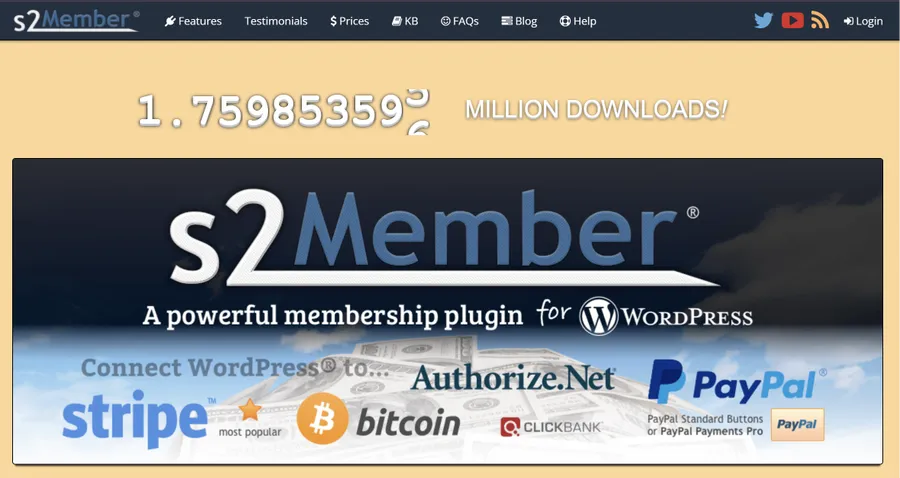
As a long-standing option in the WordPress ecosystem, s2Member offers established, battle-tested access control features. It remains a trustworthy membership WordPress solution for essential content locking needs.
Key Capabilities
- Brute-Force Protection: Includes security features to prevent automated login attacks on membership portals.
- Media Access Safeguards: Protects downloadable media files, audio streams, and video links from unauthorized hotlinking.
- Free Level Sign-Ups: Allows open registration for free accounts before upselling visitors to paid levels.
- Community Plugin Integration: Integrates well with bbPress forums and BuddyPress social communities.
Pricing: Free core version; Pro single-site license costs a one-time fee of $89.
Final Summary
Building a sustainable online membership platform relies on choosing reliable access control software. By evaluating the security standards, integration support, and pricing structures detailed above, site owners can select the membership WordPress solution that best matches their operational goals.
For educational creators focused on structured course delivery, combining LearnPress with its specialized Memberships & Subscriptions Add-on offers a powerful, unified platform. This setup handles student registrations, course access rules, and automated renewals smoothly—ensuring a secure experience for administrators and learners alike.
Frequently Asked Questions (FAQs)
1. Which plugin works best for absolute beginners?
ProfileGrid offer simple interfaces and quick setup options. They eliminate technical setup hurdles, allowing non-technical site owners to restrict content and process sign-ups rapidly.
2. Can a membership plugin WordPress solution process automatic renewals?
Yes. Modern plugins connect with financial gateways like Stripe or PayPal to handle automated recurring billing schedules, send renewal notifications, and manage failed payment retries automatically.
3. Will installing a WordPress members plugin conflict with an existing theme?
Most well-coded plugins are designed to work alongside standard themes. To maintain visual consistency and prevent layout issues, test new plugins in a staging environment prior to site deployment.
4. What is the difference between an LMS plugin and an access control plugin?
An LMS plugin manages educational progress, quizzes, lesson steps, and certificates. An access control membership WordPress setup simply gates pages or files based on payment status without monitoring learning achievements.
5. Are free access control plugins safe for production sites?
Yes, tools like Paid Memberships Pro, ProfileGrid, and s2Member offer stable free versions. They provide solid core security and access features, allowing site owners to start for free and upgrade as user volume grows.
Read more: 12 Effective Ways: How Increase Website Traffic Today
Contact US | ThimPress:
Website: https://thimpress.com/
Fanpage: https://www.facebook.com/ThimPress
YouTube: https://www.youtube.com/c/ThimPressDesign
Twitter (X): https://x.com/thimpress_com