A WordPress LMS template should do more than make a course catalog look polished. It must support the entire learning journey: discovering a course, reviewing the curriculum, enrolling or paying, studying on different devices, completing assessments, tracking progress, and returning to the learner dashboard. If any of those screens feel disconnected, the theme becomes an obstacle rather than a shortcut.
This guide compares 11 WordPress eLearning themes and templates for different education models, from a single-instructor academy to a university site or multi-instructor marketplace. Most choices below are built around LearnPress, which keeps course data in an LMS plugin instead of locking it inside the presentation layer. That separation matters if you redesign the site later.
Eduma – Education WordPress Theme
We provide an amazing WordPress theme with fast and responsive designs. Let’s find out!
Best WordPress LMS templates at a glance
| Template or theme | Best for | Type |
|---|---|---|
| Eduma | All-around professional LMS websites | Premium |
| EduPress | Low-cost LearnPress launch | Free starter theme |
| Course Builder | Corporate training and focused course businesses | Premium |
| Coaching | Coaches, consultants, and mentors | Premium |
| IvyPrep | Schools, colleges, and universities | Premium |
| Epsilon | Community-oriented eLearning sites | Premium |
| AcademyLMS | Modern online academies | Premium |
| OneLMS | Clean general education portals | Premium |
| Akademic | Traditional education and LMS sites | Premium |
| Education Pack | Free education site experiments | Free |
| Online Learning | Block-based course websites | Free block theme |
What to look for in a learning management WordPress theme
Native compatibility with your LMS plugin
A generic business theme can display LMS shortcodes, but that is not the same as purpose-built compatibility. Inspect the course archive, course detail page, curriculum, instructor profile, checkout, account area, quiz interface, and mobile lesson view. A strong learning management system theme styles these screens consistently and remains compatible when the LMS plugin is updated.
A demo that matches your business model
Choose a demo based on information architecture, not its hero image. A university needs departments, admissions, events, faculty pages, and academic content. A coach needs authority, services, testimonials, booking or lead capture, and a focused course offer. A marketplace needs instructor discovery, filters, ratings, profiles, and scalable catalog navigation. The closer the demo is to your real content model, the less rebuilding you will do.
Performance without sacrificing learning features
Course sites can become heavy because they combine page builders, ecommerce, video, quizzes, analytics, membership tools, and many logged-in users. Review the plugins required by each demo and install only what you need. Use optimized media, reliable hosting, caching that respects logged-in sessions, and a staging site for updates. A beautiful demo does not guarantee a fast production academy.
Commerce and expansion options
Decide whether you will sell individual courses, bundles, subscriptions, memberships, or access through an organization. Then verify payment gateways, taxes, coupons, refunds, checkout ownership, and recurring billing. LearnPress can be expanded through its add-on catalog, while the LearnPress Pro Bundle groups premium functions for sites that need a broader stack.
11 best WordPress LMS themes and templates
1. Eduma: Best overall WordPress LMS theme
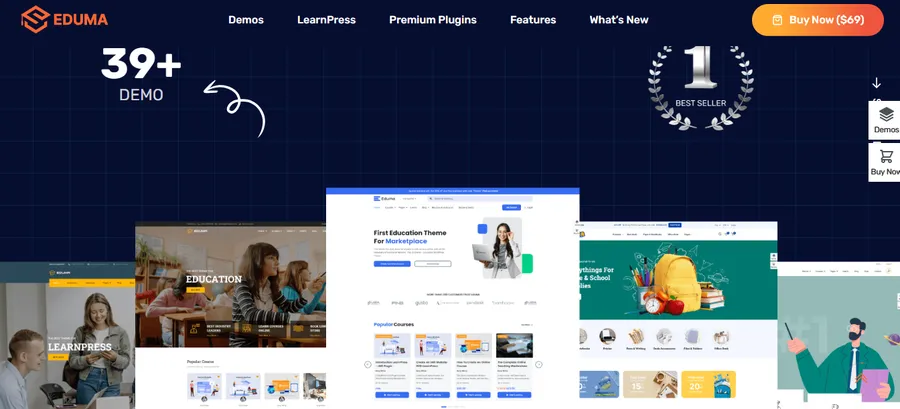
Eduma is the broadest option in this collection. It is designed for online academies, schools, universities, course hubs, training centers, and instructor-led businesses. Its main advantage is not a single homepage layout but the range of pre-built education demos and the depth of its LearnPress integration.
Choose Eduma when you need room to grow. A new academy can start with a focused catalog and later add instructors, memberships, richer assessment, community features, or ecommerce workflows. The tradeoff is that a feature-rich theme rewards disciplined setup. Import the closest demo, remove unused components, and establish typography, color, spacing, and navigation rules before adding content.
- Best for: Professional course businesses and established education organizations.
- Standout strength: Extensive demo choice and mature LearnPress ecosystem.
- Consider: Plan the plugin stack carefully so the site stays lean.
2. EduPress: Best free LearnPress starter theme
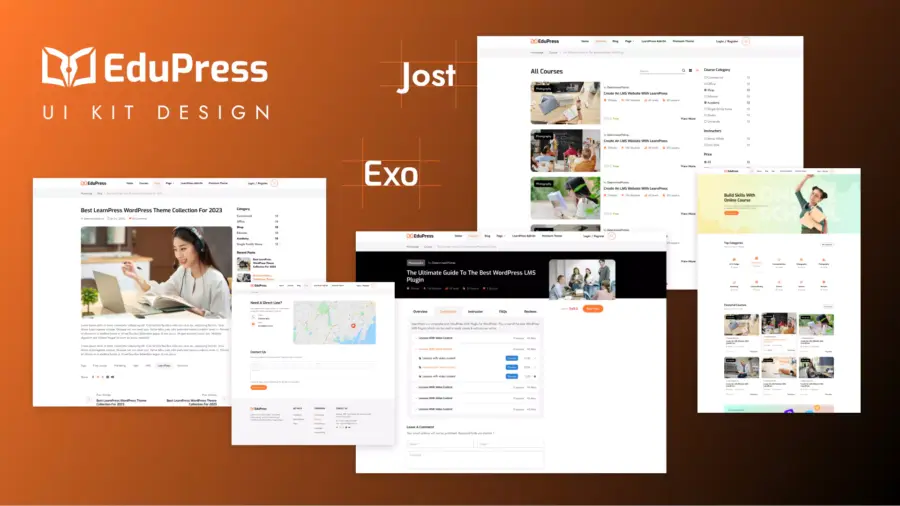
EduPress is a practical starting point for users who want to validate an online course idea without buying a premium design immediately. It is positioned as an education starter theme for LearnPress, so the basic visual system and LMS screens are intended to work together.
A free theme works best when your first release is intentionally small: a clear homepage, concise about page, course catalog, individual course pages, instructor information, and contact or support content. Avoid recreating a complex marketplace before demand exists. Invest first in course quality, navigation, mobile usability, and a dependable checkout path.
- Best for: First-time course creators and minimum viable academies.
- Standout strength: Low-cost entry with LearnPress-oriented design.
- Consider: Advanced layouts and bundled premium features may require later upgrades.
3. Course Builder: Best for corporate training
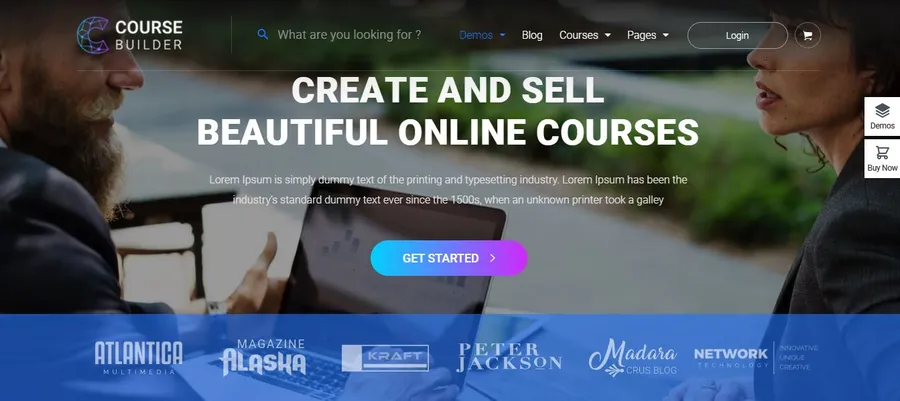
Course Builder suits a focused training site where courses are the central product. Its positioning makes it relevant to corporate training, professional development, and businesses that want a direct path from program information to enrollment.
For corporate use, theme selection is only the front-end layer. Map user roles, enrollment rules, reporting requirements, completion evidence, and how managers will access results. If training is sold to other companies, clarify whether each client needs separate groups, reporting, or access periods. Build the visual experience around those workflows instead of treating every visitor like an individual retail buyer.
- Best for: Training companies, certification providers, and internal learning portals.
- Standout strength: Course-centered presentation with a professional tone.
- Consider: Enterprise reporting and organization-level enrollment may require extensions or custom work.
4. Coaching: Best WP LMS theme for coaches
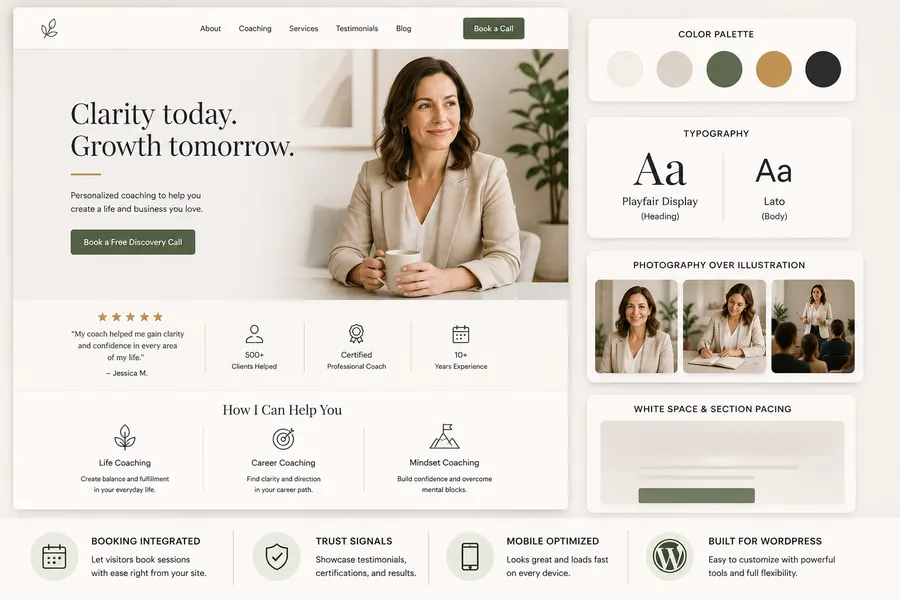
Coaching is built for life coaches, business mentors, health professionals, fitness experts, speakers, and consultants. These businesses rarely sell courses in isolation. They usually combine personal credibility, free resources, coaching packages, events, testimonials, and digital programs.
The theme is most effective when the homepage establishes who the coach helps and what transformation is offered before presenting a large catalog. Use courses as one step in a broader customer journey. A visitor might begin with an article or webinar, enroll in a self-paced program, and later move into group or one-to-one coaching.
- Best for: Coaches, consultants, speakers, and expert-led brands.
- Standout strength: Combines personal-brand storytelling with online learning.
- Consider: Keep the offer hierarchy simple so services and courses do not compete for attention.
5. IvyPrep: Best for schools and universities

IvyPrep is aimed at schools and universities rather than only commercial course sellers. That distinction affects the content structure. Institutional visitors expect programs, departments, admissions information, campus or learning resources, news, events, faculty profiles, and clear paths for different audiences.
IvyPrep is a sensible candidate when the public website and online learning area must share one visual identity. Before importing a demo, create a content inventory and assign ownership. University sites become difficult to maintain when departments duplicate pages or publish without shared standards. The theme provides the shell; governance keeps the result useful.
- Best for: Schools, colleges, universities, and education centers.
- Standout strength: Institutional page structure alongside LMS functions.
- Consider: Complex academic sites need content governance and role planning.
6. Epsilon: Best for a community-driven academy
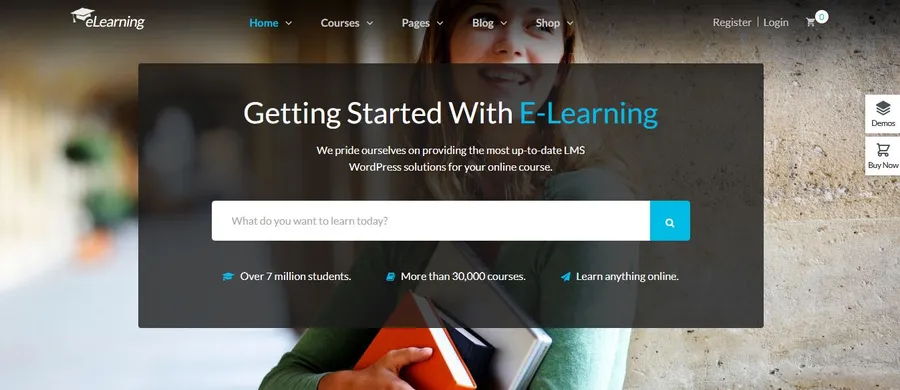
Epsilon, also known as eLearning WP, is a dedicated LMS theme designed around LearnPress. Its feature set emphasizes course management while supporting community-oriented tools such as discussion and member profiles. That makes it relevant when peer interaction is part of the educational value.
Community functions should have a defined purpose. Decide whether discussions belong to each course, a general forum, a cohort, or an instructor group. Establish moderation and notification rules before launch. Adding a forum icon is easy; sustaining useful conversation requires ownership and an engagement plan.
- Best for: Academies that combine courses with learner interaction.
- Standout strength: Established LMS layouts and support for community workflows.
- Consider: Community features add moderation, privacy, and performance responsibilities.
7. AcademyLMS: Best for a modern academy redesign
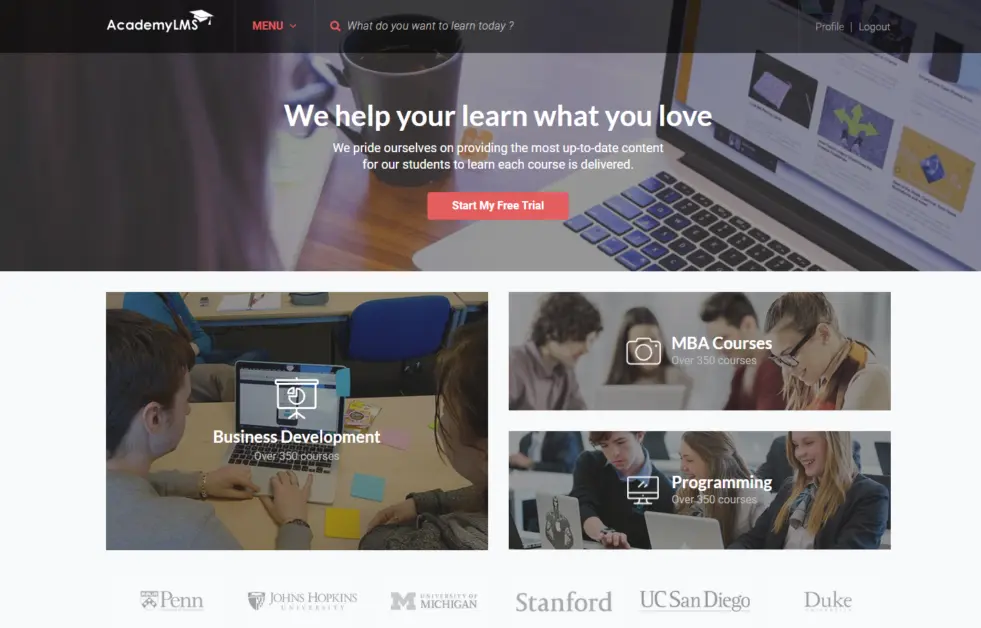
AcademyLMS targets modern eLearning sites that need a refreshed visual presentation. It is worth considering when an existing academy has solid courses but its navigation, discovery experience, or visual system no longer reflects the quality of the content.
During a redesign, preserve what already works. Audit search traffic, popular landing pages, course URLs, checkout steps, and learner account behavior before changing the theme. Keep redirects and analytics in the migration plan. A visual improvement should not erase organic visibility or confuse returning students.
- Best for: New online academies and established sites planning a visual refresh.
- Standout strength: Contemporary education-focused presentation.
- Consider: Treat a theme change as a measured migration, not a cosmetic switch.
8. OneLMS: Best clean multipurpose LMS theme
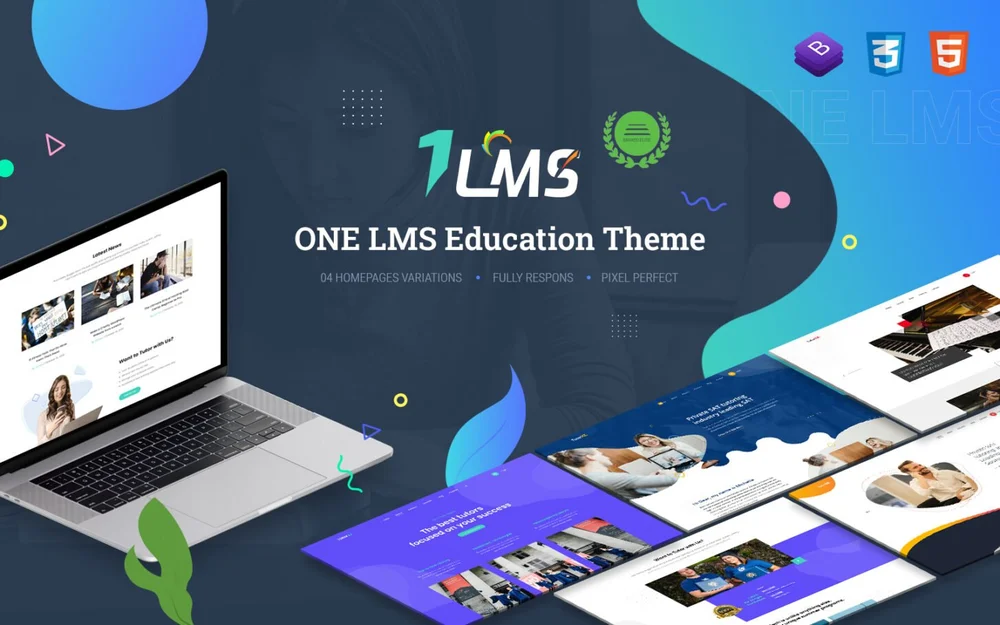
OneLMS is a general education WordPress theme for site owners who want an adaptable base rather than a design tied to one narrow institution type. It can suit a training center, online school, or compact course portal when the content hierarchy is straightforward.
A multipurpose learning theme is useful when your catalog may expand, but flexibility should not lead to an unfocused homepage. Choose one primary action for new visitors, such as browsing courses, viewing programs, or starting a featured course. Use secondary navigation for instructors, existing students, resources, and support.
- Best for: Training centers and general-purpose online schools.
- Standout strength: Flexible education-oriented foundation.
- Consider: Strong content hierarchy is still necessary to prevent a generic result.
9. Akademic: Best traditional education LMS theme
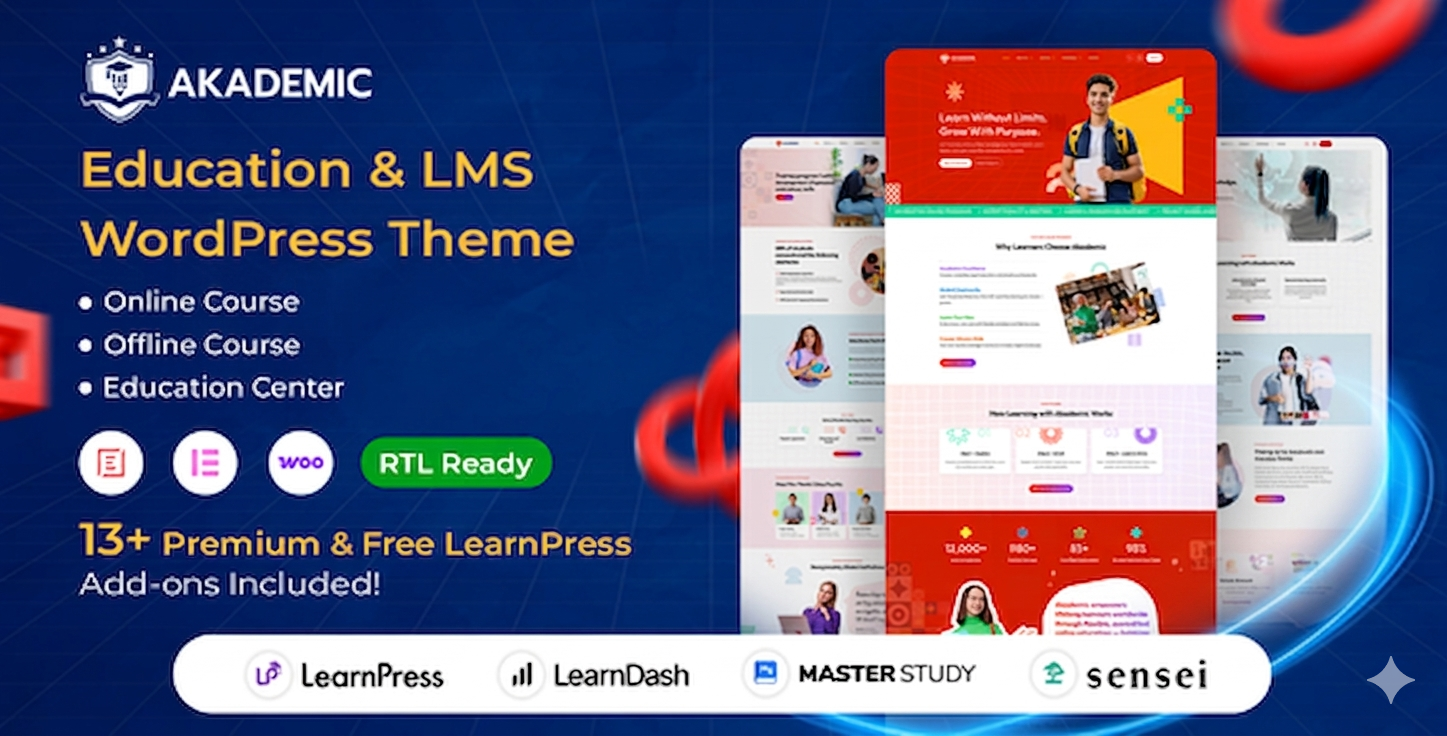
Akademic is designed for education and LMS use with a more traditional academic direction. It can fit institutions and training organizations that prefer familiar, information-rich presentation over a highly promotional creator-style website.
When evaluating this type of theme, test how quickly different visitors can reach their destination. A prospective learner, enrolled student, instructor, and administrator have different tasks. Clear audience paths, course filters, readable program pages, and predictable account navigation matter more than decorative effects.
- Best for: Academic programs and conventional training organizations.
- Standout strength: Education-first information architecture.
- Consider: Review the design against your brand if you want a creator-led or highly editorial style.
10. Education Pack: Best free multipurpose education theme
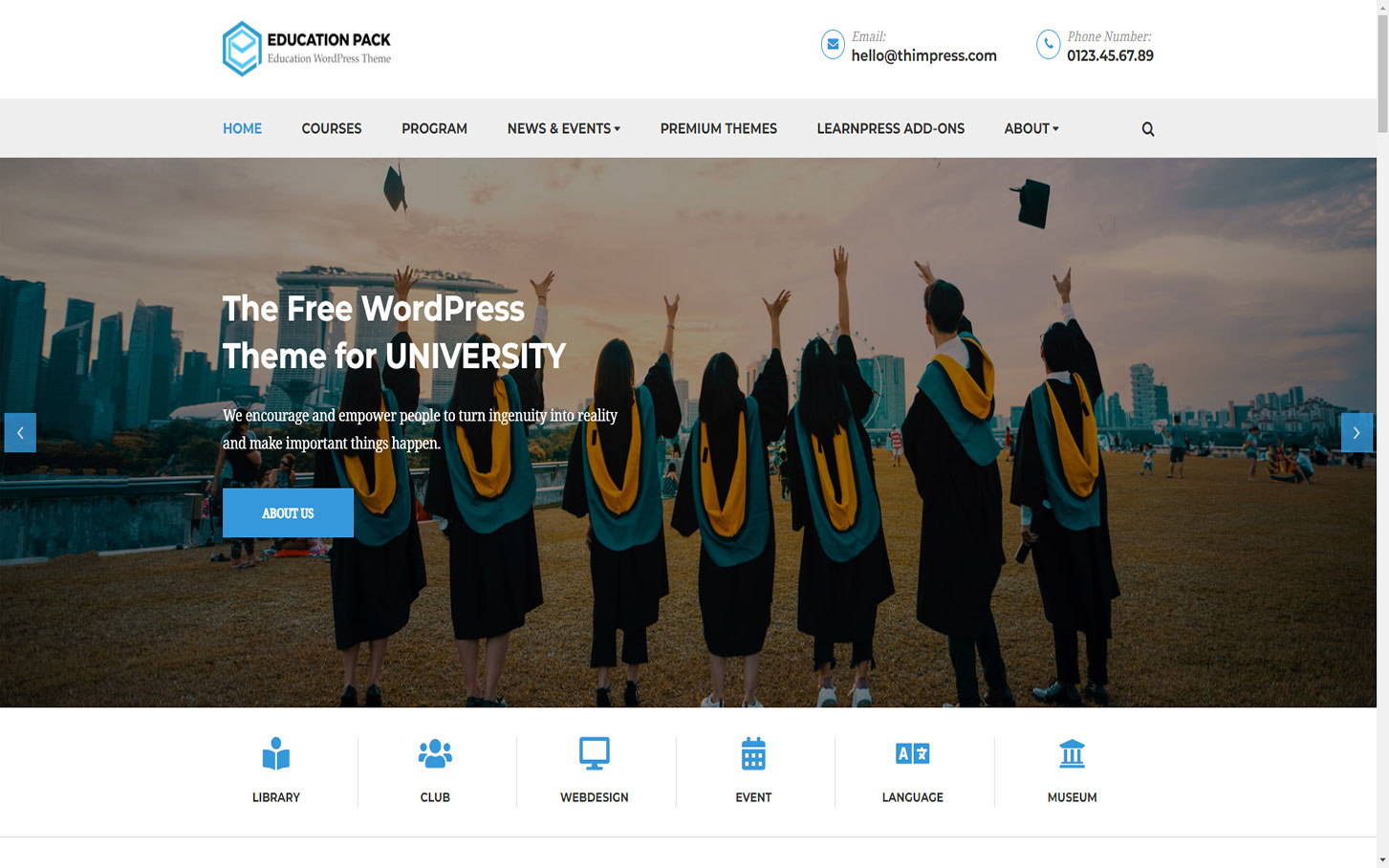
Education Pack provides another free route for building an education website with LearnPress. It is suitable for prototypes, community initiatives, small schools, and creators who need to prove the content model before committing to a premium theme.
Free does not mean unfinished. Configure a child theme or safe customization method, create a backup policy, and document any code or styling changes. Test updates on staging. If you later move to a premium theme, keeping course functionality in LearnPress should make the presentation change more manageable than if course data were embedded in a proprietary theme feature.
- Best for: Small education projects and budget-conscious pilots.
- Standout strength: Free entry point for a LearnPress site.
- Consider: Compare its customization depth and update path with your future requirements.
11. Online Learning: Best free block-based LMS template
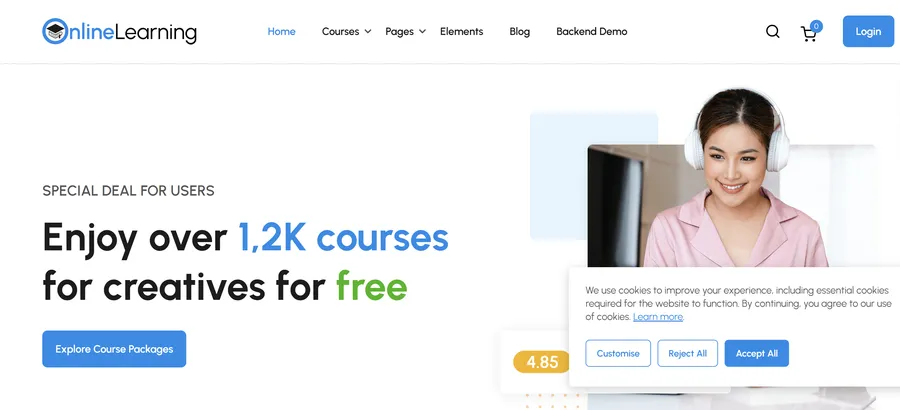
Online Learning is a free education block theme for users who prefer WordPress’s block-based site editing approach. A block theme can make headers, footers, templates, and global styles more accessible without relying on a separate traditional theme options panel.
Choose it when your team is comfortable with the Site Editor and wants a relatively native WordPress workflow. Before launch, test dynamic LMS screens as carefully as standard pages. The homepage may be easy to edit while course, account, quiz, and checkout templates still depend on plugin output and require consistent styling.
- Best for: Block-editor users building a modern education site.
- Standout strength: Free, site-wide block editing for the public-facing design.
- Consider: Confirm that your team’s plugins and workflows fit a block-theme setup.
How to choose the right WordPress eLearning theme
Choose by use case
- For a broad professional academy: Start with Eduma.
- For a free proof of concept: Compare EduPress, Education Pack, and Online Learning.
- For corporate or professional training: Consider Course Builder.
- For an expert-led personal brand: Coaching provides the most relevant content structure.
- For a school or university: IvyPrep or Akademic may align more closely with institutional pages.
- For community learning: Evaluate Epsilon and the interaction tools your members will actually use.
- For a modern redesign: Review AcademyLMS while protecting existing URLs and course data.
Review the total stack, not only the theme price
Your real budget includes hosting, theme license, LMS extensions, payment processing, video delivery, email, backups, security, maintenance, and staff time. List the features included in a theme bundle and confirm license terms, update periods, and support coverage on the current product page. Do not select a theme because a premium plugin appears in a demo unless the product documentation confirms it is included.
Test the pages that generate revenue and support learning
Run a complete test as a new visitor and as an enrolled learner. Browse a category, filter courses, open a course, inspect the curriculum, register, pay, receive email, begin a lesson, take a quiz, view progress, and recover a password. Test on a phone with an ordinary mobile connection. A theme is ready only when the whole journey works, not when the homepage resembles the demo.
Plan monetization before design customization
If you sell individual courses, the course page and checkout deserve the most attention. If you sell memberships, explain access levels and recurring terms clearly. The Paid Memberships Pro add-on supports subscription-oriented access, while the WooCommerce add-on connects courses with a broader ecommerce workflow. For staged learning, the Content Drip add-on can help control when lessons become available.
Build trust into the course template
A useful course page answers practical questions before asking for payment. Include learning outcomes, intended audience, prerequisites, curriculum, instructor credentials, format, estimated effort, access duration, assessment method, certificate terms, refund policy, and support channel. Ratings and testimonials can help, but they should not replace precise information. If completion certificates matter, review the Certificates add-on and explain what the certificate represents.
WordPress LMS theme implementation checklist
- Set up staging. Do not import a demo or switch themes directly on a live course site.
- Back up files and the database. Verify that the backup can be restored.
- Install the minimum required plugins. Add optional tools only when a defined requirement justifies them.
- Import one relevant demo. Avoid mixing several demos without a clear design system.
- Set global styles. Configure typography, colors, buttons, form fields, spacing, and responsive behavior.
- Create core templates. Standardize course, instructor, article, landing, policy, and support pages.
- Configure enrollment and payment. Test free and paid paths, taxes, coupons, refunds, and confirmation emails.
- Test learning flows. Verify prerequisites, lesson navigation, quizzes, assignments, progress, and completion.
- Optimize performance. Compress media, remove unused plugins, and configure caching carefully for logged-in users.
- Check accessibility. Test keyboard use, focus states, headings, contrast, labels, captions, and zoom.
- Protect SEO during migration. Preserve useful URLs, metadata, internal links, structured content, and redirects.
- Document maintenance. Assign responsibility for updates, backups, support, moderation, and content reviews.
Frequently asked questions
What is a WordPress LMS template?
A WordPress LMS template is a pre-designed layout or theme system for an online learning website. It commonly includes course catalogs, course detail pages, instructor profiles, learner accounts, and education-focused landing pages. The LMS plugin should manage courses, enrollment, quizzes, and progress, while the theme controls presentation.
What is the best WordPress LMS theme?
Eduma is the strongest all-around choice in this list because it supports many education use cases and is deeply integrated with LearnPress. The best option still depends on the project. Coaching is more relevant to a personal expert brand, IvyPrep to an institution, Course Builder to professional training, and EduPress to a low-cost launch.
Are there free WordPress eLearning themes?
Yes. EduPress, Education Pack, and Online Learning provide free starting points in this collection. A free theme can support a real course site, but you should still budget for reliable hosting, maintenance, payment fees, video delivery, and any premium LMS functions the project requires.
Can I change my LMS theme without losing courses?
When courses and learner data are managed by an LMS plugin such as LearnPress rather than stored in theme-specific features, changing themes is more feasible. The data may remain, but layouts, widgets, custom code, shortcodes, and styling can still require migration work. Always test the new theme on staging and take a verified backup first.
Do I need WooCommerce for a WordPress LMS?
Not always. The appropriate payment setup depends on the LMS and the way you sell access. WooCommerce is useful when you need a broader ecommerce ecosystem, physical and digital products, detailed checkout extensions, or specific gateways. A simpler LMS payment integration may be enough for straightforward course sales.
Final recommendation
Start with Eduma if you need a proven, flexible LMS theme and expect the site to expand. Start with EduPress or Online Learning if you are validating a small course offer on a limited budget. Choose Course Builder for focused professional training, Coaching for an expert-led business, and IvyPrep for a school or university structure.
Whichever theme you choose, judge it by the complete learner journey. A successful WordPress LMS site makes it easy to understand a course, enroll, learn, complete required work, and get support. The best template is the one that supports those tasks cleanly while leaving your course data portable and your team able to maintain the site.
Read More: 8 Best Free LMS Systems
Contact US | ThimPress:
Website: https://thimpress.com/
Fanpage: https://www.facebook.com/ThimPress
YouTube: https://www.youtube.com/c/ThimPressDesign
Twitter (X): https://x.com/thimpress_com