Choosing among free LMS systems is harder than it looks. Some platforms are genuinely open source but require you to arrange hosting, security, backups, and technical support. Others are hosted for you but place firm limits on users, courses, storage, branding, or reporting. A product can therefore be free to download and still cost money to operate, while a free SaaS plan may cost nothing today but become restrictive as enrollment grows.
This guide compares eight credible options for schools, independent instructors, nonprofits, and small training teams. Instead of treating every free offer as equivalent, we look at the delivery model, practical strengths, likely tradeoffs, and the situation in which each platform makes sense. If you want full control over an online academy, we also explain when a WordPress-based LMS such as LearnPress is a better fit than a closed hosted service.
Eduma – Education WordPress Theme
We provide an amazing WordPress theme with fast and responsive designs. Let’s find out!
Quick comparison of the best free LMS systems
| Free LMS | Free model | Best for | Main consideration |
|---|---|---|---|
| LearnPress | Free WordPress plugin | Course creators who want site ownership | You provide WordPress hosting |
| Moodle | Open-source software | Schools and organizations with technical resources | Administration can be demanding |
| Canvas | Hosted teacher account and open-source edition | Individual educators and academic courses | Free hosted access is not the full institutional product |
| Open edX | Open-source platform | Large, structured learning programs | Deployment requires strong technical capacity |
| Chamilo | Open-source software | Organizations wanting a lighter traditional LMS | Smaller extension ecosystem than Moodle |
| Sakai | Open-source software | Higher education and collaborative learning | Usually needs institutional IT support |
| TalentLMS | Hosted free plan | Small teams testing employee training | Free-plan capacity is limited |
| Google Classroom | Free access within eligible Google accounts | Teachers already using Google tools | Not a complete commercial course platform |
What does “free LMS” actually mean?
The phrase free learning management covers several very different arrangements. When people ask, “Are learning management systems free?”, the accurate answer depends on whether they mean the software license, hosting, implementation, or long-term operation. Understanding these differences prevents a low-cost experiment from turning into an expensive rebuild.
Open-source LMS software
An open-source LMS gives you access to software that can be installed, studied, and modified under its license. Moodle, Open edX, Chamilo, and Sakai belong in this category. There is no conventional per-user license fee for the community software, but there is still an operating cost. Someone must maintain the server, apply updates, monitor security, configure email, manage backups, and support users.
Free hosted plans
A hosted free plan removes most infrastructure work. You create an account and begin building courses in the vendor’s environment. In exchange, the provider usually limits active users, courses, storage, integrations, support, or customization. These plans are excellent for a pilot, but you should calculate what the first paid tier will cost before committing your course library to the platform.
Free plugins for an existing website
A WordPress LMS plugin turns a website into a course platform. The core plugin can be free while hosting, a domain, premium extensions, payment processing, or a specialized education WordPress theme remains optional or paid. This model appeals to creators who want to control their content, design, customer relationship, and monetization rather than operate inside another company’s hosted product.
8 best free LMS platforms to consider
1. LearnPress: Best free LMS for WordPress ownership
LearnPress is a free WordPress LMS plugin for creating courses, lessons, and quizzes inside a site you control. It is a particularly strong choice for an instructor, training business, or education brand that also needs landing pages, a blog, SEO control, and a flexible storefront.
The important distinction is ownership. Your website and course content do not sit inside a closed SaaS account. You can choose your host, theme, analytics setup, payment workflow, and marketing stack. The core plugin covers the foundation, while optional LearnPress add-ons extend areas such as payments, certificates, assignments, memberships, and instructor workflows.
- Best for: Course creators, tutors, academies, and WordPress site owners.
- Why choose it: Strong control over branding, content, SEO, and future expansion.
- Watch for: You are responsible for hosting quality, updates, backups, and plugin compatibility.
2. Moodle: Best open-source LMS for flexibility
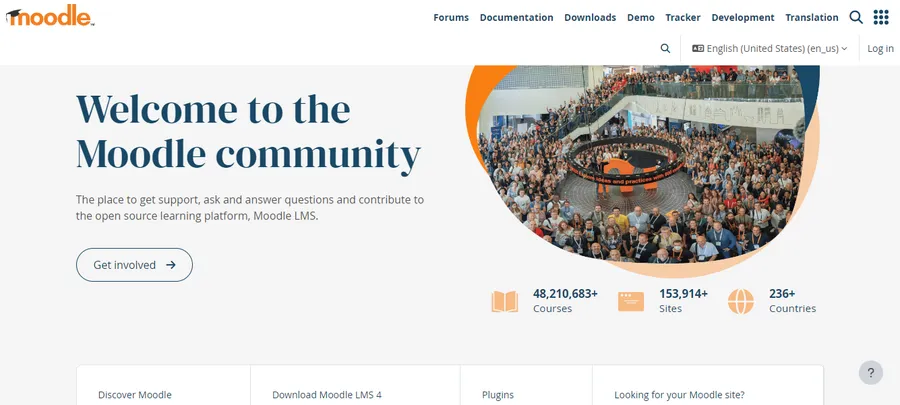
Moodle is one of the most established names in open-source learning management. It supports structured courses, assignments, quizzes, grading, forums, roles, completion tracking, and a large ecosystem of extensions. Schools and organizations can adapt it to many instructional models instead of accepting a fixed SaaS workflow.
That flexibility comes with operational responsibility. A self-hosted Moodle installation needs capable administration, especially when the site serves many concurrent learners or integrates with authentication and student information systems. Organizations without internal expertise may need a Moodle service provider, managed hosting, or a consultant. The software can be free while the dependable implementation is not.
- Best for: Schools, universities, nonprofits, and structured organizational training.
- Why choose it: Mature course tools, extensive configuration, and a broad community.
- Watch for: Setup, upgrades, interface configuration, and support require time and expertise.
3. Canvas: Best for individual academic instructors
Canvas is widely recognized in education for course modules, assignments, discussions, gradebooks, and learner communication. Its Free-for-Teacher option lets individual educators create and deliver courses without buying an institution-wide contract. Canvas also has an open-source edition for organizations prepared to deploy and maintain it.
The hosted teacher account should not be confused with the full package a college or school district receives under a paid agreement. Institution-level administration, integrations, support arrangements, analytics, and branding can differ. It works best when an educator needs a credible virtual classroom, not when a business needs a highly customized public course storefront.
- Best for: Teachers running classes independently.
- Why choose it: Familiar academic workflow and useful teaching tools.
- Watch for: Confirm which features are included in the current free account before designing a long-term process.
4. Open edX: Best for large-scale learning experiences
Open edX is the open-source platform behind sophisticated online learning initiatives and large course catalogs. It is designed for rich course sequences, assessments, discussion, learner progress, and extensibility. For a university, public program, or organization planning a serious digital learning environment, it offers a powerful foundation without a traditional software license.
It is not the easiest free course management system to launch. Production deployment, upgrades, customization, and performance planning demand technical skills. Small teams that simply need to publish a few paid courses may find WordPress or a hosted product faster. Open edX becomes compelling when scale, structured learning, and deep platform control justify the engineering effort.
- Best for: Universities, governments, large nonprofits, and ambitious learning programs.
- Why choose it: Advanced learning architecture and open-source extensibility.
- Watch for: Hosting and maintenance are substantial projects rather than simple setup tasks.
5. Chamilo: Best lightweight open-source option
Chamilo is an open-source LMS focused on making online learning accessible to educational institutions, companies, and social organizations. It provides the familiar building blocks of a learning platform, including course creation, assessments, communication, learner management, and reporting.
Teams sometimes consider Chamilo when they want a conventional self-hosted LMS but prefer a comparatively approachable interface and deployment footprint. Its community and marketplace are smaller than Moodle’s, so verify critical integrations before implementation. A clean installation should still be tested with real instructors, administrators, and learners rather than judged only from a feature checklist.
- Best for: Schools, associations, and nonprofits seeking a self-hosted LMS.
- Why choose it: Open-source access with a relatively direct learning workflow.
- Watch for: Check the availability of local expertise and required third-party integrations.
6. Sakai: Best for higher-education collaboration
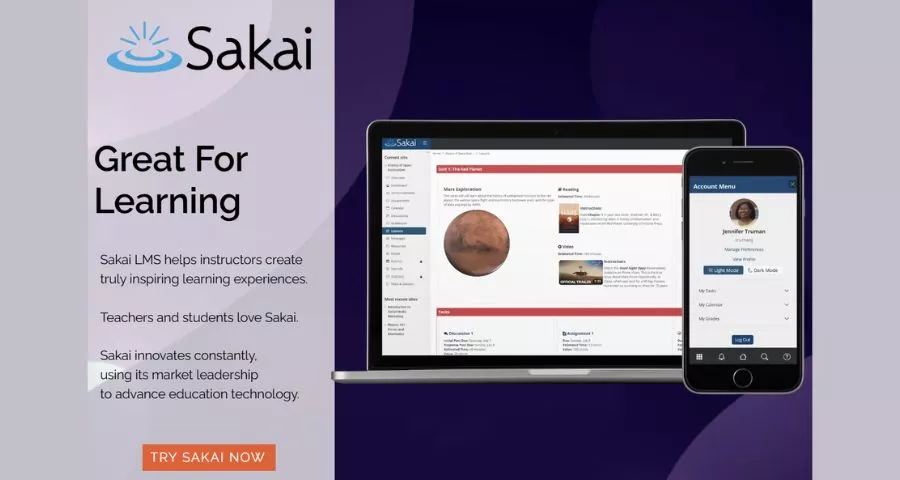
Sakai is a community-led open-source learning environment with roots in higher education. It supports teaching, assessment, communication, and collaboration while giving institutions control over deployment and integration. Its governance and academic orientation make it different from a freemium corporate training product.
Sakai makes the most sense when an institution has clear academic requirements and technical staff who can support the platform. It is less suitable for a solo creator who needs an attractive sales page this weekend. Evaluate it as institutional infrastructure, including accessibility, identity management, data governance, support, and upgrade planning.
- Best for: Colleges, universities, and academic consortia.
- Why choose it: Institution-oriented collaboration and open-source control.
- Watch for: Implementation normally requires more technical and administrative capacity than a hosted classroom tool.
7. TalentLMS: Best free plan for a small training pilot
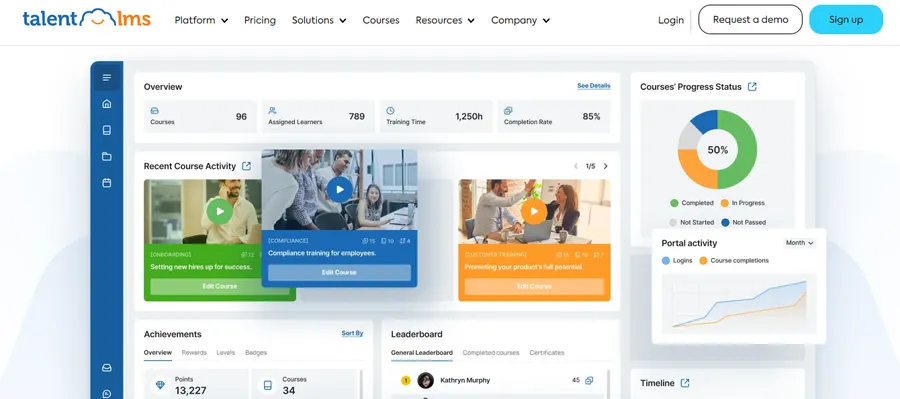
TalentLMS is a hosted business training platform. Its free plan is designed for a small number of users and courses, making it useful for testing onboarding, compliance, product education, or internal learning before seeking budget approval. Because the vendor handles infrastructure, a team can focus on course setup and learner invitations.
The free tier is a starting environment, not a no-cost solution for a growing workforce. User capacity, course capacity, automation, reporting, branding, and support needs can eventually push a team toward a paid plan. Check the current pricing page because SaaS limits change. Export options and migration effort also matter if the pilot may later move elsewhere.
- Best for: Small businesses validating an employee training program.
- Why choose it: Fast hosted setup with no server administration.
- Watch for: Model the paid cost at your expected learner count before building a large library.
8. Google Classroom: Best for simple class coordination
Google Classroom is a practical choice for teachers and small learning groups already using Google Drive, Docs, Slides, Meet, and Forms. It helps distribute materials, collect assignments, communicate with students, and organize classwork without introducing a complicated system.
Classroom is not a full learning commerce platform. It is not designed around public course catalogs, advanced sales funnels, subscriptions, sophisticated certificates, or extensive storefront customization. Availability and administrative features also depend on the type of Google account and Workspace edition. Choose it when coordination matters more than monetization or deep LMS configuration.
- Best for: Teachers and classes working in the Google ecosystem.
- Why choose it: Low learning curve and convenient integration with familiar tools.
- Watch for: It may be too limited for commercial academies, regulated training, or complex reporting.
How to choose free learning management software
Start with the operating model, not the feature list
First decide who will own the infrastructure. A hosted platform is easier to start, but the provider controls plan limits and much of the environment. A self-hosted platform gives you more control, but your team owns maintenance. A WordPress solution sits between these approaches: it is self-hosted and flexible, yet typically easier for a small web team to customize than an institution-scale LMS.
Define your learner and course limits
Estimate active learners for the next 12 to 24 months, not only launch day. Record the number of instructors, courses, video hours, assessments, and administrative roles. For a free SaaS plan, determine exactly what happens when you exceed a limit. For open-source software, estimate how those numbers affect hosting, email delivery, storage, and support.
Separate teaching requirements from selling requirements
An academic teacher may prioritize assignments, grading, discussions, and roster management. A course business may prioritize landing pages, checkout, coupons, memberships, analytics, and SEO. These are different buying problems. If selling is central, examine payment flexibility early. LearnPress users, for example, can connect commerce through the WooCommerce add-on, accept direct card payments with the Stripe add-on, or package access using the Paid Memberships Pro integration.
Check assessment, completion, and reporting depth
Do not assume that every quiz system supports the same workflow. Test question types, retakes, passing rules, feedback, prerequisites, grading, and exportable reports. If completion evidence matters, verify certificates and audit trails. In a WordPress stack, tools such as the Certificates add-on, Gradebook add-on, and Assignments add-on illustrate how a basic LMS can be expanded around a specific teaching model.
Plan integrations and content portability
List the systems the LMS must exchange data with: identity providers, HR software, a student information system, CRM, email marketing, video conferencing, payment gateways, or analytics. Ask whether integrations are available on the free tier and whether they use open standards. Then test how courses, learner records, grades, and uploaded files can be exported. A free entry point is less valuable if leaving later requires rebuilding everything by hand.
Evaluate accessibility, privacy, and support
Accessibility and privacy are not premium extras. Review keyboard navigation, captions, screen-reader behavior, color contrast, data retention, consent, and account deletion. Determine where data is hosted and who can access it. Finally, decide what happens when an instructor cannot publish a course or learners cannot log in. Community forums may be enough for a hobby project; a business-critical or institutional LMS needs a defined support path.
When is a WordPress LMS the better choice?
A WordPress LMS is often the practical middle ground for creators who need more control than a free hosted plan but do not want the operational weight of a university-scale platform. It works especially well when the course site is also a content marketing site, membership business, or ecommerce property.
You can begin with the free core, use a lightweight starter design such as the EduPress starter theme, and add capabilities as the business proves demand. Community features can be introduced through the BuddyPress integration or bbPress integration. Structured release schedules can be handled with the Content Drip add-on. This modular approach avoids paying for every advanced function on day one.
WordPress is not automatically the best choice. A school with complex enrollment systems may prefer Moodle, Canvas, Sakai, or a managed institutional service. A five-person company running a short onboarding pilot may prefer TalentLMS. The right decision depends on ownership, technical capacity, learner experience, and expected growth rather than the longest feature list.
A practical free LMS evaluation process
- Write one real use case. Describe the learner, the course, the administrator, and the outcome in plain language.
- Create a shortlist of three platforms. Include only products that fit your hosting and support capacity.
- Build the same sample course in each. Use a video lesson, downloadable file, quiz, assignment, and completion rule.
- Invite real test users. Include an instructor, administrator, desktop learner, and mobile learner.
- Test failure cases. Check password recovery, missed deadlines, failed payments, quiz retakes, and content updates.
- Calculate the 24-month cost. Include hosting, add-ons, implementation, support, staff time, migration, and the likely paid tier.
- Document an exit route. Confirm what can be exported and how long a migration would take.
Frequently asked questions about free LMS systems
Is there a completely free learning management system?
Yes, open-source platforms such as Moodle, Open edX, Chamilo, Sakai, and the LearnPress WordPress plugin can be used without a conventional software license fee. However, “completely free” is rarely accurate once hosting, administration, maintenance, support, and content production are included. A free hosted plan may remove infrastructure costs but impose usage limits.
What is the best free LMS for a small business?
TalentLMS is convenient for a very small internal training pilot because it is hosted. LearnPress is stronger when the business wants a branded website, public content, direct course sales, or long-term ownership. Moodle may suit a small organization with technical support and more formal training requirements.
What is the best free LMS for schools?
Moodle is a common open-source choice for schools that can manage hosting and administration. Canvas Free-for-Teacher is useful for an individual educator, while Google Classroom is convenient for classes already centered on Google Workspace. The best option depends on institution-level administration, privacy, integration, accessibility, and support requirements.
Can I sell courses with free learning management software?
Yes, but commerce capabilities vary. A WordPress LMS offers direct control over course pages, checkout, payments, and marketing. Open-source institutional platforms can also be extended, though implementation may be more technical. Classroom-focused products may lack the storefront, tax, subscription, and promotional features needed by a course business.
Is an LCMS the same as an LMS?
No. An LMS primarily manages delivery, enrollment, progress, and reporting. A learning content management system emphasizes creating, storing, reusing, and managing learning content, often with collaboration and structured content workflows. Many products overlap, so searches for a free learning content management system often return LMS platforms. Check the authoring and content-reuse features rather than relying on the label.
Final recommendation
Choose the free model that matches your resources. Use LearnPress when you want a WordPress-based academy you can own and expand. Choose Moodle or Chamilo when you want a self-hosted traditional LMS and can administer it. Consider Open edX or Sakai for institution-scale programs with technical support. Use Canvas or Google Classroom for teacher-led academic delivery, and TalentLMS for a small hosted business pilot.
Most importantly, test a real course before committing. The best free LMS system is not the platform with the most features. It is the one your team can operate reliably, your instructors can teach with comfortably, and your learners can use without unnecessary friction.
Read More: Best Booking Calendar WordPress Plugins
Contact US | ThimPress:
Website: https://thimpress.com/
Fanpage: https://www.facebook.com/ThimPress
YouTube: https://www.youtube.com/c/ThimPressDesign
Twitter (X): https://x.com/thimpress_com