
Memberships & Subscriptions Add-on for LearnPress
- Turn your e-learning site into a scalable WordPress LMS membership business with lifetime plans, recurring subscriptions, free trials, and tier-based course access.
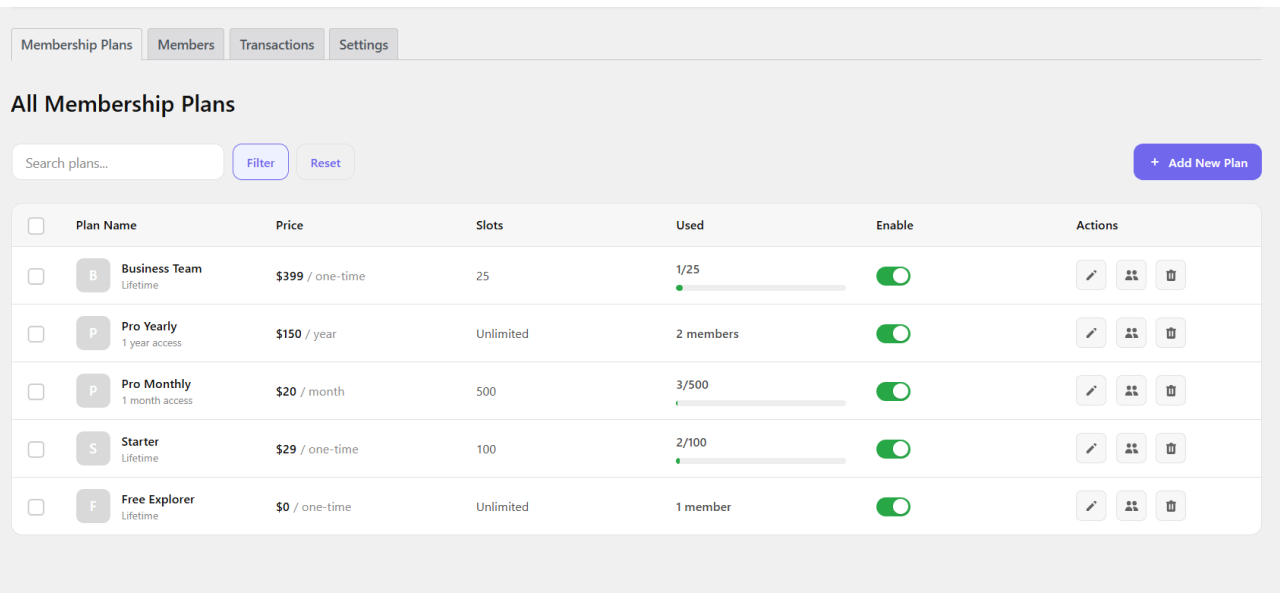
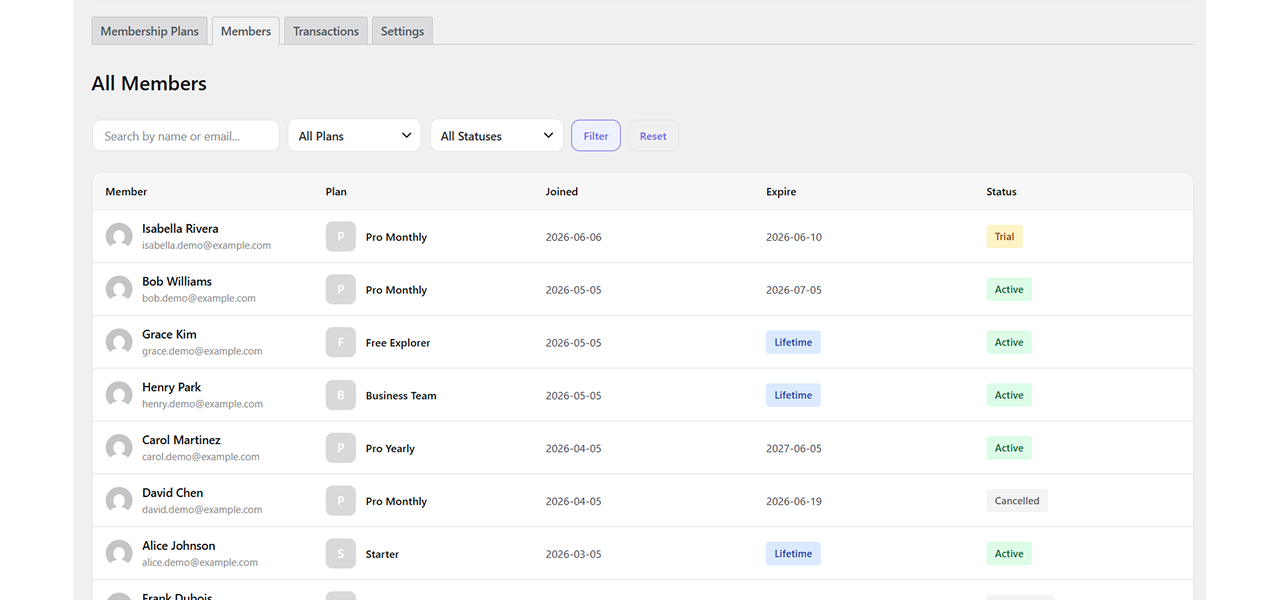
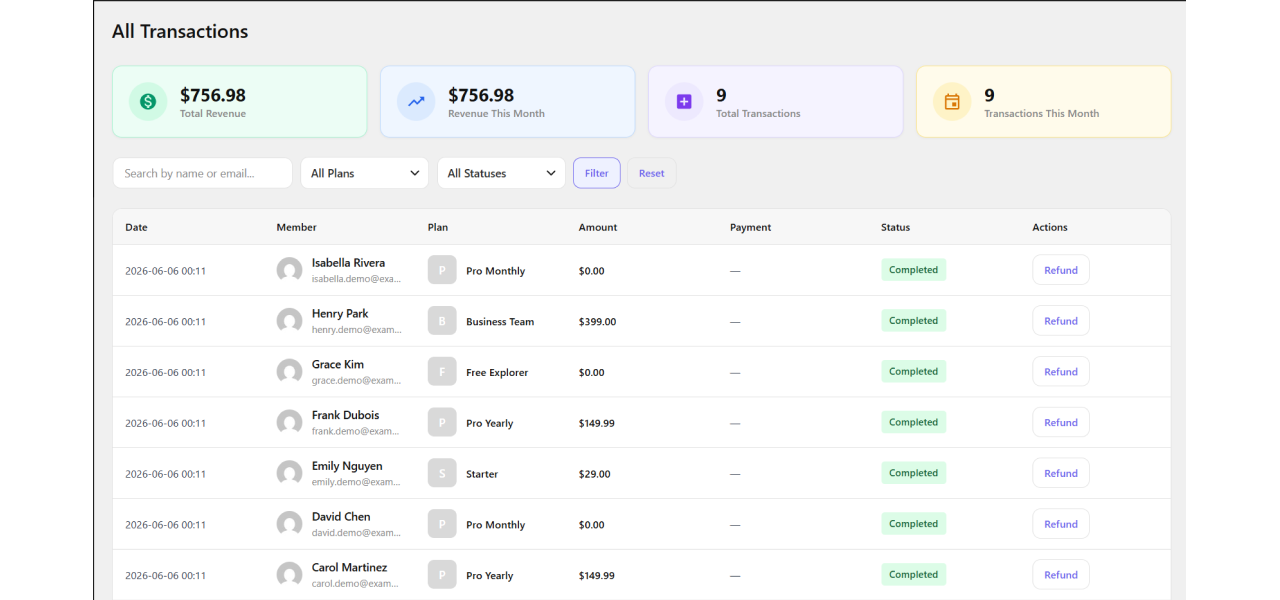
- Manage members, transactions, and enrollments from one centralized dashboard using the ultimate membership subscription WordPress plugin.
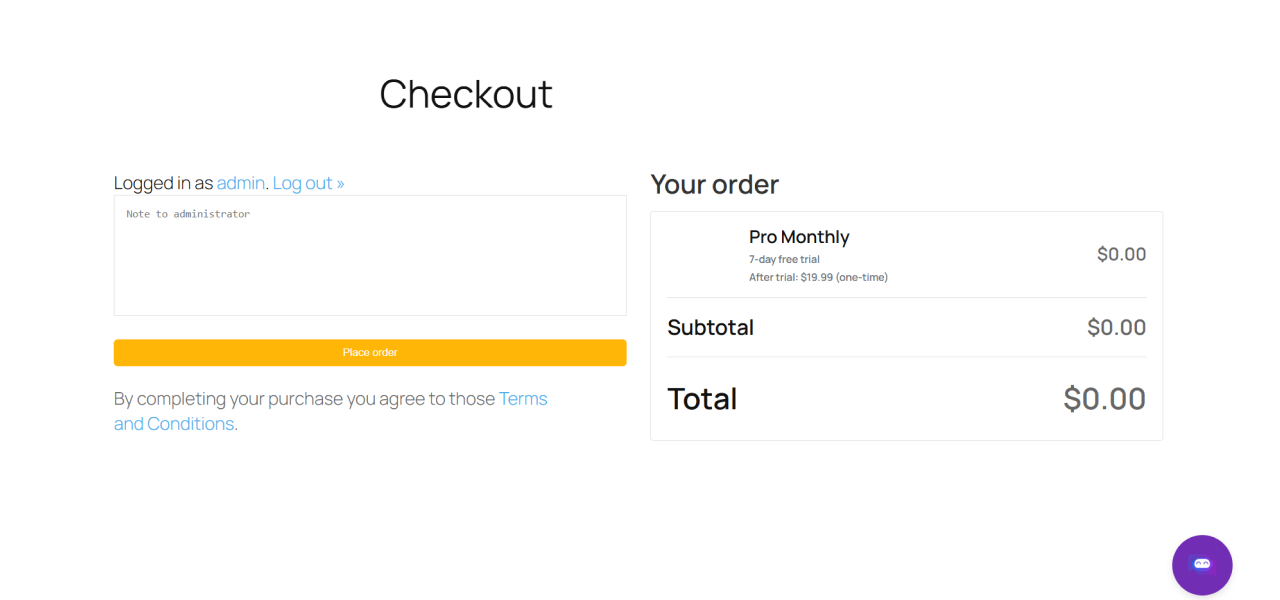
- Process payments seamlessly. This WordPress membership plugin with payment gateway routes purchases through the LearnPress cart, fully supporting PayPal and Stripe flows.
- Keep learner access 100% accurate with automated, webhook-driven renewals, cancellations, suspensions, and expiration checks.
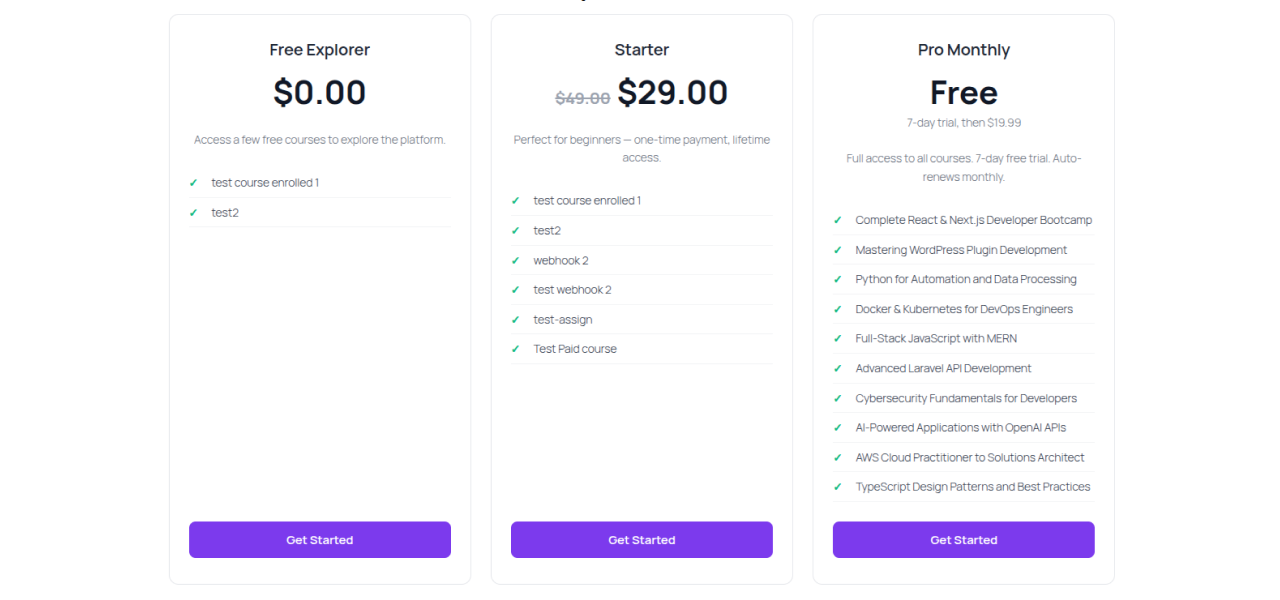
- Publish high-converting offers anywhere using responsive pricing tables, Elementor widgets, Gutenberg blocks, and shortcodes.
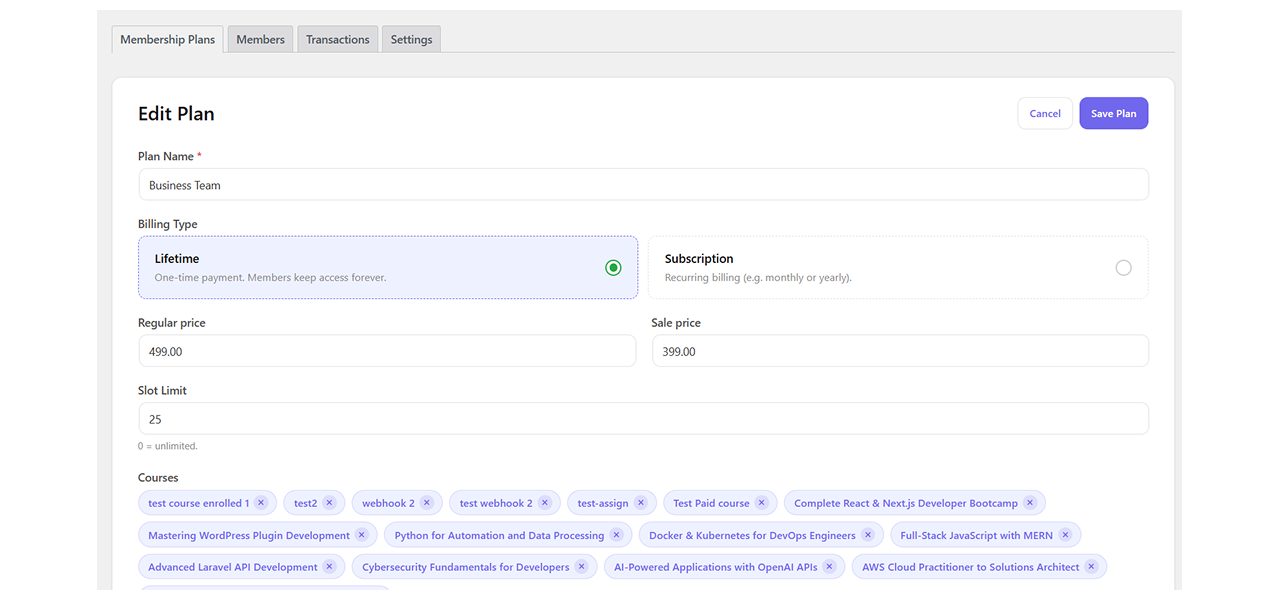
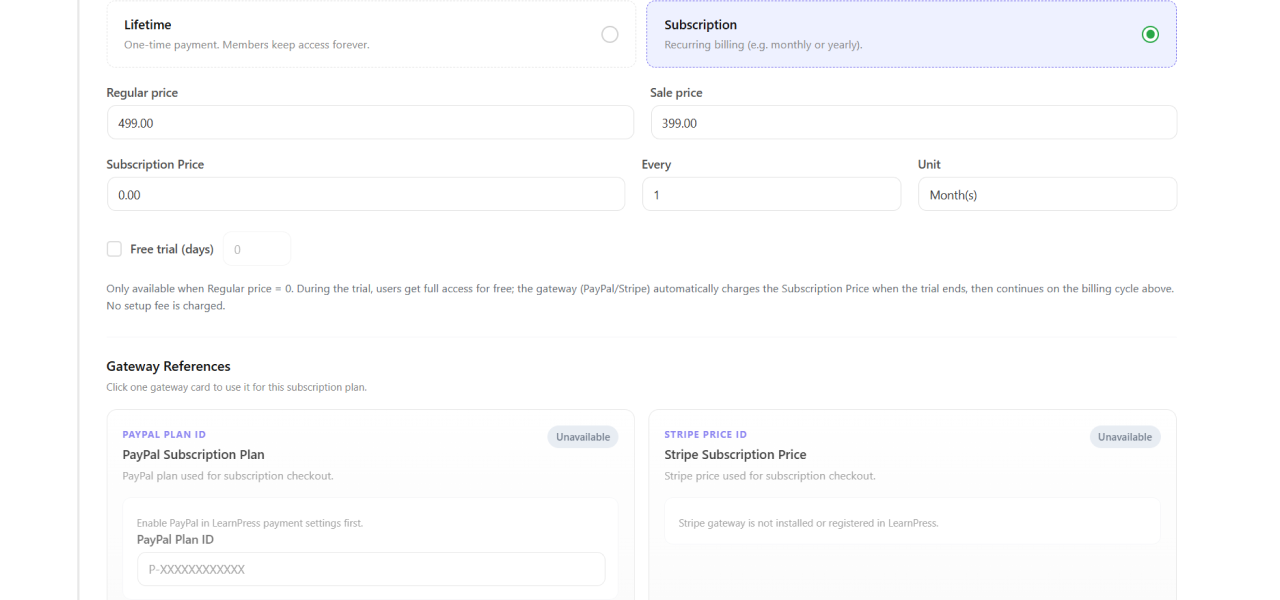
Create unlimited membership plans tailored to your audience. Choose between lifetime access or recurring subscription billing, set regular/sale prices, offer free trial days, and limit user slots. Easily assign specific LearnPress courses to any plan using a simple drag-and-drop interface.
Active Users: 159
Price: Original price was: $49.$39Current price is: $39.
- Lifetime license for 1 site License Info:Includes lifetime usage on 1 site. You can switch between environments as needed by deactivating/reactivating the key. Only one active installation can receive updates and support at a time.Learn More
- 12 months Update & Support Updates & Support Info:Purchase includes 12 months of updates and support. After expiry, the add-on remains functional, but you must renew the license to access future updates and support services.Learn More

Discount 25%

Memberships & Subscriptions Add-on for LearnPress
Original price was: $49.$39Current price is: $39.
Interactive Blocks Add-on for LearnPress
Original price was: $29.$19Current price is: $19.


















- Limited to 50 redemptions per day.
- ThimPress reserves the right to modify or cancel coupons at any time without notice.
- If you receive a refund for an item purchased with a coupon, the amount of refund to you will not include the coupon or its redemption value.
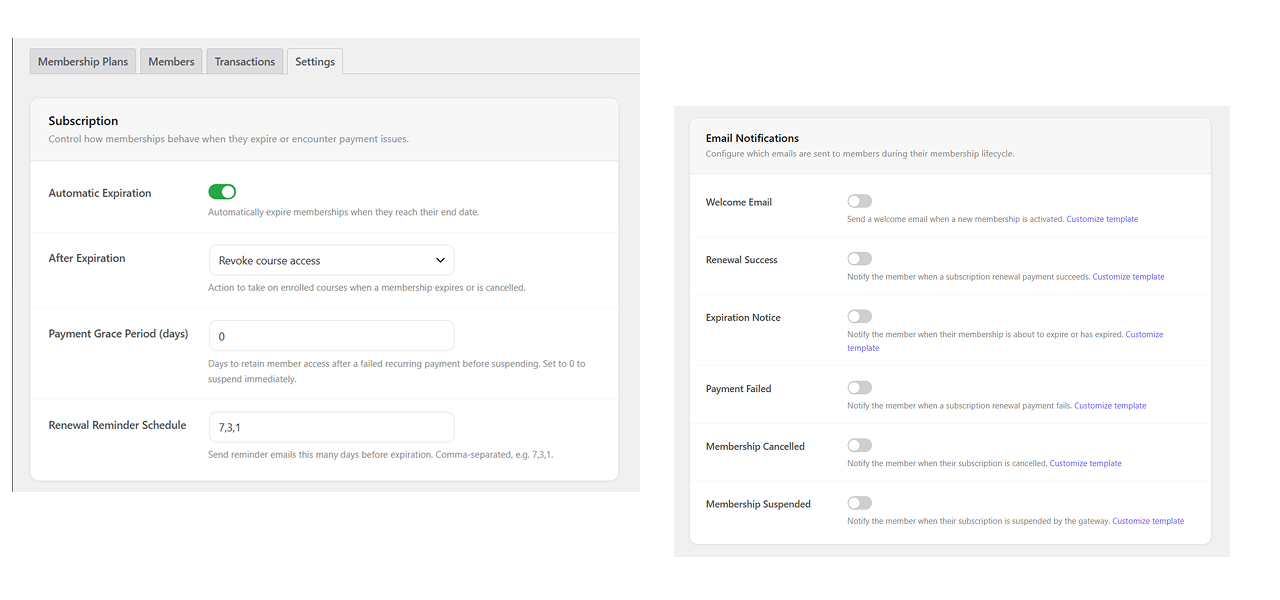
Screenshots
All Your Questions
Answered
You have questions.
We have answers.
Memberships & Subscriptions Add-on for LearnPress is the ultimate wordpress lms membership solution for selling LearnPress course access through membership plans. It supports lifetime plans, subscriptions, free trials, renewals, cancellations, and expiration handling.
It is built for LearnPress site owners, LMS admins, and course businesses that want to sell course bundles or recurring course access without managing enrollment manually for every learner.
Yes. The brief describes integration with the LearnPress cart and order system, matching the flexibility of a traditional woocommerce membership plugin, including hidden membership plan products, direct buy URLs, LearnPress orders, and order lifecycle hooks.
Yes. As a robust wordpress membership plugin with payment gateway integration, subscription plans can use PayPal or Stripe, and the plugin responds to trial, active, renew, cancelled, suspended, and expired subscription events through LearnPress subscription hooks.
Cancelled members can keep course access until their current end date. After expiration, the plugin can revoke or keep course access based on the admin setting lp_membership_on_end_action.
Yes. Admins can assign courses to each membership plan and reorder the included course list with sort_order.
Yes. The brief includes a responsive pricing table, course-page membership selectors, access notices, renew CTAs, and a LearnPress Profile Membership tab for plan details and learner actions.
Yes. The brief lists filters, actions, REST endpoints, custom database tables, shortcode support, Gutenberg integration, Elementor integration, and debug tools for subscription event testing.
We have a delicated team to support you 24/5
Go to our Forum and explore more than 2000 support topics
Feel free to contact us for support anytime



cassie.b –
Highly recommend for LMS businesses
This turned our course site into a proper recurring revenue business couldn’t be happier with the results.
Ismail Karimov –
Great support from the team
Had a small setup question and support helped resolve it quickly very responsive team.
jlee_2018 –
Smooth checkout experience
Students purchase memberships directly through the LearnPress cart no confusing extra steps at all.
Bruno Ferreira –
Well worth the price
For the features included this add-on is a steal compared to building a custom membership system.