





















Instamojo Add-on for LearnPress

645 active users

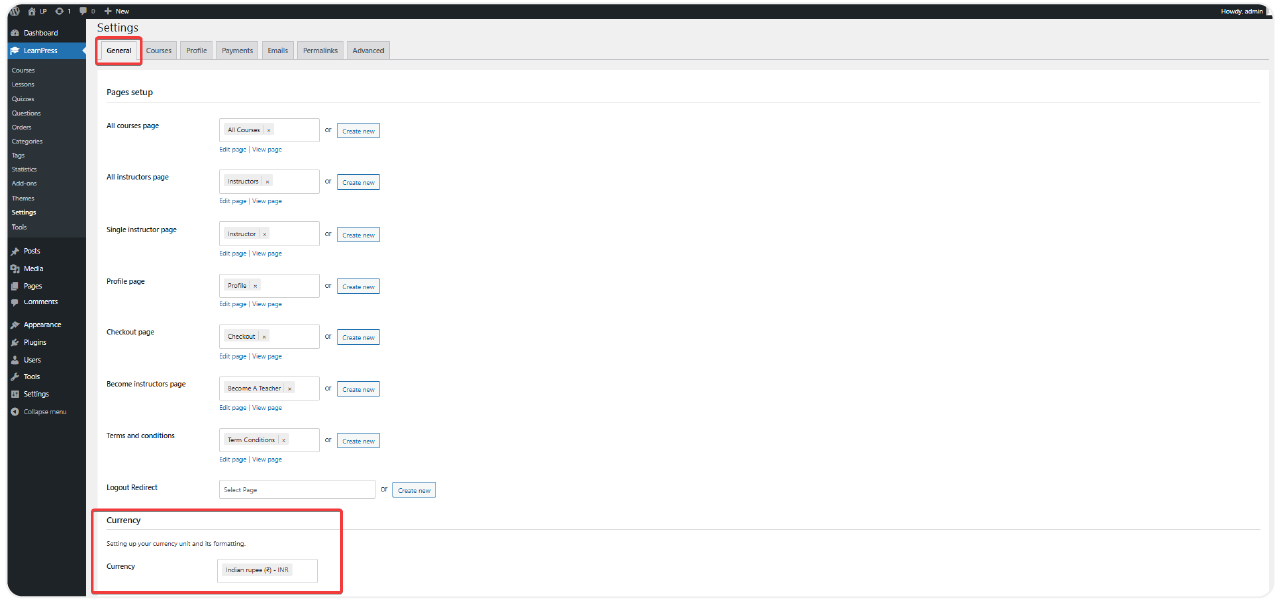
  • Effortlessly accept secure local payments in Indian Rupees (INR) directly on your WordPress site for your online courses.
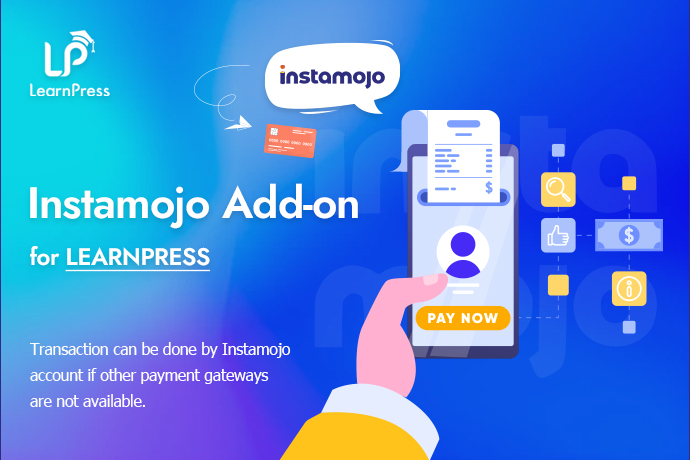
  • Seamlessly integrate India’s popular Instamojo payment gateway into your LearnPress LMS with the Instamojo Add-on for LearnPress.
  • Ideal for educators, coaches, and training centers in India looking for a reliable and straightforward localized payment solution.
  • Simplify student enrollment by offering familiar and convenient payment methods like UPI, credit/debit cards, and net banking via Instamojo.

Price: $19

  • Lifetime license for 1 site License Info:Includes lifetime usage on 1 site. You can switch between environments as needed by deactivating/reactivating the key. Only one active installation can receive updates and support at a time.Learn More
  • 12 months Update & Support Updates & Support Info:Purchase includes 12 months of updates and support. After expiry, the add-on remains functional, but you must renew the license to access future updates and support services.Learn More
I would like to extend Update & Support
Total $19
Secure Checkout
Version
Version: 4.0.0
Last Updated: A week ago
Compatible to WordPress Version: 5.8 or higher
Change Logs

= 4.0.0 (2023-01-18) =
~ LearnPress Instamojo Payment is an extension plugin to integrate the Instamojo gateway to LearnPress.

25% OFF SALE
Discount 25%
Get
LPJUL2026

How It Helps To Increase Conversion

Key features of Instamojo Add-On for LearnPress

Seamless Integration

Connect Instamojo directly with your LearnPress settings for a smooth and unified payment processing experience.

Multiple Local Payment Methods

Accept payments via credit cards, debit cards, UPI, net banking, and popular wallets supported by Instamojo.

Secure & User-Friendly Checkout

Provide a trusted, secure, and intuitive checkout process familiar to your Indian students.

Automated Workflow

Automatically update LearnPress order statuses and enroll students into courses immediately after successful payment confirmation.

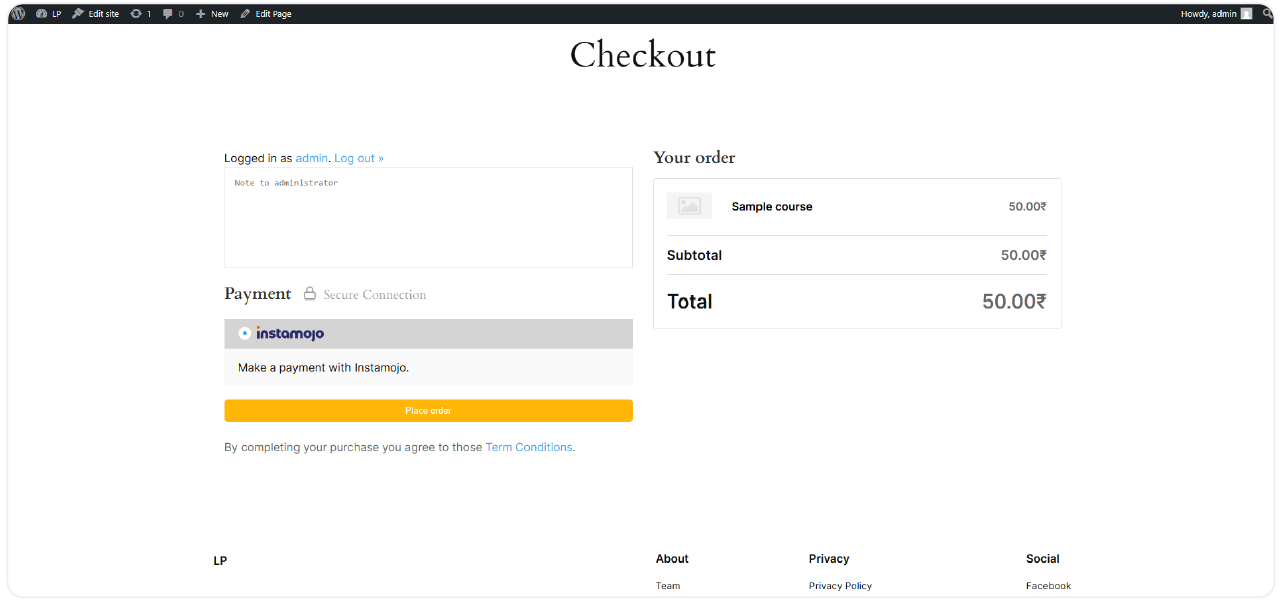
instamojo preview

Need Custom Features for Your Website?

How To Set Up the Instamojo Add-on for LearnPress

Setting up the Instamojo Add-on for LearnPress is quick and easy

1

Install the Add-on

  • Go to WordPress Admin Dashboard > Plugins > Add New > Upload Plugin, upload the .zip file, install, and activate.
2

Enable Instamojo in LearnPress

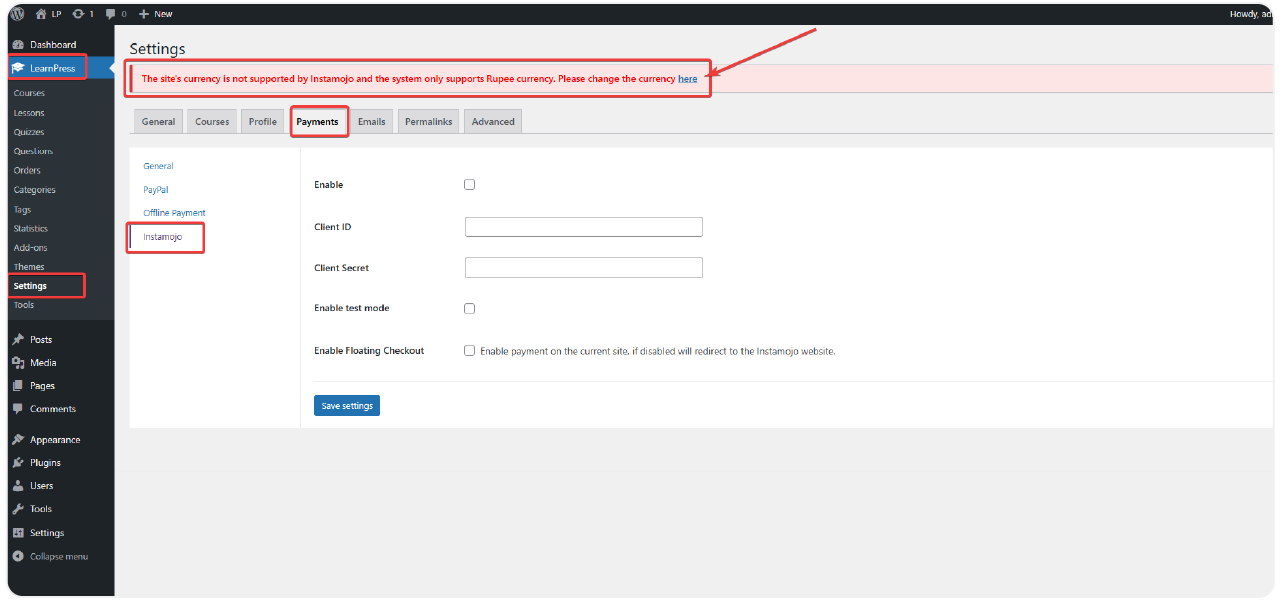
  • Navigate to LearnPress > Settings > Payments. Find “Instamojo” in the list of payment gateways, enable it, and click the Settings button next to Instamojo to configure it.
3

Connect Your Instamojo Account

  • Create an account at Instamojo if needed. Get your Client ID and Client Secret, and paste them into the respective fields. Choose between Live mode (for real transactions) or Sandbox mode (for testing), then Save Settings.
4

Test and Go Live

  • When students enroll in a paid course, they will now see Instamojo as a payment option. Selecting Instamojo will redirect them to the secure Instamojo payment page. After successful payment, the LearnPress order will be automatically updated, and the student will gain access to the course.

One – Time Payment to Get It Now

Accept all major debit & credit cards

Screenshots

instamojo-4
instamojo-5
instamojo-6
learnpress-upsel-3-0

All Your Questions
Answered

You have questions.
We have answers.

What is the Instamojo Add-on for LearnPress?

It’s a LearnPress extension that allows Indian course creators to integrate Instamojo as a local payment gateway on their WordPress LMS site.

What is required to use this add-on? 

You need the LearnPress plugin installed and activated on your WordPress site, along with an active Instamojo merchant account.

Does it support all Indian payment methods?

Yes, Instamojo supports a wide range of popular Indian payment methods, including UPI, debit/credit cards, net banking, and digital wallets. 

Is the payment process secure?

Yes, transactions are processed through Instamojo’s secure payment gateway, ensuring data protection for your students. The add-on facilitates the connection securely.

Can I use it in test mode before going live?

Absolutely. The Instamojo Add-on for LearnPress settings allows you to enable Sandbox mode using Instamojo’s test credentials for thorough testing.

Where do I get the Instamojo Client ID and Client Secret?

You can find these API credentials within your Instamojo account dashboard, usually under an ‘API & Plugins’ or ‘Developers’ section.

Will the order status update automatically after payment?

Yes, once the payment is confirmed via Instamojo, the student is auto-enrolled, and the order status is updated instantly.

Is there any coding required?

Not at all. The setup is beginner-friendly and requires no technical skills.

We have a delicated team to support you 24/5

Go to our Forum and explore more than 2000 support topics

Feel free to contact us for support anytime

We're Here to Assist!
Click to Chat on Messenger.

×