Learning how to build a SaaS application is not only a programming challenge. A successful software-as-a-service product must solve a recurring problem, deliver value quickly, protect customer data, support multiple accounts, and operate reliably as usage grows.
This guide explains the complete SaaS development process, from validating the idea to launching and improving the product. It is written for founders, product managers, and technical teams that want to understand how to develop a SaaS product without turning the first release into an expensive collection of untested features.
Eduma – Education WordPress Theme
We provide an amazing WordPress theme with fast and responsive designs. Let’s find out!
What Is a SaaS Application?
A SaaS application is software that customers access over the internet, usually through a browser or mobile app. The provider hosts and maintains the underlying application, infrastructure, updates, and security. Customers typically pay through a subscription, usage-based plan, or a combination of both.
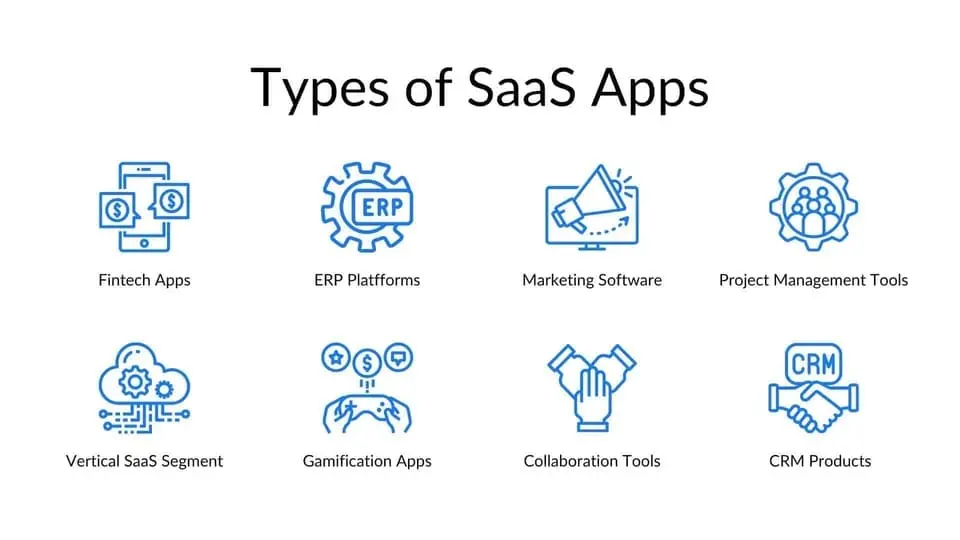
Common SaaS products include project management tools, customer relationship management systems, learning platforms, accounting software, design tools, and team communication apps. Unlike a one-time software download, SaaS creates an ongoing relationship: users expect the service to remain available, secure, current, and responsive to their needs.
How SaaS Development Differs From Traditional Software Development
When you develop software as a service, you are building both a product and an operating system for the business behind it. The application must manage customer accounts, permissions, subscriptions, billing events, usage, support, updates, and observability in addition to its core feature.
| Area | Traditional installed software | SaaS application |
|---|---|---|
| Delivery | Downloaded or installed | Accessed online |
| Updates | Customers install versions | Provider deploys continuously |
| Revenue | Often a one-time license | Usually recurring or usage-based |
| Infrastructure | Often runs on customer devices | Operated by the provider |
| Data | May be stored locally | Usually stored in provider-managed systems |
| Customer relationship | Centered on purchase and upgrades | Centered on activation, retention, and expansion |
These differences affect every product decision. Reliability, onboarding, billing, security, and customer success cannot be postponed indefinitely because they are part of the service users are buying.
How to Build a SaaS Application in 10 Steps
Step 1: Validate the Problem and Target Customer

Do not begin with a feature list. Begin with a recurring problem experienced by a specific group of users. A problem is promising when it is frequent, costly, urgent, or currently solved through frustrating manual work.
Interview potential customers about what they do today, not merely whether they like your idea. Ask when the problem last occurred, how they handled it, which tools they used, how much time or money it consumed, and who approves a purchase. Evidence of current effort is more useful than polite enthusiasm.
- Define one ideal customer profile.
- Describe one high-value job the customer needs to complete.
- Identify current alternatives, including spreadsheets and manual services.
- Test willingness to commit time, data, or money.
- Write a measurable hypothesis for the first product.
Weak validation is one of several costly app development mistakes to avoid. A polished product cannot compensate for a problem customers do not prioritize.
Step 2: Define the SaaS Value Proposition and Business Model
Your value proposition should explain who the product serves, which problem it solves, what outcome it creates, and why it is preferable to the current alternative. Keep this statement narrow enough to guide product decisions.
Then select a business model that matches how customers receive value:
- Flat-rate subscription: One product and one recurring price. It is simple but may undercharge high-usage accounts.
- Tiered pricing: Plans differ by features, limits, or service level. This serves multiple segments but can become confusing.
- Per-user pricing: Revenue grows with team size. It is understandable but may discourage broad adoption.
- Usage-based pricing: Customers pay for consumption. It aligns price with value but creates less predictable bills.
- Hybrid pricing: A base subscription includes an allowance, with additional usage billed separately.
Define the value metric, the unit that increases as customers receive more value, before finalizing plan limits. Seats, processed records, storage, transactions, and active contacts are common examples, but the correct metric depends on the product.
Step 3: Scope the Minimum Viable Product
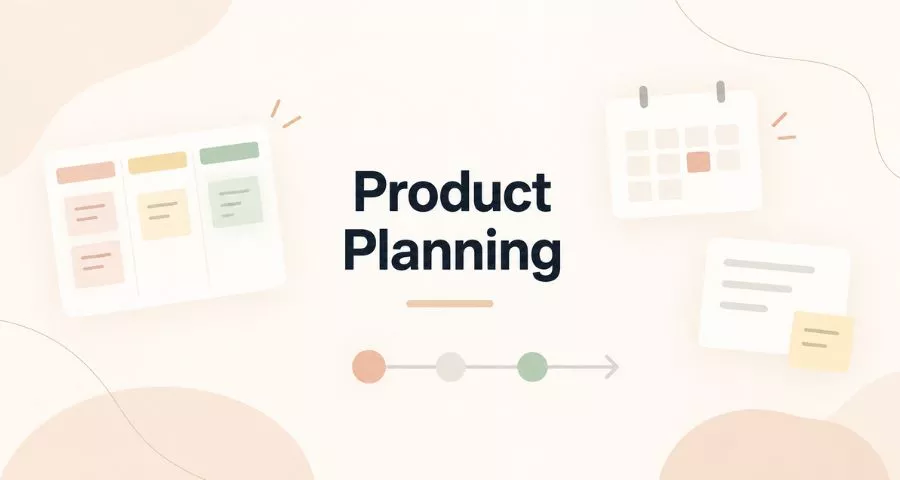
The minimum viable product should complete one valuable workflow from beginning to end. It is not every planned feature in a rougher interface. If your product helps agencies generate client reports, for example, the MVP may connect one data source, create one useful report, and share it with a client. Advanced templates, team analytics, and automation can wait.
Divide potential features into four groups:
- Core workflow: Required for the promised outcome.
- Trust requirements: Authentication, basic security, data recovery, and essential account controls.
- Operational requirements: Monitoring, support access, billing records, and error handling.
- Later improvements: Enhancements that do not determine whether the initial workflow succeeds.
Attach a success metric to the MVP. Examples include the percentage of new accounts that complete the core action, time to first value, weekly active teams, or the number of customers who return after four weeks.
Step 4: Design the User Experience and Prototype
Map the shortest path from account creation to the first meaningful result. Then prototype the critical screens before committing to production code. A clickable prototype helps founders, developers, and potential users find misunderstandings while changes are still inexpensive.
Prioritize these flows:
- Sign-up, sign-in, password recovery, and account verification.
- Workspace or organization creation.
- The primary job the product performs.
- Invitations, roles, and permissions when collaboration is essential.
- Plan selection, payment, cancellation, and data export.
- Empty states, validation messages, failures, and recovery.
If the workflow is complex or the first impression is central to conversion, working with specialists may reduce avoidable redesign. This overview of leading UI/UX design companies explains what professional design partners typically offer.
Step 5: Choose the SaaS Architecture and Technology Stack
There is no universally best SaaS stack. Choose mature technologies your team can build, secure, monitor, and hire for. For most MVPs, a modular monolith is easier to operate than microservices. Clear internal modules preserve future flexibility without creating distributed-system overhead before the product needs it.
| Layer | Common choices | Selection priority |
|---|---|---|
| Web interface | React, Vue, Angular, server-rendered frameworks | Team experience, accessibility, performance |
| Backend | Node.js, Python, Ruby, PHP, Java, .NET, Go | Ecosystem, maintainability, workload needs |
| Database | PostgreSQL, MySQL, managed document databases | Data model, transactions, operational maturity |
| Cache and jobs | Redis, managed queues, worker processes | Reliability, retry support, visibility |
| File storage | Object storage | Durability, access control, lifecycle policies |
| Infrastructure | Managed cloud services, containers, platform services | Security, scalability, team operations |
Front-end choices should support the product experience rather than follow fashion. Review these front-end web development tools when evaluating the team’s workflow.
Decide early how tenants will be separated. Some products store multiple customers in shared tables with a tenant identifier; others use separate schemas or databases for stronger isolation. The correct model depends on compliance expectations, enterprise requirements, scale, cost, and operational complexity. Whichever approach you choose, tenant checks must be enforced consistently at the data-access layer.
Step 6: Build Authentication, Authorization, and Tenant Isolation
Authentication confirms identity; authorization determines what that identity may do. SaaS products need both. A signed-in user must never gain access to another customer’s data because a record identifier was changed in a request.
- Use proven authentication libraries or a reputable identity provider.
- Support secure password storage, email verification, session expiration, and multi-factor authentication where appropriate.
- Design role-based or attribute-based permissions around real customer responsibilities.
- Enforce tenant ownership on every query and write operation.
- Record security-relevant activity in an audit log.
- Rate-limit sensitive endpoints and protect account recovery flows.
Treat access control as an architectural responsibility, not a collection of interface rules. Hiding a button does not prevent a direct API request.
Step 7: Implement Billing and Subscription Management
Use a specialized payment provider instead of handling sensitive card details directly. Your application still needs a reliable internal model for customers, plans, subscriptions, trials, invoices, payment status, feature entitlements, and usage.
Billing systems are event-driven. A payment may fail after a plan appears active, a customer may change plans in the middle of a cycle, or a delayed event may arrive twice. Process provider events idempotently, verify their authenticity, preserve an audit trail, and reconcile your records with the payment system.
- Define trial start and end behavior.
- Explain upgrades, downgrades, prorations, and usage charges.
- Create a fair payment-retry and account-recovery process.
- Allow customers to access invoices and update billing details.
- Separate plan configuration from permission checks so entitlements remain consistent.
Step 8: Secure, Test, and Observe the Application
Security begins during design. Inventory the data you collect, minimize it, encrypt sensitive information in transit and at rest, manage secrets outside the codebase, patch dependencies, back up critical data, and test restoration. Establish a process for reporting and responding to vulnerabilities.
Teams building extensible platforms should pay particular attention to the risks described in this guide to preventing data leaks in plugins and themes. The platform differs, but the underlying lessons about authorization, secrets, input handling, logging, and dependency risk remain useful.
Your test strategy should cover:
- Unit tests for business rules and calculations.
- Integration tests for databases, queues, email, storage, and payment events.
- End-to-end tests for the few customer journeys that must always work.
- Authorization tests that attempt cross-tenant and out-of-role access.
- Load tests for expected peaks and resource-intensive workflows.
- Recovery tests for backups, failed jobs, and third-party outages.
Observability should combine logs, metrics, traces, uptime checks, and actionable alerts. Monitor customer outcomes as well as servers: a healthy API means little if users cannot finish the core workflow.
Step 9: Prepare Legal, Privacy, and Operational Foundations
Before launch, document what data the product collects, why it is collected, where it is processed, who can access it, how long it is retained, and how customers can request deletion or export. Your privacy policy and terms must reflect the actual product and jurisdictions you serve, not a blindly copied template.
A starter document can help identify the sections that need legal review. Use this sample privacy policy template for websites and apps as a framework, then adapt it to your real data practices and obtain qualified legal advice where necessary.
Also prepare operational basics: support channels, status communication, incident roles, backup ownership, service-level expectations, and a clear path for customers to export their information. Enterprise buyers may request security documentation, data-processing terms, audit evidence, and single sign-on.
Step 10: Launch, Measure, and Iterate
Launch to a controlled group first. A small group of relevant customers produces better learning than a large audience with weak intent. Watch users complete the core workflow, review support conversations, and compare behavior with the MVP hypothesis.
Measure the full customer journey:
- Acquisition: Which channels bring suitable accounts?
- Activation: How many accounts reach the first meaningful result?
- Engagement: Which behaviors indicate that customers receive repeated value?
- Retention: How many customers or cohorts remain active over time?
- Revenue: How do conversion, recurring revenue, expansion, and churn change?
- Referral: Which satisfied customers invite others or recommend the product?
Prioritize improvements that remove activation barriers, fix recurring failures, or deepen the core value. Do not allow a small number of loud requests to replace product strategy.
Core Features Most SaaS Applications Need
The exact feature set depends on the product, but most SaaS application development projects eventually need the following capabilities:
- User registration, authentication, and account recovery.
- Organizations, workspaces, invitations, roles, and permissions.
- Tenant-aware data access and audit history.
- Onboarding and an obvious path to first value.
- Subscription, billing, invoices, and entitlements.
- Transactional email and in-product notifications.
- Search, filtering, import, and export where relevant.
- Admin and support tools with controlled access.
- Analytics, logging, monitoring, and alerting.
- Customer-facing privacy, security, and account controls.
Not all of these belong in the first release. Include what is necessary to deliver and operate the core promise safely; schedule the rest according to validated customer and business needs.
How Much Does SaaS Application Development Cost?
SaaS development cost depends on scope, team location and composition, design depth, integrations, compliance requirements, data complexity, performance needs, and the amount of existing infrastructure. A narrowly scoped MVP built with managed services costs far less than a multi-region enterprise platform with complex permissions and regulated data.
Estimate the total cost of ownership, not only the first build. Include:
- Product discovery, user research, and design.
- Engineering, quality assurance, and project management.
- Cloud infrastructure, storage, email, monitoring, and third-party APIs.
- Security reviews, compliance work, and legal support.
- Maintenance, customer support, incident response, and product improvement.
Cloud infrastructure can reduce upfront operational work, but costs must still be modeled as usage grows. This comparison of cloud hosting services outlines several factors to consider when evaluating providers.
In-House Team vs. SaaS Application Development Services
An in-house team develops deep product context and gives you direct control over priorities. It can be the right model when software is the company’s core asset and you can recruit the necessary product, engineering, design, security, and operations skills.
SaaS application development services can accelerate delivery when your organization lacks a complete team or needs specialist experience. A good partner should challenge assumptions, explain trade-offs, leave clear documentation, and design a maintainable handoff, not simply deliver the largest possible feature list.
| Model | Advantages | Watch-outs |
|---|---|---|
| In-house | Direct control, durable product knowledge, close customer feedback loop | Hiring time, management overhead, skill gaps |
| Development partner | Faster team formation, specialist access, defined delivery capacity | Vendor dependency, knowledge transfer, variable quality |
| Hybrid | Internal product ownership plus external delivery or expertise | Requires clear roles, standards, and communication |
When comparing SaaS software development services, ask candidates to explain how they handle discovery, architecture decisions, automated testing, security, deployment, monitoring, documentation, intellectual property, and post-launch support. Review relevant shipped products and speak with references when the investment is significant.
Build the SaaS Marketing Website Alongside the Product
Your application and marketing website serve different purposes. The application delivers the service; the website explains the problem, positions the product, captures demand, answers objections, and moves visitors toward a trial, demo, or purchase.
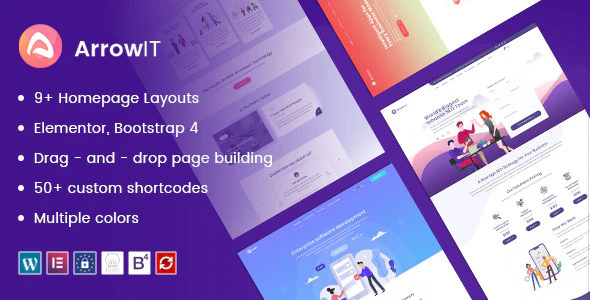
For a WordPress-based marketing site, ArrowIT provides layouts suited to technology companies, software products, startups, and product landing pages. SegmentIO is another option for SaaS teams that want a marketing, SEO, startup, or digital-agency presentation.
Build each acquisition page around one search intent and conversion goal. This guide to landing page SEO optimization explains how page structure, relevance, technical setup, and usability work together.
SaaS Metrics to Track After Launch
| Metric | What it reveals | Important question |
|---|---|---|
| Activation rate | Whether new users reach initial value | Where do suitable users stop? |
| Time to value | How quickly the product delivers a meaningful result | Which setup steps can be removed? |
| Retention | Whether value repeats over time | Which behaviors predict long-term use? |
| Logo churn | Percentage of customers lost | Why do accounts cancel? |
| Revenue churn | Recurring revenue lost after expansion is considered | Are retained customers growing? |
| Customer acquisition cost | Sales and marketing cost per acquired customer | Which channels attract profitable customers? |
| Lifetime value | Expected gross profit across a customer relationship | Does retention support acquisition spending? |
| Support volume | Friction, defects, and knowledge gaps | Which recurring issue should product or documentation solve? |
Metrics need context. Segment results by customer type, acquisition source, plan, and signup cohort. A single blended retention number can hide a strong customer segment inside a weak overall average.
Common SaaS Development Mistakes
- Building before validating: The team optimizes delivery without confirming demand.
- Overloading the MVP: Too many features delay customer learning and increase defects.
- Choosing architecture for hypothetical scale: Operational complexity arrives long before meaningful traffic.
- Treating security as a final checklist: Access-control and data-model flaws become expensive to repair.
- Using billing status as an afterthought: Product access and provider events fall out of sync.
- Ignoring onboarding: Customers leave before reaching the value the product can provide.
- Monitoring infrastructure but not workflows: Systems appear healthy while customers encounter failures.
- Scaling acquisition before retention: Marketing accelerates the arrival and departure of poorly served users.
FAQs About SaaS Application Development
How long does it take to build a SaaS application?
A focused MVP may take a few months, while a complex SaaS platform can take a year or longer before broad release. Timeline depends on feature scope, team capacity, integrations, data migration, security, compliance, and the maturity expected at launch. Discovery and prototyping should happen before estimating a firm delivery date.
How to create a SaaS application without a technical co-founder?
Start with customer research, a written workflow, and a clickable prototype. You can use no-code tools to test a narrow process or hire an experienced technical lead and development partner. Keep product ownership internal, require documentation, understand key architecture choices, and avoid outsourcing decisions you cannot evaluate.
What is the best technology stack for SaaS development?
The best stack is a mature, secure, supportable combination that fits the product’s workload and the team’s expertise. Most early products benefit more from managed services, a relational database, clear modules, automated testing, and reliable deployment than from an unusually complex architecture.
Can one developer build a SaaS product?
Yes, one experienced developer can build a narrowly scoped SaaS product, especially with managed authentication, payments, email, hosting, and monitoring. However, product research, design, security, support, marketing, and operations still need attention. Reduce scope instead of pretending those responsibilities do not exist.
When should a SaaS application use microservices?
Use microservices when independently deployable components solve demonstrated organizational or scaling constraints for example, separate teams need autonomous releases or workloads have clearly different scaling profiles. They are rarely the simplest starting point for an MVP because they add network, deployment, testing, monitoring, and data-consistency complexity.
How do you market a new SaaS product?
Begin with the narrow audience and recurring problem validated during discovery. Use customer language on landing pages, publish content around high-intent problems, conduct targeted outreach, and improve activation before scaling spend. This eight-step SaaS sales strategy can help turn early demand into a repeatable process.
Final Thoughts
Understanding how to create software as a service means thinking beyond code. The product, architecture, security model, billing system, customer experience, operations, and business model must reinforce one another. Start with a painful recurring problem, build the smallest complete solution, and measure whether customers repeatedly receive value. That disciplined sequence reduces unnecessary SaaS development work and creates a stronger foundation for scaling the application, team, and recurring revenue.
Read More: 10 Best Personal Homepage Templates & Examples
Contact US | ThimPress:
Website: https://thimpress.com/
Fanpage: https://www.facebook.com/ThimPress
YouTube: https://www.youtube.com/c/ThimPressDesign
Twitter (X): https://x.com/thimpress_com