A good booking page template is the difference between a visitor who browses your tours and a visitor who pays for one. If you run a tour company, a small travel agency, or a hotel, this one page carries more revenue than your homepage, your blog, and your gallery combined.
This guide explains what a booking page template should contain, how it fits into your wider travel agency website design, and which WordPress themes give you a ready-made starting point.
Whether you plan to use a travel agent website builder or a WordPress theme, the same rules apply. Keep the steps short, show the full price early, and make sure the page works well on a phone.
Eduma – Education WordPress Theme
We provide an amazing WordPress theme with fast and responsive designs. Let’s find out!
What is a booking page template?
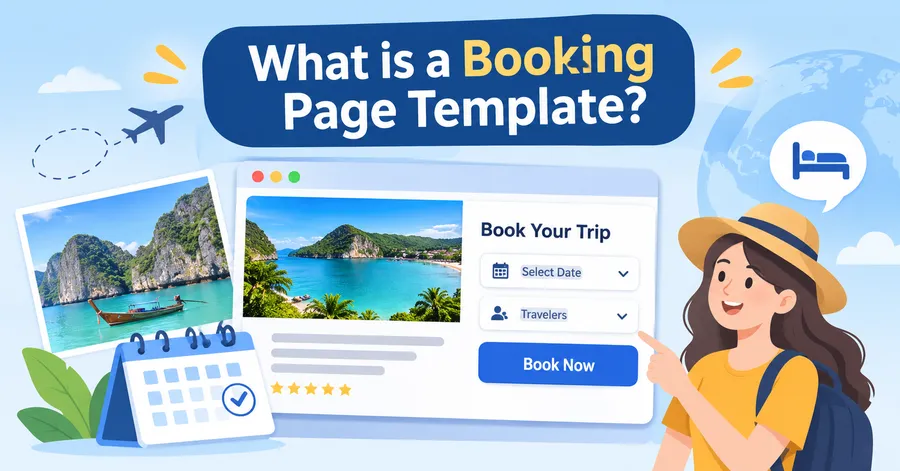
A booking page template is a pre-built page layout that collects the details a customer needs to reserve a tour, room, or trip. It saves you from designing the booking flow from scratch and gives you a tested structure to adjust to your brand.
Definition and typical contents
Most templates include a trip summary, a date picker, a traveller counter, a price breakdown, a contact form, and a payment step. Some also add extras such as airport pickup, travel insurance, or a private guide. A booking page template works best when each of these parts is visible without too much scrolling.
Where it sits in the customer journey
Think of your site as a short path. The visitor lands on the homepage, opens a tour list, reads a tour detail page, and then reaches the booking page. After payment, they see a confirmation page and receive an email. If any step is slow or confusing, people leave. That is why the booking page deserves as much design attention as the homepage.
Booking page vs checkout page
In WordPress, these two are often different things. The booking page collects trip details such as dates and guests. The checkout page, usually handled by WooCommerce or a payment plugin, collects billing details and takes payment. Some themes merge them into one screen, while others keep them separate. Both approaches work if the transition between them is smooth and the price never changes without warning.
Why the booking page matters for tour operator website design
Strong tour operator website design is not only about big photos. It is about moving a visitor from “I like this trip” to “I have paid for this trip” with as little friction as possible. The booking page is where that move happens.
It is where most visitors leave
According to the Baymard Institute, the average documented online cart abandonment rate is about 70%. Travel is a higher-consideration purchase than most retail, so people often compare several tours in different tabs before they commit. A clear page with no surprises gives you a better chance of winning that comparison.
It builds or breaks trust
Travel is a purchase made on faith. The customer is paying for something they cannot touch yet. Visible cancellation terms, real contact details, secure payment icons, and recent reviews all reduce doubt. A cluttered or outdated booking page does the opposite.
It helps you win direct bookings
Online travel agencies take a commission on every sale. A simple, trustworthy booking flow on your own site lets you keep that margin. It also gives you the customer’s email address, which you can use for follow-up offers and repeat trips.
Must-have elements of a booking page template
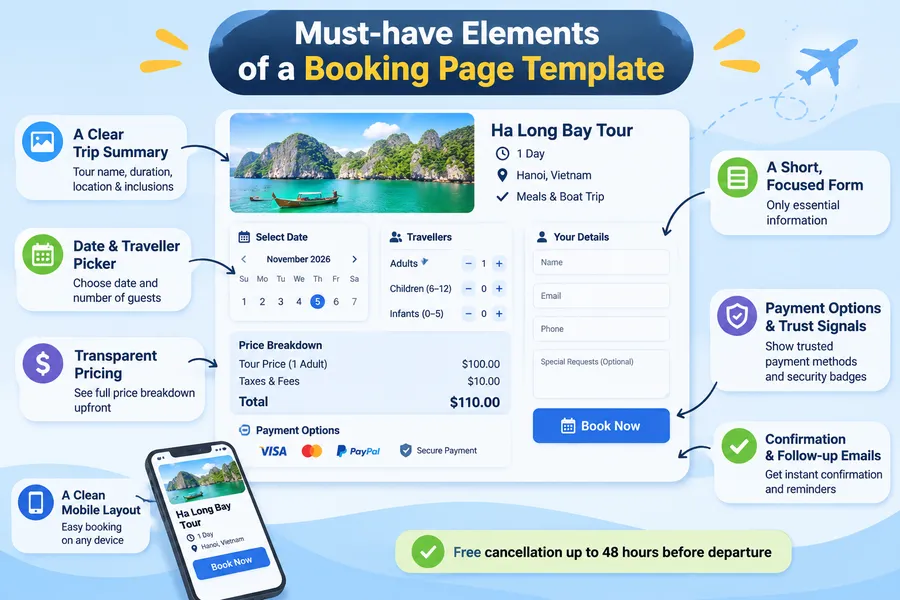
Every strong template shares a short list of building blocks. If your current page is missing any of them, add them before you spend time on visual polish.
A clear trip summary
Show the tour name, a small photo, the duration, the start location, and what is included. Keep it visible at the top or in a sticky sidebar on desktop. The visitor should never wonder which trip they are booking.
A simple date and traveller picker
Use a calendar that greys out unavailable dates and shows seat or room availability when you can. Let the customer pick adults, children, and infants with plus and minus buttons. Avoid free-text fields for numbers, because they cause errors.
Transparent pricing
Show the full price breakdown before the payment step: base price per person, extras, taxes, and any booking fee. Hidden fees that appear on the last screen are one of the fastest ways to lose a sale. If you offer deposits, say clearly how much is due now and when the balance is due.
A short, focused form
Ask only for what you need to confirm the booking: name, email, phone, and special requests. Leave the long passport details for a later email or account page. Fewer fields mean a higher completion rate, and the form feels less like paperwork.
Payment options and trust signals
Offer the payment methods your customers actually use, such as cards, PayPal, or bank transfer. Place secure payment badges near the pay button and link to your cancellation policy. A short line such as “Free cancellation up to 48 hours before departure” can lift confidence more than a long paragraph of terms.
A clean mobile layout
Many travellers browse and book from a phone, so test the page on a real device, not only in a desktop preview. Buttons should be large enough to tap, the date picker should open without zooming, and the pay button should stay visible. Use a single column and keep input fields wide.
Confirmation and follow-up emails
The booking does not end when the customer pays. Send an instant confirmation email with the trip details, meeting point, and a contact number. Then send a reminder a few days before departure. Good emails reduce support questions and make the customer feel looked after.
How travel homepage design supports the booking page
Your travel homepage design sets up the booking page. If the homepage is confusing, visitors never reach the booking step, no matter how good that page is.
Put search and booking tools above the fold
A search bar with destination, date, and guest fields lets visitors start the booking path in seconds. Place it in the hero section, directly over a strong image. Keep the labels plain, such as “Where to?” and “When?”.
Feature your best-selling tours
Below the hero, show three to six popular tours with a photo, price, duration, and a “Book now” or “View details” button. These cards are the first doors into your booking page template, so make each one clear and clickable.
Add social proof early
Customer reviews, star ratings, and recognised logos such as TripAdvisor or local tourism boards help new visitors trust you. Place a short review block between the tour cards and the footer. Real names and trip dates make reviews feel genuine.
Keep the navigation short
Limit the main menu to five or six items: Destinations, Tours, About, Blog, and Contact. Add a visible “Book now” button in the header. A long menu with many sub-levels pushes the booking path out of sight.
Travel site design rules for speed and mobile
Good travel site design is a mix of strong visuals and technical discipline. Photos sell trips, but heavy photos slow down the very pages that need to load fast.
Aim for Core Web Vitals targets
Google recommends a Largest Contentful Paint (LCP) under 2.5 seconds, an Interaction to Next Paint (INP) under 200 milliseconds, and a Cumulative Layout Shift (CLS) under 0.1. You can check these in PageSpeed Insights or in the Core Web Vitals report in Google Search Console. A booking page that jumps around while loading can cause missed taps and failed payments.
Compress and size images properly
Travel sites are image-heavy, so this is where most speed problems start. Export hero images in WebP, keep each one to a sensible width, and turn on lazy loading for images below the fold. Do not lazy load the main hero image, because that can hurt LCP.
Use a consistent style
Pick one or two fonts, a small colour palette, and a clear button style. Use the same layout for every tour page so visitors know where to find the price, the itinerary, and the book button. Consistency makes the site feel professional without extra effort.
Make accessibility part of the design
Use readable font sizes, strong colour contrast, and alt text on images. Label every form field. Accessible pages are easier for everyone to use, including customers booking on a small screen in bright sunlight.
What travel agency website examples have in common
When you look at travel agency website examples from successful tour companies, you will see patterns more than tricks. You do not need to copy a specific site. You need to understand why certain layouts keep appearing.
A clear promise in the first screen
Strong sites tell you what they sell within a few seconds. The headline names the destination type or trip style, such as small-group tours, family holidays, or private safaris. A single button leads to the next step.
Tour pages built like sales pages
The best tour pages follow a steady order: gallery, short overview, highlights, day-by-day itinerary, included and excluded items, reviews, and a booking box. The booking box often stays visible as you scroll. This puts the booking page template within reach at every point on the page.
Honest details
Good examples list what is not included, who the trip suits, and how physically demanding it is. This honesty reduces refunds and bad reviews, and it makes visitors trust the price they see.
Local and human touches
Photos of real guides, short bios, and a visible phone number or WhatsApp button give a small operator an edge over large booking sites. People like to know there is a real team behind the trip.
Travel website builder or WordPress theme: which should you pick?
Both routes can produce a working booking site. The right choice depends on how much control you need, how many tours you sell, and how comfortable you are with WordPress. Below is a plain comparison.
Quick comparison table
| Feature | Hosted travel website builder | WordPress with a booking theme |
|---|---|---|
| Setup speed | Fast, often a day | Moderate, a few days to a few weeks |
| Design control | Limited to builder options | Full control with page builders and child themes |
| Booking features | Basic, depends on the plan | Advanced, can add extra booking plugins |
| Monthly cost | Ongoing subscription | Hosting plus one-time theme license |
| SEO flexibility | Basic settings | Full control with Rank Math or Yoast |
| Payment options | Limited to supported gateways | Wide choice through WooCommerce and plugins |
| Scaling to many tours | Can get costly | Handles large tour catalogs well |
| Best for | Solo guides and very small operators | Agencies, tour operators, and growing brands |
When a hosted builder makes sense
A travel agent website builder is a good fit if you sell a handful of tours, want to launch quickly, and do not want to manage hosting or updates. You trade flexibility for convenience, and you may hit limits when you want custom booking rules or deeper SEO control.
When WordPress is the better choice
A WordPress travel website builder setup, meaning a theme plus a page builder such as Elementor, suits operators who want their own domain, their own data, and a booking flow they can shape. You can start with a ready-made theme, import a demo, and edit the booking page template to match your brand. The trade-off is that you handle hosting, backups, and updates yourself, or pay someone to do it.
3+ best WordPress themes with a booking page template
If you choose WordPress, a purpose-built theme saves weeks of work. The three themes below are from us and are available on ThemeForest. Each one comes with demo layouts and booking features, so you start with a working structure rather than a blank page. Feature lists change with updates, so check the current details on each product page before you buy.
TravelWP: best all-round theme for tour booking
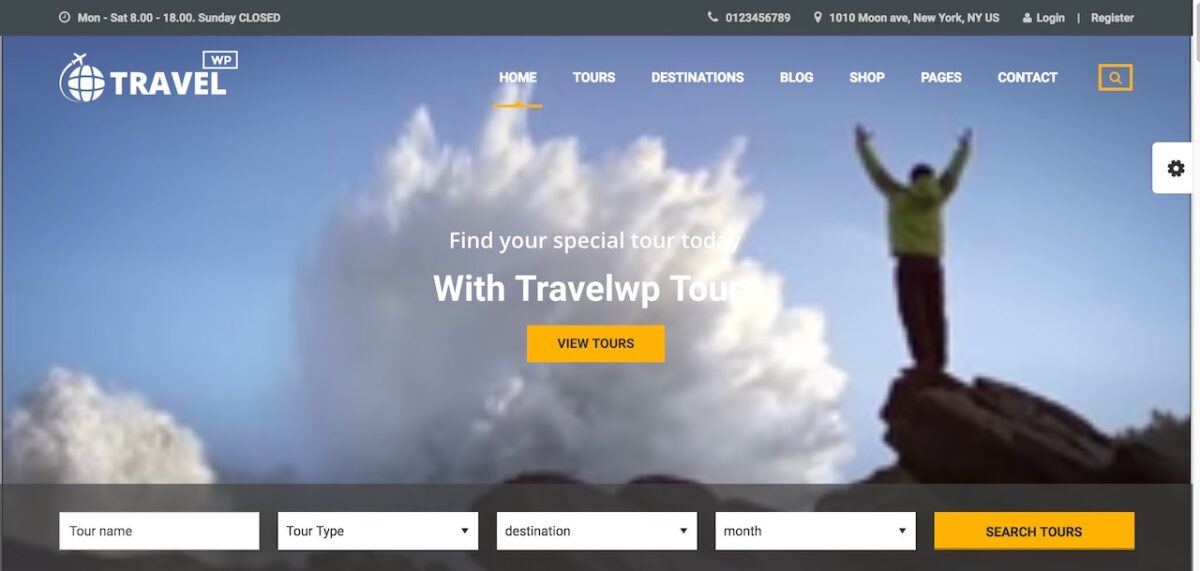
TravelWP is a tour booking WordPress theme made for travel agencies and tour operators. It includes tour listing layouts, tour detail pages, and a booking flow that you can connect to your payment setup.
Pros:
- Built around tour and travel use cases, so the structure fits real tour businesses
- Multiple demo layouts help you launch quickly
- Works well as a base for both a travel homepage design and a full tour catalog
Cons:
- A premium theme with many options, so it takes time to learn the settings
- Demo import can bring in more content than you need, so plan time to clean it up
Why choose it: If you run a tour company with several destinations and want one theme that covers listings, detail pages, and booking, TravelWP is the most natural starting point of the three. It gives you a sound base for tour operator website design without custom development.
TourWP: best for modern tour and travel brands

TourWP is a tour booking travel WordPress theme with a fresh visual style. It is aimed at travel agencies and tour operators who want a modern look with booking features included.
Pros:
- Clean, image-led layouts that suit destination and adventure brands
- Includes booking functions so you do not need to build the flow from scratch
- A good fit for small and mid-size travel agency website design projects
Cons:
- Like most multi-purpose travel themes, it needs careful image optimization to keep speed scores healthy
- Heavy customization may require some knowledge of page builders or CSS
Why choose it: TourWP suits brands that care about a polished first impression. If your target customers decide based on visuals, its layouts help your tours look appealing while keeping the booking page template one click away.
HotelQueen: best for hotels, resorts, and stays
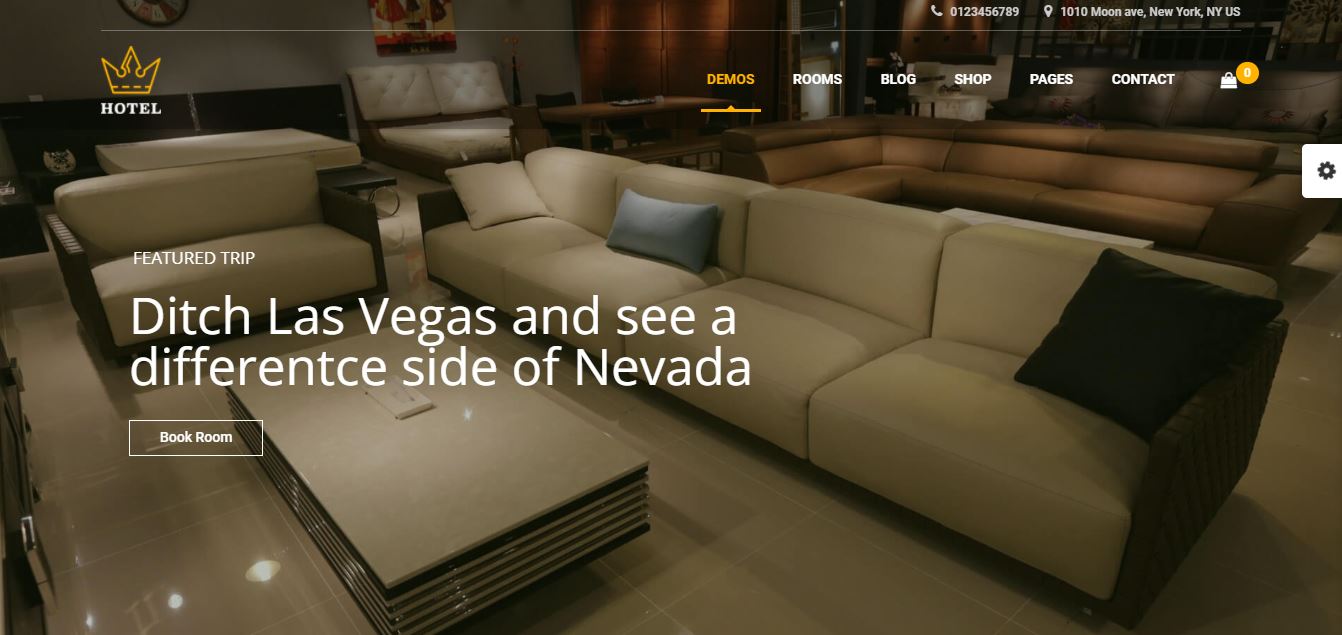
HotelQueen is a WordPress theme for hotels and resorts. It is focused on room listings and reservations rather than guided tours.
Pros:
- Designed around rooms, availability, and reservation flows
- Useful for travel businesses that also manage accommodation
- Clear layouts for room details, amenities, and galleries
Cons:
- Not aimed at multi-day tour itineraries, so it is a weaker pick for pure tour operators
- You may need extra tools if you want to sell both rooms and tours on one site
Why choose it: Pick HotelQueen if your main product is a place to stay, such as a boutique hotel, lodge, or resort. If you sell tours as your main product, choose TravelWP or TourWP instead.
Quick theme comparison
| Theme | Main use | Booking focus | Best for |
|---|---|---|---|
| TravelWP | Tours and travel packages | Tour booking | Tour operators and travel agencies |
| TourWP | Tours and travel brands | Tour booking | Modern adventure and destination brands |
| HotelQueen | Hotels and resorts | Room reservations | Hotels, lodges, and resorts |
How to set up a booking page template in WordPress
Setting up a booking page template in WordPress is easier than it looks if you follow a clear order. The steps below are based on a typical theme and plugin setup, and the menu names may differ slightly between versions.
- Choose a theme and install it. Go to Appearance > Themes > Add New, upload the theme zip, and activate it. If you plan to edit theme files, create a child theme first so your changes survive updates.
- Import a demo. Most travel themes include a one-click demo import. Pick the demo closest to your business, then delete the sample content you will not use.
- Set up your tours. Add each tour with a title, gallery, itinerary, price, and availability. Keep the same structure for every tour page.
- Configure the booking settings. Set the date rules, minimum and maximum guests, deposit options, and booking fees. Preview the booking page template on both desktop and mobile.
- Connect payments. Add your payment gateways under the theme or WooCommerce settings. Run a test booking with a small amount to confirm the payment and the email both work.
- Edit the emails. Customize the confirmation and reminder emails with your logo, contact number, and meeting point details.
- Test the full journey. Book a tour yourself on a phone, then ask a friend who has never seen the site to try. Note every point where they hesitate.
- Check speed. Run the booking page through PageSpeed Insights and fix any large images or unused scripts that slow it down.
A practical tip: always test the booking flow after you update the theme or any plugin. A small change in one plugin can break a date picker or a payment button, and you will not notice until a customer complains.
SEO tips for tour and booking pages
A great page that nobody finds does not bring bookings. These tips help your tour pages and your wider site rank for the searches that matter.
Put keywords where they belong
Use a clear primary keyword in each tour page title, such as “7-day Vietnam small group tour”. Add it to the H1, the first paragraph, and the meta description. Write for people first, and avoid repeating the phrase unnaturally.
Keep booking pages out of the way, and tour pages in view
In most cases, the booking and checkout pages should not be indexed, because they have no unique content. Use your SEO plugin, such as Rank Math or Yoast, to set them to noindex. Put your SEO effort into the tour detail pages, destination pages, and blog posts that lead people to the booking step.
Add structured data
Use schema markup for reviews, FAQs, and, where it fits, tour or product details. Rank Math includes an FAQ block and several schema types, which makes this simple. Structured data helps search engines and AI search tools understand your page.
Write helpful destination content
Guides, packing lists, and seasonal tips bring in visitors at the research stage. Link from these articles to relevant tour pages. This builds topical authority and gives readers an easy next step.
Build internal links with purpose
Link from your homepage to top tours, from tours to related tours, and from blog posts to tours. Use clear anchor text instead of “click here”. Good internal linking helps both visitors and search engines.
Common mistakes to avoid
Even strong teams repeat a few mistakes. Check your site against this list before launch.
- Asking for too much information. Long forms push people away. Collect the minimum, then follow up by email.
- Hiding the price. If visitors cannot see the cost until the last step, they feel tricked.
- Forcing account creation. Offer guest booking. Many travellers will not create an account for a single trip.
- Ignoring mobile testing. A page that works on your laptop may fail on a small phone.
- Using huge, uncompressed images. Slow pages lose visitors before they see your tours.
- Skipping the confirmation email. Customers who do not get instant confirmation often assume something went wrong.
- Never reviewing the data. Check your analytics to see where visitors drop off, then fix that step first.
FAQs
What should a booking page template include?
A booking page template should include a trip summary, a date and traveller picker, a clear price breakdown, a short contact form, secure payment options, and a link to your cancellation policy. It should also work on mobile and lead to a confirmation page. Anything beyond that is optional and should only be added if it helps the customer decide.
How many steps should a travel booking form have?
Aim for two to three steps at most: trip details, traveller details, and payment. Fewer steps usually mean fewer drop-offs, but the right number depends on your trip. If you need a lot of information, such as passport data, collect it after payment through a follow-up email or a customer account.
Do I need a developer to customize a booking template?
Not always. Most WordPress travel themes let you change colours, fonts, and layouts through the Customizer or a page builder such as Elementor. You may need a developer for custom pricing rules, special payment flows, or integrations with outside booking systems. Always work in a child theme so updates do not erase your changes.
How can I make my booking page load faster?
Compress images, use a caching plugin, and remove plugins you do not need. Choose reliable hosting, and use a content delivery network if you serve visitors from many countries. Then test the page in PageSpeed Insights and aim for an LCP under 2.5 seconds on mobile.
Conclusion
The best booking page template is simple, honest, and fast. It shows the trip, the date, the price, and the next step without making the customer think too hard. Around it, strong travel homepage design and careful travel site design bring people to that page in the right frame of mind.
If you want to launch quickly with limited needs, a hosted travel agent website builder can do the job. If you want control over design, SEO, and payments, a WordPress theme is the stronger long-term choice. For tour operators, TravelWP and TourWP give you a head start with built-in tour booking features, while HotelQueen is the better fit for hotels and resorts.
Start with the basics from this guide, test your booking flow on a real phone, and improve one step at a time. Small fixes to the booking page often bring bigger gains than a full redesign.
Read more: Define SaaS: Meaning, Examples, and Guide
Contact US | ThimPress:
Website: https://thimpress.com/
Fanpage: https://www.facebook.com/ThimPress
YouTube: https://www.youtube.com/c/ThimPressDesign
Twitter (X): https://x.com/thimpress_com