A website cookie is a small piece of data that a website asks a browser to store. Cookies can keep a user signed in, remember a language selection, preserve items in a shopping cart, measure traffic, or support advertising. That sounds simple, but cookies become more complicated once a site uses analytics platforms, embedded videos, payment tools, advertising pixels, and third-party WordPress plugins.
Site owners therefore need more than a banner that says “We use cookies.” They need to know which technologies run on the site, why each one runs, whether consent is required, and how visitors can change their choices. This guide explains the technical and practical parts of cookies on a website, provides cookie consent examples, and includes a website cookie policy template that can be adapted to a real business.
This article provides general information, not legal advice. Privacy requirements depend on the visitor’s location, the organization, the data collected, and the technologies involved. Consult a qualified privacy professional when legal interpretation is required.
Eduma – Education WordPress Theme
We provide an amazing WordPress theme with fast and responsive designs. Let’s find out!
Key Takeaways About Website Cookies
- A cookie stores a small value in a browser, but similar technologies such as local storage, pixels, and device identifiers may create comparable privacy obligations.
- Strictly necessary cookies support services requested by the visitor. Analytics, personalization, and advertising cookies often require a separate assessment and, in many regions, prior consent.
- A valid consent mechanism should offer a meaningful choice, avoid preselected optional categories, and make refusal as understandable as acceptance.
- A website cookie policy should identify cookie purposes, providers, durations, data use, choice controls, and contact details.
- A copied template is only a starting point. The published policy must match the cookies and scripts that actually operate on the website.
What Is a Website Cookie?
A website cookie is usually a short text value associated with a domain and stored by a web browser. When the browser makes another request to the relevant domain, it may send that value back. The website can then recognize a session, retrieve a preference, or connect multiple actions to the same browser.
Cookies do not all contain a person’s name or email address. A value may look like a random session ID. However, an identifier can still become personal data when it singles out a user or combines with IP addresses, account records, purchase history, or behavioral profiles. The practical question is not simply whether a cookie contains readable personal information. Site owners must consider what the cookie allows them or another company to learn and do.
Cookies are also only one part of modern tracking. A site may use browser local storage, tracking pixels, software development kits, fingerprinting methods, or URL parameters. A narrow audit that checks only files labeled “cookies” can miss these technologies. The UK Information Commissioner’s Office now discusses the broader category of storage and access technologies, which is a useful way to approach a modern audit.
For WordPress owners, much of this technology arrives through themes and plugins rather than custom code. A contact form may set an anti-spam value, a video embed may contact a third party, and an ecommerce extension may create session and cart cookies. Before adding more functionality, it helps to understand how WordPress popup plugins work and how every added integration can affect performance, user experience, and privacy.
How Cookies on a Website Work
A server can create a cookie through an HTTP response header, while JavaScript can create certain cookies in the browser. Each cookie normally includes a name and value plus rules that control where it is available. Those rules may define the domain, path, expiration time, secure transmission, cross-site behavior, and whether JavaScript can read the value.
Imagine that a visitor adds a course to a cart. The site stores a cart identifier and uses it to retrieve the correct cart from a database. On the next page, the browser sends the identifier again, so the selected course remains available. Without that mechanism, the site might treat every page request as a new visit.
The same mechanism can be used differently. An analytics service may assign an identifier to distinguish new and returning browsers. An advertising platform may read an identifier across participating sites to infer interests. The technology is similar, but the purpose, parties, risk, and consent requirements are different. This is why a cookie policy must explain purpose rather than merely publish a long table of unfamiliar names.
Main Types of Website Cookies
Strictly Necessary Cookies
Strictly necessary cookies make a service requested by the user function. Common cases include login authentication, security, load balancing, checkout, fraud prevention, and remembering a cookie choice. Turning them off may prevent the requested feature from working. “Necessary” should be interpreted narrowly: a cookie is not necessary merely because it is useful to the business.
Functional Cookies
Functional cookies remember choices that improve the experience, such as language, region, display settings, or a previously selected layout. Some are essential to a feature requested by the user; others are optional enhancements. Classifying every preference cookie as necessary without examining its purpose is risky.
Analytics and Performance Cookies
Analytics cookies help a site understand visits, pages, navigation paths, campaign sources, and technical performance. They may provide aggregate reports, but the underlying service can still process identifiers and device information. Analytics tools should be configured deliberately, documented, and blocked before consent where applicable. For a broader measurement plan, review the differences between popular SEO measurement platforms and select only tools tied to a defined decision.
Advertising and Targeting Cookies
Advertising cookies can measure campaigns, limit repeated ads, build audience segments, or personalize advertising. They are often placed or read by third parties and can follow activity across services. These cookies deserve prominent disclosure and are commonly subject to consent or opt-out requirements, depending on the relevant law.
First-Party and Third-Party Cookies
A first-party cookie is associated with the domain the visitor is viewing. A third-party cookie belongs to another domain contacted through content, scripts, or embedded services. First-party does not automatically mean harmless, and third-party does not automatically mean unlawful. Ownership is one factor; purpose and data use remain more important.
Session and Persistent Cookies
Session cookies usually expire when a browser session ends. Persistent cookies remain until their configured expiry date or manual deletion. Retention should match the purpose. A security cookie may need a short life, while a language preference can reasonably last longer. Indefinite or unexplained retention weakens a policy even when the cookie has a legitimate use.
Do You Need Consent for Website Cookies?
There is no single worldwide cookie rule. Under the EU ePrivacy framework, storing information on or accessing information from a user’s device generally requires clear information and consent unless an exemption applies. GDPR standards also matter when cookies process personal data. In the United Kingdom, PECR and UK GDPR interact in a similar way, although current UK guidance should always be checked because the regulatory framework continues to develop.
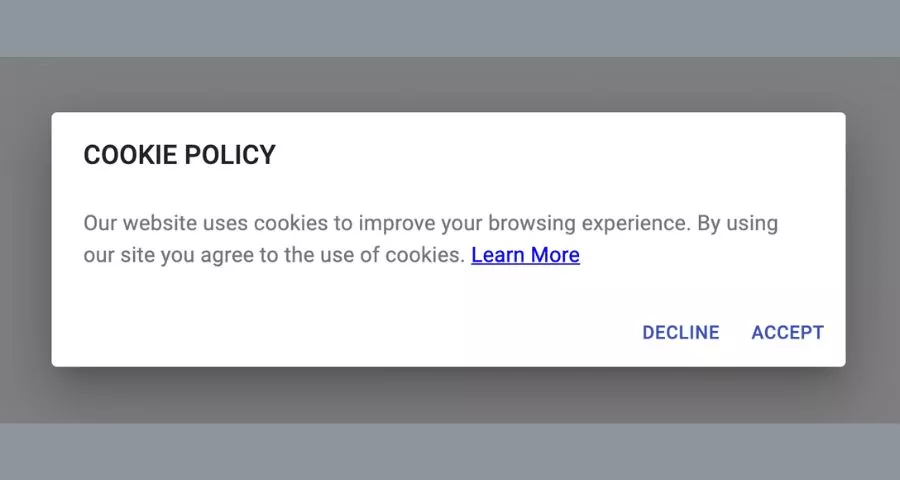
In the United States, obligations vary by sector and state. A business may need to disclose tracking, honor opt-out rights, recognize preference signals, or obtain consent for specific sensitive uses. Children’s services raise additional requirements under COPPA. A global website should not assume that one generic banner satisfies every visitor.
A practical baseline is to prevent optional analytics, personalization, and advertising technologies from running until the required choice has been made. Necessary cookies can operate when their exemption genuinely applies. The site should also preserve the choice and provide a persistent way to reopen settings.
Consent should be freely given, specific, informed, and expressed through an affirmative action where that standard applies. Prechecked boxes, an “accept” button without a comparable refusal path, or a message claiming continued browsing equals consent may fail that test. A strong cookie consent policy supports the interface with accurate information, but the policy cannot repair a banner that sets optional cookies too early.
What a Good Cookie Banner Should Include
- A plain-language explanation. State that the site uses cookies or similar technologies and explain the main purposes.
- A real choice. Offer “Accept All,” “Reject Non-Essential,” and granular settings when appropriate. Avoid making rejection confusing or visually insignificant.
- Prior blocking. Do not activate optional technologies before the required permission is received.
- Separate categories. Let visitors understand and control analytics, functionality, and advertising rather than using one vague switch.
- A policy link. Connect the banner to complete cookie information without forcing visitors to search the footer.
- A change mechanism. Keep a visible “Cookie Settings” link or equivalent control after the banner closes.
- Accessible interaction. Make controls usable by keyboard, screen readers, zoomed layouts, and small screens. Clear interface structure also supports the principles described in this guide to essential design elements.
Keep the first layer concise, but do not hide material consequences. The detailed layer can identify providers, purposes, durations, and categories. The banner must also work technically: if “Reject” is clicked, blocked scripts should remain blocked and any non-essential cookies that can be removed should be handled consistently.
Cookie Consent Examples Worth Studying
The following public-sector examples are useful for studying structure and disclosure. They are not templates to copy word for word, and their legal context may differ from yours.
1. UK Information Commissioner’s Office
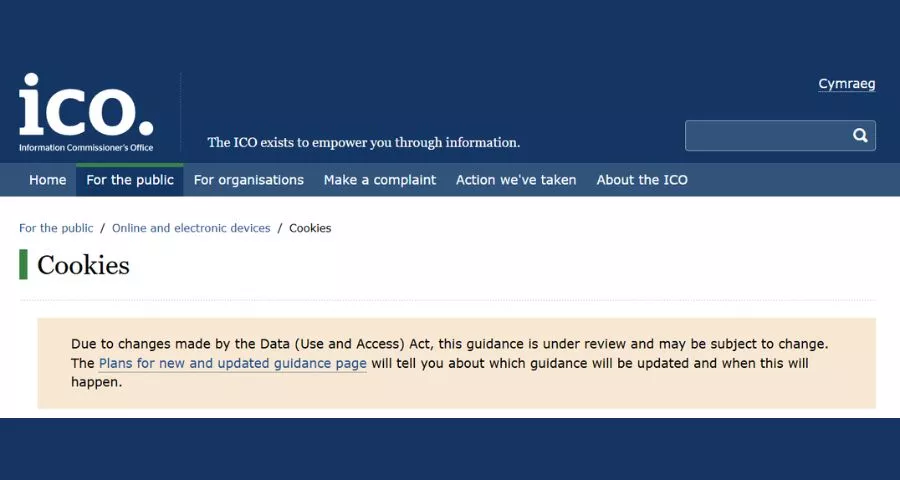
The ICO separates concise public education from detailed organizational guidance. This is a useful model when a business must explain cookie information to ordinary visitors while keeping deeper compliance material available to administrators.
2. European Commission
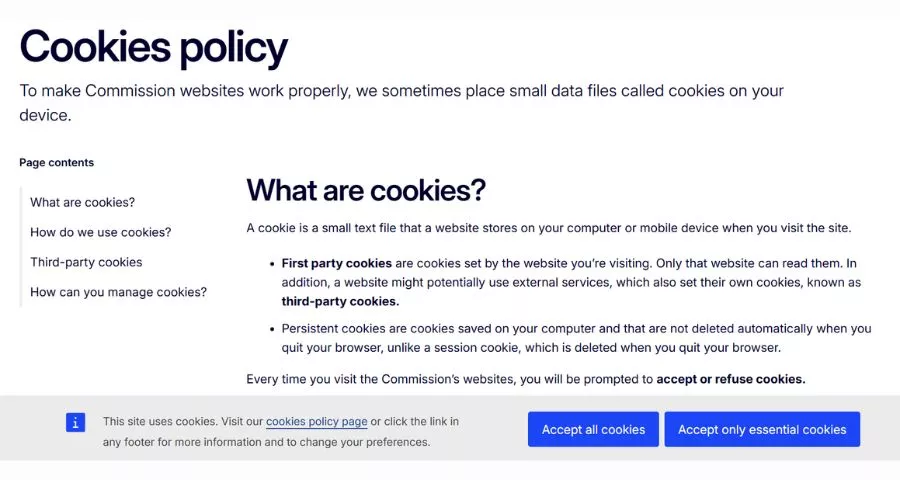
The Commission’s policy demonstrates a structured cookie table with the service, purpose, type, and duration. The main lesson is specificity: visitors can see what a stored value does rather than receiving a generic assurance.
3. European Data Protection Board
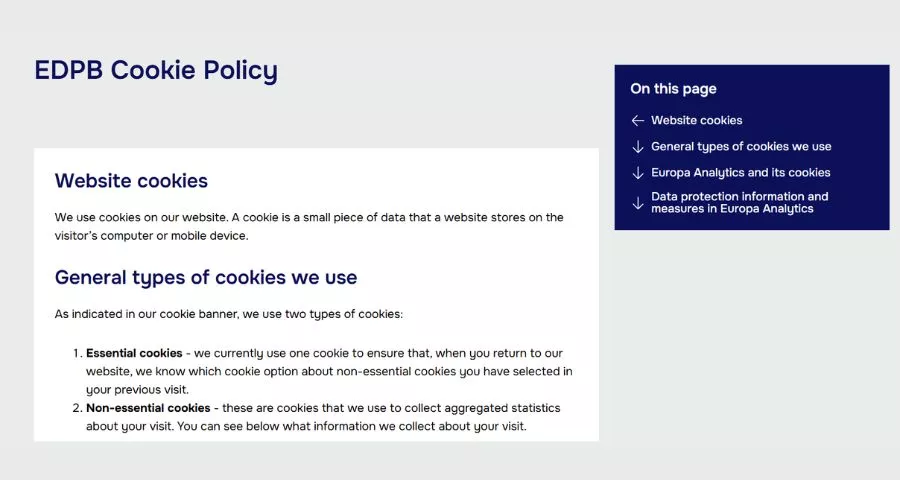
The EDPB example clearly distinguishes an essential preference cookie from optional statistics. That distinction helps users understand why one cookie can operate while another waits for a choice.
4. European Union Website
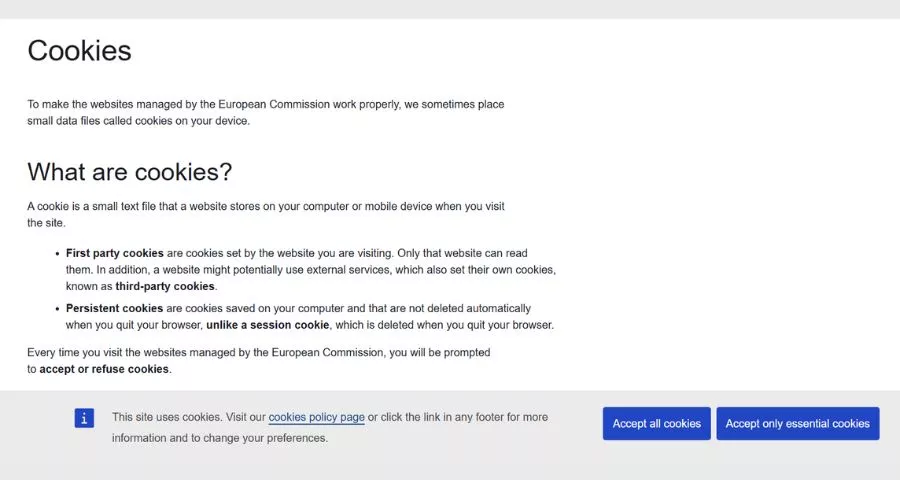
This policy explains first-party and third-party cookies with accessible examples. It shows how technical terminology can be introduced without turning the policy into documentation written only for developers.
5. European Banking Authority
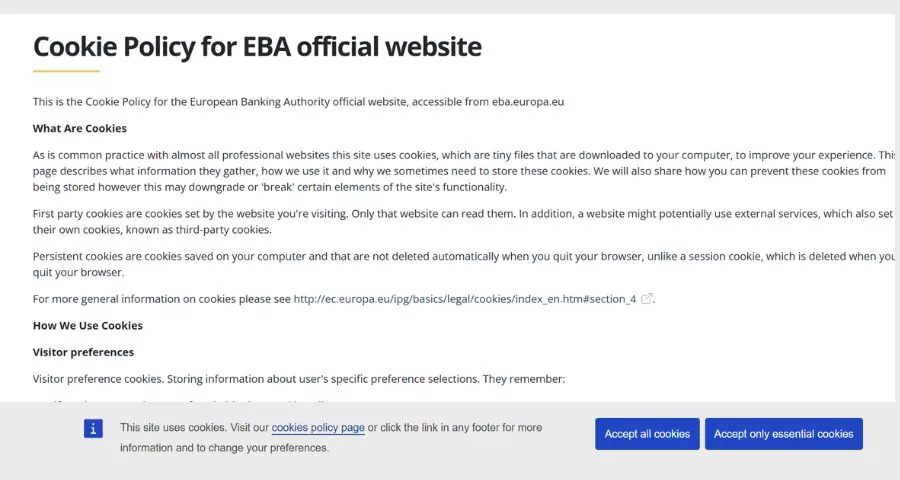
The EBA publishes concrete names, providers, purposes, and lifetimes. This level of detail is helpful when multiple services operate on a site and visitors need to connect a banner category to actual stored values.
Website Cookie Policy Template
The following website cookie policy template is an editorial starting point. Replace every bracketed field, delete sections that do not apply, add missing technologies, and have the result reviewed for the markets you serve.
Cookie Policy
Last updated: [Date]
This Cookie Policy explains how [Legal Company Name] (“we,” “us,” or “our”) uses cookies and similar technologies when you visit [Website URL]. It explains what these technologies are, why we use them, and how you can manage your choices.
What are cookies?
Cookies are small data files stored on your device when you visit a website. They can support essential site functions, remember preferences, measure use, and help deliver relevant content or advertising.How we use cookies
We use strictly necessary cookies to provide requested services and protect the website. With your permission where required, we may also use functional, analytics, and advertising cookies.Cookies we use
[Insert a current table containing cookie or technology name, provider, category, purpose, duration, and whether it is first-party or third-party.]Third-party technologies
Some features are provided by third parties, such as [list providers]. These providers may set or access their own technologies according to their privacy information.Managing your choices
You can accept, reject, or customize optional cookies through [Cookie Settings Link]. You may also control cookies through your browser, although blocking necessary cookies may affect requested services.Changes to this policy
We may update this policy when our services, technologies, or legal obligations change. The latest revision date appears at the top of this page.Contact us
Questions about this policy can be sent to [Privacy Email] or [Postal Address].
Do not publish the sample cookie table from another site. Run your own scan, verify results manually, and document technologies loaded after interaction. A video may set nothing until a user presses play; a chat tool may load only on certain pages; and an advertising tag may arrive through a tag manager rather than the theme.
How to Create a Website Cookie Policy
Step 1: Inventory the Site
List the domain, subdomains, landing pages, account areas, checkout, embedded media, forms, and third-party integrations. Review the theme, active plugins, tag manager, hosting features, CDN, payment services, chat widgets, and marketing scripts. On a large site, use representative page templates and authenticated states rather than scanning only the homepage.
Step 2: Scan and Verify
Use browser developer tools and a reputable scanner from multiple locations. Test before consent, after rejecting, after accepting selected categories, and after accepting everything. Automated scans are a discovery aid, not proof. Confirm unknown values with developers and vendors.
Step 3: Classify by Purpose
Record the owner, purpose, data involved, duration, pages, and category for every technology. Challenge the “necessary” label. If the site can provide the requested service without a particular tracker, it may not qualify for an exemption.
Step 4: Configure Consent Behavior
Map each optional script to a consent category and test prior blocking. Check cached and uncached pages, responsive layouts, logged-in sessions, multilingual pages, and popular browsers. Site speed also matters because an overloaded consent platform can harm the experience; use the principles in SEO-focused web design to balance compliance, clarity, and performance.
Step 5: Write the Policy in Plain Language
Start with what visitors need to know, then provide technical detail. Define categories consistently with the banner. Name third parties and link to relevant information. Avoid promising anonymity if providers process identifiers, and avoid saying “we do not share data” when third-party tools receive it.
Step 6: Publish, Monitor, and Update
Place the policy and settings link where visitors can find them from any page. Re-scan after plugin updates, marketing launches, redesigns, or vendor changes. A recurring review is also useful. Teams already monitoring visibility with rank tracking can add privacy and script checks to the same release calendar.
Common Website Cookie Mistakes
- Setting analytics before consent: A polished banner does not help if optional scripts execute before the user acts.
- Using unequal choices: A large colored “Accept” button beside a hidden rejection link can undermine a freely given choice.
- Calling every cookie essential: Business convenience is not the same as technical necessity.
- Publishing an inaccurate table: Plugin updates and tag-manager changes can make a static policy obsolete.
- Ignoring embedded content: Video, maps, chat, social posts, fonts, and payment widgets may contact third parties.
- Forgetting withdrawal: Visitors need a practical way to revisit and change their decision.
- Confusing a cookie policy with a privacy policy: The documents overlap, but a privacy notice covers broader collection and use of personal data.
- Sacrificing mobile usability: A banner that blocks the full viewport or traps keyboard focus can prevent access to the site.
Privacy work also affects marketing operations. Before adding a new tracking vendor, define the question it will answer, confirm how the data will be used, and decide whether an existing tool already covers the need. The same discipline improves marketing automation, search engine marketing, and campaign reporting.
Website Cookie Checklist for WordPress
- Document cookies and similar technologies across public, logged-in, ecommerce, and embedded-content pages.
- Remove plugins and scripts that no longer support a business need.
- Assign each remaining technology a purpose, provider, category, and duration.
- Block optional categories before consent where required.
- Provide clear accept, reject, and customize controls.
- Keep consent records only as long as necessary and protect them appropriately.
- Add a persistent settings link in the footer or privacy center.
- Test keyboard navigation, screen readers, zoom, and small screens.
- Update the cookie policy when technology or processing changes.
- Recheck the configuration after WordPress, theme, plugin, and cache updates.
Technical governance is easier when the whole WordPress stack is intentional. Choose extensions based on a defined need, just as you would when comparing WordPress shopping cart plugins or reviewing mega menu plugins. Every dependency adds maintenance, security, performance, and privacy considerations.
Frequently Asked Questions About Website Cookies
Are website cookies dangerous?
Cookies are data rather than programs, so they do not execute like malware. Risk comes from how identifiers are used, protected, combined, or shared. Poor session security can also expose accounts, while extensive tracking can create privacy concerns.
Does every website need a cookie banner?
No universal rule says every site needs the same banner. Requirements depend on technologies, purposes, users, and applicable laws. A site using only genuinely necessary cookies may have different obligations from one using analytics and behavioral advertising, but clear cookie information may still be required.
Can a privacy policy include the cookie policy?
It can, provided the cookie information remains complete and easy to locate. A separate policy is often easier to maintain when a site uses many technologies. Whichever structure is chosen, the banner, cookie table, and privacy notice should not contradict one another.
How often should a cookie policy be updated?
Update it whenever technologies, purposes, providers, durations, or legal obligations change. A scheduled quarterly or biannual scan is sensible for an active site, with additional reviews after major releases. Teams can use methods similar to a structured website review but focus the audit on their own scripts and data flows.
Will blocking cookies hurt SEO?
A properly implemented consent system should not prevent search engines from accessing indexable content. Problems arise when the banner hides content, slows rendering, creates layout shifts, or blocks essential resources. Monitor technical performance and follow a sound SEO landing page structure.
Final Thoughts
A reliable website cookie setup begins with an accurate inventory, not a downloaded policy. Once a team knows what the site stores or accesses, it can remove unnecessary trackers, classify the rest, configure consent, and explain the result in language visitors understand.
Treat the banner, policy, and technical controls as one system. The banner collects a choice, the policy supports an informed decision, and the site must honor that decision in practice. Review the system as the website changes, especially when adding advertising, analytics, ecommerce, or embedded services. That process produces better cookie information, stronger user trust, and a policy that describes the real website rather than an idealized version of it.
Read More: 7 Best Open Source LMS and Free LMS Options
Contact US | ThimPress:
Website: https://thimpress.com/
Fanpage: https://www.facebook.com/ThimPress
YouTube: https://www.youtube.com/c/ThimPressDesign
Twitter (X): https://x.com/thimpress_com