Connecting eager learners with expert instructors requires a digital foundation built for interaction, scheduling, and transactions. A standard website template often lacks the complex functionality required to manage commissions, student enrollments, and instructor profiles. Therefore, selecting a specialized tutor marketplace WordPress theme is the most critical step in establishing a professional educational hub.
This guide analyzes the most reliable software available to power a digital campus. Whether the goal is to create a massive open online course (MOOC) platform, a niche coaching site, or a global teacher marketplace WordPress theme, these selections provide the necessary architecture to manage curriculums and payments without requiring extensive coding knowledge.
Eduma – Education WordPress Theme
We provide an amazing WordPress theme with fast and responsive designs. Let’s find out!
Critical Features for a Tutoring Platform
Before examining specific themes, it is essential to understand the technical requirements of a successful educational site. A high-quality tutoring platform WordPress theme must do more than simply display text; it must facilitate a learning environment.
| Feature | Why It Matters |
| LMS Integration | A Learning Management System (LMS) is the engine that handles courses, quizzes, and grading automatically. |
| Tutor Profiles | Instructors need dedicated spaces to showcase their expertise, certifications, and reviews to build trust. |
| Commission System | For a marketplace, the ability to split payments between the administrator and the tutor is vital for monetization, often handled by a commission add-on. |
| Booking Capabilities | A reliable tutor booking WordPress theme functionality allows students to reserve specific time slots effortlessly. |
| Mobile Responsiveness | With many students learning on tablets and phones, the design must adapt to all screen sizes. |
| Zoom/Video Support | Direct integration with video conferencing tools is necessary for modern remote learning. |
Top Strategic Picks for Educational Marketplaces
The following themes have been selected based on their stability, feature sets, and reputation within the education sector. They utilize powerful frameworks to ensure the online tutor website WordPress remains fast, secure, and scalable.
1. Eduma
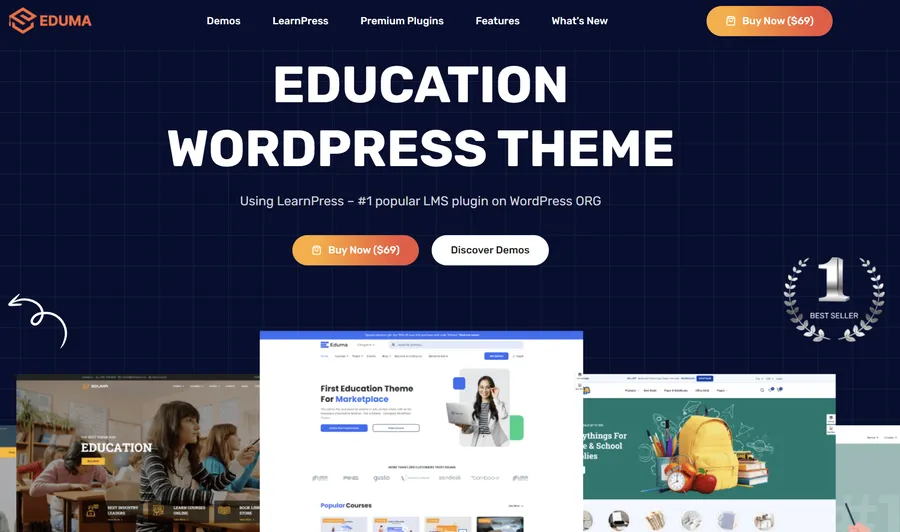
Eduma is widely recognized as a premier choice in the education sector, developed by ThimPress. It is not merely a cosmetic skin but a functional powerhouse built on years of e-learning experience. For administrators looking for a robust tutor marketplace WordPress theme, Eduma offers a balance of speed and professional functionality. It integrates deeply with LearnPress, providing a seamless experience for creating and selling courses.
What You Get
| Feature | Benefit |
| LearnPress Core | Built specifically for the best free LMS plugin, ensuring stability and compatibility. |
| Marketplace Demos | Includes over 20 distinct layouts, allowing for instant transformation into a training center or university. |
| Drag & Drop Builder | Administrators can customize layouts visually without writing a single line of code. |
| Multiple Payment Gateways | Supports Stripe, PayPal, and 2Checkout to facilitate easy tuition collection globally. |
| Event Management | Organizes webinars and academic schedules effectively to keep students engaged. |
Pros & Cons
| Pros | Cons |
| Highly optimized for SEO and speed optimization. | The sheer number of options can be overwhelming for beginners. |
| Includes premium add-ons at no extra cost. | Documentation is extensive, requiring time to read. |
| Proven track record with regular updates. |
2. Masterstudy
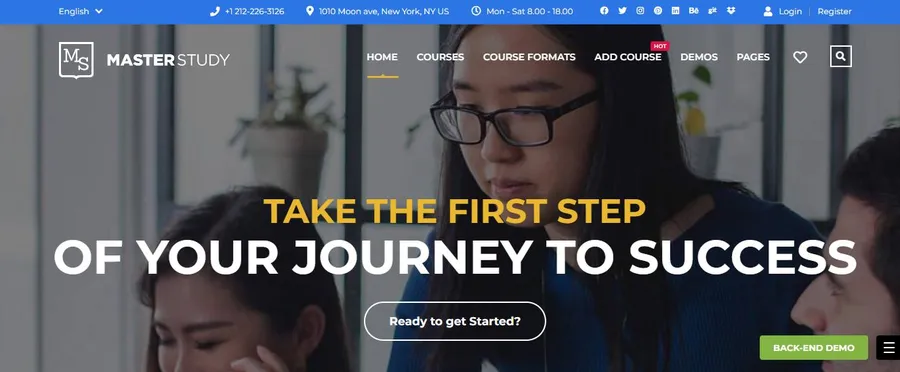
For institutions prioritizing modern aesthetics and innovation, Masterstudy is a leading contender. It is designed to foster vibrant learning communities where instructors can build detailed profiles and students can leave reviews. This theme excels as a teacher marketplace WordPress theme because it includes specialized skins explicitly designed for broad marketplaces where multiple instructors compete and collaborate. For a detailed comparison, you can check Eduma vs Masterstudy to see which fits your needs better.
What You Get
| Feature | Benefit |
| Three Architecture Layouts | Offers specific designs for individual instructors, educational centers, and marketplaces. |
| Offline Course System | A unique feature that allows the listing and selling of tickets for physical workshops. |
| Live Streaming | Integrated features for conducting live lessons via Zoom or Google Classroom. |
| Advanced Quizzing | Includes tools to create complex assessments with various question types. |
| Gamification | A built-in reward point system to keep students motivated and returning. |
Pros & Cons
| Pros | Cons |
| Visually stunning and modern design. | Can be resource-intensive on shared hosting. |
| Excellent live streaming integration. | Setup requires careful configuration of plugins. |
| Strong focus on community building. |
3. WPLMS
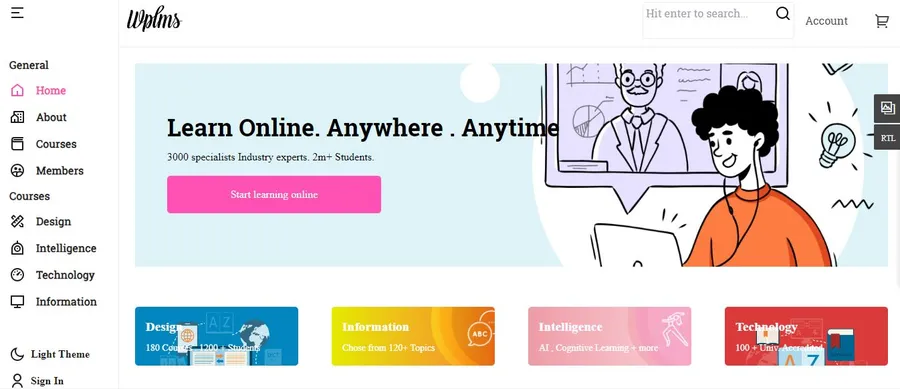
WPLMS is an enterprise-grade solution that transforms a standard installation into a social e-learning platform. Built upon BuddyPress, it adds a social networking layer to the site, allowing students to have profiles, interact in groups, and message instructors. It functions as a comprehensive tutoring platform WordPress theme perfect for startups that need granular tracking of student progress and activity. You might also want to compare Eduma vs WPLMS before making a final decision.
What You Get
| Feature | Benefit |
| Front-End Creation | Instructors can build and publish courses without ever entering the complex backend. |
| Student Dashboards | Personalized areas for learners to track grades, attendance, and badges. |
| Mobile App Support | Offers companion apps to facilitate learning on mobile devices. |
| Collaborative Learning | Strong focus on student interaction, study groups, and internal messaging. |
| Drip Content | Automates the release of course materials on a scheduled basis. |
Pros & Cons
| Pros | Cons |
| Extremely feature-rich social environment. | The learning curve is steeper than other themes. |
| True marketplace functionality for instructors. | Interfaces can feel cluttered if not managed well. |
| High-level data tracking and reporting. |
4. Divi
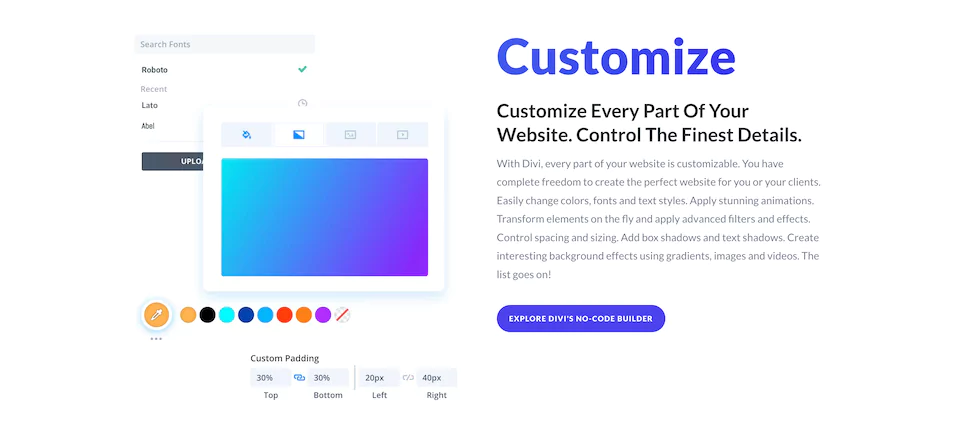
While not exclusively an education theme, Divi’s sheer power earns it a spot on this list. It is a multipurpose solution that allows for total creative control. For a tutor booking WordPress theme that requires a completely unique brand identity, Divi is the answer. It features a robust Visual Builder that replaces the standard WordPress editor, allowing designers to build a marketplace from the ground up.
What You Get
| Feature | Benefit |
| Visual Editing | Design pages in real-time on the front end to see exactly how they look. |
| Marketing Tools | Built-in split testing (A/B testing) to maximize conversion rates on course pages. |
| LMS Compatibility | Works flawlessly with major plugins like LearnDash and LifterLMS. |
| Global Design Settings | Update the color scheme in one place to change it across thousands of pages. |
| Layout Packs | Access to pre-made layout packs specifically designed for LMS projects. |
Pros & Cons
| Pros | Cons |
| Unlimited design possibilities. | Requires more setup time to build a functional LMS. |
| Huge community and support network. | Can be heavy if not optimized correctly. |
| Lifetime license option is cost-effective. |
5. Ivy School
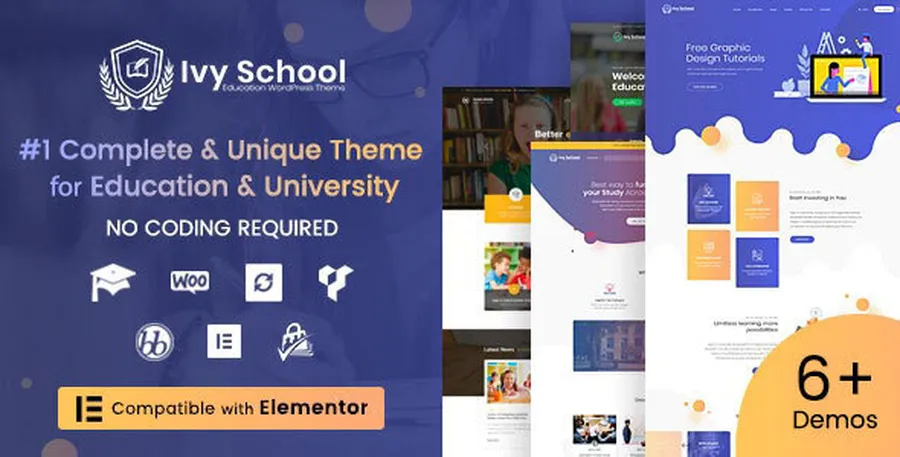
Ivy School is designed with a focus on visual elegance and institutional authority. Also created by ThimPress, it offers a high-end aesthetic that rivals expensive custom-made websites. While it targets universities, its compatibility with LearnPress makes it a sophisticated online tutor website WordPress option for high-ticket coaching programs or prestige academies.
What You Get
| Feature | Benefit |
| Retina Ready | Looks exceptionally sharp on all devices, from smartphones to 4K monitors. |
| One-Click Import | Get the site looking exactly like the professional demo in minutes. |
| Instructor Layouts | Specialized designs to showcase teachers and professors professionally. |
| Events Management | A clean way to display schedules and extracurricular activities. |
| Page Builder Support | Supports Visual Composer and Elementor for flexible editing. |
Pros & Cons
| Pros | Cons |
| Beautiful, premium design language. | More focused on institutions than open marketplaces. |
| Seamless LearnPress integration. | Fewer “marketplace” specific demos than Eduma. |
| Very stable performance. |
6. Capital
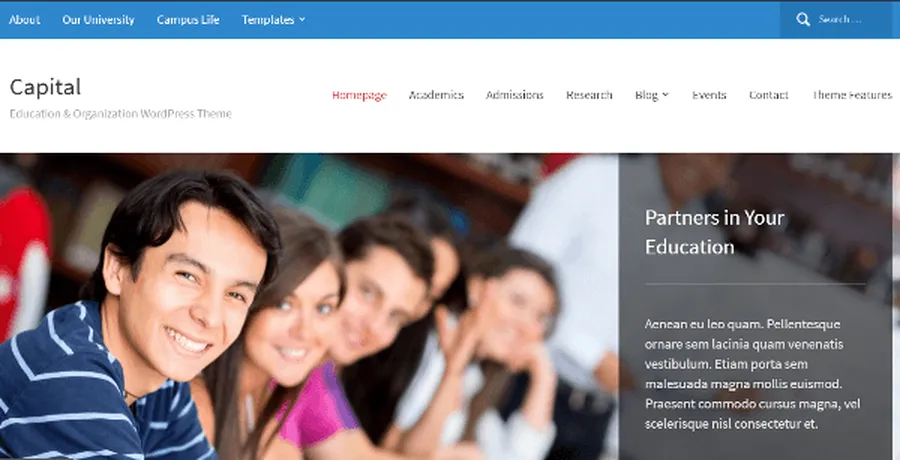
Capital by WPZOOM is a multi-purpose theme that prioritizes readability and structure. It utilizes a dynamic homepage builder that allows administrators to drag and drop widgets to suit their content strategy. This theme is particularly strong for an online tutor website WordPress that relies heavily on editorial content, such as research papers, educational blogs, or news updates alongside courses.
What You Get
| Feature | Benefit |
| Dynamic Homepage | Flexible widget-based structure for a customized front page. |
| Visual Customizer | Change colors, fonts, and backgrounds instantly to match branding. |
| Events Integration | Seamless styling for academic calendars and scheduling. |
| SEO Friendly Code | Clean codebase helps the institution rank higher on Google. |
| Retina Ready | Ensures images and text look sharp on high-resolution screens. |
Pros & Cons
| Pros | Cons |
| Excellent for text-heavy educational sites. | Lacks native deep LMS integration out of the box. |
| Classic, timeless design. | Not ideal for complex video-course marketplaces. |
| Very easy to set up. |
7. Education Hub
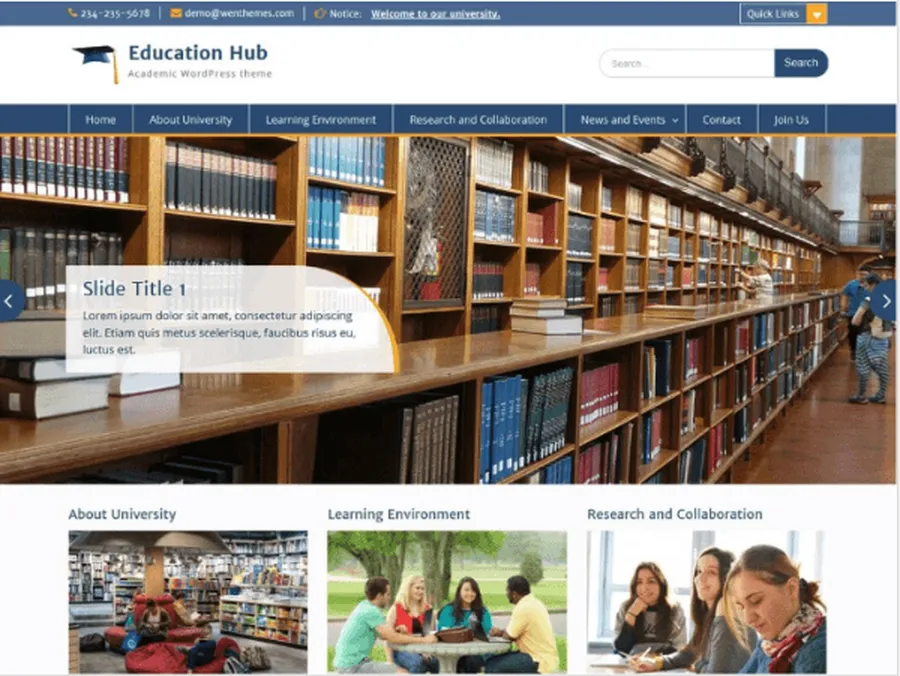
Not every project starts with a large budget, and Education Hub is the perfect solution for those scenarios. It is a reliable and responsive theme providing a clean layout focused on information dissemination. For a startup teacher marketplace WordPress theme, it offers a low-risk entry point. The homepage features a prominent slider and easy access to notice boards.
What You Get
| Feature | Benefit |
| Theme Options Panel | Intuitive controls to customize logos and layout settings easily. |
| Custom Widgets | Specialized widgets for featuring recent courses and important notices. |
| Lightweight Code | Fast loading times even for users on slower internet connections. |
| Simplicity | Very easy to set up for administrators with limited technical skills. |
| Blog Layouts | Professional typography for sharing educational news and updates. |
Pros & Cons
| Pros | Cons |
| Completely free to start. | Limited customization compared to premium themes. |
| Fast and lightweight. | Design is more basic and traditional. |
| Reliable for simple information sites. |
Which Theme Suits Your Platform?
Selecting the right design is critical for establishing a digital identity. The following comparison highlights the primary strengths of each option to assist in the decision-making process.
| Theme | Best For | Architecture | Booking/LMS | Unique Strength |
| Eduma | All-in-one Marketplaces | LearnPress | Yes | Best overall balance of speed and features. |
| Masterstudy | Modern Academies | Vue.js | Yes | Interactive quizzes and live streaming. |
| WPLMS | Social Learning | BuddyPress | Yes | Front-end course creation for tutors. |
| Divi | Custom Brands | Visual Builder | Compatible | Complete design freedom. |
| Ivy School | Prestige Coaching | Elementor | Yes | High-end, elegant visual identity. |
| Capital | Content/News | Widget-based | Compatible | Superior readability and editorial flow. |
| Education Hub | Budget Startups | Standard | Basic | Lightweight and free to start. |
How to Launch Your Tutoring Marketplace
Once the ideal tutor marketplace WordPress theme has been selected, the deployment process involves several key steps. Following this workflow ensures a smooth launch from hosting to the first student enrollment.
- Secure Domain and Hosting
Choose a reliable hosting provider capable of handling LMS traffic. Register a domain name that reflects the educational niche. - Install WordPress
Utilize the hosting provider’s one-click installer to install WordPress environment. This provides the dashboard access needed to manage the site. - Upload and Activate the Theme
Navigate to the Appearance section in the dashboard to upload the purchased theme file. Activation unlocks the specific features and menus of the chosen software. - Configure the LMS Plugin
Most themes will prompt the installation of a specific LMS (like LearnPress). This step is crucial for enabling the tutor booking WordPress theme functionalities, such as course creation and checkout pages. - Import Demo Content
Use the one-click demo importer included with premium themes. This populates the site with placeholder data, showing exactly how pages should be structured and saving hours of design time. - Onboard Tutors
Set up the instructor registration forms. Ensure the commission rates and payment gateways are configured correctly so tutors can sign up and start creating and selling courses. - Test the User Flow
Create a test student account, browse a course, and complete a transaction. This ensures the booking and payment systems are functioning correctly before the public launch.
Best Practices for Maintenance
A professional educational site requires ongoing attention. Always keep the WordPress core and plugins updated to ensure security. Regularly test the booking forms and video integrations to prevent disruptions in learning. Furthermore, prioritize a clean, uncluttered design; a confusing interface can drive potential students away. By aligning technical requirements with the features listed above, an administrator can build a functional and engaging website that serves the educational community effectively.
Frequently Asked Questions about Tutor Marketplace WordPress Theme
1. Can I use these themes for a single teacher website?
Yes, while these are powerful enough for marketplaces, most can be scaled down. A theme like Eduma or SmartHead works perfectly for a solo online tutor website WordPress by simply disabling the multi-instructor features.
2. Do I need to know how to code to use these themes?
No. Themes like Divi, Eduma, and Masterstudy come with drag-and-drop page builders (like Elementor or WPBakery). This allows you to customize layouts, colors, and fonts visually without touching HTML or CSS.
3. How do I handle payments for my tutors?
Premium themes usually integrate with WooCommerce or have native LMS payment addons. You can set up automatic commission splits where the platform keeps a percentage and the rest is transferred to the tutor via PayPal or Stripe.
4. Is it possible to conduct live classes on the website?
Yes. Modern themes often include integrations for Zoom, Google Meet, or BigBlueButton. This allows tutors to schedule live video sessions directly through the tutoring platform WordPress theme dashboard.
5. Are these themes mobile-friendly for students?
Absolutely. Education themes on this list are designed to be “Responsive” or “Retina Ready.” This means the layout automatically adjusts to fit smartphones and tablets, which is essential for students learning on the go.
Read more: 10 Best Nonprofit Education WordPress Theme Choices for Schools & Charities
Contact US | ThimPress:
Website: https://thimpress.com/
Fanpage: https://www.facebook.com/ThimPress
YouTube: https://www.youtube.com/c/ThimPressDesign
Twitter (X): https://x.com/thimpress_com