LearnPress – Course Wishlist

  • Empower students to save their desired courses for later with the intuitive LearnPress – Course Wishlist addon.
  • Boost course engagement and registrations by allowing users to easily track and revisit courses they’re interested in.
  • Seamlessly add wishlist functionality to your LearnPress-powered educational website to increase engagement.
  • Enhance user experience and increase conversion rates by providing a simple way for learners to manage their course preferences.
One-Click Wishlisting

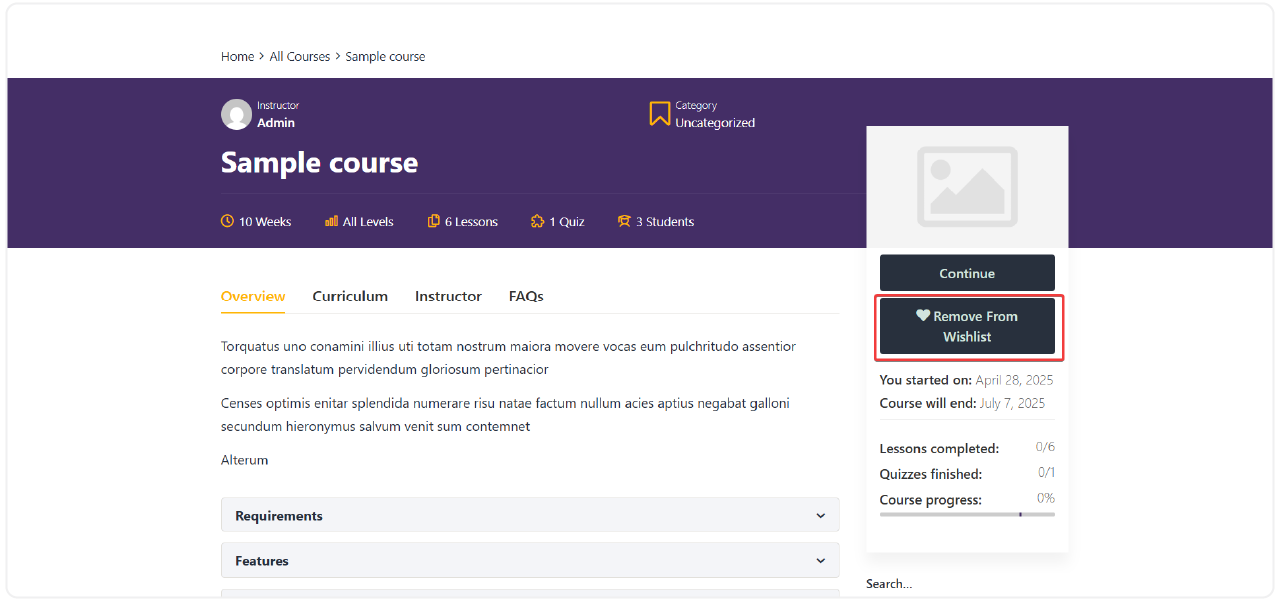
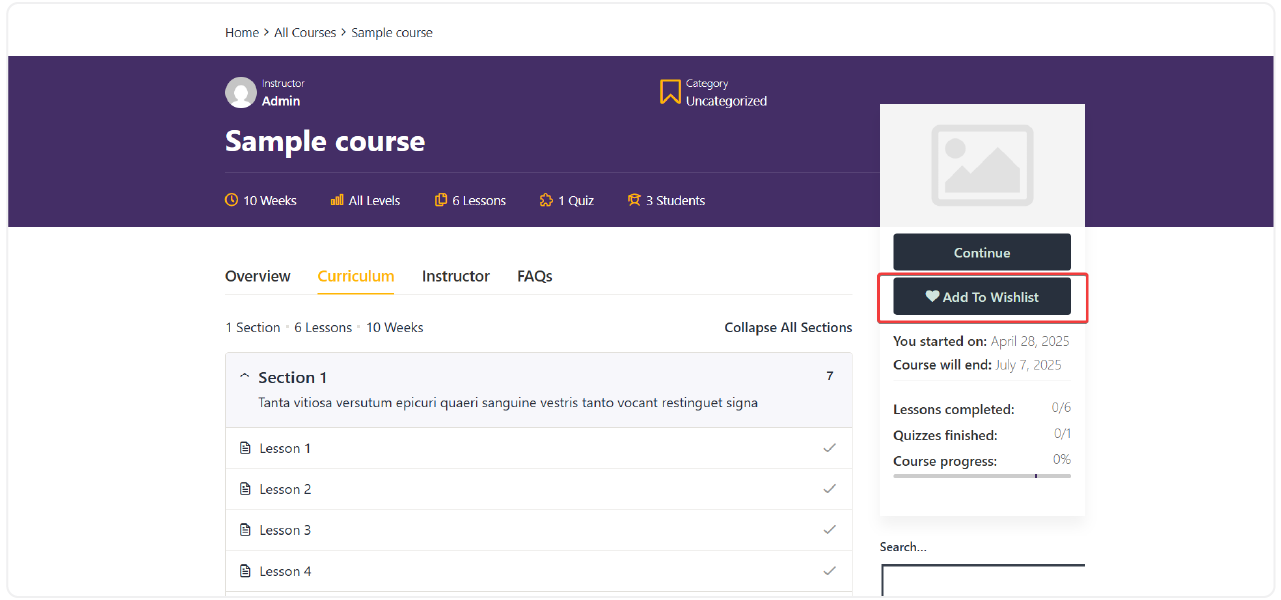
Students can effortlessly add courses to their personal wishlist directly from the course page with a prominent "Add to Wishlist" button, or remove them if their interests change. This core feature of LearnPress – Course Wishlist makes saving courses incredibly simple.

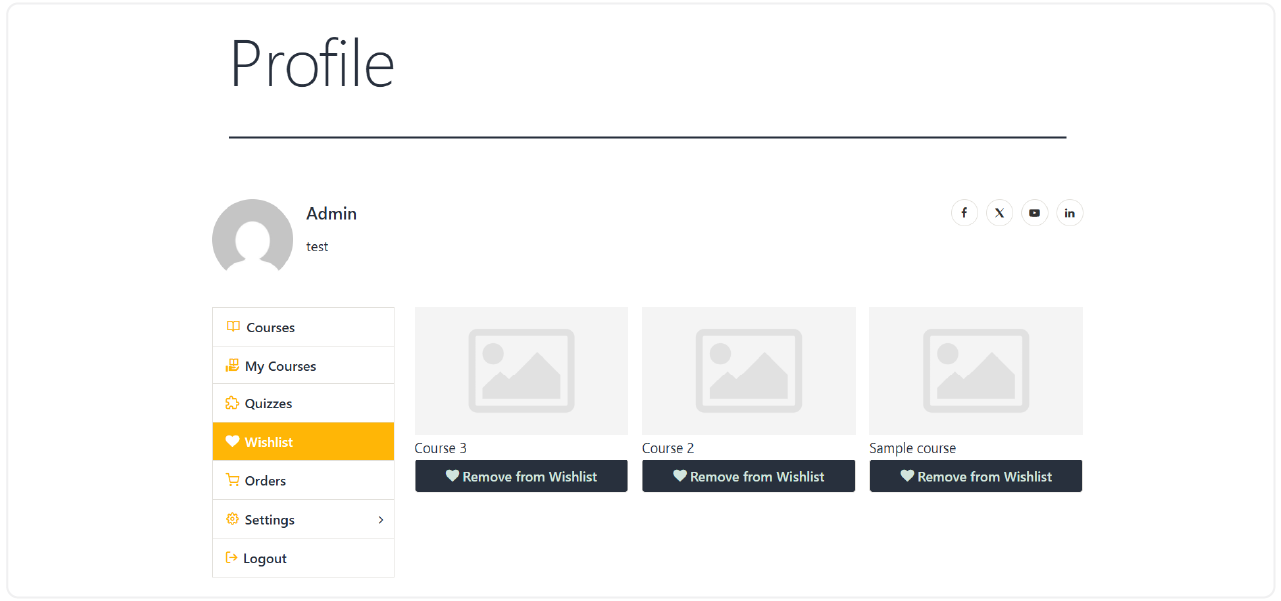
Dedicated Wishlist Management Page
Instant Notifications & Seamless UX
Flexible Display with Shortcodes & Widgets
10 reviews

Active Users: 6357

Price: FREE

  • Lifetime license for 1 site License Info:Includes lifetime usage on 1 site. You can switch between environments as needed by deactivating/reactivating the key. Only one active installation can receive updates and support at a time.Learn More
  • 12 months Update & Support Updates & Support Info:Purchase includes 12 months of updates and support. After expiry, the add-on remains functional, but you must renew the license to access future updates and support services.Learn More
Version
Version: 4.0.9
Last Updated: A week ago
Compatible to WordPress Version: 5.8 or higher
Change Logs

= 4.0.9 (2026-02-01) =
* Improved: Wishlist button visibility and consistency across all course types:
- Single course pages (classic, modern, and offline layouts).
- Course archive/list pages.
- Single instructor profile pages.
* Improved: Wishlist course list display in the user Profile page, now using the same unified layout as the main course list for better consistency and user experience.
* Optimized: Add/remove wishlist actions – made them more efficient, concise, and reliable.
* Added: Toastify notifications for wishlist actions (add/remove success, errors, etc.).
* Fixed: Theme override compatibility – reverted to original code logic when a theme override is detected to prevent conflicts.
* Fixed/Improved: Elementor widget integration and rendering.
* Added: Dedicated Gutenberg block/widget for displaying wishlist content.
* Added: Wishlist button visibility for non-logged-in users (prevents the button from being hidden in demo/preview modes).
When clicked, it displays a clear message prompting the user to log in to use the feature.

= 4.0.8 (2024-08-29) =
* Fixed: API parameter handling for the mobile App.
* Added: Wishlist display on single offline course pages.
* Tweaked: Wishlist button functionality and API toggle for wishlist actions.

= 4.0.6 (2023-09-15) =
* Fixed: Icon display issue on the Profile Page.

Screenshots

course-wishlist-6
course-wishlist-5
course-wishlist-4

All Your Questions
Answered

You have questions.
We have answers.

What is LearnPress – Course Wishlist?

LearnPress – Course Wishlist is a a free add-on for the LearnPress LMS plugin. It enables your students to add courses they are interested in to a personal wishlist, making it easier for them to remember and enroll in those courses later.

How does the “Add to Wishlist” feature work?

On each course details page, an “Add to Wishlist” button will appear. Users can click this button to add the course to their private wishlist. If they later decide they are no longer interested, they can click it again to remove the course.

Can users manage their wishlisted courses?

Yes, every registered user will have a dedicated “Wishlist” page accessible from their profile. On this page, they can view all courses they’ve added, click to see more details about a course, remove courses, or directly navigate to the course enrollment page.

Is LearnPress – Course Wishlist compatible with WooCommerce?

Absolutely! If you are using LearnPress with WooCommerce integration, the LearnPress – Course Wishlist add-on works seamlessly. Students can add courses to their wishlist and then proceed to purchase them through the WooCommerce cart system, potentially boosting your conversion rates.

How can I display the wishlist on my website?

The add-on provides flexibility. You can use the [learnpress_wishlist]shortcode to display the wishlist on any page you choose. Additionally, widgets are available to show the number of courses in a user’s wishlist or a list of their wishlisted courses in areas like your website’s sidebar or footer.

Do users receive notifications when they add or remove courses from their wishlist?

Yes, to enhance the user experience, the LearnPress – Course Wishlist addon provides instant visual feedback. Small pop-up or toast notifications will appear to confirm that a course has been successfully added to or removed from their wishlist.

Can guests or non-logged-in users use the wishlist feature?

You have the option to configure whether guests (non-logged-in users) can add courses to a temporary wishlist. However, to save a wishlist permanently and access it across devices, users would typically need to be logged into their account.

Go to our Forum and explore more than 2000 support topics
Feel free to contact us for support anytime

Reviews

Total Reviews
10
Average Rating
5 out of 5
5
10
4
0
3
0
2
0
1
0
  1. Jennifer Brown

    The LearnPress Wishlist addon is a great way to collect information about courses that students are interested in. I can use this information to improve my courses and provide better learning experiences for students

  2. James Taylor

    The LearnPress Wishlist addon is an easy-to-use and flexible tool. I found it very easy to install and use this addon. I also like the ability to customize the add-on to suit my needs.

  3. Jessica Clark

    The LearnPress Wishlist addon is a great tool to help students easily keep track of the courses they’re interested in. They love the ability to store courses they’re interested in and easily review them.

  4. Matthew Turner

    The LearnPress Wishlist addon has helped me increase my sales significantly. When students add courses to their wishlist, they are more likely to come back later and purchase those courses.

  5. Amanda Roberts

    The LearnPress Wishlist addon is a great way to help students store courses they’re interested in. It’s easy to use, and my students love it.

We're Here to Assist!
Click to Chat on Messenger.

×