Selecting the best multipurpose WordPress themes for online courses is the most critical decision for any digital educator or school administrator. Whether you are building a professional university portal or a personal coaching site, a high-quality WordPress course builder theme ensures your students have a smooth and engaging learning experience.
A successful eLearning platform requires more than just a beautiful layout. It needs a foundation that handles user registrations, progress tracking, and secure payments. By choosing a versatile education WordPress theme for LearnPress, you gain the flexibility to scale your business from a single course to a massive multi-instructor marketplace. In this guide, we will analyze the top-rated solutions available to help you create a world-class educational website.
Eduma – Education WordPress Theme
We provide an amazing WordPress theme with fast and responsive designs. Let’s find out!
Why Your Online Course Needs a Specialized Theme
Many beginners make the mistake of choosing a generic theme and trying to force it to work for education. While a standard blog theme might look nice, it often lacks the deep integration required for lesson management and quiz functionality. A dedicated WordPress learning management system simplifies the administrative side of teaching, allowing you to focus on creating great content.
Furthermore, multipurpose themes offer the advantage of future-proofing your investment. As your academy grows, you might want to create an online course in WordPress with advanced features like forums or e-commerce shops. The themes listed below are designed to grow with you, providing a professional aesthetic that builds trust with your audience on the official WordPress platform.
Best Multipurpose WordPress Themes for Online Courses
1.Eduma: The Industry Standard
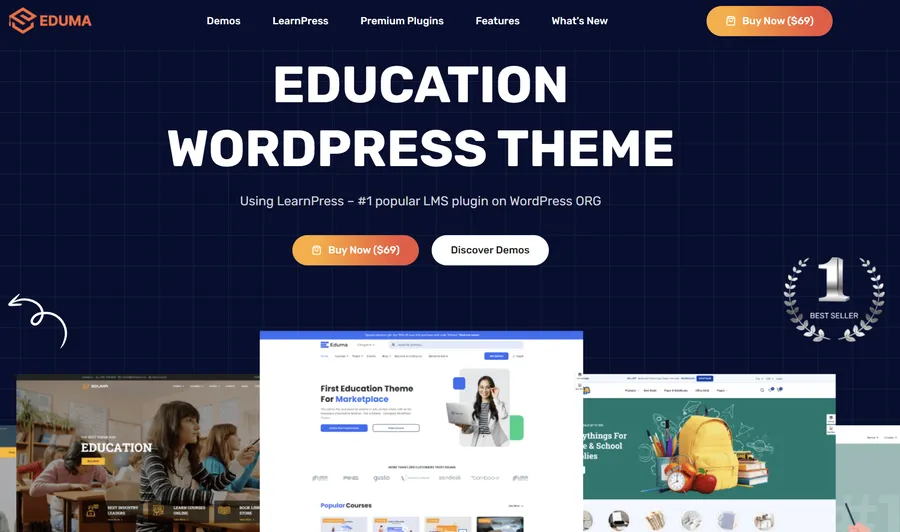
When it comes to the most reliable solutions, Eduma is widely recognized as the market leader. With thousands of successful implementations worldwide, it is a powerhouse for universities and training centers. One of its greatest strengths is that it belongs to the elite group of LearnPress compatible themes, ensuring that your course management is handled by the most popular LMS plugin on the market.
Deep LMS Integration
Eduma isn’t just a skin; it is a complete ecosystem. It comes bundled with the LearnPress Pro bundle which includes premium add-ons like certificates and gradebook add-on. This provides an out-of-the-box experience for professional schools that need advanced functionality like content dripping immediately to keep students engaged.
Eduma vs Elementor
Many users find themselves comparing Eduma vs Elementor when looking for design flexibility. While Elementor is a fantastic page builder, Eduma provides specialized educational widgets for organizing course categories. This means you don’t have to build complex course grids from scratch; Eduma does the heavy lifting while still allowing you to use Elementor for custom landing pages.
2.Astra: Performance and Speed
If you are looking for a fast and lightweight foundation, the Astra WordPress theme for courses is an exceptional candidate. Astra has become one of the most popular themes in history because it prioritizes performance over unnecessary features. This speed is vital for SEO and for passing Google PageSpeed Insights to keep mobile learners engaged during their lessons.
Why Astra Stands Out
Astra is highly compatible with major LMS tools. It provides a clean, professional look that focuses the student’s attention on the lessons rather than distracting design elements. For those who want to see how it compares to other top-tier options, reviewing a list of the best WordPress LMS themes can help you decide if its blank canvas approach fits your goals.
Eduma vs Astra
The choice between Eduma vs Astra usually comes down to your technical preference. Eduma is a ready-to-use school theme where everything is pre-configured. Astra is a blank canvas that is better suited for developers or those who want to customize the theme layout or hand-pick every plugin to build a highly optimized, custom environment with minimal code bloat.
3.Divi: The Creative Choice

For educators who want total control over every pixel, using Divi for online courses is the ultimate solution. Divi features a powerful visual drag-and-drop builder that makes it easy to design unique lesson pages and student dashboards. It is perfect for those who want their academy to look entirely different from traditional academic platforms and monetize a website effectively.
Infinite Design Possibilities
Divi is perfect for branding. You can create a unique look and use its built-in split testing to optimize your sales pages. This tool allows you to test different versions of your course landing page to see which one performs better for student conversions. It is a robust tool for educators who want their academy to have a distinct, high-end visual identity.
Eduma vs Divi
In the comparison of Eduma vs Divi, the trade-off is between structure and freedom. Eduma follows a standardized educational logic that students are familiar with, ensuring a logical learning flow. Divi allows you to break those rules and create something original, though it may require more time to customize the LearnPress profile page or other educational elements manually.
4.OneLMS: Modern and Effective
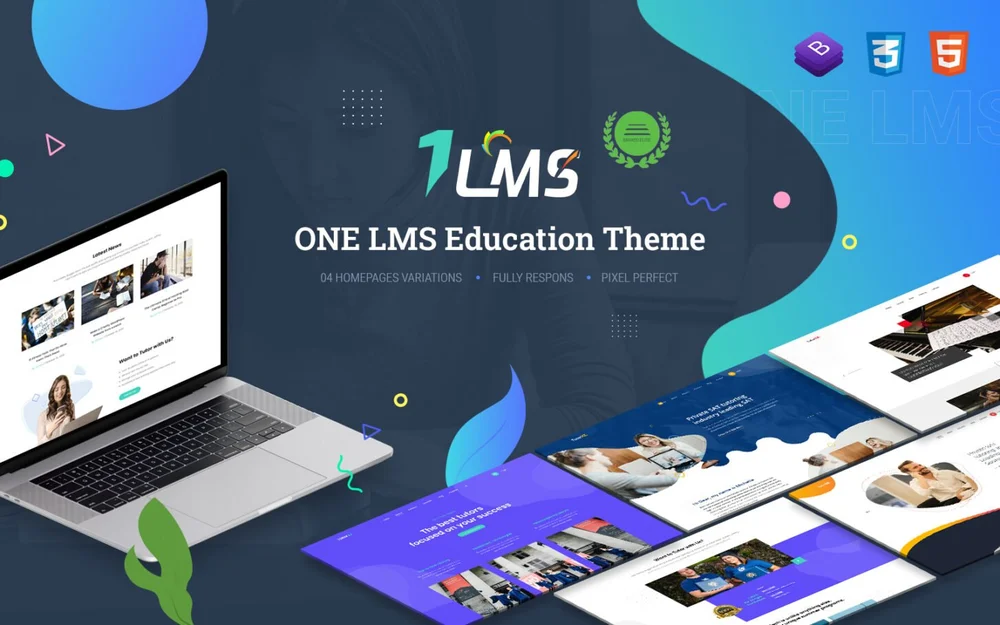
OneLMS is a specialized theme built for those who want a modern and clean user interface. It is often recommended as a top Elementor LMS theme because of how easily it integrates with the Elementor page builder to create stunning course directories. It focuses on a “less is more” philosophy to reduce student cognitive load during intensive study.
User Experience at the Core
The developers of OneLMS focused heavily on the learner’s journey. The interface is intuitive, featuring clear progress bars and easy-to-navigate sidebars. It is an excellent choice for modern coaching brands and professional certification programs that want a contemporary aesthetic that works perfectly across all mobile devices and WordPress themes for teachers.
5.MasterStudy: The Multi-Instructor Specialist
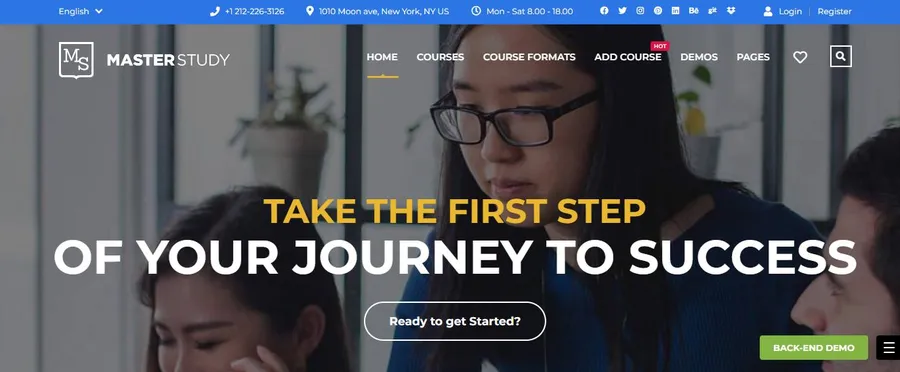
If your goal is to build a platform similar to Udemy, where different teachers can register and sell their courses, MasterStudy is a top-tier choice. It provides a comprehensive frontend editor for instructors, allowing them to manage their own content and track their instructor commission system without ever seeing the WordPress admin panel.
Advanced Marketplace Features
MasterStudy includes modern essentials like live course add-on support and Zoom video conferencing. For those interested in how it stacks up against the market leader, checking a detailed Eduma vs MasterStudy comparison can provide deeper insights into which marketplace logic suits your business model better while managing a large student list.
6.WPLMS: The Enterprise Solution
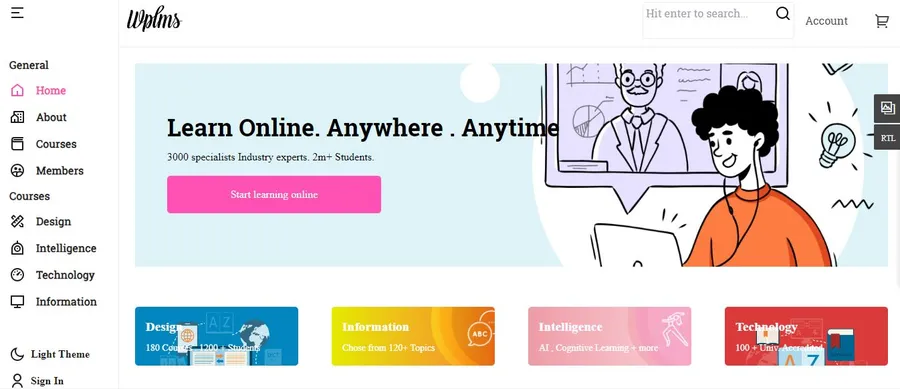
For large-scale university projects or corporate training portals, WPLMS offers advanced features that most other themes cannot match. It is built on a PWA framework, which means you can convert WordPress to a mobile app experience, allowing for a much more immersive learning journey directly on your students’ phones.
Advanced Analytics
WPLMS provides detailed reporting on student activity and instructor effectiveness. It is a robust solution for institutions that need deep data insights to improve their programs. If you want to offer a similar experience on other themes, you might consider integrating the LearnPress mobile application to ensure your academy is accessible to students who prefer learning on their smartphones.
Key Considerations for Choosing Your Theme
Before you finalize your decision, consider these essential factors:
- Mobile Responsiveness: Most students now learn on the go. Ensure your theme supports a native mobile app for the best experience.
- SEO Optimization: To attract organic traffic, follow WordPress SEO tips and choose themes with clean code.
- Support: Choose a theme from a reputable developer that provides regular updates and customer support.
- Payment Gateways: Ensure the theme supports the LearnPress WooCommerce integration or popular gateways like Stripe payments.
Comparison Table: Top Education Themes
| Theme Name | Primary Use Case | Best Feature |
| Eduma | Professional Universities | LearnPress ecosystem |
| Astra | High Performance & SEO | Fastest load times |
| Divi | Creative Branding | Visual Builder & A/B Testing |
| OneLMS | Modern Training Centers | Elementor UI/UX Compatibility |
| MasterStudy | Multi-Instructor Marketplace | Front-end Instructor Dashboard |
| WPLMS | Enterprise & MOOC | PWA & Advanced Analytics |
Conclusion
Finding the best multipurpose WordPress themes for online courses requires balancing your design goals with technical functionality.
If you want a proven, all-in-one solution that has stood the test of time, Eduma is the clear winner. However, if you value site speed above all else, the Astra WordPress theme for courses is a fantastic choice. By investing in a high-quality foundation, you can provide a professional environment that encourages your students to succeed and helps your online academy grow.
Frequently Asked Questions
1. Which theme is easiest for a complete beginner?
Eduma is often the best choice for beginners because it is specifically designed for education. It comes with pre-made demos that look professional right out of the box, requiring minimal customization to get started.
2. Is an Elementor LMS theme better than a standard Gutenberg theme?
An Elementor LMS theme provides much more flexibility in terms of design. If you want to create custom landing pages and unique course layouts without knowing how to code, an Elementor-based theme is highly recommended.
3. Can I use these themes for a free course?
Yes. All of these themes allow you to offer courses for free. This is a great strategy for building an email list or providing value before a student decides to purchase a premium program.
4. Are LearnPress compatible themes better than custom ones?
Using LearnPress compatible themes is generally safer because LearnPress is a standardized system with a huge community. This means if you ever want to switch themes in the future, your course data will be much easier to migrate.
5. Do I need to buy a separate plugin for my LMS?
It depends on the theme. Themes like Eduma and MasterStudy often bundle their own LMS features or include premium versions of popular plugins. Always check what is included in the theme price before purchasing.
Read more: 8 Best Membership WordPress Themes for Sites & Communities
Contact US | ThimPress:
Website: https://thimpress.com/
Fanpage: https://www.facebook.com/ThimPress
YouTube: https://www.youtube.com/c/ThimPressDesign
Twitter (X): https://x.com/thimpress_com