On high-performing educational platforms, visitors often hesitate before making a commitment. They need to see a clear curriculum, trust the instructors, and feel that the platform is easy to navigate. A well-chosen training center WordPress theme bridges this gap by providing a friendly, low-pressure environment for students to explore their options.
When a website provides a great user experience, visitors feel more comfortable exploring course modules and taking the next step toward enrollment.
If the goal is to create an online course, choosing a reliable eLearning company WordPress theme is the very first step.
In this guide, the most reliable options are revealed to help you build a platform that performs at the highest level.
Eduma – Education WordPress Theme
We provide an amazing WordPress theme with fast and responsive designs. Let’s find out!
Essential Features for a Professional Training Site
Selecting the right layout involves more than just aesthetics. For an organization to succeed, the chosen corporate training WordPress theme must bridge the gap between complex backend management and user simplicity.
High-Performance LMS Integration
The core of any educational platform is its Learning Management System. A high-quality training center WordPress theme should offer seamless integration with the LearnPress LMS plugin. This foundation allows for structured lessons, automated quizzes, and the ability to track student progress without manual errors. Understanding the technical differences of an LMS vs eLearning platform can also help in choosing the right architecture for long-term growth.
Mobile-First Learning and Speed
Modern learners often access content on the go. A professional training website theme must load instantly on mobile devices to prevent high bounce rates. Following Google’s Core Web Vitals guidelines is essential here, as visual stability and loading speed directly impact your search rankings. Every button, menu, and video player must adapt perfectly to smaller screens to provide a consistent experience across all devices.
Conversion and Marketing Tools
A website should be a tool for business growth. Effective training institute WordPress theme choices include clear Call-to-Action (CTA) buttons, organized pricing tables, and lead capture forms. These elements guide the visitor from the homepage directly to the checkout or inquiry page, ensuring high enrollment rates and a better return on investment.
Top 8 training center WordPress theme Options
1. Eduma – The Universal Industry Leader
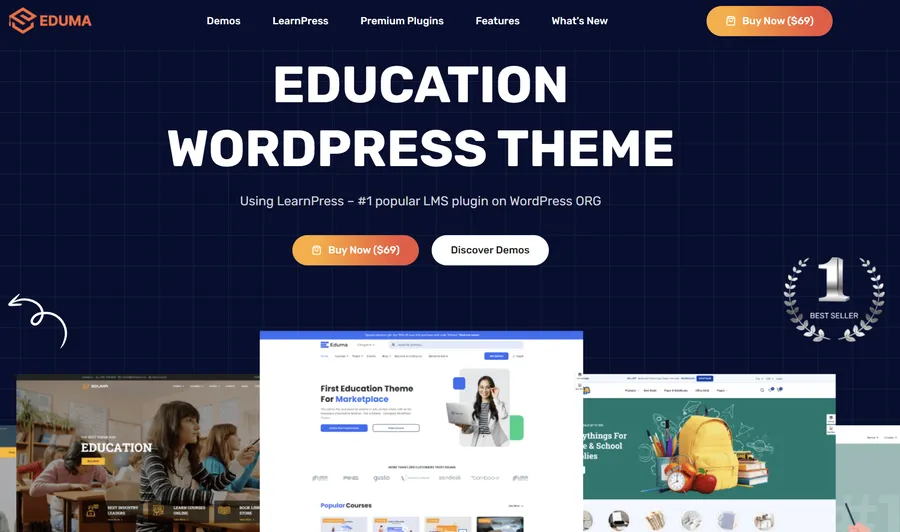
Eduma stands as the primary choice for anyone seeking a robust training center WordPress theme. It is widely recognized for its stability and extensive feature set, making it the most popular selection for universities and independent academies. With a massive user base and a long history of updates, it provides a stable and powerful foundation for any educational project.
The theme is built around a deep integration with LearnPress, providing a level of functionality that is difficult to match. It includes premium add-ons at no extra cost, allowing administrators to implement advanced tools immediately. It also supports the Eduma mobile app, giving students a dedicated environment to study on their smartphones, which is a major advantage for modern accessibility.
Key Features:
- Extensive Demo Library: Over 39 professional demos are available for one-click import, covering various educational niches.
- Optimized for Speed: Built with clean code to ensure high performance and better rankings in search engines.
- Flexible Customization: Supports popular visual builders like Elementor and WPBakery.
- Premium Add-ons: Bundles tools for certificates, content dripping, and co-instructor management for free.
Pros:
- Highly scalable for large institutions and multi-instructor platforms.
- Excellent mobile performance and retina-ready design.
- Regularly updated to maintain high security and performance.
Cons:
- The vast number of settings may require some time for beginners to master.
- Initial setup of complex LMS features requires careful planning.
2. Coaching WP – Personal Authority and Branding

For individual mentors, speakers, and consultants, Coaching WP is a top-tier choice. It shifts the focus from a broad institutional look to a personal, authority-building design. This training institute WordPress theme is crafted to highlight individual expertise and help experts sell their programs effectively.
If you are exploring the best coaching WordPress themes, this option provides a modern, inspiring look that builds immediate credibility. It emphasizes personal branding with dedicated sections for testimonials and portfolios, making it a perfect solution for those who want to position themselves as leaders in their respective fields.
Key Features:
- Event Management: Promote live workshops and webinars with integrated countdown timers.
- Branding Focus: Clean layouts that highlight the instructor’s expertise and success stories.
- E-commerce Ready: Fully compatible with WooCommerce for selling physical books or digital sessions.
Pros:
- Inspiring design that builds immediate credibility with visitors.
- Simpler configuration process compared to institutional-scale themes.
- Fully responsive layout that looks great on all browsers.
Cons:
- Less suitable for massive schools with hundreds of different instructors.
- Focused primarily on personal branding rather than complex academic catalogs.
3. Course Builder – Corporate Excellence in Training

Course Builder is a multi-purpose solution that serves as a dedicated corporate training WordPress theme. It is designed for organizations that need to train large groups of employees or offer professional certification programs. The aesthetic is clean, formal, and distraction-free, which fits corporate branding perfectly.
This eLearning company WordPress theme prioritizes efficiency, allowing admins to create lessons rapidly and providing students with intuitive dashboards to track progress. To add more flexibility, it supports the co-instructors add-on, letting different department heads manage their own specific courses. It also integrates with the Stripe add-on for secure B2B transactions.
Key Features:
- Visual Curriculum Creation: A drag-and-drop builder allows for the rapid development of lessons and quizzes without code.
- Student Dashboards: Private panels for learners to track their professional development progress.
- Community Tools: Full support for student forums to encourage peer-to-peer engagement.
Pros:
- Professional and trustworthy design for B2B and enterprise environments.
- Strong focus on student interaction and community building.
- Simplified management for multiple instructors and department heads.
Cons:
- The formal layouts might feel a bit stiff for creative or lifestyle brands.
- Managing active student forums requires ongoing moderation efforts.
4. Studeon – Elegant Academic Structure
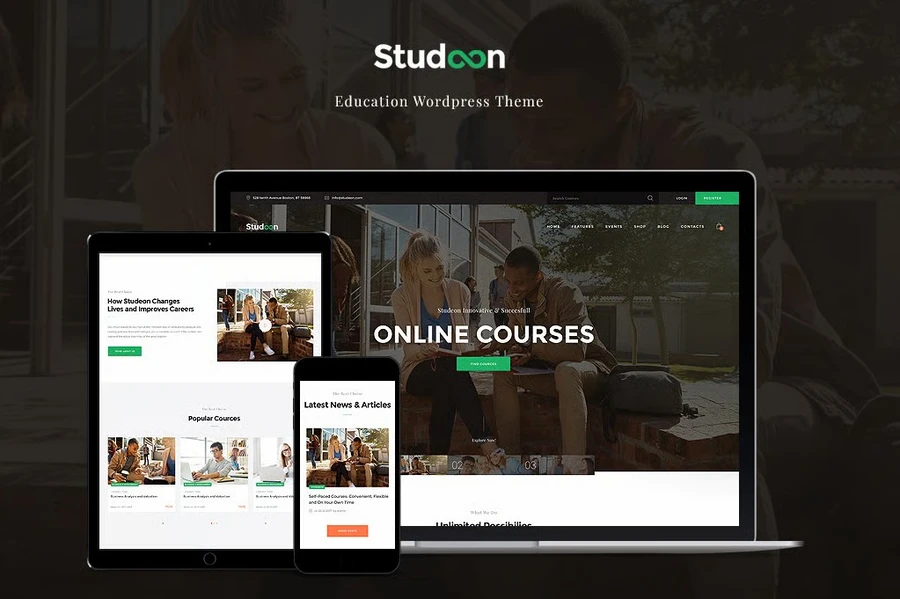
Studeon is a refined training center WordPress theme that fits vocational schools and private academies perfectly. It offers a balanced mix of elegant design and practical tools for managing both physical and online classes. The structure is built to handle multiple programs while keeping the information organized and accessible.
To ensure your programs are found, searching through the best education themes for WordPress will show that Studeon ranks highly for its clean layout. This theme includes a comprehensive events management system and an advanced calendar to show upcoming class dates or workshop schedules.
Key Features:
- Advanced Events Calendar: Keep students informed about enrollment deadlines and batch timings.
- Sophisticated Design: High-quality typography and layouts that elevate the brand’s image.
- Lead Capture Focus: Strategic placement of contact forms on program pages to maximize inquiries.
Pros:
- High-end visual appeal that builds trust for premium brands.
- Excellent scheduling tools for hybrid offline and online classes.
- Responsive layouts that ensure a professional look on all browsers.
Cons:
- Relies on WPBakery as the primary builder.
- Some advanced customization settings can feel complex for new users.
5. Academee – The Modern Professional All-Rounder

Academee is a versatile training center WordPress theme designed for both physical schools and modern online platforms. It focuses on a clean look with plenty of white space and crisp typography, which helps in making the learning content the star of the show.
As a highly flexible eLearning WordPress theme, Academee prioritizes speed and ease of use. It includes a one-click demo install feature that significantly cuts down on development time. The interactive search functionality helps students find specific training modules instantly, providing a smooth user experience.
Key Features:
- Ajax Search bar: Allows students to find lessons or topics without the page reloading.
- Modern UI: Uses smooth animations and professional color schemes to build trust.
- One-Click Deployment: Launch your site rapidly with pre-made demo content.
Pros:
- Very fast setup process for busy institute owners.
- Minimalist and intuitive UI that provides a smooth browsing experience.
- Solid support for WooCommerce payment gateways.
Cons:
- Requires a few extra plugins to reach its full functional potential.
- The “modern” style may require additional work to look unique.
6. Lingvico – Specialized eLearning company WordPress theme

Lingvico is a vibrant and mobile-ready eLearning company WordPress theme primarily aimed at language schools and specialized skill courses. It utilizes the power of Elementor, providing the highest level of drag-and-drop flexibility for those who want a unique digital presence.
Setting up global sites is easy because this theme works perfectly with the WPML plugin. By using custom post types, Lingvico keeps the backend of a site organized. It allows administrators to manage teachers, student testimonials, and course listings separately, ensuring that the site remains easy to maintain as the training catalog grows.
Key Features:
- Elementor Foundation: Total visual control over every section of the website.
- Custom Post Types: Keep curriculum and staff data neatly categorized for easy updates.
- Translation Ready: Built to support multilingual education platforms.
Pros:
- Extremely user-friendly for non-technical administrators.
- Modern appeal that attracts younger demographics and mobile users.
- Ready-made pages for diverse services and locations.
Cons:
- The niche styling might require adjustments for strictly business training.
- Performance can drop if too many heavy animations are implemented.
7. Aluna – Advanced professional training website theme
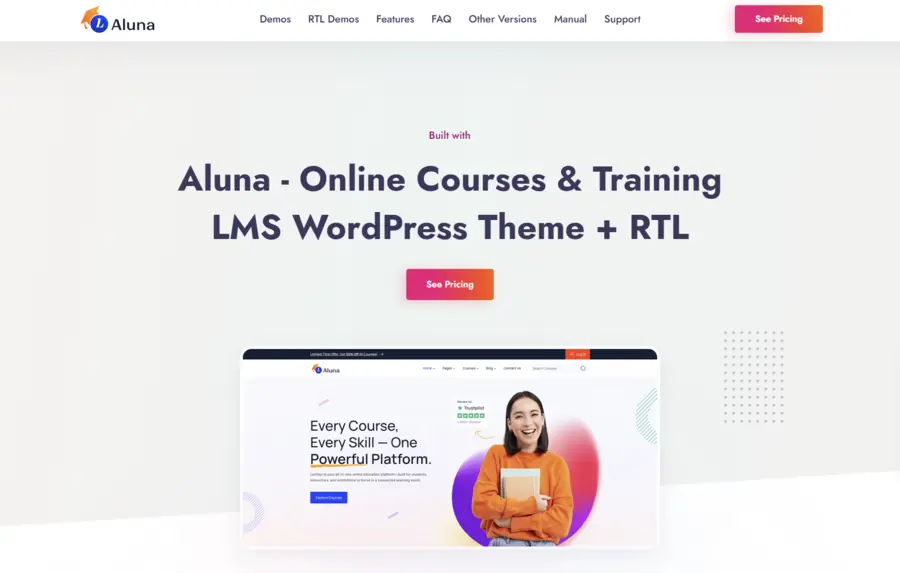
Aluna is a technically advanced professional training website theme that leverages advanced learning logic. It is a technically advanced option that provides a deep set of features for those who want a truly interactive online experience with quizzes, timers, and certificates.
Understanding SEO is easier with this theme, as it follows all major optimization rules and integrates with tools like Google Search Console. Built with modern standards like Bootstrap 5, Aluna offers dedicated dashboards for students, instructors, and admins.
Key Features:
- Technical Excellence: Uses the latest web standards for high speed and security.
- Rich Quiz Support: Ideal for certification-heavy training programs.
- Student/Instructor Dashboards: Professional panels to track progress and manage profiles.
Pros:
- Modern “app-like” interface that students enjoy using.
- High level of functionality for its competitive price.
- Optimized for high-definition video lessons.
Cons:
- The specific LMS workflow may require a short learning curve.
- UI complexity means users might need a guide to navigate the backend.
8. MasterStudy – The training center WordPress theme Hub
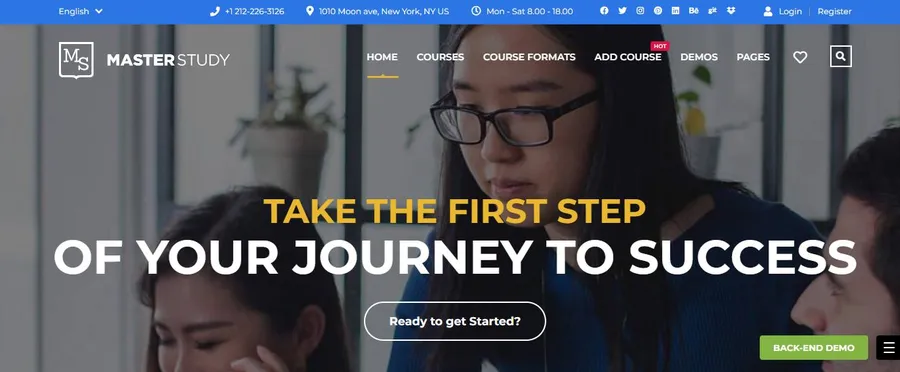
MasterStudy is a widely used training center WordPress theme that functions as a complete business solution. It is unique because it includes its own proprietary LMS plugin, meaning users don’t have to worry about third-party compatibility issues when setting up their courses.
If you are comparing top options, reading about MasterStudy vs Eduma can help clarify which ecosystem fits your team better. The theme highlights a visual course builder, allowing for the rapid creation of lessons and sections. For those starting on a smaller scale, you might also look into the best free education WordPress themes to test your content first.
Key Features:
- All-In-One Ecosystem: No need to hunt for external LMS tools.
- Diverse Monetization: Flexible options for selling access plans or memberships.
- Visual Course Builder: Create curriculum steps visually with ease.
Pros:
- Comprehensive ecosystem that handles sales and lessons in one place.
- Strong multi-instructor tools for marketplace environments.
- Regularly updated for long-term stability.
Cons:
- The theme can feel “heavy” if the server is not well-optimized.
- Moving data to a different platform later can be technically challenging.
Conclusion
Selecting the right training center WordPress theme is a strategic move that shapes the future of an educational business. For those who want the most complete and widely trusted framework, Eduma remains the top recommendation. If the goal is to build a personal brand around expertise, Coaching WP offers the best impact. Meanwhile, Course Builder is the standout choice for a corporate training WordPress theme in professional environments.
To ensure your success, you should utilize the AIDA model when writing your course descriptions to better attract and convert students. Always remember that mastering SEO will be your greatest asset in driving organic traffic to your new academy. Investing in a high-quality training institute WordPress theme ensures that your institute remains credible, accessible, and ready for growth.
Frequently Asked Questions
1. Can a training center WordPress theme handle many students?
Yes, high-quality themes are designed to scale. However, performance also depends on the quality of your web host. For large student bases, using managed WordPress hosting is recommended to maintain speed.
2. Is it possible to issue certificates automatically?
Absolutely. Most themes listed here support a certificate add-on. This allows the system to generate and email a certificate instantly once a student passes their final quiz or completes the course.
3. How do I handle payments for my courses?
You can integrate several payment gateways. The most common method is using dedicated add-ons for Stripe or PayPal, which allow you to accept credit cards securely for course enrollments.
4. Is it possible to have multiple teachers on one site?
Yes. Using a theme with co-instructor tools allows multiple experts to upload and manage their own courses under your brand, which is perfect for marketplace-style websites.
5. Do these themes work on smartphones?
Yes, all the themes in this guide are fully responsive. This ensures that students can access their lessons, watch videos, and take quizzes seamlessly on smartphones and tablets.
Read more: Revealed: Best Teacher WordPress Theme Options to Sell Courses
Contact US | ThimPress:
Website: https://thimpress.com/
Fanpage: https://www.facebook.com/ThimPress
YouTube: https://www.youtube.com/c/ThimPressDesign
Twitter (X): https://x.com/thimpress_com