Building a powerful online course platform requires reliable software. Administrators often realize that while a specific system is popular, it might not fit every institutional requirement. Finding the best WPLMS alternatives becomes essential to launch a digital campus that runs smoothly without requiring extensive coding knowledge.
Exploring various digital solutions and design architectures can help clarify what features are truly necessary for student success. Whether launching a K-12 platform or a large university portal, identifying strong WPLMS alternatives for WordPress ensures the right balance of performance and aesthetics. A well-chosen theme functions seamlessly out of the box, managing curriculums, faculty, and student admissions efficiently while keeping the administration interface accessible and easy to navigate.
Eduma – Education WordPress Theme
We provide an amazing WordPress theme with fast and responsive designs. Let’s find out!
Best WordPress LMS Themes Comparison Table
| Theme | LMS Plugin | Course Monetization | WooCommerce Integration | Page Builders |
| Eduma | LearnPress | PayPal, Stripe, 2Checkout | Premium addon bundled | Elementor, WPBakery |
| Masterstudy | MasterStudy LMS | PayPal, Stripe | Free via Plugin | Elementor, WPBakery |
| Divi | LearnDash | Depends on LMS plugin | Native support | Divi Builder |
| Lincoln | LearnDash | Native ticketing | Native support | Visual Composer |
| Education Hub | Compatible with most | Depends on LMS plugin | Supported | Customizer |
| Ivy School | LearnPress | PayPal, Stripe | Premium addon bundled | Elementor, WPBakery |
| Capital | Compatible with most | Depends on LMS plugin | Supported | WPZOOM Builder |
Comparing WPLMS replacement themes based on their core capabilities is the critical first step toward making an informed decision for an educational institution. The table below outlines the key features of the top solutions available for creating a digital campus.

Popular LMS WordPress Themes
When examining WordPress themes like WPLMS, it is crucial to review those offering native course builders and strong integration with popular e-learning software. The following templates provide excellent foundations for independent tutors and massive open online course platforms alike.
1. Eduma
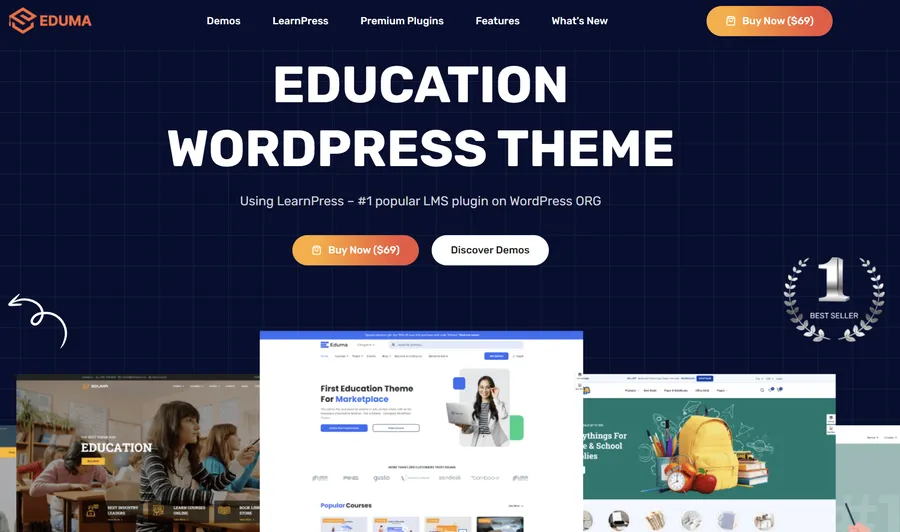
Eduma consistently ranks as a top choice for educational institutions on major digital marketplaces. Developed by ThimPress, this solution is built on extensive e-learning expertise. Unlike generic multipurpose designs that merely imitate an academic layout, this platform functions exactly like a dedicated school portal. It serves as one of the best WordPress LMS themes instead of WPLMS for users requiring comprehensive functionality combined with straightforward usability.
The system is highly optimized for speed and search engine visibility, ensuring prospective students can discover course offerings effortlessly. Administrators can switch between a kindergarten style, a training center look, or a university layout with a single click. It strikes the perfect balance between ease of use and professional functionality, offering deep integration with LearnPress.
Pros:
- Built specifically for seamless compatibility with course management tools.
- Features a robust drag-and-drop builder to adjust layouts visually without coding.
- Includes a sophisticated event management system to organize academic schedules.
- Bundled with premium extensions to expand capabilities without extra subscription costs.
Cons:
- The massive volume of available features can initially overwhelm new administrators.
Quick Info:
| Name | Developer | Price | Installations |
| Eduma | ThimPress | $64 | Very High |
2. Masterstudy
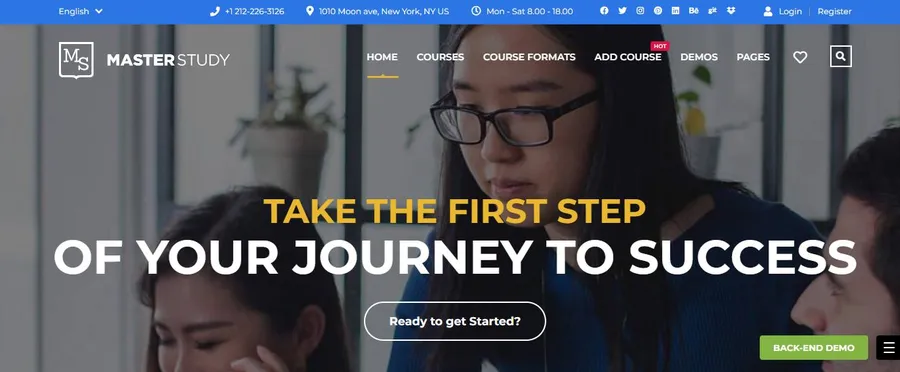
For organizations prioritizing modern aesthetics and visual appeal, Masterstudy operates as a highly flexible candidate. If an educational institution intends to project an image of innovation, this framework provides an excellent foundation. It excels at fostering vibrant online learning communities where instructors can build detailed profiles and students can leave reviews, which builds vital trust with prospective learners.
Those searching for the best WPLMS alternatives will appreciate its integrated course engine and advanced quizzing tools, which eliminate the need for third-party extensions. The platform supports complex lesson structures, including video content, slideshows, and gamification elements like reward points. It represents a complete digital learning environment right out of the box.
Pros:
- Provides distinct architecture layouts for individual instructors and broad marketplaces.
- Unique offline course management allows the sale of tickets for physical workshops.
- Integrated live streaming features for conducting virtual lessons smoothly.
- Contains a built-in reward point system to motivate students.
Cons:
- Configuring specific payment gateways may require reading technical documentation thoroughly.
Quick Info:
| Name | Developer | Price | Installations |
| Masterstudy | StylemixThemes | $69 | High |
3. Divi
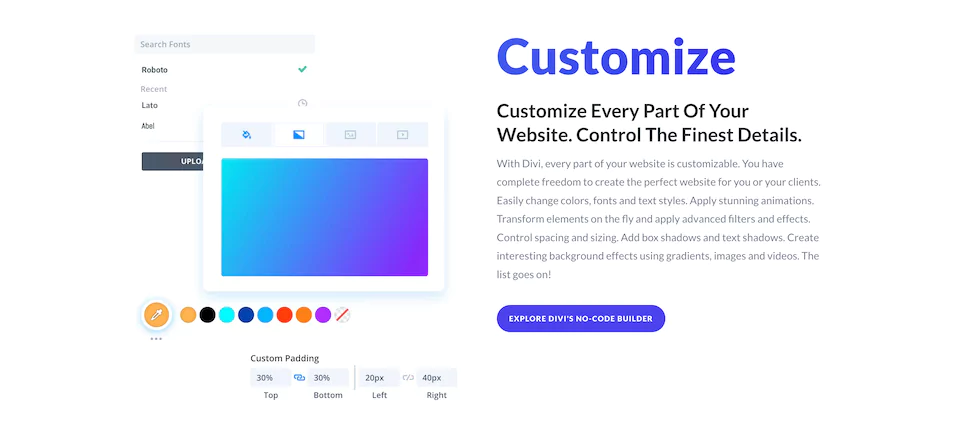
While not exclusively an educational product, Divi possesses immense structural flexibility, earning a prominent position on this list. It grants complete creative control for schools desiring a completely unique brand identity. As one of the most reliable WordPress themes like WPLMS, it provides hundreds of pre-made layouts specifically engineered for education hubs.
Administrators can design the digital infrastructure from the ground up or utilize templates that integrate flawlessly with major learning management plugins. It features a robust visual editor that replaces the standard interface, allowing real-time design modifications on the front end. This is ideal for institutions that want to distinctively brand their digital campus without hiring a dedicated developer.
Pros:
- True front-end visual editing capabilities for real-time design adjustments.
- Global design settings ensure color schemes update consistently across hundreds of pages.
- Built-in marketing tools to analyze and optimize course enrollment rates.
- Supported by a massive user community and a dedicated technical assistance team.
Cons:
- Requires initial structural configuration to match specific academic workflows.
Quick Info:
| Name | Developer | Price | Installations |
| Divi | Elegant Themes | $89/year | Very High |
University & Higher Education WordPress Themes
Higher education websites demand specialized content architectures to manage massive directories and complex departmental information. Identifying the right WPLMS replacement themes in this category ensures the professional delivery of academic data.
4. Lincoln
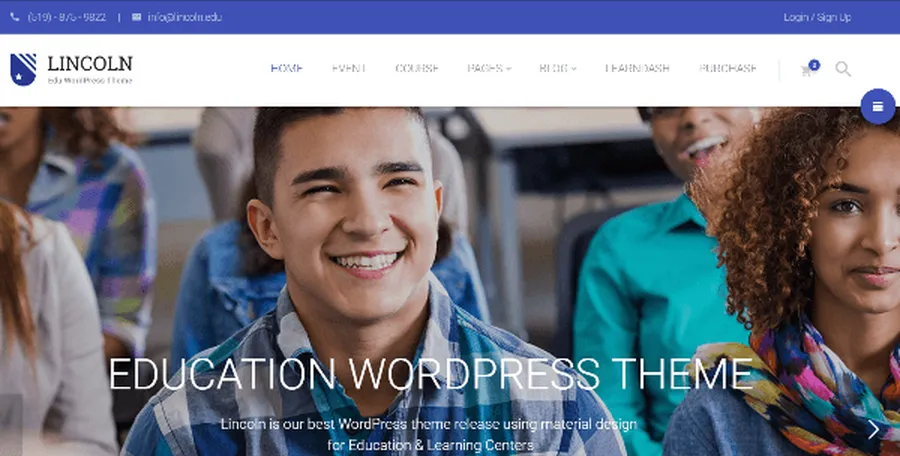
Lincoln distinguishes itself through a highly structured material design philosophy. This approach provides the website with a clean, flat, and organized appearance that conveys the professionalism essential for university platforms. It handles extensive content hierarchies masterfully, effectively dividing course directories and faculty listings.
Institutions evaluating WPLMS alternatives for WordPress will find Lincoln highly capable of managing complex academic structures without creating visual clutter. It is specifically crafted to manage the content-heavy nature of higher education websites, dividing information into digestible sections.
Pros:
- Bold material design aesthetic stands out from traditional academic layouts.
- Deep technical support for handling complex curriculums and lesson plans.
- Native operational capability to sell tickets for campus seminars and events.
- Fully translation-ready, making it ideal for international student bases.
Cons:
- The corporate design aesthetic may feel too rigid for small early education centers.
Quick Info:
| Name | Developer | Price | Installations |
| Lincoln | Various | $59 | Medium |
5. Education Hub
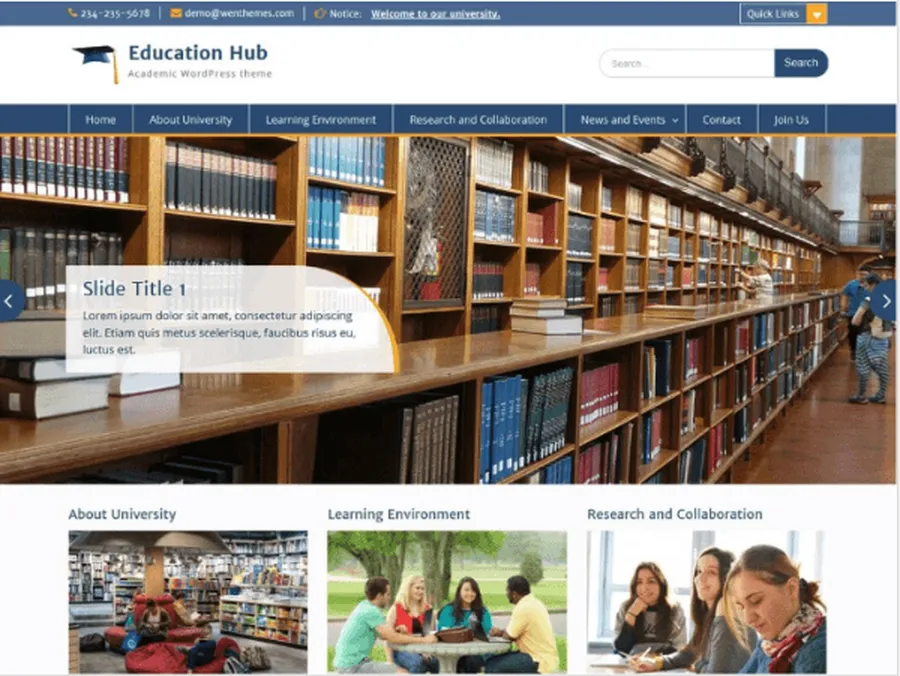
Recognizing that not every institution operates on a massive budget, Education Hub presents a highly reliable and accessible solution. This responsive option focuses entirely on clear information dissemination. With an elegant layout featuring prominent sliders and accessible notice boards, it stands out among reliable WordPress themes like WPLMS.
It is particularly excellent for primary and secondary schools needing an immediate, stable method to communicate effectively with parents and staff. The codebase is clean and lightweight, ensuring fast loading times even for users on slower network connections.
Pros:
- Intuitive controls allow for quick logo and layout adjustments.
- Specialized custom widgets display recent academic posts and critical notices clearly.
- Lightweight codebase ensures fast loading times on all devices.
- Extremely simple setup process for administrators possessing limited technical skills.
Cons:
- Lacks the advanced native learning management features found in premium packages.
Quick Info:
| Name | Developer | Price | Installations |
| Education Hub | WEN Themes | Free ($59 Pro) | High |
6. Ivy School
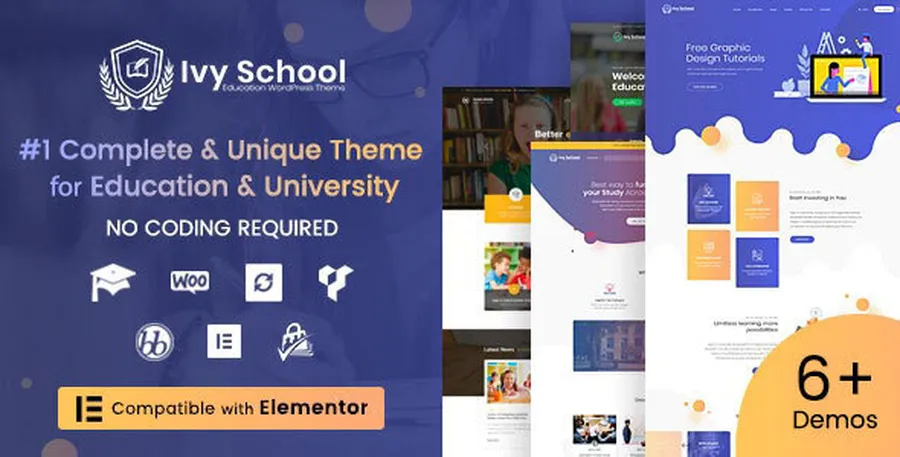
Ivy School focuses heavily on the visual elegance and institutional authority required by modern colleges. It provides high-end layouts designed to showcase faculty and professors with absolute professionalism. Fully compatible with robust course plugins, it is considered one of the best WordPress LMS themes instead of WPLMS for prestigious academic entities looking to maintain a sophisticated digital presence.
The architecture supports complex multimedia lessons seamlessly. It rivals expensive custom-made websites by offering pre-designed templates that require minimal adjustment before launching to the public.
Pros:
- Exceptionally sharp appearance across all modern devices and large monitors.
- Specialized structural layouts dedicated to highlighting instructor profiles.
- Clean and highly organized event management display for extracurricular activities.
- Fast demo import functionality to replicate professional layouts instantly.
Cons:
- Requires premium plugin installations to unlock maximum e-learning potential.
Quick Info:
| Name | Developer | Price | Installations |
| Ivy School | ThimPress | $64 | Medium |
7. Capital
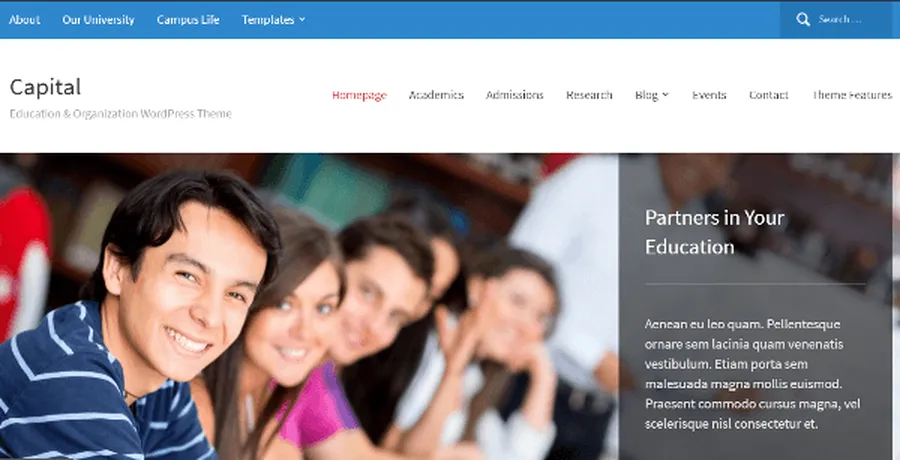
Capital is a multi-purpose framework that fits exceptionally well within the education sector. It focuses heavily on readability and structure, utilizing a dynamic builder that allows administrators to arrange widgets to suit an exact content strategy. This ranks it highly among WPLMS replacement themes for organizations that produce a substantial amount of editorial content, such as university news or research papers. It avoids fleeting design trends in favor of a classic, timeless look.
Pros:
- Flexible widget-based structure for immediate front-page modifications.
- Instant visual customizer for changing colors, fonts, and backgrounds.
- Seamless styling integration for complex academic calendars.
- Clean codebase to help the institution rank better in search results.
Cons:
- Relies on a yearly subscription model rather than a one-time purchase.
Quick Info:
| Name | Developer | Price | Installations |
| Capital | WPZOOM | $69/year | Medium |
Final Thoughts
Selecting the proper design architecture is a critical step in establishing a professional digital campus. The best WPLMS alternatives offer diverse feature sets tailored to different institutional needs, from comprehensive digital hubs to straightforward informational portals. By evaluating specific requirements against available options, administrators can implement a solution that supports student success effectively.
For further reading on expanding digital capabilities, explore comprehensive guides on optimizing course delivery, managing digital campus events, and integrating academic payment gateways.
Frequently Asked Questions: Best WPLMS Alternatives for WordPress Sites
1. What distinguishes a standard educational layout from a learning management platform?
A standard website primarily displays static information such as contact details, faculty directories, and campus news. A dedicated learning management layout is more advanced; it allows administrators to register students, track academic progress, create quizzes, and issue certificates directly on the platform.
2. Are these academic templates responsive across different devices?
Yes, modern educational solutions automatically adjust their internal layouts and element sizes to fit smartphones, tablets, and desktop computers perfectly. This ensures that students can access learning materials comfortably from any location.
3. Do administrators need advanced programming skills to manage the platform?
No programming knowledge is required to operate these systems. The options provided generally include visual page builders that allow users to customize layouts, update brand colors, and modify content structures using simple drag-and-drop interfaces.
4. Can the digital platform support international students in various languages?
Most premium educational solutions are fully translation-ready. Administrators can utilize standard language translation tools to convert the interface and offer educational content in multiple languages, accommodating diverse student populations easily.
5. How are tuition and course payments processed securely?
These platforms integrate seamlessly with established commercial plugins and payment gateways. This enables institutions to collect tuition and individual course fees safely using standard methods such as credit cards, digital wallets, and secure bank transfers.
Read more: Best LMS WordPress Theme for Certifications & Accreditations
Contact US | ThimPress:
Website: https://thimpress.com/
Fanpage: https://www.facebook.com/ThimPress
YouTube: https://www.youtube.com/c/ThimPressDesign
Twitter (X): https://x.com/thimpress_com